Native 4K projectors have true 3840 x 2160 resolution, delivering sharper, more detailed images, ideal for a high-quality viewing experience. “4K supported” models use pixel shifting or image processing to simulate 4K resolution, often resulting in less crisp pictures and usually costing less. Your choice depends on your budget and how much image quality matters. To discover more about these differences and how they impact your setup, keep exploring.
Key Takeaways
- Native 4K projectors have a true 3840 x 2160 pixel chip, offering sharper, more detailed images than “4K supported” models.
- “4K supported” projectors simulate 4K resolution through pixel shifting, but often have lower native resolution and less crisp images.
- Native 4K projectors handle true 4K signals seamlessly and require high-bandwidth HDMI cables, while “4K supported” models upscale lower-resolution content.
- Native 4K projectors tend to be more expensive and ideal for high-quality home theater setups; “4K supported” models are more budget-friendly.
- Understanding the difference helps choose the right projector based on resolution needs, compatibility, and budget considerations.
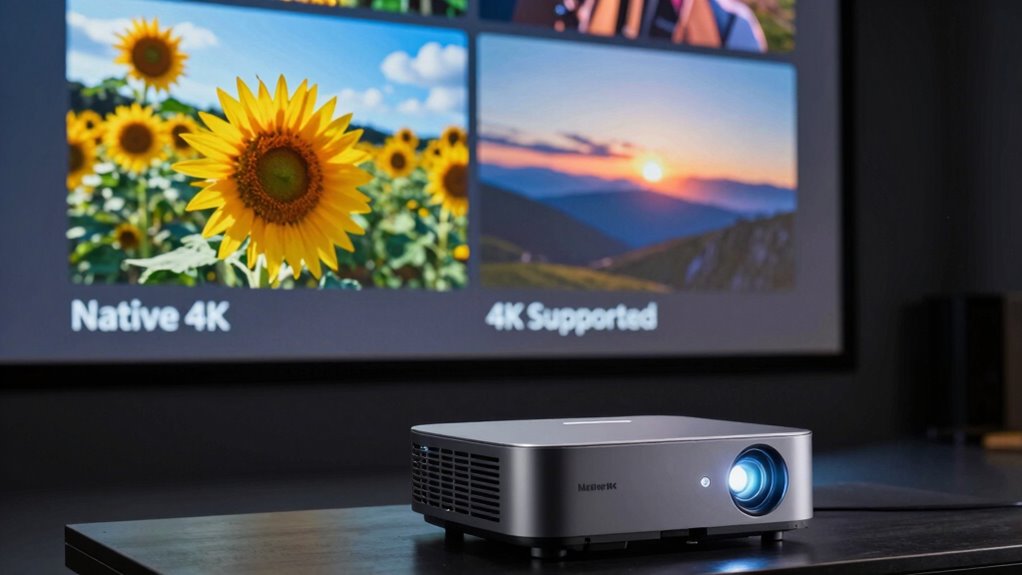
Are you curious about what makes a 4K projector stand out? When you’re shopping for one, you’ll notice two main types: native 4K and “4K supported” models. Understanding the resolution differences between these options can help you make an informed choice. Native 4K projectors have a true 3840 x 2160 pixel chip, which means they display 4K content at its full resolution. This results in sharper, more detailed images, making every scene pop with clarity. On the other hand, “4K supported” projectors typically use pixel shifting or other image processing techniques to simulate 4K resolution, even if their actual native resolution is lower, like 1080p. While they can display 4K content, the image quality may not be as crisp or detailed as native 4K models. The key is to compare their resolution capabilities and decide what level of detail you need for your viewing experience. Additionally, content quality plays a crucial role in your overall viewing satisfaction. Compatibility considerations come into play when you’re connecting your projector to various devices or content sources. Native 4K projectors are designed to handle true 4K signals, so they work seamlessly with modern 4K Blu-ray players, gaming consoles, and streaming devices. However, they often require high-bandwidth HDMI cables (like HDMI 2.0 or newer) to transfer the full resolution without issues. “4K supported” projectors can also display 4K content but might be more forgiving with lower-bandwidth connections, as they often upscale lower-resolution signals to look like 4K. Still, keep in mind that their image quality depends heavily on the source content and their internal processing capabilities. Compatibility considerations extend beyond just resolution; you also need to ensure your devices’ outputs match the projector’s input options, including HDMI versions, HDR support, and other features. Choosing between native 4K and “4K supported” models involves weighing resolution differences against your budget and usage needs. Native 4K projectors tend to be more expensive but deliver superior clarity and detail, making them ideal for home theaters or professional presentations. “4K supported” projectors can be more budget-friendly and still provide a satisfying viewing experience, especially if you’re watching streaming content or gaming on a console that can upscale resolution. Ultimately, understanding these resolution differences and compatibility considerations helps you select a projector that aligns with your expectations and setup. Whether you’re looking for top-tier quality or a more affordable option, knowing the distinctions guarantees you make a choice you’ll be happy with.
Frequently Asked Questions
How Does Lens Quality Impact 4K Image Clarity?
Lens quality directly impacts your 4K image clarity by reducing lens distortion and ensuring sharpness. A high-quality lens with an appropriate aperture size allows more light and minimizes distortions, resulting in clearer, more detailed images. Poor lenses can introduce blurriness and distortions, degrading your 4K experience. So, investing in a good lens helps you enjoy true 4K clarity with vibrant, crisp visuals without unwanted imperfections.
Can a 4K Supported Projector Display True 4K Content?
Think of a 4K supported projector as a talented artist with a broad palette; it can display 4K content, but the picture might lack the sharpness of a native 4K model. While it can show true 4K resolution, color accuracy and motion smoothing may not be ideal, resulting in a slightly softer image. For the best clarity, native 4K projectors deliver crisper details, especially during fast action scenes.
What Is the Difference Between Native 4K and Pixel Shifting?
Native 4K projectors have a true 3840×2160 resolution, displaying every pixel as intended. Pixel shifting, on the other hand, is a technique used in some projectors with lower native resolutions; it uses fast adjustments to create the illusion of a higher resolution. So, while native 4K offers genuine detail, pixel shifting simulates 4K quality, often at a lower native resolution, by rapidly shifting pixels for a sharper image.
How Do Brightness and Contrast Affect 4K Image Quality?
Brightness and contrast directly impact your 4K image quality, affecting color accuracy and how vivid your picture appears. Higher brightness guarantees you see details even in larger screen sizes or well-lit rooms, while better contrast enhances the depth and richness of colors. Together, they create a more immersive experience, making images sharper and more vibrant. Adjust these settings to optimize your viewing environment for the best 4K clarity and color fidelity.
Are There Compatibility Issues With 4K Projectors and Different Devices?
You might face device compatibility issues or connection problems with 4K projectors, especially if your device’s ports or supported formats don’t match the projector’s inputs. To avoid these issues, verify your device supports HDMI 2.0 or higher, use the right cables, and update your firmware. Check compatibility lists, test connections beforehand, and keep your devices’ software current to enjoy seamless 4K playback.
Conclusion
Understanding the difference between native 4K and “4K supported” projectors helps you make smarter choices. Remember, a true 4K projector offers genuine 4K images, while supported models may only upscale lower resolutions. Don’t be deceived by marketing—sometimes, what’s advertised isn’t what you get. By choosing wisely, you ensure a sharper, more authentic viewing experience. Ultimately, investing in true 4K technology proves that quality and clarity are worth the extra attention and expense.