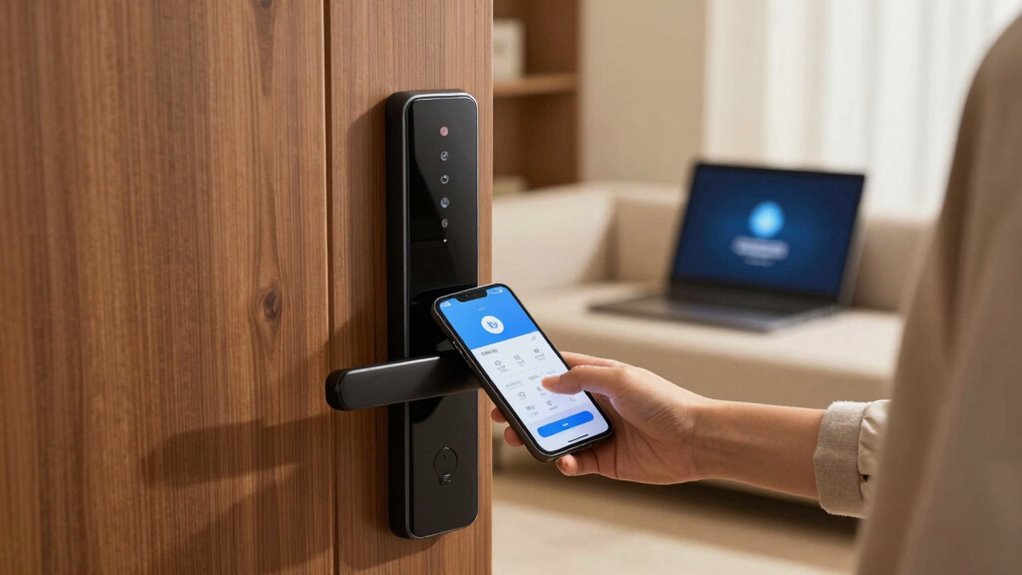

To give guests smart home access securely, use platform-specific features like guest invitations or user profiles to limit device control. Set time-based permissions that automatically expire and specify which devices they can access, such as lights or thermostats. Enable security measures like two-factor authentication and notifications for activity. Regularly update permissions and passwords to keep everything secure. If you want to discover more about managing access safely, keep exploring effective tips and tools.

Prime made for students and young adults
- Fast, free delivery for dorm and study essentials
- Prime Video and Amazon Music included
- Member-only deals
Key Takeaways
- Use platform-specific guest invitations or user profiles with limited device access.
- Set time-bound permissions that automatically revoke after the guest’s stay.
- Enable two-factor authentication and notifications for control changes for added security.
- Clearly communicate device control limits and usage instructions to guests.
- Regularly review and update access permissions, removing guests when they leave.
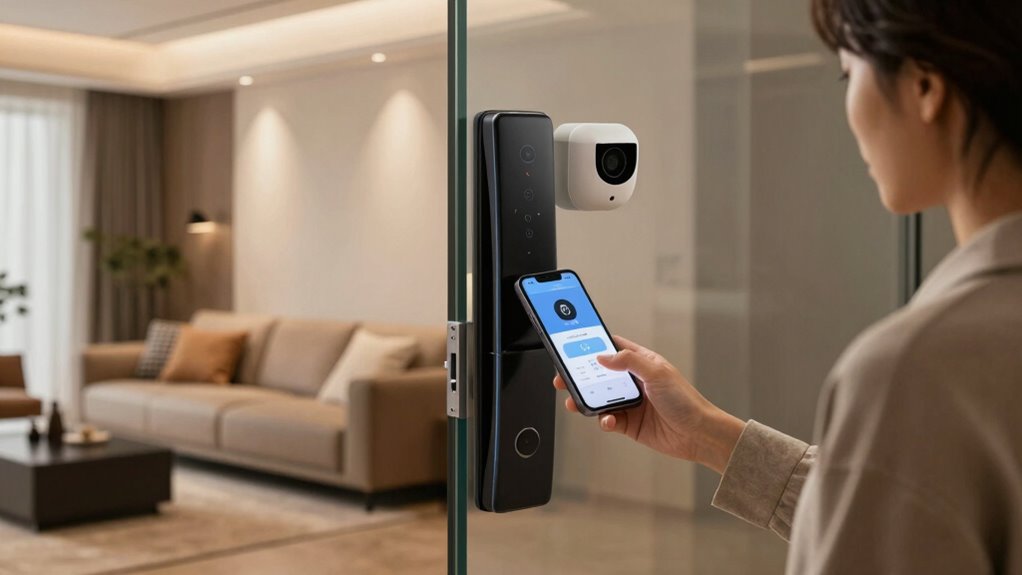
Ever wondered how to let guests into your smart home without giving out your main password? It’s a common concern, especially when you want to maintain security while still being welcoming. The key lies in managing smart device setup and guest access permissions thoughtfully. Modern smart home systems are designed to make this process simple, allowing you to share access without compromising your security. Instead of handing over your main password, you can generate temporary or restricted access that gives guests what they need without exposing your full control.
Share smart home access securely with temporary or restricted permissions, keeping your main password private.
The first step is to understand your smart home platform’s capabilities. Most systems, like Google Home, Amazon Alexa, or Apple HomeKit, allow you to create separate user profiles or invite guests via a dedicated app. When you do a smart device setup for guests, you typically generate a unique code or invite link that grants limited permissions. This way, your guests can control specific devices—like lights, locks, or thermostats—without gaining access to your entire system. Setting up these guest access permissions is quick; you can specify which devices are available, set time limits, or revoke access once they leave. This keeps your main account secure while still offering a seamless experience for visitors.
Another smart move is to leverage temporary access features. Some platforms let you create time-bound permissions that automatically expire. If you’re hosting for a weekend or a few days, you can set the guest access permissions to deactivate afterward. This prevents any lingering security issues or accidental control over your entire home. Additionally, you can use voice assistants’ guest modes if available, which restrict commands and access to certain functions. This ensures that your guests can enjoy the convenience of smart devices without risking unintentional changes or security breaches. Being aware of smart security features helps you better protect your home environment. Knowing how to utilize security protocols effectively can further enhance your smart home security. Also, staying informed about best practices for smart device management can help you maintain optimal security measures.
It’s also wise to communicate with your guests about what they can control and what they shouldn’t. Clear instructions about using the guest access permissions help prevent mishaps and protect your privacy. Regularly updating your passwords and reviewing access permissions helps you stay in control. If your smart home platform supports it, consider enabling two-factor authentication or notifications for any device control changes. These extra security measures provide peace of mind, knowing you’re alerted to any unusual activity.
smart home guest access management
As an affiliate, we earn on qualifying purchases.
As an affiliate, we earn on qualifying purchases.
Frequently Asked Questions
Can I Revoke Guest Access Remotely After Their Stay?
Yes, you can revoke guest access remotely. Most smart lock systems offer guest code customization and access duration control, allowing you to set specific timeframes for entry. Once the stay is over, you simply disable or delete the guest code through the app. This way, you maintain control, prevent unauthorized access, and guarantee your home’s security, even if you’re not physically present.
Are There Security Risks With Temporary Smart Lock Codes?
Temporary smart lock codes are like keys to a house of cards—if not managed properly, they can pose security risks. However, with code customization and access scheduling, you control when and how guests can enter. You can set codes to expire automatically or restrict access times, reducing risks. Regularly updating and revoking codes after use keeps your smart home secure, just like safeguarding a precious treasure chest.
How Do I Ensure Guest Privacy With Smart Home Devices?
To guarantee guest privacy with smart home devices, you should prioritize privacy protection by setting clear access permissions and avoiding sharing sensitive data. Use devices that support data encryption, which safeguards your information during transmission. Regularly update firmware and change passwords after guests leave. Additionally, monitor device activity logs to spot any unusual behavior, giving you peace of mind while maintaining control over your smart home environment.
What’s the Best Way to Track Guest Access History?
They say “trust, but verify,” and tracking guest access is no different. You should use guest credential management to give temporary access, and regularly review access audit trails to monitor who entered and when. Many smart home systems log this data automatically, so you can easily track guest activity. This way, you maintain control, guarantee security, and have a clear record if anything unusual happens during your guests’ stay.
Can Multiple Guests Use the Same Access Code?
Multiple guests can use the same access code if you manage it carefully, but it’s not ideal for security. Code sharing makes access management tricky, as you can’t track who entered or when. To maintain control, consider assigning unique codes or temporary access links to each guest. This way, you keep better track of access history, and it’s easier to revoke access when needed, enhancing your overall security.
temporary smart home device control
As an affiliate, we earn on qualifying purchases.
As an affiliate, we earn on qualifying purchases.
Conclusion
By following these tips, you can give your guests access to your smart home without turning it into a digital Tower of Babel. Remember to set clear permissions, use temporary codes, and keep your security settings tight. Think of it like handing over the keys to your enchanted castle—trust but verify. With a little planning, you’ll keep your home safe and welcoming, all while making your guests feel like royalty in your modern-day palace.
smart home security system with guest permissions
As an affiliate, we earn on qualifying purchases.
As an affiliate, we earn on qualifying purchases.
smart home device access control app
As an affiliate, we earn on qualifying purchases.
As an affiliate, we earn on qualifying purchases.
Fall Picks
fall essentials
As an affiliate, we earn on qualifying purchases.