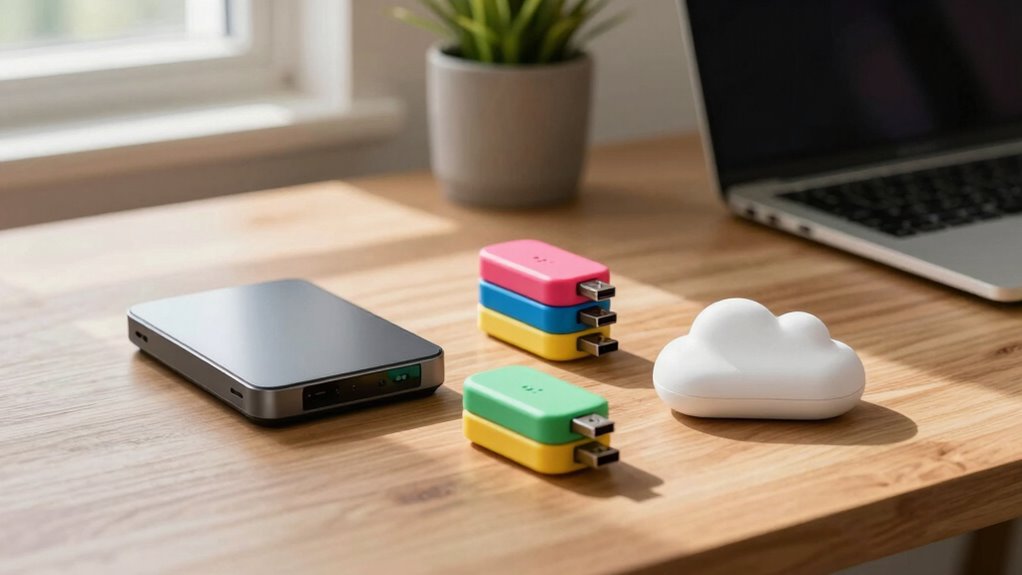

The 3-2-1 backup rule is easier to follow than it seems. It means keeping at least three copies of your data, using two different types of storage media, and storing one backup offsite, like in the cloud. This approach protects your data from accidental loss, hardware failures, or disasters. By following these simple steps, you create a strong safety net. Keep exploring to find out more about making your data backups even more secure.

Prime made for students and young adults
- Fast, free delivery for dorm and study essentials
- Prime Video and Amazon Music included
- Member-only deals
Key Takeaways
- The 3-2-1 rule means keeping three copies of data on two different media types, with one stored offsite.
- It simplifies backup strategies by providing clear, easy-to-follow steps for data protection.
- Using diverse media, like drives and cloud, reduces the risk of all backups failing simultaneously.
- Cloud backups, when encrypted, add a secure offsite copy without complex setup.
- Following this rule ensures quick recovery from accidental deletion, hardware failure, or disasters.

Having your data backed up might seem like a hassle, but it’s indispensable to prevent loss from hardware failures, theft, or malware. The 3-2-1 backup rule simplifies this process, making it easier to protect your information effectively. The core idea is straightforward: keep at least three copies of your data, store them on two different types of media, and guarantee one copy is offsite. This approach minimizes risks and assures you can recover quickly if disaster strikes.
To start, having three copies means your original data plus two backups. It’s a simple safeguard against accidental deletion, corruption, or hardware issues. The second part involves storing these copies on two different types of media—such as an external hard drive, USB flash drive, or network storage. This diversity prevents a single point of failure from wiping out all your backups. For example, if your external drive crashes, your cloud backup remains accessible. Media diversity is a key aspect of making sure your backups are resilient.
Speaking of cloud backups, cloud security plays a critical role here. When you upload your data to a cloud service, you want to verify it’s protected with strong data encryption. Data encryption scrambles your files, making them unreadable to anyone without the decryption key. This step is imperative, especially when your offsite backup is stored remotely. Encryption guarantees that even if someone gains unauthorized access, they won’t be able to read your sensitive information. Many reputable cloud providers use robust encryption protocols both during data transfer and at rest, giving you peace of mind. Additionally, understanding cloud security helps ensure your data remains private and protected during transfer and storage.
The final component of the 3-2-1 rule emphasizes offsite storage. This means your backup isn’t just sitting in your home or office but stored somewhere geographically separate. Cloud storage naturally fulfills this requirement, ensuring your data remains safe even if a local disaster, theft, or fire occurs. By having an offsite backup, you add a layer of security that keeps your data accessible regardless of physical damage to your primary location. Additionally, understanding data encryption helps ensure your backups remain private and protected during transfer and storage. Ensuring your backups are encrypted during both transfer and storage is vital to maintaining confidentiality.
external hard drive for data backup
As an affiliate, we earn on qualifying purchases.
As an affiliate, we earn on qualifying purchases.
Frequently Asked Questions
How Often Should I Update My Backups?
You should update your backups regularly, ideally weekly or even daily, depending on how often your data changes. Incorporate backup scheduling to stay consistent, and always guarantee your backups are protected with data encryption for security. Regular updates reduce the risk of losing recent files, and scheduled backups keep your process efficient, so you don’t forget. Stay proactive to safeguard your data effectively.
What Storage Devices Are Best for the 3-2-1 Rule?
You should use external drives and network storage devices for the 3-2-1 backup rule. External drives are great for quick, local backups and easy to rotate, ensuring you have at least one copy off your main system. Network storage, like NAS, provides a centralized backup solution accessible from multiple devices. Combining these options offers reliable protection, keeping your data safe even if one device fails or gets compromised.
Is Cloud Backup Necessary With the 3-2-1 Rule?
Think of your data as a precious treasure, and yes, cloud backup is vital. It acts as an invisible fortress, shielding your files with robust cloud security and data encryption. Relying solely on physical devices leaves your data vulnerable to theft, damage, or disasters. Cloud backup guarantees your treasure remains safe and accessible, offering peace of mind knowing your data’s protected no matter what storms come your way.
How Do I Verify My Backups Are Working Properly?
To verify your backups are working properly, start by performing regular recovery testing to confirm you can restore your data successfully. Check that your backups are up-to-date and intact, and verify data encryption to keep your information secure. Test different files and system restores periodically, so you’re confident in your backup process. This proactive approach helps you catch issues early and guarantees your data is protected when needed.
Can the 3-2-1 Rule Protect Against Ransomware?
Yes, the 3-2-1 backup rule can help protect against ransomware. By keeping multiple copies of your data on different media and locations, you create data redundancy that makes it harder for ransomware to corrupt all backups. Additionally, encrypting your backups enhances security, preventing attackers from accessing or modifying them. Regularly verifying your encrypted backups guarantees they’re functional, giving you a safe restore point if ransomware strikes.
As an affiliate, we earn on qualifying purchases.
Conclusion
By following the 3-2-1 backup rule, you’re markedly reducing the risk of losing important data. Did you know that 30% of people have never backed up their files? Don’t be part of that statistic. With just a bit of planning, you can safeguard your memories, work, and everything in between. Take action today—your future self will thank you for it. Backup smart, and sleep easier tonight.
cloud backup service with encryption
As an affiliate, we earn on qualifying purchases.
As an affiliate, we earn on qualifying purchases.
As an affiliate, we earn on qualifying purchases.
Fall Picks
fall essentials
As an affiliate, we earn on qualifying purchases.