To give guests access to your smart home without handing over control, set up dedicated guest accounts or use guest mode features provided by your platform. Restrict permissions so they can only control specific devices like lights or thermostats, while preventing access to sensitive areas like security cameras or locks. Use secure, temporary access links or passwords with expiration dates. If you want to learn more about secure guest management, keep exploring the options available to maintain your privacy and safety.

Prime made for students and young adults
- Fast, free delivery for dorm and study essentials
- Prime Video and Amazon Music included
- Member-only deals
Key Takeaways
- Use platform-specific Guest Mode features to provide limited access without full control.
- Configure device permissions to restrict guest access to only necessary functions or devices.
- Generate time-limited or auto-expiring access links to prevent lingering permissions.
- Avoid sharing main login credentials; instead, create temporary or guest accounts with restricted rights.
- Regularly review and revoke guest permissions after their visit to maintain security.
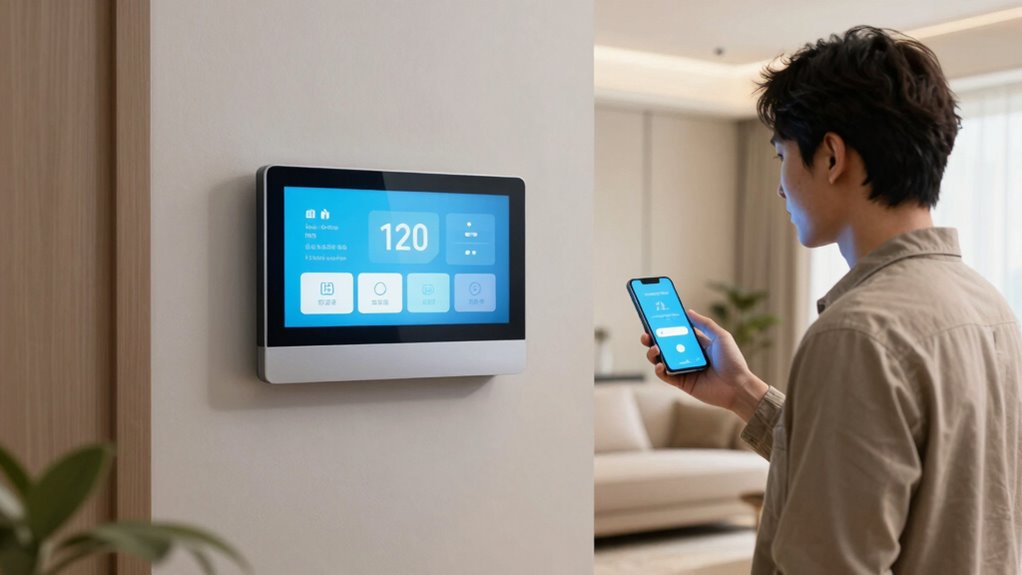
With more people hosting visitors at their smart homes than ever before, managing security and privacy becomes essential. You want your guests to enjoy the convenience of your smart devices without risking your personal data or compromising your home’s security. That’s where Guest Mode comes in, allowing you to give access without giving control. The key to implementing this effectively lies in understanding and applying robust security protocols and user authentication methods. Security protocols are the foundation of safe access, ensuring that your smart home devices communicate securely and are protected from unauthorized intrusion. By setting up encrypted connections, you prevent outsiders from intercepting data or hacking into your system. User authentication adds an extra layer of security, verifying that only authorized individuals can access certain features or information. When you create a Guest Mode, you typically generate temporary or limited access credentials that your visitors use instead of your primary login details. This way, you keep your main account and sensitive data safe while still providing your guests the ability to control specific devices or functions. Implementing multi-factor authentication (MFA) can further enhance security, requiring guests to verify their identity through multiple methods, such as a code sent to their phone or biometric verification. It’s important to configure your smart home system to restrict access to only what’s necessary — perhaps allowing control over smart lights, thermostats, or entertainment systems, but blocking access to security cameras or door locks. Many smart home platforms now offer dedicated Guest Mode features or user profiles that simplify this process, enabling you to set permissions and expiration dates for access rights. When setting up user authentication, be sure to choose strong, unique passwords for temporary accounts, and communicate these credentials securely to your guests. Avoid sharing login details through unsecured channels like email or messaging apps. Instead, opt for secure sharing methods or temporary access links that expire automatically after a set period. Regularly reviewing and revoking permissions once your visitors leave or no longer need access is also a crucial step to maintain ongoing security. This ongoing management helps prevent potential security breaches. Additionally, understanding the importance of security protocols and how they protect your smart home network can give you greater confidence in managing guest access. With these precautions, you can confidently host visitors, knowing your smart home remains protected. By combining solid security protocols with effective user authentication, you ensure that your guests enjoy smart home convenience without compromising your privacy or security. Ultimately, Guest Mode is about balance — offering seamless access while maintaining control over your digital domain.
As an affiliate, we earn on qualifying purchases.
Frequently Asked Questions
Can Guest Mode Be Scheduled for Specific Times?
Yes, you can schedule guest mode for specific times. Most smart home systems offer timing restrictions through scheduling options, allowing you to set precise hours when guest access is active. You simply choose the desired time slots in the app’s scheduling feature, ensuring your guests have access only when needed. This way, you maintain control and security while providing flexible access tailored to your schedule.
How Secure Is Guest Access Through Smart Home Apps?
Guest access through smart home apps is incredibly secure, almost like Fort Knox! It relies on strong encryption standards and user authentication to defend your system. These layers of security ensure that only authorized guests can access certain features without risking full control. However, always keep your app updated and use strong passwords to stay ahead of potential threats and safeguard your smart home environment.
Can Guests Control Certain Devices but Not Others?
Yes, you can set device permissions to allow guests to control certain devices while restricting others. Use guest restrictions within your smart home app to tailor access, ensuring they only control specific devices like lights or thermostats. This way, you maintain control over your home, granting limited access without compromising security or privacy. Adjust these settings easily to customize what your guests can and cannot do.
Is Guest Mode Compatible With All Smart Home Brands?
Guest mode isn’t compatible with all smart home brands; it depends on the brand compatibility and device integration capabilities. Some brands, like Google Nest or Amazon Alexa, support guest access features, while others may not. To guarantee seamless access for your guests without giving full control, check if your devices and platform support guest mode or similar features. Always verify compatibility before setting up guest access to avoid surprises.
How Do I Revoke Guest Access After Use?
To revoke guest access, you simply disable the guest password or change it. Many smart home apps allow you to set access expiration, so you can specify how long guests have control. Once their access expires or you change the password, they lose entry. Always review your app’s settings to guarantee the guest’s access is fully revoked, providing security without giving up full control of your smart home.
temporary smart home access link
As an affiliate, we earn on qualifying purchases.
As an affiliate, we earn on qualifying purchases.
Conclusion
Think of Guest Mode like a hotel’s front desk—you can give visitors keys without handing over the master key to your entire home. Just last weekend, a friend stayed over, and I activated guest access on my smart locks—she enjoyed the comfort of control without risking my privacy. With these features, you’re the host who offers a warm welcome while keeping your home secure. It’s all about building trust without giving away the keys to your castle.
smart home device permission settings
As an affiliate, we earn on qualifying purchases.
As an affiliate, we earn on qualifying purchases.
multi-factor authentication smart home
As an affiliate, we earn on qualifying purchases.
As an affiliate, we earn on qualifying purchases.
Fall Picks
fall essentials
As an affiliate, we earn on qualifying purchases.