
Using predictable or reused keypad codes like 1234, 0000, or birth years puts your security at risk. Avoid simple combinations and focus on unique, hard-to-guess PINs. Consider adding biometric options like fingerprint or facial recognition for stronger protection. Remember, staying ahead of hackers means updating and combining security methods regularly. If you want to learn more about securing your devices effectively, you’ll find essential tips below.
Key Takeaways
- Use complex, unpredictable PINs that aren’t related to personal info, avoiding common combinations like 1234 or 0000.
- Refrain from reusing PINs across multiple devices or locations to prevent widespread security breaches.
- Incorporate biometric authentication methods such as fingerprint or facial recognition for stronger, safer access.
- Regularly update your PINs and security settings to stay ahead of hacking techniques and vulnerabilities.
- Avoid writing down PINs or storing them in easily accessible places to reduce the risk of theft or observation.

Have you ever wondered how keypad codes keep your belongings secure? While they’re a popular choice for securing safes, doors, and devices, relying solely on a simple PIN can sometimes lead to vulnerabilities. Many people make common security mistakes that compromise their safety, such as choosing easily guessable codes or sharing their PIN with others. However, there are biometric alternatives to keypad codes that can substantially enhance your security. These methods include fingerprint scans, facial recognition, or even iris detection, which are much harder for intruders to bypass. Incorporating biometric alternatives means you’re reducing the risk of someone guessing or stealing your code, giving you peace of mind that your valuables are better protected.
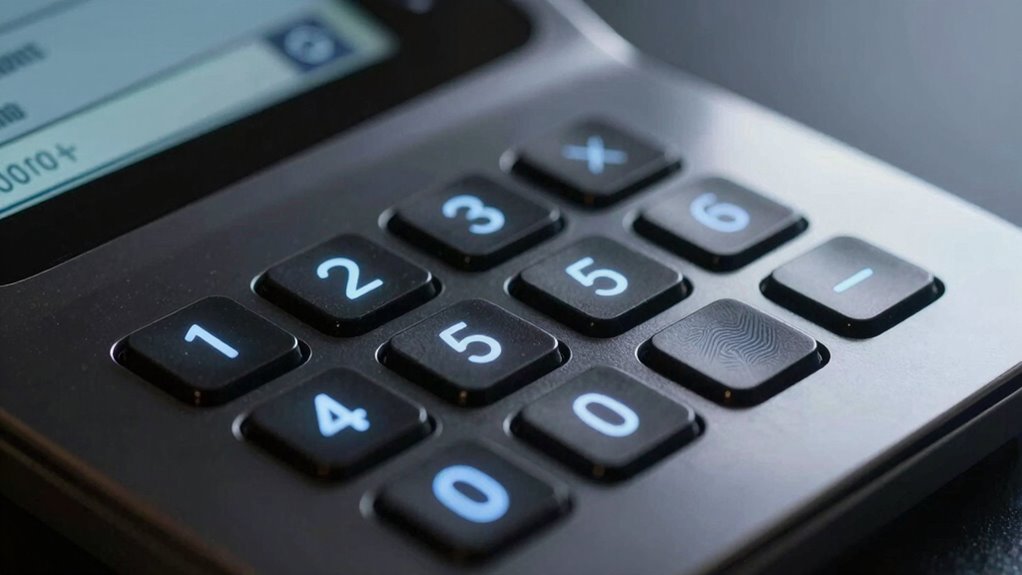
One of the biggest common security mistakes is using predictable PINs like 1234, 0000, or your birth year. These are among the first guesses for anyone attempting to break into your safe or door. People often underestimate how quickly someone can figure out basic combinations, especially if they’re easily associated with you. Additionally, reusing the same code across multiple devices or locations increases vulnerability. If one code gets compromised, all your other secured items become at risk. Another mistake is writing down your code somewhere accessible or storing it in plain sight, which defeats the purpose of having a keypad lock in the first place. These habits make it easier for someone to access your belongings without much effort. Regularly updating your security methods and understanding how genuine security benefits can help you stay protected are crucial steps in safeguarding your valuables.
To keep your keypad codes safe, avoid these common mistakes and consider upgrading to biometric alternatives. They eliminate the need to remember complex codes and prevent others from guessing your PIN. Biometric systems are also more convenient; you don’t need to carry around a key or remember a code, and they tend to be very quick to authenticate. However, it’s still crucial to maintain good security practices, like setting up multi-factor authentication when possible and ensuring your biometric data is stored securely. Never share your biometric data or PIN with anyone, and regularly update your security methods to stay ahead of potential threats. By avoiding common mistakes and embracing more advanced, biometric options, you greatly improve your overall security and reduce the chances of unauthorized access. Ultimately, making smarter choices about your security setup ensures your belongings stay safe and gives you confidence that your security measures are as robust as possible.
Frequently Asked Questions
How Often Should I Change My Keypad Code?
You should change your keypad code regularly, ideally every few months, to maintain security. When changing codes, opt for more complex combinations that are difficult to guess, avoiding common patterns or personal info. Regularly updating your code reduces the risk of unauthorized access. Remember, changing codes often and ensuring they’re complex helps protect your property and personal data, keeping your security system reliable and effective.
Are There Keypad Codes That Are More Secure Than Others?
Think of your keypad code as the key to your castle—some are more secure than others. You’ll want a strong password—long, unique, and free of obvious patterns. Avoid common sequences like 1234. For added security, use biometric backup options like fingerprint or facial recognition. These methods markedly enhance protection, making your access more secure than simple numeric codes alone. So, prioritize complex, unpredictable codes backed by biometric options for maximum safety.
Can I Reset a Forgotten Keypad Code Easily?
Yes, you can reset a forgotten keypad code, but it varies by device. Some systems offer biometric alternatives like fingerprint or facial recognition, making access easier if you forget your code. Others provide keypad backup options, such as master codes or reset procedures in the user manual. Usually, you’ll need to contact the manufacturer or use a reset button to regain access. Always keep backup options updated for smooth recovery.
What Are Common Mistakes to Avoid With Keypad Security?
Think of your keypad code as a secret handshake—don’t share it like a party invite. Avoid common mistakes like using predictable password patterns or reusing codes across multiple devices. Keep your code unique and change it regularly. Don’t write it down where others can see, and never share it with friends or family. By staying vigilant, you prevent burglars from cracking your code and gaining easy access.
Do Keypad Codes Get Stored Anywhere Remotely?
Your keypad codes typically aren’t stored remotely, which helps prevent hacking risks. However, some smart security systems do transmit data to cloud servers for remote access or management, so it’s crucial to check your system’s privacy policies. Always choose strong, unique codes and guarantee your system uses encryption. By doing so, you reduce the chances of someone accessing your code through remote storage or hacking vulnerabilities.
Conclusion
Remember, your keypad code is the fortress guarding your secrets. Think of it as a lockbox—a single turn can either keep your treasures safe or let intruders in. Stay away from obvious patterns and common numbers; otherwise, you’re leaving the door wide open. Choose a code as unique as your fingerprint, and you’ll keep the bad guys at bay. Your security depends on your choices—so lock in wisely, and let your code be a silent guardian, not an open invitation.