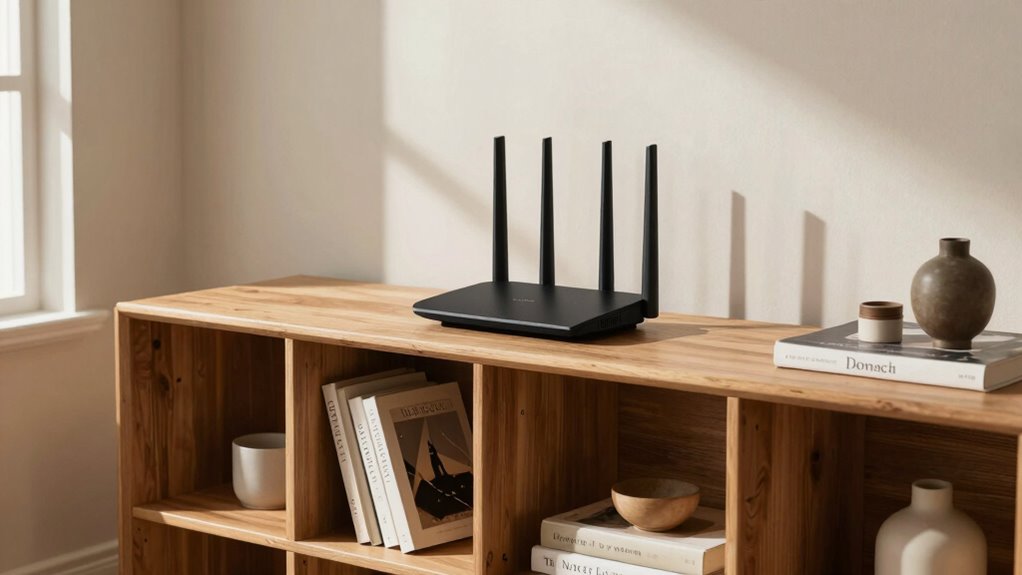
The placement of your router matters more than you might think because it directly affects your Wi-Fi speed, signal strength, and reliability. Properly positioning it in a central, elevated spot away from obstructions like thick walls or electronics can reduce interference and dead zones. Poor placement leads to slow connections and frequent disconnections. If you want to learn how to optimize your setup and get better performance, keep exploring how strategic placement makes a real difference.

Prime made for students and young adults
- Fast, free delivery for dorm and study essentials
- Prime Video and Amazon Music included
- Member-only deals
Key Takeaways
- Proper placement reduces Wi-Fi interference, leading to faster, more reliable internet connections.
- Central and elevated router positioning ensures even signal coverage throughout the space.
- Avoiding obstructions like walls and furniture prevents signal weakening and dead zones.
- Strategic placement minimizes interference from other devices, improving overall performance.
- Thoughtful positioning enhances signal strength, speed, and reduces disconnections for a better user experience.
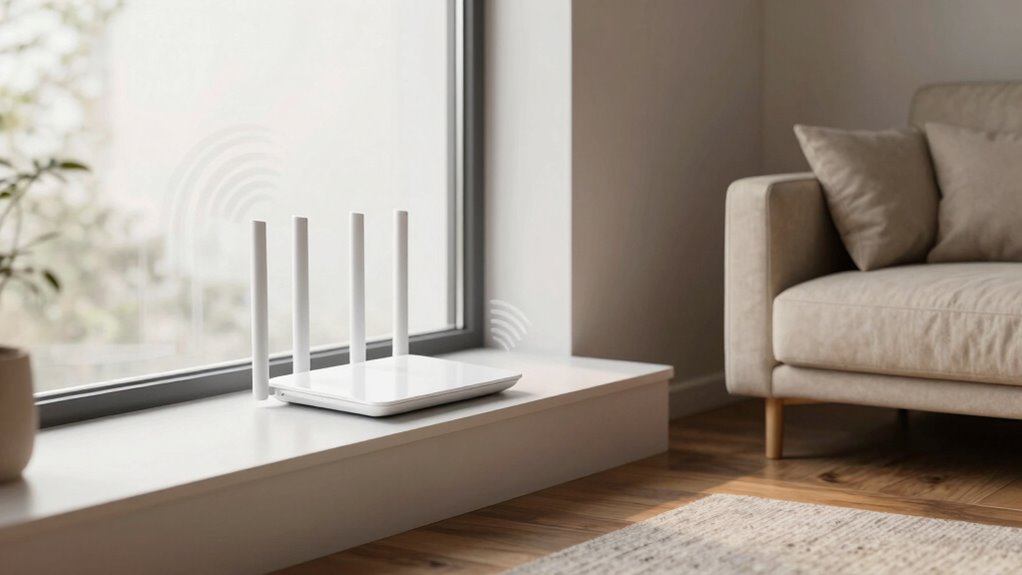
The placement of your router can considerably impact your Wi-Fi performance, making it vital to position it correctly. When your router is well-placed, it minimizes Wi-Fi interference and enhances signal enhancement, leading to faster, more reliable internet connections. On the other hand, poor placement can cause dead zones, slow speeds, and frequent disconnections, frustrating your online activities. To get the best results, you should aim to position your router in a central location within your home, away from thick walls, large metal objects, and electronics that emit electromagnetic signals, such as microwaves and cordless phones. These obstacles can block or weaken your Wi-Fi signal, reducing coverage and overall performance.
Wi-Fi interference is a major factor that affects your connection quality. It occurs when multiple devices or overlapping signals compete on the same frequency, causing congestion and packet loss. Placing your router near other wireless devices or in crowded areas can lead to signal interference, degrading your Wi-Fi quality. To counter this, consider positioning your router away from such sources and, if possible, switching to a less congested channel or frequency band. Many modern routers have dual-band capabilities, allowing you to choose between 2.4 GHz and 5 GHz frequencies. The 5 GHz band generally experiences less interference and offers higher speeds but has a shorter range, so balancing these factors is key to maximum signal coverage.
Signal optimization is also about height. Placing your router on a shelf or a high spot rather than on the floor helps distribute the signal more evenly throughout your space. Elevation reduces the chances of physical obstacles blocking the signal and allows for better transmission, especially in multi-story homes. Additionally, keeping the router in an open area—away from furniture, mirrors, or dense materials—ensures the signal isn’t absorbed or reflected, which can weaken coverage. Recognizing the impact of physical obstructions on signal strength is crucial for effective placement. Moreover, understanding how Wi-Fi interference occurs and its effects can help you better troubleshoot and optimize your network setup. Being aware of the frequency band options on your router can also help you choose the best setting for your environment and usage needs. An understanding of radio frequency principles can further assist in selecting optimal configurations for your specific space. Furthermore, adjusting the placement based on signal strength tests can help you fine-tune your setup for maximum performance.
Ultimately, thoughtful router placement plays a vital role in ensuring your Wi-Fi network performs at its best. It’s not just about having the latest hardware; where you put it matters just as much. By reducing Wi-Fi interference, optimizing signal strength, and choosing a central, elevated position, you can greatly improve your internet experience. It’s a simple step that pays off in faster speeds, fewer disruptions, and better coverage across your entire home. Don’t overlook the importance of strategic placement—your Wi-Fi’s performance depends on it.
As an affiliate, we earn on qualifying purchases.
Frequently Asked Questions
How Does Router Placement Affect Signal Range?
Your router placement directly impacts your signal range. When placed centrally and elevated, it reduces interference from walls, furniture, and other devices, boosting coverage. Proper placement also improves device compatibility by guaranteeing a stronger, more consistent connection. Keep your router away from electronics causing interference, like microwaves or cordless phones, to enhance signal strength. This strategic positioning ensures you get the best range and performance from your Wi-Fi network.
Can Placement Prevent Wi-Fi Dead Zones?
Yes, proper router placement can prevent Wi-Fi dead zones. If you position your router away from interference sources like thick walls or electronics, your signal stays strong. Also, consider router aesthetics; placing it in a central, open spot improves coverage without compromising style. Good placement reduces dead zones, ensuring reliable Wi-Fi throughout your space. So, smart placement truly makes a difference in maintaining seamless connectivity.
Does Router Height Impact Wi-Fi Performance?
Yes, router height impacts Wi-Fi performance because placing your router higher reduces interference sources and improves signal distribution. Elevated positions help router antennas broadcast signals more evenly across your space, minimizing dead zones. Keep the antennas vertical for maximum coverage, and avoid placing the router near thick walls or other interference sources that could weaken the signal. A higher, clear spot ensures better connectivity throughout your home.
What’s the Best Distance From Walls for Placement?
Think of your router as a lighthouse guiding signals through fog. Keep it about 2-3 feet from walls to reduce interference and avoid signal shadows, like dark patches. This distance helps improve coverage, ensuring your Wi-Fi isn’t blocked or weakened. Also, consider aesthetic preferences—placing it where it looks good yet functions most effectively. Proper distance balances interference reduction and style, giving you strong, reliable Wi-Fi without clutter or dead zones.
How Often Should I Reposition My Router?
You should reposition your router whenever you notice connectivity issues or slow speeds, typically every few months or if your home’s layout changes. Keep interference sources like cordless phones and microwaves away, and follow router placement tips such as placing it centrally and off the ground. Regular adjustments guarantee ideal coverage, reduce dead zones, and maintain fast, reliable internet throughout your space.
As an affiliate, we earn on qualifying purchases.
Conclusion
Think of your Wi-Fi router as the captain of a ship sailing through a sea of signals. If it’s anchored in the right spot, your connection sails smoothly, reaching every corner of your home. But place it poorly, and you risk turbulent waters and dead zones. So, don’t let your signal get lost in the fog—strategically position your router and watch your internet voyage become a seamless, unstoppable current. Your digital world depends on it.
As an affiliate, we earn on qualifying purchases.
As an affiliate, we earn on qualifying purchases.
Fall Picks
fall essentials
As an affiliate, we earn on qualifying purchases.