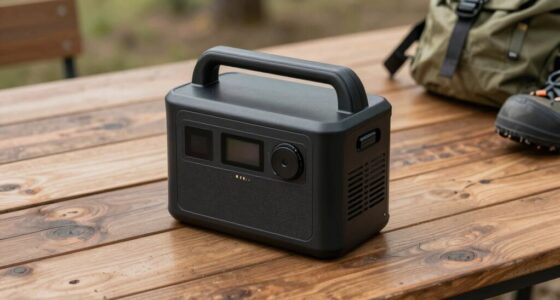

Choosing between local storage and cloud storage for your security devices depends on your needs. Local storage gives you immediate access and full control over your footage but requires managing security yourself. Cloud storage offers remote access, automatic backups, and less hands-on management but relies on third-party providers. Both options can be secure if properly configured, though each has its own trade-offs. Keep exploring to discover which solution best fits your security setup and privacy preferences.

Prime made for students and young adults
- Fast, free delivery for dorm and study essentials
- Prime Video and Amazon Music included
- Member-only deals
Key Takeaways
- Local storage offers immediate access and full data control, while cloud storage enables remote viewing and automatic backups.
- Local storage relies on physical devices, whereas cloud storage uses third-party servers accessible via internet.
- Data security depends on encryption and access controls; local storage requires manual management, cloud storage depends on provider protocols.
- Cloud storage depends on internet stability and speed, impacting footage access and performance.
- Both options are secure if properly configured, but each involves different privacy, trust, and control considerations.

When choosing the right storage solution for security devices, understanding the differences between local storage and cloud storage is essential. Both options have their advantages and limitations, especially when it comes to protecting your data and controlling access. Local storage involves keeping recordings on physical devices like hard drives, network-attached storage (NAS), or SD cards directly connected to your security system. This setup gives you immediate access to footage without relying on internet connectivity, and you retain full control over your data, which can be a significant advantage if privacy is a concern. However, local storage requires careful management of data encryption to prevent unauthorized access. If someone gains physical access to your storage device, they could potentially retrieve sensitive footage unless you’ve encrypted the data. This makes data encryption a critical security feature, ensuring that even if someone steals the storage device, they can’t easily view the recordings. Implementing encryption protocols is essential for securing stored footage and preventing data breaches.
On the other hand, cloud storage offers the convenience of remote access and automatic backups. With cloud solutions, your security footage is stored on servers managed by a third-party provider, which means you can view live or recorded footage from anywhere with an internet connection. This setup simplifies user access management because most providers implement user authentication and access controls, allowing you to specify who can view or manage the recordings. Cloud storage providers also tend to use robust data encryption both in transit and at rest, helping to protect your footage from hacking or interception. However, relying on cloud storage means you depend on your internet connection’s stability and speed, which can impact how quickly you can access your footage. Additionally, you need to trust the provider’s security measures and policies, especially regarding data privacy and third-party access. Understanding storage security is crucial for making an informed decision. It’s also important to consider the potential for data breaches, as both storage options can be vulnerable if not properly secured. Regularly updating your security measures and being aware of emerging threats is essential to maintaining the integrity of your data. Furthermore, considering the potential for data breaches is vital, as both storage options can be vulnerable if not properly secured. If you prioritize quick, local access and maximum control over your data, local storage might be the better fit. But if you want easy remote access, automatic backups, and simplified user management, cloud storage offers compelling benefits. Regardless of your choice, it’s crucial to implement strong data encryption protocols to safeguard your footage from cyber threats. Ensuring that only authorized users have access—via strong passwords, multi-factor authentication, or user-specific permissions—further enhances security. Ultimately, your decision should balance your needs for security, convenience, and control. Both local and cloud storage can be secure options if configured correctly, but understanding their differences helps you choose the best solution for your security setup.
network attached storage NAS for security cameras
As an affiliate, we earn on qualifying purchases.
As an affiliate, we earn on qualifying purchases.
Frequently Asked Questions
How Does Data Encryption Differ Between Local and Cloud Storage?
You’ll find that data encryption differs between local and cloud storage mainly in encryption protocols used. Local storage typically relies on device-specific encryption, giving you direct control over data integrity and security. Cloud storage often employs advanced, multi-layered encryption protocols, ensuring data remains protected during transmission and storage. While both aim to maintain data integrity, cloud providers usually update protocols regularly, offering enhanced security compared to local storage.
What Are the Typical Costs Associated With Each Storage Option?
Think of costs for storage options as two sides of a coin. Local storage often requires an upfront investment in hardware, with costs depending on storage capacity and maintenance. Cloud storage usually operates on a subscription model, offering cost efficiency with scalable plans based on your storage needs. While local storage may seem costly initially, cloud offers flexibility, but ongoing fees can add up over time.
How Is Data Recovery Handled in Case of Device Failure?
In case of device failure, you handle data recovery by relying on offline backups and hardware redundancy. Offline backups let you restore data from copies stored separately, guaranteeing you don’t lose critical information. Hardware redundancy involves using multiple storage components so that if one fails, others automatically take over. Regularly updating backups and maintaining redundant hardware ensure quick recovery, minimizing downtime and data loss.
Which Storage Method Offers Better Scalability for Growing Security Needs?
Cloud storage offers better scalability for growing security needs because it handles scalability challenges more efficiently. As your security requirements increase, cloud solutions allow you to easily expand storage without physical limitations. You just upgrade your plan or increase your storage quota, making storage expansion seamless. With local storage, scaling up involves hardware upgrades, which can be costly and time-consuming, making cloud storage the smarter choice for flexible, scalable security solutions.
How Do Storage Options Impact Compliance With Data Privacy Laws?
You face a trade-off: local storage offers control but risks regulatory challenges if data isn’t managed properly, while cloud storage simplifies compliance but raises privacy implications. Local options can be tailored to meet specific data privacy laws, yet require rigorous security measures. Conversely, cloud solutions often provide compliance tools but depend on providers’ adherence to regulations. Your choice impacts how easily you can stay compliant and protect user data.
encrypted external hard drive for security footage
As an affiliate, we earn on qualifying purchases.
As an affiliate, we earn on qualifying purchases.
Conclusion
In the battle between local and cloud storage, think of local as a sturdy fortress guarding your treasures, while cloud storage is a vast, open sky offering endless space. Each has its own strengths and vulnerabilities—like a shield or a safety net. Ultimately, your choice depends on your security needs and comfort with risk. Whichever path you choose, remember that blending both can create a fortress with a sky full of possibilities, keeping your security devices resilient and flexible.
cloud storage subscription for security cameras
As an affiliate, we earn on qualifying purchases.
As an affiliate, we earn on qualifying purchases.
As an affiliate, we earn on qualifying purchases.
Halloween Picks
halloween
As an affiliate, we earn on qualifying purchases.