To create a home document scanning workflow, gather all your papers and use a high-quality scanner to convert them into digital formats like PDF, ensuring you use consistent filenames with dates or keywords. Run the files through OCR software to make them searchable and review the results for accuracy. Organize your files into logical folders, tag them for easier retrieval, and back them up regularly. If you want detailed steps to streamline this process, there’s more to discover below.
Key Takeaways
- Organize all physical documents by category and prepare them for scanning to streamline the workflow.
- Use a high-quality scanner with OCR capabilities to digitize and convert documents into searchable PDFs.
- Name files descriptively with relevant keywords and dates to facilitate easy searching later.
- Run scanned images through OCR software, review and correct any errors, especially for handwritten or unclear text.
- Establish a routine to regularly back up and organize digital files, maintaining a clean, searchable digital archive.

Scanning documents at home can streamline your organization and reduce clutter, but creating an efficient workflow guarantees consistent results. To make the most of your efforts, you should focus on digital archiving strategies that keep your files accessible and well-organized. Digital archiving involves converting physical documents into digital formats, which makes storage easier and retrieval faster. When you adopt a systematic approach, you’ll spend less time searching for papers and more time focusing on what matters.
Creating a systematic digital archive simplifies organization, improves accessibility, and saves time searching through physical documents.
One of the key components of an effective home scanning workflow is leveraging OCR technology—optical character recognition. OCR transforms scanned images of documents into editable, searchable text, which considerably enhances your digital archive’s usability. Without OCR, your scanned files are just images, and finding specific information within them becomes tedious. But with OCR, you can quickly search for keywords or phrases across all your files, saving you hours of manual searching. This technology is especially useful for handling large volumes of documents like receipts, contracts, or personal records.
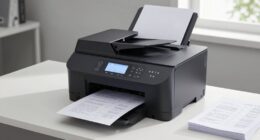
To set up your workflow, start by gathering all the documents you want to digitize. Sort them into categories—such as bills, medical records, or correspondence—to streamline the process. Next, invest in a good-quality scanner that supports duplex scanning and high resolution, ensuring clear digital copies. As you scan each document, save the files in a consistent format, like PDF, and use descriptive filenames that include dates or keywords. Consistency at this stage simplifies future searches and organization.
Once you’ve scanned your documents, run them through OCR software before filing them away. Many scanning programs include OCR features, or you can use dedicated software for better accuracy. After OCR processing, review a few files to confirm that the text recognition was accurate. If necessary, make corrections, especially for handwritten or poorly printed documents. Implement a logical folder structure on your computer or cloud storage, categorizing files by topic, date, or importance. Tagging files with relevant keywords can further improve your searchability.
Finally, establish a routine—whether it’s weekly or monthly—to keep your digital archive current. Regularly review and organize new scans, delete duplicates, and back up your files. This habit ensures your digital archive remains reliable and easy to navigate over time. With a clear workflow that integrates digital archiving and OCR technology, you’ll turn piles of paper into a tidy, searchable digital library, making your home organization more efficient and less overwhelming.
Frequently Asked Questions
What Are the Best Scanner Models for Home Use?
You should consider the Canon CanoScan LiDE 400 for home use, as it offers high document resolution for clear scans and is easy to maintain with minimal upkeep. The Epson Perfection V600 also provides excellent image quality and reliable scanner maintenance, making it ideal for frequent use. Both models balance affordability with performance, ensuring your scans are sharp and your equipment stays in good shape for long-term use.
How Can I Organize Digital Files Effectively?
To organize digital files effectively, start with clear file naming conventions that make it easy to identify documents quickly. Use consistent folder organization by creating categories for different types of files, like bills, photos, or warranties. Regularly declutter your digital space, and consider using search tools or tags for quick access. This approach keeps your files structured, searchable, and easy to maintain over time.
What Software Options Are Recommended for OCR?
Oh, sure, because choosing OCR software is as easy as picking a cereal, right? Well, delve into options like Adobe Acrobat Pro for premium document recognition, ABBYY FineReader for accuracy, or Tesseract if you’re into open-source adventures. These OCR software tools excel at transforming your paper chaos into searchable, organized files. Pick one that matches your tech taste, and watch your digital chaos turn into clarity.
How Do I Ensure Digital Security of Sensitive Documents?
To make certain your sensitive documents stay secure, you should implement digital encryption to protect your files from unauthorized access. Use strong access controls, like unique passwords and multi-factor authentication, to limit who can view or edit your documents. Regularly update your security software and back up your files securely. These steps help safeguard your information and prevent breaches, giving you peace of mind with your digital documents.
What Is the Average Cost of a Home Scanning Setup?
You can expect to spend around $200 to $600 on a home scanning setup, balancing quality and budget considerations. While a basic scanner costs less, investing in a reliable model saves you trouble long-term. Remember, equipment maintenance adds to costs, so opt for durable gear. This balance ensures your investment doesn’t just scan papers but also keeps your digital files safe and accessible over time.
Conclusion
Remember, a stitch in time saves nine. By following this simple home scanning workflow, you’ll keep your documents organized and easily searchable, saving you time and stress down the road. Regularly digitizing your papers not only declutters your space but also safeguards important information. So, don’t put off your scanning tasks—start today and enjoy the peace of mind that comes with a well-organized digital library. Your future self will thank you!