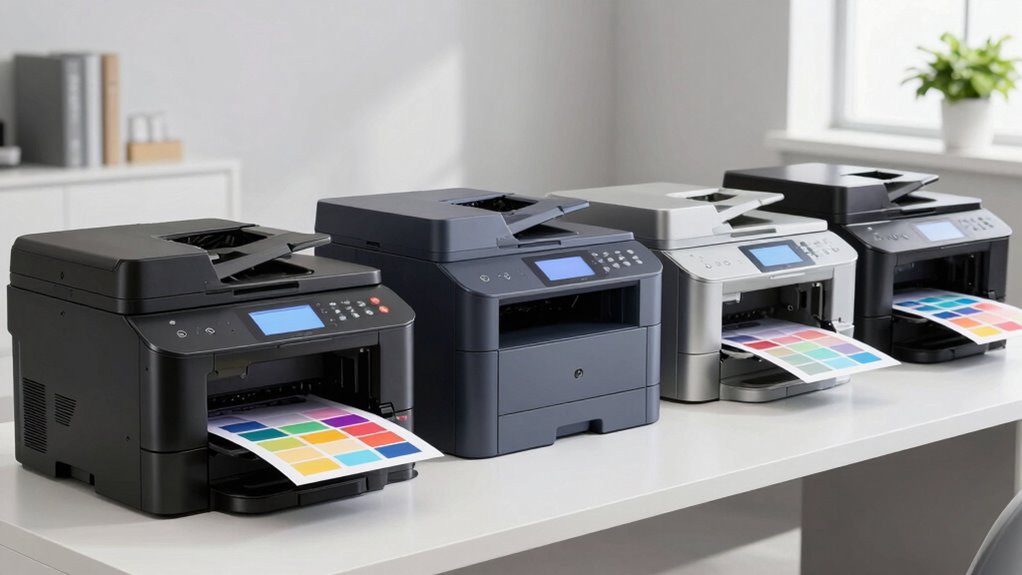

The best color laser printer in this roundup is the Canon Color imageCLASS MF753Cdw II, which offers the strongest balance of color document printing, duplex features, and multifunction flexibility. The Brother HL-L3220CDW is my value pick for buyers who need reliable print-only basics, while the Brother MFC-L8930CDW better fits busy teams willing to pay for a business-focused machine. The main choice is whether to buy a compact printer or an all-in-one with scanning, copying, and fax support. Buyers must also weigh lower purchase prices against toner costs, paper capacity, workspace demands, and support coverage. Continue reading for the full breakdown of all 12 options and the tradeoffs behind their positions.

Prime made for students and young adults
- Fast, free delivery for dorm and study essentials
- Prime Video and Amazon Music included
- Member-only deals
Key Takeaways
- Canon’s MF753Cdw II takes the top position because its mix of multifunction capability and duplex operation serves more buyers than the print-only models.
- The Brother HL-L3220CDW offers the clearest value proposition when scanning and copying would only add cost, size, and setup work.
- Brother’s MFC-L8930CDW is the premium choice for shared business use, but its office-oriented design is excessive for light household printing.
- The renewed HP 3301cdw can lower the entry price for an all-in-one, though warranty terms, included toner, and return coverage deserve closer scrutiny than they do with a new unit.
- Across this lineup, print-only models favor simplicity and smaller footprints, while all-in-ones earn their extra space only when scanning, copying, faxing, or multipage document handling is part of the weekly workflow.
| Brother Color Laser Printer with Wireless Printing, 19 PPM, Bundle with USB Cable |  | Best Connectivity Bundle | Print speed: 19 ppm | Paper capacity: 250 sheets | Duplex printing: Automatic | VIEW ON AMAZON | See Our Full Breakdown |
| Xerox C235dni Wireless Color Laser All-in-One Printer |  | Best Value All-in-One | Printer type: Color laser all-in-one | Print speed: 24 ppm | Functions: Print, scan, and copy | VIEW ON AMAZON | See Our Full Breakdown |
| Canon Color imageCLASS LBP646Cdw Wireless Laser Printer – White |  | Best Print-Only Speed | Print speed: Up to 26 ppm | Print technology: Laser | Color printing: Yes | VIEW ON AMAZON | See Our Full Breakdown |
| Brother HL-L3220CDW Color Laser Printer with Wireless Printing and Duplex |  | Best Straightforward Home Office Pick | Printer type: Color laser printer | Print speed: 19 ppm | Paper capacity: 250 sheets | VIEW ON AMAZON | See Our Full Breakdown |
| HP Color LaserJet Pro MFP 3301sdw Wireless All-in-One Color Laser Printer |  | Best Overall | Printer type: Wireless color laser all-in-one | Print speed: Up to 26 ppm | Functions: Print, scan, and copy | VIEW ON AMAZON | See Our Full Breakdown |
| Brother MFC-L3720CDW Wireless Color Laser Printer with Scanner, Copier, and Fax |  | Best for Workflow Shortcuts | Printer Technology: Color laser | Functions: Print, scan, copy, fax | Print Speed: Up to 19 ppm | VIEW ON AMAZON | See Our Full Breakdown |
| Canon Color imageCLASS MF753Cdw II All-in-One Color Duplex Laser Printer |  | Best Canon All-in-One | Printer Technology: Laser | Output Type: Color | Printer Format: All-in-one | VIEW ON AMAZON | See Our Full Breakdown |
| HP Color LaserJet Pro MFP 3301cdw Wireless All-in-One Color Laser Printer (Renewed) |  | Best Renewed Value | Condition: Certified refurbished | Print Speed: Up to 26 ppm black and color | Functions: Print, scan, copy, fax | VIEW ON AMAZON | See Our Full Breakdown |
| Brother MFC-L8930CDW Business Color Laser All-in-One Printer |  | Best Premium Business Printer | Printer Technology: Color laser | Functions: Print, scan, copy | Print Speed: Up to 33 ppm | VIEW ON AMAZON | See Our Full Breakdown |
| HP Color LaserJet Pro 3201dw Wireless Color Laser Printer |  | Best Print-Only Small Office Pick | Printer Technology: Laser | Output Type: Color | Print Speed: Up to 26 ppm | VIEW ON AMAZON | See Our Full Breakdown |
| Brother HL-L3280CDW Wireless Compact Digital Color Printer |  | Best Compact Print-Only Pick | Printer Type: Compact digital color printer with laser-quality output | Functions: Printing only | Print Speed: Up to 27 ppm | VIEW ON AMAZON | See Our Full Breakdown |
| Canon Color imageCLASS MF665Cdw Wireless All-in-One Duplex Laser Printer |  | Best for Document-Heavy Home Offices | Functions: Print, scan, copy, and fax | Print Speed: Up to 26 ppm | First Print Time: Approximately 10.3 seconds | VIEW ON AMAZON | See Our Full Breakdown |
| color laser printer | Print speed | Duplex printing | Functions | Connectivity |
|---|---|---|---|---|
| Brother Color Laser Printer wi | 19 ppm | Automatic | — | — |
| Xerox C235dni Wireless Color L | 24 ppm | — | Print, scan, and copy | — |
| Canon Color imageCLASS LBP646C | Up to 26 ppm | Automatic | — | — |
| Brother HL-L3220CDW Color Lase | 19 ppm | Automatic | — | — |
| HP Color LaserJet Pro MFP 3301 | Up to 26 ppm | — | Print, scan, and copy | — |
| Brother MFC-L3720CDW Wireless | Up to 19 ppm | Automatic | Print, scan, copy, fax | — |
| Canon Color imageCLASS MF753Cd | — | Yes | Print, scan, copy, fax | Wireless |
| HP Color LaserJet Pro MFP 3301 | Up to 26 ppm black and color | Automatic | Print, scan, copy, fax | Wireless and Wi-Fi |
| Brother MFC-L8930CDW Business | Up to 33 ppm | — | Print, scan, copy | Wi-Fi and Ethernet |
| HP Color LaserJet Pro 3201dw W | Up to 26 ppm | Automatic | — | Wireless dual-band Wi-Fi |
| Brother HL-L3280CDW Wireless C | Up to 27 ppm | Automatic | Printing only | Wireless and Ethernet |
| Canon Color imageCLASS MF665Cd | Up to 26 ppm | Automatic two-sided printing | Print, scan, copy, and fax | Wireless; Canon PRINT app, AirPrint, and Mopria mobile printing |
More Details on Our Top Picks
Brother Color Laser Printer with Wireless Printing, 19 PPM, Bundle with USB Cable
I rank the Brother Color Laser Printer bundle as the best connectivity package because it supports wireless printing alongside USB Type-B, Type-C, and Type-A connections, with a cable included. That flexibility suits shared workspaces where newer laptops and older desktop systems coexist. Its 250-sheet tray and automatic duplexing also make routine document runs less hands-on. Compared with the Brother HL-L3220CDW, it offers similar 19-ppm performance but supplies a more clearly documented set of wired options. The Canon LBP646Cdw is faster at 26 ppm, so this Brother is less compelling when turnaround time leads the decision. I also expect the starter toner and lower cartridge yield to create an earlier replacement expense, while the range of connection choices may make initial setup less friendly for inexperienced buyers.
Pros:- Multiple wireless and USB connection options
- Included USB cable supports immediate wired setup
- 250-sheet capacity limits routine paper refills
- Automatic duplex printing reduces paper use
Cons:- 19-ppm speed trails the faster Canon and HP models
- Starter and lower-yield toner may require early replacement
- Setup may feel complicated for buyers unfamiliar with printer networking
Best for: Mixed-device home offices that need wireless printing plus several wired USB connection options
Not ideal for: High-volume teams that need faster than 19-ppm output or want longer-lasting bundled toner
- Print speed:19 ppm
- Paper capacity:250 sheets
- Duplex printing:Automatic
- Wireless connectivity:Yes
- USB connections:USB Type-B, USB Type-C, USB Type-A
- Mobile integration:Supported
- Included toner:Starter black, cyan, magenta, and yellow cartridges
- Other included items:Drum unit, power cord, and USB cable
Our verdict“This is my pick for buyers who value connection flexibility and an included cable more than class-leading speed.”
Xerox C235dni Wireless Color Laser All-in-One Printer
I place the Xerox C235dni in the value role because it combines color printing, scanning, and copying with 24-ppm output and support for high-yield cartridges. It gives a small office more capability than the print-only Canon LBP646Cdw without moving into the heavier workload positioning of the HP Color LaserJet Pro MFP 3301sdw. AirPrint and Mopria support also make phone and tablet printing practical across mixed-device teams. The catch is its 1,500-page monthly duty guidance, which makes this a poor match for a busy department despite the office-oriented feature set. Its bundled toner yields only 500 pages, so replacement costs arrive relatively quickly. Wireless setup also depends on a cooperative Wi-Fi network; buyers with restrictive business networking may find the Brother connectivity bundle easier to deploy over a direct USB connection.
Pros:- Print, scan, and copy functions in one device
- 24-ppm speed suits routine small-office work
- Supports Apple AirPrint and Mopria
- High-yield cartridge support can reduce replacement frequency
Cons:- Up to 1,500-page monthly volume is restrictive for growing teams
- Included starter toner yields only 500 pages
- Wireless setup may be troublesome on complex networks
Best for: Small offices printing below 1,500 pages monthly that need scanning and copying at a moderate purchase level
Not ideal for: Busy departments with sustained print loads or tightly controlled Wi-Fi networks
- Printer type:Color laser all-in-one
- Print speed:24 ppm
- Functions:Print, scan, and copy
- Wireless connectivity:Yes
- Apple AirPrint:Supported
- Mopria:Supported
- Monthly print volume:Up to 1,500 pages
- Included toner yield:500 pages
Our verdict“I recommend this Xerox to budget-aware small offices that need all-in-one utility but can stay within its modest monthly workload.”
Canon Color imageCLASS LBP646Cdw Wireless Laser Printer – White
I give the Canon Color imageCLASS LBP646Cdw the print-only speed title because its 26-ppm rate leads both 19-ppm Brother models in this batch. That difference matters when a home office regularly produces reports, proposals, or color handouts in batches. Its automatic duplex printing and 250-sheet tray keep those jobs moving with fewer paper interventions, while the 5-inch LCD offers more direct control than a basic button panel. Compared with the HP Color LaserJet Pro MFP 3301sdw, the Canon matches its headline speed but omits scanning, copying, and an automatic document feeder. That narrower scope can be an advantage for buyers who already own a scanner and want focused printing without unused extras. Anyone building a one-device document station, though, gets much greater versatility from the HP or Xerox C235dni.
Pros:- 26-ppm output is among the fastest in this group
- Automatic duplex mode supports efficient two-sided jobs
- 250-sheet tray handles regular office batches
- 5-inch LCD provides roomy on-device controls
Cons:- No scanning or copying functions
- Single-function design offers less flexibility than similarly fast HP all-in-one models
- One-year warranty may feel short for an office purchase
Best for: Home-office professionals who already have scanning covered and want fast color document printing
Not ideal for: Buyers replacing a copier or scanner, since this single-function model only prints
- Print speed:Up to 26 ppm
- Print technology:Laser
- Color printing:Yes
- Wireless connectivity:Yes
- Duplex printing:Automatic
- Paper capacity:250 sheets
- Display:5-inch LCD
- Warranty:1 year
Our verdict“This Canon is my choice for buyers who want brisk, dedicated color printing and have no need for an integrated scanner.”
Brother HL-L3220CDW Color Laser Printer with Wireless Printing and Duplex
I rank the Brother HL-L3220CDW as the straightforward home-office choice because it pairs a 250-sheet tray with wireless access, mobile compatibility, and automatic duplexing without adding scan or copy hardware. Compared with the Xerox C235dni, it is slower at 19 ppm and far less versatile, but its single-purpose design makes more sense for buyers who only send documents from computers, phones, or cloud services. It also shares its speed and capacity with the Brother USB-cable bundle, though that alternative has a clearer advantage for offices needing several wired connection types. The HL-L3220CDW instead earns its place through simple everyday color printing and fewer paper refills. Toner expense remains the main concern, and the missing resolution detail makes its color specification harder to compare on paper with rivals aimed at graphics-heavy output.
Pros:- 250-sheet tray suits regular home-office printing
- Automatic duplexing cuts paper consumption
- Wireless and mobile-device printing support flexible placement
- Cloud-service compatibility supports remote workflows
Cons:- 19-ppm speed is slower than the Xerox, Canon, and HP models
- Replacement toner may carry a high ongoing cost
- Provided product data does not state color print resolution
Best for: Remote workers who print recurring color business documents from mobile devices and do not need scanning
Not ideal for: Graphics-focused buyers seeking documented resolution details or offices that need copying and scanning
- Printer type:Color laser printer
- Print speed:19 ppm
- Paper capacity:250 sheets
- Duplex printing:Automatic
- Wireless connectivity:Yes
- Mobile-device compatibility:Yes
- Cloud-service compatibility:Supported
Our verdict“I favor this Brother for remote workers who want uncomplicated wireless color printing without paying for multifunction hardware.”
HP Color LaserJet Pro MFP 3301sdw Wireless All-in-One Color Laser Printer
I put the HP Color LaserJet Pro MFP 3301sdw first because it balances 26-ppm color output with scanning, copying, automatic duplexing, and an automatic document feeder. The Canon LBP646Cdw reaches the same print speed, but the HP can turn multipage originals into digital files or copies without manual page changes. Compared with the Xerox C235dni, it is faster and better equipped for document intake, making it a stronger fit for a small office with recurring administrative work. The 250-sheet tray and high-yield 218X option also reduce interruptions during steady use. That capability comes with tighter supply restrictions: it requires original HP cartridges with HP chips, limiting third-party toner choices. It is also more machine than casual users need; occasional household printing does not justify paying for the feeder and multifunction hardware.
Pros:- Fast color printing at up to 26 ppm
- Print, scan, and copy functions cover core office tasks
- Automatic document feeder streamlines multipage scanning
- High-yield HP 218X toner options reduce cartridge changes
Cons:- Requires original HP cartridges fitted with HP chips
- Higher-function design may be excessive for light household printing
- No fax function is listed for offices that still require it
Best for: Small professional offices that regularly print color documents and process multipage scans or copies
Not ideal for: Occasional home users or buyers who want broad third-party toner compatibility
- Printer type:Wireless color laser all-in-one
- Print speed:Up to 26 ppm
- Functions:Print, scan, and copy
- Automatic duplex:Yes
- Automatic document feeder:Yes
- Input tray capacity:250 sheets
- Standard toner series:Original HP 218A
- High-yield toner series:Original HP 218X
Our verdict“This HP is my best overall choice for small offices that need fast color output and efficient multipage document handling in one device.”
Brother MFC-L3720CDW Wireless Color Laser Printer with Scanner, Copier, and Fax
I rank the Brother MFC-L3720CDW as the strongest workflow-shortcut pick because its 3.5-inch touchscreen stores 48 shortcuts, reducing repetitive steps for scanning and cloud tasks. Compared with the Brother MFC-L8930CDW, it gives up a lot of speed—19 ppm versus 33 ppm—plus heavier-duty scanning and security, so the faster model suits busier departments. Against the HP Color LaserJet Pro 3201dw, this Brother adds scanning, copying, faxing, and a 50-sheet feeder, making it far more useful for mixed paperwork. Automatic duplex printing and a 250-sheet tray limit routine intervention. The tradeoffs are a fairly large footprint, potentially expensive toner, and a feature-rich interface that may feel busy to first-time users. My ranking favors it for workflow flexibility rather than raw output speed.
Pros:- 48 programmable shortcuts streamline recurring document tasks
- Print, scan, copy, and fax functions cover varied office workflows
- Dual-band Wi-Fi, Wi-Fi Direct, and USB provide flexible connections
- Automatic duplex printing and a 50-sheet feeder reduce manual handling
Cons:- 19 ppm output is much slower than the Brother MFC-L8930CDW
- Large footprint can crowd a small desk or home office
- Replacement toner may create high ongoing costs
Best for: Small business teams that regularly scan, fax, and route documents through repeatable touchscreen or cloud workflows
Not ideal for: High-volume departments needing more than 19 ppm, or first-time buyers seeking a very simple print-only device
- Printer Technology:Color laser
- Functions:Print, scan, copy, fax
- Print Speed:Up to 19 ppm
- Paper Capacity:250 sheets
- Auto Document Feeder:50 sheets
- Duplex Printing:Automatic
- Wireless Connectivity:2.4GHz/5GHz Wi-Fi and Wi-Fi Direct
- Wired Connection:USB 2.0
- Display:3.5-inch color touchscreen with 48 shortcuts
Our verdict“Choose this model when shortcut-driven scanning and full multifunction support matter more than premium business speed.”
Canon Color imageCLASS MF753Cdw II All-in-One Color Duplex Laser Printer
The Canon Color imageCLASS MF753Cdw II earns my Canon-focused role by combining color laser printing with scan, copy, and fax functions in one wireless machine. It is a cleaner fit for offices wanting one device than the print-only HP Color LaserJet Pro 3201dw. Yet I place it behind the Brother MFC-L3720CDW for buyers who want transparent buying details: the supplied Canon data confirms duplex printing and wireless access but omits speed, resolution, tray capacity, and feeder information. That thin specification disclosure makes workload matching harder, especially when the competing Brother clearly states 19 ppm and a 50-sheet feeder. The Canon still makes sense for general administrative work and paper-saving duplex output, but space-sensitive buyers should verify its dimensions, while demanding teams should confirm its throughput before committing.
Pros:- Four-in-one design handles printing, scanning, copying, and faxing
- Automatic duplex capability reduces paper use
- Wireless connectivity supports flexible office placement
- Color laser output suits mixed text and business graphics
Cons:- Supplied product data omits print speed and resolution
- Tray and document-feeder capacities are not specified
- All-in-one chassis may be too large for a compact workspace
Best for: Canon-oriented offices seeking wireless color printing, scanning, copying, and faxing from one general-purpose machine
Not ideal for: Buyers who need verified speed, paper-capacity, feeder, or resolution figures before matching a printer to a heavy workload
- Printer Technology:Laser
- Output Type:Color
- Printer Format:All-in-one
- Functions:Print, scan, copy, fax
- Connectivity:Wireless
- Duplex Printing:Yes
Our verdict“Pick this Canon for broad office functionality, but verify its missing capacity and speed details if workload planning matters.”
HP Color LaserJet Pro MFP 3301cdw Wireless All-in-One Color Laser Printer (Renewed)
I chose the HP Color LaserJet Pro MFP 3301cdw as the renewed-value option for small offices willing to accept refurbished hardware in exchange for a strong business feature set. Its 26 ppm color and black output is faster than the Brother MFC-L3720CDW, while scanning, copying, faxing, duplex output, and a 250-sheet tray make it more versatile than the print-only HP Color LaserJet Pro 3201dw. A one-year warranty reduces some condition risk, and HP Wolf Pro Security gives shared workplaces an extra layer of print protection. The compromises are substantial: refurbished condition will not suit buyers who insist on new equipment, and HP cartridge-chip requirements limit supply choices. Firmware updates also add upkeep. I rank it for capability per purchase, not for buyers seeking unrestricted consumables or factory-new hardware.
Pros:- 26 ppm speed applies to both black and color printing
- Full print, scan, copy, and fax capability
- HP Wolf Pro Security supports shared-office use
- One-year warranty provides coverage for the renewed unit
Cons:- Refurbished condition carries more uncertainty than a new printer
- Cartridge-chip restrictions narrow compatible toner choices
- Periodic firmware updates add maintenance responsibility
Best for: Budget-aware small offices comfortable with certified-refurbished equipment and needing fast color output plus fax and scanning
Not ideal for: Buyers who require factory-new hardware or want broad freedom to use third-party toner cartridges
- Condition:Certified refurbished
- Print Speed:Up to 26 ppm black and color
- Functions:Print, scan, copy, fax
- Connectivity:Wireless and Wi-Fi
- Duplex Printing:Automatic
- Input Tray Capacity:250 sheets
- Supported Media:Letter, Legal, Executive, Oficio, envelopes, A4-A6, B5-B6, postcard, and custom sizes
- Energy Certifications:ENERGY STAR and EPEAT
- Warranty:1 year
Our verdict“This is my value pick for offices that accept renewed hardware to gain fast, secure multifunction color printing.”
Brother MFC-L8930CDW Business Color Laser All-in-One Printer
The Brother MFC-L8930CDW takes my premium business spot because its 33 ppm print speed, 80-page feeder, and 104 ipm scanning are built for shared workflows rather than occasional home-office jobs. It outruns both the 19 ppm Brother MFC-L3720CDW and the 26 ppm HP Color LaserJet Pro MFP 3301cdw, while its 7-inch touchscreen gives teams more room for managing complex tasks. Ethernet, Wi-Fi, Triple Layer Security, and an NFC card reader also make it better suited to controlled workplace access than the less security-focused models here. That performance comes with a higher ownership burden: toner can be costly, setup may challenge smaller teams, and being 25% smaller than its predecessor does not make it genuinely desk-friendly. I rank it highest for demanding offices, but its business-grade capacity is excessive for light personal printing.
Pros:- 33 ppm printing leads the five models in this batch
- 104 ipm scanning and an 80-page feeder suit large document batches
- Triple Layer Security and NFC support controlled workplace access
- Wi-Fi and Ethernet accommodate flexible network deployment
Cons:- Toner replacement costs may be high for color-heavy workloads
- Setup and security options can be complex for small teams
- Office-class chassis still demands substantial placement space
Best for: Busy workgroups that process large scan batches, need controlled device access, and regularly produce color business documents
Not ideal for: Home offices and low-volume teams that cannot justify a large, complex machine with potentially expensive toner
- Printer Technology:Color laser
- Functions:Print, scan, copy
- Print Speed:Up to 33 ppm
- Scan Speed:Up to 104 ipm
- Auto Document Feeder:80 pages
- Touchscreen:7-inch color display
- Connectivity:Wi-Fi and Ethernet
- Security:Triple Layer Security and NFC card reader
- Certifications:EPEAT Gold and ENERGY STAR
Our verdict“Buy this Brother when speed, batch scanning, and access security justify paying for a premium shared-office machine.”
HP Color LaserJet Pro 3201dw Wireless Color Laser Printer
I position the HP Color LaserJet Pro 3201dw as the best choice for small teams that want print-only simplicity without paying for scanning or fax hardware they will not use. Its 26 ppm color speed is comfortably ahead of the Brother MFC-L3720CDW at 19 ppm, and the 250-sheet tray plus automatic duplexing supports everyday reports, proposals, and handouts with fewer interruptions. Compared with the HP Color LaserJet Pro MFP 3301cdw, it offers similar stated print speed but drops the scanner, copier, fax, and renewed-condition question. That narrower design is also its main limitation: offices digitizing contracts or copying forms will quickly miss multifunction support. Dual-band self-reset Wi-Fi helps maintain wireless availability, though cartridge restrictions reduce toner flexibility and firmware updates may be needed to retain security and compatibility.
Pros:- 26 ppm output supports brisk black and color document production
- Print-only design suits teams that do not need multifunction hardware
- Automatic duplex printing reduces paper consumption
- Dual-band self-reset Wi-Fi supports steadier wireless access
Cons:- No integrated scanner, copier, or fax
- Original HP cartridge-chip requirements restrict toner alternatives
- Firmware updates may be required for security and compatibility
Best for: Small office teams that produce frequent color documents but already have separate scanning and copying tools
Not ideal for: Administrative offices that regularly scan, copy, or fax paperwork and need those functions in the same device
- Printer Technology:Laser
- Output Type:Color
- Print Speed:Up to 26 ppm
- Duplex Printing:Automatic
- Input Tray Capacity:250 sheets
- Connectivity:Wireless dual-band Wi-Fi
Our verdict“Choose the 3201dw for fast, focused color printing when multifunction features would add cost without adding value.”
Brother HL-L3280CDW Wireless Compact Digital Color Printer
I rank the Brother HL-L3280CDW as the best compact choice for buyers who need dependable color documents but no scanner, copier, or fax. Its 27 ppm print speed narrowly beats the Canon MF665Cdw’s 26 ppm rate, while automatic duplexing helps small offices reduce paper use without manually flipping sheets. Wireless, Ethernet, and mobile printing also make it more flexible than a basic USB-centered printer, and the 2.7-inch touchscreen keeps routine controls accessible. The tradeoff is specialization: unlike the Canon MF665Cdw or Brother MFC-L3720CDW, this model cannot digitize or copy paperwork. Its smaller display is also less comfortable for menu-heavy tasks than Canon’s 5-inch screen. I place it above slower print-only options when speed and a compact footprint matter more than multifunction capability.
Pros:- Up to 27 ppm output suits regular small-office print runs
- Automatic duplex printing reduces paper use
- Wireless, Ethernet, and mobile printing support varied office setups
- Compact print-only design avoids the bulk of an all-in-one
Cons:- No scanning, copying, or faxing functions
- 2.7-inch touchscreen offers less working space than larger all-in-one displays
- Included Refresh subscription is only a two-month trial
Best for: Home offices and small workgroups that print frequent color documents but already have separate scanning equipment
Not ideal for: Paper-heavy offices that need scanning, copying, or faxing from the same device
- Printer Type:Compact digital color printer with laser-quality output
- Functions:Printing only
- Print Speed:Up to 27 ppm
- Connectivity:Wireless and Ethernet
- Mobile Printing:Supported, including printing from cloud apps
- Duplex Printing:Automatic
- Touchscreen:2.7 inches
- Included Trial:Two-month Refresh subscription trial
Our verdict“I recommend this model for space-conscious offices that value quick color printing over all-in-one functions.”
Canon Color imageCLASS MF665Cdw Wireless All-in-One Duplex Laser Printer
I place the Canon Color imageCLASS MF665Cdw ahead of print-only models for buyers who regularly scan contracts, copy packets, or send faxes. The 50-sheet duplex automatic document feeder can process two-sided originals with far less manual handling than the Brother HL-L3280CDW, which offers no scanning at all. Its 250-sheet cassette and optional high-capacity toner are also better matched to sustained office work, while the 5-inch color touchscreen gives complex tasks more room than Brother’s 2.7-inch panel. At up to 26 ppm, it is one page per minute slower than the HL-L3280CDW, though that small speed gap buys much broader functionality. Buyers must also accept a bulkier footprint and a setup process with more functions to configure. I favor it when paperwork automation outweighs desk-space savings.
Pros:- Print, scan, copy, and fax functions cover full document workflows
- 50-sheet duplex automatic document feeder streamlines two-sided scanning
- 250-sheet cassette supports longer print runs with fewer refills
- Three-year limited warranty provides longer coverage than many office printers
Cons:- Bulkier than print-only choices such as the Brother HL-L3280CDW
- Multifunction setup may take more effort for less technical users
- Up to 26 ppm is slightly slower than the Brother HL-L3280CDW
Best for: Home-based professionals and small offices that scan two-sided paperwork and need printing, copying, and faxing in one machine
Not ideal for: Compact workspaces or buyers who only print and would pay for functions they rarely use
- Functions:Print, scan, copy, and fax
- Print Speed:Up to 26 ppm
- First Print Time:Approximately 10.3 seconds
- Display:5-inch color touchscreen
- Connectivity:Wireless; Canon PRINT app, AirPrint, and Mopria mobile printing
- Paper Capacity:250-sheet cassette and 1-sheet multipurpose tray
- Automatic Document Feeder:50-sheet duplex ADF
- Duplex Printing:Automatic two-sided printing
- Warranty:Three-year limited warranty
Our verdict“I recommend the MF665Cdw for document-heavy offices that will use its duplex scanning and full all-in-one toolset.”

How We Picked
I compared these printers through the needs that most often change a buying decision: color document performance, print speed, automatic duplex capability, paper handling, connectivity, and multifunction features. I gave added weight to conveniences that save time repeatedly, including wireless printing, mobile support, Ethernet, and automatic document handling where offered. Since a low machine price can be offset by expensive supplies, toner economics and maintenance also influenced the order.
My ranking favors models with the broadest useful feature set without charging buyers for functions they are unlikely to use. That places the Canon MF753Cdw II above narrower print-only choices for general use, while the Brother HL-L3220CDW rises on value for buyers who do not need a scanner. Business models gain ground when their capacity and workflow tools justify their larger size and price. Renewed hardware ranks more cautiously because condition, included consumables, and coverage can vary from one listing to another.
| color laser printer | Duplex printing | Functions | Connectivity |
|---|---|---|---|
| Brother Color Laser Printer wi | Automatic | — | — |
| Xerox C235dni Wireless Color L | — | Print, scan, and copy | — |
| Canon Color imageCLASS LBP646C | Automatic | — | — |
| Brother HL-L3220CDW Color Lase | Automatic | — | — |
| HP Color LaserJet Pro MFP 3301 | — | Print, scan, and copy | — |
| Brother MFC-L3720CDW Wireless | Automatic | Print, scan, copy, fax | — |
| Canon Color imageCLASS MF753Cd | Yes | Print, scan, copy, fax | Wireless |
| HP Color LaserJet Pro MFP 3301 | Automatic | Print, scan, copy, fax | Wireless and Wi-Fi |
| Brother MFC-L8930CDW Business | — | Print, scan, copy | Wi-Fi and Ethernet |
| HP Color LaserJet Pro 3201dw W | Automatic | — | Wireless dual-band Wi-Fi |
| Brother HL-L3280CDW Wireless C | Automatic | Printing only | Wireless and Ethernet |
| Canon Color imageCLASS MF665Cd | Automatic two-sided printing | Print, scan, copy, and fax | Wireless; Canon PRINT app, AirPrint, and Mopria mobile printing |
Factors to Consider When Choosing Color Laser Printer
A color laser printer should match the way documents move through a home or office, not merely the longest feature list. I would start with monthly print volume and workflow, then narrow the field using running costs, paper handling, and available space. The right choice may be a simple print-only machine even when an all-in-one costs only a little more. These factors help reveal where paying extra produces repeatable daily value.
Match the Printer to Real Monthly Volume
A printer sized for occasional household reports has different demands from one serving several employees every day. I suggest estimating a normal month rather than using the busiest month of the year. Consistently heavy workloads favor larger input trays, higher-capacity toner, and business-oriented construction. Light users gain little from paying for capacity that remains idle. An undersized model creates frequent refilling and longer queues, while an oversized one consumes more desk space and ties up money. The useful target is a printer that handles routine volume with room for periodic peaks.
Decide Whether an All-in-One Earns Its Space
Scanning and copying sound universally useful, yet many buyers already handle occasional scans with a phone. A print-only model is usually smaller, simpler, and less expensive, with fewer components that can interrupt the workflow. An all-in-one becomes more persuasive when paper forms, signed contracts, receipts, or copied packets appear every week. For multipage jobs, an automatic document feeder matters far more than a flatbed scanner alone. Fax capability should be treated as a specialized need rather than a default requirement. I would pay for multifunction hardware only when it replaces a real recurring task.
Calculate Toner Cost Beyond the Starter Set
The purchase price is only the first part of a color laser printer’s cost. Four toner cartridges can make the first full replacement set feel expensive, especially when the printer ships with lower-capacity starter supplies. I compare replacement-set price, rated page yield, and high-yield availability before choosing a machine. Page-yield figures are standardized estimates, so heavy color coverage may produce fewer pages than the rating suggests. Separate imaging drums, waste containers, or other maintenance parts can also affect long-term spending. A model with a higher initial price may offer better value when cost per page stays lower over several years.
Check Duplex and Paper Handling Carefully
Automatic two-sided printing saves paper, but it does not mean the scanner can process both sides of an original automatically. Buyers who digitize double-sided contracts should check the document feeder’s scanning method separately from the printer’s duplex specification. Paper capacity also shapes convenience more than it may appear on a product page. A tray that holds a full ream less often cuts down on half-empty paper packages and mid-job refills. Specialty media users should look for a bypass path and confirm supported paper weights. I place automatic duplex printing and practical tray capacity above rarely used extras because both affect ordinary work.
Plan Connectivity Around Every User
Wireless printing is convenient, but an office with several users may benefit from Ethernet for a steadier shared connection. USB remains useful for a single computer, troubleshooting, or locations with unreliable Wi-Fi. Mobile printing support matters when documents often arrive from phones and tablets rather than desktop applications. I also check whether setup, scanning, and supply alerts depend heavily on a manufacturer account or companion app. Businesses may need network administration and access controls that home users can skip. The strongest setup is the one that supports every regular device without repeated workarounds.
Frequently Asked Questions
Is a color laser printer worth buying for occasional home use?
A color laser printer makes sense for occasional use when the priority is sharp documents and toner that can sit between jobs. Unlike liquid ink, toner does not dry in printhead nozzles during long idle periods. The tradeoff is a higher purchase price, a larger body, and color output that is usually less suited to glossy photographs. I would choose laser for reports, schoolwork, forms, and presentation graphics, but keep an inkjet or photo service in mind for photo-focused printing.
Should I buy a print-only model or a color laser all-in-one?
Choose a print-only model when documents already arrive digitally and scanning is rare. It typically provides more printer for the same budget while taking up less room. An all-in-one is the better purchase when copying, scanning signed pages, or processing paper records is part of a normal week. If those jobs involve multiple sheets, prioritize an automatic document feeder rather than paying for a basic flatbed alone.
How can I compare toner costs between these printers?
Start by dividing each cartridge’s price by its rated yield, then repeat the calculation for black and each color. This produces a rough cost-per-page comparison, though pages with large graphics will consume more toner than standard test pages. Check whether high-yield cartridges are available and whether the drum is built into each cartridge or sold separately. I would also inspect what comes in the box because starter toner can shorten the time to the first replacement purchase. A low-priced printer is not a bargain if its regular supplies cost more throughout ownership.
Is the renewed HP Color LaserJet Pro MFP 3301cdw a safe value choice?
The renewed HP can be appealing when its price sits well below a comparable new all-in-one. The decision depends on seller coverage, return terms, and remaining toner, not price alone. Confirm whether accessories, trays, and power cables are included and whether page-count information is available. I would choose it for a budget with some tolerance for condition variability, while buyers who need predictable support should favor a new printer with full manufacturer coverage.
Do I need a business-class model for a shared office?
A business-class machine earns its premium when several people print daily, long jobs are common, or frequent tray refills would disrupt work. These settings benefit from larger paper capacity, stronger network tools, and higher-yield supplies. A small team with modest output may get the same practical result from a midrange all-in-one. I would pay more only when the added capacity saves recurring labor or reduces queues. For a single home-office user, a large business model can become costly unused capacity.
What are the best best color laser printers?
The best color laser printers are the ones that match your typical workload, available space, and preferred features. Use the picks above as a starting point, then compare print speed, paper capacity, connectivity, duplex printing, scanning needs, and ongoing toner requirements. For a home office, a compact all-in-one model may be the most practical choice, while a busy workplace may benefit from a printer designed for larger monthly volumes and multiple users. Also consider how often you print in color, which devices need access, and whether features such as mobile printing or automatic document feeding matter to your workflow.
Conclusion
For most home offices and small teams, my best overall choice is the Canon Color imageCLASS MF753Cdw II because it balances color printing, duplex functions, and all-in-one flexibility. The Brother HL-L3220CDW is the best value when printing is the only required task. For a first color laser printer, I favor the Brother 19 PPM bundle as the beginner pick; its USB cable provides a straightforward fallback when wireless setup is unnecessary.
Busy shared offices should move up to the Brother MFC-L8930CDW as the premium pick, provided its larger footprint and business focus match the workload. The Brother MFC-L3720CDW suits fax-dependent workflows, while the Brother HL-L3280CDW makes more sense for buyers seeking compact printing with Ethernet. The renewed HP 3301cdw fits bargain-focused buyers who are comfortable checking coverage and included supplies. Buyers who want straightforward print-only color without multifunction hardware should also compare the Canon LBP646Cdw and HP 3201dw against the value-leading Brother.
Evergreen bestsellers Picks
bestsellers
As an affiliate, we earn on qualifying purchases.