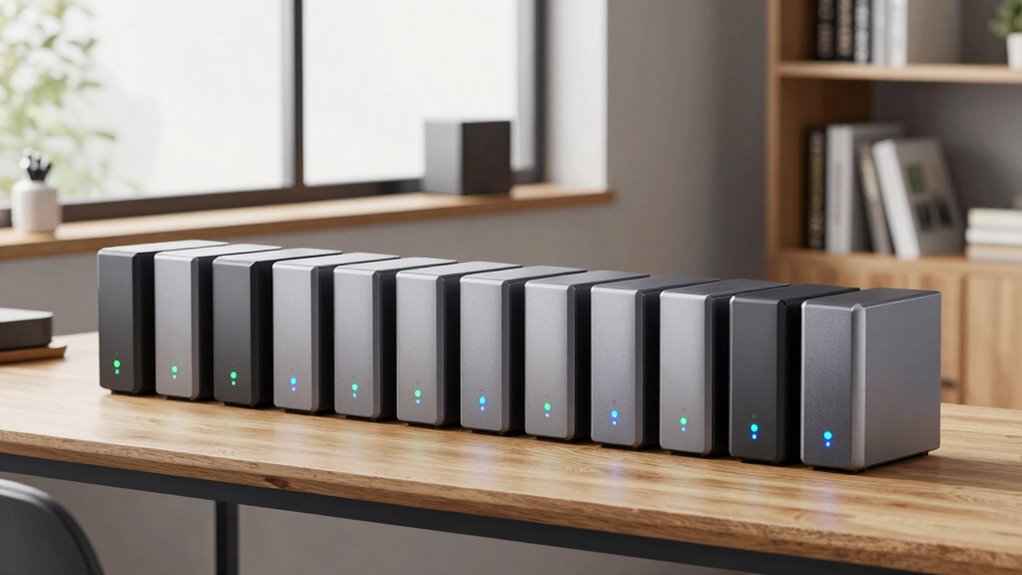

Choosing the right NAS storage for home backups involves balancing capacity, ease of use, and performance. The Synology DS223 stands out as the best overall for its user-friendly interface and reliable performance, while the UGREEN NAS DXP4800 Plus offers high-end specs for power users. For those new to NAS, the BUFFALO LinkStation 210 provides a simple setup with included drives. Readers face tradeoffs between maximum capacity, advanced features, and affordability. Continue reading for a comprehensive breakdown of these options and what makes each unique.
Key Takeaways
- High-capacity models like UGREEN NAS DXP4800 Plus cater to power users needing extensive storage and fast networking.
- Ease of setup and user interface are priorities for beginners, making brands like Synology strong contenders.
- Pre-installed drives simplify initial setup but come with higher costs, while diskless options offer flexibility but require technical know-how.
- Advanced features such as 10GbE networking and multimedia support are often found in premium models and may be unnecessary for basic backups.
- Price varies significantly based on features, capacity, and included drives; balancing budget with needs is key.






| nas storage for home backup | RAM | Processor |
|---|---|---|
| UGREEN NAS DH2300 2-Bay Deskto | 4GB | High-performance (unspecified) |
| Synology DS223 2-Bay Diskless | — | — |
| BUFFALO LinkStation 210 2TB 1- | — | — |
| Synology BeeStation 4TB Person | — | — |
| Yxk Zero1 Pro 4-Bay Desktop NA | 8GB DDR4 | Intel N100 Quad-Core |
| UGREEN NAS DXP4800 Plus 4-Bay | 8GB DDR5 | Intel Pentium Gold 8505 5-Core |
| Asustor Drivestor 2 Gen 2 AS12 | — | Realtek RTD1619B quad-core 1.7GHz |
| Synology DS225+ Private Cloud | — | — |
| ACEMAGIC NAS N3A 4-Bay Desktop | 8GB DDR4 | — |
| UGREEN NAS DXP4800 GT 4-Bay De | 8GB DDR4, expandable to 64GB | AMD Ryzen Embedded R2514, 4 cores, up to 3.70GHz |
| BUFFALO TeraStation Essentials | — | — |
| UGREEN NAS DXP2800 2-Bay Netwo | 8GB DDR5 | Intel N100 Quad-Core |
More Details on Our Top Picks
UGREEN NAS DH2300 2-Bay Desktop NAS Support Capacity 64TB Diskless
The UGREEN NAS DH2300 stands out for its user-friendly setup and robust security features, making it ideal for newcomers to NAS storage. Compared with the Synology DS223, it offers a more straightforward experience without sacrificing large capacity support—up to 64TB—yet it lacks advanced features like surveillance integration or virtualization. Its simple interface and AI photo organization help casual users manage media easily, but it’s limited to wired Ethernet, which could be restrictive in some home setups. This pick is best suited for individuals or families seeking reliable, easy-to-use storage without complex configuration or ongoing costs.
Pros:- Easy to set up and operate for beginners
- Supports large storage capacity up to 64TB
- Fast transfer speeds up to 125MB/s
- Includes AI features for photo organization
Cons:- Does not support Wi-Fi, requiring wired Ethernet
- Limited to basic NAS functions without virtualization or Docker
- Performance may vary depending on network setup
Best for: Beginners or casual home users who want straightforward storage and automatic backups
Not ideal for: Power users needing virtualization, Wi-Fi support, or advanced network features
- Support Capacity:64TB
- Diskless:Yes
- RAM:4GB
- Network Interface:1GbE
- Video Output:4K HDMI
- Processor:High-performance (unspecified)
Our verdict“This is a solid choice for users new to NAS who prioritize ease of use and large storage capacity without extra bells and whistles.”
Synology DS223 2-Bay Diskless NAS Home & Office Backup Hub
The Synology DS223 excels at centralizing data from multiple devices, making it suitable for small offices or households with several users. Unlike the BUFFALO LinkStation 210, which offers only 2TB, the DS223 supports flexible storage expansion with disks of your choice, though it requires separate purchase of drives. Its surveillance support and automation features make it more versatile for security-minded users, but the limited to 2 bays may restrict total storage and scalability. This device is best if you want reliable, secure backups and data management for multiple users, with room to grow through disk upgrades.
Pros:- Centralizes data from multiple devices
- Supports automated backups
- Includes IP camera surveillance features
- Reliable 2-year warranty
Cons:- Requires purchasing disks separately
- Learning curve for new NAS users
- Limited to 2 bays, restricting maximum capacity
Best for: Home or small office users needing centralized backups and surveillance integration
Not ideal for: Users seeking plug-and-play simplicity or large storage capacity in a single device
- Model:DS223
- Type:NAS
- Number of Bays:2
- Diskless:Yes
- Warranty:2 years
Our verdict“Ideal for users who want a dependable, expandable backup hub with additional security features but are comfortable with some setup complexity.”
BUFFALO LinkStation 210 2TB 1-Bay NAS Network Attached Storage with HDD Included
The BUFFALO LinkStation 210 offers a straightforward, out-of-the-box solution with a 2TB hard drive included, making it an affordable choice for basic home backups. Its single bay limits scalability, especially compared to multi-bay options like the Yxk Zero1 Pro, which supports larger capacities, but it’s simple to set up and reliable for small-scale needs. The lack of RAID options and limited capacity may be drawbacks for users with growing storage needs or those who want redundancy. This device is best for households needing immediate, uncomplicated storage without additional hardware investments.
Pros:- Easy to set up and use
- Includes 2TB hard drive in the package
- Supports Windows and macOS
- Reliable 2-year US-based support
Cons:- Limited to 2TB capacity
- Single bay, no RAID options
- Customer reviews indicate mixed satisfaction
Best for: Home users seeking plug-and-play storage with included drives and minimal setup
Not ideal for: Power users or those planning to expand storage or require RAID redundancy
- Capacity:2TB
- Number of Bays:1
- Included Drives:HDD included
- Warranty:2 years
- Supported OS:Windows, macOS
Our verdict“A good choice for basic storage needs where simplicity and immediate use are priorities, but not for future expansion.”
Synology BeeStation 4TB Personal Cloud Storage Device
The Synology BeeStation provides a preconfigured 4TB personal cloud, ideal for families or individuals who want easy access across multiple devices without ongoing subscription costs. Unlike the UGREEN NAS DH2300, which is more of a traditional NAS, the BeeStation emphasizes seamless cloud-like access, though its storage limit of 4TB might fall short for larger media libraries. Its wired Ethernet connection offers stable transfers, but the absence of mention about mobile app support or remote access limits its flexibility. This device suits those prioritizing simple, multi-device sharing over high capacity or advanced features.
Pros:- Preconfigured and easy to set up
- No subscription fees
- Centralizes data from multiple devices and cloud services
- Supports multiple users
Cons:- Limited to 4TB capacity
- Requires wired Ethernet
- No clear mention of remote or mobile app support
Best for: Families or individuals needing a straightforward personal cloud solution with no subscription fees
Not ideal for: Power users requiring large storage or advanced media server capabilities
- Digital Storage Capacity:4TB
- Hard Disk Interface:Ethernet
- Connectivity Technology:Wired
- Data Transfer Rate:600 MBps
- Enclosure Material:Metal
- Warranty & Support:Amazon Return Policy
Our verdict“Ideal for personal or family users who want simple, cloud-like access with minimal setup and no ongoing costs.”
Yxk Zero1 Pro 4-Bay Desktop NAS with Intel N100, 8GB RAM, Dual 2.5GbE, 4K HDMI, Supports Multiple OS
The Yxk Zero1 Pro targets enthusiasts and advanced users with its powerful hardware—an Intel N100 quad-core processor and 8GB DDR4 RAM—plus support for up to 144TB of storage. Its multiple bays, M.2 slots, and extensive OS support (including TrueNAS, Unraid, Docker) make it highly versatile for home media servers, virtualization, or custom backups. Compared to UGREEN NAS DH2300, it offers far more expandability and control, but it requires purchasing drives separately, and installing third-party OS involves manual setup. This device is best for users comfortable with configuration who need maximum flexibility and performance for varied home applications.
Pros:- Supports up to 144TB storage
- Powerful Intel N100 processor and 8GB RAM
- Supports multiple OS and Docker
- Seamless 4K media streaming and AI features
Cons:- Drives sold separately
- Manual OS installation required
- Higher complexity for setup and maintenance
Best for: Home tech enthusiasts or small business owners wanting high-capacity, customizable storage
Not ideal for: Casual users or those without the technical expertise to manage advanced setups
- Processor:Intel N100 Quad-Core
- RAM:8GB DDR4
- Drive Bays:4 SATA 3.0
- M.2 NVMe Slots:2
- Maximum Storage Capacity:144TB
- Network Ports:2 x 2.5GbE
Our verdict“Perfect for tech-savvy users seeking a high-performance, expandable NAS with maximum customization options for home or small office use.”
UGREEN NAS DXP4800 Plus 4-Bay NAS with Intel Pentium Gold 8505, 8GB DDR5 RAM, 128GB SSD, 10GbE, 4K HDMI, Diskless
The UGREEN NAS DXP4800 Plus stands out for its high-performance Intel Pentium Gold processor and robust 8GB DDR5 RAM, making it well-suited for small office environments that need reliable multitasking. Unlike the Synology DS225+, which focuses on simplicity and media streaming, this model offers advanced features like Docker containers and virtual machines, perfect for tech-savvy users. Its fast 10GbE network port supports rapid data transfer, and the inclusion of M.2 slots adds expandability. The main tradeoff is that drives aren’t included, so initial setup costs increase, and its complexity may challenge beginners. This pick is ideal if you want a powerful, customizable NAS for data backup and media management in a small business setting.
Pros:- Powerful Intel Pentium Gold processor for multitasking
- Fast 10GbE network for high-speed data transfer
- Supports Docker and virtual machines for advanced use
- Flexible RAID options up to 144TB capacity
Cons:- Hard drives are not included, increasing initial costs
- Features may require technical expertise to set up and manage
Best for: Small business owners or advanced home users needing high performance and expandability
Not ideal for: Beginners or those seeking a simple plug-and-play backup device without technical setup
- Processor:Intel Pentium Gold 8505 5-Core
- RAM:8GB DDR5
- SSD:Built-in 128GB
- Network Ports:1x 10GbE, 1x 2.5GbE
- M.2 Slots:2x M.2 NVMe
- Drive Bays:4 (diskless)
- Maximum Storage Capacity:144TB
Our verdict“This NAS provides the most power and flexibility for small office users willing to handle some technical setup, making it ideal for advanced data management needs.”
Asustor Drivestor 2 Gen 2 AS1202T 2-Bay NAS Storage, Quad-Core 1.7GHz CPU, 2.5GbE Network, 1GB DDR4, 4K Media Server
The Asustor Drivestor 2 Gen 2 AS1202T offers a straightforward setup with its tool-free drive installation, making it ideal for home users who prioritize ease of use. While its 1GB RAM limits multitasking with heavy loads compared to larger models like the Synology DS225+, it still provides reliable performance for daily backups and media streaming. The 2.5GbE network ensures faster transfers than traditional Gigabit models, enhancing media and data access. However, since drives are not included, buyers need to purchase compatible disks separately, adding to the initial investment. This device suits users seeking a balance of simplicity and reliable media support for personal cloud storage.
Pros:- Easy tool-free drive installation for quick setup
- Fast 2.5GbE network speeds for media and backups
- Reliable quad-core CPU handles daily tasks efficiently
- Creates a secure personal cloud environment
Cons:- Limited 1GB RAM can hinder heavy multitasking
- Requires purchasing drives separately, increasing initial cost
Best for: Home users wanting an easy-to-manage NAS for backups and 4K media streaming
Not ideal for: Power users or heavy multitaskers who need more RAM and expandability
- Processor:Realtek RTD1619B quad-core 1.7GHz
- Network:2.5GbE Ethernet
- Memory:1GB DDR4
- Drive Bays:2
- Media Support:4K Media Server
- Form Factor:Diskless
Our verdict“This NAS makes the most sense for home users who want a simple, reliable device for backups and media streaming without the fuss of complex setup.”
Synology DS225+ Private Cloud Media Server – 2-Bay Diskless NAS with Intel CPU
The Synology DS225+ is designed for users who need dependable data protection combined with media streaming capabilities. Its Intel CPU and support for 4K media make it suitable for media enthusiasts and those wanting automated backups with RAID redundancy. Compared to the Asustor AS1202T, which focuses more on simple media streaming, the DS225+ offers advanced backup features and longer warranty support, making it better suited for data-centric setups. However, being diskless means additional drive costs, and its setup can be complex for beginners. This NAS fits users seeking a reliable, expandable private cloud with multimedia and backup features integrated.
Pros:- Supports 4K media streaming and remote access
- Automated backup options with RAID redundancy
- Supports up to 30 IP cameras with AI detection
- Long 3-year warranty adds peace of mind
Cons:- Requires purchasing drives separately, increasing costs
- Setup may be complex for novices
Best for: Tech-savvy home users or small offices prioritizing data security and media streaming
Not ideal for: Beginners or casual users who prefer plug-and-play devices without complex setup
- Model:DS225+
- Type:Private Cloud Media Server
- Number of Bays:2
- CPU:Intel
- Connectivity:Fast 282 MB/s transfer speeds
- Warranty:3 years
Our verdict“This NAS is best for users who need a reliable, expandable private cloud with strong backup and media features, despite some setup complexity.”
ACEMAGIC NAS N3A 4-Bay Desktop Network Attached Storage Home & Office Backup Hub, Supports Up to 136TB, Dual 2.5G+1G LAN, 8GB DDR4, 128GB PCIe3.0 SSD, Diskless
The ACEMAGIC NAS N3A offers a compelling blend of large storage capacity and extensive connectivity options, making it suitable for users with diverse backup needs. Its support for up to 136TB with flexible drive configurations surpasses many competitors like the UGREEN DXP4800 Plus in capacity, while its dual 2.5G LAN ports enable faster and more reliable data transfers. The inclusion of 8GB DDR4 RAM and a PCIe SSD slot enhances performance for multitasking and caching. The main tradeoff is that drives are not included, which can significantly increase the initial cost if multiple disks are needed. This NAS is an excellent choice for those who want a customizable, high-capacity backup system with advanced connectivity options.
Pros:- Supports up to 136TB of total storage capacity
- Dual 2.5G Ethernet ports for faster network throughput
- Rich connectivity including HDMI, USB-C, and audio
- Upgradeable with NVMe SSD cache support
Cons:- Requires purchasing drives separately, increasing startup costs
- Setup and configuration demand some technical knowledge
Best for: Power users and small businesses needing high capacity and flexible connectivity
Not ideal for: Casual home users who prefer plug-and-play simplicity or have limited technical skills
- Maximum Storage Capacity:136TB
- Number of HDD Bays:4
- Number of M.2 Slots:2
- Ethernet Ports:Dual 2.5G + 1G
- RAM:8GB DDR4
- SSD:128GB PCIe3.0
- Diskless:Yes
Our verdict“This NAS is ideal for users demanding large storage and versatile connectivity, especially when customization and capacity are priorities.”
UGREEN NAS DXP4800 GT 4-Bay Desktop NAS with AMD R2514 CPU, 8GB DDR4 RAM, 2x 10GbE, M.2 NVMe Slots, 4K HDMI, Diskless
The UGREEN NAS DXP4800 GT stands out for its high-performance AMD Ryzen embedded processor, making it ideal for demanding multitasking, media editing, and virtual machine use. Compared with the BUFFALO TeraStation, which offers reliable storage but less processing power, this model excels in handling complex workflows. However, its setup complexity and lack of included drives mean it’s best suited for tech-savvy users willing to invest in drives separately. The dual 10GbE ports and multiple SSD options provide fast, flexible data transfer and storage expansion, while built-in surveillance features add security. Nonetheless, non-ECC RAM and the need for advanced configuration can be barriers for less experienced users.
Pros:- Exceptional multitasking with AMD Ryzen processor and expandable RAM
- Fast data transfer with dual 10GbE ports and multiple SSD options
- Built-in surveillance and virtualization features for security and flexibility
- Multiple connectivity options including HDMI, USB, and SD card slot
Cons:- Drives not included, additional purchase needed
- Complex setup for advanced features like Docker and VM support
- Pre-installed RAM is non-ECC, limiting error correction
Best for: Power users, media creators, or small offices needing robust multitasking and media processing.
Not ideal for: Home users seeking simple backups without the need for advanced features or complicated setup.
- Processor:AMD Ryzen Embedded R2514, 4 cores, up to 3.70GHz
- RAM:8GB DDR4, expandable to 64GB
- Drive Bays:4 SATA bays, 2 U.2 NVMe SSD bays, 2 M.2 SSD slots
- Network:2x 10GbE ports with Link Aggregation
- Video Output:4K HDMI
- Storage Capacity:Up to 144TB
Our verdict“This pick is best suited for technically skilled users who need high performance and versatile connectivity for media and virtual applications.”
BUFFALO TeraStation Essentials 2025 4-Bay Desktop NAS with 16TB Hard Drives
The BUFFALO TeraStation Essentials 2025 offers a straightforward, reliable storage solution with pre-installed drives, making it easy for less technical users to set up their home backups. Compared with the UGREEN DXP4800 GT, which provides advanced features and higher performance, this model focuses on simplicity and dependable data protection. Its integrated 16TB drives and RAID support simplify setup, but its limited capacity (no option for more drives without replacing existing ones) makes it less flexible for growing needs. The high-speed 2.5GbE connection enhances transfer speeds for typical home or small business backups, supported by a 3-year warranty and US-based support for peace of mind.
Pros:- Quick setup with pre-installed drives and user-friendly interface
- High-speed data transfer with native 2.5GbE port
- Secure with 256-bit encryption and flexible RAID options
- Includes 16TB of storage ready for immediate use
Cons:- Limited capacity unless drives are replaced or expanded
- Designed mainly for small to medium backups, not large-scale storage
- No mention of mobile app support for remote management
Best for: Home users or small offices seeking a plug-and-play, reliable backup system with minimal setup effort.
Not ideal for: Tech enthusiasts or users needing extensive expandability or high-performance media processing.
- Capacity:16TB
- Number of Bays:4
- Hard Drive Included:Yes
- RAID Support:RAID 0, 5, 6
- Network Interface:2.5GbE
- Warranty:3 years
Our verdict“This NAS is a reliable, hassle-free choice for home users wanting solid backups without complexity.”
UGREEN NAS DXP2800 2-Bay Network Attached Storage for Content Creators
The UGREEN NAS DXP2800 is tailored for content creators, offering up to 80TB of storage across two bays and featuring AI-powered photo organization. Compared with the BUFFALO TeraStation, which emphasizes reliability over creative workflows, this device prioritizes media management and ease of use. Its simple setup and cross-platform file sharing make it accessible, but the absence of included drives means additional investment upfront. The 2-bay design limits expandability, which could be a drawback for future storage needs, though the high storage capacity and AI features provide real time-savers for media-heavy workflows.
Pros:- Large storage capacity up to 80TB across 2 bays
- AI-powered photo organization saves time and improves media management
- Cross-platform compatibility simplifies sharing across devices
- Easy setup with plug-and-play design
Cons:- Requires purchasing drives separately, adding to initial cost
- Limited to 2 bays, less expandable than larger NAS models
- No included drives or advanced enterprise features
Best for: Content creators, photographers, or video editors who need large storage and intelligent organization tools.
Not ideal for: Users seeking a multi-bay NAS for extensive backups or enterprise-level storage.
- Processor:Intel N100 Quad-Core
- RAM:8GB DDR5
- Network Speed:2.5GbE
- Storage Slots:2 x M.2 NVMe
- Maximum Storage Capacity:80TB
- Connectivity:4K HDMI
Our verdict“This NAS makes the most sense for creators who prioritize large storage and smart media management over expandability.”

How We Picked
To determine the best NAS storage options for home backups, I evaluated each product based on several factors: performance capabilities, ease of setup and use, build quality, expandability, and overall value. I prioritized models that balance user-friendliness for home users with sufficient performance for backups and media serving. The ranking emphasizes reliability, feature set, and cost-effectiveness, with a clear distinction between models suited for beginners versus advanced users. Products with advanced networking options, higher capacities, and better hardware received higher scores for versatility and future-proofing.| nas storage for home backup | Processor |
|---|---|
| UGREEN NAS DH2300 2-Bay Deskto | High-performance (unspecified) |
| Synology DS223 2-Bay Diskless | — |
| BUFFALO LinkStation 210 2TB 1- | — |
| Synology BeeStation 4TB Person | — |
| Yxk Zero1 Pro 4-Bay Desktop NA | Intel N100 Quad-Core |
| UGREEN NAS DXP4800 Plus 4-Bay | Intel Pentium Gold 8505 5-Core |
| Asustor Drivestor 2 Gen 2 AS12 | Realtek RTD1619B quad-core 1.7GHz |
| Synology DS225+ Private Cloud | — |
| ACEMAGIC NAS N3A 4-Bay Desktop | — |
| UGREEN NAS DXP4800 GT 4-Bay De | AMD Ryzen Embedded R2514, 4 cores, up to 3.70GHz |
| BUFFALO TeraStation Essentials | — |
| UGREEN NAS DXP2800 2-Bay Netwo | Intel N100 Quad-Core |
Factors to Consider When Choosing Nas Storage For Home Backups
When selecting NAS storage for home backups, it’s important to consider several key factors to ensure your investment meets your needs now and in the future. Capacity is often the primary concern, but understanding your actual storage requirements helps avoid overspending. Ease of use can make a significant difference, especially if you’re not technically inclined. Networking capabilities, like 1GbE versus 10GbE, determine how fast data syncs across your devices. Additionally, consider expandability and compatibility with your existing setup to avoid limitations down the line. Finally, evaluate whether you prefer a pre-configured unit or a diskless model that allows custom drive choices.Capacity and Scalability
Ensuring your NAS provides enough storage space for current backups and future growth is vital. Models like the BUFFALO TeraStation offer large, pre-installed drives suitable for immediate use, but they can be costly. Diskless options like Synology DS223 allow for flexible drive choices, which can be more cost-effective if you already own drives or plan to upgrade. Consider your backup size and whether you need features like RAID for redundancy, which can affect total available capacity and data safety.
Ease of Use and Setup
For non-technical users, a NAS with an intuitive interface and straightforward setup process is essential. Brands like Synology are renowned for their user-friendly OS and comprehensive apps, making routine backups simple. Conversely, more advanced units with complex features might require a steeper learning curve. Think about your comfort with technology and whether you prefer a plug-and-play device or are willing to configure advanced settings for more control.
Network Performance
Fast data transfer speeds depend on the NAS’s network interfaces. While most models support standard 1GbE, premium options like the UGREEN NAS DXP4800 GT include 10GbE ports, significantly reducing backup times and improving media streaming. If your home network is still 1GbE, investing in higher-speed ports may not deliver immediate benefits, but future-proofing can save headaches later. Also, consider whether the NAS supports link aggregation or multiple Ethernet ports for increased throughput.
Hardware and Expandability
Robust hardware—like quad-core CPUs and ample RAM—ensures smooth operation, especially when running multiple backup tasks or media servers. Units with M.2 slots or PCIe support allow for hardware upgrades, extending their lifespan. Some models, like the Yxk Zero1 Pro, combine high performance with multimedia capabilities, making them suitable for more than just backups. Balance your need for raw power with budget constraints, particularly if you don’t plan to run intensive applications.
Price and Overall Value
Pricing varies widely, with basic 2-bay models being more affordable but limited in capacity and features, while multi-bay, high-end units come at a premium. Consider whether the added features—like dual 10GbE ports or hardware encryption—justify the extra cost for your backup needs. Also, pre-installed drives increase convenience but add to the initial investment. For most home users, finding a balance between cost and capability is key to making a satisfying purchase.
Frequently Asked Questions
Do I need a diskless NAS or one with pre-installed drives?
Choosing between a diskless NAS and one with pre-installed drives depends on your budget and technical comfort. Diskless units offer flexibility to select drives matching your capacity and performance needs, possibly saving money if you already have compatible drives. However, they require some setup and compatibility knowledge. Pre-installed models are more straightforward, ideal for quick deployment, but tend to cost more upfront. Evaluate your familiarity with hardware installation and long-term upgrade plans to decide which option suits you best.Can I use a NAS for media streaming as well as backups?
Yes, many NAS devices are capable of serving as media servers, especially models with media-optimized hardware like hardware transcoding and HDMI output. Features such as 4K video support and DLNA compatibility allow streaming to smart TVs, tablets, or computers. If media streaming is a priority along with backups, look for a model with multimedia capabilities built-in, like the Yxk Zero1 Pro or UGREEN NAS DXP4800 Plus. Keep in mind that media features may add complexity and cost, so consider whether you need dedicated media functions or just basic backup reliability.How much should I spend on a home NAS?
Budgeting for a home NAS depends on your storage needs and desired features. Basic 2-bay models with pre-installed drives can start around a few hundred dollars but might lack advanced features. Mid-range units with higher performance, expandability, and better software tend to cost between $500 and $1,000. Premium options with multiple bays, high-speed networking, and multimedia support can exceed $1,500. Consider your current backup volume, future expansion plans, and whether extra features like faster network ports or RAID support justify the higher price.Is a 2-bay NAS enough for my home backups?
For many standard home backup scenarios, a 2-bay NAS offers sufficient capacity and redundancy options, especially if configured with RAID 1 for mirroring. They are typically easier to manage and more affordable. However, if you anticipate significant data growth or need multiple backup versions, a larger capacity or multi-bay system might be more appropriate. Keep in mind that a 2-bay setup can be a good starting point, with the option to upgrade or expand later if your storage needs increase.What should I consider regarding data security on my NAS?
Data security on a NAS involves more than just physical security; it includes encryption, user access controls, and regular backups. Look for models that support hardware encryption and robust user management to restrict access. Enable automatic firmware updates to patch vulnerabilities, and consider setting up remote access carefully, using VPNs or secure protocols. Also, implementing a secondary backup, such as cloud storage, adds an extra layer of security. Balancing security features with ease of use will help protect your data without complicating access.Conclusion
For most home users, the Synology DS223 offers a balanced mix of simplicity, performance, and expandability, making it ideal as the best overall pick. Budget-conscious buyers seeking straightforward backups should consider the BUFFALO LinkStation 210, while those with higher capacity needs and tech skills may opt for the UGREEN NAS DXP4800 Plus. Beginners will appreciate the ease of setup with models like Synology or BUFFALO, while power users can leverage the advanced hardware of options like the UGREEN DXP4800 GT. Ultimately, your choice should align with your current backup volume, future growth, and comfort with technology, ensuring reliable data protection for years to come.