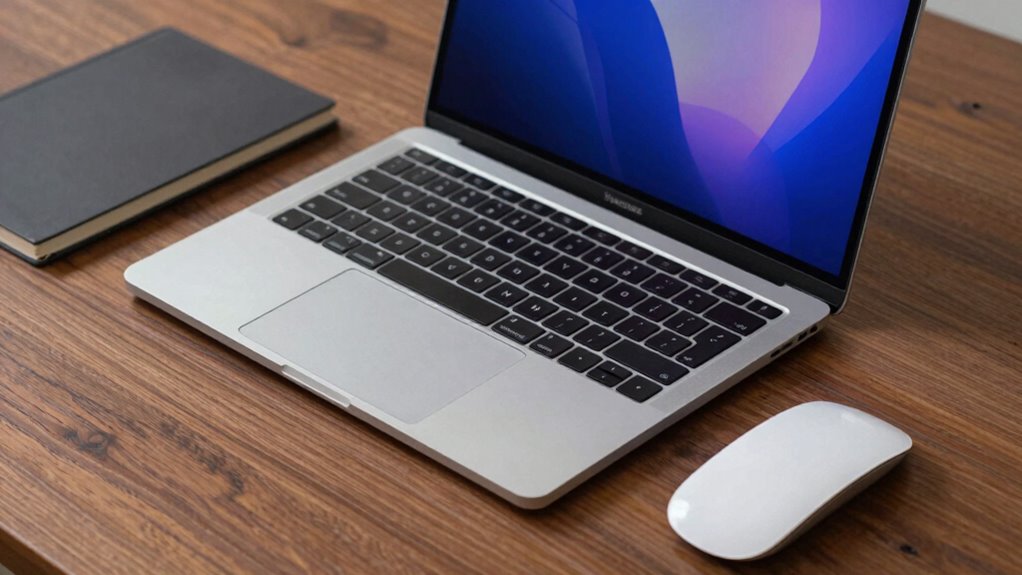

The best 14-inch MacBook Pro configuration for most demanding users is the M4 Pro model with 24GB memory: it balances current-generation performance with room for serious multitasking. For heavier creative workloads, the M5 Pro with 48GB memory and the M3 Max with 36GB memory stand out, while the M4 model is a more approachable fit for everyday work. The main tradeoffs are chip generation versus memory, storage capacity, and whether a renewed model makes sense for your needs. Older M1 Pro and M2 Pro configurations can still suit less demanding workflows, but their age and memory limits matter. Read on for the full comparison and practical guidance on choosing among these 11 configurations.

Prime made for students and young adults
- Fast, free delivery for dorm and study essentials
- Prime Video and Amazon Music included
- Member-only deals
Key Takeaways
- The M4 Pro with 24GB memory is the clearest all-around choice: it offers a current Pro-tier chip and more memory than the M4 base configuration, without the specialized focus of the M3 Max or M5 Pro.
- The M5 Pro with 48GB memory is the strongest fit for demanding workloads: its higher memory capacity and newer Pro chip are better suited to sustained professional multitasking, though many buyers will not need that headroom.
- The M3 Max and M5 Pro serve different premium needs: the M3 Max configuration pairs its high-end chip with 36GB memory, while the M5 Pro listing offers 48GB memory; the right pick depends on the workload and the value of newer-generation hardware.
- Memory separates several similarly sized configurations: the M3 model has 8GB, the M4 model has 16GB, and the M4 Pro models have 24GB, so buyers should match memory to app load and expected ownership length.
- Renewed M1 Pro, M2 Pro, and M3 Pro options trade newer hardware for older generations: they can fit focused workflows, but the 32GB M1 Pro stands apart from the 16GB and 18GB alternatives for memory-heavy use.




| inch macbook pro configuration | Processor | Storage | Display | Memory |
|---|---|---|---|---|
| Apple 14.2" MacBook Pro with M | M3 Max, up to 16-core CPU | 1TB SSD | 14.2-inch Liquid Retina XDR, 3024 x 1964 | 36GB unified RAM |
| Apple 2024 MacBook Pro 14-inch | Apple M4 Pro | 512GB SSD | 14-inch Liquid Retina XDR, 3024 x 1964 | 24GB |
| Apple 2024 MacBook Pro with M4 | Apple M4 Pro | 512GB SSD | 14-inch Liquid Retina XDR | 24GB |
| Apple MacBook Pro | Apple M2 Pro | 512GB SSD | 14-inch LED LCD, 3024 x 1964 | 16GB DDR4 |
| Apple 14-inch MacBook Pro CTO | Apple M5 Pro, 15-core CPU | 1TB SSD | 14-inch LED, 3024 x 1964, 120Hz | 48GB unified memory |
| Apple 2023 14-inch MacBook Pro | Apple M3 Pro, 12-core, up to 4.05GHz | 512GB SSD | 14-inch LCD, 3024 x 1964 | — |
| Apple 2021 MacBook Pro with M1 | Apple M1 Pro, 8-core | 512GB SSD | 14.2-inch Liquid Retina XDR, listed as 3000 x 2000 pixels | — |
| Apple 2023 MacBook Pro with M3 | Apple M3, 8-core CPU | 512GB SSD | 14.2-inch Liquid Retina XDR, 3024 x 1964 | 8GB RAM |
| Apple MacBook Pro 2021 with M1 | Apple M1 Pro, 8-core CPU | 512GB SSD | 14-inch Liquid Retina XDR, 3024 x 1964 | — |
| Apple 2024 MacBook Pro with M4 | Apple M4 | 512GB SSD | 14-inch Liquid Retina XDR, 3024 x 1964 | 16GB RAM |
| Apple 2021 MacBook Pro with M1 | Apple M1 Pro, 8-core CPU | 1TB SSD | 14-inch Liquid Retina XDR | 16GB unified memory |
More Details on Our Top Picks
Apple 14.2″ MacBook Pro with M3 Max Chip, 36GB RAM, 1TB SSD, Space Black (Late 2023)
I’d choose this M3 Max configuration when graphics throughput matters more than keeping the setup light. Its up-to-40-core GPU and 36GB of unified memory are aimed at demanding video, 3D, and other creative work; the 1TB SSD also gives projects more room than the 512GB drives in the renewed M4 Pro options. The Liquid Retina XDR display and HDMI, SDXC, and Thunderbolt 4 ports make it practical as a mobile workstation without relying on a pile of adapters.
The tradeoff is that this is a heavier 3.6-pound machine, and the M4 Pro configurations use a newer chip generation. I’d favor the M4 Pro models for a more balanced professional setup, but choose this one when its higher stated GPU ceiling better matches the workload. Its specialized power can be wasted on browsing, office work, and light editing.
Pros:- M3 Max configuration with up to a 40-core GPU for demanding graphics workloads
- 36GB unified memory supports larger projects and intensive multitasking
- 1TB SSD provides more built-in space than the 512GB M4 Pro configurations
- HDMI, SDXC, and three Thunderbolt 4 ports support varied workflows
Cons:- At 3.6 pounds, it is heavier than many buyers want for frequent travel
- The M4 Pro options use a newer chip generation
- Its high-performance configuration is unnecessary for routine everyday tasks
Best for: Video editors, 3D artists, and other professionals who can use the M3 Max GPU and want 1TB of built-in storage.
Not ideal for: Students and general productivity users who value a lighter laptop or do not run GPU-heavy applications.
- Processor:M3 Max, up to 16-core CPU
- Graphics:Up to 40-core Apple GPU
- Memory:36GB unified RAM
- Storage:1TB SSD
- Display:14.2-inch Liquid Retina XDR, 3024 x 1964
- Battery life:Up to 18 hours
- Ports:MagSafe, three Thunderbolt 4, SDXC, HDMI, headphone jack
- Weight:3.6 pounds
- Wireless:Wi-Fi 6E, Bluetooth 5.3
Our verdict“Choose this M3 Max model if GPU-heavy creative work and 1TB of storage matter more than portability or a newer chip generation.”
Apple 2024 MacBook Pro 14-inch with M4 Pro, 24GB RAM, 512GB SSD, Silver (Renewed)
This renewed 2024 M4 Pro is a balanced choice for professional work when 24GB of memory is sufficient and a compact 14-inch machine is the priority. Its Liquid Retina XDR display and stated Thunderbolt 5, HDMI, and SDXC connections suit a desk setup as well as travel. Compared with the M3 Max configuration in this list, it gives up the higher stated GPU ceiling and half the SSD capacity, but it brings a newer Pro-generation chip in a lighter listed package.
The main compromises are the 512GB SSD and the uncertainty attached to a renewed unit, including potentially limited warranty coverage. The nearly identical Space Black M4 Pro listing may appeal if you prefer that finish, but this Silver version is the straightforward pick if color is the deciding difference. I’d choose a new machine or a higher-storage configuration if warranty certainty or a large local media library is a priority.
Pros:- M4 Pro chip targets demanding professional workloads
- 24GB RAM is a substantial configuration for multitasking
- Liquid Retina XDR display with 3024 x 1964 resolution
- Listed Thunderbolt 5, HDMI, and SDXC ports support varied peripherals
Cons:- 512GB SSD may constrain large project libraries
- Renewed condition can come with limited warranty coverage
- M3 Max option lists a higher GPU-core ceiling for graphics-focused work
Best for: Professionals who want an M4 Pro 14-inch MacBook Pro, 24GB memory, and a Silver finish, and are comfortable buying renewed.
Not ideal for: Buyers who need a new-device warranty, more than 512GB of internal storage, or the M3 Max’s stated GPU capacity.
- Model year:2024
- Processor:Apple M4 Pro
- Memory:24GB
- Storage:512GB SSD
- Display:14-inch Liquid Retina XDR, 3024 x 1964
- Color:Silver
- Ports:Thunderbolt 5, MagSafe 3, SDXC, HDMI, headphone jack
- Weight:1.6 kg
- Operating system:macOS
Our verdict“Pick this renewed Silver M4 Pro for a capable, portable professional configuration if 512GB is enough and renewed-product coverage suits you.”
Apple 2024 MacBook Pro with M4 Pro Chip (14-inch, 24GB RAM, 512GB SSD) Space Black (Renewed)
This Space Black M4 Pro has the same core configuration as the Silver renewed M4 Pro listing: 24GB RAM and a 512GB SSD. Its place here is for buyers who want that finish while keeping the 14-inch professional setup, rather than choosing the M2 Pro model’s older generation and 16GB of memory. The listed Thunderbolt 5, HDMI, and SDXC connections are useful for a creative desk or a workflow that moves files from camera cards.
There’s little reason to treat it as a performance upgrade over the Silver M4 Pro; the data describes matching chip, memory, and storage. Both carry the same renewed-product caveat, and 512GB can fill quickly with video or large project files. Compared with the M3 Max model, this is a less GPU-focused configuration, but it may be a more sensible fit for people who need Pro-level capability without the Max-tier hardware.
Pros:- M4 Pro chip paired with 24GB RAM for demanding multitasking
- Space Black finish for buyers who prefer a darker design
- Liquid Retina XDR display in a 14-inch format
- Listed Thunderbolt 5, HDMI, and SDXC connectivity
Cons:- Same 512GB storage and core configuration as the Silver M4 Pro listing
- Renewed status may mean less warranty coverage
- M3 Max configuration lists a higher GPU-core ceiling for graphics-heavy work
Best for: Mac buyers who want a renewed 2024 M4 Pro in Space Black for professional work and can manage with 512GB of storage.
Not ideal for: People who want a clearly faster or higher-capacity configuration than the Silver M4 Pro listing, or need stronger stated GPU hardware for demanding graphics work.
- Processor:Apple M4 Pro
- Display:14-inch Liquid Retina XDR
- Memory:24GB
- Storage:512GB SSD
- Color:Space Black
- Battery life:All-day
- Ports:Thunderbolt 5, HDMI, SDXC card slot, headphone jack
- Condition:Renewed
Our verdict“Choose this Space Black M4 Pro if the finish is your preference and you want a renewed 24GB professional configuration with 512GB storage.”
Apple MacBook Pro (2023, 14-inch, M2 Pro, 16 GB RAM, 512 GB SSD, Space Gray) – Renewed
This renewed M2 Pro configuration is the older-generation choice for buyers who want a 14-inch MacBook Pro with Pro-tier branding and 512GB storage, without needing the newer M4 Pro hardware. Its 16GB of RAM is below the 24GB in both M4 Pro options and the 36GB in the M3 Max, so I’d reserve it for less memory-intensive workloads such as everyday office tasks, study, and moderate creative projects. The 3024 x 1964 display and included Apple software make it a capable general-purpose setup.
The limitations are meaningful: its listed memory is lower, it is a renewed unit with no warranty stated, and the supplied specifications describe a matte LED LCD rather than the Liquid Retina XDR displays listed on the other newer configurations. Compared with the M4 Pro models, this is the less capable choice for sustained demanding work. I’d skip it if warranty coverage or heavy multitasking is central to your decision.
Pros:- M2 Pro processor offers a Pro-class configuration from an earlier generation
- 16GB RAM and 512GB SSD cover common study and office workloads
- 14-inch display with 3024 x 1964 resolution
- Includes macOS and listed Apple productivity and creative apps
Cons:- 16GB RAM is below the 24GB in the renewed M4 Pro configurations
- Renewed listing states no warranty coverage
- Specifications list a matte LED LCD rather than Liquid Retina XDR
Best for: Students and office users seeking a renewed 14-inch MacBook Pro for everyday work and moderate creative tasks.
Not ideal for: Professionals handling large, memory-heavy projects or buyers who require warranty coverage and the listed XDR display features of newer options.
- Model year:2023
- Processor:Apple M2 Pro
- CPU cores:8
- Memory:16GB DDR4
- Storage:512GB SSD
- Display:14-inch LED LCD, 3024 x 1964
- Weight:4 pounds
- Warranty:No warranty (renewed)
Our verdict“Consider this renewed M2 Pro for everyday work if its 16GB configuration meets your needs and the stated lack of warranty is acceptable.”
Apple 14-inch MacBook Pro CTO Laptop with M5 Pro Chip, 48GB Memory, 1TB SSD, Space Black
For workloads that lean heavily on memory, this M5 Pro CTO configuration has the most generous RAM allocation in this batch: 48GB, alongside a 1TB SSD. That makes it a distinctive alternative to the renewed M4 Pro models with 24GB and 512GB, particularly for users who keep large projects and many demanding applications open. Its listed 15-core CPU and 16-core GPU describe a Pro-focused setup, while the 14-inch size and Space Black finish keep it aligned with a portable professional laptop.
I’d be cautious about buying based on the chip name alone: the supplied data does not include battery life or weight, and it lists an LED display rather than confirming the XDR details given for the other MacBook Pro options. The 48GB memory and 1TB storage are clear advantages, but the M3 Max listing specifies a much higher GPU-core ceiling for graphics-intensive work. This pick suits memory-heavy multitasking better than a buyer focused chiefly on GPU capacity.
Pros:- 48GB unified memory is the largest listed allocation in this batch
- 1TB SSD offers more capacity than the renewed M4 Pro options
- M5 Pro chip is listed with a 15-core CPU and 16-core GPU
- 14-inch size and Space Black finish suit a professional portable setup
Cons:- Battery life and weight are not specified in the supplied data
- Display is listed as LED without Liquid Retina XDR details
- M3 Max listing specifies a higher GPU-core ceiling for graphics-heavy work
Best for: Professionals who run memory-intensive applications or large multitasking workloads and want 48GB RAM with 1TB storage in a 14-inch configuration.
Not ideal for: Buyers who need confirmed battery life and weight details, a specified Liquid Retina XDR display, or the highest stated GPU-core count in this group.
- Processor:Apple M5 Pro, 15-core CPU
- GPU:16-core GPU
- Memory:48GB unified memory
- Storage:1TB SSD
- Display:14-inch LED, 3024 x 1964, 120Hz
- Color:Space Black
- Operating system:macOS
- Dimensions:12.31 x 8.71 x 0.61 inches
Our verdict“Choose this M5 Pro CTO configuration if 48GB of memory and 1TB storage matter more than confirmed portability details or the highest stated GPU-core count.”
Apple 2023 14-inch MacBook Pro with M3 Pro chip, 18GB RAM, 512GB SSD, Space Black (Renewed)
The M3 Pro and 18GB of memory make this a balanced pick for creators who routinely edit photos, work with large projects, or keep demanding apps open together. Compared with the 2023 M3 MacBook Pro with 8GB RAM in this roundup, it gives multitasking more room and adds a more capable 14-core GPU. Its 512GB SSD is still a limit for large video libraries, so external storage may become part of the setup. At 3.5 pounds, it remains practical to carry, and the high-resolution display suits detailed visual work. The main caveat is its renewed status: the listed 90-day limited warranty offers less reassurance than a new machine, and condition may vary.
Pros:- M3 Pro chip with a 12-core CPU and 14-core GPU suits demanding creative workflows.
- 18GB of RAM gives multitasking more headroom than the 8GB M3 configuration.
- 14-inch, 3024 x 1964 display supports detailed visual work.
- 3.5-pound design is portable for a performance-focused laptop.
Cons:- 512GB SSD may fill quickly with large media projects.
- Renewed condition can include cosmetic imperfections and comes with a 90-day limited warranty.
- Graphics use shared memory rather than dedicated graphics memory.
Best for: Photo and video creators who want an M3 Pro configuration, 18GB of memory, and a portable 14-inch display for project work.
Not ideal for: Buyers who need extensive built-in media storage or the strongest warranty coverage, and graphics specialists who require dedicated graphics memory.
- Processor:Apple M3 Pro, 12-core, up to 4.05GHz
- Graphics:14-core GPU
- RAM:18GB LPDDR5
- Storage:512GB SSD
- Display:14-inch LCD, 3024 x 1964
- Weight:3.5 pounds
- Battery:72.6Wh lithium-ion
- Warranty:90-day limited
Our verdict“Choose this renewed M3 Pro if your creative workload benefits from stronger graphics and more memory than the 8GB M3 model provides.”
Apple 2021 MacBook Pro with M1 Pro Chip, 14-inch, 32GB RAM, 512GB SSD, Space Gray (Renewed)
This older configuration’s defining advantage is 32GB of RAM, which can suit buyers who keep many large applications, browser tabs, or datasets active at once. Compared with the 2021 M1 Pro MacBook Pro with 16GB RAM in this roundup, it offers twice the listed memory, while both use an eight-core M1 Pro processor and a 512GB SSD. That extra capacity may matter more than a newer chip for some memory-heavy workloads, but it does not make this the best fit for everyone: the M1 Pro is an older generation, and the supplied specs describe the display resolution differently from other 14-inch listings. The renewed unit also has limited warranty certainty, so buyers should weigh its RAM advantage against age and condition.
Pros:- 32GB of RAM is the largest memory capacity among the five products reviewed here.
- Eight-core M1 Pro processor targets professional workloads.
- 512GB SSD provides fast local storage for applications and active projects.
- Listed 17-hour battery life supports extended use away from an outlet.
Cons:- M1 Pro is an older chip generation than the M3 and M4 options in this roundup.
- 512GB storage can be restrictive for extensive project files.
- Renewed condition and warranty coverage may be less predictable.
Best for: Developers, analysts, and multitaskers who value 32GB of memory for running several demanding applications at once.
Not ideal for: Buyers prioritizing a newer-generation processor, a clearly specified display, or stronger warranty certainty.
- Processor:Apple M1 Pro, 8-core
- RAM:32GB DDR4
- Storage:512GB SSD
- Display:14.2-inch Liquid Retina XDR, listed as 3000 x 2000 pixels
- Battery life:Up to 17 hours (listed)
- Weight:3.5 pounds
- Connectivity:Bluetooth, HDMI, Wi-Fi
- Color:Space Gray
Our verdict“Pick this M1 Pro configuration when 32GB of RAM matters more to your workload than having a newer processor generation.”
Apple 2023 MacBook Pro with M3 Chip, 14-inch, 8GB RAM, 512GB SSD, Space Gray (Renewed)
The base M3 chip and 14-inch XDR display make this the simpler entry point into the MacBook Pro lineup here, with useful ports such as HDMI, SDXC, and MagSafe 3 listed in the specs. Compared with the M3 Pro model with 18GB RAM, this configuration gives up both memory capacity and GPU cores, so it is less suited to heavier editing or sustained multitasking. Its 8GB of RAM is the main constraint: it can work for everyday productivity and lighter creative tasks, but demanding projects may run short on memory sooner. The 512GB SSD provides the same listed capacity as several pricier configurations, though the renewed listing leaves condition uncertain. I’d choose it for the display and connectivity, not for professional workloads that need more headroom.
Pros:- M3 chip with an 8-core CPU and 10-core GPU handles everyday tasks and lighter creative work.
- 14.2-inch Liquid Retina XDR display has a 3024 x 1964 resolution.
- Connectivity includes HDMI, SDXC, Thunderbolt 3, and MagSafe 3.
- Touch ID supports convenient device access.
Cons:- 8GB of RAM is substantially less than the 18GB M3 Pro and 32GB M1 Pro configurations here.
- Integrated graphics and limited memory make it a weaker fit for demanding creative workflows.
- Renewed condition may include cosmetic imperfections.
Best for: Students and general-purpose users who want a 14-inch XDR display and built-in ports for office work, browsing, and light creative tasks.
Not ideal for: Video editors, developers running memory-intensive tools, or anyone planning to keep many demanding applications open at once.
- Processor:Apple M3, 8-core CPU
- Graphics:10-core GPU
- Memory:8GB RAM
- Storage:512GB SSD
- Display:14.2-inch Liquid Retina XDR, 3024 x 1964
- Connectivity:Wi-Fi 6E, Bluetooth 5.3, Thunderbolt 3, HDMI, SDXC, MagSafe 3
- Battery:72.4Wh lithium-ion
- Weight:3.4 pounds
Our verdict“Choose this model for everyday use and its strong display and port selection, but step up to the 18GB M3 Pro for heavier creative work.”
Apple MacBook Pro 2021 with M1 Pro Chip (14-inch, 16GB RAM, 512GB SSD) – Space Gray (Renewed)
This 16GB M1 Pro configuration pairs a professional-grade display and a 14-core GPU with enough memory for many creative and office workflows. It makes more sense as a balanced older-generation option than the 32GB M1 Pro model if your workload does not need unusually high memory capacity. Against the newer 2023 M3 Pro with 18GB RAM, it gives up chip generation and a small amount of memory, but the listed M1 Pro graphics and Liquid Retina XDR screen still make it a capable fit for established professional tasks. The 512GB SSD is a shared limitation across several models here, and renewed condition adds uncertainty about wear and warranty. Buyers should also check the exact port configuration, since the supplied listing describes it less clearly than some alternatives.
Pros:- M1 Pro 8-core CPU and 14-core GPU support professional workloads.
- 16GB of RAM is a more balanced capacity for multitasking than the 8GB M3 configuration.
- Liquid Retina XDR display has a 3024 x 1964 resolution.
- Listing describes HDMI and multiple USB ports for connecting accessories.
Cons:- Older M1 Pro generation trails the M3 and M4 options in this roundup.
- 512GB SSD may require external storage for large media libraries.
- Renewed condition and warranty details are not fully specified.
Best for: Buyers who want a professional 14-inch display and M1 Pro performance for established creative workflows without needing 32GB of RAM.
Not ideal for: People seeking a newer M3 or M4 chip, extensive built-in storage, or the added memory headroom of the 32GB M1 Pro configuration.
- Processor:Apple M1 Pro, 8-core CPU
- Graphics:Apple M1 Pro, 14-core GPU
- RAM:16GB
- Storage:512GB SSD
- Display:14-inch Liquid Retina XDR, 3024 x 1964
- Weight:1.6kg
- Ports:Listing specifies 3 USB ports and 1 HDMI port
- Color:Space Gray
Our verdict“Consider this renewed M1 Pro for a balanced older-generation creative machine, but choose the M3 Pro if you want a newer chip and more memory.”
Apple 2024 MacBook Pro with M4 Chip (14-inch, 16GB RAM, 512GB SSD) Space Black (Renewed)
The M4 chip with 16GB of RAM gives this renewed 14-inch MacBook Pro a more current foundation than the M1 Pro models, while avoiding the 8GB memory ceiling of the base M3 configuration. That makes it a well-rounded choice for users mixing office work, creative applications, and heavier multitasking. Compared with the M3 Pro model with 18GB RAM, this listing provides a newer chip generation but less memory and no detailed CPU or GPU core counts, so buyers should not assume it wins every demanding graphics workload. The Liquid Retina XDR display keeps the visual experience in Pro territory. Its 90-day guarantee and tested battery capacity above 80% add useful condition details, though accessories may be non-original and the machine arrives in a generic box.
Pros:- M4 chip is a newer generation than the M1 Pro and M3 options in this batch.
- 16GB RAM offers more multitasking room than the 8GB M3 configuration.
- 14-inch Liquid Retina XDR display has a 3024 x 1964 resolution.
- Listing states the battery capacity exceeds 80% and includes a 90-day guarantee.
Cons:- 512GB SSD may be limiting for large project archives.
- Accessories may not be original, and packaging is generic.
- Renewed status can involve cosmetic imperfections, while the guarantee is limited to 90 days.
Best for: Professionals and students who want a newer M4 chip, 16GB of memory, and an XDR display for mixed productivity and creative work.
Not ideal for: Buyers who need a longer warranty, original accessories, more than 512GB of storage, or clearly documented graphics specifications.
- Processor:Apple M4
- Memory:16GB RAM
- Storage:512GB SSD
- Display:14-inch Liquid Retina XDR, 3024 x 1964
- Operating system:macOS 15.1
- Color:Space Black
- Warranty:90 days
- Battery condition:Capacity stated to exceed 80%
Our verdict“Choose this renewed M4 model for a newer-generation, mixed-workload MacBook Pro, provided its 512GB storage and short guarantee fit your needs.”
Apple 2021 MacBook Pro with M1 Pro Chip (14-inch, 16GB RAM, 1TB SSD, Space Gray, Renewed)
I’d choose this configuration when 1TB of internal storage matters more than having Apple’s newer chip generations. Its M1 Pro, 14-core GPU, and Liquid Retina XDR display provide a capable setup for demanding creative work, while the larger SSD leaves more room for active projects than the 512GB M1 Pro configuration in this roundup. The tradeoff is age: compared with the M4 Pro models listed here, this 2021 machine has an older processor and only 16GB of unified memory, which can limit headroom for heavier workloads or long-term use. Its ports—Thunderbolt 4, HDMI, SDXC, and MagSafe 3—reduce the need for adapters. Since it is renewed, condition and warranty coverage may vary; I’d favor a newer configuration if those concerns outweigh the extra storage.
Pros:- 1TB SSD offers twice the listed capacity of the 512GB M1 Pro alternative in this roundup
- M1 Pro 8-core CPU and 14-core GPU suit demanding everyday professional workloads
- 14-inch Liquid Retina XDR display supports detailed, high-contrast visual work
- Thunderbolt 4, HDMI, SDXC, and MagSafe 3 provide useful built-in connectivity
Cons:- 16GB unified memory is fixed and gives less headroom than higher-memory configurations
- Older M1 Pro generation trails the newer M3, M4, and M5 Pro options in this roundup
- Renewed condition may come with less predictable warranty coverage
Best for: Creative professionals who want a 14-inch MacBook Pro with 1TB of built-in storage for local files and established workflows, and can accept an older chip and renewed condition.
Not ideal for: Buyers running memory-heavy projects, seeking the longest support runway, or wanting a new machine with predictable warranty coverage; the 16GB memory is not upgradeable.
- Processor:Apple M1 Pro, 8-core CPU
- Graphics:14-core GPU
- Display:14-inch Liquid Retina XDR
- Memory:16GB unified memory
- Storage:1TB SSD
- Battery life:Up to 17 hours
- Ports:Thunderbolt 4, HDMI, SDXC, MagSafe 3, headphone jack
- Color:Space Gray
- Condition:Renewed
Our verdict“Choose this renewed M1 Pro configuration if you want 1TB of internal storage and broad ports more than newer-generation performance or upgradeable memory.”

How We Picked
I ranked these 14-inch MacBook Pro configurations by how well their chip, memory, and storage match likely workloads, rather than treating a newer chip as an automatic win. I gave more weight to configurations with useful memory headroom and a strong balance of performance and capacity, then considered whether a buyer is paying for capabilities they may not use. A high-end chip matters most for demanding creative and compute tasks; for everyday productivity, memory and storage can have a larger effect on day-to-day comfort.
I also separated current-generation and older renewed options by their practical tradeoffs. The top positions go to configurations with the broadest fit or the clearest advantage for a specific workload, while older and lower-memory models rank lower because they offer less headroom for future software and heavier multitasking. The two M4 Pro listings have the same stated core configuration, so I treat them as equivalent on performance and distinguish them only by finish; renewed status and listing details should be checked before purchase.
| inch macbook pro configuration | Color |
|---|---|
| Apple 14.2" MacBook Pro with M | — |
| Apple 2024 MacBook Pro 14-inch | Silver |
| Apple 2024 MacBook Pro with M4 | Space Black |
| Apple MacBook Pro | — |
| Apple 14-inch MacBook Pro CTO | Space Black |
| Apple 2023 14-inch MacBook Pro | — |
| Apple 2021 MacBook Pro with M1 | Space Gray |
| Apple 2023 MacBook Pro with M3 | — |
| Apple MacBook Pro 2021 with M1 | Space Gray |
| Apple 2024 MacBook Pro with M4 | Space Black |
| Apple 2021 MacBook Pro with M1 | Space Gray |
Factors to Consider When Choosing 14 Inch Macbook Pro Configurations
Choosing between these configurations is less about picking the newest chip name and more about matching the machine to your workload and expected ownership period. I would decide in this order: memory needs, chip class, storage, then generation and condition.
Match Memory to Your Real Multitasking Load
Memory affects how comfortably a MacBook Pro can keep demanding apps, large projects, and many browser tabs active at once. A common mistake is to choose a stronger chip while overlooking a low-memory configuration; the M3 model here has 8GB, while the M4 has 16GB and the M4 Pro options have 24GB. For routine office work, light editing, and web use, modest memory may be adequate, but large media files, virtual machines, and simultaneous professional apps call for more headroom. If you expect to keep the laptop for years, choose memory for the workloads you may grow into, not only the ones you have today. Since memory is not a routine upgrade after purchase, this choice deserves more attention than a finish or cosmetic preference.
Choose a Chip Tier for the Work, Not the Name
The base M-series, Pro, and Max tiers are aimed at different workloads, so a Max chip is not automatically the smartest choice. Pro configurations make sense for sustained professional work, while a base M-series chip can be a better match for everyday productivity and moderate creative tasks. Max-class hardware is most compelling when an application can use its extra processing resources, such as demanding video, graphics, or compute workflows. Buyers who mainly write, browse, and handle standard documents may see little benefit from choosing the most powerful tier. Check the requirements of your actual software and typical project size before paying for headroom you may rarely use.
Decide How Much Local Storage You Need
Storage capacity changes how often you need external drives or cloud access, and the lineup includes both 512GB and 1TB configurations. A 512GB drive can work well when files are managed carefully and large projects live on external storage, but installed apps, media libraries, and offline work can consume space faster than expected. The 1TB options are more convenient for people who keep substantial project files on the laptop or travel without reliable access to shared storage. A frequent mistake is to assume cloud storage replaces local capacity; syncing and offline access still require local space. Consider your largest active project and the amount of material you keep between cleanups.
Weigh Renewed Condition Against Generation
Several configurations in this roundup are listed as renewed, including models from the M1 Pro, M2 Pro, M3 Pro, and M4 generations. Renewed status can make an older configuration attractive, but it does not make older hardware equivalent to a current chip or remove the need to inspect the seller’s condition and return terms. Confirm the exact model, included accessories, battery condition information, and warranty coverage before committing. Also compare the machine’s memory and storage with your needs rather than focusing only on the chip label. A well-matched older Pro configuration can be preferable to a newer model with too little memory for your workload.
Pay for Headroom Only When Your Workflow Can Use It
Moving from a base chip to Pro or Max hardware is most worthwhile when your work repeatedly pushes the laptop, not just when a benchmark or specification looks impressive. Long exports, complex timelines, large code projects, and parallel workloads can benefit from stronger processing capacity and more memory. For occasional photo edits or general productivity, a balanced M4 configuration may be more sensible than a Max-class machine. Buyers often overestimate future needs and underweight the value of a configuration that already handles their current work smoothly. If your workload is uncertain, prioritize adequate memory and storage before moving to the highest chip tier.
Frequently Asked Questions
Is the M4 Pro configuration a better choice than the M3 Max?
It depends on which part of the workload is limiting you. The listed M4 Pro models have 24GB memory and a newer chip generation, while the M3 Max configuration has 36GB memory and a higher-tier chip. The M3 Max is more compelling for tasks that can use Max-class processing resources or benefit from its additional memory. The M4 Pro is a more balanced pick for buyers who want a newer Pro-tier system without moving to the Max configuration. Check the needs of your specific apps before choosing by tier name alone.
Should I choose 16GB, 24GB, 32GB, or 48GB of memory?
For everyday productivity and lighter creative tasks, 16GB may be enough, while 24GB offers more breathing room for heavier multitasking. The 32GB M1 Pro and 48GB M5 Pro are better candidates for large projects, memory-intensive apps, or users who routinely keep many demanding tasks open. More memory does not make every task faster, so avoid paying for capacity your software will not use. Think about the largest project you handle regularly, not just your average day. If you cannot upgrade later, a longer ownership plan is a good reason to favor extra headroom.
Is a renewed M1 Pro or M2 Pro still worth choosing?
An older Pro model can still make sense if its memory and storage fit your work and you do not need the latest generation. The 32GB M1 Pro configuration has a distinct advantage for memory-heavy use over the 16GB M1 Pro and 16GB M2 Pro listings. However, older hardware gives you less generation headroom, and renewed condition varies by seller. Check battery details, warranty coverage, return terms, and the exact configuration before buying. If you rely on demanding software for years, a newer M4 or M5 configuration may be the safer fit.
Is the 8GB M3 configuration suitable for a first MacBook Pro?
It can suit a beginner whose work is mostly browsing, documents, streaming, and light creative tasks, but the 8GB memory limit narrows its usefulness for heavier multitasking. A first-time buyer may be better served by the 16GB M4 if they expect to keep many apps open or learn video and photo editing. The M3’s 512GB storage is a reasonable starting capacity for managed files, but large media libraries can fill it quickly. Think about how your work may change over the laptop’s lifespan. For a simple, focused workload it may be adequate; for growth, more memory is the safer choice.
Are the two renewed M4 Pro listings meaningfully different?
Based on the listed specifications, both have an M4 Pro chip, 24GB memory, and a 512GB SSD, so their core performance should be comparable. Their stated difference is the finish: one is Silver and the other Space Black. Since both are renewed, the seller, condition description, warranty, and return policy may matter more than the color. Verify the exact model and included components on each listing rather than assuming the renewed packages are identical. Choose between them based on condition and seller terms first, then finish preference.
Conclusion
For most demanding buyers, I recommend the M4 Pro with 24GB memory as the best overall balance of current-generation hardware and practical headroom. The M4 configuration with 16GB memory is the better-value direction for everyday work, while the M5 Pro with 48GB memory is the best premium choice for heavy professional workloads. Beginners with light needs can look at the M4, while the 8GB M3 is best kept to simple, focused use. For specific needs, choose the M3 Max for workloads suited to its higher chip tier, or the 32GB M1 Pro when memory capacity matters more than having the newest generation. If considering any renewed model, make condition, battery information, and seller terms part of the decision.