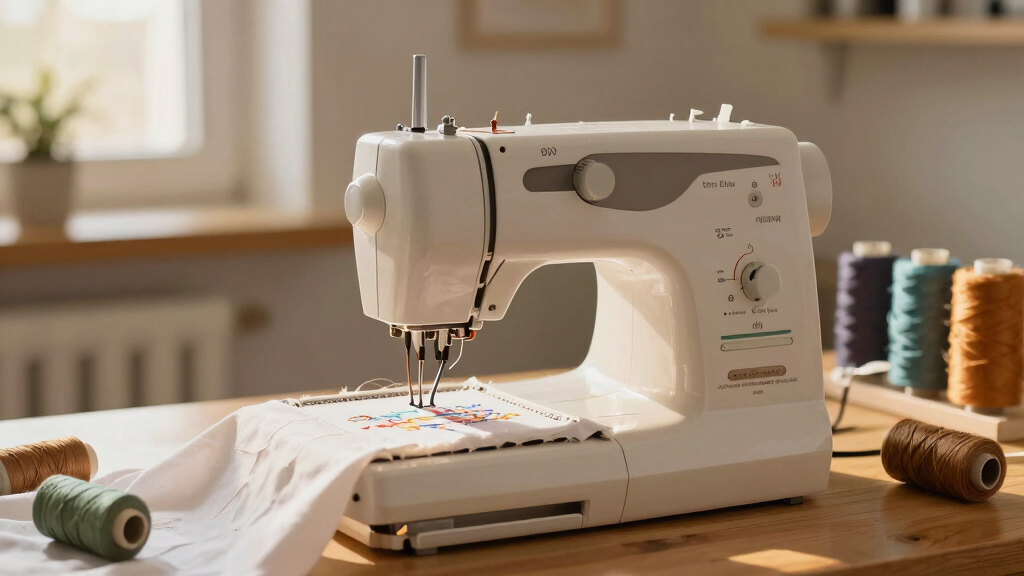
Searching for the best embroidery machine in 2026? Whether you’re a hobbyist or a professional, choosing the right machine involves balancing features, ease of use, and budget. The Brother SE700 stands out as the overall top pick for its versatile combo capabilities, while the Smartstitch S-1001 offers a robust, commercial-grade option for high-volume users. Many buyers face tough choices between advanced features and user-friendly interfaces, often needing to compromise on either functionality or price. Keep reading to see how these options compare and find the best fit for your needs.

Prime made for students and young adults
- Fast, free delivery for dorm and study essentials
- Prime Video and Amazon Music included
- Member-only deals
Key Takeaways
- The best embroidery machines balance ease of use with advanced features, and the top picks excel in this area.
- Commercial-grade models like the Smartstitch S-1001 offer high needle counts but come with a steeper learning curve and higher price tags.
- Wireless connectivity and multiple embroidery hoops are common features among the top models, enhancing versatility.
- Budget-friendly options like the Brother PE545 provide solid functionality but may lack some advanced features of premium models.
- Choosing the right machine depends heavily on your intended use—whether for hobbyist projects or professional production.
| Brother SE700 Sewing and Embroidery Machine with Wireless LAN |  | Best Overall | Embroidery Area: 4″ x 4″ | Built-in Designs: 135 | Built-in Fonts: 10 embroidery fonts | VIEW LATEST PRICE | See Our Full Breakdown |
| Brother NQ1700E Embroidery Machine, 6 x 10″ Field, Magnetic Hoop + BES Blue |  | Best for Large Projects | Embroidery Field: 6 x 10 inches | Display: Full-color LCD touchscreen | Included Software: BES Blue | VIEW LATEST PRICE | See Our Full Breakdown |
| Brother PE545 Wireless Embroidery Machine 4×4 Hoop LCD |  | Best for Beginners | Embroidery Area: 4″ x 4″ | Built-in Designs: 135 | Built-in Fonts: 10 (7 English, 3 Japanese) | VIEW LATEST PRICE | See Our Full Breakdown |
| Brother PE900 Wireless Embroidery Machine with WLAN |  | Best for Medium to Large Projects | Embroidery Area: 5″ x 7″ | Built-in Designs: 193 | Fonts: 13 | VIEW LATEST PRICE | See Our Full Breakdown |
| Smartstitch S-1001 Upgraded Commercial Embroidery Machine with 10 Needles and 7″ Touch Screen |  | Best for Commercial Use | Needles: 10 | Max Speed: 1200 SPM | Embroidery Area: 9.5″ x 14.2″ | VIEW LATEST PRICE | See Our Full Breakdown |
| Brother SE2000 Sewing and Embroidery Machine |  | Best Overall for Versatility and Advanced Features | Embroidery Field: 5″ x 7″ | Built-in Embroidery Designs: 190+ | Downloadable Designs: 50 | VIEW LATEST PRICE | See Our Full Breakdown |
| Brother SE700 Combo Embroidery & Sewing Machine with 4 Embroidery Hoops, Embroidery Thread Set & Accessories |  | Best for Beginners and Home Crafters on a Budget | Embroidery Area: 4″ x 4″ | Built-in Designs: 135 | Embroidery Fonts: 10 | VIEW LATEST PRICE | See Our Full Breakdown |
| Poolin EOC06 Large Hoop Embroidery Machine, 11 x 7.9 in Embroidery Area |  | Best for Large Projects and Professional-Level Home Use | Embroidery Area: 11″ x 7.9″ | Built-in Designs: 200 | Fonts: 8 | VIEW LATEST PRICE | See Our Full Breakdown |
| embroidery machine | Embroidery Area | Built-in Designs | Connectivity |
|---|---|---|---|
| Brother SE700 Sewing and Embro | 4" x 4" | 135 | — |
| Brother NQ1700E Embroidery Mac | — | — | — |
| Brother PE545 Wireless Embroid | 4" x 4" | 135 | Wireless LAN, USB |
| Brother PE900 Wireless Embroid | 5" x 7" | 193 | Wireless via WLAN, USB |
| Smartstitch S-1001 Upgraded Co | 9.5" x 14.2" | — | — |
| Brother SE2000 Sewing and Embr | — | — | — |
| Brother SE700 Combo Embroidery | 4" x 4" | 135 | Wi-Fi and USB |
| Poolin EOC06 Large Hoop Embroi | 11" x 7.9" | 200 | Wi-Fi and USB |
More Details on Our Top Picks
Brother SE700 Sewing and Embroidery Machine with Wireless LAN
The Brother SE700 stands out as the best all-around choice thanks to its versatile combination of sewing and embroidery functions. Unlike dedicated embroidery-only models like the Brother PE545, it offers a broader scope of projects with 103 stitches and 10 fonts, making it ideal for users who want flexibility. Its large 3.7-inch LCD touchscreen simplifies editing, while wireless connectivity streamlines pattern transfer, a feature absent in many budget models. However, the 4″ x 4″ embroidery area limits large designs, and the machine’s complexity might challenge complete beginners. Compared to the Brother NQ1700E, which has a bigger embroidery field, the SE700 is more compact and easier to handle for casual users. This pick makes the most sense for hobbyists seeking a dual-function machine without sacrificing ease of use for basic embroidery tasks.
Pros:- Wide variety of built-in embroidery designs and fonts
- Large, easy-to-use touchscreen display
- Wireless connectivity for pattern transfer and customization
- Automatic needle threader and jam-resistant bobbin
Cons:- Limited embroidery area of 4″ x 4″
- Requires wireless network for full functionality
- Complex for complete beginners
Best for: Home sewists who want a versatile machine for both sewing and embroidery, with wireless features for convenience.
Not ideal for: Pure embroidery enthusiasts focusing solely on large or complex embroidery projects, who need bigger hoops or dedicated embroidery tools.
- Embroidery Area:4″ x 4″
- Built-in Designs:135
- Built-in Fonts:10 embroidery fonts
- Sewing Stitches:103
- Maximum Sewing Speed:710 spm
- Display:3.7-inch LCD touchscreen
- Included Accessories:Embroidery hoop, embroidery arm, 8 sewing feet
Our verdict“This machine is best suited for hobbyists wanting a flexible, all-in-one sewing and embroidery experience with wireless capabilities.”
Brother NQ1700E Embroidery Machine, 6 x 10″ Field, Magnetic Hoop + BES Blue
The Brother NQ1700E excels in handling large, detailed embroidery projects thanks to its expansive 6 x 10-inch embroidery field. This makes it a clear choice over the Brother PE545, which is limited to 4×4 inches, especially for those working on sizable designs or multiple garments at once. Its full-color LCD touchscreen enhances design editing and preview, streamlining workflow. The inclusion of BES Blue software and a magnetic hoop adds value, although the machine’s weight and size may be a hurdle for smaller workspaces or users seeking portability. Compared to the Brother PE900, which has a smaller 5″ x 7″ hoop, the NQ1700E offers more space for ambitious projects but at a higher price point and increased complexity. It’s ideal for advanced hobbyists or small business owners needing a robust, large-format embroidery machine.
Pros:- Large 6 x 10-inch embroidery area
- Full-color LCD touchscreen for easy editing
- Includes comprehensive embroidery software and accessories
- Wireless capability for design transfer
Cons:- Heavy and bulky for small workspaces
- Higher price point due to advanced features
- May be complex for beginners
Best for: Serious hobbyists and small business owners who regularly produce large embroidery designs or multiple items simultaneously.
Not ideal for: Beginners or casual crafters who prefer a smaller, more straightforward machine, as its size and feature set can be overwhelming.
- Embroidery Field:6 x 10 inches
- Display:Full-color LCD touchscreen
- Included Software:BES Blue
- Included Hoop:Magnetic Sash Frame SAMF180
- Features:Wireless, cuts jump stitches, auto thread trimming
- Item Count:1
Our verdict“This model is best suited for users needing a large embroidery field and advanced features, willing to handle its size and cost.”
Brother PE545 Wireless Embroidery Machine 4×4 Hoop LCD
The Brother PE545 is an excellent starting point for newcomers to embroidery, offering a straightforward setup with 135 built-in designs and a 4×4 inch hoop. Its 3.7-inch color touchscreen simplifies design editing and preview, making it less intimidating than larger, more complex machines like the Brother NQ1700E. Wireless transfer via Wi-Fi or USB adds convenience, though its limited embroidery area restricts larger projects. Compared to the Smartstitch S-1001, which offers advanced features like auto color changing and laser positioning, the PE545 is more accessible, with fewer bells and whistles, but also fewer professional-grade options. It’s a good fit for beginners who want a reliable, user-friendly machine without the overwhelming complexity of high-end models.
Pros:- User-friendly color touchscreen
- Wireless file transfer via Wi-Fi or USB
- Includes a variety of built-in designs and fonts
- Compact and lightweight design
Cons:- Limited embroidery area of 4″ x 4″
- No sewing functions, only embroidery
- Requires Wi-Fi for wireless features
Best for: Embroidery beginners seeking an easy-to-use, wireless machine for small projects and learning the basics.
Not ideal for: Experienced users or those needing to work on large designs, as its embroidery area and feature set are limited.
- Embroidery Area:4″ x 4″
- Built-in Designs:135
- Built-in Fonts:10 (7 English, 3 Japanese)
- Touchscreen:3.7-inch color LCD
- Connectivity:Wireless LAN, USB
- Included Accessories:Needles, pre-wound bobbins, spool caps, seam ripper, scissors
Our verdict“This machine makes the most sense for beginners wanting an easy, wireless embroidery setup for small projects.”
Brother PE900 Wireless Embroidery Machine with WLAN
The Brother PE900 offers a generous 5″ x 7″ embroidery area, making it a versatile option for those who work on larger or more detailed designs. Its 193 built-in designs and 13 fonts provide ample creative options, while the 3.7-inch touchscreen simplifies editing and design adjustments. Unlike the smaller PE545, the PE900 supports bigger projects without sacrificing ease of use. Wireless transfer via the Artspira app streamlines workflow, although it requires firmware updates and a compatible app, which can be an extra step for some users. Compared with the Brother NQ1700E, which has a larger embroidery field, the PE900 emphasizes user-friendliness and software integration. This model fits best for hobbyists or small business owners needing reliable, mid-sized embroidery capacity with modern features.
Pros:- Large 5″ x 7″ embroidery area
- Wireless transfer via Artspira app
- Numerous built-in designs and fonts
- Intuitive touchscreen with editing tools
Cons:- Requires firmware update and app setup
- Embroidery-only machine, no sewing
- USB drive needed for firmware updates
Best for: Users who want a mid-sized embroidery machine with robust design options and wireless transfer capability.
Not ideal for: Purely beginner users or those working on very large projects requiring bigger hoops, who may find the 5″ x 7″ limit restrictive.
- Embroidery Area:5″ x 7″
- Built-in Designs:193
- Fonts:13
- Touchscreen:3.7-inch LCD
- Connectivity:Wireless via WLAN, USB
- Design Editing:Rotate, mirror, resize, reposition, combine
Our verdict“This machine is ideal for users seeking a balance of size, ease of use, and wireless functionality for medium to large embroidery projects.”
Smartstitch S-1001 Upgraded Commercial Embroidery Machine with 10 Needles and 7″ Touch Screen
The Smartstitch S-1001 is a highly capable machine tailored for commercial or high-volume embroidery work, thanks to its 10 needles and 9.5″ x 14.2″ embroidery area. Unlike smaller, hobby-oriented models like the Brother PE900, it offers professional-grade features such as auto thread trimming, auto color changing, and laser positioning, making complex designs more manageable. Its 7-inch touchscreen provides precise control and monitoring, while its support for various materials—including denim and leather—suits diverse commercial applications. The machine’s lower profile and lightweight design facilitate handling, although its advanced features require technical knowledge for setup and operation. Compared to the Brother NQ1700E, the S-1001 prioritizes automation and speed over size, making it the right choice for high-volume embroidery operations.
Pros:- 10 needles for multi-color, multi-thread projects
- Large 9.5″ x 14.2″ embroidery area
- Advanced auto thread trimming and color changing
- Laser positioning for precision design placement
Cons:- Initial setup can be complex and may need technical support
- Higher cost and maintenance compared to hobby models
- Limited detailed user reviews available
Best for: Commercial embroiderers or small business owners needing a fast, multi-needle machine for large-scale production.
Not ideal for: Home crafters or hobbyists who do not require high-speed or multi-needle functionality, as the machine’s complexity and cost may be overkill.
- Needles:10
- Max Speed:1200 SPM
- Embroidery Area:9.5″ x 14.2″
- Touch Screen:7 inches
- Features:Auto thread trimming, auto color changing, laser positioning
- Memory:Up to 100 million stitches
Our verdict“This model is best for commercial environments or serious small business users demanding high speed and multi-needle automation.”
Brother SE2000 Sewing and Embroidery Machine
The Brother SE2000 stands out as the most versatile option in this lineup because it combines a generous 5″ x 7″ embroidery field with a large color touchscreen, making it ideal for detailed design work. Its wireless file transfer and extensive built-in designs set it apart from the SE700, which has a smaller workspace and fewer design options. The SE2000’s user-friendly interface simplifies editing, but its reliance on internet connectivity for wireless features could be a limitation in less connected environments. Unlike the Poolin EOC06, which emphasizes a large embroidery area, this model balances size with ease of use and modern tech integration, making it better suited for serious hobbyists who want flexibility without sacrificing convenience. The tradeoff is that it involves a higher price point and some features may require additional software or accessories.
Pros:- Large 5″ x 7″ embroidery field for bigger projects
- Wireless file transfer and extensive design library
- Intuitive 3.7-inch color touchscreen for easy editing
- Includes 13 embroidery fonts and customizable stitches
Cons:- Requires internet connection for full wireless functionality
- Limited to 120V US electrical system, restricting international use
- Some advanced features may need additional software or accessories
Best for: Experienced hobbyists or small business owners seeking a comprehensive, feature-rich embroidery machine.
Not ideal for: Beginners or crafters with limited space or inconsistent internet access, due to its complexity and connectivity needs.
- Embroidery Field:5″ x 7″
- Built-in Embroidery Designs:190+
- Downloadable Designs:50
- Built-in Stitches:241
- Embroidery Fonts:13
- Touchscreen:3.7-inch color LCD
- Wireless LAN:Yes
- USB Port:Yes
- Warranty:25 years
Our verdict“This machine is best suited for users who want a versatile, modern embroidery experience with room to grow.”
Brother SE700 Combo Embroidery & Sewing Machine with 4 Embroidery Hoops, Embroidery Thread Set & Accessories
The Brother SE700 makes this list as the best option for those new to embroidery or with limited space because it offers a compact 4″ x 4″ embroidery area combined with a straightforward LCD display and a comprehensive bundle of accessories. Compared to the SE2000, its smaller embroidery field is less suited for large projects, but it compensates with simplicity and affordability, making it ideal for home sewists testing the waters of embroidery. The SE700’s 135 built-in designs and 10 fonts provide plenty of creative options without overwhelming a beginner. Its wireless capabilities are compatible with the Artspira app, but it doesn’t offer the extensive customization or editing features of higher-end models. This pick makes the most sense for hobbyists who want ease of use and a complete starter kit, accepting that it’s less suited for large, complex projects.
Pros:- Compact size perfect for small spaces
- Includes a full set of hoops, threads, and accessories
- Easy-to-navigate LCD display for on-screen editing
- Wireless transfer compatible with Artspira app
Cons:- Limited to a 4″ x 4″ embroidery area, restricting large designs
- Fewer built-in designs compared to higher-end models
- Basic features may limit advanced customization
Best for: Beginners or casual crafters looking for an easy-to-use, all-in-one embroidery solution.
Not ideal for: Experienced embroiderers or those planning large, detailed projects requiring bigger embroidery areas.
- Embroidery Area:4″ x 4″
- Built-in Designs:135
- Embroidery Fonts:10
- Touch Screen:3.2 x 1.8-inch LCD
- Connectivity:Wi-Fi and USB
- Included Hoops:4
- Included Threads:40 polyester spools
- Warranty:Not specified
Our verdict“This machine is ideal for beginners or hobbyists wanting a straightforward, all-in-one embroidery starter kit.”
Poolin EOC06 Large Hoop Embroidery Machine, 11 x 7.9 in Embroidery Area
The Poolin EOC06 earns its spot as the best machine for large-scale embroidery projects thanks to its impressive 11″ x 7.9″ embroidery area, which outpaces most competitors like the SE2000 and SE700. Its user-friendly 7-inch color touchscreen simplifies design editing, and the included built-in designs and extensive supplies make it ready for immediate use. While it offers Wi-Fi and USB transfer options, some users might find the machine’s features more complex, especially if they are new to embroidery. The larger hoop sizes and design capacity make it better suited for detailed home projects or small business use, but the absence of detailed technical specs such as weight or warranty info makes it harder to evaluate long-term durability. This machine is best for those focused on large, professional-looking embroidery at home, accepting a potentially steeper learning curve.
Pros:- Massive 11″ x 7.9″ embroidery area for large designs
- 7-inch color touchscreen for easy editing
- Includes multiple hoops and extensive supplies
- Wireless and USB transfer options for flexible design management
Cons:- Lack of specific price and warranty details, making evaluation difficult
- Potentially complex for users new to embroidery technology
- No mention of advanced features like automatic thread cutting or built-in stabilizers
Best for: Home users or small business owners needing large embroidery areas for bigger projects.
Not ideal for: Beginners or casual crafters who don’t require such extensive embroidery space or advanced features.
- Embroidery Area:11″ x 7.9″
- Built-in Designs:200
- Fonts:8
- Touch Screen:7-inch LCD
- Connectivity:Wi-Fi and USB
- Hoops Included:3 (5.5″x5.5″, 7.9″x7.9″, 7.9″x11″)
- Warranty:1 year
- Item Weight:Not specified
Our verdict“This machine is perfect for users who prioritize large embroidery areas for complex or multiple projects at home or small scale commercial use.”

How We Picked
Our selection process focused on evaluating each embroidery machine’s performance, ease of use, build quality, and value for money. We prioritized models that offer reliable stitching, intuitive interfaces, and versatile features such as multiple hoops and connectivity options. Cost was considered relative to features, aiming to highlight options suitable for both beginners and experienced users. We also considered the reputation of the brands and user reviews to ensure durability and consistent performance. The ranking reflects a balance between high-end capabilities and accessibility for a range of budgets and skill levels.
| embroidery machine | Connectivity |
|---|---|
| Brother SE700 Sewing and Embro | — |
| Brother NQ1700E Embroidery Mac | — |
| Brother PE545 Wireless Embroid | Wireless LAN, USB |
| Brother PE900 Wireless Embroid | Wireless via WLAN, USB |
| Smartstitch S-1001 Upgraded Co | — |
| Brother SE2000 Sewing and Embr | — |
| Brother SE700 Combo Embroidery | Wi-Fi and USB |
| Poolin EOC06 Large Hoop Embroi | Wi-Fi and USB |
Factors to Consider When Choosing Best Embroidery Machine
Choosing the best embroidery machine involves more than just comparing specs. It’s important to consider how the machine’s features align with your specific needs, whether for hobby projects or professional work. Understanding key factors like ease of use, connectivity, and embroidery area can help you make a confident decision and avoid costly mistakes.
Ease of Use and User Interface
A machine’s interface can significantly impact your experience. Beginners should look for models with intuitive touchscreens and straightforward controls, while experienced users may prefer customizable settings. A complex interface might offer advanced features but can slow down workflow for casual users. Consider whether the machine provides tutorials or guided setup options to reduce learning curves.
Embroidery Area and Hoop Compatibility
The size of the embroidery area determines what projects you can undertake. Larger hoops allow for bigger designs, which is essential for quilting or upholstery projects. However, bigger machines tend to be bulkier and more expensive. Balance your project size needs with available space and budget to choose an appropriate embroidery area.
Connectivity and Software Compatibility
Wireless connectivity options like Wi-Fi or Bluetooth enable easy transfer of designs from your computer or mobile device. Also, check if the machine supports popular embroidery software, which can expand your creative possibilities. Connectivity features can streamline workflow but may add to the cost, so consider their importance relative to your usage frequency.
Build Quality and Durability
Investing in a well-built machine ensures longevity and consistent performance. Look for sturdy frames, quality motors, and reliable components. Cheaper models may save money upfront but could require more maintenance or replacements over time. Reading user reviews can provide insights into how well a machine holds up under regular use.
Price and Value
Price varies widely, but higher cost often correlates with more features and durability. Be cautious of overspending on features you won’t use, and seek machines that offer the best value for your intended workload. Consider long-term costs such as accessories, replacement parts, and software upgrades to gauge overall affordability.
Frequently Asked Questions
Can I upgrade the embroidery design software later?
Many embroidery machines support software upgrades or are compatible with third-party design programs, allowing you to expand your creative options over time. Before purchasing, check whether the machine’s software is easily upgradable or if you can transfer designs from external sources via USB or Wi-Fi. Upgradability can be a key factor if you plan to grow your skills or expand your design library later.
Is a larger embroidery area always better?
A larger embroidery area provides more flexibility for bigger projects, but it also means a bulkier, more expensive machine. If your typical projects involve small designs, a smaller hoop may be sufficient and more manageable in limited space. Consider your usual project sizes and available workspace before opting for the biggest embroidery area.
Do I need a machine with wireless connectivity?
Wireless connectivity can streamline design transfer and update processes, making workflow more efficient. However, it isn’t essential for everyone—especially if you primarily work with preloaded designs or USB files. Weigh the convenience against the added cost, and decide if this feature aligns with how often you’ll need to transfer or update designs.
How important is the number of needles in a commercial machine?
More needles in a commercial embroidery machine allow for multi-color, multi-thread designs without frequent thread changes, increasing efficiency. If you often produce complex, multi-color projects, a machine with a higher needle count is valuable. For hobbyists or small-scale work, fewer needles may suffice, and a simpler machine could be more cost-effective.
What maintenance does an embroidery machine require?
Regular cleaning, oiling, and timely replacement of parts like needles and bobbins help maintain optimal performance. Machines with more complex features may need additional software updates or calibration. Proper maintenance extends the lifespan of your machine and ensures consistent stitching quality, so factor in ease of maintenance when choosing your model.
Conclusion
The best overall embroidery machine for most users is the Brother SE700, thanks to its versatile features and user-friendly design. If you prioritize value, the Brother PE545 offers solid performance at a more accessible price. For professionals or high-volume users, the Smartstitch S-1001 provides robust capabilities, though it comes with a steeper learning curve. Beginners will find the Brother SE2000 straightforward and easy to operate, while those with specific project needs, like larger embroidery areas, should consider the Poolin EOC06. Your choice ultimately depends on your skill level, project scope, and budget—use this guide to find the best fit for your embroidery journey.