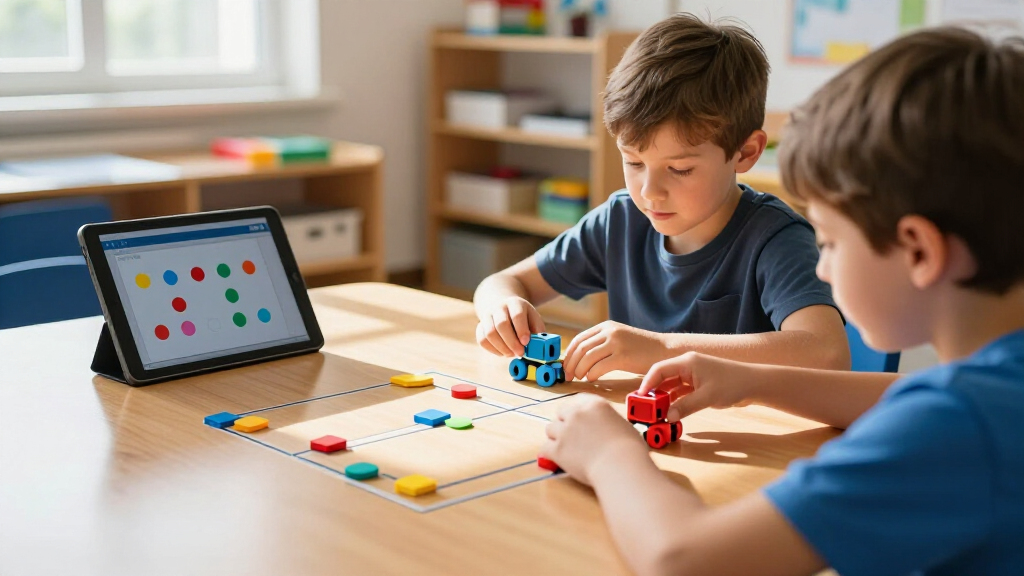
The best educational coding robots for kids make programming concepts hands-on, but the right choice depends on a child’s age, patience, and interest in building. I rank the Wonder Workshop Dash as the best overall for its approachable, programmable play, while MatataStudio Tale-Bot Pro is a standout for young beginners and Makeblock mBot2 suits older kids ready for deeper coding and robotics. Screen-free floor robots are easier to start with, while app-based and build-it-yourself kits can offer more room to grow at the cost of extra setup. This roundup compares all 15 options by learning path, age fit, versatility, and likely friction points. Read on for the full breakdown and a guide to choosing the right kind of robot for your child.

Get school and study supplies delivered free — and shop member deals
- Fast, free delivery on millions of items
- Access to Prime Big Deal Days deals on October 6–7
- Prime Video, Amazon Music and more included
Key Takeaways
- Dash is the strongest all-around fit in this lineup for families seeking a ready-to-use robot with app-based coding and room for continued exploration.
- Tale-Bot Pro and Botley favor screen-free starts, while Dash, PYXEL, mBot2, and VinciBot place more emphasis on app or computer-supported coding.
- Age and task complexity change the experience more than the word “coding” suggests: preschoolers may benefit from simple directional sequences, while older learners can take on sensors, programming interfaces, or mechanical builds.
- mBot2 and VinciBot target a more advanced learning path than the mouse-style robots, but their richer programming options may bring more setup and learning overhead.
- Activity sets and construction kits solve different needs: extra maze pieces support repeated route challenges, while kits such as Mech-5 and Sillbird put assembly and mechanical problem-solving at the center.
| Wonder Workshop Dash Coding Robot for Kids Ages 6 and Up |  | Best Overall | Brand: Wonder Workshop | Recommended age: 6 years and up | Coding concepts: Sequencing, loops, algorithms, and variables | VIEW LATEST PRICE | See Our Full Breakdown |
| Makeblock mBot2 Coding Robot for Kids |  | Best for Scratch-to-Python Progression | Brand: Makeblock | Model: P1010132 | Recommended age: 8 years and up | VIEW LATEST PRICE | See Our Full Breakdown |
| Learning Resources Code & Go Robot Mouse |  | Best for Screen-Free Beginners | Brand: Learning Resources | Age range: 4–7 years | Model number: LER2841 | VIEW LATEST PRICE | See Our Full Breakdown |
| MatataStudio Tale-Bot Pro Screen-Free Coding Robot for Kids Ages 3–5 | 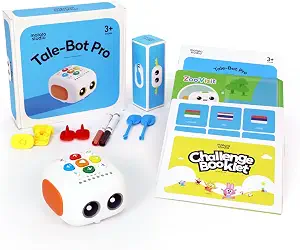 | Best for Preschool Storytelling | Brand: MatataStudio | Model: Tale-Bot Pro | Recommended age: 3–5 years | VIEW LATEST PRICE | See Our Full Breakdown |
| Educational Insights PYXEL Coding Robot |  | Best for Guided Blockly and Python Learning | Brand: Educational Insights | Model: 1130 | Age range: 8–14 years | VIEW LATEST PRICE | See Our Full Breakdown |
| Learning Resources Botley Coding Robot Activity Set, 77 Pieces | 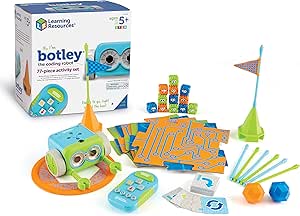 | Best for Screen-Free Obstacle-Course Play | Brand: Learning Resources | Model: LER2935 | Age range: 5–16 years | VIEW LATEST PRICE | See Our Full Breakdown |
| Thames & Kosmos My Robotic Pet: Coding Chameleon STEM Kit |  | Best for Robotics Building and Biomimicry | Brand: Thames & Kosmos | Model: 620507 | Product type: Robotics kit | VIEW LATEST PRICE | See Our Full Breakdown |
| Learning Resources Botley the Coding Robot |  | Best for Beginners | Brand: Learning Resources | Model: LER2936 | Age range: 5–8 years | VIEW LATEST PRICE | See Our Full Breakdown |
| VinciBot Coding Robot for Kids Ages 8–12 |  | Best for Advanced Coding Growth | Brand: MatataStudio | Recommended age: 8 and up | Programming languages: Scratch and Python | VIEW LATEST PRICE | See Our Full Breakdown |
| Learning Resources Code & Go Robot Mouse Activity Set | 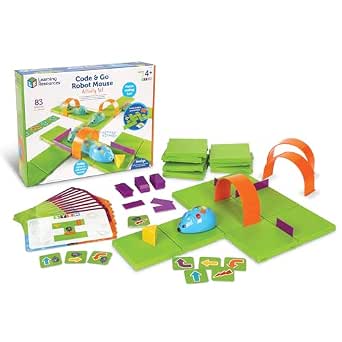 | Best for the Youngest Beginners | Brand: Learning Resources | Model: LER2831 | Age range: 4+ years | VIEW LATEST PRICE | See Our Full Breakdown |
| Teach Tech Mech-5 STEM Coding Robot Building Kit for Ages 10+ |  | Best for Mechanical Engineering | Recommended age: 10 years and up | Brand: Teach Tech | Model number: TTC-895 | VIEW LATEST PRICE | See Our Full Breakdown |
| Learning Resources Botley 2.0 Coding Robot Activity Set |  | Best Screen-Free Starter Set | Brand: Learning Resources | Model: LER2938 | Age range: 5–10 years | VIEW LATEST PRICE | See Our Full Breakdown |
| Ozobot Ozo at Home STEM Coding Robot Kit for Kids |  | Best for a Guided Learning Path | Brand: Ozobot | Model number: 70101KIT | Recommended age: 5 years and up | VIEW LATEST PRICE | See Our Full Breakdown |
| Makeblock mBot STEM Coding Robot Kit for Kids Ages 8+ |  | Best for Growing Coding Skills | Brand: Makeblock | Model: 90053 | Age range: 8 years and up | VIEW LATEST PRICE | See Our Full Breakdown |
| Sillbird STEM Robot Building Kit (5-in-1 Programmable Set) |  | Best Multi-Model Building Kit | Brand: Sillbird | Model number: B883 | Number of pieces: 488 | VIEW LATEST PRICE | See Our Full Breakdown |
| educational coding robots for kid | Brand | Included components | Model | Age range |
|---|---|---|---|---|
| Wonder Workshop Dash Coding Ro | Wonder Workshop | Dash robot, two building brick connectors, USB charging cable | — | — |
| Makeblock mBot2 Coding Robot f | Makeblock | Robot pack, 4 coding project cards, USB cable, screwdriver, line-following track map | P1010132 | — |
| Learning Resources Code & Go R | Learning Resources | Programmable robot mouse, 30 double-sided coding cards, Activity Guide | — | 4–7 years |
| MatataStudio Tale-Bot Pro Scre | MatataStudio | Robot, double-sided interactive map, challenge booklet with 14 missions, configuration card, 2 washable markers | Tale-Bot Pro | — |
| Educational Insights PYXEL Cod | Educational Insights | USB-C cord, Code Activator, guide | 1130 | 8–14 years |
| Learning Resources Botley Codi | Learning Resources | Robot, remote programmer, detachable arms, 40 coding cards, 6 double-sided tiles, 27 obstacle pieces, starter guide | LER2935 | 5–16 years |
| Thames & Kosmos My Robotic Pet | Thames & Kosmos | — | 620507 | 8–12 years |
| Learning Resources Botley the | Learning Resources | Remote programmer, detachable robot arms, coding cards, tiles, and obstacles | LER2936 | 5–8 years |
| VinciBot Coding Robot for Kids | MatataStudio | — | — | — |
| Learning Resources Code & Go R | Learning Resources | — | LER2831 | 4+ years |
| Teach Tech Mech-5 STEM Coding | Teach Tech | Assembly parts and English instruction manual | — | — |
| Learning Resources Botley 2.0 | Learning Resources | Coding robot, remote programmer, 40 coding cards, six double-sided boards, and obstacle pieces | LER2938 | 5–10 years |
| Ozobot Ozo at Home STEM Coding | Ozobot | Ozo at Home robot and charging cable | — | — |
| Makeblock mBot STEM Coding Rob | Makeblock | — | 90053 | 8 years and up |
| Sillbird STEM Robot Building K | Sillbird | — | — | 8–13 years (manufacturer recommended: 6–16 years) |
More Details on Our Top Picks
Wonder Workshop Dash Coding Robot for Kids Ages 6 and Up
Dash is my strongest all-around pick for children ready to move beyond simple button sequences. Its five compatible apps introduce sequencing, loops, algorithms, and variables through activities that make the robot sing, dance, respond to voice commands, and steer around obstacles. Compared with the screen-free Code & Go Robot Mouse, Dash offers a wider range of interactive behaviors and coding concepts, but it depends on a compatible phone or tablet. It also has a rechargeable battery with up to five hours of active play, so there are no disposable batteries to keep on hand. That flexibility makes it a good fit for an ongoing introduction to coding, though younger children may need help choosing and using the apps. The listed dimensions also appear incomplete, making its footprint harder to judge.
Pros:- Five compatible apps provide varied coding activities and challenges
- Introduces sequencing, loops, algorithms, and variables
- Interactive movement, obstacle navigation, singing, dancing, and voice response keep coding visible
- Rechargeable battery offers up to five hours of active play
Cons:- Requires a compatible device to use its apps
- The listed dimensions appear incomplete, so the robot’s full size is unclear
Best for: Families with children 6 and up who have a compatible mobile device and want app-guided activities that grow from basic sequences to more advanced coding concepts.
Not ideal for: Buyers seeking screen-free play or a robot that works without a compatible Apple, Android, or Fire device.
- Brand:Wonder Workshop
- Recommended age:6 years and up
- Coding concepts:Sequencing, loops, algorithms, and variables
- App compatibility:Apple iOS, Android OS, and Fire OS
- Active play time:Up to 5 hours
- Weight:0.7 kg
- Camera:None
- Included components:Dash robot, two building brick connectors, USB charging cable
Our verdict“Choose Dash for a versatile, app-based coding companion that offers more programming range than the screen-free Robot Mouse.”
Makeblock mBot2 Coding Robot for Kids
mBot2 is the clearest choice here for a child ready to build and program a more technical robot. Support for both Scratch and Python gives learners a route from block-based projects toward text coding, while its 10-plus sensors invite experiments with line following and obstacle avoidance. Compared with Wonder Workshop Dash, mBot2 leans further into assembly, sensor-driven projects, and programming progression rather than app-based character-like play. That added depth has a cost in setup: younger builders may need adult help, and some features depend on the app. Bluetooth, USB, and Wi-Fi give families several connection options, while the included project cards, screwdriver, and track map help turn the robot into a guided activity rather than just a build. Its learning range is appealing, but the setup and coding demands make it less suited to first-time preschool or early-elementary learners.
Pros:- Supports both Scratch and Python for progression between coding styles
- More than 10 sensors support line-following and obstacle-avoidance projects
- Bluetooth, USB, and Wi-Fi provide multiple connection options
- Project cards, screwdriver, and track map give learners a starting point
Cons:- Assembly and programming may require adult assistance for younger children
- Some features require use of the app
- Its build-and-program approach may feel demanding for children seeking simpler play
Best for: Families with children 8 and up who want a buildable robot for Scratch projects now and a path toward Python and sensor-based challenges.
Not ideal for: Young beginners who need a ready-to-play, screen-free robot or families who want to avoid assembly and app setup.
- Brand:Makeblock
- Model:P1010132
- Recommended age:8 years and up
- Programming languages:Scratch and Python
- Connectivity:Bluetooth, USB, and Wi-Fi
- Playtime:Up to 5 hours per charge
- Sensors:10+ advanced sensors
- Included components:Robot pack, 4 coding project cards, USB cable, screwdriver, line-following track map
Our verdict“Pick mBot2 when hands-on building, sensors, and a Scratch-to-Python learning path matter more than immediate simplicity.”
Learning Resources Code & Go Robot Mouse
Robot Mouse makes coding tangible before a child needs a screen. Children plan a route with the 30 double-sided cards, enter button commands, and watch the mouse respond, linking a sequence of instructions to a visible result. That direct, hands-on loop is simpler than the app-based lessons on Wonder Workshop Dash, which makes Mouse a better first step for ages 4–7 but limits its coding scope. Lights and sounds give immediate feedback, and two speeds let families adjust the pace of play. The tradeoff is that this is a focused introduction to sequencing and problem-solving, not a robot that grows into Scratch or Python projects. It also needs three AAA batteries that are not included; families wanting more activities may need to buy the expanded play set separately.
Pros:- Screen-free controls make commands and sequences hands-on
- Includes 30 double-sided coding cards and an Activity Guide
- Lights and sounds show children how the robot responds
- Two speeds can suit different play paces
Cons:- Requires 3 AAA batteries, which are not included
- Coding scope is more basic than Dash’s app-based activities
- Expanded play set is sold separately for additional activities
Best for: Caregivers and early-years educators seeking a screen-free first coding toy for children ages 4–7, with physical cards and button commands.
Not ideal for: Older children ready for app-based coding, sensors, or a path toward programming languages, and buyers who do not want to supply AAA batteries.
- Brand:Learning Resources
- Age range:4–7 years
- Model number:LER2841
- Included components:Programmable robot mouse, 30 double-sided coding cards, Activity Guide
- Mouse length:4 in
- Speeds:2
- Batteries:3 AAA batteries, not included
- Warranty:No manufacturer warranty
Our verdict“Choose Robot Mouse as an accessible, screen-free starting point for young children learning to plan and sequence commands.”
MatataStudio Tale-Bot Pro Screen-Free Coding Robot for Kids Ages 3–5
Tale-Bot Pro stands apart by making early coding part of storytelling and creative play. Preschoolers use screen-free command buttons with an interactive map and 14-mission booklet, then see their instructions lead to movement, drawing, music, or recorded stories. Compared with the Code & Go Robot Mouse, Tale-Bot Pro gives children more expressive activities and supports up to 256 commands, but its design is aimed at a narrower preschool age range rather than older beginners. Support for 10 languages and LEGO building adds ways to adapt play for different homes and classrooms. The included materials offer a structured start, though families seeking a growing library of activities may want additional activity boxes. Its range of functions is appealing, but buyers should match it closely to a child who is ready for button-based sequencing.
Pros:- Screen-free buttons introduce commands, sequences, and loops
- Story recording, drawing, movement, music, and speech add creative play options
- Interactive map and 14-mission challenge booklet provide structured activities
- Supports LEGO building and 10 languages
Cons:- Designed primarily for a narrow age range of 3–5 years
- Additional activity boxes are recommended for more learning materials
- Button-command play does not offer the Scratch or Python progression available with mBot2
Best for: Families and preschool classrooms looking for a screen-free robot for ages 3–5 that combines early coding with maps, drawing, and recorded stories.
Not ideal for: Older children who want Scratch or Python programming, or families seeking a broadly age-spanning robot without additional activity materials.
- Brand:MatataStudio
- Model:Tale-Bot Pro
- Recommended age:3–5 years
- Controls:Screen-free command buttons
- Maximum commands:256
- Supported languages:10
- Included components:Robot, double-sided interactive map, challenge booklet with 14 missions, configuration card, 2 washable markers
- Dimensions:10.28 × 11.06 × 3.5 inches
Our verdict“Choose Tale-Bot Pro for preschoolers who will learn best through screen-free storytelling and creative command-based play.”
Educational Insights PYXEL Coding Robot
PYXEL is a strong fit for older kids who want guided coding lessons without an internet connection. Its tutorials introduce robotics and programming, while Blockly offers a visual starting point and Python gives learners a text-based next step. Children can program lights, sounds, colors, and actions, making their code’s effects easy to see. Compared with Makeblock mBot2, PYXEL also supports both Blockly and Python and emphasizes guided tutorials, while mBot2 foregrounds assembly, sensors, and multiple connection methods. PYXEL avoids requiring an app or internet access, but it still needs a Wi-Fi-enabled tablet or computer, so it is not a standalone screen-free toy. The supplied USB-C cord and Code Activator support setup, though buyers should check that they have a suitable device before choosing it.
Pros:- Supports beginner-friendly Blockly and Python
- Built-in tutorials guide children through robotics and programming
- Programmed lights, sounds, colors, and actions make results visible
- No internet connection or app is required
Cons:- Requires a Wi-Fi-enabled tablet or computer
- Not a screen-free option for families avoiding device-based activities
- Less focused on assembly and sensor projects than mBot2
Best for: Families with children ages 8–14 who have a Wi-Fi-enabled tablet or computer and want guided lessons progressing from Blockly to Python.
Not ideal for: Buyers seeking a standalone robot, screen-free coding, or an option that works without access to a Wi-Fi-enabled tablet or computer.
- Brand:Educational Insights
- Model:1130
- Age range:8–14 years
- Coding languages:Blockly and Python
- Connectivity:Password-protected Wi-Fi
- Internet or app requirement:No internet connection or app required
- Power:Built-in rechargeable battery
- Included components:USB-C cord, Code Activator, guide
Our verdict“Pick PYXEL for guided Blockly-to-Python learning if your child has a compatible Wi-Fi-enabled device.”
Learning Resources Botley Coding Robot Activity Set, 77 Pieces
I’d choose the 77-piece Botley Activity Set when the goal is to turn early coding lessons into hands-on route challenges. Its remote programmer, coding cards, tiles, and obstacle pieces give kids room to plan a path, test it, and revise it without a screen. Looping commands and object detection add more problem-solving than the simpler button-sequencing approach of the Code & Go Robot Mouse. Compared with the 45-piece Botley, this set supplies more course-building pieces, so it suits families who want varied setups rather than a compact starter kit. The tradeoff is practical: it needs five AAA batteries, not included, and no manufacturer warranty is listed. I’d skip it if you want app-based coding or a kit that is ready to run straight from the box.
Pros:- Screen-free programming supports hands-on sequencing and problem-solving.
- Object detection and looping commands add variety beyond basic movement sequences.
- Obstacle pieces, tiles, and coding cards support custom routes and repeatable challenges.
- Detachable arms add another way to interact with the robot.
Cons:- Requires five AAA batteries, which are not included.
- No manufacturer warranty is listed.
- The larger activity set may be more than families seeking a minimal first coding toy need.
Best for: Families with children ready for screen-free route planning who want plenty of obstacle-course pieces for repeated challenges.
Not ideal for: Buyers seeking app-based lessons, included batteries, or manufacturer warranty coverage.
- Brand:Learning Resources
- Model:LER2935
- Age range:5–16 years
- Pieces:77
- Power:5 AAA batteries required; not included
- Included components:Robot, remote programmer, detachable arms, 40 coding cards, 6 double-sided tiles, 27 obstacle pieces, starter guide
- Coding features:Object detection and looping commands
Our verdict“Choose this Botley set for screen-free coding practice with a generous supply of pieces for building and changing obstacle courses.”
Thames & Kosmos My Robotic Pet: Coding Chameleon STEM Kit
The Coding Chameleon is the most build-focused choice here: kids assemble a 15-inch robotic animal, then explore how sensors and programmed actions shape its behavior. Its physical action cards keep coding screen-free, while Coding, Wild, and Pet modes give the finished model uses beyond following commands. That makes it a different kind of learning experience from Botley, which is ready for route-planning play rather than a robotics build. The guide also introduces biomimicry, linking the chameleon’s color response and moving tongue to ideas about living creatures and machines. The tradeoff is that assembly needs adult help for the recommended age group, and this kit has fewer supplied course-building pieces than the Botley sets. I’d pick it for a child who enjoys construction as much as programming, not for someone seeking the fastest start.
Pros:- Combines an assembly project with coding and interactive play.
- Three modes offer different ways to explore the completed chameleon.
- Color and infrared sensors connect robot behavior to robotics concepts.
- The guide introduces biomimicry alongside the build.
Cons:- Adult help is recommended for assembly for ages 8 and up.
- The supplied parts focus on building one robotic chameleon rather than creating multiple coding courses.
- The provided description does not specify battery requirements.
Best for: Children ages 8–12 who enjoy assembling models and want screen-free coding connected to sensors, animal behavior, and robotics.
Not ideal for: Families wanting a ready-to-run coding robot or a broad set of reusable maze and obstacle-course pieces.
- Brand:Thames & Kosmos
- Model:620507
- Product type:Robotics kit
- Age range:8–12 years
- Length:15 inches
- Play modes:Coding, Wild, Pet
- Sensors:Color sensor, infrared sensor
- Lighting:RGB LEDs
- Manual:48 pages
Our verdict“Pick the Coding Chameleon for a child who wants to build a sensor-driven robot and learn about biomimicry, with adult assembly help available.”
Learning Resources Botley the Coding Robot
For a child’s first programmable robot, this 45-piece Botley offers a more manageable entry point than the 77-piece Botley Activity Set. It keeps the same screen-free, remote-programmer approach but adds a clear progression through sequences, loops, and if/then commands, with support for up to 80 steps. That gives beginners room to move beyond basic turns as their plans grow, while the included cards, tiles, and obstacles help make each command visible. Compared with the Code & Go Robot Mouse, Botley introduces more advanced logic; the mouse is simpler for younger children who are just learning button sequences. The tradeoff is that the listing gives conflicting included-item counts, and there is no manufacturer warranty. I’d choose this version over the larger set when a smaller accessory collection is enough.
Pros:- Works without an app or screen.
- Teaches sequencing, loops, and if/then logic.
- Supports programs of up to 80 steps.
- Includes cards, tiles, and obstacles for hands-on challenges.
Cons:- The product description gives conflicting included-item counts.
- No manufacturer warranty is listed.
- The 45-piece set has fewer course-building pieces than the 77-piece Botley Activity Set.
Best for: Families introducing children ages 5–8 to programming concepts who want screen-free play that can progress from sequences to conditional logic.
Not ideal for: Buyers who want a clearly itemized accessory count, warranty coverage, or a build-focused coding kit.
- Brand:Learning Resources
- Model:LER2936
- Age range:5–8 years
- Set size:45 pieces
- Programmable steps:Up to 80
- Coding concepts:Sequences, loops, and if/then commands
- Included components:Remote programmer, detachable robot arms, coding cards, tiles, and obstacles
- Warranty:No warranty
Our verdict“Choose this Botley for a beginner-friendly screen-free robot that introduces more than basic movement commands without the larger set’s extra pieces.”
VinciBot Coding Robot for Kids Ages 8–12
VinciBot is the strongest choice in this batch for a child ready to move from introductory commands toward text-based programming. It supports both Scratch and Python, and its eight sensors, LED matrix, and compatibility with LEGO bricks and other modules create room for projects that go beyond navigating a simple course. Compared with the screen-free Botley options, VinciBot covers a wider range of robotics topics, including AI, IoT, and TinyML, but that breadth comes with a steeper learning curve and reliance on some website-based learning content. Three preset modes—line following, precision drawing, and IR remote—let a child start exploring before building a custom program. The product details do not specify included accessories, which makes it harder to judge the full out-of-box project setup.
Pros:- Supports both block-based Scratch and Python.
- Eight sensors and an LED matrix support varied programming projects.
- Preset modes provide activities before custom coding begins.
- Compatible with LEGO bricks, TECHNIC motors, and third-party electronic modules.
Cons:- Some learning content is provided through a website.
- The product details do not specify included accessories.
- Its range of programming and STEM topics may feel demanding for a first-time, younger learner.
Best for: Families with children ages 8 and up who want a robot that can support progression from Scratch projects toward Python and expandable hardware experiments.
Not ideal for: Younger beginners seeking a simple, fully screen-free introduction or buyers who need a clearly listed accessory package.
- Brand:MatataStudio
- Recommended age:8 and up
- Programming languages:Scratch and Python
- Sensors:8
- Battery capacity:1500 mAh
- Battery runtime:Over 4 hours per charge
- Preset modes:Line following, precision drawing, IR remote
- Compatibility:LEGO bricks, TECHNIC motors, and third-party electronic modules
Our verdict“Choose VinciBot for an older child ready to grow from Scratch into Python and explore expandable robotics projects.”
Learning Resources Code & Go Robot Mouse Activity Set
Code & Go Robot Mouse makes the most sense for children just starting to understand that a sequence of actions can guide a robot. Simple button controls and double-sided coding cards turn each maze into a concrete plan: children can lay out commands, send Colby toward the cheese, and adjust the route when it misses. That lower entry point distinguishes it from Botley, which adds loops, conditionals, and object detection for kids ready for more complex logic. The mouse also includes grids, walls, tunnels, activity cards, and a guide, giving parents and classrooms materials for repeated maze challenges. Its limits are clear: button-based coding stays basic, three AAA batteries are not included, and the maze can spread across a 20-by-20-inch area. Skip it if space is tight or a child is ready for Scratch.
Pros:- Simple button controls suit early coding learners.
- Maze grids, walls, tunnels, and cards support hands-on route challenges.
- Screen-free play focuses attention on planning and sequencing.
- Lights, sounds, and two movement speeds make the robot’s responses easy for young children to follow.
Cons:- Requires three AAA batteries, which are not included.
- Button inputs do not provide app-based or advanced coding features.
- The assembled maze can occupy a 20-by-20-inch area.
Best for: Parents, teachers, and homeschoolers introducing children ages 4 and up to sequencing through physical maze-building activities.
Not ideal for: Families with limited floor or table space, or children ready for app-based coding, loops, and more advanced programming.
- Brand:Learning Resources
- Model:LER2831
- Age range:4+ years
- Maze grids:16
- Maze walls:22
- Tunnels:3
- Coding materials:30 double-sided coding cards and 10 double-sided activity cards
- Power:3 AAA batteries required; not included
- Warranty:No warranty
Our verdict“Choose the Robot Mouse for a young child’s first screen-free lessons in sequencing, provided you have space for the maze and batteries on hand.”
Teach Tech Mech-5 STEM Coding Robot Building Kit for Ages 10+
I’d choose the Mech-5 for kids who want to understand how a robot’s moving parts work, not just send it along a programmed route. Building the mechanism is part of the lesson, and its coding wheel lets children arrange commands for actions such as lifting, throwing, kicking, and drawing. Compared with Botley 2.0, which is ready for screen-free route challenges and comes with boards and obstacles, Mech-5 puts more emphasis on construction and mechanical cause and effect. That makes it a more involved project for older beginners, but also a less immediate play experience: assembly takes multiple hours and calls for close attention to the instructions. I’d shortlist it for patient builders aged 10 and up; children looking for quick, open-ended coding activities may get more use from Botley 2.0.
Pros:- Combines hands-on robot construction with introductory coding.
- Programs varied mechanical actions, including lifting, throwing, kicking, and drawing.
- Introduces mechanical engineering alongside problem-solving and programming.
- Requires no batteries.
Cons:- Assembly takes multiple hours before coding play can begin.
- The build requires careful attention to the instructions.
Best for: Patient builders aged 10 and up who want to assemble a robot and explore how programmed commands drive mechanical actions.
Not ideal for: Younger children or families seeking a quick-start coding toy, since assembly takes multiple hours and requires careful instruction-following.
- Recommended age:10 years and up
- Brand:Teach Tech
- Model number:TTC-895
- Programming method:Coding buttons on a mechanical wheel
- Programmable actions:Move, rotate, throw, lift, kick, and draw
- Included components:Assembly parts and English instruction manual
- Warranty:1 year against manufacturer defects
Our verdict“Choose Mech-5 for an older child who enjoys a substantial build and mechanical coding more than ready-to-play route challenges.”
Learning Resources Botley 2.0 Coding Robot Activity Set
For a young learner’s first coding robot, Botley 2.0 has a practical advantage over app-led kits: children program routes with a remote and coding cards, with no screen or device required. The 78-piece set gives them boards and obstacles to turn basic sequencing into hands-on challenges, while object sensing, lights, sounds, and 45-degree turns add ways to vary a route. Compared with Ozobot Ozo at Home, which can progress from color codes to Blockly on a computer or tablet, Botley keeps the activity device-free and focused on physical play. Its age range of 5–10 makes it a better fit for early learners than Mech-5’s longer, more demanding build. The tradeoff is that the set’s breadth doesn’t replace a deeper programmable platform, and the manufacturer lists no warranty.
Pros:- Programs routes without an app, computer, or tablet.
- Includes 40 coding cards, six double-sided boards, and obstacle pieces for varied challenges.
- Offers multiple difficulty levels and open-ended route creation.
- Object sensing, lights, sounds, and angled turns add variety to activities.
Cons:- No manufacturer warranty is included.
- Its screen-free route activities offer less progression into computer-based coding than Ozobot Ozo at Home.
Best for: Families and elementary classrooms seeking a ready-to-use, screen-free introduction to sequencing and coding challenges for ages 5–10.
Not ideal for: Children ready to move into computer-based Blockly or more advanced programming projects, or buyers who require a manufacturer warranty.
- Brand:Learning Resources
- Model:LER2938
- Age range:5–10 years
- Piece count:78
- Included components:Coding robot, remote programmer, 40 coding cards, six double-sided boards, and obstacle pieces
- Programming features:Screen-free coding, 45° turns, and object sensing
- Additional features:Lights, sounds, and 16 secret code combinations
- Warranty:None listed
Our verdict“Pick Botley 2.0 for younger children who need a screen-free, activity-rich first step into coding.”
Ozobot Ozo at Home STEM Coding Robot Kit for Kids
Ozo at Home suits beginners who benefit from a planned sequence rather than a pile of open-ended building pieces. Its 27 guided activities span screen-free color coding, magnetic tiles, and Blockly, so children can begin with physical commands and later try coding on a computer or tablet. That progression gives it a different learning path from Botley 2.0, which centers on remote-programmed routes, cards, and obstacle challenges without a device. Ozo’s blend of formats can help a family introduce new concepts gradually, and the included activities also reach engineering challenges. The main limitation is that the more advanced Blockly option depends on access to a compatible computer or tablet; unlike Botley, this is not an entirely device-free kit across its full learning path. I’d favor it for guided variety over a large construction project like Mech-5.
Pros:- Provides 27 guided activities for beginners.
- Moves from screen-free color coding toward Blockly programming.
- Combines coding activities with engineering challenges.
- Offers several activity formats rather than focusing only on robot routes.
Cons:- Blockly programming requires a computer or tablet.
- The included components list a charging cable but does not specify the magnetic tiles or other activity materials.
Best for: Parents or educators seeking structured beginner activities that can progress from screen-free coding to Blockly for children aged 5 and up.
Not ideal for: Families without access to a computer or tablet who want every stage of coding to remain device-free.
- Brand:Ozobot
- Model number:70101KIT
- Recommended age:5 years and up
- Number of activities:27
- Programming methods:Color codes and Ozobot Blockly
- Included components:Ozo at Home robot and charging cable
- Dimensions:9 x 7.5 x 2 inches
Our verdict“Choose Ozo at Home for guided, progressively varied coding activities, provided a computer or tablet is available for Blockly.”
Makeblock mBot STEM Coding Robot Kit for Kids Ages 8+
The Makeblock mBot makes the strongest case for families who want a path from basic robot play into more substantial coding. It supports Scratch and Arduino, while remote control, line-following, and obstacle avoidance give beginners tangible ways to see how the robot behaves. Assembly is listed at about 15 minutes, a much quicker start than Mech-5’s multi-hour build, though mBot asks families to supply four AA batteries and a CR2025 for the remote. Compared with Botley 2.0, which focuses on screen-free challenges, mBot is better suited to children ready for app-supported projects and electronics. Its compatibility with more than 100 electronic modules and 500 Makeblock parts points toward expansion, but those broader options mean it’s less of a self-contained activity set than Botley’s included boards and cards.
Pros:- Supports both Scratch and Arduino programming.
- Combines coding with electronics and hands-on robot building.
- Remote control, line-following, and obstacle avoidance make behavior visible to beginners.
- Compatible with more than 100 electronic modules and 500 Makeblock parts.
Cons:- Four AA batteries for the robot and a CR2025 for the remote are not included.
- App and coding-platform support make it less suited to families seeking screen-free activities.
Best for: Children aged 8 and up who want a buildable robot with a route from introductory Scratch projects toward Arduino and expanded electronics.
Not ideal for: Families seeking a fully screen-free kit or one ready to use without buying batteries separately.
- Brand:Makeblock
- Model:90053
- Age range:8 years and up
- Assembly time:About 15 minutes
- Coding platforms:Scratch and Arduino
- Robot batteries:4 AA batteries, not included
- Remote controller battery:CR2025, not included
- Compatibility:100+ electronic modules and 500+ Makeblock parts
Our verdict“Choose mBot for an 8-and-up learner who wants to grow from introductory coding into electronics and Arduino projects.”
Sillbird STEM Robot Building Kit (5-in-1 Programmable Set)
The Sillbird set is for kids who’d rather rebuild than keep working with one robot: its 488 pieces can form five models, including a robot, dinosaur, car, and tank. That model-switching gives construction play more variety than the single-robot Makeblock mBot, which instead offers a clearer route into Scratch and Arduino. Sillbird includes app and remote control, giving families a choice between Bluetooth play and a physical controller, and the rechargeable battery avoids buying separate robot batteries as required by mBot. The tradeoff is that the stated playtime is up to 40 minutes per charge, and assembling the models may challenge younger builders even with step-by-step instructions. I’d pick it for a child who values rebuilding and varied forms over the mBot’s broader coding-platform options.
Pros:- 488 pieces support five different model builds, including a robot, dinosaur, car, and tank.
- Offers Bluetooth app and remote-control modes.
- Rechargeable battery avoids separate disposable robot batteries.
- Step-by-step illustrated instructions support model assembly.
Cons:- Playtime is limited to up to 40 minutes per charge.
- Assembly can be challenging for younger children.
- The listed control modes do not specify a Scratch or Arduino programming platform.
Best for: Children aged 8–13 who enjoy rebuilding models and want a mix of app-controlled and remote-controlled STEM play.
Not ideal for: Younger children who need an easy, quick-start build, or families seeking Scratch and Arduino programming rather than model variety.
- Brand:Sillbird
- Model number:B883
- Number of pieces:488
- Age range:8–13 years (manufacturer recommended: 6–16 years)
- Control modes:Bluetooth app and remote control
- Battery life:Up to 40 minutes
- Models included:Robot, dinosaur, car, tank, and more
- Dimensions:8.7 x 5.9 x 12.2 inches
Our verdict“Pick Sillbird for a child who wants to repeatedly build different models and control them by app or remote, rather than follow a deeper coding-platform path.”
How We Picked
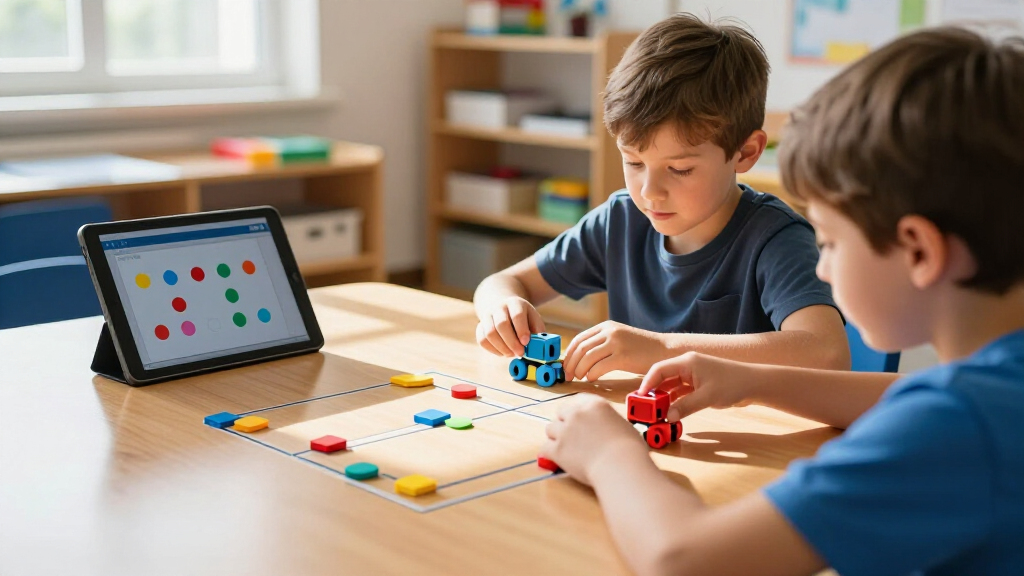
I compared the 15 robots by the kind of coding they teach, the age and support level suggested by each product, and how quickly a child can move from opening the box to trying a programming task. I also weighed whether a robot offers room to progress, how much building or setup it asks of the child and caregiver, and whether its activities invite repeat experimentation rather than one-time play. Screen-free robots, app-based models, maze sets, and construction kits serve different learning styles, so I judged each against its intended use rather than treating one format as universally better.
The ranking favors products with a clear learning path, accessible first steps, and useful scope for continued play. Dash leads as the most balanced choice across those needs; Tale-Bot Pro and Botley options rank well for simple, screen-free entry, while mBot2 and VinciBot suit families prioritizing greater coding depth. Building kits and activity bundles can be a better match for specific interests, but they rank lower for buyers seeking an immediately approachable coding experience because assembly, included components, or a narrower activity style may shape how often a child returns to them.
Factors to Consider When Choosing Educational Coding Robots For Kids
Before choosing a robot, I’d match its learning format to the way the child likes to play. A low-friction first activity can matter more than the longest feature list, while an older child may quickly outgrow a robot built around basic movement commands. These factors help separate a fun first coding toy from a tool that can sustain learning.
Match the Coding Interface to the Child
Think about whether a child is ready to work with an app or would benefit from physical commands, cards, or a screen-free controller. The simplest interface can make cause and effect easy to see, but it may offer less depth once basic sequences feel familiar. App-based coding can add new ways to control a robot, though reading, navigation, or device-sharing can become part of the challenge. A common mistake is choosing the most advanced interface on paper instead of the one the child will use independently. For younger learners, prioritize clarity and quick feedback; for older learners, check whether the interface supports more than pre-set actions. Also confirm what device or software access the activities require before buying.
Choose a Learning Path, Not Just an Age Label
Age guidance is a starting point, but children of the same age can differ in reading, sequencing, patience, and interest in building. A robot that teaches directional order may be a good first step even for an older beginner, while a confident young coder may want open-ended challenges. Consider the next skill the child should practice: sequencing, debugging, loops, sensors, or mechanical design. Moving too quickly to a complex kit can make setup feel like the lesson; staying with basic commands too long can limit growth. Look for a path that allows small wins first and harder tasks later. If buying for siblings, decide whether they will share one robot or need separate activities at different levels.
Decide How Much Building Belongs in the Activity
Some coding robots arrive ready for programming, while construction kits make assembly part of the learning experience. Building can deepen understanding of how motors and moving parts work, but it also takes time and may require adult help. That tradeoff matters if the goal is a quick after-school activity rather than a multi-session project. Check whether the child enjoys following assembly steps and troubleshooting physical mechanisms before choosing a build-first option. A ready-to-run robot may be more rewarding for a child eager to code immediately. Families who enjoy collaborative projects may prefer a kit, even if the first coding session comes later.
Compare Screen-Free Play With Digital Features
Screen-free coding can make commands tangible and reduce reliance on a tablet, which is useful for early learners or households limiting device time. Digital tools may offer a broader range of coding tasks, save or revise programs, and support continued exploration. Neither format is automatically better: the right choice depends on whether the child learns more from physical sequencing or from interacting with a programming interface. A frequent misstep is assuming “screen-free” means no adult involvement or that an app automatically teaches deeper concepts. Ask what the child will actually do during a typical session and whether that matches your household’s device rules. For classroom use, also check how easily the format supports multiple learners taking turns.
Account for Activity Materials and Repeat Play
Included mats, cards, maze pieces, or building parts can shape how many different challenges a child can try without improvising. An activity bundle may be useful when you want a guided start, but a large piece count does not by itself mean the robot teaches more. Look for materials that encourage children to change a route, test a new instruction, and debug when the robot does not reach its goal. Also think about storage: small pieces can get lost, and a set that needs a clear floor or table may be less convenient in a compact home. Families who like inventing their own tasks may value flexibility over a large collection of prompts. For group settings, sturdy, easy-to-reset activities can matter more than extensive customization.
Buy for the Next Challenge, Not Every Possible Feature
Paying for extra programming modes makes sense when a child is ready to use them and has regular time to practice. A feature-rich robot can have a longer learning runway, but unused capabilities add complexity without adding much value to play. At the other end, an entry-level robot can be a better choice when the goal is to explore basic logic before committing to a longer robotics project. Think about whether the child will use the robot weekly, share it with a class, or return to it only occasionally. Check the availability of suitable activities and compatible devices, since these can affect how the robot grows with the learner. Choose the simplest option that supports the next meaningful step, not the biggest feature list.
Frequently Asked Questions
Should I choose a screen-free robot or one that uses an app?
I’d choose based on the child’s current comfort with sequencing and your household’s approach to screens. Screen-free options make commands physical and can be easier for younger beginners to grasp without navigating an app. App-based robots can offer a broader path into programming, especially when the child is ready to edit and refine code. The tradeoff is that device access and interface skills become part of the activity. If you are unsure, start with the format the child can use with the least help, then look for a next step once basic coding ideas click.
What should I buy for a child who has never coded before?
For a first robot, prioritize a clear first task, visible feedback, and instructions that let the child see why a sequence succeeds or fails. Tale-Bot Pro and the Botley models are suited to a screen-free introduction, while Code & Go Robot Mouse offers a simple route-based way to practice ordering commands. Dash is a stronger choice if you want an approachable start with more scope to progress into app-based activities. Avoid choosing by age range alone; consider reading ability, patience, and whether the child enjoys trying again after a mistake. A beginner robot should make experimentation feel manageable rather than demand a long setup before the first result.
Is a more advanced coding robot worth choosing for an older child?
It can be, if the child already enjoys solving multi-step problems or wants to move beyond basic movement commands. Models such as mBot2 and VinciBot are aimed at a deeper coding experience than the simplest screen-free robots, while construction kits add mechanical problem-solving. More capability is not automatically a better match: a child may get more from a straightforward robot they use often than a complex one they rarely set up. Check the programming interface and the kinds of projects it supports before choosing. If the child is new to coding, a gradual learning path can be more useful than starting with the most demanding kit.
Do I need to buy an activity set, or is the robot by itself enough?
An activity set can make it easier to begin because it supplies structured challenges and materials for repeated tasks. It is most useful when a child benefits from guided prompts or when you want a classroom-ready activity with a clear reset point. A robot without a large bundle may still support plenty of experimentation if children can make their own routes or programs. Compare the included materials with the activities your child is likely to enjoy; extra pieces are not valuable if they stay in the box. Also plan for storage and setup, especially when the set includes many small components.
Should I choose a programmable robot or a build-it-yourself robotics kit?
Choose a programmable ready-to-use robot when the main goal is to start practicing code quickly. A build-it-yourself kit is a better fit when the child also enjoys assembly, mechanisms, and following a project through several stages. Construction adds a useful engineering dimension, but it can require more adult support and delay the first coding activity. Consider whether the child prefers making something from parts or getting immediate feedback from a robot that is ready to move. If both interests are strong, a build kit can be rewarding; if coding confidence is the priority, start with a simpler programmable model.
Conclusion
Best overall: I’d choose Wonder Workshop Dash for a balanced mix of accessible play and room to explore. Best for beginners: MatataStudio Tale-Bot Pro is a strong screen-free starting point for young children, while Botley and Code & Go Robot Mouse are alternatives for simple command-sequencing activities. Best value: Learning Resources Botley Coding Robot Activity Set is a practical pick for buyers who want a guided, screen-free activity bundle rather than a more involved digital platform. Best premium learning path: Makeblock mBot2 suits older children ready for deeper coding and robotics work. For specific needs, pick Mech-5 or Sillbird when building is part of the appeal, and consider VinciBot or PYXEL when app-based programming is the priority. Choose by the child’s next skill and preferred way to play, not by the longest feature list.
Halloween Picks
halloween
As an affiliate, we earn on qualifying purchases.