

TL;DR

Prime made for students and young adults
- Fast, free delivery for dorm and study essentials
- Prime Video and Amazon Music included
- Member-only deals
You can turn a single video into a complete set of publishing assets—titles, thumbnails, captions, social posts—entirely offline. This approach boosts speed, keeps your data private, and gives you full control over your content pipeline.
Imagine finishing a video and having an entire publishing kit ready within minutes—no cloud, no waiting. That’s the promise of a local-first, automated workflow that turns one video into everything you need to publish across platforms. It’s faster, more private, and puts you in the driver’s seat.
This isn’t just about convenience. It’s about reclaiming control over your content, reducing reliance on third-party servers, and speeding up your publishing process. You’ll learn how a single source file can generate titles, thumbnails, captions, social snippets, and even website embeds—all stored securely on your own machine.
What does ‘without the cloud’ actually mean for your workflow?
’Without the cloud’ means all your processing, asset creation, and storage happen locally—on your own hardware, not on remote servers. You can learn more about local-first workflows. This approach fundamentally changes how you control your content. When you process assets locally, you eliminate the bottleneck of upload and download times, which can be significant especially with large files or slow internet connections. Privacy is also greatly enhanced since your data never leaves your machine, reducing risks of leaks or breaches. However, this setup requires more initial investment in hardware and setup time, and it might lack some of the scalability or collaborative features cloud platforms offer. The key tradeoff is between control and convenience: local workflows offer unparalleled control and speed, but require more hands-on management and maintenance. Think of it like cooking in your own kitchen versus ordering takeout—you have full control over ingredients and process, but need to handle the prep yourself.
For instance, a creator might record a video, then run it through a local app that automatically pulls out captions, generates a thumbnail, and prepares social media snippets—all without ever touching a cloud service. This process ensures your assets are generated swiftly and securely, with the added benefit of being immediately accessible for review and edits without waiting for uploads or cloud processing delays.

As an affiliate, we earn on qualifying purchases.
What’s included in a ‘publishing kit’ you can generate from one video?
A publishing kit is a collection of assets ready to publish—titles, descriptions, thumbnails, short clips, social posts, and more. From a single video, you can derive a comprehensive set of materials that streamline your publishing workflow. This not only saves time but also ensures consistency across platforms. For example, generating multiple titles scored for character limits helps optimize each post without manual trial-and-error. Auto-generated descriptions with chapters improve viewer engagement and SEO, while thumbnails based on key moments capture attention instantly. Short clips tailored for TikTok, Reels, or Shorts allow you to repurpose content efficiently, and social media posts can be customized for each platform’s style and audience. Embeddable video players and code snippets facilitate seamless integration into websites or email campaigns. This integrated approach reduces manual rework, minimizes errors, and accelerates publishing cycles. Imagine a creator uploading a 10-minute interview; the system then produces a catchy title, a thumbnail of the most expressive moment, short clips optimized for mobile sharing, and ready-to-post social copies—all stored securely on their local machine. The real advantage is that these assets are immediately accessible, editable, and ready for deployment without dependency on external services.
Understanding what’s included in a media kit helps creators see the full scope of what’s possible and how it can dramatically streamline their workflow.
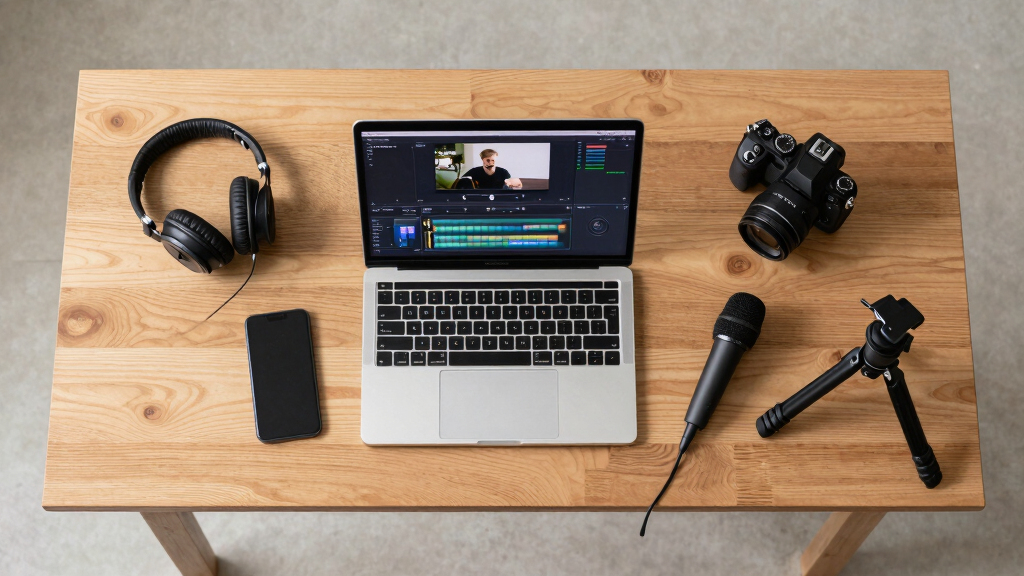
video caption generator software
As an affiliate, we earn on qualifying purchases.
As an affiliate, we earn on qualifying purchases.
Why more creators are choosing local-first workflows
Speed, privacy, and control drive creators to local workflows. Unlike cloud-based tools, local apps process assets instantly—no lag, no dependency on internet quality. This immediacy allows creators to iterate quickly, test ideas, and publish more frequently without waiting for cloud processing queues. Privacy matters too. When content is processed locally, sensitive or proprietary material remains on your machine, significantly reducing the risk of leaks or unauthorized access. For instance, a political consultant handling confidential footage can confidently generate assets without exposing sensitive data to third-party servers. Additionally, local workflows are highly repeatable. Once you set up your templates and automation rules, you can produce consistent assets for every new video with minimal effort. This scalability transforms content creation from a manual, time-consuming task into a streamlined process—like having a mini publishing factory in your workspace. The tradeoff involves initial setup time and hardware investment, but for those valuing speed, privacy, and independence, the benefits often outweigh the costs. Over time, this approach fosters a more autonomous, efficient content pipeline that adapts to individual needs and priorities.
In essence, choosing local-first workflows empowers creators to own their process completely, avoid vendor lock-in, and respond to rapid content demands with agility and confidence.

thumbnail creation tool for videos
As an affiliate, we earn on qualifying purchases.
As an affiliate, we earn on qualifying purchases.
How one video fuels multiple outputs—step-by-step
Here’s how a single video turns into a full publishing kit, step by step:
- Import: Drop your video file into the system or paste a link. The system recognizes the source and starts processing.
- Analyze: The app transcribes audio, detects scene changes, reads on-screen text, and fuses all data into a structured scene log. This analysis provides a foundation for generating relevant assets, ensuring accuracy and context-awareness.
- Create assets: Titles, descriptions, thumbnails, short clips, and social posts are automatically drafted, scored for quality, and stored locally. This step leverages AI and templates to produce assets that are not only consistent but also tailored to your style and platform requirements.
- Review & edit: You review assets in a dedicated studio interface, make adjustments, regenerate specific parts, or approve as-is. This iterative process ensures quality and relevance before publishing.
- Publish: Assets are exported to your website, social platforms, or email campaigns—directly from your local environment—bypassing delays associated with cloud uploads. This immediate deployment accelerates your publishing cycle and maintains full control over your content.
For example, a YouTuber uploads a product review, and the system instantly generates a clickable title, a thumbnail of the product’s most expressive moment, a short clip optimized for TikTok, and social captions—all ready to post. This seamless, automated pipeline reduces manual effort and speeds up content delivery, allowing creators to focus more on content quality and less on repetitive tasks.

How one video fuels multiple outputs—step-by-step Amazonsocial media video snippets generator
As an affiliate, we earn on qualifying purchases.
As an affiliate, we earn on qualifying purchases.
What a ‘full publishing package’ really looks like
A comprehensive publishing package includes everything you need to publish across channels, ensuring consistency and efficiency. Here’s a comparison table illustrating how it enhances your workflow versus just a raw video file:
Asset Type Standard Video Full Publishing Kit Video File Yes Yes Titles & Descriptions No Yes, scored and customizable Thumbnails No Yes, auto-generated based on key moments Short Clips No Yes, multiple optimized formats Social Posts No Yes, tailored for each platform Embed Code No Yes, ready for websites and blogs This full kit transforms a basic video into a multi-channel content powerhouse, reducing manual rework, ensuring brand consistency, and speeding up publication timelines. It’s about turning a single source into a versatile, ready-to-publish content package that can be deployed instantly across all your channels.

What a ‘full publishing package’ really looks like Why creators love local processing—real-world benefits
Local processing means faster turnaround times. For example, a creator can finalize a set of social snippets in under 10 minutes, instead of waiting hours for cloud processing. This speed allows for more agile content strategies, enabling daily or even multiple posts per day, which is crucial in competitive social media environments. Privacy gains are also significant—since all processing occurs on your machine, sensitive footage, captions, and project data remain under your control, drastically reducing risks associated with data leaks or breaches. This is especially important for creators working with confidential or proprietary content, such as corporate videos or political campaigns. Reliability is another key benefit: you can generate and publish assets even without an internet connection, making local workflows ideal for remote locations, live events, or areas with unstable connectivity. This independence from the cloud ensures your content pipeline remains uninterrupted, providing peace of mind and operational flexibility. Overall, these benefits translate into a more secure, efficient, and responsive content creation process that adapts to real-world constraints and priorities.
Choosing local-first workflows empowers creators to own their process fully, avoid vendor lock-in, and adapt quickly to changing demands—especially when speed and privacy are non-negotiable.

Why creators love local processing—real-world benefits Can I automate and customize every step?
Absolutely. Automation is built into the system, letting you set templates, scoring rules, and default outputs. Want a specific thumbnail style or social caption format? Customize it once, and it applies to all videos. This flexibility means you can tailor the workflow precisely to your brand or project needs, ensuring consistency and saving time. For example, you might define a thumbnail overlay style that emphasizes branding elements or set caption templates with hashtags and emojis optimized for each platform. The system then automatically applies these standards to every new video, reducing manual editing and ensuring uniformity. Moreover, advanced users can script or tweak AI parameters for more granular control, balancing automation with creative input. This combination of customization and automation transforms repetitive tasks into a streamlined, reliable process, freeing creators to focus on content quality and strategic planning rather than manual asset generation.
In essence, you get a personalized publishing assistant that adapts to your style, accelerates production, and maintains high standards—without sacrificing control or flexibility.

Can I automate and customize every step? What formats and destinations does it support?
From a local system, you can export assets in multiple formats: MP4, GIF, WebM for videos; JPEG, PNG for images; SRT or VTT for captions. This flexibility ensures your assets are compatible with virtually any platform or device. You can also generate embed codes for websites, blogs, or email campaigns, making integration seamless. Supported destinations include popular platforms like YouTube, Facebook, Instagram, TikTok, LinkedIn, as well as email newsletters and your own website. This comprehensive support means you can prepare all your assets in advance and deploy them instantly, saving time and reducing errors. For example, you might prepare a vertical video for Instagram Stories, embed a video player on your blog, and schedule a newsletter—all from the same local environment. This level of control simplifies multi-channel publishing and ensures consistency across your content ecosystem.
By supporting a wide range of formats and destinations, the system empowers creators to adapt quickly to platform requirements and audience preferences, maintaining high quality and brand integrity at every step.

What formats and destinations does it support? Is technical skill required, or can anyone use it?
While some setup is needed, the system is designed to be user-friendly. You don’t need to be a coding wizard. Think of it like a smart assistant that guides you through each step—drag, drop, review, and publish. The interface is intuitive, with visual workflows and presets that simplify complex tasks. For example, a small business owner with limited technical experience can upload a promotional video, select preferred templates, and generate a complete set of social assets within minutes. The system’s guided setup and automation features make it accessible to users at all skill levels, focusing on ease of use rather than technical prowess. This democratizes content creation, enabling creators of all backgrounds to produce professional-quality assets without extensive training or coding knowledge. Ultimately, the goal is to empower everyone—regardless of technical skill—to harness the full potential of local-first workflows.
Ease of use, combined with powerful automation, ensures that even non-technical users can efficiently produce and publish high-quality content, making local workflows practical for a wide range of creators.

Is technical skill required, or can anyone use it? Tradeoffs: Setup complexity, hardware needs, and limits
While local-first workflows offer speed and control, they require some initial setup—like installing software, configuring templates, and understanding basic workflows. Hardware requirements are moderate; a capable mid-range PC or Mac can handle most processing tasks, but very high-resolution videos or complex assets may demand more power. Limitations include potential compatibility issues with certain formats or platforms, and the need for periodic updates or maintenance of the software to keep up with new standards. Additionally, some features might require a learning curve, particularly for advanced automation or scripting. However, these tradeoffs are often acceptable for creators who prioritize privacy, speed, and independence. The initial investment in setup time and hardware pays off through faster, more secure production cycles, reducing reliance on external services and giving you full control over your content pipeline. For many, this balance between effort and benefit is well worth it, especially in environments where data security and rapid turnaround are critical.
Understanding these tradeoffs helps creators make informed decisions about adopting local-first workflows, weighing setup effort against long-term gains in efficiency and autonomy.

Tradeoffs: Setup complexity, hardware needs, and limits Key takeaways — what you should remember
- Local processing speeds up your publishing, keeps data private, and reduces dependency on third-party cloud services.
- A publishing kit from one video includes titles, descriptions, thumbnails, clips, and social content—ready to deploy.
- Automation and customization make recurring tasks fast and consistent, saving hours each week.
- Multi-format output supports every platform, from social media to your website, all handled locally.
- Tools like ChannelHelm make this a practical reality, with full provenance and review features.
Frequently Asked Questions
What does ‘without the cloud’ actually mean?
It means all your processing, asset creation, and storage happen on your local device—your computer or server—without sending data to third-party servers. This boosts privacy and can speed up your workflow.
What assets are included in a ‘publishing kit’?
A publishing kit typically includes titles, descriptions, thumbnails, short clips, social media posts, captions, embed codes, and sometimes even website assets—all generated from one source video.
Can I create thumbnails, captions, titles, and embeds automatically from one video?
Yes. Modern tools can analyze your video and automatically generate these assets, scoring and customizing them for your needs, all stored on your local system.
Does this replace a cloud platform or work alongside one?
It can do both. You can replace cloud workflows with local processing or use it alongside cloud services for added flexibility. The focus is on control and speed, especially when internet access is limited.
How is local processing different from cloud publishing in terms of privacy and speed?
Local processing keeps your data on your own hardware, reducing privacy risks. It’s often faster because it eliminates upload/download delays, enabling quicker turnaround for publishing assets.
Conclusion
Turning one video into a complete publishing kit without relying on the cloud isn’t just a tech trick—it’s a game-changer. It gives you speed, privacy, and control, all while reducing the clutter of manual repackaging.
Imagine a future where your entire content pipeline lives on your machine, ready at a moment’s notice. That’s the power of local-first workflows. Are you ready to take that step?

Key takeaways — what you should remember
HALLOWEEN Halloween Picks
halloweenhalloween
As an affiliate, we earn on qualifying purchases.