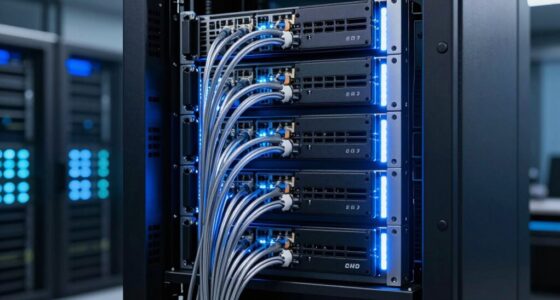
A NAS (Network-Attached Storage) device acts as your personal digital hub, making it easy to share files, back up data automatically, and stream media across all your devices. It connects seamlessly to your home network, so you can access your files from laptops, tablets, or smartphones anytime. With a NAS, you keep control of your data and enjoy secure remote access. If you want to understand how it can fit into your digital life, there’s more to discover below.
Key Takeaways
- Provides centralized storage accessible by multiple devices for easy file sharing and collaboration.
- Automates backups of computers and mobile devices to prevent data loss.
- Acts as a private cloud, keeping your data secure and within your control.
- Streams media and allows remote access to files from anywhere.
- Offers security features and organization tools to manage and protect your digital files.
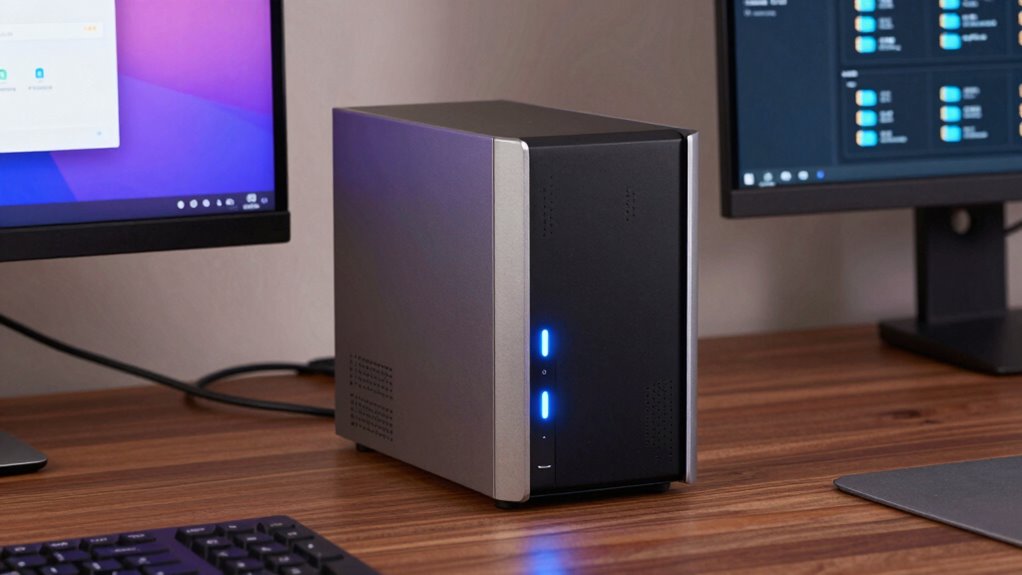
Have you ever wondered how to easily share and store files across multiple devices? If so, a NAS, or Network Attached Storage, could be exactly what you need. Unlike relying solely on cloud storage services or external drives, a NAS acts as a dedicated central hub for all your digital files. It connects directly to your home network, allowing you to access your data from any device—laptops, tablets, smartphones—without needing to plug in a physical drive each time. This setup simplifies sharing and collaboration, especially if you have multiple users or family members who need access to the same files.
One of the biggest advantages of a NAS is its role in data backup. You can configure your NAS to automatically back up your computers and mobile devices regularly. This way, if your laptop crashes or your phone gets lost, your important files are safe and easily recoverable. Unlike traditional external drives, which require manual copying, a NAS offers continuous, automated backup solutions that are both reliable and straightforward. Plus, with features like versioning, you can restore previous versions of files, adding an extra layer of protection against accidental deletions or edits.
Beyond backup, a NAS provides a private cloud-like environment where you can store and access large media libraries, documents, and other files without relying on third-party cloud providers. This means your data remains within your control, reducing concerns about privacy and security that sometimes come with public cloud storage options. Many NAS devices come with user-friendly apps or web interfaces, so even if you’re not tech-savvy, you can navigate your stored data with ease. You can organize your files into folders, stream movies or music to your devices, and share specific files with friends or colleagues securely.
In addition, a NAS can serve as a media server, allowing you to stream videos, music, or photos throughout your home. It can also support remote access, meaning you can retrieve your files while away from home, provided you set up proper security measures. This flexibility makes a NAS an all-in-one solution for data storage, backup, sharing, and media management. Whether you’re safeguarding family photos, backing up work documents, or creating a shared space for your household, a NAS offers convenience, security, and peace of mind. It’s a smart investment for anyone looking to streamline their digital life and keep their data safe and accessible across all their devices. To ensure your data remains safe and protected, it’s important to understand the storage and backup capabilities that a NAS provides.
Frequently Asked Questions
Can a NAS Replace a Traditional External Hard Drive?
Yes, a NAS can replace a traditional external hard drive. It offers features like cloud backup, so your data stays safe, and remote access, allowing you to retrieve files from anywhere. Unlike external drives, a NAS provides shared storage for multiple devices, making it more versatile. You get better data management, automatic backups, and the convenience of accessing your files remotely, all in one device.
How Secure Is My Data on a NAS Device?
Your data on a NAS device can be quite secure if you take proper precautions. Think of it as locking a treasure chest; enabling data encryption protects your files from prying eyes, while setting strict user access controls limits who can see or change your data. Regularly updating firmware and using strong passwords further fortify your defenses. With these steps, your data’s security becomes a fortress, safeguarding your digital treasures.
Is a NAS Suitable for Streaming 4K Videos?
Yes, a NAS is suitable for streaming 4K videos, but your streaming quality depends on your network bandwidth. Make sure your network has enough bandwidth to handle high data transfer rates, avoiding buffering or lag. Using a wired connection can improve performance, and choosing a NAS with a powerful processor and ample RAM helps deliver smooth 4K streaming. Keep your network optimized for the best streaming experience.
What Is the Typical Cost of Setting up a NAS System?
The typical cost of setting up a NAS system varies based on your needs and budget considerations. You can expect to spend around $200 to $500 for a basic model, which includes the enclosure and drives. Higher-end systems with advanced features may cost $1,000 or more. Conducting a cost analysis helps you balance features and affordability, ensuring you choose a setup that fits your storage needs without overspending.
How Much Technical Knowledge Is Needed to Maintain a NAS?
Did you know 60% of NAS users find maintenance straightforward? You’ll need basic technical skills to manage user access and perform firmware updates. Most NAS devices have user-friendly interfaces, so you don’t need deep IT knowledge. Regular tasks like updating firmware and managing user permissions can be done with simple guides. With a little effort, you’ll keep your NAS running smoothly without needing extensive technical expertise.
Conclusion
A NAS is like having your own digital fortress, keeping your files safe and accessible whenever you need them. It simplifies your life by centralizing data, so you’re not hunting for that one file across different devices. With a NAS, your digital world stays organized and secure, like a well-oiled machine. Embrace it, and your data will flow smoothly, turning chaos into harmony—making your digital life easier and more reliable every day.