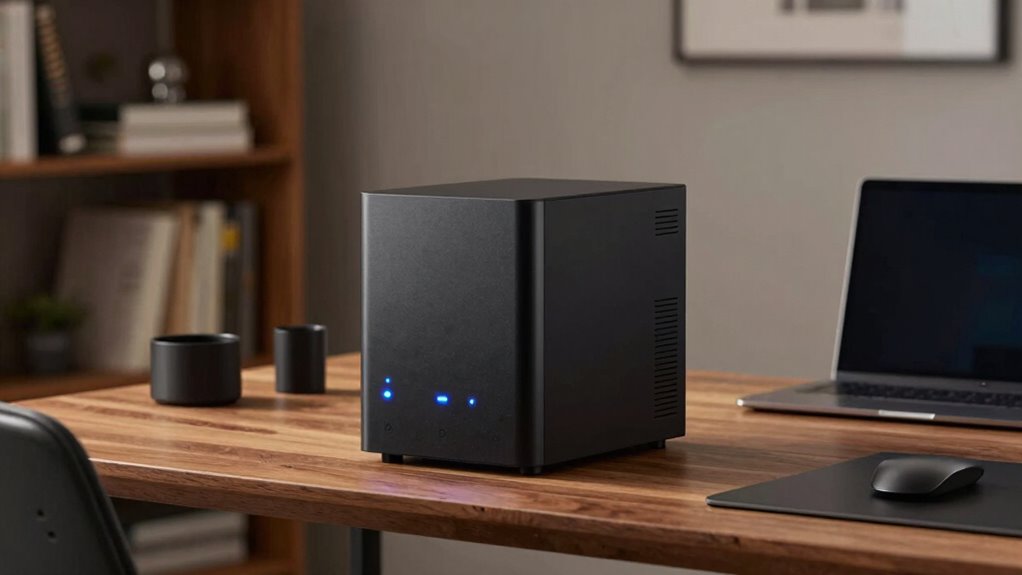

A home NAS is a versatile, centralized storage device that keeps your data organized, protected, and easily accessible from multiple devices. It offers automatic backups and supports media streaming, making it great for managing photos, videos, and documents. With features like data redundancy and cloud integration, your files stay safe even if a drive fails. If you keep exploring, you’ll discover how a NAS can truly streamline your digital life and provide peace of mind.

Prime made for students and young adults
- Fast, free delivery for dorm and study essentials
- Prime Video and Amazon Music included
- Member-only deals
Key Takeaways
- Centralizes data storage for easy access and sharing across multiple devices in a home.
- Supports automatic backups and data protection with RAID configurations for reliability.
- Enables seamless media streaming and content management for photos, music, and videos.
- Provides remote access to files, ensuring data availability from anywhere with internet.
- Integrates with cloud services for hybrid storage, combining local control with off-site backups.

Have you ever wondered how businesses and individuals store and access large amounts of data efficiently? That’s where NAS storage comes into play. Network Attached Storage, or NAS, acts as a centralized hub for all your data needs. Unlike external drives or cloud services alone, NAS provides a dedicated device connected directly to your network, making file sharing and backups straightforward. With NAS, you get a simple way to organize, protect, and access your files from multiple devices at any time.
One of the key advantages of a home NAS is its ability to integrate with cloud services. Many modern NAS systems support cloud integration, which means you can synchronize your files with cloud platforms like Google Drive or Dropbox. This setup offers the flexibility of local access combined with the off-site safety of cloud backup. If your internet connection is reliable, you benefit from seamless access to your data from anywhere, whether you’re on your home network or traveling. This hybrid approach ensures you’re not solely dependent on one storage method, providing an extra layer of convenience and security.
Data redundancy is another critical feature that makes NAS storage particularly appealing. When you set up a NAS, you can configure it to mirror your data across multiple drives—this is known as RAID (Redundant Array of Independent Disks). Data redundancy means that if one drive fails, your information remains safe and accessible because copies exist elsewhere on the system. It’s like having a safety net that protects your important files from hardware failures. This feature is vital for safeguarding personal memories, work documents, or media libraries, especially when you don’t want to risk losing everything due to a single disk issue. Understanding data protection methods can help you optimize your NAS setup for maximum security. Additionally, knowing about fault tolerance can further help you design a more resilient storage environment. Regularly monitoring your storage health can also help prevent unexpected data loss, which is why disk monitoring is a useful practice to adopt.
A home NAS isn’t just about storage; it’s about creating a reliable environment for your digital life. You can set it up for automatic backups, ensuring your devices regularly save copies of their data without manual intervention. Media streaming is another benefit—your NAS can serve music, movies, or photos directly to your smart TV, tablet, or computer. Additionally, understanding content management is crucial for organizing and accessing your digital media efficiently. Plus, with remote access features, you can retrieve your files while on the go, making it a versatile tool for everyday use. Understanding how remote access works is key to maximizing the benefits of your NAS.
In essence, a home NAS offers an efficient, secure, and flexible way to manage your data. Its ability to integrate with cloud services combined with data redundancy features gives you peace of mind, knowing that your information is protected and accessible whenever you need it. Whether for personal storage, media streaming, or backup solutions, a NAS system is a practical investment to streamline your digital life.
Popular right now

Vitamix 5200 Professional-Grade Blender, 64 oz. Container, Black

Apple AirPods Pro 3 Wireless Earbuds with Active Noise Cancellation

Ninja Foodi Dual Zone Smart XL Air Fryer, 10 Qt, 6-in-1, Black (DZ550)
As an affiliate, we earn on qualifying purchases.
Frequently Asked Questions
Can a NAS Replace My Cloud Storage Services Completely?
A NAS can replace your cloud storage services for many purposes, especially if you prioritize privacy and control. It offers cloud synchronization, so your files stay updated across devices, and remote access, allowing you to retrieve data from anywhere. However, it might lack the seamless scalability and off-site backup features of commercial cloud services. If you want full independence and local control, a NAS is a solid choice, but consider combining both for best coverage.
How Secure Is Data Stored on a Home NAS?
About 50% of data breaches involve physical access, so your home NAS’s security depends on strong physical security and encryption protocols. Your data’s quite secure if you enable encryption and restrict physical access to the device. Regular updates, strong passwords, and network security also help. While no system is foolproof, combining these measures makes your home NAS a safe place for your valuable data.
What Is the Best NAS for a Small Home Office?
The best NAS for a small home office offers easy network configuration and supports hardware upgrades. Look for models with robust processor options, ample RAM, and multiple drive bays to expand storage as your needs grow. Make sure it has strong security features to protect your data. Prioritize user-friendly setup and reliable remote access, so you can efficiently manage your files and collaborate without hassle.
How Much Does a Typical Home NAS Setup Cost?
A typical home NAS setup costs between $300 and $800, depending on features and storage capacity. Think of it like building a personal library—your network speed guarantees quick access, while power consumption impacts ongoing costs. For example, a modest NAS with two drives and energy-efficient design can serve your needs without soaring electricity bills, making it a smart investment for reliable, fast access to your files.
Can a NAS Back up Data From Multiple Devices Automatically?
Yes, a NAS can automatically back up data from multiple devices. With device compatibility, you can set up backup automation across computers, smartphones, and tablets, ensuring all your data is protected without manual effort. Most NAS systems support scheduled backups or real-time syncing, so your files stay current. This makes managing backups easier and more reliable, giving you peace of mind knowing your data is consistently safeguarded across all your devices.
Conclusion
A home NAS is like a personal digital vault, keeping your files safe and accessible whenever you need them. It’s perfect for backing up photos, streaming movies, or sharing documents with family and friends. With a little setup, you’ll find it seamlessly fits into your daily life—making data management effortless. Think of it as your reliable digital sidekick, always ready to lend a hand when your storage needs grow.