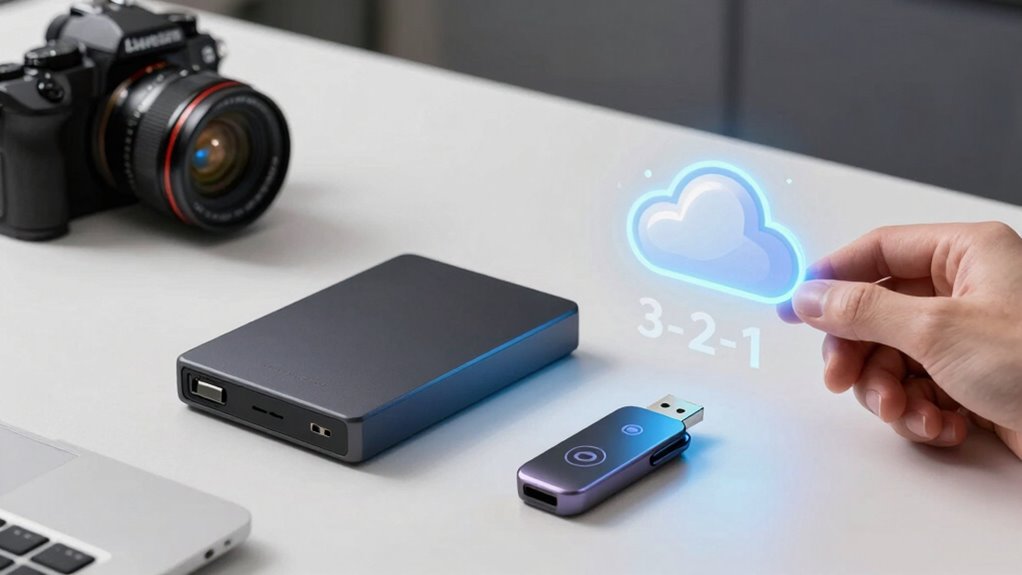

To safeguard your data effectively, follow the 3-2-1 backup rule: keep three copies of your files, store them on two different media types, and guarantee at least one backup stays offsite. This approach minimizes the risk of data loss from hardware failures, theft, or disasters. Incorporate cloud storage with encryption and diversify your backup media for added security. Keep exploring for practical tips to strengthen your data safety plan.
Key Takeaways
- The 3-2-1 backup rule recommends maintaining three copies of data, on two different media types, with one stored offsite.
- Diversifying backups across media enhances data security and reduces failure risk.
- Offsite storage, such as cloud backups, ensures data availability during local disasters.
- Encrypt sensitive backups before cloud upload to protect data from unauthorized access.
- Regularly review and update backup strategies to adapt to evolving threats and technology.

A solid backup strategy is indispensable to protect your data from unexpected failures, theft, or disasters. Implementing an effective plan ensures your important files are safe and accessible when you need them most. One of the most reliable methods involves understanding and applying the 3-2-1 backup rule. This rule emphasizes maintaining three copies of your data, stored on two different types of media, with at least one copy kept offsite. Following this guideline considerably reduces the risk of data loss due to hardware failure, cyberattacks, or natural disasters.
A robust backup strategy with the 3-2-1 rule safeguards data against hardware failure, theft, and disasters.
Using cloud storage as part of your backup setup offers a flexible and secure offsite solution. Cloud services provide scalable storage options, allowing you to increase or decrease your backup capacity as needed. When you choose cloud storage, make sure to select providers that implement robust encryption techniques. Encryption ensures your data remains confidential both during transfer and while stored. Many providers use AES-256 encryption, which is highly secure and resistant to hacking attempts. Encrypting your data before uploading adds an extra layer of protection, especially if your cloud provider’s security is compromised or if your account is hacked.
It’s indispensable to understand that simply copying files to the cloud isn’t enough. You should encrypt sensitive files locally before uploading them, so only you hold the decryption key. This approach prevents unauthorized access, even if someone gains access to your cloud account. Additionally, consider using tools that automate encryption and backups, so you maintain a consistent, secure process without risking human error. Regularly updating your encryption techniques and software ensures you keep pace with evolving cybersecurity threats. Moreover, leveraging European cloud infrastructure can enhance your data security and compliance with regional regulations, providing an extra layer of trust and reliability in your backup strategy.
Beyond cloud storage, diversify your backup media. Use external hard drives, USB drives, or network-attached storage (NAS) devices to create local copies. Keep these backups in a safe, physically secure location, preferably away from your primary workspace. This multi-layered approach aligns perfectly with the 3-2-1 rule, giving you multiple recovery options if one backup fails or becomes compromised. Remember, the key is not just creating backups but ensuring they are current, well-protected, and easy to restore.
Frequently Asked Questions
How Often Should I Update My Backups?
You should update your backups regularly based on your data change rate, ideally daily or weekly. Implement backup automation to guarantee consistency and reduce manual effort, so you don’t forget to back up important files. The backup frequency depends on how often your data changes and how critical it is. Automating backups helps maintain an up-to-date copy without extra work, giving you peace of mind knowing your data is protected.
What Are the Best Storage Options for Offsite Backups?
While there are many options, you should prioritize reliable storage choices like physical media and local storage for offsite backups. External hard drives, USB drives, and even tapes offer durability and simplicity. Cloud storage is also a strong candidate, providing accessible, scalable options that keep your backups safe from physical damage. Combining both physical media and cloud solutions guarantees you’re well-protected against unforeseen events.
How Can I Secure My Backup Data From Ransomware?
To safeguard your backup data from ransomware, you should implement strong encryption practices to protect your files both in transit and at rest. Additionally, enforce strict access controls, limiting who can view or modify your backups. Regularly update your security protocols, use multi-factor authentication, and keep your backup systems isolated from your main network. These steps help prevent unauthorized access and ensure your data remains safe from ransomware attacks.
Is Cloud Storage Safe for Sensitive Information?
You might find it surprising, but cloud storage can be safe for sensitive information if you choose providers with strong encryption protocols and data redundancy measures. These safeguards protect your data from unauthorized access and loss. Just guarantee you enable two-factor authentication and regularly review access permissions. When combined with your backup strategies, cloud storage becomes a reliable option, giving you peace of mind that your data remains protected against threats like ransomware.
What Should I Do if My Backup Fails?
If your backup fails, don’t panic. First, review your restoration procedures to understand what went wrong. Then, verify your backups to confirm their integrity, ensuring they’re usable. If issues persist, attempt to run a new backup or troubleshoot the problem. Regular backup verification helps catch errors early, so you can restore data quickly when needed. Always have a plan in place for quick recovery to minimize downtime.
Conclusion
Remember, the 3-2-1 backup rule is your safety net, like a sturdy anchor in a storm. By keeping three copies of your data, on two different media, with one offsite, you’re building a fortress around your information. Don’t let data loss sink your ship—adopt this simple strategy today. It’s the lighthouse guiding you safely through the fog of unexpected data disasters, ensuring your digital world stays secure and sound.