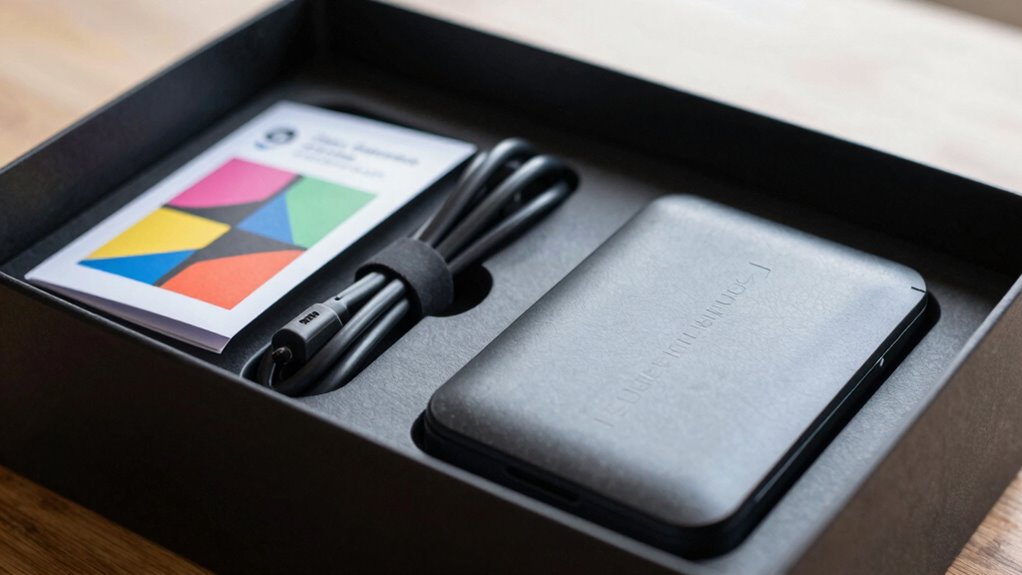

After unboxing anything, your first step should be to look at the quick start section of the manual. Focus on the essential actions like connecting power, turning on the device, and following initial prompts. This guarantees you get up and running quickly and confidently. Keep an eye out for simple instructions and visuals that guide you through setup. If you stick with it, you’ll discover more helpful tips to optimize your experience as you go.
Key Takeaways
- Prioritize the Quick Start Guide for immediate setup and basic operation instructions.
- Focus on the initial power connection and turning the device on.
- Read the safety and troubleshooting sections to prevent issues early.
- Review assembly or installation steps if applicable.
- Check for any energy-saving tips or initial calibration instructions.

Have you ever wondered how to create a user guide that efficiently supports your audience without overwhelming them? When you unbox a new gadget, appliance, or piece of software, your first instinct might be to plunge into the entire user manual. But that’s rarely the best approach. Instead, focus on identifying the core information your audience needs immediately to get started—this is where a well-crafted quick start guide makes all the difference. A quick start isn’t just a subset of the manual; it’s a strategic tool designed to help users begin using their new product without wading through pages of detailed instructions.
Your goal with the minimum viable manual is to streamline the initial experience. It’s about giving users just enough information to confidently set up and operate their new device or software without feeling overwhelmed. Think of it as a bridge from unboxing to actual use. The first thing you want to do is identify the essential steps: how to assemble, turn on, and perform basic functions. These are the critical actions that will make the user feel successful early on. Including a quick start section within your user manual is a smart way to achieve this. It should be clear, concise, and easy to follow—using simple language and visuals whenever possible.
When designing your user manual, keep in mind that most users won’t read it cover to cover before trying their device. They’ll look for specific instructions on how to get started. Your quick start section should be prominently placed and straightforward. Use numbered steps or bullet points, and focus on the key actions. For example, “Plug in the device,” “Press the power button,” and “Follow the on-screen prompts.” This approach helps users feel in control and reduces frustration. To enhance user experience, incorporating energy-efficient practices can also help users optimize their device’s performance from the start.

The Essential Sugar Free Slow Cooker Recipe Book: A Quick Start Guide To Healthy Sugar Free Slow Cooking. 90 Simple And Delicious Calorie Counted Recipes For Weight Loss and Good Health
As an affiliate, we earn on qualifying purchases.
As an affiliate, we earn on qualifying purchases.
Frequently Asked Questions
How Do I Troubleshoot Common Issues With My New Device?
To troubleshoot common issues with your new device, start with the device setup to guarantee everything is connected correctly. Check for loose cables or improper configurations. Use troubleshooting basics like restarting the device, updating software, or resetting to factory settings if needed. Consult the manual’s troubleshooting section for specific error codes or problems. If issues persist, contact customer support or visit online forums for additional help.
Are There Safety Precautions I Should Be Aware Of?
You should always wear appropriate safety gear and follow caution instructions when handling your new device. Read the safety section carefully to comprehend potential hazards, like electrical risks or sharp edges. Use safety gear such as gloves or goggles if recommended. Keep caution instructions in mind during setup and operation to prevent accidents. Staying vigilant and following safety guidelines ensures you use your device securely and avoid unnecessary injuries.
How Do I Update the Device’s Firmware or Software?
Think of firmware updates and software installation as giving your device a fresh armor for better performance. To update your device’s firmware or software, connect it to Wi-Fi and navigate to the settings menu. Look for options like “Update” or “Software Update,” then follow on-screen instructions. Make sure your device stays powered during the process to avoid interruptions—this keeps your device running smoothly and securely.
What Accessories Are Compatible With This Product?
To ascertain which accessories are compatible with your product, start with the compatibility checklist provided by the manufacturer. Check the accessory compatibility details to ensure they match your device model and specifications. You can also visit the official website or contact customer support for confirmation. Always verify compatibility before purchasing any accessories to avoid issues and ensure seamless integration with your device.
How Can I Recycle or Dispose of the Item Responsibly?
You can recycle or dispose of the item responsibly by checking local recycling options and disposal methods. Start by visiting your municipality’s website to find designated recycling centers or collection events. If recycling isn’t available, consider donating it if it’s still usable, or follow the manufacturer’s guidance for safe disposal. Always remove any batteries or electronic components before recycling or discarding to guarantee proper handling and environmental safety.

Samsung Galaxy Watch 8 User Guide for Seniors: Practical Manual for Device Setup, Customization, Safety Features, AI Assistance, and Daily Tasks … Guides Collection for Seniors and Beginners)
As an affiliate, we earn on qualifying purchases.
As an affiliate, we earn on qualifying purchases.
Conclusion
Now, picture yourself holding your new gadget, the sleek surface warm in your hands, ready to unfasten its potential. With a simple glance at the manual’s first pages, you’re stepping into a world of possibilities—like opening a door to a bright, inviting room. As you familiarize yourself with the basics, the device transforms from unfamiliar to familiar, becoming an extension of your own hands. Just a few steps, and you’re ready to explore confidently.

Amazon Alexa User Guide: Easy-to-Follow Manual for Beginners and Seniors – Setup, Voice Commands, Alexa+ Features, and Practical Everyday Uses
As an affiliate, we earn on qualifying purchases.
As an affiliate, we earn on qualifying purchases.

SHOWPIN Precision Computer Screwdriver Kit: 122PCS Laptop Screwdriver Sets
- Comprehensive 122-Piece Set: Includes bits and tools for various electronics
- Versatile Compatibility: Suitable for PCs, game consoles, drones, and smartphones
- Ergonomic Handle: Non-slip design for comfortable use
As an affiliate, we earn on qualifying purchases.
As an affiliate, we earn on qualifying purchases.