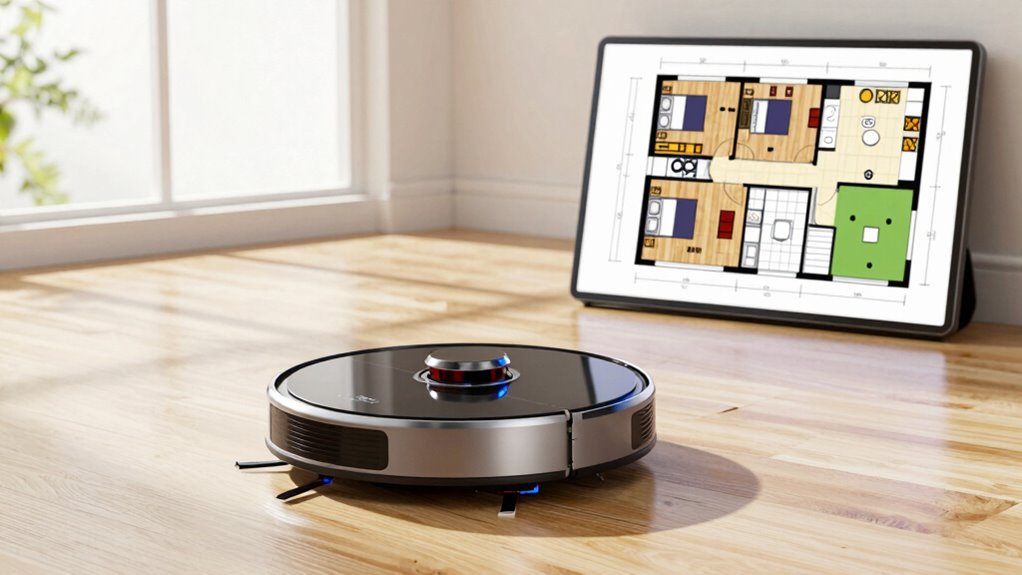

To get accurate maps faster with your robot vacuum, start by clearing clutter and removing small obstacles like cords. Rearrange furniture temporarily to create clear pathways, allowing sensors to capture data more efficiently. Make sure your sensors are clean, properly calibrated, and unobstructed. Using high-quality sensors and keeping firmware updated also improves mapping speed and accuracy. For more tips on optimizing your robot’s navigation, keep following this guide to facilitate even better results.
Get ready for Prime Big Deal Days — try Prime free
Exclusive member deals on October 6–7, plus fast free delivery. Cancel anytime.
As an affiliate, we earn on qualifying purchases.
Key Takeaways
- Remove clutter and rearrange furniture during initial mapping to create clear pathways for sensors.
- Calibrate and clean sensors regularly to ensure accurate obstacle detection and environment perception.
- Use high refresh rate sensors and ensure unobstructed views for faster, more reliable data collection.
- Enable SLAM and sensor fusion features to update maps in real-time and improve navigation accuracy.
- Keep the environment consistent and avoid sudden furniture changes during mapping for stable results.
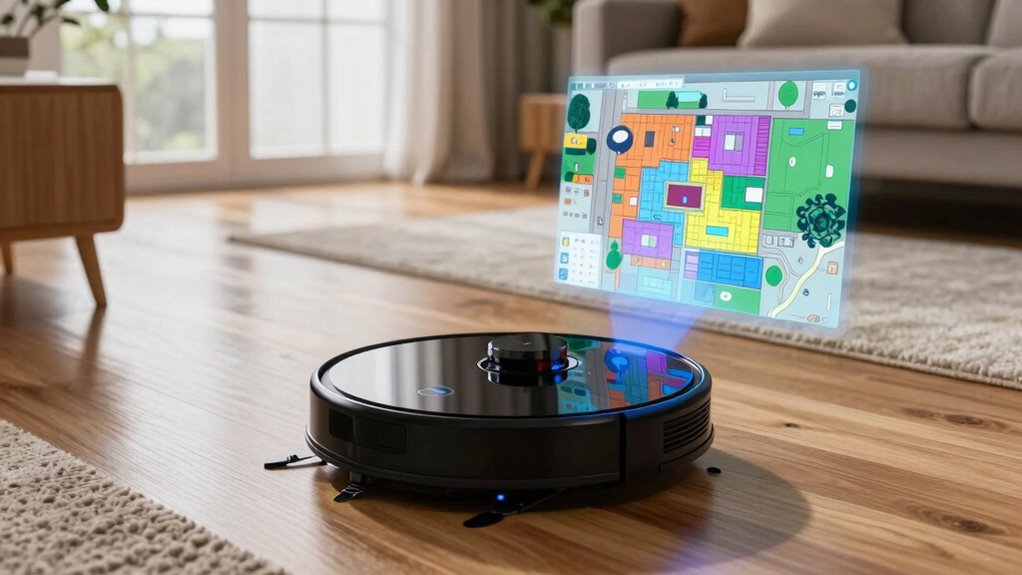
Navigation challenges typically stem from complex room layouts, clutter, and changes in furniture placement. Robots often struggle with tight spaces, narrow corridors, or areas filled with cords and small objects. These obstacles can confuse the device, causing it to miss spots or get stuck, which prolongs the mapping process. Additionally, reflective surfaces like mirrors or glass can interfere with sensors, making it harder for the robot to perceive its environment accurately. To improve mapping speed, some models incorporate high refresh rates in their sensor systems, allowing for faster data collection and processing. Sensor technologies are the backbone of effective mapping. Most modern robot vacuums use a combination of lidar (light detection and ranging), cameras, infrared sensors, and bump sensors to create and update their maps. Lidar, in particular, is highly effective for fast, precise mapping because it uses laser beams to measure distances to surrounding objects. This allows the robot to quickly generate a detailed layout of your space, even in low-light conditions. Cameras add visual context, helping the robot recognize specific features or obstacles, which improves navigation in dynamic environments where furniture or objects move over time.
To get accurate maps faster, it’s essential to optimize how these sensors work together. For instance, ensuring your robot has a clear, unobstructed path during initial setup can help sensors gather data more efficiently. Removing clutter from rooms and rearranging furniture temporarily during the mapping process can reduce navigation challenges. Many robots also use simultaneous localization and mapping (SLAM) technology, which constantly updates the map as the robot moves. Properly calibrating the sensors and ensuring they’re clean and unobstructed enhances their ability to detect obstacles accurately, reducing the chances of missed spots or repeated passes.
Furthermore, some models feature advanced sensor fusion algorithms that combine data from multiple sensors to improve accuracy. This multi-sensor approach helps the robot navigate more confidently, even in tricky areas like corners or cluttered spaces. Regular updates and firmware improvements from manufacturers also help address known navigation challenges by refining how sensors interpret the environment.
As an affiliate, we earn on qualifying purchases.
Frequently Asked Questions
Can Robot Vacuums Map Multi-Story Homes Effectively?
Yes, robot vacuums can effectively map multi-story homes if they support multi-story navigation and obstacle detection. You should move the device between floors carefully, ensuring it recognizes each level. Use features like virtual boundaries to prevent accidental falls or collisions. Regularly update the maps and perform multiple cleaning runs to improve accuracy. With good obstacle detection, your robot can adapt to various obstacles across different stories, making cleaning more efficient.
How Do Obstacles Like Rugs Affect Mapping Accuracy?
Did you know that rug interference can cause up to a 30% decrease in mapping accuracy? Rugs often interfere with obstacle detection, making it harder for your robot vacuum to create precise maps. To improve accuracy, keep rugs clear of debris and make sure your vacuum’s sensors are clean. Using models with advanced obstacle detection helps your robot navigate better around rugs, leading to more accurate and faster mapping results.
Do Different Brands Use Compatible Mapping Technologies?
Yes, different brands often use compatible mapping technology, but compatibility varies. Some brands utilize lidar, while others rely on cameras or ultrasonic sensors. To guarantee smooth operation, check if the mapping technology aligns with your device and if the brand supports compatibility features. This way, you can maximize your robot vacuum’s mapping accuracy and avoid issues caused by incompatible mapping technology. Always review product specs for brand compatibility details.
How Often Should Mapping Updates Be Performed?
You should perform mapping updates regularly to keep your robot vacuum’s map precise. Aim for a monthly update schedule, especially if your home layout changes or furniture is moved. Frequent mapping ensures your vacuum navigates efficiently and avoids obstacles. Keep an eye on your device’s prompts for automatic updates or manually initiate a new mapping session when needed. This way, your vacuum maintains peak performance with up-to-date maps.
Can I Customize or Edit the Robot’s Map Manually?
Yes, you can customize or edit your robot’s map manually. Most advanced models allow manual adjustments and map editing through their app, letting you add or remove obstacles, define no-go zones, or reorganize room layouts. To do this, simply open the app, select the map, and use the editing tools provided. Manual adjustments help improve cleaning efficiency and ensure the map accurately reflects your space.
As an affiliate, we earn on qualifying purchases.
Conclusion
By following these tips, you’ll see your robot vacuum map your home with precision and speed. Think of it as guiding a trusty compass through uncharted territory—every step bringing you closer to a cleaner, smarter space. With patience and the right setup, you’ll turn chaos into order faster than you imagined. Soon, your home will be a perfectly choreographed dance of technology and tidiness, making everyday life feel like a gust of fresh air.
robot vacuum sensor calibration kit
As an affiliate, we earn on qualifying purchases.
As an affiliate, we earn on qualifying purchases.
robot vacuum obstacle detection sensors
As an affiliate, we earn on qualifying purchases.
As an affiliate, we earn on qualifying purchases.
NFL season / tailgating Picks
team gear
As an affiliate, we earn on qualifying purchases.