

You probably feel like work begins before your official hours because of constant email notifications and unclear boundaries. When emails ping at all hours, it’s easy to check and respond, making work feel ongoing. Without designated times or filters, your inbox becomes overwhelming, reinforcing the sense that you’re always on. If you’re curious about how setting digital boundaries can help you regain control and reduce stress, there’s more to uncover below.
Key Takeaways
- Constant notifications and the expectation to respond immediately create a perception that work begins before official hours.
- Overwhelming inboxes and cluttered messages make it feel like there’s always more work to do.
- Lack of clear boundaries leads to checking emails early or late, blurring work-life separation.
- The psychological pressure to stay connected heightens stress, making email feel like an extension of work.
- Without designated times for email management, work-related tasks can spill into personal time, intensifying the feeling of early work.
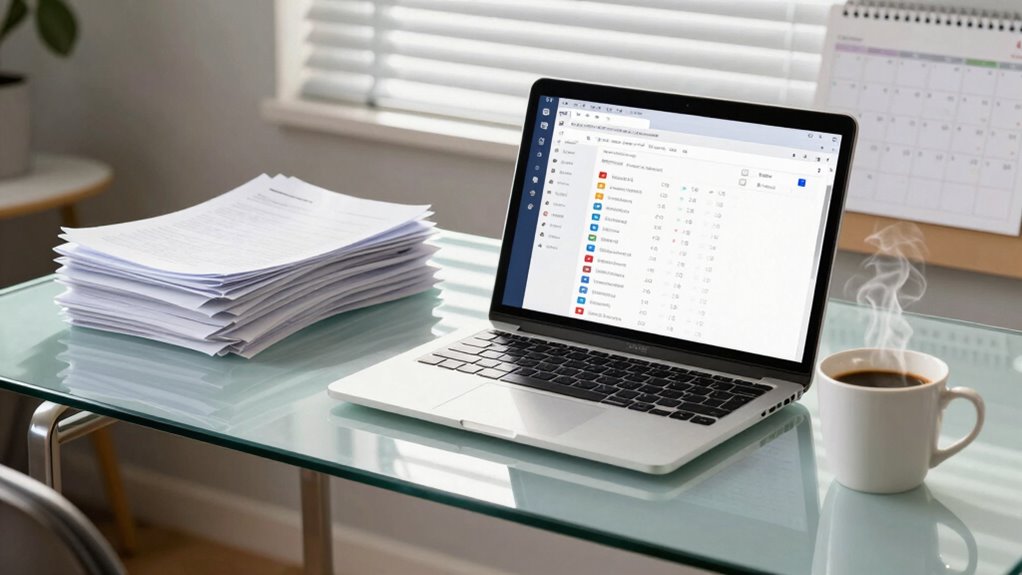
Email has become an essential tool for communication in the modern workplace, enabling quick and efficient exchanges of information. But that convenience often comes with a hidden cost: it can make work feel like it starts before you even step into the office. One major reason is the challenge of establishing digital boundaries. When your inbox is constantly pinging with new messages, it’s hard to draw the line between work time and personal time. You may find yourself checking emails early in the morning or late at night, blurring the lines that separate your professional and personal lives. This ongoing connectivity creates an expectation that you’re always available, which makes the act of checking and responding feel more like an extension of your workday rather than a task confined to designated hours.
A significant contributor to this feeling is how inbox management influences your perception of workload. When your inbox is cluttered or overwhelming, every new message seems like an urgent demand, prompting you to prioritize and respond immediately. The constant influx of emails can give the illusion that work is never done, causing you to start your day already behind. Without clear boundaries, you might spend extra time trying to organize or filter messages, which adds to the sense of work extending beyond normal hours. Managing your inbox effectively isn’t just about keeping things tidy; it’s about reclaiming control over your time and reducing stress. Setting specific times to check emails, turning off notifications outside those windows, and using filters to prioritize important messages can help you create a healthier digital boundary. Additionally, understanding the role of digital boundaries in work-life balance can motivate you to implement these strategies more consistently. Recognizing how healthy boundaries support mental well-being can further reinforce the importance of this practice. Establishing these boundaries also helps to prevent digital fatigue, which is increasingly common in today’s connected world. Being aware of the psychological impact of constant connectivity can help you recognize when your digital habits are affecting your mental health and motivate change.
This proactive approach to inbox management can shift your mindset, making your workday feel more contained and manageable. Instead of reacting impulsively to every new email, you become more intentional with your responses. As a result, you start to see email not as a never-ending chore but as a tool that serves your productivity, not controls it. When you set firm digital boundaries, you prevent email from creeping into your personal life and eroding your work-life balance. This allows you to start your workday with a clear focus, instead of feeling overwhelmed by an overflowing inbox. Ultimately, mastering inbox management and establishing digital boundaries is key to transforming email from a source of stress into a productive asset, helping you feel more in control and reducing the feeling that work begins before your actual work hours start. Understanding the importance of digital boundaries can significantly improve your overall work experience.
As an affiliate, we earn on qualifying purchases.
Frequently Asked Questions
How Can I Reduce Email Overload Effectively?
To reduce email overload effectively, focus on email management strategies like setting specific times to check your inbox and turning off notifications. Practice inbox organization by creating folders, labels, and filters to prioritize important messages. Unsubscribe from unnecessary mailing lists and delete or archive emails promptly. This approach helps you stay focused, minimizes distractions, and keeps your inbox manageable, so you spend less time on emails and more on meaningful work.
What Are the Best Tools to Manage Work Emails?
Think of your email tools as your modern-day Excalibur in the quest for inbox mastery. Apps like Spark, Outlook, or Superhuman help you master email etiquette and keep your inbox organized, so you spend less time sorting and more time focusing. Features like smart sorting, snoozing, and quick replies streamline your workflow, making managing emails feel less like work and more like wielding a powerful tool for productivity.
Why Do Some Emails Cause More Stress Than Others?
Some emails cause more stress because they trigger email anxiety and contribute to inbox clutter. When you see urgent or unclear messages, your mind races, making you worry about deadlines or mistakes. The constant influx of unread emails fuels overwhelm, increasing stress levels. To reduce this, set aside specific times to check emails, prioritize important messages, and declutter your inbox regularly, helping you regain control and lower anxiety.
How Does Email Impact Long-Term Productivity?
Email is like a leaking faucet that wears down your productivity over time. It contributes to long-term productivity issues by fueling email fatigue and inbox clutter, which drain your focus and energy. Constant interruptions make it harder to complete deep work, leading to burnout. To improve, set boundaries for checking emails and organize your inbox regularly. This helps you regain control, stay focused, and sustain productivity over the long haul.
What Are Alternative Communication Methods to Email?
You can use instant messaging apps like Slack or Microsoft Teams for quick, real-time conversations, reducing email overload. Video conferencing tools such as Zoom or Google Meet facilitate face-to-face interactions, making discussions more engaging and efficient. These alternatives help streamline communication, boost collaboration, and minimize the feeling of work before work, allowing you to focus on tasks without the delay and formality often associated with email.
As an affiliate, we earn on qualifying purchases.
Conclusion
Email can feel like a never-ending to-do list, much like trying to catch water with a sieve. But understanding that it’s not just about the messages, but how we approach them, can change everything. When you set boundaries and prioritize, email becomes a tool, not a burden. Remember, you’re the captain of your ship—steer it wisely and avoid letting inbox chaos sink your day before it even starts.
As an affiliate, we earn on qualifying purchases.
productivity apps for email organization
As an affiliate, we earn on qualifying purchases.
As an affiliate, we earn on qualifying purchases.