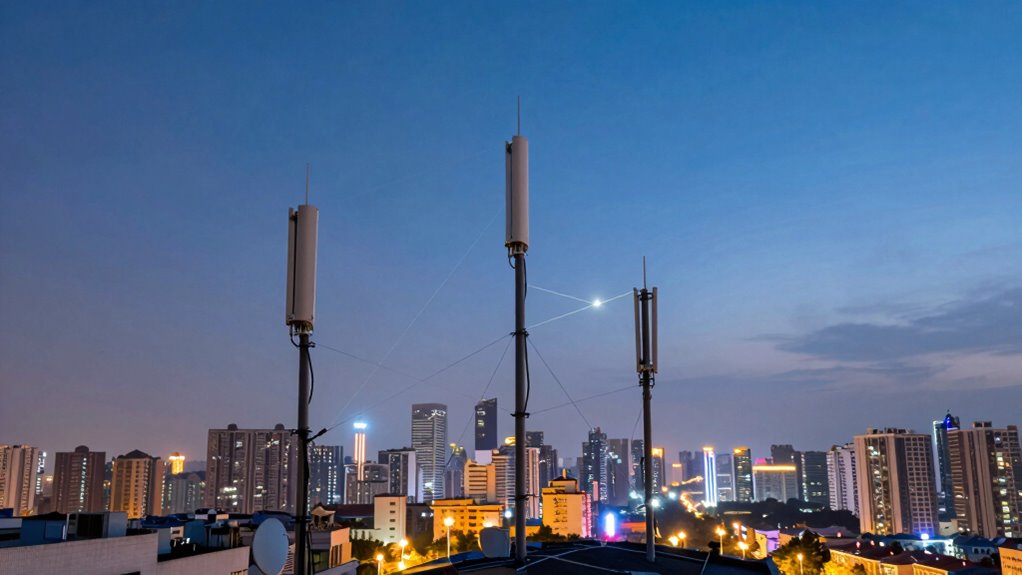

Backhaul in a mesh network is the connection that links all the different nodes together and to the internet. It’s like the main highway that helps data travel smoothly across the network. If this link isn’t strong or fast enough, your internet can slow down or become unstable. It’s pretty important for keeping your Wi-Fi reliable and quick, especially when many devices are active. Stick with us, and you’ll see how this all makes your network better.

Prime made for students and young adults
- Fast, free delivery for dorm and study essentials
- Prime Video and Amazon Music included
- Member-only deals
Key Takeaways
- Backhaul connects the mesh network nodes to the internet, enabling data to flow between devices and the wider web.
- Good backhaul ensures the whole network runs smoothly, preventing slowdowns and connection drops.
- It helps extend coverage by linking multiple nodes, making sure data moves quickly across the network.
- Strong backhaul reduces delays, making online activities faster and more reliable, even with many devices.
- The quality of backhaul directly affects how well the network performs for users.

Have you ever wondered how large-scale wireless networks stay connected and reliable? It all comes down to the backhaul—an essential part of the network that links the local wireless devices to the core internet infrastructure. Think of it as the highway that carries all the data traffic from your devices to the broader network. Without a strong backhaul, your connection can slow down, stutter, or even drop entirely. This is especially true when it comes to mesh networks, where multiple nodes communicate with each other to extend coverage. The quality of the backhaul directly impacts wireless latency, which is the delay in data transmission, and bandwidth optimization, ensuring that enough data flows through without bottlenecks.
A strong backhaul is key to fast, reliable wireless connections and optimal network performance.
When your network has a solid backhaul, data moves smoothly between devices and the internet. If the backhaul isn’t up to par, you’ll notice increased wireless latency—those frustrating delays when pages take forever to load or videos buffer endlessly. That’s because the backhaul bottleneck causes data packets to pile up, making everything feel sluggish. To prevent this, network architects focus on bandwidth optimization, which means making the most of available capacity. They do this by prioritizing critical traffic, balancing load across multiple links, and reducing unnecessary data transfers. These strategies help keep latency low and ensure your devices get the data they need quickly. Additionally, a robust backhaul infrastructure is vital for supporting emerging technologies like 5G and the Internet of Things, which demand higher speeds and lower latency. Understanding backhaul capacity also helps explain why some networks can better handle high-demand scenarios without degradation.
In a mesh network, each node acts as both a device and a relay point, passing data along to other nodes. This setup creates redundancy and wider coverage, but it also demands a reliable backhaul to prevent slowdowns. If the backhaul is weak or congested, even the smartest mesh can’t perform well. That’s why service providers and network designers pay close attention to how they connect the backhaul—whether it’s fiber, microwave links, or other high-capacity options. They aim to maximize bandwidth and minimize wireless latency, ensuring rapid, reliable data flow across the entire network. Additionally, understanding the backhaul’s capacity helps explain why some networks perform better than others in crowded environments or during high usage periods. Maintaining a high-capacity backhaul is crucial for optimizing overall network performance.
Ultimately, understanding what backhaul means in the context of mesh networks helps you see why your internet experience can vary. A well-optimized backhaul guarantees that your connection remains fast, stable, and responsive, even when many devices are competing for bandwidth. By focusing on reducing wireless latency and making the most of available bandwidth, network providers create a seamless online environment where your data travels swiftly from device to internet, keeping you connected without interruption. Recognizing the importance of backhaul infrastructure can help you better appreciate the factors that influence your network’s reliability and speed.
As an affiliate, we earn on qualifying purchases.
Frequently Asked Questions
How Does Backhaul Impact Overall Network Speed?
Backhaul directly impacts your network speed by affecting signal interference and bandwidth optimization. When the backhaul connection is strong, it minimizes interference and guarantees data flows smoothly between mesh nodes, boosting overall speed. Conversely, a weak backhaul can cause bottlenecks, slowing down your internet. To get the best speed, make certain your backhaul is reliable and optimized, reducing interference and maximizing bandwidth for seamless connectivity.
Can Backhaul Improve Wi-Fi Coverage in Large Homes?
Yes, backhaul can improve Wi-Fi coverage in large homes. While interference management may cause occasional signal issues, an effective backhaul creates signal redundancy, ensuring consistent connectivity across all areas. By linking mesh nodes efficiently, it reduces dead zones and boosts overall coverage. This setup helps maintain strong, reliable Wi-Fi signals, even in big spaces, making your internet experience smoother and more dependable throughout your entire home.
What Are the Costs Associated With Different Backhaul Types?
The costs of backhaul types vary based on security and scalability needs. Wired backhaul, like Ethernet, costs more upfront but offers strong security and scalability. Wireless backhaul, such as Wi-Fi or LTE, is cheaper initially but may require ongoing upgrades for security and expansion. You should consider your home’s size and future growth, balancing initial investment against long-term performance and security needs to choose the best option.
How Do Mesh Networks Handle Multiple Backhaul Connections?
Imagine a busy city with multiple roads connecting different neighborhoods. In a mesh topology, your network uses several backhaul connections, like these roads, to keep traffic flowing smoothly. When one road is blocked, traffic reroutes through another, ensuring signal redundancy. This way, your network stays reliable, effortlessly handling multiple backhaul connections, just like a city with many routes keeps moving even when some roads are closed.
Is Wired Backhaul More Reliable Than Wireless?
Wired backhaul, especially using fiber optics, is generally more reliable than wireless because it’s less prone to signal interference. Fiber optics provide a stable, high-speed connection that helps your mesh network maintain consistent performance. Wireless backhaul can be affected by obstacles and interference from other devices, which may cause slowdowns or disconnects. So, if you want maximum reliability, wired fiber optics backhaul is the better choice.
fiber optic backhaul for mesh Wi-Fi
As an affiliate, we earn on qualifying purchases.
As an affiliate, we earn on qualifying purchases.
Conclusion
Now you know the crucial role backhaul plays in mesh networks, ensuring signals seamlessly soar from node to node. Without this backbone, your network could falter, feeling sluggish or sparse. By understanding the backbone behind the scenes, you grasp how your devices stay connected, confident, and cruising. Remember, a strong, steady backhaul builds a better, bigger, and more reliable mesh network—making your digital world work smoothly and silently behind the scenes.
wireless microwave link for network backhaul
As an affiliate, we earn on qualifying purchases.
As an affiliate, we earn on qualifying purchases.
mesh network node with high capacity backhaul
As an affiliate, we earn on qualifying purchases.
As an affiliate, we earn on qualifying purchases.
Fall Picks
fall essentials
As an affiliate, we earn on qualifying purchases.