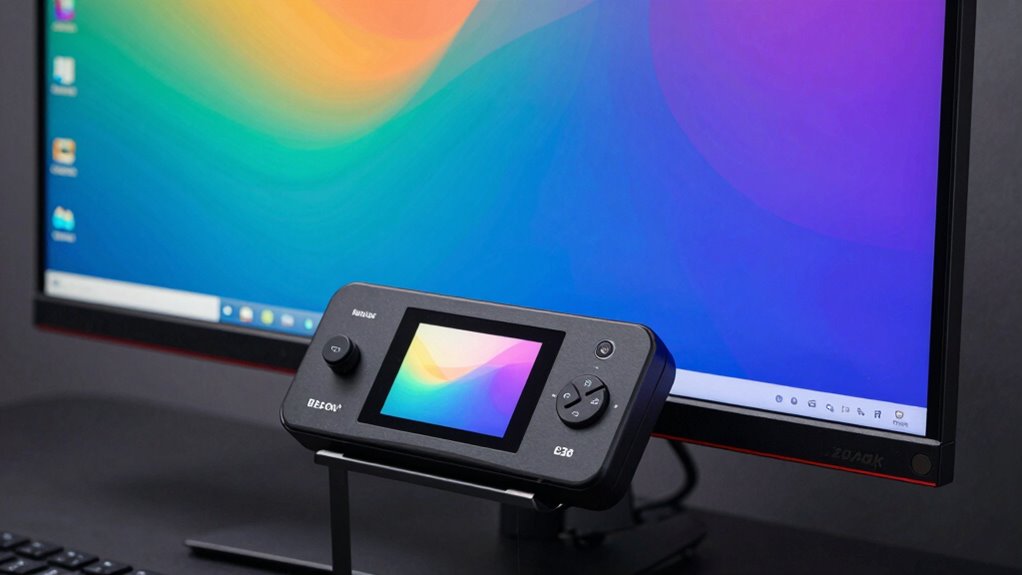
When it comes to achieving accurate color on your display, a dedicated monitor color calibrator is essential. The Calibrite Display 123 stands out as the best overall choice for its precision and ease of use, while the Datacolor SpyderX Pro offers excellent value for those on a budget. For professionals demanding top-tier accuracy, the ASUS ProArt CaliContrO MCA02 provides advanced calibration features. The main tradeoffs involve balancing cost, ease of use, and calibration accuracy. Keep reading for a detailed breakdown of the best options for every need.

Prime made for students and young adults
- Fast, free delivery for dorm and study essentials
- Prime Video and Amazon Music included
- Member-only deals
Key Takeaways
- The top calibrators excel in color accuracy, but price varies widely based on feature set.
- Ease of use and software compatibility are critical for beginners, with some models offering guided calibration.
- Professional-grade tools tend to offer spectrophotometers, providing higher precision at a premium cost.
- Compatibility with different display types, like OLED or Mini LED, influences choice, especially for high-end monitors.
- Price-to-performance ratio is key; the best value models deliver reliable calibration without unnecessary extras.
| Calibrite Photo Kit with Display Pro HL Monitor Calibration Colorimeter and ColorChecker Passport Photo 2 |  | Best for Professional Photo Workflow Integration | Product Dimensions: 7.5 x 2.8 x 7.5 inches | Item Weight: 13.1 ounces | Includes: Colorimeter, ColorChecker Passport Photo 2, PROFILER software | VIEW ON AMAZON | See Our Full Breakdown |
| Calibrite ColorChecker Display Pro Color Calibration Tool (CCDIS3) |  | Best for Versatile Display Profiling Across Multiple Devices | Weight: 0.14 kg | Dimensions: 5.5″D x 2.2″W x 7.5″H | Connectivity: USB, Bluetooth | VIEW ON AMAZON | See Our Full Breakdown |
| Datacolor SpyderExpress Monitor Calibrator |  | Best for Entry-Level Calibration and Quick Results | Calibration Time: Approximately 90 seconds | Displays Supported: Up to 3 | Display Compatibility: Standard, mini-LED, OLED (via upgrade) | VIEW ON AMAZON | See Our Full Breakdown |
| Calibrite Display 123 Monitor Calibration Colorimeter for Photo Editing and Color Accurate Viewing |  | Best for Beginners and Quick, Accurate Calibration | Connection: USB-C | Supported Displays: Up to 2 | Dimensions: Approx. 34mm tall x 37mm diameter | VIEW ON AMAZON | See Our Full Breakdown |
| Calibrite Display Pro HL Monitor Calibration Colorimeter |  | Best for HDR and High-Luminance Display Professionals | Max Luminance Measurement: 3000 nits | Display Compatibility: LCD, mini-LED, OLED, XDR, projectors | Software: Calibrite PROFILER | VIEW ON AMAZON | See Our Full Breakdown |
| Datacolor Spyder4Pro Colorimeter for Display Calibration |  | Best Overall for Professional Creatives | Sensor Type: Full-spectrum seven-color sensor | Calibration Features: Color and brightness calibration, ambient light adjustment | Compatibility: Multiple displays including monitors, laptops, iPads, iPhones | VIEW ON AMAZON | See Our Full Breakdown |
| Datacolor SpyderPro Monitor Calibrator & Screen Color Calibration Tool |  | Best for Versatile Multi-Display Support | ASIN: B0DDYHHRWF | Model: SP2024PRO | Dimensions: 2.99 x 2.99 x 0.5 inches | VIEW ON AMAZON | See Our Full Breakdown |
| Calibrite ColorChecker Studio Spectrophotometer with ColorChecker Classic Mini |  | Best All-in-One Color Management System | ASIN: B0973JVF85 | Model: CCSTUDIO | Dimensions: 5 x 4 x 2 inches | VIEW ON AMAZON | See Our Full Breakdown |
| Calibrite Video Photo Kit with Display Plus HL Colorimeter and ColorChecker Passport Video 2 |  | Best for High-Brightness Display Workflows | Max Measured Luminance: 10,000 nits | Includes: Display Plus HL colorimeter, 4 targets | Supported Devices: Mini-LED, OLED, Apple XDR | VIEW ON AMAZON | See Our Full Breakdown |
| Calibrite Creator Kit – Display 123 Colorimeter & ColorChecker Passport Video 2 |  | Best for On-Set and Post-Production Color Consistency | Model: CC123-PPV2 | Package Dimensions: 7.4 x 5.63 x 2.83 inches | Item Weight: 0.005 ounces | VIEW ON AMAZON | See Our Full Breakdown |
| Datacolor Spyder Monitor Calibrator & Screen Color Calibration Tool |  | Best Overall for Versatile, Fast Calibration | Dimensions: 3 x 3 x 2 inches | Weight: 5 ounces | Batteries: 1 nonstandard battery | VIEW ON AMAZON | See Our Full Breakdown |
| Datacolor Spyder X Pro Monitor Calibrator |  | Best for User-Friendly, Multi-Display Calibration | Color Engine: Lens-based | Calibration Targets: 12 predefined | Compatibility: Multiple monitors and laptops | VIEW ON AMAZON | See Our Full Breakdown |
| Calibrite Display Plus HL Monitor Calibration Colorimeter for Mini LED, OLED and Super Bright Displays |  | Best for HDR and High-Luminance Workflows | Max Luminance: 10,000 nits | Display Compatibility: LCD, mini LED, OLED, Apple XDR, projectors | Software: Calibrite PROFILER | VIEW ON AMAZON | See Our Full Breakdown |
| ASUS ProArt CaliContrO MCA02 3-in-1 Colorimeter – Professional Color Calibrator |  | Best for All-in-One Professional Calibration | Max Brightness: 10,000 nits | Functions: Colorimeter, OSD control, ASUS Dial | Connectivity: Reversible USB-C | VIEW ON AMAZON | See Our Full Breakdown |
More Details on Our Top Picks
Calibrite Photo Kit with Display Pro HL Monitor Calibration Colorimeter and ColorChecker Passport Photo 2
This kit stands out for photographers and photo editors who need precise color management from capture to display. It combines a high-luminance calibration device with a ColorChecker Passport for consistent camera profiling, making it ideal for workflows involving HDR and high-end displays like OLED and Apple XDR. Compared with the Calibrite Display Pro, this kit offers more comprehensive camera profiling tools, but it requires more technical knowledge and is priced higher, making it less suited for casual users. The included software allows for customizable presets, ensuring tailored color accuracy across various workflows.
Pros:- Supports accurate calibration for modern high-luminance displays like OLED and XDR
- Includes tools for custom camera profiling and RAW workflow consistency
- Offers software with flexible preset options for precise control
Cons:- Technical complexity may be challenging for beginners
- Higher cost compared to simpler calibrators, which could deter casual users
Best for: Professional photographers and high-end retouchers who demand seamless color consistency from camera to monitor
Not ideal for: Casual hobbyists or users with basic calibration needs who may find the advanced features and price point overwhelming
- Product Dimensions:7.5 x 2.8 x 7.5 inches
- Item Weight:13.1 ounces
- Includes:Colorimeter, ColorChecker Passport Photo 2, PROFILER software
- Supports:HDR, OLED, Apple XDR
- Calibration Features:Custom camera profiles, white balance, consistent color
- Compatibility:Modern displays, RAW workflows
Our verdict“This kit suits professional photographers needing comprehensive color management across capture and display, despite its higher complexity and price.”
Calibrite ColorChecker Display Pro Color Calibration Tool (CCDIS3)
The Calibrite ColorChecker Display Pro is a versatile choice for users managing multiple display types, including LCDs, mini-LEDs, and projectors. Its optical design ensures high repeatability, and the rotatable diffuser arm doubles as an ambient light sensor, making it suitable for color-critical environments. Compared with the Calibrite Display 123, this device offers broader compatibility and additional features like projector profiling, but it has a steeper learning curve due to its software interface. The integrated tripod mount facilitates use with larger projection setups, making it ideal for both studio and presentation settings.
Pros:- Highly repeatable and consistent across multiple display types
- Flexible diffuser arm functions as stand, ambient light meter, and lens cover
- Supports projector profiling with tripod compatibility
Cons:- Learning curve for the software interface can be steep for newcomers
- No explicit warranty information may concern some buyers
Best for: Photographers, designers, and videographers working across various display types and projection environments
Not ideal for: Beginners or casual users who prefer straightforward calibration tools with minimal setup complexity
- Weight:0.14 kg
- Dimensions:5.5″D x 2.2″W x 7.5″H
- Connectivity:USB, Bluetooth
- Features:Ambient light measurement, projector profiling
- Compatibility:All common display types, projectors
- Included Software:ccProfiler / i1Profiler
Our verdict“This device excels in multi-display environments where consistent color across various screens and projectors is vital, though it demands a bit more setup and familiarity with calibration software.”
Datacolor SpyderExpress Monitor Calibrator
The SpyderExpress is designed for users seeking fast, straightforward calibration without complicated setup. It supports the latest displays, including MacBook Liquid Retina XDR mini-LED screens, and calibrates up to three displays simultaneously, making it suitable for small studios or multi-monitor setups. Compared to higher-end models like the Calibrite Display 123, it offers a simplified process and fewer advanced options, which might limit precision for highly critical color work. Its quick calibration time—around 90 seconds—makes it appealing for users who prioritize speed over extensive customization.
Pros:- Fast calibration process (~90 seconds)
- Supports multiple displays for multi-monitor workstations
- Simplified workflow ideal for beginners or quick adjustments
Cons:- Limited advanced features and customization options
- Supports OLED and mini-LED only with paid software upgrades
Best for: Photographers and designers needing quick, reliable calibration for multiple displays without advanced features
Not ideal for: Professionals requiring detailed color validation, uniformity, or HDR calibration, as it lacks advanced tools
- Calibration Time:Approximately 90 seconds
- Displays Supported:Up to 3
- Display Compatibility:Standard, mini-LED, OLED (via upgrade)
- Supported Software:Included with upgrade options
- Connectivity:USB
- Supports:Basic display calibration
Our verdict“This calibrator fits users who want speedy, multi-display calibration with minimal fuss, but it lacks the depth needed for critical color workflows.”
Calibrite Display 123 Monitor Calibration Colorimeter for Photo Editing and Color Accurate Viewing
The Display 123 offers a straightforward calibration process tailored for photographers and content creators who want quick, reliable results. Its guided 1-2-3 software makes it accessible for newcomers, and support for two displays allows some multi-monitor consistency. Compared to the Pro HL, it’s more compact and easier to use but lacks high-end features like high-brightness support and advanced validation tools. The built-in before/after comparison helps users verify calibration success easily, making it ideal for those new to color calibration or who need a simple, effective tool.
Pros:- Simple guided calibration with minimal setup
- Supports up to two displays for basic multi-monitor use
- Includes before/after comparison for verification
Cons:- Limited to entry-level features and display support
- Not suitable for high-brightness or HDR displays
Best for: Beginners, hobbyists, and small studio users seeking an easy-to-use calibration device
Not ideal for: Advanced professionals or HDR workflows requiring high luminance calibration and extensive validation tools
- Connection:USB-C
- Supported Displays:Up to 2
- Dimensions:Approx. 34mm tall x 37mm diameter
- Calibration Workflow:1-2-3 guided steps
- Features:Before/after comparison, adjustable positioning
- Supported Brightness Targets:Native or Photo
Our verdict“This device is ideal for those new to color calibration who prioritize ease of use and quick results over advanced features.”
Calibrite Display Pro HL Monitor Calibration Colorimeter
The Display Pro HL sets itself apart with its ability to measure and profile displays with luminance up to 3000 nits, making it especially suited for HDR workflows, mini-LED, OLED, and Apple XDR screens. Its software offers both Basic and Advanced modes, providing flexibility for different user skill levels—though the extensive features can be overwhelming for casual users. Compared to the Display 123, it provides much higher luminance support and validation tools, but that added capability comes with increased complexity and cost. It’s a solid choice for professionals working in high dynamic range environments who need precise, high-luminance calibration.
Pros:- Supports display luminance up to 3000 nits, ideal for HDR workflows
- Includes comprehensive software with validation, uniformity, and flare correction
- Supports multi-monitor calibration with shared presets
Cons:- Lacks real-world reviews to verify performance claims
- Advanced features may be too complex for casual users
Best for: HDR content creators, HDR monitor users, and professionals working with mini-LED or OLED displays
Not ideal for: Casual users or those with standard displays who won’t utilize high-brightness features or advanced software tools
- Max Luminance Measurement:3000 nits
- Display Compatibility:LCD, mini-LED, OLED, XDR, projectors
- Software:Calibrite PROFILER
- Connectivity:USB-C (with USB-A adapter)
- Dimensions:2.13″D x 2.6″W x 1.5″H
- Weight:4.8 ounces
Our verdict“This calibrator excels in high-end HDR environments where measuring very bright displays is necessary, though its complexity may deter less experienced users.”
Datacolor Spyder4Pro Colorimeter for Display Calibration
The Datacolor Spyder4Pro stands out for its full-spectrum seven-color sensor, offering high accuracy that appeals to photographers and creative professionals. Its ability to adapt to ambient lighting and support multiple devices—including monitors, laptops, and even iPads—makes it versatile for demanding workflows. Compared with the SpyderX Pro, the Spyder4Pro’s advanced color management features and ReCAL recalibration set it apart, though the latter’s interface can be complex for beginners. This tool’s professional-grade calibration ensures consistent, precise colors across varied displays, but its complexity and higher price may deter casual users or those with simple needs. The inclusion of monitor quality analysis and ambient light adjustment provides comprehensive control, though the setup may require some learning curve.
Pros:- High accuracy with full-spectrum seven-color sensor
- Supports multiple display types and devices
- Includes ambient light sensor for luminance optimization
- Recalibration feature simplifies ongoing adjustments
Cons:- Designed primarily for advanced users, which may be intimidating for newcomers
- Additional calibration for TVs requires an upgrade kit
- Price is not specified, potentially making it less accessible
Best for: Professional photographers and designers needing precise, consistent color calibration across multiple devices.
Not ideal for: Beginners or casual users who want a straightforward, plug-and-play calibration solution without advanced features.
- Sensor Type:Full-spectrum seven-color sensor
- Calibration Features:Color and brightness calibration, ambient light adjustment
- Compatibility:Multiple displays including monitors, laptops, iPads, iPhones
- Additional Tools:Monitor Quality Analysis (MQA)
- Design:Three-legged, sits flat on display
- Generation:Fourth-generation with double-shielded color filters
Our verdict“This pick is best for experienced users who require professional-level calibration with advanced features.”
Datacolor SpyderPro Monitor Calibrator & Screen Color Calibration Tool
The Datacolor SpyderPro excels in supporting a wide array of backlight types, including OLED and Mini LED, making it well-suited for high-end displays and professional workflows. Its support for unlimited gamma, whitepoint, and brightness settings provides extensive customization, and the USB-C connectivity simplifies setup for modern systems. In comparison to the SpyderX series, the SpyderPro offers more comprehensive compatibility and features like projector calibration and display analysis, but its reliance on a nonstandard battery can be inconvenient. This calibration tool is ideal for users managing multiple display types or working with projectors, yet it may be overkill for casual or single-monitor setups, especially given the need for a specific battery.
Pros:- Supports many display types including OLED and Mini LED
- Unlimited gamma, whitepoint, and brightness adjustments
- USB-C connection and multi-language software support
- Includes projector calibration and display analysis features
Cons:- Requires a nonstandard battery, adding inconvenience
- Limited user reviews may impact confidence in usability
Best for: Photographers, video editors, and professionals with diverse display environments needing flexible calibration options.
Not ideal for: Casual users with a single monitor or those seeking a straightforward, battery-free device.
- ASIN:B0DDYHHRWF
- Model:SP2024PRO
- Dimensions:2.99 x 2.99 x 0.5 inches
- Weight:5 ounces
- Connectivity:USB-C
- Supported OS:Windows 10/11, macOS 10.14–14
Our verdict“This tool is ideal for professionals managing a variety of high-end displays and projection systems needing detailed calibration.”
Calibrite ColorChecker Studio Spectrophotometer with ColorChecker Classic Mini
The Calibrite ColorChecker Studio offers a comprehensive approach, supporting calibration of monitors, projectors, printers, scanners, and cameras. Its adaptive iterative profiling enhances accuracy with repeated calibrations, making it suitable for demanding color workflows. The inclusion of ambient light measurement improves print-to-screen matching, a significant advantage over simpler calibrators. Compared with the Calibrite DisplayPro, the Studio’s broader device support and integrated profiling software cater to users needing multi-device consistency, though it involves a learning curve for effective operation. It’s a robust choice for those who want an all-in-one solution, despite its slightly higher complexity and cost.
Pros:- Supports monitors, printers, projectors, scanners, and cameras
- Adaptive iterative profiling improves accuracy over time
- Includes ambient light measurement for print matching
- Contains ColorChecker Classic Mini for camera profiling
Cons:- May have a steep learning curve for new users
- Requires understanding of profiling software for best results
Best for: Creative professionals working across multiple devices—cameras, printers, monitors—who need consistent color fidelity.
Not ideal for: Beginners or users with minimal color management needs, as the software and profiling process may be complex.
- ASIN:B0973JVF85
- Model:CCSTUDIO
- Dimensions:5 x 4 x 2 inches
- Weight:14.5 ounces
- Includes:ColorChecker Mini, USB cable, software
Our verdict“This is best for professionals seeking a versatile, all-in-one color calibration and profiling solution across multiple devices.”
Calibrite Video Photo Kit with Display Plus HL Colorimeter and ColorChecker Passport Video 2
The Calibrite Video Photo Kit is designed for creators working with extremely bright displays, supporting up to 10,000 nits, including mini-LED, OLED, and Apple XDR panels. Its capacity to calibrate high-luminance screens ensures accurate color and exposure control during professional video and photo production. The inclusion of the ColorChecker Passport Video 2 provides four reference targets for consistent capture and editing, streamlining post-production workflows. Compared to the Calibrite Creator Kit, this setup emphasizes high luminance support, making it a strong choice for on-set calibration. However, its software dependency and specialized nature mean it might be overkill for casual or less demanding environments.
Pros:- Supports extremely bright displays up to 10,000 nits
- Includes four reference targets for consistent capture and editing
- Complete workflow from calibration to post-production
- Protective case and accessories included
Cons:- Software download required adds setup time
- Limited reviews may reflect a niche user base
- Overkill for typical consumer use
Best for: Video and photo professionals working with high-brightness displays needing precise color and exposure matching from capture through editing.
Not ideal for: Casual users or those with standard displays who do not require calibration up to 10,000 nits.
- Max Measured Luminance:10,000 nits
- Includes:Display Plus HL colorimeter, 4 targets
- Supported Devices:Mini-LED, OLED, Apple XDR
- Software:Calibrite PROFILER
Our verdict“This kit suits high-end creators who need reliable calibration for very bright displays during professional production workflows.”
Calibrite Creator Kit – Display 123 Colorimeter & ColorChecker Passport Video 2
The Calibrite Creator Kit combines the reliable Display 123 colorimeter with the versatile ColorChecker Passport Video 2, targeting photographers and filmmakers who need consistent color management across capture and editing. Its workflow supports multi-camera matching, accurate exposure, and white balance, ensuring uniformity from set to post-production. Compared to the more comprehensive Studio model, this kit focuses on creators who want a straightforward, integrated solution for both on-set and editing environments. While it’s effective for professionals, its limited user reviews and calibration learning curve could challenge those new to color management.
Pros:- Supports both monitor calibration and on-set camera profiling
- Facilitates multi-camera color matching
- Enhances workflow efficiency and consistency
- Easy-to-use for those familiar with calibration processes
Cons:- Limited user reviews, potential uncertainty about long-term usability
- Requires learning calibration workflows, which may be complex for newcomers
Best for: Photographers and filmmakers requiring dependable on-set color control and post-production consistency.
Not ideal for: Beginners or hobbyists who prefer simple, out-of-the-box calibration without learning complex workflows.
- Model:CC123-PPV2
- Package Dimensions:7.4 x 5.63 x 2.83 inches
- Item Weight:0.005 ounces
- Includes:Colorimeter, 2 profiling targets
- Supported Uses:Monitor calibration, on-set camera matching
Our verdict“This kit is ideal for professionals seeking a combined solution for accurate display calibration and camera profiling during production and editing.”
Datacolor Spyder Monitor Calibrator & Screen Color Calibration Tool
The Datacolor Spyder stands out for its rapid calibration process, completing adjustments in about 90 seconds, making it ideal for professionals needing quick yet accurate results. Its support for a wide range of modern displays, including OLED, mini-LED, and Apple Liquid Retina XDR, sets it apart from simpler tools like the SpyderExpress, which lacks such advanced compatibility. The ambient light sensor automatically adjusts brightness and contrast based on room lighting, enhancing viewing accuracy without manual tweaking. While it excels in speed and versatility, it requires a nonstandard battery, adding a minor inconvenience. Compared to the Calibrite Display Plus HL, it offers less control over luminance and HDR workflows but remains a solid choice for everyday calibration needs. Best for professionals or enthusiasts who want fast, reliable calibration across multiple high-end display types without complex setup.Pros:- Fast calibration process, completing in about 90 seconds
- Supports a wide range of modern display types including OLED and mini-LED
- Ambient light sensor automatically adapts to room lighting conditions
- Suitable for both beginners and professionals with preset and customizable options
Cons:- Requires a nonstandard battery, which may be inconvenient to replace
- Limited manual control compared to higher-end professional tools
Best for: Creative professionals and advanced hobbyists who need quick, accurate calibration for a variety of high-end displays.
Not ideal for: Casual users or those who prefer plug-and-play simplicity with minimal setup, as it demands a nonstandard battery and some familiarity with calibration concepts.
- Dimensions:3 x 3 x 2 inches
- Weight:5 ounces
- Batteries:1 nonstandard battery
- Compatibility:Windows and Mac; OLED, mini-LED, Apple Liquid Retina XDR
- Calibration Time:Approximately 90 seconds
- First Available:September 7, 2024
Our verdict“This pick is best suited for users needing quick, versatile calibration for high-end displays without extensive manual adjustments.”
Datacolor Spyder X Pro Monitor Calibrator
The Datacolor Spyder X Pro makes calibration accessible through its straightforward, wizard-based workflow and quick setup, making it ideal for photographers and creatives managing multiple screens. Its lens-based color engine and 12 predefined calibration targets deliver high accuracy, comparable to the more advanced Calibrite Display Plus HL, but with a simpler interface. While it excels in ease of use and multi-device support, it falls short in advanced HDR workflows and ultra-bright display support, which tools like the Calibrite Display Plus HL handle better. Compared to the SpyderExpress, it offers more precise color control but at a higher price point. This device is perfect for users who want reliable, multi-monitor calibration with minimal fuss, but don’t need HDR or high-brightness support.Pros:- Highly accurate color calibration with lens-based engine
- Simple, wizard-based interface for easy operation
- Supports multiple monitors and devices
- Quick calibration and room-light monitoring
Cons:- Higher cost than basic or entry-level calibrators
- Setup may require some initial adjustment for optimal results
Best for: Photographers and content creators with multiple displays seeking straightforward, accurate color calibration.
Not ideal for: Professionals working in HDR or high-brightness workflows who require specialized calibration tools like the Calibrite Display Plus HL.
- Color Engine:Lens-based
- Calibration Targets:12 predefined
- Compatibility:Multiple monitors and laptops
- Features:Room-light monitoring, automatic profile changing
- Calibration Speed:Quick
- First Available:N/A
Our verdict“This is an excellent choice for users who need reliable, multi-display calibration without the complexity of professional-grade tools.”
Calibrite Display Plus HL Monitor Calibration Colorimeter for Mini LED, OLED and Super Bright Displays
The Calibrite Display Plus HL stands out for its ability to measure displays up to 10,000 nits, making it a top choice for HDR professionals and those working with super-bright screens. Its comprehensive PROFILER software provides both Basic and Advanced modes, giving precise control over white point, luminance, and gamma, surpassing simpler calibration tools like the Spyder X Pro in technical depth. Its support for broadcast standards such as Rec.709, BT.1886, and Rec.2020 makes it a strong candidate for video production and color grading. However, this depth of capability might be overkill for casual users or typical office use, and it requires compatible hardware and software to fully leverage its advanced features. Best suited for professionals working in HDR, broadcast, or high-luminance environments needing detailed calibration and validation.Pros:- Measures displays up to 10,000 nits, ideal for HDR workflows
- Full-featured PROFILER software with advanced controls
- Supports broadcast standards like Rec.709 and Rec.2020
- Includes validation and uniformity testing tools
Cons:- Overkill for casual or standard display calibration needs
- Requires compatible hardware and software to maximize features
Best for: Video editors, broadcast professionals, and HDR content creators requiring accurate luminance and broad standard support.
Not ideal for: Casual users or those with standard displays who don’t need high-luminance calibration or advanced validation features.
- Max Luminance:10,000 nits
- Display Compatibility:LCD, mini LED, OLED, Apple XDR, projectors
- Software:Calibrite PROFILER
- Connection:USB-C with USB-A adapter
- Standards:Rec.709, BT.1886, Rec.2020
- Includes:Travel pouch
Our verdict“This device is best for demanding professionals who need precise HDR calibration and extensive validation tools for high-end displays.”
ASUS ProArt CaliContrO MCA02 3-in-1 Colorimeter – Professional Color Calibrator
The ASUS ProArt CaliContrO MCA02 combines a colorimeter, display OSD control, and ASUS Dial into a single device, offering a comprehensive calibration solution that appeals to professionals who value convenience and efficiency. Its ability to measure up to 10,000 nits for HDR accuracy aligns with high-end display calibration standards. While this all-in-one approach simplifies the workflow, the device’s price and learning curve for the accompanying software may deter casual users. Compared with the Calibrite Display Plus HL, it offers a slightly more integrated experience but may lack some of the advanced validation and broadcast features. This makes it a solid choice for those wanting a multi-functional, professional-grade calibrator in one package. Best suited for professionals who want an integrated, versatile calibration tool with intuitive controls.Pros:- Calibrates up to 10,000 nits for HDR accuracy
- Includes display OSD control and ASUS Dial for quick adjustments
- Supports hardware and software calibration
- Reversible USB-C connection for versatile setup
Cons:- Higher cost may be prohibitive for casual users
- Software calibration involves a learning curve
Best for: Creative professionals and colorists seeking an all-in-one device for precise, HDR-capable calibration with display control features.
Not ideal for: Casual users or those with limited budgets who prefer simple, dedicated calibration devices without integrated display controls.
- Max Brightness:10,000 nits
- Functions:Colorimeter, OSD control, ASUS Dial
- Connectivity:Reversible USB-C
- Included Accessories:USB-C cable, quick start guide
- Calibration Type:Hardware and software
Our verdict“This device is ideal for professionals needing integrated, high-precision calibration and display control in a single package.”

How We Picked
These monitor color calibrators were evaluated based on calibration accuracy, ease of use, build quality, software support, and overall value. Priority was given to products that offer reliable, repeatable results suitable for both professionals and hobbyists. We also considered compatibility with various display types and the longevity of calibration stability. The ranking reflects a balance of performance and affordability, with an emphasis on tools that provide consistent, precise color correction over time.Factors to Consider When Choosing Monitor Color Calibrator
Choosing the right monitor color calibrator involves understanding several key factors that impact your workflow and results. Beyond basic features, it’s important to consider calibration accuracy, ease of use, and compatibility with your display setup. The right tool should match your skill level and the demands of your projects, whether casual photo editing or professional color grading. Carefully weighing these factors helps avoid common pitfalls like overpaying for unnecessary features or buying a device incompatible with your monitor.Calibration Accuracy and Spectrophotometers
Calibration accuracy is the core reason for investing in a color calibrator. Spectrophotometers provide the highest precision, especially useful for professional work where exact color matching matters. However, they tend to be more expensive and complex to operate. For most hobbyists and semi-professionals, colorimeters offer sufficient accuracy at a lower cost. Understanding your needs and the level of detail your projects require will guide you toward the right balance of precision and budget.
Ease of Use and Software Support
Intuitive software and straightforward calibration processes make a significant difference, especially for those new to color management. Look for calibrators that include guided workflows, clear instructions, and reliable software updates. A device with complicated setup or unreliable software can lead to inconsistent results and frustration. Consider models that offer user-friendly interfaces and robust support for your operating system, whether Windows or Mac.
Display Compatibility and Types
Not all calibrators work equally well with every display type. High-end displays like OLED, Mini LED, or HDR screens may require specific calibration tools to account for their unique characteristics. Some calibrators are optimized for certain panel types, ensuring better accuracy and longer calibration stability. Be sure to verify compatibility with your monitor’s technology to prevent ineffective calibration or the need for frequent re-calibration.
Cost Versus Features
Higher-priced calibrators often include advanced features such as spectrophotometry, multiple profiles, and wider color gamut support. However, for many users, a basic colorimeter provides ample accuracy at a more affordable price. Avoid paying for unnecessary extras if your workflow doesn’t demand them, but also consider that investing a bit more can pay off in longer-term reliability and precision—especially if your work depends on color accuracy.
Long-Term Maintenance and Calibration Stability
Calibration isn’t a one-time task; it requires regular updates to maintain accuracy. Choose a device with stable, reproducible results over time and good software support for easy re-calibration. Some tools include automatic reminders or calibration schedules, which help maintain color fidelity without hassle. Investing in a calibrator with proven long-term stability reduces the need for frequent replacements or costly recalibrations.
Frequently Asked Questions
How often should I calibrate my monitor?
The frequency of calibration depends on your usage and display type. For professional color work, calibrating weekly or bi-weekly is recommended to maintain accuracy. Hobbyists or casual users might find monthly calibration sufficient. If you notice color shifts or discrepancies, recalibrating sooner ensures your display remains consistent. Regular calibration helps prevent subtle color drifts from affecting your projects or viewing experience.
Can I use a color calibrator with multiple monitors?
Yes, most calibrators support multiple monitors, but each display may require individual calibration for optimal results. High-end calibration tools often allow saving profiles that can be applied quickly to other screens of similar type. Keep in mind that different display technologies or sizes may need separate calibration profiles, so plan accordingly. Properly calibrating each monitor ensures consistent color across your entire workspace.
Is a spectrophotometer better than a colorimeter?
Spectrophotometers generally offer higher accuracy and are preferred for professional color grading and printing workflows. They can measure a broader range of colors and provide more precise results. However, they tend to be more expensive and complex to operate. For most users, a high-quality colorimeter provides sufficient accuracy for everyday color correction tasks, making it a more practical choice for non-professionals.
Will a calibrator work with all monitor brands?
Most calibrators are compatible with a wide range of monitor brands and models, but it’s important to verify compatibility with your specific display type. Some high-end monitors with advanced technologies may require specialized calibration tools. Checking manufacturer specifications and user reviews can help determine if a particular calibrator will work well with your setup. Compatibility issues are rare but worth confirming, especially for high-end or niche displays.
Do I need to calibrate my display if I use a color-managed workflow?
Absolutely. Even with a color-managed workflow, calibrating your display ensures that the colors you see are accurate and consistent. Calibration aligns your monitor’s output with industry standards, which is critical for tasks like photo editing, video production, and printing. Without calibration, color management systems rely on a display’s default settings, which may not be accurate, potentially leading to color mismatches and quality issues.
Conclusion
For those new to color calibration or casual users, the Datacolor SpyderX Pro offers excellent ease of use and reliable results at a reasonable price. Professionals and serious editors will find the ASUS ProArt CaliContrO MCA02 provides advanced features and top-tier accuracy. If you seek the best overall, the Calibrite Display 123 balances precision and simplicity, making it suitable for most workflows. Budget-conscious buyers should consider the Datacolor SpyderExpress, while those requiring specialized tools should look at spectrophotometers like the Calibrite ColorChecker Studio. Matching your needs to these profiles ensures you get the right tool for your precision level and budget.
Halloween Picks
halloween
As an affiliate, we earn on qualifying purchases.