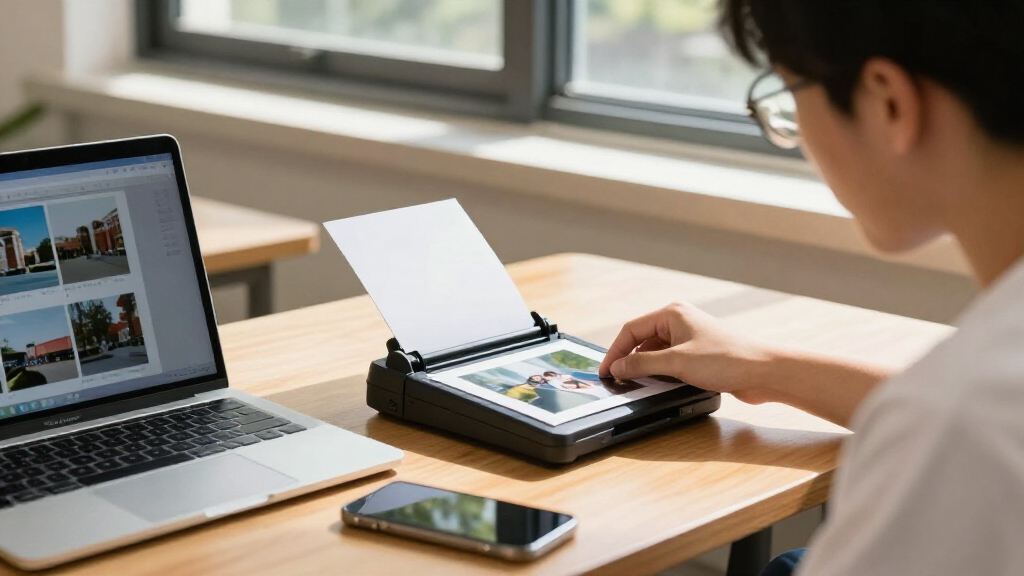
For students who need one scanner for photos, notes, and documents, I recommend the Canon CanoScan LiDE 400 as the best overall fit: its flatbed design avoids the hand-motion demands of wand scanners while staying slim enough for a desk or dorm. The Plustek ePhoto Z300 is a stronger match for scanning batches of prints, while the Epson WorkForce ES-50 suits students who mainly capture paperwork on the go. The key tradeoff is photo handling versus portability: flatbeds support careful, consistent scans but need a computer and a surface, while handheld models pack small yet rely on steady passes. Read on for the full breakdown of all 15 options and help matching one to your workload.

Prime made for students and young adults
- Fast, free delivery for dorm and study essentials
- Prime Video and Amazon Music included
- Member-only deals
Key Takeaways
- Flatbeds are the safer choice for keepsake photos: the Canon LiDE 400, Canon LiDE 300, and Epson Perfection V19 II hold prints in place, unlike wand scanners that can show streaks from uneven movement.
- The LiDE 400 stands out as the balanced pick: it combines a slim footprint with a 4800 dpi stated resolution, while the V19 II also lists 4800 dpi but is a less portable desk-style option.
- The Plustek ePhoto Z300 has a distinct batch-scanning role: its photo-focused feed workflow suits stacks of prints better than the compact document-first mobile scanners.
- Handheld models trade workflow simplicity for freedom: the MUNBYN, AOZBZ, Hczrc, and similar wand scanners can save scans to a memory card, but students need to guide each pass evenly and check image quality.
- Document-first portable scanners solve a different problem: the Epson ES-50 and Brother DS-640 are better suited to class papers and receipts than careful photo archiving, while the ScanSnap iX2500 is the more capable premium workflow choice rather than a minimal dorm carry.
| MUNBYN Portable Handheld Scanner, 900 DPI, A4, 16GB SD Card, Silver |  | Best for Scanning Fragile Photos | Maximum scan size: A4 | Scanning resolution: Up to 900 DPI | Color depth: 24 bits | VIEW LATEST PRICE | See Our Full Breakdown |
| Plustek ePhoto Z300 Photo and Document Scanner |  | Best for Scanning Photo Stacks | Optical resolution: Up to 600 dpi | Resolution settings: 300 dpi, 600 dpi | Sensor: CCD | VIEW LATEST PRICE | See Our Full Breakdown |
| MUNBYN Portable Handheld Wand Scanner, 900 DPI, A4, 16GB SD Card, Black |  | Best for Book Pages and Notes | Maximum scan size: A4 | Resolution settings: 300, 600, 900 dpi | Sensor: CIS | VIEW LATEST PRICE | See Our Full Breakdown |
| Portable A4 Color Document and Photo Scanner with 16GB SD Card |  | Best for Battery-Powered Portability | Scanner type: Portable handheld scanner | Resolution settings: 300, 600, 900 dpi | File formats: JPEG, PDF | VIEW LATEST PRICE | See Our Full Breakdown |
| Handheld A4 Portable Document Scanner, 300/600/900 DPI, JPEG/PDF, Includes 16GB SD Card, Blue |  | Best for a Lightweight Scan Kit | Maximum scan width: A4 (216 mm) | Resolution settings: 300, 600, 900 dpi | Color depth: 24 bits | VIEW LATEST PRICE | See Our Full Breakdown |
| Epson Perfection V19 II Flatbed Photo and Document Scanner, 4800 dpi |  | Best for Detailed Photo and Artwork Scans | Scanner type: Flatbed photo and document scanner | Optical resolution: 4800 dpi | Maximum scan size: 8.5 × 11.7 inches | VIEW LATEST PRICE | See Our Full Breakdown |
| ScanSnap iX2500 Photo Edition Wireless or USB High-Speed Scanner, Black |  | Best for High-Volume Photo Projects | Scanner type: Document, ID card, and insurance card scanner | Connectivity: Wi-Fi 6 and USB-C | Resolution: 600 dpi | VIEW LATEST PRICE | See Our Full Breakdown |
| AOZBZ 900DPI Handheld Portable Document Scanner |  | Best for Laptop-Free Scanning | Scanner type: Handheld document scanner | Resolution settings: 300, 600, or 900 dpi | Connectivity: USB 2.0 | VIEW LATEST PRICE | See Our Full Breakdown |
| Epson WorkForce ES-50 Portable Document Scanner |  | Best for Lightweight Document Scanning | Scanner type: Single-sheet-fed document scanner | Resolution: 1200 dpi | Connection and power: USB 2.0; USB-powered | VIEW LATEST PRICE | See Our Full Breakdown |
| Hczrc Portable Handheld Scanner with 16GB MicroSD Card |  | Best Battery-Powered Wand Option | Scanner type: Handheld receipt, photo, and document scanner | Resolution settings: 300, 600, or 900 dpi | File formats: JPEG and PDF | VIEW LATEST PRICE | See Our Full Breakdown |
| Canon CanoScan LiDE 400 Slim Document and Photo Scanner |  | Best for Detailed Photo Scans | Scanner type: Document and photo flatbed | Optical resolution: 4800 × 4800 dpi | Connection: USB Type-C | VIEW LATEST PRICE | See Our Full Breakdown |
| Canon CanoScan LiDE 300 Flatbed Scanner |  | Best for Simple Dorm-Desk Scanning | Scanner type: Document and photo flatbed | Optical resolution: 2400 × 2400 dpi | Connectivity: USB | VIEW LATEST PRICE | See Our Full Breakdown |
| HPPS100 Portable USB Document and Photo Scanner |  | Best for Lightweight Everyday Carry | Scanner type: Sheetfed document and photo scanner | Scanning: Simplex, one-sided | Scanning speed: Up to 15 pages per minute | VIEW LATEST PRICE | See Our Full Breakdown |
| AOZBZ Portable A4 Handheld Document Scanner, 300/600/900 DPI, JPG/PDF, with 16GB SD Card, Silver |  | Best for Scanning Away from a Computer | Scanner type: Handheld document scanner | Resolution settings: 300, 600, and 900 dpi | Output formats: JPEG and PDF | VIEW LATEST PRICE | See Our Full Breakdown |
| Brother DS-640 Compact Mobile Document Scanner |  | Best for Fast Class-Note Scanning | Scanner type: Compact mobile document and business-card scanner | Scan speed: Up to 16 pages per minute | Resolution: 300 dpi | VIEW LATEST PRICE | See Our Full Breakdown |
| portable photo scanners for student | Scanner type | Weight |
|---|---|---|
| MUNBYN Portable Handheld Scann | — | 0.44 lb (145 g) |
| Plustek ePhoto Z300 Photo and | — | 1.5 kg |
| MUNBYN Portable Handheld Wand | — | — |
| Portable A4 Color Document and | Portable handheld scanner | — |
| Handheld A4 Portable Document | — | About 0.31 lb |
| Epson Perfection V19 II Flatbe | Flatbed photo and document scanner | 3.1 pounds |
| ScanSnap iX2500 Photo Edition | Document, ID card, and insurance card scanner | — |
| AOZBZ 900DPI Handheld Portable | Handheld document scanner | — |
| Epson WorkForce ES-50 Portable | Single-sheet-fed document scanner | 9.44 ounces |
| Hczrc Portable Handheld Scanne | Handheld receipt, photo, and document scanner | — |
| Canon CanoScan LiDE 400 Slim D | Document and photo flatbed | 3.6 lb |
| Canon CanoScan LiDE 300 Flatbe | Document and photo flatbed | 3.6 lb |
| HPPS100 Portable USB Document | Sheetfed document and photo scanner | — |
| AOZBZ Portable A4 Handheld Doc | Handheld document scanner | About 0.31 lb |
| Brother DS-640 Compact Mobile | Compact mobile document and business-card scanner | 1 lb |
More Details on Our Top Picks
MUNBYN Portable Handheld Scanner, 900 DPI, A4, 16GB SD Card, Silver
For students digitizing family snapshots alongside lecture notes, this MUNBYN’s main advantage is that nothing has to pass through a feed slot. Its handheld design can scan an older or delicate photo in place, and the included 16GB SD card stores JPG or PDF files without a computer connected. At 0.44 lb, it is also easier to carry between a dorm, library, and home than the desktop-style Plustek ePhoto Z300. The tradeoff is control: each scan depends on moving the wand steadily, so a rushed pass can produce uneven results. The Z300 is a better fit for quickly processing a stack of prints and offers automatic cropping and deskewing; this MUNBYN makes more sense when portability and careful handling matter more than batch speed.
Pros:- Scans directly to the included 16GB SD card without a computer.
- Handheld method avoids feeding older or delicate photos through a scanner.
- USB file transfer does not require driver installation.
- Supports JPG and PDF scans up to A4 size.
Cons:- Manual passes require a steady hand and consistent speed.
- Scan appearance may need white-balance calibration or cleaning.
- Lacks the automatic cropping and deskewing features offered by the Plustek ePhoto Z300.
Best for: Students who want to digitize fragile family photos and occasional A4 notes without feeding originals into a desktop scanner.
Not ideal for: Students scanning large stacks of prints or needing consistently aligned scans with minimal practice; a feed-through photo scanner with automatic cropping is a better match.
- Maximum scan size:A4
- Scanning resolution:Up to 900 DPI
- Color depth:24 bits
- Output formats:JPG, PDF
- Included storage:16GB SD card
- Connection:USB file transfer
- Weight:0.44 lb (145 g)
- Compatible systems:Mac, Windows, Linux
Our verdict“Choose this MUNBYN if you value independent, careful scanning of delicate photos more than fast, automated processing.”
Plustek ePhoto Z300 Photo and Document Scanner
When a student needs to digitize a box of prints before a move or family project, the Plustek ePhoto Z300 is the lineup’s clearest choice for speed and assisted photo cleanup. It scans a 4×6-inch photo in about two seconds at 300 dpi, while auto-cropping, deskewing, and image enhancement reduce the work after each scan. That makes it more convenient for a stack of standard prints than the MUNBYN handheld models, which require a careful manual pass over every image. The compromise is portability: at 1.5 kg and nearly 20 inches long, it is much more like a small desk scanner than a device to carry to class. Photos also go in one at a time, so students who need battery-powered scanning or book-page capture should look at a wand scanner instead.
Pros:- Scans a 4×6-inch photo in about two seconds at 300 dpi.
- Auto-cropping and deskewing reduce manual image cleanup.
- Image enhancement can help with faded prints.
- Handles common photo sizes plus letter and A4 documents.
Cons:- At 1.5 kg and 19.3 inches long, it is less portable than the handheld MUNBYN scanners.
- Photos must be inserted one at a time.
- Requires USB and a power connection rather than offering battery-powered scanning.
Best for: Students digitizing batches of standard-size family photos who have a desk and want automatic cropping and image enhancement.
Not ideal for: Students who need a lightweight scanner for campus, battery-powered operation, or scans of bound book pages.
- Optical resolution:Up to 600 dpi
- Resolution settings:300 dpi, 600 dpi
- Sensor:CCD
- Supported photo sizes:3×5, 4×6, 5×7, 8×10 inches
- Scan speed:About 2 seconds per 4×6-inch photo at 300 dpi
- Connection:USB
- Dimensions:19.3 × 4 × 11.4 inches
- Weight:1.5 kg
Our verdict“Pick the Z300 for faster, assisted scanning of photo collections, but choose a handheld model if carrying the scanner matters more.”
MUNBYN Portable Handheld Wand Scanner, 900 DPI, A4, 16GB SD Card, Black
This black MUNBYN is a practical pick for students who scan textbook pages, handouts, and occasional photos away from a desk. Its wand shape and included 16GB card let it capture A4-sized material without a computer beside it, then transfer files over USB without driver installation. Resolution options of 300, 600, or 900 dpi give students a choice between quicker, smaller files for notes and finer captures for material that needs more detail. Unlike the Plustek ePhoto Z300, it can work directly across a page that is not a standard loose photo, but it does not provide the Z300’s automatic cropping, deskewing, or photo enhancement. The manual technique takes practice, and OCR software is not included, so editable text requires separate compatible software.
Pros:- Scans book pages and other A4 material by hand.
- Offers 300, 600, and 900 dpi resolution settings.
- Includes a 16GB SD card for scans made away from a computer.
- USB file transfer does not require driver installation.
Cons:- Keeping the wand straight and moving it evenly takes practice.
- OCR software is not included.
- Does not offer the Plustek ePhoto Z300’s automatic cropping or deskewing.
Best for: Students who need a portable way to capture textbook pages, class notes, and occasional photos directly to removable storage.
Not ideal for: Students who want automatic page alignment, one-touch photo restoration, or OCR software included with the scanner.
- Maximum scan size:A4
- Resolution settings:300, 600, 900 dpi
- Sensor:CIS
- Color depth:48 bpp
- Output formats:JPG, PDF
- Included storage:16GB SD card
- Connection:USB for computer transfer
- Compatible systems:Windows XP or later, Mac OS X 10.4, Linux
Our verdict“Choose this wand scanner for flexible, on-the-go capture of book pages and notes if you are comfortable scanning manually.”
Portable A4 Color Document and Photo Scanner with 16GB SD Card
For campus use without a convenient outlet, this handheld scanner’s defining advantage is simple: it runs on two AA batteries and saves scans to its included 16GB Micro SD card. Students can capture receipts, notes, and photos as JPEG or PDF, then transfer files over USB. Its 300, 600, and 900 dpi settings provide flexibility for quick coursework captures or finer image detail. Compared with the MUNBYN models, its listing also names laptops, tablets, and smartphones as compatible devices, though the connection is USB 2.0. The portability comes with hands-on effort: it must be glided across each page, and the batteries are not included. Students who prefer a scanner that plugs in and adds automatic photo cropping may find the Plustek ePhoto Z300 easier for desk-based photo batches.
Pros:- Operates on two AA batteries for scanning away from a power outlet.
- Includes a 16GB SD card and supports storage up to 32GB.
- Offers 300, 600, and 900 dpi settings with JPEG and PDF output.
- USB connectivity is listed for computers and mobile devices.
Cons:- Two AA batteries are required but not included.
- Each scan requires a manual glide across the page.
- Does not offer the Plustek ePhoto Z300’s auto-cropping and deskewing.
Best for: Students who need a standalone scanner for occasional notes, receipts, and photos in classrooms or study spaces without reliable access to an outlet.
Not ideal for: Students who scan many pages at a time or want automatic alignment and less manual handling; this requires a steady hand and separate batteries.
- Scanner type:Portable handheld scanner
- Resolution settings:300, 600, 900 dpi
- File formats:JPEG, PDF
- Included storage:16GB SD card; supports up to 32GB
- Power:2 AA batteries, not included
- Connectivity:USB 2.0
- Compatible devices:Laptops, PCs, tablets, smartphones
- Warranty:Limited 1-year warranty
Our verdict“Pick this model for battery-powered scanning between classes, provided you are willing to guide it by hand and supply the batteries.”
Handheld A4 Portable Document Scanner, 300/600/900 DPI, JPEG/PDF, Includes 16GB SD Card, Blue
This blue handheld scanner is a compact option for students who want a small device and a few useful accessories in one kit. At about 0.31 lb, it is lighter than the MUNBYN wand scanner and includes a protective bag, USB cable, calibration card, and cleaning cloth. The three resolution settings cover basic class notes through finer photo captures, while JPEG/PDF storage on a removable card keeps scanning independent of a computer. Its most significant drawback is compatibility: the supplied details list older Windows versions, unlike the broader Mac, Windows, and Linux support listed for the silver MUNBYN. It also needs two AA batteries and has no built-in memory, so the card must be installed. Choose it for a lightweight kit, not for students whose laptop or tablet compatibility is uncertain.
Pros:- Lightweight at about 0.31 lb and includes a protective bag.
- Provides 300, 600, and 900 dpi settings for different scan needs.
- Includes a calibration card, cleaning cloth, USB cable, and software CD.
- Saves JPEG or PDF scans to removable MicroSD/TF storage.
Cons:- Requires two AA batteries, which are not included.
- Has no built-in memory, so a memory card must be installed.
- Listed operating-system compatibility is limited to Windows 2000, ME, and XP.
Best for: Students using a compatible older Windows computer who want a lightweight scanner with a carry bag and basic cleaning and calibration accessories.
Not ideal for: Students using newer Windows versions, Mac, Linux, or a device without a USB 2.0 connection, since the listed compatibility is limited to older Windows systems.
- Maximum scan width:A4 (216 mm)
- Resolution settings:300, 600, 900 dpi
- Color depth:24 bits
- File formats:JPEG, PDF
- Storage:MicroSD/TF card, 1–32GB; no built-in memory
- Power:2 AA batteries, not included
- Scan speed:3 seconds/page at 300 dpi; 8 seconds at 600 dpi; 10 seconds at 900 dpi
- Weight:About 0.31 lb
- Compatibility:Windows 2000, ME, XP
Our verdict“Choose this lightweight kit only if its older Windows compatibility fits your setup and you are prepared to provide batteries and a memory card.”
Epson Perfection V19 II Flatbed Photo and Document Scanner, 4800 dpi
For students scanning family prints, class artwork, or pages from a book, the Epson Perfection V19 II offers a steadier approach than the handheld AOZBZ 900DPI scanner. Its 4800 dpi optical resolution supports fine detail, while the flatbed keeps the original still during capture—a useful advantage for avoiding streaks from uneven hand movement. The removable high-rise lid accommodates thicker items, and Easy Photo Fix can restore color in faded prints. USB power and a kickstand make it easier to store or carry between study spaces, though it still needs a computer connection. The tradeoff is one item per scan, so it is a poor match for large batches; students prioritizing document throughput should look at the ScanSnap iX2500 instead.
Pros:- 4800 dpi optical resolution captures fine detail in photos and artwork.
- Flatbed design holds originals steady during scanning.
- Easy Photo Fix can restore color to faded photos.
- USB power and a kickstand support desk use and compact storage.
Cons:- Scans one item at a time, making large projects slow.
- USB is the only listed connection, so wireless transfers are not an option.
Best for: Students digitizing treasured prints, artwork, and occasional book pages who have a desk or computer available.
Not ideal for: Students who need wireless scanning or rapid batches of loose photos; this flatbed scans one item at a time and lists USB as its only connection.
- Scanner type:Flatbed photo and document scanner
- Optical resolution:4800 dpi
- Maximum scan size:8.5 × 11.7 inches
- Connection and power:USB; USB-powered
- Scan speed:Letter-sized scans in as fast as 10 seconds
- Dimensions:9.9 × 9.9 × 1.5 inches
- Weight:3.1 pounds
- Features:One-touch scanning, Easy Photo Fix, removable high-rise lid, built-in kickstand
Our verdict“Choose the V19 II for detailed, careful scanning of individual prints and artwork, not for high-volume photo batches.”
ScanSnap iX2500 Photo Edition Wireless or USB High-Speed Scanner, Black
The ScanSnap iX2500 Photo Edition suits students who need to digitize a box of prints or keep photos and coursework moving through one device. Its feeder handles up to 36 photos or 100 documents, a much faster workflow than the one-at-a-time Epson Perfection V19 II. Included carrier sheets help protect delicate prints, while automatic cropping, rotation, color restoration, and red-eye reduction reduce cleanup afterward. Wi-Fi 6 and USB-C offer more flexible transfers than the USB-only Epson ES-50, and the touchscreen helps manage scanning without a complicated setup. That convenience comes with a larger, heavier body and less portability than the handheld options. The listed compatibility names Windows and macOS, so students using other systems should verify support before choosing it.
Pros:- Photo feeder handles up to 36 photos per batch.
- Three included carrier sheets help protect delicate prints.
- Wi-Fi 6 and USB-C support wireless and wired workflows.
- Automatic cropping, rotation, color restoration, and red-eye reduction limit manual corrections.
Cons:- At 7.7 pounds, it is less convenient to carry than handheld scanners.
- Photo feeder capacity is lower than its 100-document capacity.
- Listed operating system compatibility is limited to Windows 10/11 and macOS.
Best for: Students digitizing many loose photos alongside notes, receipts, and documents who want wireless transfer and automatic image adjustments.
Not ideal for: Students who need a very light scanner for a backpack, scan mostly bound books, or use an operating system beyond the listed Windows and macOS versions.
- Scanner type:Document, ID card, and insurance card scanner
- Connectivity:Wi-Fi 6 and USB-C
- Resolution:600 dpi
- Feeder capacity:Up to 100 documents or 36 photos
- Listed scanning speed:Up to 100 photos per minute
- Touchscreen:5 inches
- Dimensions and weight:6.26 × 11.5 × 6.34 inches; 7.7 pounds
- Included accessories:Three photo carrier sheets
- Operating system compatibility:Windows 10/11 and macOS
Our verdict“Pick the iX2500 when batch photo scanning and wireless workflow matter more than minimal weight or a small footprint.”
AOZBZ 900DPI Handheld Portable Document Scanner
When a student needs to capture a page away from a desk, the AOZBZ 900DPI handheld scanner offers a different kind of portability from the Epson ES-50: it can save scans directly to its included 16GB card without requiring a computer during capture. Its 300, 600, and 900 dpi settings let students choose between quicker, smaller files and finer detail, with JPEG and PDF output for photos or paperwork. At 170 grams, it is easy to pack for library work or field notes. The tradeoff is that the user must move it steadily across the original; uneven movement can distort a scan. Unlike the ScanSnap iX2500, it has no feeder or automatic photo handling, so it makes more sense for occasional individual pages than a print archive.
Pros:- Standalone scanning stores files directly to the included 16GB SD card.
- Three resolution choices, up to 900 dpi, suit different file and detail needs.
- Lightweight 170-gram body is easy to pack.
- Saves scans as JPEG or PDF.
Cons:- Handheld movement must stay steady to limit image distortion.
- A4 width limits use with larger originals and books.
- USB 2.0 can slow transfers of larger collections.
Best for: Students who need to capture individual photos or documents on the move and store files without carrying a laptop.
Not ideal for: Students scanning large photo collections, bound books, or anything that needs consistent automated alignment and batch processing.
- Scanner type:Handheld document scanner
- Resolution settings:300, 600, or 900 dpi
- Connectivity:USB 2.0
- Storage:Supports Micro SD cards up to 32GB; 16GB card included
- Output formats:JPEG and PDF
- Dimensions and weight:10 × 1 × 1 inches; 170 grams
- Power consumption:2 watts
- Compatibility:Windows XP/7/Vista and Mac OS 10.4 or later
Our verdict“Choose the AOZBZ for occasional, laptop-free scans on the move, but use a flatbed or feeder scanner for repeatable photo quality and batches.”
Epson WorkForce ES-50 Portable Document Scanner
The Epson WorkForce ES-50 is the easiest fit here for students whose “photo scanning” needs are mostly ID cards, receipts, and occasional loose prints rather than delicate photo archives. At 9.44 ounces, it is far easier to carry than the ScanSnap iX2500, and its USB power means there is no separate power adapter to pack. A single page can scan in as little as 5.5 seconds, while included OCR software turns paperwork into searchable PDFs or editable Word and Excel files—useful for lecture handouts. Its single-sheet feed is faster for routine documents than moving a handheld scanner across each page, but it lacks the V19 II’s flatbed support for books and artwork. It also requires a computer, so it cannot capture scans independently.
Pros:- Light 9.44-ounce design suits daily laptop bags.
- USB-powered operation avoids a separate power supply.
- OCR supports searchable PDFs and editable Word and Excel files.
- Scans documents up to 72 inches long.
Cons:- Feeds only one sheet at a time, so larger jobs require repeated handling.
- Requires a computer connection to scan.
- Cloud scanning requires internet access and Epson ScanSmart software.
Best for: Students who carry a laptop and mainly scan receipts, IDs, and loose course documents, with occasional small photo jobs.
Not ideal for: Students who want standalone scanning, batch photo feeding, or a flatbed for books and delicate originals.
- Scanner type:Single-sheet-fed document scanner
- Resolution:1200 dpi
- Connection and power:USB 2.0; USB-powered
- Maximum document size:8.5 × 72 inches
- Scan speed:As fast as 5.5 seconds per page
- Weight:9.44 ounces
- Compatibility:Windows and Mac
- Software:Epson ScanSmart, Nuance OCR, and TWAIN driver
Our verdict“Choose the ES-50 for lightweight, computer-based document capture, not as a dedicated scanner for large photo collections.”
Hczrc Portable Handheld Scanner with 16GB MicroSD Card
The Hczrc Portable Handheld Scanner fits students who want a compact scanner that stores files to a card and can connect to a computer or phone later. Like the AOZBZ 900DPI, it offers 300, 600, and 900 dpi settings and JPEG or PDF output; its included 16GB MicroSD card gives students storage from the start. The main distinction is power: this model uses two AA batteries rather than the AOZBZ’s stated 2-watt power setup, so it can operate without a direct power connection but adds batteries to the packing list. No software installation is required, though the user still has to sweep the scanner evenly over each original. That manual process makes it less dependable for a stack of prints than the ScanSnap iX2500’s feeder.
Pros:- Includes a 16GB MicroSD card and supports cards up to 32GB.
- Offers 300, 600, and 900 dpi settings.
- Stores scans as JPEG or PDF.
- USB connection to a computer or phone without software installation.
Cons:- Requires two AA batteries, which are not included.
- Manual scanning movement can produce uneven or distorted captures.
- No feeder for efficient batch scanning.
Best for: Students who want card-based storage and battery-powered scanning for occasional A4 documents, receipts, and individual photos.
Not ideal for: Students who need steady, automated scans of many prints or do not want to carry and replace AA batteries.
- Scanner type:Handheld receipt, photo, and document scanner
- Resolution settings:300, 600, or 900 dpi
- File formats:JPEG and PDF
- Storage:16GB MicroSD card included; supports up to 32GB
- Power:Two AA batteries, not included
- Connection:USB
- Dimensions:2 × 11 × 1.5 inches
- Compatibility:Windows XP/7/Vista and Mac OS 10.4 or later
Our verdict“Choose the Hczrc when battery-powered, card-based portability matters more than automatic alignment or batch photo handling.”
Canon CanoScan LiDE 400 Slim Document and Photo Scanner
For students digitizing family prints, artwork, or reference images, the LiDE 400’s 4800 × 4800 dpi optical resolution offers more detail than the 1200 dpi HPPS100 or the 2400 dpi LiDE 300. Its USB Type-C connection carries power and data through one cable, so there is no separate power adapter to pack. Five EZ buttons and automatic scan detection also make common tasks less fiddly, while color restoration and dust removal can help with older photographs. The tradeoff is that this is a flatbed with a one-sheet capacity, not a fast feeder for class handouts. At 3.6 pounds, it is portable between a dorm and home, but less convenient for daily commuting than the 3-ounce HPPS100. I’d choose it for image quality over scanning speed.
Pros:- 4800 × 4800 dpi optical resolution captures fine image detail
- USB Type-C connection carries both power and data
- Automatic scan detection and five EZ buttons simplify routine use
- Color restoration, dust removal, and searchable multi-page PDF functions
Cons:- One-sheet flatbed workflow is slow for stacks of class notes
- At 3.6 pounds, it is heavier than the wand and mobile sheetfed options
- Listed minimum system requirements specify Windows 7, so check current computer compatibility
Best for: Students who regularly digitize photographs, illustrations, or detailed course materials and have a desk or table for flatbed scanning
Not ideal for: Students who need to scan stacks of notes quickly or carry a scanner in a small everyday bag; it handles one sheet at a time and weighs 3.6 pounds
- Scanner type:Document and photo flatbed
- Optical resolution:4800 × 4800 dpi
- Connection:USB Type-C
- Scan speed:As fast as 8 seconds
- Color depth:48-bit
- Supported media:Letter-size paper and photos
- Dimensions:7.7 × 14.5 × 0.4 in
- Weight:3.6 lb
Our verdict“Choose the LiDE 400 if detailed photo scans matter more than fast batch scanning or the lightest carry.”
Canon CanoScan LiDE 300 Flatbed Scanner
The LiDE 300 suits students who want a straightforward flatbed for prints, receipts, and occasional paperwork without paying for the LiDE 400’s higher-resolution focus. Its 2400 × 2400 dpi resolution is a practical match for routine photo sharing and class documents, while Auto Scan Mode detects what is on the glass and adjusts settings. Four EZ buttons handle familiar scan, copy, and PDF tasks; fade correction and dust reduction add useful help for older prints. Compared with the LiDE 400, it gives up resolution and one shortcut button, but keeps the same 3.6-pound weight and a compact, slim footprint. Like that Canon, it is a one-sheet flatbed, so it is not the pick for rapid stacks. USB connection also means a cable must reach the computer.
Pros:- Auto Scan Mode detects the item and adjusts scan settings
- 2400 × 2400 dpi optical resolution supports detailed everyday scans
- Four EZ buttons provide quick access to scanning, copying, and PDF functions
- Fade correction, dust reduction, and cloud upload support
Cons:- USB connection requires a computer and cable during scanning
- One-sheet flatbed workflow is unsuitable for larger batches
- Lower optical resolution than the Canon LiDE 400
Best for: Students who scan occasional photos, receipts, and single-page assignments at a dorm desk and prefer automatic settings over manual adjustments
Not ideal for: Students who need high-detail archival photo scans or frequent multi-page batches; the LiDE 400 offers higher resolution and neither flatbed feeds stacks
- Scanner type:Document and photo flatbed
- Optical resolution:2400 × 2400 dpi
- Connectivity:USB
- Scanning speed:Approximately 10 seconds
- Buttons:Four EZ buttons
- Supported media:Photos, receipts, business cards, and paper
- Dimensions:14.5 × 9.9 × 1.7 in
- Weight:3.6 lb
Our verdict“Pick the LiDE 300 for uncomplicated, occasional desk scanning; choose the LiDE 400 if extra photo detail is worth more to you.”
HPPS100 Portable USB Document and Photo Scanner
At just 3 ounces, the HPPS100 is the easiest option here to keep in a student bag for receipts, forms, and loose class pages. It is USB-powered, works with HP WorkScan on Windows and macOS, and claims speeds up to 15 pages per minute; its 10-sheet capacity makes it more suited to small batches than either Canon flatbed. The tradeoff is image detail: its 1200 dpi optical resolution is well below the LiDE 400’s 4800 dpi, so students prioritizing careful photo archiving should choose the Canon instead. This model scans one side per pass, meaning double-sided handouts require flipping pages manually. Its sheetfed design is convenient for ordinary loose media, but it is less suitable than a flatbed for fragile or awkwardly shaped prints.
Pros:- Exceptionally light at 3 ounces and compact for a student bag
- USB-powered operation avoids carrying a separate power supply
- Up to 15 pages per minute with capacity for a 10-sheet batch
- HP WorkScan supports Windows and macOS and offers scan cleanup tools
Cons:- 1200 dpi resolution is less suited to detailed photo preservation than the Canon LiDE 400
- Simplex scanning captures only one side per pass
- Small- to medium-batch design is not intended for high-volume scanning
Best for: Commuting students who want a very light USB-powered scanner for occasional loose papers, receipts, cards, and casual photo digitizing
Not ideal for: Students making high-detail photo archives, scanning books, or processing double-sided notes without manual page flipping
- Scanner type:Sheetfed document and photo scanner
- Scanning:Simplex, one-sided
- Scanning speed:Up to 15 pages per minute
- Optical resolution:1200 dpi
- Connection and power:USB 2.0; USB-powered
- Standard sheet capacity:10 sheets
- Supported paper sizes:2 × 2.9 in minimum to 8.5 × 14 in maximum
- Dimensions and weight:2 × 11.6 × 1.4 in; 3 oz
- Software and compatibility:HP WorkScan for Windows and macOS
Our verdict“Choose the HPPS100 for light, frequent carry and modest paper batches, not for the finest photo detail or duplex scanning.”
AOZBZ Portable A4 Handheld Document Scanner, 300/600/900 DPI, JPG/PDF, with 16GB SD Card, Silver
The AOZBZ takes a different approach from the USB-connected HPPS100 and Brother DS-640: it is a handheld scanner that saves JPEG or PDF files to a microSD card, letting students capture pages without keeping a laptop connected. Three resolution settings, up to 900 dpi, provide some choice between smaller files and more detail, and the included 16GB card gives it onboard storage. That freedom comes with a less guided workflow: the scanner must be moved by hand across the page, which can make even scans harder to keep consistent than a sheetfed pass. It also runs on two AA batteries, not included. Compatibility information lists Windows 2000/ME/XP, an unusual limitation compared with the HPPS100’s Windows and macOS software support, so check your setup before buying.
Pros:- Scans directly to a microSD card without a computer connected
- Offers 300, 600, and 900 dpi resolution settings
- Lightweight handheld form is easy to pack
- Supports JPEG and PDF output and includes a 16GB card
Cons:- Hand-guided scanning can produce uneven results compared with the Brother DS-640’s sheetfed workflow
- Two AA batteries are required and are not included
- Listed compatibility names older Windows versions only
Best for: Students who need to capture occasional pages in a library or classroom without a computer beside them and are comfortable scanning by hand
Not ideal for: Students who want reliable, consistent scans of many pages or modern-computer compatibility without checking first; its listed Windows support is limited to older versions
- Scanner type:Handheld document scanner
- Resolution settings:300, 600, and 900 dpi
- Output formats:JPEG and PDF
- Storage:Supports microSD cards up to 32GB; includes a 16GB card
- Connectivity:Wireless scanning; USB for PC connection and file transfer
- Power:Two AA batteries, not included
- Weight:About 0.31 lb
- Compatibility:Windows 2000/ME/XP listed
Our verdict“Choose the AOZBZ if computer-free capture matters most and you are comfortable with manual scanning and battery management.”
Brother DS-640 Compact Mobile Document Scanner
For students moving through loose notes, receipts, and ID cards, the Brother DS-640 prioritizes a controlled feed and speed over photo-resolution numbers. It scans up to 16 pages per minute, accepts media including plastic and embossed cards, and connects by USB while drawing power from the computer. That makes it more practical for batches than the flatbed Canon LiDE 300, and more adaptable to different cards than the HPPS100’s basic lightweight pitch. At one pound, it remains portable, though it is far heavier than the HPPS100. Its listed resolution is 300 dpi, so it is a better match for legible documents than detailed photo digitizing; the LiDE 400 is the stronger choice for prints. It also needs a connected computer and software, rather than saving scans independently to a memory card.
Pros:- Scans up to 16 pages per minute for quicker loose-page work
- USB-powered design needs no separate outlet or power adapter
- Handles paper, receipts, business cards, and plastic or embossed cards
- Works with Windows, Mac, and Linux and includes image enhancement tools
Cons:- Listed resolution of 300 dpi is a poor fit for detailed photo archiving compared with the Canon LiDE 400
- Requires a connected computer and applicable scanning software
- Image rotation is available only on PC
Best for: Students who regularly scan loose class notes, long pages, receipts, and ID or plastic cards to a laptop
Not ideal for: Students seeking high-detail photo scans or computer-free operation; its listed 300 dpi resolution and connected-PC workflow suit documents better
- Scanner type:Compact mobile document and business-card scanner
- Scan speed:Up to 16 pages per minute
- Resolution:300 dpi
- Maximum document length:72 in
- Connection and power:USB; 2.5 watts
- Supported media:Paper, receipts, business cards, ID cards, laminated cards, and embossed cards
- Dimensions:1.99 × 11.9 × 1.45 in
- Weight:1 lb
- Compatibility:Windows, Mac, and Linux
Our verdict“Pick the DS-640 for portable, quick document and card scanning from a laptop; choose a Canon flatbed for photo detail.”
How We Picked
I ranked these scanners by how well they fit student routines: scanning class materials at a desk, digitizing family prints, carrying equipment between campus and home, and managing files without adding unnecessary steps. For photo work, I favored stable flatbed or photo-feed designs; for mobility, I looked at compactness, power and connection needs, and whether scans can be saved without a full desk setup. I also weighed resolution claims against practical handling, since a high number on the box cannot compensate for a crooked or uneven handheld pass.
The order reflects useful balance, not a single specification. The Canon LiDE 400 leads as a slim flatbed that can serve both photos and documents; the Plustek earns a separate role for batches of prints; and document-focused mobile models rank for students whose main workload is paperwork. Handheld wand scanners remain viable for occasional capture, but rank lower for delicate or important photos because technique has a larger effect on the result. Similar-looking variants are grouped by their shared workflow, with differences in color, card inclusion, and listed settings treated as secondary to the core scanning experience.
Factors to Consider When Choosing Portable Photo Scanners For Students
Before choosing, I would start with the material you scan most and where the work happens. A student scanning one worksheet between classes has different needs from someone digitizing a family photo box in a dorm room. These broader tradeoffs can help prevent buying a portable scanner that is technically capable but awkward for your actual routine.
Match the Scanner to Your Main Material
Decide whether your weekly workload is mostly paper, loose prints, or a mix before comparing resolution numbers. Document feeders and mobile sheet scanners are designed around pages moving through a scanning path, while flatbeds hold an original still and are gentler for photographs, book pages, and fragile items. A student who scans a few prints each term may not need a photo-focused batch unit; someone archiving albums may find a document scanner frustrating. If your work includes bound course readings, remember that no compact sheet-fed scanner can capture a page that will not separate from its binding. Choosing by the material you handle most often avoids paying for a workflow you rarely use.
Treat Portability as a Whole Workflow
A scanner is only portable if its power, connection, software, and file transfer fit the places you plan to use it. Some compact models still depend on a computer connection, while memory-card wand scanners can capture without staying tethered but require later file transfer and review. Check whether your laptop has the required ports and whether the scanner’s software supports your operating system before buying. Also account for where you will place a flatbed: a slim body helps storage, but it still needs a stable surface and room for the original. A little planning around cables and file access can matter more than shaving a small amount of weight.
Choose Resolution for the Final Use
Higher optical resolution can help when you plan to enlarge or crop a small print, but it also creates larger files and can take longer to scan and organize. For ordinary class notes or reference copies, extreme resolution may add little value. Photo preservation calls for consistent focus, color, and alignment as well as adequate resolution, so do not judge a device by its maximum dpi alone. Think about whether you need editable text, readable PDFs, or image files for prints and sharing; those goals may call for different settings and software. A practical default is to scan at a resolution suited to the intended output, then keep an unedited master only for photos that matter.
Be Realistic About Handheld Scanning
Wand scanners appeal when space and independent capture matter, but every pass depends on keeping the device level and moving at a steady pace. That can be hard on a crowded desk, over glossy prints, or when scanning a page that must remain legible for an assignment. Before relying on one for important images, check whether its saved files are easy to inspect and whether the card or included storage meets your needs. A handheld model can be a sensible backup for occasional pages; it is less forgiving as a primary photo archive tool. Students who know they rush through scanning may be better served by a flatbed that holds the original still.
Account for File Management and Ownership
Scanning creates work after capture: naming files, sorting them by course or date, backing them up, and retrieving them later. Check the supported file formats and whether the scanner’s software makes it easy to create searchable PDFs or export image files without extra subscriptions. A memory card can simplify capture away from a computer, but it does not replace a backup plan. For coursework, keep a second copy in a school-approved cloud account or external drive, especially before editing or deleting originals. The easiest scanner to live with is often the one that fits into a file routine you already use.
Know When a Larger or Pricier Setup Is Worth It
Paying more makes sense when it removes repeated friction, such as frequent batch scans, wireless access for multiple devices, or a large archive that would take too long with a wand. It is harder to justify added capability if you only scan a few handouts each month and can use a campus scanner for occasional bulk jobs. A flatbed may take more desk space than a handheld, yet its stable capture can save time correcting imperfect scans. Students who expect their needs to change should weigh ongoing software support and connection compatibility alongside the scanner itself. The right choice is the one that reduces the recurring hassle in your own workflow, not the one with the longest feature list.
Frequently Asked Questions
Can a handheld wand scanner make good copies of important family photos?
It can capture a photo for reference, but the result depends heavily on an even, straight pass and a stable surface. A flatbed such as the Canon LiDE 400 or Epson Perfection V19 II is a safer choice when you want consistent alignment or plan to preserve prints. For a large stack of loose photos, the Plustek ePhoto Z300 offers a workflow better suited to repeated photo scans. Keep original prints safe and inspect sample scans before committing to a full archive. If a photo is irreplaceable, consider a professional digitizing service rather than relying on a low-cost handheld pass.
Do I need a flatbed if I already have a phone scanning app?
A phone app is convenient for quick notes, receipts, and documents that do not need careful color or detail. A flatbed can hold a print evenly, reduce perspective distortion, and provide a more repeatable process for photos and delicate originals. It also makes sense when you regularly scan several pages or want files saved in a consistent resolution. If you only need occasional readable copies, a phone may be enough and a scanner could go unused. Choose a dedicated scanner when image quality, repeatability, or the volume of scanning justifies its space and setup.
Should I choose a memory-card wand scanner or a computer-connected portable scanner?
Choose a memory-card model if capturing away from a desk and avoiding a live computer connection are your main priorities. That convenience comes with manual scanning and a separate step to move, sort, and check files. A computer-connected portable scanner usually offers a more guided document workflow, which can be easier for repeated class papers. Confirm your laptop ports, operating system support, and file-transfer method before deciding. The better fit depends on whether you value independent capture or a more controlled scanning process.
Is 900 dpi necessary for student notes and photo scans?
For readable class notes and ordinary document copies, a lower setting is often sufficient and can keep files smaller. Higher resolution is more useful when you expect to enlarge or crop a small photograph, though it cannot correct poor focus or uneven handheld movement. The listed maximum dpi also may not reflect the detail you will get from an entire workflow. Consider what you will do with the scan—submit a PDF, read it on screen, or make a larger print—before selecting a setting. Testing one representative page or photo helps reveal whether the extra resolution improves the result enough to be worth the larger files.
Can I scan textbooks and bound course readings with these portable scanners?
Flatbeds can capture pages from an open book, but the binding may keep the page from lying fully flat and can create shadows near the spine. Sheet-fed models generally need loose pages, so they are not suited to feeding bound books. For occasional readings, a phone capture app or a library scanner may be quicker than forcing a portable scanner to handle the binding. Check course rules and copyright guidance before copying or sharing substantial portions of a textbook. If book scanning is a regular need, look for a setup designed for bound materials rather than choosing solely for portability.
Conclusion
My best overall recommendation is the Canon CanoScan LiDE 400 for students who want one slim scanner for both photos and documents. Choose the Plustek ePhoto Z300 as the best photo-focused option for batches of loose prints, and the Epson WorkForce ES-50 as the best fit for students who mainly scan paperwork away from a desk. For a premium, connected workflow, the ScanSnap iX2500 Photo Edition is the more capable choice, though it makes less sense if minimal size is the priority. Beginners who want the original held still should start with a flatbed such as the Canon LiDE 300; students prioritizing card-based, untethered capture can look at the MUNBYN or AOZBZ wand models, with the tradeoff that careful technique matters more. Match the pick to what you scan most: photos, coursework, or occasional pages on the move.
Black Friday Picks

Sony WH-1000XM6 Wireless Noise-Canceling Headphones, Black
As an affiliate, we earn on qualifying purchases.