Gain staging in podcasting means setting your audio levels correctly throughout recording and editing to guarantee your sound is clear and balanced. You want to keep input levels around -12 to -6 dB, avoiding peaking or distortion. Proper gain staging prevents your audio from being too soft or distorted, making your podcast sound professional. Keep levels steady and consistent across episodes—if you want to master this, there’s more to discover on how to achieve polished sound.
Key Takeaways
- Gain staging means adjusting audio levels to keep sound clear, balanced, and avoid distortion during recording and editing.
- Set input levels between -12 dB and -6 dB to prevent clipping and ensure enough headroom.
- Use meters to monitor audio levels, avoiding peaking into the red to maintain optimal sound quality.
- During editing, balance voice, music, and effects by carefully adjusting gain and faders for consistency.
- Proper gain staging results in professional-sounding podcasts, easier editing, and better listener engagement.

Are you wondering how to create clear and professional-sounding podcast audio? One of the most important steps is understanding gain staging, a fundamental part of audio editing that directly impacts your sound quality. Gain staging involves setting the appropriate levels for each audio source so that your recordings sound balanced, clear, and free of distortion. If you get this right, your podcast will sound polished and easy to listen to, which keeps your audience engaged and coming back for more.
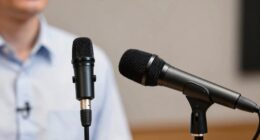
When you start recording, pay close attention to your input levels. Many people overlook this step and end up with audio that’s either too soft or clipping loud peaks. Clipping occurs when the sound exceeds the maximum level your equipment can handle, resulting in distortion that ruins sound quality. To prevent this, keep your input levels high enough to capture detail but not so high that they peak into the red zone on your meters. A good rule of thumb is aiming for around -12 to -6 decibels (dB) during recording. This gives you some headroom to make adjustments during editing without sacrificing clarity.
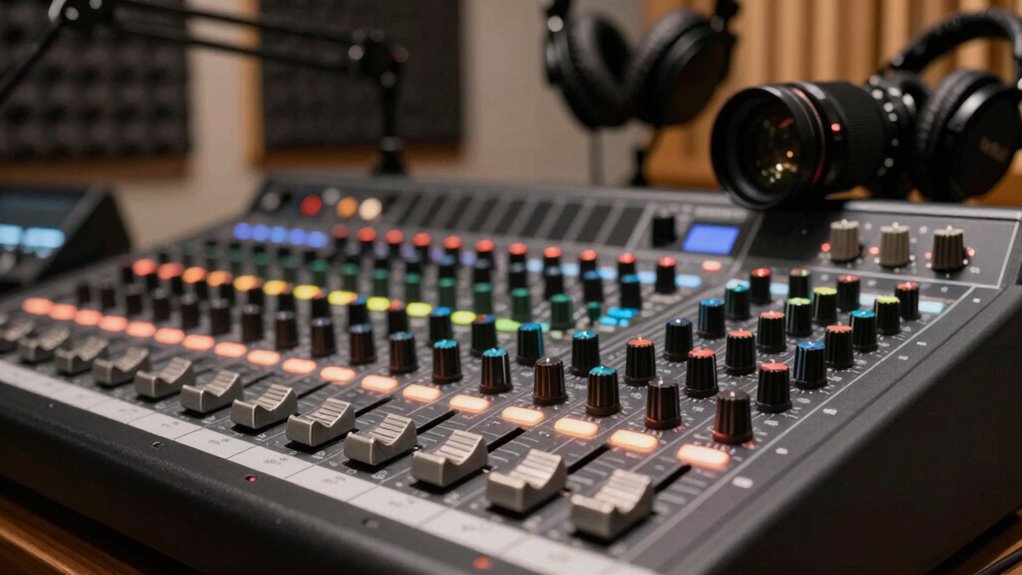
During the editing process, focus on audio editing techniques to refine your sound. This includes balancing the levels of your voice, background music, and sound effects. Using proper gain staging ensures no single element overpowers the others, leading to a more cohesive listening experience. Adjust your faders and gain controls carefully, and always check your audio meters to verify levels stay within a healthy range. This helps maintain sound quality and prevents any unexpected distortions after publishing. Additionally, pay attention to consistency throughout your episodes. If your voice sounds markedly quieter or louder from one segment to another, it can distract your audience. Use normalization tools or manual adjustments to keep levels steady. Remember, the goal is to create a natural, comfortable listening experience, so your audio should sound balanced from start to finish.
Good gain staging also makes your editing process smoother. When levels are set correctly from the outset, you spend less time fixing issues later. It allows you to focus on enhancing sound quality with equalization, compression, and noise reduction without constantly battling uneven levels. Clear, well-edited audio not only sounds more professional but also demonstrates your commitment to quality, which encourages listeners to trust and subscribe to your podcast. Mastering gain staging is a simple yet powerful way to elevate your podcast’s sound quality, making your content more engaging and easier to listen to for your audience. Proper audio levels are essential for achieving a polished and professional podcast presentation.

MAONO XLR/USB Dynamic Microphone Kit, RGB Podcast Mic with Software, Mute, Gain Knob, Volume Control, Boom Arm for Streaming, Gaming, Voice-Over, Recording-PD200XS Black
Superior Sound Quality: Capture crystal-clear audio with PD200X USB dynamic microphone. The built-in dynamic mic capsule helps you…
As an affiliate, we earn on qualifying purchases.
As an affiliate, we earn on qualifying purchases.
Frequently Asked Questions
How Does Gain Staging Affect Overall Podcast Sound Quality?
Gain staging directly impacts your podcast’s sound quality by ensuring audio clarity and a balanced listener experience. When you set proper gain levels, your recordings avoid distortion and noise, making voices clearer and more professional. Poor gain staging can cause uneven volume and muddiness, distracting your audience. By paying attention to gain, you create a polished sound that keeps listeners engaged and enhances overall audio quality.
What Equipment Is Best for Proper Gain Staging?
You should choose a quality microphone suited for your podcast and pair it with a reliable audio interface. The microphone selection impacts your gain levels directly, so pick one with good sensitivity. An audio interface with gain controls helps you set appropriate levels without distortion. Together, these guarantee proper gain staging, giving you clear, balanced sound. Invest in equipment that offers precise gain control for the best results.
Can Improper Gain Staging Cause Audio Distortions?
They say “a chain is only as strong as its weakest link,” and the same goes for your audio. Improper gain staging can definitely cause audio clipping, leading to distortion, and it compromises signal clarity. When levels are too high, you risk clipping, while too low results in noise. To keep your podcast sounding professional, always monitor your gain levels carefully to avoid these issues and guarantee clear, distortion-free audio.
How Do I Troubleshoot Uneven Audio Levels in My Podcast?
To troubleshoot uneven audio levels, start by checking for audio clipping, which indicates your signal’s too strong. Adjust your microphone placement to guarantee consistent proximity to your voice, reducing volume fluctuations. Use headphones to monitor levels in real-time, and consider applying gentle compression during editing to even out loudness. These steps help prevent distortion and ensure a balanced, professional-sounding podcast.
Is Gain Staging Necessary if I Record Digitally?
Think of digital audio like a vehicle; if you don’t set the right recording levels, your sound can crash or distort. Gain staging is still necessary because it ensures your signals stay within suitable levels, preventing clipping or noise. Even in digital recordings, managing gain helps you avoid issues later, making your podcast sound professional and clear. So yes, always check your recording levels before hitting record.

Decibel Meter, TopTes TS-501B Sound Level Meter with 2.25” Backlit LCD Screen, Portable SPL Tester with A/C Weighted, Range 30-130dB, MAX/MIN, Data Hold, Use for Home, Noisy Neighbor, Factory – Orange
2.25-inch LCD Screen with Backlight: This TS-501B sound level meter is measured noise levels are expressed in decibels…
As an affiliate, we earn on qualifying purchases.
As an affiliate, we earn on qualifying purchases.
Conclusion
So, after all that talk about gain staging, you’d think it’s just another technical hassle, right? Turns out, it’s your secret weapon for crystal-clear podcasts. Ironically, the very thing that sounds so complicated can make your audio sound professional and polished. So, don’t overlook it — mastering gain staging might just be the easiest way to make your podcast stand out. Who knew that something so simple could be the game-changer?

OneOdio Wired Over Ear Headphones Hi-Res Studio Monitor & Mixing DJ Stereo Headsets with 50mm Drivers and 1/4 to 3.5mm Jack for AMP Computer Recording Podcast Keyboard Guitar Laptop – Black
Bass Sound: Enjoy clear sound and superior comfort with the OneOdio Studio Monitor Headphones. Equipped with large 50mm…
As an affiliate, we earn on qualifying purchases.
As an affiliate, we earn on qualifying purchases.

TASCAM Mixcast 4 Podcast Streaming Mixer, Recorder, and USB Audio Interface — Four XLR/TRS Mic Inputs, Touch Screen and Editing Software Included
Features: Mixcast 4 makes professional content creation easy. For podcast creation, live streaming, event production or voice-over, Mixcast…
As an affiliate, we earn on qualifying purchases.
As an affiliate, we earn on qualifying purchases.