
To properly fit an ergonomic chair, adjust the seat depth so there’s about one inch of space behind your knees, keeping your thighs supported and promoting good posture. Guarantee lumbar support contours to your lower back, helping prevent slouching and reducing strain. Set armrests so your shoulders relax with elbows at a 90-degree angle, supporting your upper body and preventing tension. Fine-tuning these features can make a big difference—discover more tips to optimize your comfort.
Open a free Amazon Business account
Business pricing, bulk buying and tax-exempt orders.
As an affiliate, we earn on qualifying purchases.
Key Takeaways
- Proper seat depth ensures the chair supports thighs evenly without cutting off circulation behind the knees.
- Lumbar support should be adjustable to fit the natural curve of the lower back, preventing slouching.
- Armrests should be adjustable in height and width to support elbows at a 90-degree angle and reduce shoulder tension.
- Adjusting seat depth promotes correct spinal alignment and distributes weight evenly across the hips.
- Proper armrest and lumbar adjustments help minimize muscle strain, improve posture, and enhance long-term comfort.
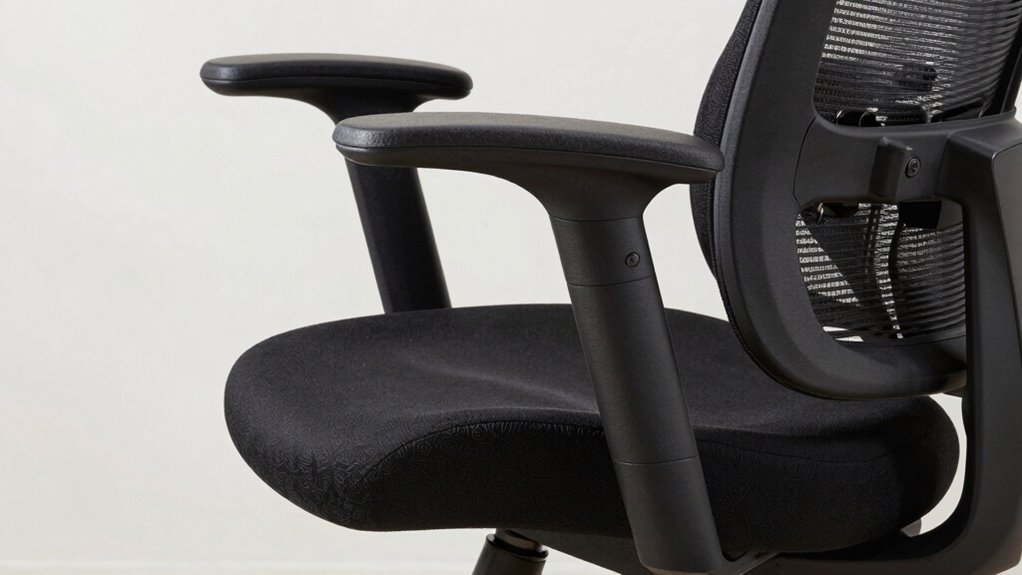
Finding the right ergonomic chair fit is essential for maintaining comfort and preventing strain during long hours at your desk. When it comes to ensuring proper posture alignment, your chair’s adjustable features play a crucial role. These adjustments help you customize the seat depth, lumbar support, and armrests to suit your body, promoting better posture and reducing the risk of discomfort.
Starting with seat depth, it’s vital that you have enough room to sit comfortably without cutting off circulation behind your knees. An ideal seat depth allows you to sit back against the lumbar support while leaving about an inch of space between the back of your knees and the edge of the seat. This way, your thighs are supported evenly, and you avoid unnecessary pressure points. Adjustable seat depth mechanisms make it easy to fine-tune this fit, ensuring you maintain proper posture alignment throughout the day. When the seat is correctly adjusted, your hips are positioned slightly higher than your knees, which encourages a healthy, natural spinal curve. Proper seat depth also helps distribute your weight evenly, reducing pressure on your lower back and hips.
Ensure proper posture with adjustable seat depth—support thighs evenly and promote natural spinal alignment.
Lumbar support is another key feature, especially because it directly influences your posture alignment. A good ergonomic chair provides adjustable lumbar support that contours to your lower back. You should be able to move this support up or down to fit snugly into the curve of your lumbar spine. Proper lumbar support helps prevent slouching and encourages you to sit upright, reducing strain on your back muscles and spine. If the lumbar support is fixed, it might not align perfectly with your lower back, leading to discomfort over time. Consequently, choosing a chair with adjustable lumbar features ensures you can personalize the fit, maintaining optimal spinal health during extended periods of sitting.
Armrests are often overlooked but are equally important for maintaining good posture. Adjustable armrests allow you to set the height so your shoulders relax and your elbows rest comfortably at a 90-degree angle. Proper armrest positioning minimizes tension in your neck and shoulders, which can become strained if your arms are unsupported or if your shoulders are elevated. Some chairs also allow for adjustable width and pivoting, helping you align your arms naturally while typing or using a mouse. When armrests are properly set, they support your upper body, reduce fatigue, and improve overall posture alignment. Additionally, well-designed armrests can prevent shoulder elevation, which is common when arm support is lacking or misaligned.
ergonomic office chair with adjustable seat depth
As an affiliate, we earn on qualifying purchases.
As an affiliate, we earn on qualifying purchases.
Frequently Asked Questions
How Often Should I Adjust My Ergonomic Chair for Optimal Comfort?
You should adjust your ergonomic chair regularly, ideally every 30 to 60 minutes, to maintain proper chair posture and support your seating habits. Frequent adjustments help prevent discomfort and strain, keeping your back, arms, and legs properly aligned. Pay attention to how you feel—if you notice soreness or stiffness, make quick tweaks to your seat depth, lumbar support, or armrests. Consistent adjustments promote comfort and good ergonomic habits throughout your day.
Can Ergonomic Chairs Help Reduce Long-Term Back Pain?
Yes, ergonomic chairs can help reduce long-term back pain by promoting proper posture correction and minimizing muscle strain. When you use an ergonomic chair correctly, it supports your spine’s natural curve, reducing pressure on your lower back. This encourages better alignment, prevents muscle fatigue, and alleviates discomfort over time. Regular adjustments guarantee continued support, making ergonomic chairs an effective tool for long-term back health and pain prevention.
Are There Specific Ergonomic Features for Tall or Short Individuals?
Just like a tailored suit, ergonomic features suit your height. If you’re tall, look for a chair with adjustable seat height and a backrest angle that supports your spine’s natural curve. Shorter individuals benefit from a chair with a lower seat height and a backrest that can be repositioned for proper lumbar support. Adjustability guarantees your chair feels like it was made just for you, providing comfort and support all day long.
How Do I Know if My Chair’s Armrests Are Properly Positioned?
To guarantee your armrests are properly positioned, start with armrest adjustment. Your arms should rest comfortably with elbows at a 90-degree angle, and your shoulders relaxed. Proper armrest positioning means they support your forearms without raising or lowering your shoulders. Adjust the height so your elbows stay close to your body, and the pads align with your forearms. This reduces strain and promotes ergonomic comfort during your work.
What Materials Are Best for Breathable Ergonomic Chair Cushions?
For breathable ergonomic chair cushions, you should look for cushions made from breathable fabrics like mesh or open-cell foam. These cushion materials allow airflow, helping to keep you cool and comfortable during long hours. Avoid synthetic, non-porous materials that trap heat. Opt for cushions with ventilated covers or gel-infused foam, which enhance breathability and provide extra support, ensuring you stay comfortable and focused throughout your workday.
As an affiliate, we earn on qualifying purchases.
Conclusion
To find the perfect ergonomic chair fit, focus on the seat depth, lumbar support, and armrests. Adjust these features to match your body’s needs, to support your posture, and to prevent discomfort. When you customize your chair, you promote better circulation, reduce strain, and enhance your productivity. Remember, an ergonomic chair isn’t just about fitting your body; it’s about fitting your work habits, your comfort, and your well-being. Make adjustments, stay mindful, and enjoy the benefits.
As an affiliate, we earn on qualifying purchases.
ergonomic desk chair for long hours
As an affiliate, we earn on qualifying purchases.
As an affiliate, we earn on qualifying purchases.
Flea & tick season Picks
flea and tick prevention
As an affiliate, we earn on qualifying purchases.