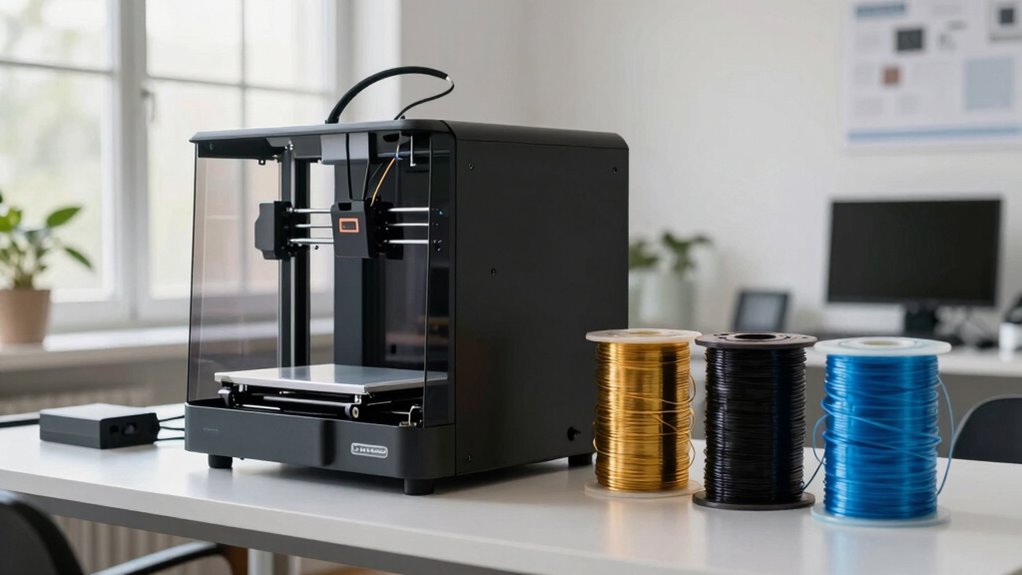
You might find 3D printing easy online, but your experience can change quickly based on material choice. Not all filaments work with every printer, and using incompatible ones can cause failed prints or damage your machine. Correct bed adhesion and understanding each filament’s properties are essential for success. If you keep exploring, you’ll discover how to pick the right materials to keep your prints smooth, durable, and safe.

Get school and study supplies delivered free — and shop member deals
- Fast, free delivery on millions of items
- Access to Prime Big Deal Days deals on October 6–7
- Prime Video, Amazon Music and more included
Key Takeaways
- Selecting the right filament ensures compatibility, preventing print failures and potential damage to the 3D printer.
- Different materials require specific bed surfaces and settings, impacting ease of printing.
- Material properties like flexibility and heat resistance influence the success and durability of your prints.
- Eco-friendly and recyclable filaments help maintain sustainable and cost-effective 3D printing practices.
- Proper material choice extends printer lifespan, reduces jams, and improves overall print quality.
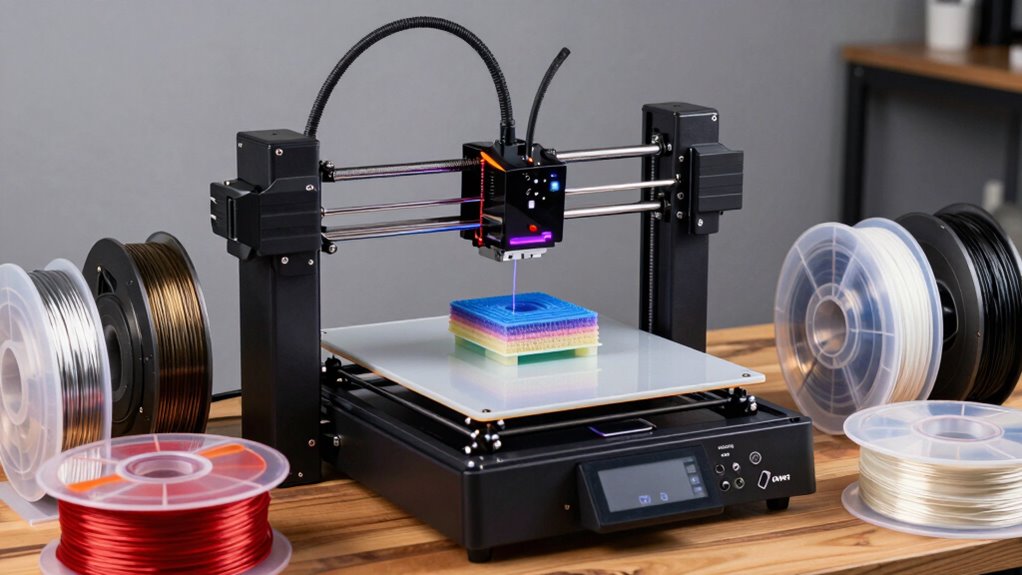
Choosing the right material for your 3D printer can considerably impact the quality, durability, and functionality of your final product. When you start exploring different filaments, it’s essential to understand filament compatibility. Not all printers are compatible with every filament type, so checking your machine’s specifications is indispensable. Some printers are optimized for PLA, while others can handle ABS, PETG, or flexible filaments like TPU. Using incompatible materials can lead to failed prints, clogged nozzles, or even damage to your printer. Guaranteeing that your chosen filament matches your printer’s capabilities makes your printing process smoother and more predictable.
Choosing compatible filament ensures successful prints and protects your 3D printer’s longevity.
Beyond compatibility, print bed adhesion plays a key role in achieving high-quality results. The right material can influence how well your filament sticks to the print bed during printing. For example, PLA generally adheres well to a heated bed or even to a simple blue painter’s tape, whereas ABS often requires a heated bed and sometimes an adhesion aid like glue stick or ABS slurry. If your filament doesn’t stick properly, you risk warping, lifting, or failed prints. Proper print bed adhesion not only helps maintain the shape of your object but also reduces the likelihood of print failures, saving you time and material. Understanding the specific print bed adhesion requirements for different filament types can help optimize your setup and improve success rates.
It’s tempting to think that choosing a filament is as simple as picking a color, but material choice is much more nuanced. You need to examine the mechanical properties you want—like flexibility, strength, or heat resistance—and match those needs with the right filament. For instance, if you’re printing prototypes that need to withstand stress, selecting a durable filament like PETG might be preferable over PLA, which is more brittle. Additionally, some materials require specific print settings, such as temperature adjustments or print speed modifications, which can affect filament compatibility and print bed adhesion. By understanding these factors, you assure each print is successful and meets your expectations. Knowing how filament properties influence your print quality helps you make more informed decisions and avoid common pitfalls. Furthermore, selecting the right filament also involves considering the environmental impact of the material, especially if you are aiming for eco-friendly or recyclable options. Being aware of filament recyclability can guide environmentally conscious choices and support sustainable 3D printing practices.
Furthermore, understanding filament compatibility helps prevent costly mistakes and prolongs the lifespan of your 3D printer. Proper filament selection can also help avoid issues like filament jamming or inconsistent extrusion, which can cause wear and tear on your machine. Ultimately, selecting the right filament isn’t just about what’s available online or in stores. It’s about matching your printer’s capabilities with your project’s demands. Pay attention to filament compatibility and print bed adhesion, and you set yourself up for fewer failed prints and better results. Once you get the hang of choosing the right materials, 3D printing becomes less of a gamble and more of a precise, reliable process. This knowledge empowers you to create objects that are not only visually appealing but also functional and durable, making your 3D printing journey more enjoyable and productive.
As an affiliate, we earn on qualifying purchases.
Frequently Asked Questions
How Do I Troubleshoot Common 3D Printing Issues Effectively?
To troubleshoot common 3D printing issues, start by checking filament compatibility and ensuring your filament matches your printer’s specifications. For print bed adhesion problems, clean and level your print bed, and use adhesion aids like glue or tape if needed. Adjust print speed and temperature settings to improve print quality. Regularly inspect your nozzle and extruder for clogs, and experiment with different settings until your prints succeed.
What Safety Precautions Should I Follow When Operating 3D Printers?
When operating a 3D printer, you should prioritize material safety and ventilation guidelines. Always wear gloves and a mask to avoid inhaling fumes from certain filaments. Make certain your workspace is well-ventilated, following ventilation guidelines to prevent buildup of potentially harmful particles. Keep your printer in a safe, stable area away from children and pets. Regularly check for leaks or overheating, and follow manufacturer safety instructions to minimize risks.
How Do I Optimize Print Speed Without Sacrificing Quality?
To optimize print speed without sacrificing quality, start by adjusting your print speed settings gradually—don’t go too fast too soon. Make sure your filament quality is high, as poor filament can lead to defects at higher speeds. Fine-tune your layer height and extrusion temperature to maintain detail while increasing speed. Regularly calibrate your printer to avoid issues, and consider using a cooling fan to improve print resolution at faster speeds.
Can I Use Recycled Materials for 3D Printing?
Yes, you can use recycled materials for 3D printing. Recycled filament, made from post-consumer plastics, offers an eco-friendly alternative that works with many printers. Just verify the recycled filament is compatible with your printer and of good quality to prevent clogs or print failures. Using eco-friendly materials not only reduces waste but also helps you produce sustainable, environmentally conscious prints.
What Maintenance Routines Extend My 3D Printer’s Lifespan?
Like a well-maintained vintage car, your 3D printer needs regular TLC. You should clean the nozzle frequently to prevent clogs and guarantee smooth prints. Proper filament storage keeps moisture away, avoiding jams and defects. Additionally, regularly inspecting belts and lubricating moving parts prolongs your printer’s life. These simple routines help maintain peak performance, so your machine stays reliable and produces high-quality prints for years to come.
As an affiliate, we earn on qualifying purchases.
Conclusion
As you hold your freshly printed creation, you realize that beyond the sleek machine and easy online guides, it’s the material that truly brings it to life. Each filament choice is like a brushstroke on a blank canvas, turning simple plastic into a piece of art. With every layer, you craft not just objects, but your passion and ingenuity. In this world of endless possibilities, your material becomes the heartbeat of your imagination.
Flexible TPU filament for 3D printing
As an affiliate, we earn on qualifying purchases.
As an affiliate, we earn on qualifying purchases.
As an affiliate, we earn on qualifying purchases.
Halloween Picks
halloween
As an affiliate, we earn on qualifying purchases.