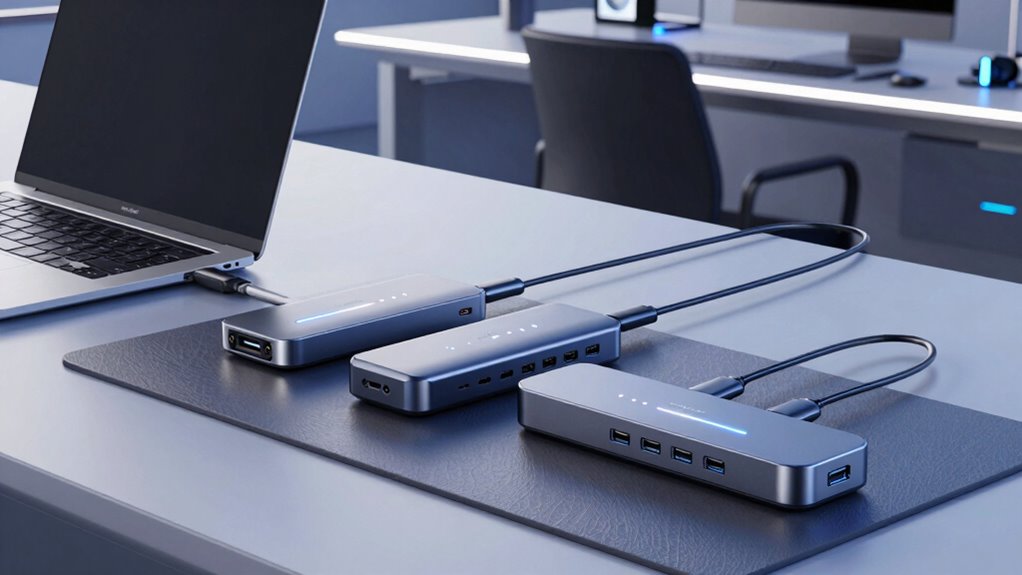

Finding the right usb c docking station for Macbook means balancing performance, compatibility, and price. The Anker USB-C Hub for MacBook stands out as the overall best thanks to its reliable build and versatile ports, while the Selore Laptop Docking Station offers dual monitor support ideal for productivity. However, users should consider tradeoffs like port variety versus size or price. Some docks excel in display connectivity but lack charging capabilities, and others might be more limited in port options. Continue reading for a detailed breakdown of each option and what makes them unique.

Prime made for students and young adults
- Fast, free delivery for dorm and study essentials
- Prime Video and Amazon Music included
- Member-only deals
Key Takeaways
- Top picks balance display support, charging power, and port variety for MacBook compatibility.
- Most high-performance docks tend to be larger and pricier, requiring tradeoffs between portability and features.
- Dual monitor support is a common feature, but it varies in quality and connection types across models.
- Build quality and cable management features often distinguish premium options from budget picks.
- Compatibility and power delivery (PD) support are crucial for seamless MacBook use, especially for charging.
| Anker USB-C Hub for MacBook, 7-in-2 Mac Dock with 4K@60Hz HDMI |  | Best Overall for Compact Versatility | Hardware Interface: HDMI, MicroSD, USB, USB Type C | Additional Features: Fast Charging, HDMI™️ Compatible | Total Usb Ports: 7 | VIEW ON AMAZON | See Our Full Breakdown |
| Selore Laptop Docking Station Dual Monitor USB-C Hub for MacBook |  | Best for Dual 4K Display and Versatility | Hardware Interface: HDMI, USB 3.0 Type A, USB 3.0 Type C, USB Type C | Additional Features: Portable, Lightweight | Compatible Devices: 13”-16” MacBook Pro (2017-2021), MacBook Air (2020-2023) | VIEW ON AMAZON | See Our Full Breakdown |
| MOKiN MacBook Pro Docking Station Dual Monitor HDMI Adapter |  | Best for Professional Dual 4K Workstations | Ports: 2 HDMI, 2 USB 3.0, USB 2.0, SD card reader, Ethernet, Thunderbolt 3, USB-C Power Delivery | Resolution: Up to 4K@60Hz (single HDMI), 4K@30Hz (dual HDMI) | Data Transfer Speed: Up to 5Gbps | VIEW ON AMAZON | See Our Full Breakdown |
| Anker Nano Laptop Docking Station, 13-in-1 Dock with Detachable 6-in-1 USB-C Hub |  | Best for Multi-Device Flexibility and Travel | Number of ports: 13-in-1 docking station, 6-in-1 detachable hub | Monitor support: Up to 3 monitors, 4K@60Hz, dual 2K@60Hz, triple 1080P@60Hz | Power Delivery: Up to 100W | VIEW ON AMAZON | See Our Full Breakdown |
| Acer USB C Hub, 5-in-1 USB-C to HDMI Adapter with 4K@60Hz for Laptop/Mac |  | Best Budget-Friendly 4K HDMI Expansion | Hardware Interface: HDMI, USB 2.0, USB 3.0, USB Type C | Additional Features: 100W Power Delivery, 4K@60Hz | Total Usb Ports: 3 | VIEW ON AMAZON | See Our Full Breakdown |
| Selore USB C Docking Station Dual Monitor, USB C to Dual HDMI Adapter |  | Best Overall for Dual 4K Display and Power Delivery | HDMI ports: 2x 4K@60Hz | Power delivery: 100W | USB-C port: up to 5Gbps | VIEW ON AMAZON | See Our Full Breakdown |
| Docking Station Dual Monitor 4K HDMI 13-in-1 USB C Hub for Laptop MacBook |  | Best for Extensive Connectivity and Versatility | Number of HDMI ports: 2 | Display resolution: 4K@60Hz | USB ports: 2 USB C (100W PD), 3 USB 3.1, 3 USB 3.0, 2 USB 2.0 | VIEW ON AMAZON | See Our Full Breakdown |
| usb c docking station for macbook | Power Delivery |
|---|---|
| Anker USB-C Hub for MacBook | — |
| Selore Laptop Docking Station | — |
| MOKiN MacBook Pro Docking Stat | 100W |
| Anker Nano Laptop Docking Stat | Up to 100W |
| Acer USB C Hub | — |
| Selore USB C Docking Station D | 100W |
| Docking Station Dual Monitor 4 | 100W |
More Details on Our Top Picks
Anker USB-C Hub for MacBook, 7-in-2 Mac Dock with 4K@60Hz HDMI
This Anker hub stands out for offering a balanced mix of port expansion and high-resolution support in a lightweight form factor. Compared with the Selore Dual Monitor Hub, it supports dual 4K displays at 60Hz, making it ideal for users who need clear visuals without extra bulk. However, its plastic enclosure may feel less durable over time, and compatibility issues with newer MacBooks like the MacBook Neo could be a concern. Its fast 40 Gb/s data transfer and 100W charging support make it versatile for daily use, yet the dual display support might not work seamlessly with M1, M2, or M3 Macs. This pick makes the most sense for users who prioritize portability and high-quality video outputs in a single device, even if they have to accept some limitations on durability and compatibility.
Pros:- Supports dual 4K@60Hz display output for crisp visuals
- High-speed data transfer up to 40 Gb/s ensures quick file transfers
- Supports 100W charging for uninterrupted workflow
- Compact, lightweight design enhances portability
Cons:- Plastic enclosure may be less durable over long-term use
- Dual external monitor support may not work with M1, M2, M3 MacBooks
Best for: MacBook users seeking a compact, all-in-one port expansion with high-resolution display support
Not ideal for: Power users needing a rugged enclosure or full compatibility with the newest MacBook Neo models
- Hardware Interface:HDMI, MicroSD, USB, USB Type C
- Additional Features:Fast Charging, HDMI™️ Compatible
- Total Usb Ports:7
- Data Transfer Rate:40 gigabits_per_second
- Operating System:macOS
- Color:Gray
- Enclosure Material:Plastic
- Item Dimensions:4.72″L x 1.14″W x 0.39″H
- Item Weight:1.92 ounces
Our verdict“This hub appeals most to users who need reliable port expansion with high-res video support in a light, travel-friendly package.”
Selore Laptop Docking Station Dual Monitor USB-C Hub for MacBook
The Selore Docking Station makes a strong case for users who need dual 4K displays and multiple USB ports in a portable design. It supports dual 4K HDMI outputs, comparable to the Anker hub, but with the added benefit of more USB ports and SD/TF card readers, catering to creative professionals. Yet, its limited support for the latest MacBook Neo and M1/M2 chipsets’ MST mode restricts dual monitor performance on newer Macs. The plastic build keeps it lightweight but may impact long-term durability. Its support for up to 8 ports makes it a flexible choice, though some features may require specific MacBook configurations. This device is best suited for users who prioritize multiple high-resolution displays and extensive accessory support, accepting some compatibility limitations with the newest MacBooks.
Pros:- Supports dual 4K HDMI displays for expanded workspace
- Multiple USB-A and USB-C ports for versatile device connection
- Portable, lightweight design ideal for mobile setups
- SD/TF card readers for quick media access
Cons:- Limited support for the latest MacBook Neo models
- M1/M2 chips only support SST, not MST for dual monitors
- Some features require specific MacBook configurations
Best for: Creative professionals or power users who need dual 4K monitors with multiple peripherals in a portable form factor
Not ideal for: Owners of the latest MacBook Neo or M1/M2 Macs expecting full MST dual monitor support without workarounds
- Hardware Interface:HDMI, USB 3.0 Type A, USB 3.0 Type C, USB Type C
- Additional Features:Portable, Lightweight
- Compatible Devices:13”-16” MacBook Pro (2017-2021), MacBook Air (2020-2023)
- Total USB Ports:4
- Data Transfer Rate:5000 Mbps
- Number of Ports:8
- Minimum Required Operating System:Mac OS 14 Sonoma
- Color:Grey
- Enclosure Material:Plastic
Our verdict“This hub suits mobile professionals needing dual 4K displays and multiple ports, with some caveats regarding compatibility with the latest Macs.”
MOKiN MacBook Pro Docking Station Dual Monitor HDMI Adapter
The MOKiN Docking Station excels for professionals needing reliable dual 4K monitor support and extensive connectivity in a sleek aluminum design. Its support for up to 4K@60Hz on dual HDMI outputs makes it a strong choice for video editors and photographers who demand crisp visuals. Compared with the Anker hub, it offers more comprehensive port options, including Ethernet and Thunderbolt 3, making it suitable for more demanding workflows. However, it does not support Apple USB SuperDrive and requires MacBook models with two Thunderbolt 3 ports for full functionality. Some older MacBook models might experience limited features, and compatibility with the newest Macs can vary. This device is best for professionals who need high-resolution dual monitors and multiple high-speed ports in a slim, durable aluminum case.
Pros:- Supports dual 4K@60Hz monitor output for detailed visuals
- Multiple ports including Ethernet and Thunderbolt 3
- Fast data transfer and 100W charging support
- Sleek aluminum build offers durability and style
Cons:- Does not support Apple USB SuperDrive
- Requires two Thunderbolt 3 ports for complete features
- May have limited compatibility with older MacBook models
Best for: Creative professionals and power users requiring stable dual 4K displays and multiple connectivity options
Not ideal for: Casual users or those with single Thunderbolt 3 ports, as full functionality depends on specific MacBook configurations
- Ports:2 HDMI, 2 USB 3.0, USB 2.0, SD card reader, Ethernet, Thunderbolt 3, USB-C Power Delivery
- Resolution:Up to 4K@60Hz (single HDMI), 4K@30Hz (dual HDMI)
- Data Transfer Speed:Up to 5Gbps
- Ethernet Speed:Up to 1000Mbps
- Power Delivery:100W
- Material:Aluminum
Our verdict“This dock is ideal for professional creatives who need high-resolution dual displays and a robust port set in a sleek design.”
Anker Nano Laptop Docking Station, 13-in-1 Dock with Detachable 6-in-1 USB-C Hub
The Anker Nano Docking Station provides a flexible solution for users who need multiple ports and monitor options in one device. Its detachable 6-in-1 USB-C hub allows for easy portability, making it a good choice for frequent travelers or those with limited desk space. Supporting up to three monitors at high resolutions, it is comparable to the Best Overall Anker hub, but with added versatility thanks to its modular design. The dock’s extensive port selection, including HDMI, DisplayPort, Ethernet, and SD/TF slots, caters well to busy professionals. However, it requires the laptop to be connected for the ports to activate, and macOS support is somewhat limited to mirrored displays on multiple monitors. Its 140W power adapter ensures full charging capacity, but the setup can be complex for some users.
Pros:- Detachable hub offers portability and flexibility
- Supports up to three monitors with high resolutions
- Delivers up to 100W charging for laptops
- Extensive ports including HDMI, DisplayPort, Ethernet, SD/TF
Cons:- Requires laptop connection to activate ports
- Limited macOS support for extended displays
- Complex setup for some users
Best for: Travelers and multi-device users who need high port density and flexibility in a portable form
Not ideal for: Users seeking plug-and-play simplicity or full macOS compatibility with multiple extended displays
- Number of ports:13-in-1 docking station, 6-in-1 detachable hub
- Monitor support:Up to 3 monitors, 4K@60Hz, dual 2K@60Hz, triple 1080P@60Hz
- Power Delivery:Up to 100W
- Included cables:3ft USB C cable, 5ft power cord
- Compatibility:Windows, Dell XPS, Lenovo ThinkPad, HP Spectre
- Specs:Multiple ports including HDMI, DisplayPort, Ethernet
Our verdict“This docking station suits users who value modularity and multiple high-res displays, particularly those frequently on the go, despite some setup complexity.”
Acer USB C Hub, 5-in-1 USB-C to HDMI Adapter with 4K@60Hz for Laptop/Mac
The Acer USB C Hub provides a straightforward, affordable solution for adding a single high-resolution HDMI port to your MacBook or other USB-C devices. It is especially suited for occasional users who need 4K@60Hz output without extra peripherals. Compared to multi-port options like the Selore or MOKiN docks, this hub offers fewer ports but keeps the setup simple and affordable. Its 100W pass-through charging is a plus, though the power adapter isn’t included, which could limit charging capacity if you don’t have compatible accessories. The limited ports mean less flexibility for connecting multiple peripherals, but for users mainly focused on external video, it remains a solid choice.
Pros:- Supports 4K@60Hz for smooth, high-quality visuals
- Provides 100W pass-through charging for uninterrupted use
- Compact and easy to carry, ideal for travel
Cons:- Limited to a single HDMI port, fewer peripheral options
- Power adapter not included, may limit full charging capacity
- Lacks additional USB ports for peripherals
Best for: Users who primarily need a reliable 4K HDMI connection for occasional presentations or media viewing
Not ideal for: Power users or professionals requiring multiple external devices and extended peripherals
- Hardware Interface:HDMI, USB 2.0, USB 3.0, USB Type C
- Additional Features:100W Power Delivery, 4K@60Hz
- Total Usb Ports:3
- Number of Ports:5
- Operating System:Chrome OS, Linux, Windows, macOS
Our verdict“This hub is best suited for users who need a reliable, simple 4K HDMI output on the go without extra ports or complexity.”
Selore USB C Docking Station Dual Monitor, USB C to Dual HDMI Adapter
This dock stands out for its ability to support dual 4K HDMI displays, making it ideal for users who need extensive screen real estate. Compared to the Docking Station Dual Monitor 4K HDMI 13-in-1 USB C Hub, it offers a more streamlined setup without an abundance of ports, which benefits those who prefer simplicity. However, it falls short on dual-screen extension on macOS, limited to mirroring, which is a notable tradeoff for Mac users. The 100W power delivery ensures your MacBook remains charged during intensive tasks, but the absence of a power adapter included means additional accessories are needed. Its plug-and-play design broadens compatibility, yet the second USB-C port being data-only can limit peripheral flexibility. This pick makes the most sense for professionals who prioritize high-quality video output and straightforward connectivity over extensive port options.
Pros:- Supports dual 4K@60Hz HDMI displays for crisp extended or mirrored screens
- Provides 100W charging power to keep laptops powered during use
- Multiple USB ports for fast data transfer and peripheral connectivity
- Plug-and-play setup with broad compatibility
Cons:- Does not support dual-screen extension (MST) on macOS, only mirroring
- Second USB-C port is only for data transfer, not charging
- Power charger and cable are not included, requiring additional purchase
Best for: MacBook users who need reliable dual 4K display support and full laptop charging in a compact setup
Not ideal for: Users who require dual-screen extension on macOS or need a built-in power supply, as this dock only supports mirroring and lacks included power adapter
- HDMI ports:2x 4K@60Hz
- Power delivery:100W
- USB-C port:up to 5Gbps
- USB 3.0 ports:2x up to 5Gbps
- SD/microSD card slot:up to 104 Mbps
- Compatibility:USB-C or Thunderbolt 3/4 laptops
Our verdict“Ideal for MacBook users seeking reliable dual 4K display support with seamless charging and simple setup.”
Docking Station Dual Monitor 4K HDMI 13-in-1 USB C Hub for Laptop MacBook
This 13-in-1 dock offers a broad array of ports, making it suitable for users who need multiple peripherals and high-speed connections. Unlike the Selore USB C Docking Station, which emphasizes simplicity, this model caters to those with diverse device needs, including Ethernet, audio, and multiple USB ports, including 100W PD charging. However, on MacBooks, only one monitor can be extended, with the second limited to mirroring, which may disappoint users expecting full dual extend mode. The requirement for an external power source to maximize charging capacity can also be inconvenient for portable users. Its high port count makes it a compelling choice for multitaskers, but those seeking a minimalist setup might find it overwhelming and less streamlined for daily use. This dock suits power users who want extensive wired connectivity and multi-monitor support, even if some features are more Windows-centric.
Pros:- Supports dual 4K@60Hz HDMI displays with high refresh rate for crisp visuals
- Includes a variety of USB ports, including 100W PD for fast charging
- Gigabit Ethernet provides fast and stable internet connectivity
- Plug and play with wide compatibility, including Windows and MacBook
Cons:- MacBook only supports extend mode on one monitor, limiting productivity options
- Requires external power supply for full 100W charging, adding setup complexity
- Some features may be limited or less functional on macOS compared to Windows
Best for: Power users and professionals who need multiple ports, Ethernet, and high-resolution dual-monitor support on their MacBook
Not ideal for: Casual users or MacBook owners who prioritize a simple, clutter-free desk, as the high port count and external power requirement add bulk and complexity
- Number of HDMI ports:2
- Display resolution:4K@60Hz
- USB ports:2 USB C (100W PD), 3 USB 3.1, 3 USB 3.0, 2 USB 2.0
- Ethernet:Gigabit Ethernet
- Audio:3.5mm Audio/Mic combo
- Power delivery:100W
Our verdict“Best suited for demanding users who need a wide range of ports and reliable dual 4K display support, even with some limitations on MacBook extend mode.”