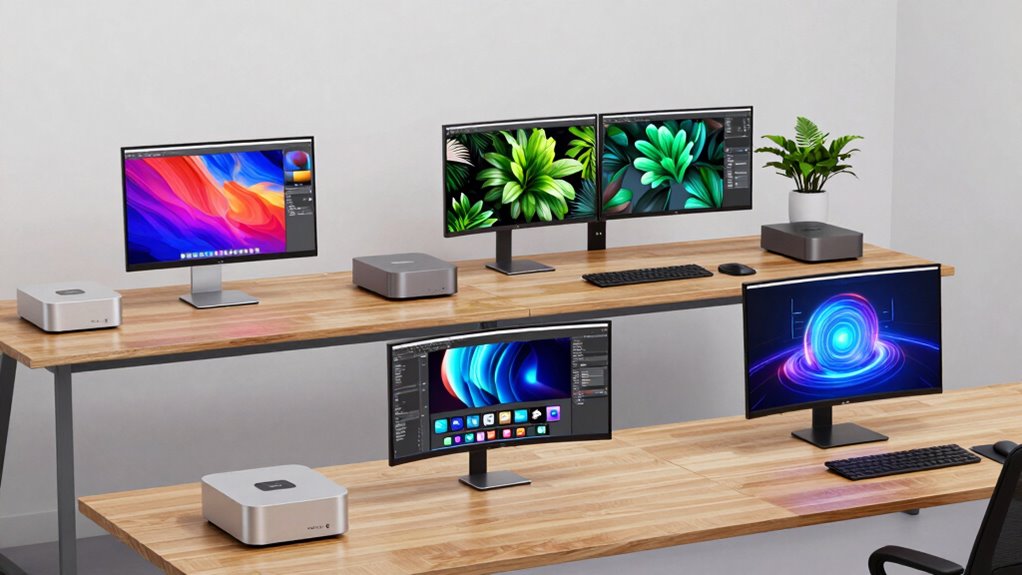

Choosing the right Mac mini for creative work involves balancing power, connectivity, and budget. The Mac mini with M4 Pro chip stands out as the best overall for demanding tasks thanks to its robust CPU and GPU, but it comes at a higher cost. The Apple 2020 M1 Mac mini offers excellent value with a solid performance boost over older models, though it might lack the raw power for intensive workflows. Meanwhile, the Mac mini with M5 Pro chip targets professionals needing multi-display support and AI capabilities, but its price and limited upgrade options could be a barrier. In this guide, I’ll compare these options, highlighting who they serve best and where they might fall short.

Prime made for students and young adults
- Fast, free delivery for dorm and study essentials
- Prime Video and Amazon Music included
- Member-only deals
Key Takeaways
- The M4 Pro Mac mini delivers top-tier performance but at a premium price.
- The M1 Mac mini offers a strong balance of performance and affordability for entry-level creators.
- The M5 Pro model is geared toward advanced professionals needing multiple displays and AI workflows.
- Compact size across all options makes them ideal for small, clutter-free setups.
- Upgrade options are limited, especially in the latest models, so choose based on long-term needs.
| Mac mini with M4 Pro Chip, 12-core CPU, 16-core GPU, 48GB Memory, 512GB SSD, Gigabit Ethernet | 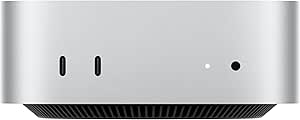 | Best Overall Performance for Creators | Processor: M4 Pro chip with 12-core CPU and 16-core GPU | Memory: 48GB | Storage: 512GB SSD | VIEW ON AMAZON | See Our Full Breakdown |
| Apple 2020 Mac Mini with M1 Chip, 8GB RAM, 256GB SSD – Silver (Renewed) |  | Best Value for Entry-Level Creators | Processor: Apple M1 Chip | RAM: 8GB | Storage: 256GB SSD | VIEW ON AMAZON | See Our Full Breakdown |
| Mac mini with M4 10-core CPU and 10-core GPU, 24GB Memory, 1TB Storage | 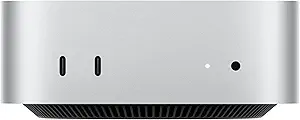 | Best for Mid-Level Creators and Professionals | Processor: M4 10-core CPU and GPU | Memory: 24GB | Storage: 1TB SSD | VIEW ON AMAZON | See Our Full Breakdown |
| Apple 2026 Mac mini Desktop Computer with M5 Pro Chip |  | Best for High-End Creative and AI Workflows | Processor: M5 Pro chip | Ports: Three Thunderbolt 5, HDMI, Ethernet, USB-C | Memory Bandwidth: 307GB/s | VIEW ON AMAZON | See Our Full Breakdown |
| Apple 2024 Mac mini with M4 Pro Chip, 24GB Memory, 512GB SSD |  | Best for Demanding Creative Work | Processor: M4 Pro chip with 12-core CPU and 16-core GPU | Memory: 24GB | Storage: 512GB SSD | VIEW ON AMAZON | See Our Full Breakdown |
| mac mini configurations for creator | Processor | Storage | Operating System | Memory |
|---|---|---|---|---|
| Mac mini with M4 Pro Chip | M4 Pro chip with 12-core CPU and 16-core GPU | 512GB SSD | Mac OS | 48GB |
| Apple 2020 Mac Mini with M1 Ch | Apple M1 Chip | 256GB SSD | macOS | — |
| Mac mini with M4 10-core CPU a | M4 10-core CPU and GPU | 1TB SSD | macOS | 24GB |
| Apple 2026 Mac mini Desktop Co | M5 Pro chip | — | — | — |
| Apple 2024 Mac mini with M4 Pr | M4 Pro chip with 12-core CPU and 16-core GPU | 512GB SSD | macOS | 24GB |
More Details on Our Top Picks
Mac mini with M4 Pro Chip, 12-core CPU, 16-core GPU, 48GB Memory, 512GB SSD, Gigabit Ethernet
This Mac mini is the powerhouse in this lineup, featuring the M4 Pro chip with a 12-core CPU and 16-core GPU. Compared with the M1 options, it offers significantly faster rendering, video editing, and multitasking performance, making it ideal for intensive creative workflows. Its compact size belies its power, but the high price can be a barrier for budget-conscious users. The multiple ports, including Thunderbolt and Ethernet, support seamless peripherals and fast data transfer. However, the integrated design limits upgradeability, and its premium cost makes it less appealing for entry-level creators. Overall, this model is best for those who demand top-tier performance without space constraints.
Pros:- Exceptional CPU and GPU performance
- Multiple versatile connectivity options
- Compact, space-saving design
Cons:- High price point
- Limited upgrade options
- No dedicated graphics card choices
Best for: Professional creators needing maximum power
Not ideal for: Budget-conscious hobbyists or casual users
- Processor:M4 Pro chip with 12-core CPU and 16-core GPU
- Memory:48GB
- Storage:512GB SSD
- Size:5 x 5 inches
- Connectivity:Thunderbolt, HDMI, USB-C, Gigabit Ethernet
- Operating System:Mac OS
Our verdict“The best Mac mini for demanding creative workflows that require maximum power and connectivity.”
Apple 2020 Mac Mini with M1 Chip, 8GB RAM, 256GB SSD – Silver (Renewed)
The 2020 Mac mini with the M1 chip offers a significant leap over previous Intel models, providing fast performance suitable for most creative tasks. Its 8GB RAM and 256GB SSD make it a good entry point, especially for creators just starting out or with less demanding workflows. Compared to newer models, its processor is less capable of handling complex rendering or multitasking at high loads, but it remains a reliable choice for editing, light 3D work, and general productivity. The renewed status makes it more affordable, but buyers should be aware of potential warranty limitations. This model is a smart pick for those who want Apple’s ecosystem without breaking the bank.
Pros:- Affordable price for Apple silicon
- Decent performance for everyday creative tasks
- Compact and sleek design
Cons:- Limited storage capacity
- Less RAM for multitasking
- Renewed product may have warranty concerns
Best for: Budget-conscious creators and beginners
Not ideal for: Heavy-duty professional workflows or large data projects
- Processor:Apple M1 Chip
- RAM:8GB
- Storage:256GB SSD
- Color:Silver
- Model Year:2020
- Operating System:macOS
Our verdict“A cost-effective option that offers good performance for beginners and casual creators.”
Mac mini with M4 10-core CPU and 10-core GPU, 24GB Memory, 1TB Storage
This configuration features a powerful M4 chip with a 10-core CPU and GPU, along with 24GB of RAM, making it well-suited for more intensive creative tasks like video editing, 3D rendering, and multitasking. Its 1TB SSD provides ample storage for large projects, though the upgrade path remains limited due to the integrated design. Compared with the M1 models, it offers a noticeable performance boost for demanding workflows, but it doesn’t support multiple external displays as extensively as the M5 Pro. The price is higher, but it balances performance and cost for those needing more power without stepping into the high-end price range.
Pros:- Strong CPU and GPU performance
- Ample RAM and storage
- Compact yet capable for demanding tasks
Cons:- Limited upgrade options
- No dedicated graphics card
- Higher price point
Best for: Mid-level professionals and serious creators
Not ideal for: Entry-level users or those requiring multiple external displays
- Processor:M4 10-core CPU and GPU
- Memory:24GB
- Storage:1TB SSD
- Size:5 x 5 inches
- Connectivity:Thunderbolt, HDMI, USB-C, Ethernet
- Operating System:macOS
Our verdict“A balanced choice for creators needing more power than entry-level models but not requiring professional-grade hardware.”
Apple 2026 Mac mini Desktop Computer with M5 Pro Chip
The latest M5 Pro chip powers this Mac mini, targeting professionals engaged in AI, 3D, and multi-display workflows. Its support for three external displays and high memory bandwidth makes it ideal for demanding creative environments. The multiple ports, including Thunderbolt 5 and 2.5Gb Ethernet, ensure fast data transfer and expansive connectivity options. However, the detailed specs and pricing are high, reflecting its professional-grade capabilities. The lack of detailed upgrade options and peripherals suggests it’s meant for those who want raw power out of the box. This model suits advanced users who need top-tier performance and display support in a compact form.
Pros:- Exceptional processing power with M5 Pro
- Supports up to three external displays
- Versatile connectivity including Thunderbolt 5
Cons:- High cost
- Limited information on upgradeability
- Potentially overkill for light tasks
Best for: AI developers, creative professionals, and multi-display users
Not ideal for: Casual creators or those on tight budgets
- Processor:M5 Pro chip
- Ports:Three Thunderbolt 5, HDMI, Ethernet, USB-C
- Memory Bandwidth:307GB/s
- Storage Speed:Up to 2x faster
- Display Support:Up to 3 external displays
- Wireless:Wi-Fi 7, Bluetooth 6
Our verdict“The right choice for professionals demanding peak performance and multi-display support in a small footprint.”
Apple 2024 Mac mini with M4 Pro Chip, 24GB Memory, 512GB SSD
This 2024 model combines the M4 Pro chip with 24GB of unified memory and a 512GB SSD, making it suitable for demanding creative workflows such as video editing, 3D work, and software development. Its compact 5×5 inch design ensures it fits well in small setups, while the multiple ports—including Thunderbolt, HDMI, Ethernet, and USB-C—support a wide range of peripherals. Its high-performance hardware rivals more expensive workstations, but the limited upgrade options may concern those who want future-proofing. Overall, this pick makes the most sense for professionals who want a powerful, space-efficient machine that integrates seamlessly into the Apple ecosystem.
Pros:- Powerful M4 Pro chip
- Ample RAM and fast SSD
- Multiple connectivity options
Cons:- Limited upgradeability
- Higher price for premium features
- No dedicated graphics card
Best for: Creative professionals and power users
Not ideal for: Budget-conscious hobbyists or users needing extensive future upgrades
- Processor:M4 Pro chip with 12-core CPU and 16-core GPU
- Memory:24GB
- Storage:512GB SSD
- Dimensions:5 x 5 x 2 inches
- Connectivity:Thunderbolt, HDMI, Ethernet, USB-C
- Operating System:macOS
Our verdict“Excellent for demanding creative tasks in a compact form, ideal for users committed to Apple hardware.”

How We Picked
In selecting the best Mac mini configurations for creators, I focused on models that balance processing power, connectivity, and value. I prioritized chips optimized for creative workflows, such as those with high-core CPUs and GPUs, and evaluated connectivity options for peripherals, external displays, and high-speed data transfer. Cost was also a factor, especially for creators who need professional-grade performance without overinvesting. I compared specifications, user reviews, and Apple’s ecosystem integration to identify which models stand out for different types of creators, from hobbyists to professionals.
| mac mini configurations for creator | Processor | Connectivity | Operating System |
|---|---|---|---|
| Mac mini with M4 Pro Chip | M4 Pro chip with 12-core CPU and 16-core GPU | Thunderbolt, HDMI, USB-C, Gigabit Ethernet | Mac OS |
| Apple 2020 Mac Mini with M1 Ch | Apple M1 Chip | — | macOS |
| Mac mini with M4 10-core CPU a | M4 10-core CPU and GPU | Thunderbolt, HDMI, USB-C, Ethernet | macOS |
| Apple 2026 Mac mini Desktop Co | M5 Pro chip | — | — |
| Apple 2024 Mac mini with M4 Pr | M4 Pro chip with 12-core CPU and 16-core GPU | Thunderbolt, HDMI, Ethernet, USB-C | macOS |
Factors to Consider When Choosing Mac Mini Configurations For Creators
Choosing the right Mac mini for creative work depends on your performance needs, workspace, and budget. If you handle intensive tasks like 4K video editing, 3D rendering, or AI workflows, opting for the latest M4 or M5 Pro configurations will provide the processing power and connectivity you require. For casual or entry-level creators, earlier models like the M1 offer reliable performance at a more affordable price. Consider how many external displays you’ll need; some models support multiple monitors, which is essential for certain workflows. Also, think about future expandability—most Mac minis have limited upgrade options, so selecting a configuration that meets your long-term goals is wise. This guide aims to help you match your creative ambitions with the right hardware.
Performance Needs
Assess whether your creative tasks demand high processing power or if a mid-range setup will suffice. For tasks like video editing, 3D modeling, or AI development, prioritize models with the latest chips—such as the M4 or M5 Pro—that offer multiple cores and high GPU performance. For lighter tasks like photo editing or graphic design, the M1 models are usually enough, providing a good balance between speed and cost.
Connectivity and Display Support
Think about your peripherals and display setup. If you work across multiple monitors or require fast data transfer, choose models with multiple Thunderbolt ports and support for several external displays, like the M5 Pro or the higher-end M4 configurations. For simpler setups, fewer ports might be acceptable, but ensure your workflow remains seamless without constant port switching.
Budget and Futureproofing
While the most powerful Mac minis come with a premium price tag, they also tend to be more futureproof thanks to their high specs. If your budget is tighter, the M1 Mac mini still offers respectable performance for most creative tasks, though it might struggle with future software demands. Remember, upgrade options are limited, so choose a configuration that aligns with both your current needs and anticipated growth.
Frequently Asked Questions
Is the Mac mini with M4 Pro suitable for professional video editing?
Yes, the Mac mini with M4 Pro is well-suited for professional video editing, especially with its high-core CPU and GPU. Its fast SSD and ample RAM support handling large files and complex timelines efficiently. However, if you need to work with 8K footage or run intensive rendering tasks regularly, you might also consider a higher-end desktop or Mac Studio for maximum performance.
Can I upgrade the RAM or storage in these Mac minis?
Most recent Mac minis, including those with M4 and M5 chips, have RAM and storage soldered onto the motherboard. This means upgrade options after purchase are limited or non-existent. It’s important to select a configuration with sufficient RAM and storage from the start to avoid limitations later on.
Which Mac mini is best for multi-monitor setups?
The Mac mini with the M5 Pro chip supports up to three external displays, making it the best choice for users who rely on multiple monitors for their creative workflows. The M4 configurations typically support only two displays, so if your setup requires three, the M5 Pro is the more suitable option.
Are these Mac minis good for gaming or 3D rendering?
While Mac minis with M4 and M5 chips are capable of handling some gaming and 3D rendering tasks, they are not designed as dedicated gaming machines or high-end rendering workstations. If gaming or intensive 3D work is your primary focus, a dedicated gaming PC or a higher-tier Mac, such as the Mac Studio, might be more appropriate.
What should I consider before buying a Mac mini for creative work?
Prioritize your workload requirements—if you handle large files or complex projects regularly, opt for the latest models with higher core counts and more RAM. Also, consider your display needs—multiple monitors require specific ports and support. Lastly, think about budget constraints and future expandability, keeping in mind that most Mac minis have limited upgrade options once purchased.
Conclusion
For creators just starting out or working on less demanding projects, the Apple M1 Mac mini offers a reliable, budget-friendly entry point. Mid-level professionals needing more power and multi-display support should consider the Mac mini with the M4 or the 2024 M4 Pro configurations. For those involved in AI, 3D, or multi-monitor intensive workflows, the Mac mini with the M5 Pro chip is the best choice, despite its higher cost. Ultimately, matching your specific creative tasks, display requirements, and budget will guide you to the ideal setup in 2026.