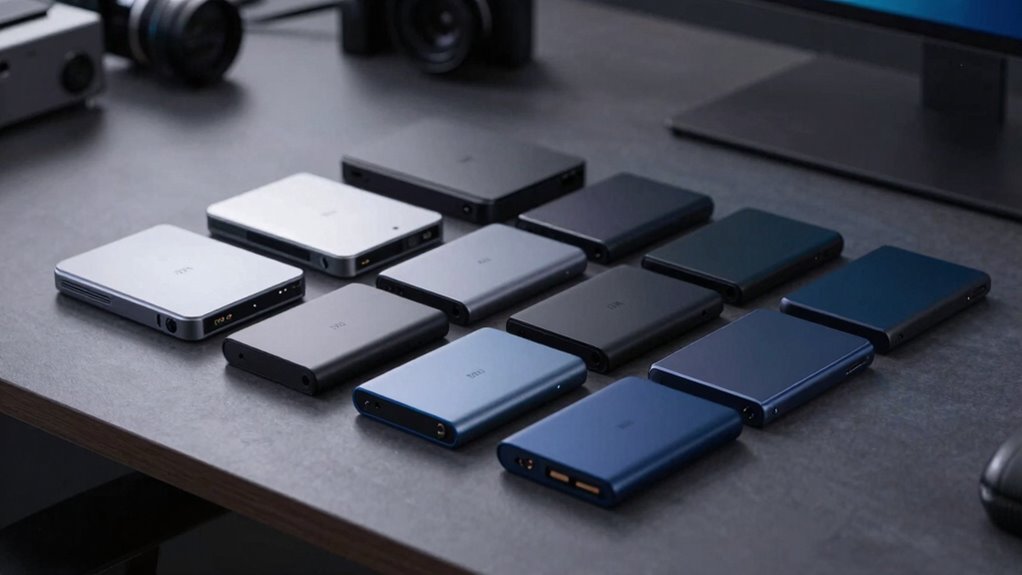

Shopping for an external SSD under $300 gets you far more than it used to: 1TB drives with 1,000 MB/s speeds, rugged IP65-rated models, and even 2TB capacity are all within reach. The Samsung T9 1TB stands out as my best overall pick thanks to its 2,000 MB/s USB 3.2 Gen 2×2 interface and proven reliability, while the Samsung T7 1TB offers better value for buyers whose laptops can’t use Gen 2×2 speeds anyway. The main tradeoff in this category is capacity versus speed — you can get a bigger, slower drive or a faster, smaller one for the same money. Budget brands like SSK and Vansuny undercut the big names but cut corners on software and warranty support. Read on for the full breakdown of all 14 drives.

Prime made for students and young adults
- Fast, free delivery for dorm and study essentials
- Prime Video and Amazon Music included
- Member-only deals
Key Takeaways
- USB 3.2 Gen 2×2 drives (Samsung T9, SanDisk Extreme 2,000 MB/s models) only hit top speed on ports that support the standard — on older laptops they perform the same as cheaper 1,050 MB/s drives, so don’t pay extra unless your hardware can use it.
- The SSK lineup dominates the budget end, offering 1050 MB/s performance at lower capacities, but sacrifices the polished companion software, encryption tools, and warranty length that Samsung and SanDisk provide.
- The SanDisk 2TB Extreme is the only drive in this roundup that combines large capacity with IP65 water and dust resistance, making it the clear choice for field work and travel.
- At the very low end (128GB–250GB), drives like the SSK 128GB and Orlian 250GB make sense only for occasional transfers — their cost per gigabyte is far worse than stepping up to 500GB.
- Within the same product family, buying the 500GB version instead of the 1TB version rarely saves enough money to justify halving your capacity — capacity tiers matter more than brand choice in this price bracket.
| SSK Portable SSD 1TB External Solid State Hard Drive USB C Up to 1050MB/s |  | Best Overall | Capacity: 1TB | Interface: USB 3.2 Gen 2 (10Gbps), USB-C | Read Speed: Up to 1050 MB/s | VIEW ON AMAZON | See Our Full Breakdown |
| Sandisk 500GB Portable SSD, Up to 1000MB/s Read Speeds, Black (New Model) |  | Best Brand-Name Value | Capacity: 500GB | Interface: USB-C | Read Speed: Up to 1000 MB/s | VIEW ON AMAZON | See Our Full Breakdown |
| Verbatim Pocket 512GB External SSD USB 3.2 Gen 2 Up to 1000MB/s |  | Best Keychain Portability | Capacity: 512 GB | Interface: USB 3.2 Gen 2 (USB-C) | Read Speed: Up to 1000 MB/s | VIEW ON AMAZON | See Our Full Breakdown |
| SSK Portable SSD 250GB External Solid State Hard Drive USB C Up to 1050MB/s |  | Best for iPhone ProRes Video | Capacity: 250GB (shows ~232GB on Windows) | Interface: USB 3.2 Gen 2 (10Gbps), USB-C | Read Speed: Up to 1050 MB/s | VIEW ON AMAZON | See Our Full Breakdown |
| Vansuny 250GB Portable External SSD, USB 3.1 Gen2 430MB/s High-Speed Data Transfer |  | Best Budget Starter | Capacity: 250GB | Interface: USB 3.1 Gen 2 | Read Speed: Up to 430 MB/s | VIEW ON AMAZON | See Our Full Breakdown |
| Samsung T7 Portable SSD 1TB Titan Gray, USB 3.2 Gen 2, Up to 1,050MB/s |  | Best Overall Reliability | Capacity: 1 TB | Interface: USB 3.2 Gen 2 (10 Gbps) | Read Speed: Up to 1,050 MB/s | VIEW ON AMAZON | See Our Full Breakdown |
| SSK 128GB Portable SSD (up to 550 MB/s) |  | Best Ultra-Budget Starter Drive | Capacity: 128 GB (~116 GB usable) | Interface: USB 3.2 Gen2 (6 Gbps), USB-C and USB-A | Maximum Speed: Up to 550 MB/s | VIEW ON AMAZON | See Our Full Breakdown |
| Samsung T9 Portable SSD 1TB, USB 3.2 Gen 2×2 External SSD, Up to 2,000 MB/s |  | Best Premium Performance | Capacity: 1 TB | Interface: USB 3.2 Gen 2×2 (UASP required) | Sequential Read Speed: Up to 2,000 MB/s | VIEW ON AMAZON | See Our Full Breakdown |
| SanDisk 1TB Extreme Portable SSD – Up to 2000 MB/s Transfer Speeds (New Model) |  | Best for Rugged Field Use | Capacity: 1 TB | Maximum Transfer Speed: Up to 2,000 MB/s | Drop Protection: Up to 3 meters | VIEW ON AMAZON | See Our Full Breakdown |
| Sandisk 500GB Extreme Portable SSD, Up to 2000MB/s Transfer Speed-New Model |  | Best Value Speed Pick | Capacity: 500 GB | Maximum Transfer Speed: Up to 2,000 MB/s | Drop Protection: Up to 3 meters | VIEW ON AMAZON | See Our Full Breakdown |
| SSK Portable SSD 500GB External Solid State Drive USB-C Up to 1050MB/s |  | Best for iPhone ProRes Filming | Capacity: 500GB | Interface: USB 3.2 Gen 2 (10Gbps), USB-C and USB-A | Read Speed: Up to 1050 MB/s | VIEW ON AMAZON | See Our Full Breakdown |
| Orlian 250GB External Portable SSD – USB 3.1 Gen 2, up to 500 MB/s |  | Best Rugged Budget Pick | Capacity: 250GB | Interface: USB 3.1 Gen 2 (USB-A and USB-C) | Read Speed: Up to 500 MB/s | VIEW ON AMAZON | See Our Full Breakdown |
| Sandisk 2TB Extreme Portable SSD, Up to 1050MB/s, IP65, USB 3.2 Gen 2 |  | Best High-Capacity Overall | Capacity: 2TB | Interface: USB 3.2 Gen 2, USB-C | Read Speed: Up to 1050 MB/s | VIEW ON AMAZON | See Our Full Breakdown |
| Sandisk 500GB Portable Drive, Up to 600MB/s Read Speeds – Black |  | Best Everyday Value | Capacity: 500GB | Interface: USB-C | Read Speed: Up to 600 MB/s | VIEW ON AMAZON | See Our Full Breakdown |
| external ssd under 300 | Capacity | Interface | Read Speed | Write Speed |
|---|---|---|---|---|
| SSK Portable SSD 1TB External | 1TB | USB 3.2 Gen 2 (10Gbps), USB-C | Up to 1050 MB/s | Up to 1000 MB/s |
| Sandisk 500GB Portable SSD | 500GB | USB-C | Up to 1000 MB/s | — |
| Verbatim Pocket 512GB External | 512 GB | USB 3.2 Gen 2 (USB-C) | Up to 1000 MB/s | Up to 1000 MB/s |
| SSK Portable SSD 250GB Externa | 250GB (shows ~232GB on Windows) | USB 3.2 Gen 2 (10Gbps), USB-C | Up to 1050 MB/s | Up to 1000 MB/s |
| Vansuny 250GB Portable Externa | 250GB | USB 3.1 Gen 2 | Up to 430 MB/s | Up to 350 MB/s |
| Samsung T7 Portable SSD 1TB Ti | 1 TB | USB 3.2 Gen 2 (10 Gbps) | Up to 1,050 MB/s | Up to 1,000 MB/s |
| SSK 128GB Portable SSD | 128 GB (~116 GB usable) | USB 3.2 Gen2 (6 Gbps), USB-C and USB-A | — | — |
| Samsung T9 Portable SSD 1TB | 1 TB | USB 3.2 Gen 2×2 (UASP required) | — | — |
| SanDisk 1TB Extreme Portable S | 1 TB | — | — | — |
| Sandisk 500GB Extreme Portable | 500 GB | — | — | — |
| SSK Portable SSD 500GB Externa | 500GB | USB 3.2 Gen 2 (10Gbps), USB-C and USB-A | Up to 1050 MB/s | Up to 1000 MB/s |
| Orlian 250GB External Portable | 250GB | USB 3.1 Gen 2 (USB-A and USB-C) | Up to 500 MB/s | Up to 450 MB/s |
| Sandisk 2TB Extreme Portable S | 2TB | USB 3.2 Gen 2, USB-C | Up to 1050 MB/s | Up to 1000 MB/s |
| Sandisk 500GB Portable Drive | 500GB | USB-C | Up to 600 MB/s | — |
More Details on Our Top Picks
SSK Portable SSD 1TB External Solid State Hard Drive USB C Up to 1050MB/s
This 1TB SSK earns the top spot because it balances capacity, speed, and thermal design better than anything else in this batch. Read speeds up to 1050 MB/s put it on par with the Samsung T7 on paper, but the 2mm aluminum alloy shell gives it a heat-dissipation edge during long transfer sessions, where cheaper drives like the Vansuny throttle hard. The SLC caching scheme reserves a quarter of free space as a high-speed buffer, so day-to-day file moves stay consistently fast rather than spiking and dipping.
The tradeoff is brand recognition: SSK lacks the track record of Samsung or SanDisk, so anyone prioritizing long-term warranty confidence may prefer the Samsung T7 1TB instead. Both USB-C and USB-A cables ship in the box, which the Sandisk 500GB can’t claim.
Pros:- True 10Gbps performance with read speeds up to 1050 MB/s
- 1TB capacity for large photo, video, and game libraries
- Aluminum case keeps sustained transfer speeds stable
- Includes both USB-C and USB-A cables
Cons:- SLC cache means very large sustained writes slow down once the buffer fills
- Lesser-known brand with a shorter support track record than Samsung or SanDisk
Best for: Content creators and anyone wanting a full terabyte of fast, pocketable storage without pushing the budget ceiling
Not ideal for: Buyers who value an established brand’s warranty support and firmware update history over raw specs
- Capacity:1TB
- Interface:USB 3.2 Gen 2 (10Gbps), USB-C
- Read Speed:Up to 1050 MB/s
- Write Speed:Up to 1000 MB/s
- Enclosure:2mm aluminum alloy
- Weight:36.6g
- Cables Included:USB-C to USB-C and USB-C to USB-A
Our verdict“The most complete package here — 1TB of genuinely fast storage with smart thermal engineering — as long as a big-name warranty isn’t a dealbreaker.”
Sandisk 500GB Portable SSD, Up to 1000MB/s Read Speeds, Black (New Model)
Sandisk’s new 500GB model is the pick for buyers who want a trusted name without paying flagship prices. At roughly half the capacity of the SSK 1TB, it trades storage headroom for pedigree: a major manufacturer, established firmware support, and 2-meter drop protection that the SSK doesn’t formally promise. Speeds up to 1000 MB/s are genuinely competitive for a mainstream drive, though the SanDisk Extreme line elsewhere in this roundup runs twice as fast if your computer supports Gen 2×2.
Where this model stumbles is hardware documentation — write speeds run lower than read speeds, and it trails the pricier Extreme in sustained transfers. The credit-card footprint and sub-1.2-ounce weight make it a genuine pocket companion, but no USB-A cable is included, unlike the SSK drives.
Pros:- Reputable manufacturer with long-standing firmware support
- 2-meter drop protection and no moving parts
- Slim, lightweight, pocket-sized design
- Plug-and-play USB-C with no drivers required
Cons:- Write speeds are lower than the advertised read speeds
- No USB-A cable in the box for older laptops
- Half the capacity of similarly priced rivals in this guide
Best for: First-time SSD upgraders replacing a slow portable hard drive who want a recognizable brand and plug-and-play simplicity
Not ideal for: Anyone needing a terabyte or more of space — 500GB fills fast with video projects or game libraries
- Capacity:500GB
- Interface:USB-C
- Read Speed:Up to 1000 MB/s
- Drop Protection:Up to 2 meters
- Weight:1.12 ounces
- Dimensions:3.35 x 1.77 x 0.39 inches
- Setup:Driver-free plug and play
Our verdict“The safest low-risk entry point in the roundup — modest capacity, but real speed and durability from a name you can hold accountable.”
Verbatim Pocket 512GB External SSD USB 3.2 Gen 2 Up to 1000MB/s
The Verbatim Pocket differentiates itself with one clever detail: a built-in keyring holder. Where the Sandisk 500GB lives in a bag pocket, this one can live on your keys, which matters for people who actually lose drives. Performance holds its own — 1000 MB/s read and write — and matching write speed is something even the pricier Sandisk can’t formally promise, since that drive only guarantees its read figure.
Its 512GB capacity sits neatly between the SSK 250GB and the SSK 1TB, making it a sensible middle lane. The bundled Nero Backup software is Windows-only, so Mac users are on their own for backup automation, and there’s no protective sleeve in the box — a real omission for a drive designed to dangle alongside your keys and take the same abuse.
Pros:- Keyring holder for true carry-everywhere portability
- Symmetrical 1000 MB/s read and write performance
- Ultra-light pocket-sized form factor
- No moving parts for shock-resistant reliability
Cons:- Bundled Nero backup software works on Windows only
- No protective case or sleeve included despite the carry-on-keys design
Best for: Students and commuters who want always-with-them storage that clips onto a keyring rather than occupying bag space
Not ideal for: Mac users who want bundled backup automation, or anyone working with terabyte-scale media libraries
- Capacity:512 GB
- Interface:USB 3.2 Gen 2 (USB-C)
- Read Speed:Up to 1000 MB/s
- Write Speed:Up to 1000 MB/s
- Form Factor:Pocket size, ultra-lightweight
- Keyring Holder:Yes
- Backup Software:Nero Backup (Windows only)
Our verdict“A solid mid-capacity drive whose keyring mount makes it the most forget-proof option here — just bring your own backup solution on a Mac.”
SSK Portable SSD 250GB External Solid State Hard Drive USB C Up to 1050MB/s
Shooting 4K60 ProRes HDR on an iPhone demands a drive that’s fast, cool-running, and frugal with power — and this 250GB SSK checks all three. Power draw under 2.4 watts means it records directly off a phone’s battery without killing it, something bulkier drives struggle with. Its thermal story is unusually well documented: the aluminum case peaks around 105°F, avoiding the throttling that hampers plastic-bodied rivals like the Vansuny 250GB during long shoots.
Compared with its own 1TB sibling, this model is the same hardware with a quarter the space — 250GB fills after roughly twenty minutes of 4K ProRes footage. It’s a specialized tool, not a general-purpose drive. For everyone else, the smaller SSK 128GB or the step-up 500GB version makes more sense.
Pros:- Records 4K60 ProRes HDR directly from iPhone
- Power consumption under 2.4W preserves phone battery
- Aluminum case keeps heat in check during long sessions
- Includes both USB-C and USB-A cables
Cons:- 250GB fills quickly with high-bitrate video
- Write speeds fall outside the SLC cache on sustained large transfers
Best for: iPhone videographers who need a light, low-power drive for direct-to-SSD ProRes capture
Not ideal for: Anyone with general storage needs — 250GB is genuinely tight once you account for OS formatting overhead
- Capacity:250GB (shows ~232GB on Windows)
- Interface:USB 3.2 Gen 2 (10Gbps), USB-C
- Read Speed:Up to 1050 MB/s
- Write Speed:Up to 1000 MB/s
- Power Draw:Under 2.4 watts
- Enclosure:2mm aluminum alloy
- Weight:36.6g
Our verdict“Purpose-built for mobile video workflows — buy it for ProRes capture, skip it if you need room to grow.”
Vansuny 250GB Portable External SSD, USB 3.1 Gen2 430MB/s High-Speed Data Transfer
The Vansuny is the cheapest path into solid-state storage in this roundup, and its 430 MB/s read speed is still a massive leap over any spinning portable hard drive. But honesty matters here: it’s less than half the speed of the SSK 250GB or the Sandisk 500GB, so transferring a full drive takes noticeably longer. What you get for the savings is a complete accessory kit — storage bag, USB-A cable, and an adapter — where name-brand drives often ship bare.
The metal enclosure helps with durability and heat, and the palm-sized footprint is among the smallest here. The 350 MB/s write speed is the real ceiling: video editors moving large project files will feel it. Compared with the Orlian 250GB, the Vansuny’s fuller accessory bundle and aluminum body give it the edge at the budget end.
Pros:- Lowest-cost entry into portable SSD storage
- Complete accessory kit with bag, cable, and USB-A adapter
- Compact aluminum body with good heat dissipation
- Works across Windows, macOS, and Android
Cons:- 430 MB/s read and 350 MB/s write lag far behind the 1000+ MB/s drives here
- 250GB capacity with no higher-performance path for media work
Best for: Students and casual users upgrading from a USB hard drive who want SSD responsiveness at the lowest entry point
Not ideal for: Video editors or anyone regularly moving large files — the 350 MB/s write ceiling doubles your waiting time versus 10Gbps rivals
- Capacity:250GB
- Interface:USB 3.1 Gen 2
- Read Speed:Up to 430 MB/s
- Write Speed:Up to 350 MB/s
- Enclosure:Aluminum
- Compatibility:Windows, macOS, Android
- Included Accessories:Storage bag, USB-A to USB-C cable, USB-A adapter
Our verdict“A sensible first SSD for light duties — but if you can stretch the budget, the 10Gbps drives in this guide halve every transfer you’ll ever make.”
Samsung T7 Portable SSD 1TB Titan Gray, USB 3.2 Gen 2, Up to 1,050MB/s
The Samsung T7 earns its place here because it does the boring things right: Samsung builds its own NAND, DRAM, and firmware in-house, and that end-to-end control shows up as consistent real-world speeds rather than bursty benchmark numbers. Compared with the Samsung T9, the T7 tops out at roughly half the peak speed, but that only matters if your computer has a USB 3.2 Gen 2×2 port — on most laptops and consoles, the T7’s 1,050 MB/s ceiling is the same speed you’d actually experience. Its aluminum unibody and 6-foot drop protection feel more premium than plastic rivals like the Orlian 250GB, though it lacks the SanDisk Extreme’s IP65 water resistance. The tradeoff is capacity and interface: 1TB at Gen 2 speeds means buyers wanting 2,000 MB/s transfers should step up to the T9 or SanDisk Extreme instead.
Pros:- In-house NAND, DRAM, and firmware for dependable long-term reliability
- 1,050/1,000 MB/s read/write speeds sufficient for 4K 60fps video recording directly to the drive
- Shock-resistant aluminum unibody with 6-foot drop protection
- Both USB-C-to-C and USB-C-to-A cables included out of the box
Cons:- USB 3.2 Gen 2 interface caps speeds at roughly half of Gen 2×2 drives like the T9
- No water or dust resistance rating, unlike rugged competitors
Best for: Professionals and students who want a dependable, do-everything 1TB drive for editing, gaming, and backups without paying for interface speeds their computer can’t use
Not ideal for: Field photographers working in rain or dust — the T7 has shock resistance but no water or dust ingress protection like the SanDisk Extreme line
- Capacity:1 TB
- Interface:USB 3.2 Gen 2 (10 Gbps)
- Read Speed:Up to 1,050 MB/s
- Write Speed:Up to 1,000 MB/s
- Durability:Shock resistance, 6-ft drop protection
- Encryption:256-bit AES hardware encryption
- Weight:2.08 oz
- Compatibility:PC, Mac, Android, gaming consoles, iPhone 15 Pro
Our verdict“The safest all-around pick for buyers who value proven reliability and broad compatibility over headline speeds.”
SSK 128GB Portable SSD (up to 550 MB/s)
At 128GB, this SSK portable SSD isn’t trying to compete with the 1TB drives in this lineup — it’s a gateway pick for someone who needs a fast thumb-drive replacement without spending much. Its 550 MB/s ceiling via USB 3.2 Gen2 comfortably beats a traditional flash drive and the Vansuny 250GB (430 MB/s), though it’s well short of the SSK 1TB model’s 1,050 MB/s. The SLC cache covering about 25% of capacity keeps transfers consistent on a drive this small, and both a USB-C cable and USB-A adapter ship in the box — a small convenience the Samsung T7 also offers but most budget rivals skip. Be realistic about the math: Windows reports roughly 116GB of usable space, and once the SLC cache fills during a large transfer, sustained write speeds will drop noticeably.
Pros:- 550 MB/s speeds far exceed typical USB flash drives at this price point
- Includes both USB-C cable and USB-A adapter for older laptops
- SMART health monitoring and TRIM support help maintain longevity
- LED activity indicator shows transfer status at a glance
Cons:- Only about 116GB usable capacity after formatting overhead
- Sustained write speeds fall once the small SLC cache is exhausted
Best for: Students or casual users who need a small, speedy drive for documents, photo libraries, or boot media at the lowest possible cost
Not ideal for: Anyone working with 4K video or large game libraries — 116GB of usable space fills up after a couple of modern game installs
- Capacity:128 GB (~116 GB usable)
- Interface:USB 3.2 Gen2 (6 Gbps), USB-C and USB-A
- Maximum Speed:Up to 550 MB/s
- Cache:SLC cache (25% of capacity)
- Health Monitoring:SMART
- TRIM Support:Yes
Our verdict“A sensible first SSD for light storage needs, provided you accept that 128GB disappears fast.”
Samsung T9 Portable SSD 1TB, USB 3.2 Gen 2×2 External SSD, Up to 2,000 MB/s
The Samsung T9 is the speed play in this roundup: its USB 3.2 Gen 2×2 interface doubles the T7’s throughput to 2,000 MB/s, which translates into moving a 50GB video project in well under a minute instead of several. Like its sibling, it inherits Samsung’s in-house component advantage, plus Dynamic Thermal Guard that keeps the casing under about 140°F during sustained transfers — a real concern when cheaper drives throttle mid-copy. Against the SanDisk Extreme 1TB, the T9 counters with Samsung’s Magician software for firmware updates, encryption, and drive health monitoring, though the SanDisk fights back with IP65 water and dust resistance the T9 lacks. The honest caveat: without a Gen 2×2 port on your PC (still uncommon on laptops), the T9 performs identically to the much cheaper T7, so verify your hardware before paying the premium.
Pros:- Up to 2,000 MB/s read and write via USB 3.2 Gen 2×2
- Dynamic Thermal Guard prevents heat throttling during long transfers
- Magician software adds encryption, firmware updates, and health monitoring
- Works with iPhone 15 Pro for direct 4K 60fps video capture
Cons:- Gen 2×2 host and UASP-enabled cable required to reach advertised speeds
- No water or dust resistance rating despite the premium price
Best for: Video editors and creators with a USB 3.2 Gen 2×2-equipped desktop who routinely move massive footage files and want thermal headroom for sustained transfers
Not ideal for: Laptop users with standard Gen 2 ports — the extra speed goes unused and the cheaper T7 delivers identical performance
- Capacity:1 TB
- Interface:USB 3.2 Gen 2×2 (UASP required)
- Sequential Read Speed:Up to 2,000 MB/s
- Sequential Write Speed:Up to 2,000 MB/s
- Thermal Management:Dynamic Thermal Guard, skin temp below 140°F
- Software:Samsung Magician (encryption, firmware, diagnostics)
- Compatibility:PCs, cameras, consoles, iPhone 15 Pro 4K 60fps
Our verdict“The fastest drive here — but only for buyers whose computers can actually feed it Gen 2×2 bandwidth.”
SanDisk 1TB Extreme Portable SSD – Up to 2000 MB/s Transfer Speeds (New Model)
Where the Samsung T9 wins on thermal management and software polish, the SanDisk Extreme 1TB wins on survivability. Its IP65 rating against water and dust, combined with 3-meter drop protection, makes it the pick for photographers and adventurers whose gear gets rained on — the T7 and T9 offer shock resistance but nothing against the elements. Speed-wise, its 2,000 MB/s ceiling matches the T9, and the older Sandisk 2TB Extreme in this roundup tops out at just 1,050 MB/s, so this new model genuinely doubles throughput for photographers offloading cards in the field. 256-bit AES hardware encryption with password protection rounds out a travel-ready package. The tradeoffs are fit rather than function: connectivity is USB-C only with no included adapter mentioned, so older USB-A-only machines need extra hardware, and SanDisk’s software ecosystem is thinner than Samsung’s Magician suite.
Pros:- IP65 water and dust resistance plus 3m drop protection for genuine field durability
- Up to 2,000 MB/s transfers move 1,000 high-res photos in under a minute
- Pocket-sized form factor slips into any camera bag
- 256-bit AES hardware encryption with password protection
Cons:- USB-C only, with no included USB-A adapter confirmed
- Lacks the firmware and health-monitoring software ecosystem Samsung provides
Best for: Outdoor photographers, travel videographers, and field workers who need water and dust resistance alongside fast 2,000 MB/s transfers
Not ideal for: Owners of older USB-A-only computers — without adapters or confirmed included cables, hooking it up becomes an extra purchase and hassle
- Capacity:1 TB
- Maximum Transfer Speed:Up to 2,000 MB/s
- Drop Protection:Up to 3 meters
- Ingress Protection:IP65 (water and dust resistant)
- Encryption:256-bit AES with password protection
- Form Factor:Pocket-sized portable SSD
Our verdict“The drive to buy when your storage has to survive weather and drops, not just desk duty.”
Sandisk 500GB Extreme Portable SSD, Up to 2000MB/s Transfer Speed-New Model
This 500GB SanDisk Extreme occupies a smart middle ground: it carries the same 2,000 MB/s top speed as its 1TB sibling and the Samsung T9, at a capacity — and price — that undercuts both while still being genuinely useful. Compared with the Sandisk 500GB Portable SSD at 1,000 MB/s elsewhere in this roundup, this model doubles the peak throughput for buyers who edit directly off the drive or offload SD cards frequently. The IP65 rating and 3m drop protection carry over from the 1TB version, which is unusual at this capacity — the plastic-bodied Vansuny 250GB offers neither. SanDisk even pitches it at AI-generated content workflows, where high-res clips eat space quickly. The compromise is simple math: 500GB holds one serious photo archive or a handful of game installs, not both, and the same USB-C-only caveat as the 1TB model applies to older machines.
Pros:- Flagship 2,000 MB/s transfer speeds at a lower capacity tier
- IP65 water/dust resistance and 3m drop protection inherited from the 1TB model
- Moves 1,000 high-res photos in under 60 seconds
- 256-bit AES encryption with password protection for private files
Cons:- 500GB capacity limits it to a single use case rather than mixed archives
- USB-C only; older USB-A devices require adapters
Best for: Hobbyist photographers and content creators who want flagship speeds and rugged build at the most accessible price in the Extreme line
Not ideal for: Archivists or gamers with large libraries — 500GB fills quickly, and the 1TB Extreme or Samsung T7 makes more sense per gigabyte
- Capacity:500 GB
- Maximum Transfer Speed:Up to 2,000 MB/s
- Drop Protection:Up to 3 meters
- Ingress Protection:IP65 (water and dust resistant)
- Encryption:256-bit AES with password protection
- Form Factor:Pocket-sized portable SSD
- Best Use:High-res photo and AI content workflows
Our verdict“The smartest way to get flagship speed and rugged durability without paying 1TB prices.”
SSK Portable SSD 500GB External Solid State Drive USB-C Up to 1050MB/s
What separates this SSK 500GB from the crowd is its focus on mobile video workflows. It draws under 2.4 watts, which means it can sustain 4K60 ProRes HDR capture directly from an iPhone Pro without a powered hub — something many budget drives in this roundup simply can’t manage. Read speeds up to 1050MB/s match the SanDisk Extreme lineup, and SLC caching keeps long transfers from trailing off mid-copy. The aluminum shell stays cool enough to avoid thermal throttling during extended shoots. Compared with the Orlian 250GB, you get double the capacity for not much more bulk — but you give up the Orlian’s water and dust sealing, since SSK offers no IP rating. That’s a real tradeoff for outdoor shooters.
Pros:- Low power draw enables direct 4K60 ProRes recording from iPhone without external power
- Full 1050MB/s read and 1000MB/s write speeds rival bigger-name flagship drives
- SLC caching sustains transfer speeds on large file copies instead of dropping off
- Includes both USB-C and USB-A cables for cross-device flexibility
Cons:- No water, dust, or drop-resistance rating — far less rugged than the SanDisk Extreme or Orlian
- 500GB fills up fast if you shoot a lot of 4K video, and there’s no larger capacity at this price point within the lineup
Best for: iPhone videographers and mobile content creators who need to record ProRes footage straight to an external drive
Not ideal for: Outdoor adventurers working in rain or dusty conditions — the lack of any water or dust resistance rating makes it a poor companion to field work
- Capacity:500GB
- Interface:USB 3.2 Gen 2 (10Gbps), USB-C and USB-A
- Read Speed:Up to 1050 MB/s
- Write Speed:Up to 1000 MB/s
- Material:Aluminum alloy (2mm)
- Weight:36.6g
- Power Draw:Under 2.4 watts
- Compatibility:PC, Mac, Linux, iPhone, Android, PS5, Xbox Series X
Our verdict“This is the pick for mobile-first creators who prioritize sustained recording performance over ruggedness.”
Orlian 250GB External Portable SSD – USB 3.1 Gen 2, up to 500 MB/s
The Orlian takes a different route than most drives here: instead of chasing headline speeds, it bets on durability at a low cost. With water, dust, and shock resistance in an aluminum body weighing barely over an ounce, it’s the most forgiving drive in this roundup if it takes a tumble in a bag or gets caught in the rain — the SSK 500GB offers no such sealing. At 500MB/s reads, it’s about half the speed of the Samsung T7, so large video projects will take longer to move. The included USB-A adapter and storage bag are thoughtful touches for people juggling older laptops and new phones. The catch is capacity: 250GB disappears quickly once you add a few games or photo libraries.
Pros:- Water, dust, and shock resistance at a budget-friendly position in the lineup
- Featherlight 1.12 oz aluminum body easily disappears into a pocket
- Includes USB-A adapter, USB-C cable, and a storage bag
- Works across phones, tablets, Macs, PCs, and cameras
Cons:- 500 MB/s reads lag well behind 1000+ MB/s drives like the SSK 500GB or Samsung T7
- 250GB capacity fills quickly for media-heavy users
- No bundled backup or encryption software
Best for: Students and travelers on a tight budget who need a tough, pocket-sized drive for documents, photos, and light backups
Not ideal for: Anyone working with 4K video or game libraries — 250GB of space and mid-tier speeds will feel limiting fast
- Capacity:250GB
- Interface:USB 3.1 Gen 2 (USB-A and USB-C)
- Read Speed:Up to 500 MB/s
- Write Speed:Up to 450 MB/s
- Form Factor:2.5-inch portable
- Weight:1.12 oz
- Material:Aluminum alloy
- Durability:Water, dust, and shock resistant
Our verdict“Choose the Orlian when survival matters more than speed; skip it if you regularly move large media files.”
Sandisk 2TB Extreme Portable SSD, Up to 1050MB/s, IP65, USB 3.2 Gen 2
If the sub-$300 ceiling buys one thing, it’s capacity without compromise, and this 2TB Extreme is where that math works best. You get flagship-tier 1050MB/s reads — identical to the SSK 500GB — but with four times the storage, plus 256-bit AES hardware encryption and a carabiner loop for clipping to a pack. The updated IP65 rating and 3-meter drop protection outclass the Orlian’s unspecified durability claims, making this the drive that survives actual field conditions. Compared with the Samsung T7, the SanDisk adds both the encryption and superior sealing. The tradeoff: at this capacity you’re spending most of the budget on one drive, and Thunderbolt-class options like the Samsung T9 pull ahead on raw speed if your workflow involves constant huge transfers.
Pros:- 2TB capacity is the largest in this roundup while keeping full 1050MB/s performance
- IP65 water/dust resistance and 3-meter drop protection qualify it for genuine field use
- 256-bit AES hardware encryption protects sensitive files on the go
- Carabiner loop and pocket size make it practical for travel-heavy workflows
Cons:- Consumes most of a $300 budget on its own, leaving no room for redundancy
- USB 3.2 Gen 2 speeds trail the 2000MB/s SanDisk Extreme new model and Samsung T9 for heavy transfer workloads
Best for: Photographers, videographers, and travelers who want maximum storage with speed, encryption, and proven ruggedness in a single purchase
Not ideal for: Buyers who need only light backups — the 2TB capacity goes to waste, and cheaper options like the SSK 500GB or Orlian cover small jobs just fine
- Capacity:2TB
- Interface:USB 3.2 Gen 2, USB-C
- Read Speed:Up to 1050 MB/s
- Write Speed:Up to 1000 MB/s
- Durability:IP65 water/dust resistance, 3-meter drop protection
- Security:256-bit AES hardware encryption
- Extras:Carabiner loop, SanDisk Memory Zone app
- Operating Temp:-20°C to 85°C (non-operating)
Our verdict“The strongest all-around choice if you want one drive that holds everything, survives abuse, and stays fast doing it.”
Sandisk 500GB Portable Drive, Up to 600MB/s Read Speeds – Black
This drive is the sensible middle child of the roundup: honest speeds for everyday tasks without paying a premium for numbers you’ll never hit. At 600MB/s, it’s roughly four times faster than a portable hard drive, which is plenty for photo offloads, document backups, and shuttling edits — but it clearly trails the SSK 500GB and the Sandisk 500GB Extreme at 1050MB/s and 2000MB/s respectively when you’re moving massive video files. The 2-meter drop protection and no-moving-parts design make it sturdier than a hard drive, though it lacks the IP65 sealing of the SanDisk Extreme 2TB. Its USB-C plug-and-play simplicity and pocket-friendly size make it a low-friction first SSD. Buyers wanting encryption should look elsewhere — this model keeps things bare-bones by design.
Pros:- Solid everyday value with 600MB/s reads — about 4x faster than portable hard drives
- 2-meter drop protection with no moving parts
- Genuinely pocket-sized and USB-C plug-and-play ready
- Lower cost per need-tier than faster siblings for light workloads
Cons:- 600MB/s is roughly half the speed of the SSK 500GB at the same capacity
- No hardware encryption or water/dust resistance
- Write speeds and sustained-transfer behavior trail the Extreme lineup
Best for: Casual users and students who want a dependable, no-fuss 500GB drive for everyday backups and file transfers
Not ideal for: Video editors or photographers moving multi-gigabyte files regularly — the 600MB/s ceiling and absent encryption will feel like real limitations
- Capacity:500GB
- Interface:USB-C
- Read Speed:Up to 600 MB/s
- Durability:2-meter drop protection, no moving parts
- Form Factor:Pocket-sized portable
- Color:Black
Our verdict“A smart, budget-conscious pick for routine storage needs — as long as you don’t need flagship speed or security.”

How We Picked
I evaluated each drive against four criteria: real-world transfer speed, capacity per dollar, build durability, and software ecosystem. Speed was judged not just on the headline number but on whether a buyer’s typical hardware could actually reach it — a 2,000 MB/s drive paired with a USB 3.0 port performs no better than a budget model. I also weighed durability features like IP65 ratings, shock resistance, and the included cables, since portable drives live in bags and pockets. Finally, I factored in companion software for encryption and backups, plus warranty length, where Samsung and SanDisk clearly outpace the value brands.
The ranking reflects a simple logic: versatile 1TB drives with strong support come first, specialized picks (rugged 2TB, ultra-budget small capacities) follow, and niche or redundant variants sit lower because a sibling model covers the same need better. Where two drives are nearly identical, I favored the one with the broader feature set or more sensible capacity tier.
| external ssd under 300 | Read Speed | Write Speed |
|---|---|---|
| SSK Portable SSD 1TB External | Up to 1050 MB/s | Up to 1000 MB/s |
| Sandisk 500GB Portable SSD | Up to 1000 MB/s | — |
| Verbatim Pocket 512GB External | Up to 1000 MB/s | Up to 1000 MB/s |
| SSK Portable SSD 250GB Externa | Up to 1050 MB/s | Up to 1000 MB/s |
| Vansuny 250GB Portable Externa | Up to 430 MB/s | Up to 350 MB/s |
| Samsung T7 Portable SSD 1TB Ti | Up to 1,050 MB/s | Up to 1,000 MB/s |
| SSK 128GB Portable SSD | — | — |
| Samsung T9 Portable SSD 1TB | — | — |
| SanDisk 1TB Extreme Portable S | — | — |
| Sandisk 500GB Extreme Portable | — | — |
| SSK Portable SSD 500GB Externa | Up to 1050 MB/s | Up to 1000 MB/s |
| Orlian 250GB External Portable | Up to 500 MB/s | Up to 450 MB/s |
| Sandisk 2TB Extreme Portable S | Up to 1050 MB/s | Up to 1000 MB/s |
| Sandisk 500GB Portable Drive | Up to 600 MB/s | — |
Factors to Consider When Choosing External Ssd Under 300
Before picking a specific drive, it helps to understand what actually separates a smart purchase from an overpriced one in this bracket. These are the factors that moved the rankings most.Match the Interface to Your Hardware
The single most common mistake in this category is paying a premium for a USB 3.2 Gen 2×2 drive when your computer only has Gen 2 ports. Gen 2×2 doubles the theoretical bandwidth to around 2,000 MB/s, but only on ports that explicitly support it — many laptops, including most Macs, do not. If your hardware tops out at Gen 2, a drive like the Samsung T7 delivers essentially identical real-world performance to the T9 at a lower price. Check your device’s port specifications before buying, not after. A Gen 2×2 drive is still a reasonable future-proofing purchase if you plan to upgrade your computer soon, but otherwise the money is better spent on capacity.
Capacity Tiers and Cost per Gigabyte
In the under-$300 bracket, capacity pricing is steeply tiered: small drives carry a disproportionate cost per gigabyte, while 1TB and 2TB models offer the best economics. A 250GB drive often costs only slightly less than its 500GB sibling, which is why I ranked the small-capacity SSK and Vansuny models lower despite respectable speeds. My general guidance: 500GB is the practical floor for most buyers, and 1TB is the sweet spot if you handle video, large game libraries, or system backups. Reserve 128GB–250GB drives for narrow roles like carrying installers or offloading a phone. Buying too small and needing a second drive later is the most expensive mistake of all.
Durability Ratings Actually Mean Something
Not every drive marketed as “portable” is built for rough treatment. The SanDisk Extreme line carries an IP65 rating against water and dust, plus rubberized shock protection, while bare aluminum drives like the Samsung T7 tolerate bumps but have no ingress protection at all. If your drive lives on a desk and travels occasionally, this matters little. If it rides in a camera bag through rain, dust, or job sites, ingress protection is worth prioritizing over raw speed. Also check whether the included cable is braided and whether the connector feels reinforced — cables are the most common failure point on portable SSDs, and cheap bundled ones fray quickly.
Software, Encryption, and Warranty
The value brands in this roundup compete on hardware specs but typically ship with minimal or no companion software. Samsung and SanDisk include hardware encryption tools, backup utilities, and longer warranties, which matters if the drive holds sensitive work files or is your only backup. Hardware-based AES 256 encryption is faster and more secure than third-party software encryption, and it’s a genuine differentiator for professionals. Warranty length also signals how long the manufacturer expects the flash memory to last. For a drive holding irreplaceable photos or client work, I’d treat the software ecosystem as equal in weight to transfer speed.
Sustained Speed Versus Peak Speed
Headline speeds are measured in short bursts; sustained write speed is what determines how long a 100GB video transfer actually takes. Drives without a thermal pad or throttling management slow down dramatically once the controller heats up, sometimes dropping below 400 MB/s mid-transfer. Larger-bodied drives like the Samsung T9 and SanDisk Extreme dissipate heat better than ultra-compact models. This is one reason a physically bigger drive can be the better choice for video editors, even when the spec sheet speeds look identical. If you regularly move huge files, look for reviews mentioning sustained write performance rather than the marketing number.
Frequently Asked Questions
Is it better to get a faster 1TB drive or a slower 2TB drive under $300?
It depends entirely on what you store and how often you transfer files. If you work with video, raw photos, or large project files and move them regularly, the faster drive saves real time on every transfer — the difference between 1,050 MB/s and 2,000 MB/s is felt when copying hundreds of gigabytes. If the drive is mainly for backups, archives, or media libraries you access occasionally, capacity wins because slow transfers happen rarely. A good middle path in this roundup is the SanDisk 2TB Extreme at 1,050 MB/s, which balances both. My rule of thumb: buy speed for working drives, capacity for storage drives.
Are budget brands like SSK, Vansuny, and Orlian reliable compared to Samsung and SanDisk?
They can be, but with meaningful caveats. The flash memory and controllers in budget drives generally perform as advertised in normal use, and failures are rare in the first few years. Where the big brands pull ahead is consistency of components across production runs, warranty support, and data recovery options — Samsung and SanDisk have established RMA processes, while smaller brands can be slow or difficult to deal with when something goes wrong. Budget drives also often lack hardware encryption and firmware update tools. For non-critical data like game libraries or media, budget drives are a reasonable bet; for irreplaceable files, I’d stay with a major brand and keep a second backup regardless.
Do I really need USB 3.2 Gen 2×2, or is Gen 2 enough?
For most buyers, Gen 2 (up to about 1,050 MB/s) is enough, and it’s compatible with virtually every modern computer including all current Macs, which don’t support Gen 2×2 at all. Gen 2×2 only pays off on specific PCs and motherboards with dedicated 2×2 ports, typically gaming desktops and recent Windows laptops. If you’re unsure, check your device specifications — if it doesn’t mention Gen 2×2 explicitly, your 2,000 MB/s drive will run at roughly half its rated speed. That said, Gen 2×2 drives like the Samsung T9 also tend to have better thermal management and sustained speeds, so there can be secondary benefits even on Gen 2 ports.
Is 250GB enough for an external SSD, or should I spend more for 500GB?
In almost every case, stretch to 500GB. The price gap between 250GB and 500GB models in this roundup is small relative to the doubling of storage, which means 250GB drives have a much worse cost per gigabyte. A 250GB drive fills up fast once you account for formatting overhead and the way file sizes keep growing — a single modern game can consume 100GB or more. The only scenarios where 250GB makes sense are carrying a portable OS, a small set of work documents, or freeing up space on a phone. If you’re even slightly unsure, the 500GB tier is the safer purchase and avoids buying twice.
Can I use these SSDs with my phone or tablet?
Yes, most modern phones and tablets with USB-C ports support external SSDs, but there are performance and power limits worth knowing. Phones typically max out well below the drive’s rated speed — often in the 300–500 MB/s range even on flagship devices — so paying extra for a Gen 2×2 drive purely for phone use makes little sense. Some larger drives can also draw more power than a phone comfortably supplies, which can cause disconnections; smaller, efficient drives like the Vansuny or SSK models tend to behave better here. Also format matters: Android handles exFAT natively, while iPads have their own file system handling that can limit compatibility. Check your specific device before committing.
Conclusion
For most buyers, the Samsung T9 1TB is the best overall choice — it pairs top-tier Gen 2×2 speed with strong sustained performance and Samsung’s mature software and warranty support. The Samsung T7 1TB is the best value if your hardware can’t exploit Gen 2×2, delivering the same practical speed for less. For premium needs, the SanDisk Extreme 1TB or 2TB models justify their cost with IP65 ruggedness and 2,000 MB/s transfers, making them the right call for photographers and travelers. Beginners who just want a simple, dependable plug-and-play drive should start with the Sandisk 500GB Portable SSD — it’s uncomplicated, well-supported, and sized sensibly. Finally, for tight budgets or secondary uses, the SSK 500GB offers near-flagship speed at a value price, while the 128GB–250GB models suit only narrow roles. Whatever you choose, match the drive to your actual port speeds and capacity needs rather than the biggest number on the box.