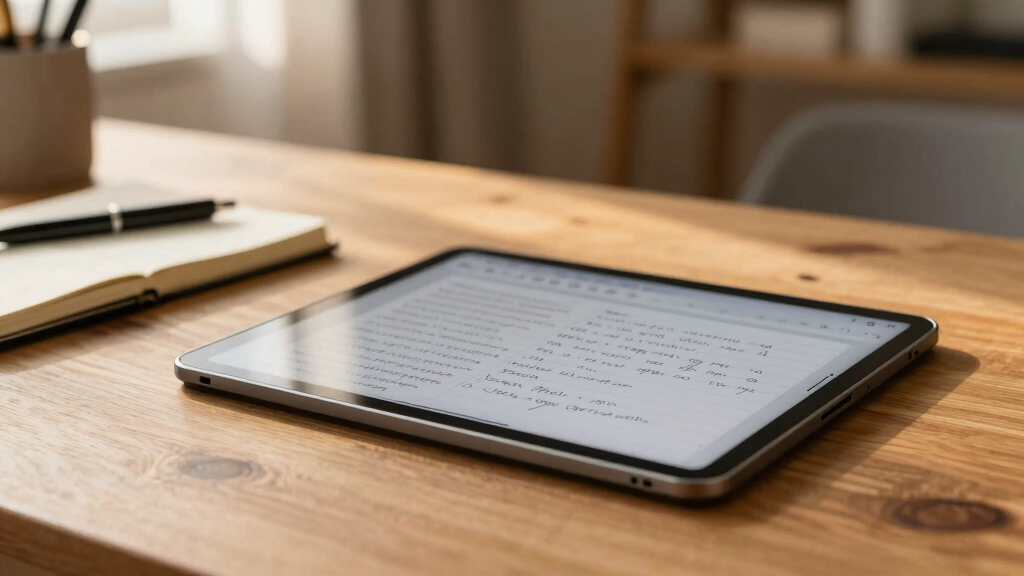

Choosing the best tablet for note taking depends on your specific needs, whether you prioritize handwriting accuracy, display type, or versatility. The reMarkable Paper Pro stands out as the top overall pick thanks to its paper-like writing experience. For those seeking an all-in-one device, the Samsung Galaxy Tab S10 FE offers a balanced mix of features and affordability. Meanwhile, the Kindle Scribe caters best to readers who also want note-taking capabilities. Most options require tradeoffs between display type, writing feel, and multitasking ability. Keep reading for the full breakdown of these top contenders.

Get school and study supplies delivered free — and shop member deals
- Fast, free delivery on millions of items
- Access to Prime Big Deal Days deals on October 6–7
- Prime Video, Amazon Music and more included
Key Takeaways
- E-Ink tablets like the amazon.com/dp/B0DG9ZXWMK?tag=rottenpanda.com-20&ascsubtag=dc-28300″ target=”_blank” rel=”nofollow sponsored noopener”>reMarkable excel in paper-like writing but lack multitasking features.
- Android-based tablets offer more versatility with apps, but may compromise on writing feel compared to dedicated e-ink devices.
- Display quality and responsiveness vary widely, affecting the handwriting experience.
- Budget options can deliver good note-taking features but often lack durability or advanced features.
- Choosing a device depends heavily on whether you prioritize simplicity, versatility, or a natural writing feel.
| reMarkable Paper Pro with Marker Plus |  | Best Overall for Natural Writing Feel | Display: 11.8-inch Canvas Color | Features: Color display, adjustable reading light, low-glare screen, handwriting to text conversion | Included: reMarkable Paper Pro, Marker Plus, 6 spare Marker tips | VIEW LATEST PRICE | See Our Full Breakdown |
| BOOX Note Air 5 10.3″ E Ink Color Tablet with Android 15, 6GB RAM, 64GB Storage |  | Best for Color Reading and Note-Taking on E Ink | Screen Size: 10.3 inches | Display Technology: Kaleido 3 color E Ink | Resolution: B/W: 2480 x 1860, Color: 1240 x 930 | VIEW LATEST PRICE | See Our Full Breakdown |
| XPPen 3-in-1 Color Digital Notebook 10.95” with 16384 Pressure Levels and Magnetic Folio |  | Best for Precise, Artistic Note Taking and Reading | Display Size: 10.95 inches | Display Technology: AG nano-etched LCD with TCL NXTpaper 3.0 | Color Modes: Monochrome, Light Color, Nature Color | VIEW LATEST PRICE | See Our Full Breakdown |
| Lenovo Idea Tab College Tablet – 11″ 2.5K IPS Touchscreen, 90Hz, MediaTek Dimensity 6300, 4GB RAM, 128GB Storage, Pen & Folio Case |  | Best for Students Needing Versatile Note and Media Use | Display: 11″ 2.5K IPS touchscreen | Refresh Rate: 90Hz | Processor: MediaTek Dimensity 6300 | VIEW LATEST PRICE | See Our Full Breakdown |
| Jeazans Android 16 Tablet 10.1 Inch 2-in-1 Bundle with Keyboard, Mouse, Stylus, Leather Case, Dual Camera, 64GB Storage + 1TB Expansion |  | Best for Productivity and Versatility in a 2-in-1 Package | Operating System: Android 16 | Display: 10.1 inches | RAM: 24GB | VIEW LATEST PRICE | See Our Full Breakdown |
| Samsung Galaxy Tab S10 FE 128GB WiFi Android Tablet, US Version, Silver |  | Best Overall for Versatile Note Taking and Productivity | Storage: 128GB | Connectivity: WiFi | Operating System: Android | VIEW LATEST PRICE | See Our Full Breakdown |
| reMarkable Paper Pro with Marker Plus and Basalt Book Folio |  | Best for Authentic Paper-Like Writing in Color | Display: 11.8-inch Canvas Color | Features: Color display, adjustable reading light, low-glare screen | Included: Marker Plus, 6 spare tips, Basalt Book Folio, USB-C cable | VIEW LATEST PRICE | See Our Full Breakdown |
| reMarkable Paper Pro with Marker Plus and Black Leather Book Folio |  | Best for Paper-Like Experience with Organizing Tools | Display: 11.8-inch Canvas Color e-ink | Included Components: reMarkable Paper Pro, Marker Plus, 6 spare tips, Book Folio, USB-C cable | Model Number: RM83C-1005NW | VIEW LATEST PRICE | See Our Full Breakdown |
| Samsung Galaxy Tab S10 Lite, 6GB RAM, 128GB, 2TB Expandable, 10.9” LCD, Gray |  | Best for Balanced Note Taking and Media Use | Display: 10.9-inch LCD | RAM: 6GB | Internal Storage: 128GB | VIEW LATEST PRICE | See Our Full Breakdown |
| Amazon Kindle Scribe (64GB) with Premium Pen |  | Best for Digital Note Taking and Reading in Ecosystem | VIEW LATEST PRICE | See Our Full Breakdown | |||
| Lenovo Idea Tab College Tablet 11″ 2.5K IPS Touchscreen, 90Hz, MediaTek Dimensity 6300, 8GB RAM, 256GB Storage |  | Best for Versatile Study and Entertainment | Display: 11-inch 2.5K IPS touchscreen | Refresh Rate: 90Hz | Processor: MediaTek Dimensity 6300 | VIEW LATEST PRICE | See Our Full Breakdown |
| tablet for note taking | Display |
|---|---|
| reMarkable Paper Pro with Mark | 11.8-inch Canvas Color |
| BOOX Note Air 5 10.3" E Ink Co | — |
| XPPen 3-in-1 Color Digital Not | — |
| Lenovo Idea Tab College Tablet | 11" 2.5K IPS touchscreen |
| Jeazans Android 16 Tablet 10.1 | 10.1 inches |
| Samsung Galaxy Tab S10 FE 128G | 10.5-inch screen |
| reMarkable Paper Pro with Mark | 11.8-inch Canvas Color |
| reMarkable Paper Pro with Mark | 11.8-inch Canvas Color e-ink |
| Samsung Galaxy Tab S10 Lite | 10.9-inch LCD |
| Amazon Kindle Scribe | — |
| Lenovo Idea Tab College Tablet | 11-inch 2.5K IPS touchscreen |
More Details on Our Top Picks
reMarkable Paper Pro with Marker Plus
The reMarkable Paper Pro stands out for its ultra-slim, paper-like experience, making it an ideal choice for those who prioritize a natural writing feeling. Its 11.8-inch color display closely mimics real paper, providing a more immersive experience than the monochrome screens of competitors like the BOOX Note Air 5. However, its focus on digital note-taking and reading means it lacks the versatility of devices running Android or supporting extensive apps. The adjustable reading light and low-glare screen enhance comfort during long sessions, but the device’s high price may deter casual users. This pick makes the most sense for professionals and students seeking a dedicated, paper-like note-taking device rather than a multifunctional tablet.
Pros:- Color display for versatile note-taking and sketching
- Natural, paper-like writing experience
- Adjustable reading light for comfortable use
Cons:- Limited to digital note-taking and reading, no app ecosystem
- Higher price point relative to basic tablets
Best for: Creative professionals and students who want a natural, paper-like writing experience without distractions
Not ideal for: Users seeking a multifunctional tablet or those on a tight budget, as its specialized features come at a premium
- Display:11.8-inch Canvas Color
- Features:Color display, adjustable reading light, low-glare screen, handwriting to text conversion
- Included:reMarkable Paper Pro, Marker Plus, 6 spare Marker tips
Our verdict“Best suited for users who need a dedicated, natural-feel writing device without the distractions of a full tablet.”
BOOX Note Air 5 10.3″ E Ink Color Tablet with Android 15, 6GB RAM, 64GB Storage
The BOOX Note Air 5 offers a high-resolution 10.3-inch color E Ink display, making it a solid choice for readers who also want to take notes without sacrificing eye comfort. Its Android 15 OS, 6GB RAM, and 64GB storage enable running various apps, setting it apart from the more limited reMarkable Paper Pro. However, the inherent limitations of E Ink, such as slower refresh rates and less vibrant colors, mean it can’t replace LCD tablets for multimedia or fast-paced drawing. The darker tones and grayer visuals may disappoint those expecting LCD-like vibrancy, but the device’s low power consumption is a plus. This device is best for readers and note-takers who prefer a paper-like screen and Android flexibility over vivid visuals.
Pros:- High-resolution color E Ink display suitable for reading and note-taking
- Runs on Android 15 with ample RAM and storage
- Supports a wide range of document and image formats
Cons:- Color E Ink screens have inherent limitations in vibrancy
- Slower refresh rates reduce suitability for animation-heavy apps
Best for: Reading-intensive users who want basic color notes and annotations without eye strain
Not ideal for: Users seeking vibrant multimedia experiences or quick-draw animations, as E Ink’s refresh rate is limited
- Screen Size:10.3 inches
- Display Technology:Kaleido 3 color E Ink
- Resolution:B/W: 2480 x 1860, Color: 1240 x 930
- RAM:6GB
- Storage:64GB
- Connectivity:Wi-Fi, Bluetooth 5.1
Our verdict“Ideal for readers and note-takers who prefer a low-glare, paper-like screen with Android app support.”
XPPen 3-in-1 Color Digital Notebook 10.95” with 16384 Pressure Levels and Magnetic Folio
The XPPen 3-in-1 Digital Notebook provides a 10.95-inch LCD with a 90Hz refresh rate and 16K pressure sensitivity, making it ideal for detailed note-taking and drawing. Its Android 14 operating system and 128GB storage support a broad range of creative and productivity apps, unlike the more limited reMarkable Paper Pro. The paper-like display reduces glare and eye strain, yet the narrow viewing angle might be a concern for collaborative work or viewing from different positions. The device excels for users who want precise input and a versatile display but isn’t designed for casual reading or basic note apps. Its high-pressure sensitivity and smooth visuals make it suitable for artists and serious note-takers alike.
Pros:- High-pressure sensitivity with 16K levels for precise input
- Paper-like display reduces glare and eye strain
- Supports multiple color modes and smooth 90Hz refresh rate
Cons:- Limited viewing angles may hinder group viewing
- Requires system upgrade for advanced AI note features
Best for: Artists and detailed note-takers who require high sensitivity and a versatile color display
Not ideal for: Casual readers or users who need wide viewing angles for group work or presentations
- Display Size:10.95 inches
- Display Technology:AG nano-etched LCD with TCL NXTpaper 3.0
- Color Modes:Monochrome, Light Color, Nature Color
- Refresh Rate:90Hz
- Pressure Levels:16384
- Operating System:Android 14
Our verdict“Best for artists and meticulous note-takers seeking a high-precision, versatile display.”
Lenovo Idea Tab College Tablet – 11″ 2.5K IPS Touchscreen, 90Hz, MediaTek Dimensity 6300, 4GB RAM, 128GB Storage, Pen & Folio Case
The Lenovo Idea Tab College offers an 11-inch 2.5K IPS touchscreen with a 90Hz refresh rate, making it suitable for students juggling note-taking, media, and light productivity. Its MediaTek Dimensity 6300 processor and 4GB RAM provide decent performance, but may struggle with multitasking or heavy apps compared to devices with higher RAM, like the Jeazans Android 16 Tablet. The included stylus and folio case support basic note and sketch functions, but the limited RAM could hamper smoother, more complex tasks. Its long battery life and sharp visuals make it appealing for learning on the go, though it falls short for power users. Best for students who want a balanced device for study, media, and light note-taking without excess features.
Pros:- High-resolution 2.5K display with vivid visuals
- Long-lasting battery for all-day use
- Supports stylus input for notes and sketches
Cons:- Limited to 4GB RAM, affecting multitasking
- No mention of cellular connectivity options
Best for: Students seeking a budget-friendly, versatile device for note-taking and media consumption
Not ideal for: Power users or professionals needing heavy multitasking or advanced apps, due to limited RAM
- Display:11″ 2.5K IPS touchscreen
- Refresh Rate:90Hz
- Processor:MediaTek Dimensity 6300
- Memory:4 GB RAM
- Storage:128 GB
- Battery Life:Up to 12 hours
Our verdict“A solid choice for students who need a colorful, capable device for basic note-taking and media use.”
Jeazans Android 16 Tablet 10.1 Inch 2-in-1 Bundle with Keyboard, Mouse, Stylus, Leather Case, Dual Camera, 64GB Storage + 1TB Expansion
The Jeazans Android 16 Tablet combines a 10.1-inch display with 24GB RAM and 64GB storage, making it a powerhouse for multitasking and productivity. Its 2-in-1 design with a keyboard and mouse transforms the device into a laptop, appealing to professionals and students needing flexibility, especially when compared to single-function tablets like the reMarkable Paper Pro. The device supports WiFi6, fast charging, and expandable storage, adding to its appeal for heavy-duty use. However, its large size and weight may reduce portability for some users, and the premium bundle price might be a deterrent for budget-conscious buyers. This tablet fits those looking for a versatile, high-performance device for work, note-taking, and media at home or on the go.
Pros:- Massive 24GB RAM for seamless multitasking
- Expandable storage up to 1TB for large files
- Full 2-in-1 functionality with keyboard and mouse
Cons:- Large size and weight reduce portability
- Higher price due to extensive bundle
Best for: Power users and professionals who want a 2-in-1 device with extensive multitasking capabilities
Not ideal for: Casual users or those prioritizing portability over raw power, due to its size and weight
- Operating System:Android 16
- Display:10.1 inches
- RAM:24GB
- Storage:64GB ROM, expandable to 1TB
- Connectivity:WiFi6
- Included Accessories:Keyboard, Wireless Mouse, Stylus, Leather Case
Our verdict“Ideal for users who need a high-performance, versatile tablet that doubles as a laptop for productivity on the go.”
Samsung Galaxy Tab S10 FE 128GB WiFi Android Tablet, US Version, Silver
The Samsung Galaxy Tab S10 FE stands out for its large, bright 10.5-inch display with a smooth 90Hz refresh rate, making note-taking and reading comfortable and responsive. Its IP68 water and dust resistance adds durability, which is rare among tablets in this class. Compared to the reMarkable Paper Pro, it offers more multimedia capabilities and a broader app ecosystem, but at a higher price and with less focus on a paper-like writing experience. The inclusion of features like Circle to Search and handwriting assistance enhances productivity, though some features depend on internet connectivity and compatible apps. The need for a separate 45W fast charger can be inconvenient for some. This pick makes the most sense for users who want a durable, versatile device for both note-taking and entertainment without sacrificing screen quality or durability.
Pros:- Large, high-quality display with 90Hz refresh rate for smooth writing and browsing
- IP68 water and dust resistance ensures durability in various environments
- Versatile features like handwriting assist and Circle to Search
Cons:- Requires a separate purchase of a fast charger for optimal charging speeds
- Some features are dependent on internet connection and compatible apps
- Premium features can push the price higher than basic tablets
Best for: Tech-savvy students and professionals seeking a durable, all-around tablet for note-taking, media, and productivity.
Not ideal for: Purely traditional writers or artists who prefer a paper-like, low-glare screen without multimedia distractions.
- Storage:128GB
- Connectivity:WiFi
- Operating System:Android
- Color:Silver
- Water Resistance:IP68
- Display:10.5-inch screen
- Refresh Rate:90Hz
- Battery:Fast-charging, long-lasting
Our verdict“This tablet is ideal for those who need a reliable, multi-purpose device for note-taking, media, and durability in one package.”
reMarkable Paper Pro with Marker Plus and Basalt Book Folio
The reMarkable Paper Pro excels at mimicking the feel of traditional paper with its 11.8-inch Canvas Color display, making it ideal for detailed sketches and handwritten notes in color. Its low-glare, adjustable lighting screen ensures comfortable use in various lighting conditions, surpassing the glare issues found on traditional tablets like the Samsung Galaxy Tab S10 FE. However, it’s primarily designed for note-taking, sketching, and reading, lacking the multimedia capabilities of more versatile devices. Compared to the Kindle Scribe, it offers a more natural writing experience but doesn’t support extensive document management or AI tools. Its premium price can be a barrier for casual users, and the limited color palette may not satisfy those seeking vibrant visuals. For users prioritizing a true paper-like feel and color in a portable form, this device is an excellent choice.
Pros:- Large 11.8-inch color e-ink display for versatile reading and drawing
- Responsive, paper-like writing experience with included stylus
- Adjustable reading light and low-glare screen for comfort in various environments
- Includes protective leather folio and multiple spare tips
Cons:- Limited to e-ink technology, which is less vibrant than LCD or OLED screens
- Primarily designed for note-taking and reading, not multimedia consumption
- Price may be high for casual users or those seeking vibrant visuals
Best for: Creative professionals and students who want a natural, paper-like writing experience with color support.
Not ideal for: Users seeking a multimedia tablet for video, gaming, or extensive app use, as it focuses on reading and writing.
- Display:11.8-inch Canvas Color
- Features:Color display, adjustable reading light, low-glare screen
- Included:Marker Plus, 6 spare tips, Basalt Book Folio, USB-C cable
Our verdict“This device is perfect for users who want a natural, color-enabled writing experience with a focus on reading and sketching, not multimedia entertainment.”
reMarkable Paper Pro with Marker Plus and Black Leather Book Folio
The reMarkable Paper Pro with its 11.8-inch Canvas Color e-ink display offers a natural, paper-like experience that appeals to writers, annotators, and professionals who prefer minimal distractions. Its responsive stylus and handwriting-to-text conversion make organizing notes straightforward. Compared to the Samsung Galaxy Tab S10 Lite, it provides a more authentic writing feel but sacrifices multimedia versatility; it’s less suitable for videos or gaming. The included leather folio adds a touch of elegance and protection, perfect for on-the-go use. However, its reliance on e-ink technology results in less vibrant visuals, and it is primarily a reading and note-taking device, not a multimedia hub. The device’s price might be a hurdle for casual users, but for those valuing a true paper-like experience, it offers unmatched authenticity.
Pros:- Large 11.8-inch color e-ink display for versatile reading and drawing
- Responsive stylus with handwriting-to-text conversion
- Includes premium leather folio for protection and style
- Offers a natural, paper-like writing experience
Cons:- Limited to e-ink display, which is less vibrant than LCD or OLED
- Less suited for multimedia or video playback
- Price may be a barrier for casual or budget-conscious users
Best for: Professionals and students who prioritize natural writing and note organization over multimedia features.
Not ideal for: Users seeking a vibrant, color-rich display for multimedia or gaming, as it focuses on e-ink technology.
- Display:11.8-inch Canvas Color e-ink
- Included Components:reMarkable Paper Pro, Marker Plus, 6 spare tips, Book Folio, USB-C cable
- Model Number:RM83C-1005NW
- Generation:1st Generation
- Connectivity:Wi-Fi (802.11a/b/g/n/ac)
- Warranty:1 Year Limited
Our verdict“Ideal for those who want a true paper-like feel with excellent note organization, not for multimedia enthusiasts.”
Samsung Galaxy Tab S10 Lite, 6GB RAM, 128GB, 2TB Expandable, 10.9” LCD, Gray
The Samsung Galaxy Tab S10 Lite offers a 10.9-inch LCD screen that’s vivid and well-suited for note-taking, reading, and media consumption. Its 6GB RAM and powerful Exynos 1380 processor support multitasking, making it a strong choice for users who want a budget-friendly device with solid performance. Unlike the reMarkable models, it provides a more vibrant display and access to a broad app ecosystem, but it doesn’t replicate the paper-like feel. Its expandable storage up to 2TB is a standout feature, especially compared to limited internal storage in other options. However, with only 128GB internal storage, users who need extensive offline notes may find it restrictive unless they utilize microSD cards. This tablet makes sense for those seeking a versatile device that balances note-taking, media, and multitasking without a premium price.
Pros:- Vivid 10.9-inch LCD display ideal for note-taking and media
- Expandable storage up to 2TB via microSD card
- Powerful processor with 6GB RAM supports multitasking
- Long battery life with fast charging
Cons:- Limited internal storage at 128GB, requiring microSD for more space
- Does not have the same natural writing feel as dedicated paper tablets
- Some features depend on compatible accessories or apps
Best for: Students and casual users who want a capable device for notes, media, and multitasking on a budget.
Not ideal for: Professional artists or writers who need a paper-like or specialized note-taking device, as it emphasizes multimedia and multitasking over tactile writing.
- Display:10.9-inch LCD
- RAM:6GB
- Internal Storage:128GB
- Expandable Storage:Up to 2TB via microSD
- Processor:Exynos 1380
- Battery Life:Up to 16 hours
Our verdict“This tablet suits users who want a versatile, affordable device for note-taking and media with expandable storage options.”
Amazon Kindle Scribe (64GB) with Premium Pen
The Kindle Scribe is tailored for dedicated note-takers and readers who prefer a straightforward, focused device. Its 10.2-inch glare-free display is perfect for reading and writing with minimal eye strain, and the AI-powered tools for handwriting conversion and note summarization streamline organization. Compared with larger tablets like the Galaxy Tab S10 FE, it offers a simpler, more focused experience optimized for reading and note-taking, but with less multimedia versatility. The inclusion of the Premium Pen enhances writing precision, though it comes at an additional cost. Its limited storage of 64GB and dependence on the Kindle ecosystem may restrict flexibility for users heavily reliant on third-party apps or large files. This device makes the most sense for readers and students who prioritize long battery life and seamless note management within a dedicated ecosystem.
Pros:- High-quality 10.2-inch glare-free display for comfortable reading and writing
- AI tools for handwriting recognition and note summarization
- Long battery life supports extended use
- Includes a premium stylus for precise notes
Cons:- Requires a learning curve for AI-powered features
- Premium Pen is an additional expense
- Limited to 64GB storage and Kindle ecosystem, reducing flexibility
Best for: Readers, students, and note-takers who want a dedicated, easy-to-use device for writing and reading within the Kindle ecosystem.
Not ideal for: Users who need complex note organization, multimedia, or app flexibility, as it is optimized mainly for reading and simple note functions.
Our verdict“This device is perfect for those seeking a dedicated, easy-to-use digital notebook within the Kindle environment, not for multimedia or complex organization needs.”
Lenovo Idea Tab College Tablet 11″ 2.5K IPS Touchscreen, 90Hz, MediaTek Dimensity 6300, 8GB RAM, 256GB Storage
The Lenovo Idea Tab College Tablet stands out for its vibrant 2.5K IPS display and 90Hz refresh rate, making note-taking and browsing smooth and visually appealing. Compared with the reMarkable Paper Pro, which excels in paper-like writing, this tablet offers a more versatile experience for students who want both study tools and entertainment. The inclusion of 8GB RAM and a powerful MediaTek Dimensity 6300 processor ensures multitasking runs seamlessly, ideal for juggling notes, videos, and apps. Its long 12-hour battery life supports all-day use, while stylus support enhances handwriting and sketching. However, the lack of expandable storage could be a limitation for those with large media libraries, and the price might be steep for budget-conscious buyers. Camera quality details are limited, which may matter for quick photo notes. This pick makes the most sense for college students who want a colorful, responsive device that doubles as an entertainment hub, but less so for users prioritizing camera features or expandable storage.
Pros:- Vivid 2.5K display with excellent color and clarity
- Smooth 90Hz refresh rate for fluid note-taking and browsing
- Long-lasting battery up to 12 hours for all-day use
- Stylus support for handwriting, sketches, and annotations
Cons:- No expandable storage option, which can limit media and file storage
- Higher price point compared to entry-level tablets
- Limited camera details, which may affect quick photo notes
Best for: College students and busy learners seeking a bright, multitasking-friendly device with stylus support
Not ideal for: Photographers or users needing extensive storage expansion, as it lacks microSD support
- Display:11-inch 2.5K IPS touchscreen
- Refresh Rate:90Hz
- Processor:MediaTek Dimensity 6300
- Memory:8 GB RAM
- Storage:256 GB
- Battery Life:Up to 12 hours
- Charging:20W charger
- Sound:Quad Dolby Atmos-tuned speakers
- Blue Light Solution:TÜV Rheinland Low Blue Light
Our verdict“This tablet is ideal for students who want a colorful, fast device that handles both note-taking and entertainment well, but it’s less suited for those who need expandable storage or camera features.”

How We Picked
These products were selected based on a balanced mix of performance, usability, build quality, and value. We prioritized devices with responsive stylus support, clear displays, and user-friendly interfaces, as these directly impact the note-taking experience. Additional factors like battery life, storage options, and overall durability played key roles. Devices that excelled in one area but fell short in others were ranked accordingly, ensuring that each option offers a distinctive advantage tailored to different user needs.Factors to Consider When Choosing Best Tablet For Note Taking
When choosing the best tablet for note taking, it’s important to consider several key factors that directly influence your daily usability and long-term satisfaction. Each buyer has different priorities, whether that’s the feel of handwriting, device versatility, or budget constraints. Understanding these factors helps prevent costly mistakes and ensures you select a device that truly fits your workflow.Display Type and Quality
The display is the foundation of a good note-taking device. E-Ink screens mimic paper and are ideal for long writing sessions without eye strain, but they often lack color and quick refresh rates. LCD or OLED screens offer color and faster response times but can cause fatigue over extended use. Consider what matters more: a paper-like experience or vibrant, versatile display for other tasks.
Stylus Support and Responsiveness
The quality of stylus support directly impacts your writing experience. Look for devices with pressure sensitivity, low latency, and tilt support, which mimic real pen strokes. Some devices come with their stylus, while others require separate purchases. A responsive stylus can make the difference between smooth writing and frustrating lag, especially for detailed notes or sketches.
Operating System and App Ecosystem
The OS determines how easily you can customize your device and access necessary apps. E-Ink devices like the reMarkable focus on simplicity and distraction-free writing, while Android or iOS tablets provide a broader app ecosystem for multitasking, note organization, and productivity. Your choice depends on whether you prioritize dedicated writing tools or need a more versatile device.
Battery Life and Portability
Long battery life enables you to use your tablet throughout the day without frequent recharges, especially for on-the-go note-taking. E-Ink tablets tend to last longer but often lack features like color or multitasking. Consider the weight and size of the device too—lighter, more compact models are easier to carry but may compromise on screen size or features.
Price and Value
Price varies widely in this category, from budget-friendly options to premium devices. More expensive tablets often provide better build quality, stylus accuracy, and additional features. However, for casual note-taking, budget devices can suffice if they meet your core needs. Evaluate whether the added features justify the price for your specific use case.
Frequently Asked Questions
Can I use an iPad for note taking instead of a dedicated device?
Absolutely. iPads, especially with the Apple Pencil, offer excellent note-taking experiences thanks to their high responsiveness, vast app ecosystem, and versatile display options. They are suitable for users who want a device that combines note-taking with other tasks like drawing, browsing, or productivity work. However, they tend to be more expensive than dedicated e-ink tablets and may cause eye strain during extended writing sessions.
Is an E-Ink tablet better for long writing sessions?
Yes, E-Ink tablets like the reMarkable are designed to mimic paper and reduce eye fatigue, making them ideal for long-form writing or reading. Their reflective screens require no backlight, which lessens strain during extended use. The tradeoff is that they usually lack color, quick refresh rates, and multitasking capabilities, so they work best for dedicated note-taking rather than multitasking or media consumption.
Should I choose a device with a stylus included or buy separately?
Opting for a device with a stylus included simplifies setup and ensures compatibility. Many dedicated note-taking tablets come with their stylus, optimized for responsiveness and pressure sensitivity. If you prefer a specific stylus or plan to use multiple devices, buying separately might offer more flexibility, but it can also add to the overall cost and complexity of your setup.
How important is screen size for note taking?
Screen size impacts comfort and usability. Larger screens, like 11 inches or more, provide more space for handwriting, sketches, and detailed notes, but they can be less portable. Smaller devices are easier to carry but might limit your writing area. Your choice should balance portability with your need for writing space and whether you’ll use the device primarily on the go or at a desk.
Do I need a color screen for note taking?
Color screens can be advantageous if you want to include diagrams, highlights, or colored notes. However, most dedicated note-taking devices rely on black-and-white or grayscale displays for a more paper-like experience. If color is essential for your workflow, look for devices with LCD or OLED screens, but be aware they may cause more eye fatigue and have shorter battery life compared to E-Ink options.
Conclusion
For most users seeking a simple, distraction-free note-taking device, the reMarkable Paper Pro offers the best writing feel and long battery life. Those wanting an all-around tablet that balances note-taking with multimedia and multitasking should consider the Samsung Galaxy Tab S10 FE for its versatility and value. For beginners or casual users, budget-friendly options like the Amazon Kindle Scribe provide a straightforward experience without sacrificing core features. Serious digital artists or professionals may prefer premium choices like the reMarkable Paper Pro with Basalt Book Folio or the iPad with Apple Pencil for the most natural handwriting experience and app support. Ultimately, your choice hinges on how you plan to use your tablet daily and which features matter most to you.
As an affiliate, we earn on qualifying purchases.Halloween Picks
halloween