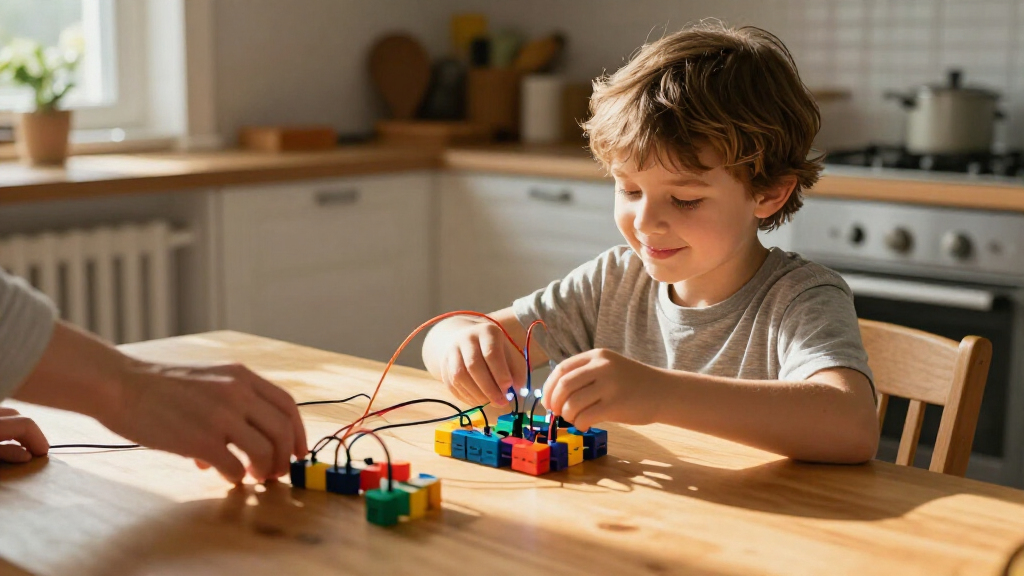

Educational coding kits for kids range from screen-free robots to buildable machines controlled with block-based code. My best overall pick is the Makeblock mBot STEM Coding Robot Kit, which pairs hands-on building with a clear path into programming. For younger beginners, Botley the Coding Robot offers screen-free activities, while LEGO Boost suits families who want open-ended building alongside coding. The main tradeoffs are how much setup and adult help a kit needs, whether it relies on a tablet or computer, and how far children can progress after the first projects. Read on for the full breakdown and help matching a kit to your child’s age, interests, and learning style.

Prime made for students and young adults
- Fast, free delivery for dorm and study essentials
- Prime Video and Amazon Music included
- Member-only deals
Key Takeaways
- The mBot STEM Coding Robot Kit earns the overall lead because it combines construction and programmable robot behavior, rather than focusing on only one activity type.
- Botley is the clearest screen-free starting point for children who are not ready to work with a coding app or computer.
- LEGO Boost offers the broadest creative building angle, but its appeal depends on having a compatible device and a child who enjoys assembling and revising projects.
- Age labels do not tell the whole story: hands-on builders may gravitate toward Mech-5 or the Thames & Kosmos chameleon, while app-led learners may prefer Osmo or Ozobot Evo.
- Robot kits differ in what they teach. Some emphasize coding sequences, others add electronics, construction, or guided experiments; choose by the skill and play style your child will return to.
| Makeblock mBot Arduino Robot Kit with Scratch Coding Box for Kids Ages 8-12 |  | Best for Coding Progression | Recommended age: 8 years and up | Mainboard: mCore | Motors: 2 | VIEW LATEST PRICE | See Our Full Breakdown |
| BeAndge Robotics STEM Kits for Kids Ages 8-12 – Science Robot Building Crafts |  | Best for Variety of Build-and-Try Projects | Recommended age: 8–14 years | Number of experiments: 6 | Example activities: Reptile robot, balance car, bubble machine, fiber lamp, and buzzer wire game | VIEW LATEST PRICE | See Our Full Breakdown |
| Learning Resources Botley the Coding Robot |  | Best Screen-Free Starter | Age range: 5+ | Number of pieces: 45 | Included components: Botley, remote programmer, detachable arms, 40 coding cards, tiles, and obstacles | VIEW LATEST PRICE | See Our Full Breakdown |
| Teach Tech Mech-5 STEM Coding Robot Building Kit for Kids Ages 10+ |  | Best for Mechanical Coding | Age range: 10+ | Set name: Mech-5 | Coding method: Mechanical coding wheel | VIEW LATEST PRICE | See Our Full Breakdown |
| Osmo Coding Kit for Kids, Ages 5-10+ |  | Best for Hands-On App Learning | Age range: 5–10+ years | Included games: 3 coding games | Coding blocks: 31 | VIEW LATEST PRICE | See Our Full Breakdown |
| Makeblock mBot STEM Coding Robot Kit for Kids Ages 8-12 |  | Best for a First Programmable Robot | Brand: Makeblock | Age range: 8 years and up | Model number: 90053 | VIEW LATEST PRICE | See Our Full Breakdown |
| Ozobot Evo Coding Robot Kit for Kids & Teachers (Ages 5-11) |  | Best for Screen-Free Coding Activities | Brand: Ozobot | Age range: 5–11 years | Included robot: 1 Evo robot | VIEW LATEST PRICE | See Our Full Breakdown |
| Sillbird STEM Robot Building Kit with Remote Control for Boys 8-13 |  | Best for Rebuildable Robot Play | Number of pieces: 488 | Age range: 8–13 years | Buildable models: Robot, dinosaur, car, tank, and more | VIEW LATEST PRICE | See Our Full Breakdown |
| Playz Coding Learning Kit, Educational Science Kits for Kids Ages 8-12 |  | Best for Unplugged Computer Science | Brand: Playz | Age range: 8–12 years | Kit name: My First Coding & Computer Science Kit | VIEW LATEST PRICE | See Our Full Breakdown |
| Thames & Kosmos My Robotic Pet: Coding Chameleon STEM Building & Experiment Kit |  | Best for Screen-Free Interactive Robotics | Brand: Thames & Kosmos | Model name: My Robotic Pet: Coding Chameleon | Age range: 8–12 years | VIEW LATEST PRICE | See Our Full Breakdown |
| LEGO Boost Creative Toolbox 17101 Fun Robot Building Set and Educational Coding Kit for Kids |  | Best for Creative Robot Builders | Recommended age: 7–12 years | Piece count: 847 | Build options: Five multifunctional robot models | VIEW LATEST PRICE | See Our Full Breakdown |
| educational coding kits for kid | Age range | Included components | Model number |
|---|---|---|---|
| Makeblock mBot Arduino Robot K | — | Coding box, electronic and building components, tools, and learning resources | — |
| BeAndge Robotics STEM Kits for | — | Electronic STEM kits | 6 sets motor kit for kids 8-12 |
| Learning Resources Botley the | 5+ | Botley, remote programmer, detachable arms, 40 coding cards, tiles, and obstacles | LER2936 |
| Teach Tech Mech-5 STEM Coding | 10+ | Assembly parts and English instruction manual | TTC-895 |
| Osmo Coding Kit for Kids | 5–10+ years | Osmo Base, coding games, coding blocks, and stackable storage | 901-00021 |
| Makeblock mBot STEM Coding Rob | 8 years and up | Robot kit | 90053 |
| Ozobot Evo Coding Robot Kit fo | 5–11 years | — | — |
| Sillbird STEM Robot Building K | 8–13 years | — | — |
| Playz Coding Learning Kit | 8–12 years | — | — |
| Thames & Kosmos My Robotic Pet | 8–12 years | Plastic building parts and manual | 620507 |
| LEGO Boost Creative Toolbox 17 | — | — | 17101 |
More Details on Our Top Picks
Makeblock mBot Arduino Robot Kit with Scratch Coding Box for Kids Ages 8-12
The mBot is a strong fit for children ready to connect coding with a robot they assemble themselves. Its mCore board, motors, and sensors give projects a physical result, while support for block-based and Arduino programming offers a path from visual instructions toward text-based code. Compared with Botley, which is designed for younger children and screen-free sequencing, mBot asks for more setup and electronic familiarity but offers more room to advance. The four included projects and learning resources help structure early sessions; the tradeoff is that this is still a beginner-level kit, not an open-ended robotics platform. Assembly may need adult help, especially for children at the younger end of its age range.
Pros:- Supports both block-based coding and Arduino programming
- Motors and a line-follower sensor connect code to visible robot behavior
- Includes four projects, tools, and learning resources
- Assembly offers hands-on practice with robot components
Cons:- Electronics and assembly may require adult supervision
- Four projects and beginner-level activities may limit longer-term challenge
Best for: Ages 8–12 who want to build a motorized robot and progress from block coding toward Arduino programming.
Not ideal for: Younger children who need a simple screen-free first coding toy, or experienced coders looking for advanced projects and expandability.
- Recommended age:8 years and up
- Mainboard:mCore
- Motors:2
- Line-follower sensors:1
- Programming:Block-based and Arduino
- Projects:4
- Included components:Coding box, electronic and building components, tools, and learning resources
Our verdict“Choose mBot for an 8–12-year-old ready to build a robot and grow from visual coding toward Arduino, provided an adult can help with assembly.”
BeAndge Robotics STEM Kits for Kids Ages 8-12 – Science Robot Building Crafts
BeAndge suits families who want a set of short, varied STEM builds rather than one robot that develops across coding levels. Its six experiments include a reptile robot, balance car, bubble machine, fiber lamp, and buzzer wire game, giving children different mechanisms and outcomes to explore. Compared with the Makeblock mBot, this kit emphasizes hands-on construction and experimentation more than a stated progression into Arduino or other programming. That variety can keep activities fresh for a sibling group, but buyers focused specifically on learning code may find the connection less direct. The instructions are described as detailed, though batteries and bubble solution are extra, and small parts may call for supervision with younger builders.
Pros:- Six distinct experiments provide more project variety than a single-build kit
- Activities introduce different mechanisms and simple electronic concepts
- Detailed instructions support guided assembly
- Designed for hands-on creative exploration
Cons:- Batteries and bubble solution are required but not included
- The product description does not specify a coding platform or progression
- Small components may need adult oversight
Best for: Families with children around 8–12 who want several different guided STEM builds and experiments in one box.
Not ideal for: Parents seeking a clearly structured coding curriculum or a robot with a defined path from visual to text-based programming.
- Recommended age:8–14 years
- Number of experiments:6
- Example activities:Reptile robot, balance car, bubble machine, fiber lamp, and buzzer wire game
- Pack count:1
- Included components:Electronic STEM kits
- Model number:6 sets motor kit for kids 8-12
- Manufacturer:BeAndge
Our verdict“Pick BeAndge for a child who prefers rotating through different STEM builds, not for a buyer whose main goal is structured programming practice.”
Learning Resources Botley the Coding Robot
Botley is the clearest starting point here for children learning what code does before they are ready for an app or electronics assembly. Kids program its movements with a remote programmer, then use the included coding cards, tiles, and obstacles to test sequences, loops, and if/then logic. Compared with the Osmo Coding Kit, Botley avoids an iPad and keeps the activity physical; the tradeoff is that it offers less screen-based feedback and a narrower route into more advanced coding. Its 45-piece challenge set supports obstacle courses and line-following play, but these activities need floor or table space. Older children who already understand basic sequencing may outgrow its programming options sooner than they would a buildable kit such as mBot.
Pros:- Screen-free programming makes basic sequences tangible
- Includes coding cards, tiles, obstacles, and detachable arms
- Introduces loops and if/then logic through guided challenges
- Suitable for home, classroom, and homeschool activities
Cons:- Programming options may be too limited for older or experienced children
- Obstacle-course play requires setup space
Best for: Children around 5–8 who are beginning to learn sequencing and logic without using a screen.
Not ideal for: Older kids seeking text-based programming, complex robot builds, or coding activities that need little physical setup.
- Age range:5+
- Number of pieces:45
- Included components:Botley, remote programmer, detachable arms, 40 coding cards, tiles, and obstacles
- Programming concepts:Sequencing, loops, and if/then logic
- Model number:LER2936
- UPC:765023029369
Our verdict“Choose Botley as a screen-free first coding robot for younger children, but look to mBot or Osmo for a different kind of progression.”
Teach Tech Mech-5 STEM Coding Robot Building Kit for Kids Ages 10+
Mech-5 makes the most sense for a child more interested in how a mechanism moves than in coding through an app. After assembly, a mechanical coding wheel controls actions such as throwing, lifting, kicking, and drawing, linking programmed sequences to a visible mechanical result. Compared with the Makeblock mBot, Mech-5 focuses on a narrower set of physical actions and does not offer the same stated move from block coding to Arduino; in return, it keeps programming tactile and avoids a screen-based coding setup. The build is a real commitment: assembly can take multiple hours, and the resulting movements are basic. Its age-10-plus recommendation makes adult support a sensible part of the plan for younger builders in that range.
Pros:- Mechanical coding wheel makes programming actions tangible
- Robot can be configured for movements including lifting, kicking, and drawing
- Detailed instructions support beginner builders
- No batteries are required according to the product description
Cons:- Assembly may take multiple hours
- Programming is limited to basic mechanical movements
- Recommended only for ages 10 and up
Best for: Builders aged 10 and up who enjoy mechanical projects and want to program simple physical actions without a coding app.
Not ideal for: Younger children, families wanting a quick activity, or learners seeking a broad coding curriculum and advanced robot behavior.
- Age range:10+
- Set name:Mech-5
- Coding method:Mechanical coding wheel
- Example actions:Throwing, lifting, kicking, and drawing
- Included components:Assembly parts and English instruction manual
- Model number:TTC-895
- Warranty:1 year against manufacturer defects
Our verdict“Choose Mech-5 for an older child who wants a substantial mechanical build with tactile action coding rather than a programmable electronics platform.”
Osmo Coding Kit for Kids, Ages 5-10+
Osmo combines physical coding pieces with app-led activities, making it a good match for children who respond to interactive puzzles and already have access to a compatible iPad. The 31 coding blocks and three games let children build commands by hand while the apps provide feedback, a different learning style from Botley’s entirely screen-free movement challenges. That combination can make abstract ideas easier to explore, but the iPad is not included and the kit is limited to supported iOS devices. Compared with mBot, Osmo requires no robot assembly and is less focused on electronics; it also does not offer the same stated Arduino progression. Buyers should check iPad compatibility before choosing it, since Android tablets are not supported.
Pros:- Physical coding blocks pair with interactive app feedback
- Three coding games offer multiple activity formats
- Hands-on pieces support logical problem-solving
- Stackable storage keeps the coding blocks together
Cons:- Requires a compatible iPad, which is not included
- Works only with supported iOS devices, not Android
- Setup and device compatibility may require checking before use
Best for: Families with a compatible iPad whose children aged 5–10+ enjoy interactive puzzles alongside physical coding pieces.
Not ideal for: Households without a supported iPad, Android users, or buyers who want a robot-building kit with motors and sensors.
- Age range:5–10+ years
- Included games:3 coding games
- Coding blocks:31
- Included components:Osmo Base, coding games, coding blocks, and stackable storage
- Compatibility:Supported iPads running iOS 15 or later
- Model number:901-00021
- Warranty:90 days against manufacturer defects
Our verdict“Choose Osmo for app-guided coding puzzles if you already own a compatible iPad; choose Botley for a screen-free start or mBot for robot-building progression.”
Makeblock mBot STEM Coding Robot Kit for Kids Ages 8-12
The mBot is a strong fit for children ready to connect coding ideas with a robot they build and control. Its line-following and obstacle-avoidance functions give Scratch programming a visible result, while Arduino compatibility offers a path toward more advanced experimentation. Compared with Ozobot Evo, which centers on quick screen-free activities and color-code markers, mBot asks kids to assemble hardware and work with software. That makes it a better match for sustained robotics projects, but a less immediate choice for a child who wants to start coding with minimal setup. Clear instructions help beginners, though initial programming can still take patience. The basic kit has limited functions without add-on modules, and families need to supply batteries separately.
Pros:- Combines hands-on robot assembly with Scratch and Arduino programming.
- Line-following and obstacle avoidance make code produce visible actions.
- Clear instructions make the build approachable for beginners.
- Supports add-on modules and LEGO parts for extending projects.
Cons:- Batteries are not included.
- Initial setup and programming may challenge new coders.
- The base kit offers limited functions without additional modules.
Best for: Families with children around 8–12 who want a buildable robot that can grow from Scratch projects toward Arduino programming.
Not ideal for: Children who want screen-free coding or a ready-to-go activity; assembly, software setup, and batteries add extra steps.
- Brand:Makeblock
- Age range:8 years and up
- Model number:90053
- Included components:Robot kit
- Programming:Scratch and Arduino
- Robot functions:Line-following and obstacle avoidance
Our verdict“Choose the mBot if your child wants to build a programmable robot and progress beyond introductory coding activities.”
Ozobot Evo Coding Robot Kit for Kids & Teachers (Ages 5-11)
Ozobot Evo stands out for letting young learners explore coding through both color-marker activities and online lessons. That mix gives beginners a low-barrier way to practice sequences before moving into more structured digital learning. Compared with the Makeblock mBot, Evo is less focused on assembling electronics or progressing toward Arduino; its strength is accessible, guided activity rather than a build-and-modify robotics project. The included markers, charging cable, zip case, and lesson access make it a classroom-friendly package, and its age range can suit groups with different experience levels. The tradeoff is that activities need usable drawing space, and the robot relies on compatible markers and accessories. Families seeking a construction-heavy kit may find the mBot or Sillbird more hands-on.
Pros:- Offers screen-free color-code activities alongside online lessons.
- Includes five dual-tip color-code markers and a zip case.
- Accessible to beginners with a broad stated age range.
- Charging cable and lesson resources support classroom use.
Cons:- Color-code activities require enough clear space for drawing paths.
- Initial setup may take some effort.
- Use is limited to compatible accessories and markers.
Best for: Teachers and families seeking guided, beginner-friendly coding activities for children spanning roughly ages 5–11.
Not ideal for: Kids who mainly want to assemble a robot or customize its hardware; Evo centers on coding activities and compatible accessories.
- Brand:Ozobot
- Age range:5–11 years
- Included robot:1 Evo robot
- Included activities:Get Started activities and access to lessons
- Included accessories:Charging cable, 5 dual-tip color-code markers, zip case
- Dimensions:8.5 × 6.5 × 1.8 inches
- Battery:Lithium-ion
- Material:Plastic
Our verdict“Pick Ozobot Evo for guided, flexible coding practice rather than a robot-building or hardware-expansion project.”
Sillbird STEM Robot Building Kit with Remote Control for Boys 8-13
Sillbird’s main advantage is variety: its 488 pieces can form several models, including a robot, dinosaur, car, and tank, so coding-adjacent play does not end with a single build. App control over Bluetooth and a separate remote mode let kids interact with what they assemble. Compared with the Makeblock mBot, Sillbird puts more emphasis on rebuilding and model variety than on Scratch or Arduino instruction; it suits a child drawn to construction and remote-control play more than a budding programmer seeking a clear software progression. The instructions are described as clear, but younger builders may still need help with assembly. Rechargeable power avoids buying batteries, though up to 40 minutes of play per charge can interrupt longer sessions, and app control requires a compatible Bluetooth device.
Pros:- 488 pieces support five stated build options, including a robot, dinosaur, car, and tank.
- Offers both app control over Bluetooth and remote control.
- Rechargeable battery avoids the need for disposable batteries.
- Instructions are designed to support independent assembly.
Cons:- Playtime is limited to up to 40 minutes per charge.
- Assembly may be difficult for younger children without help.
- App control requires a Bluetooth-capable device.
Best for: Builders ages 8–13 who enjoy taking robots apart, trying different models, and controlling their creations.
Not ideal for: Children focused on structured Scratch or Arduino lessons, or families who do not have a Bluetooth-capable device for app control.
- Number of pieces:488
- Age range:8–13 years
- Buildable models:Robot, dinosaur, car, tank, and more
- Control modes:Bluetooth app and remote
- Battery:Rechargeable
- Playtime per charge:Up to 40 minutes
Our verdict“Choose Sillbird when rebuilding and varied robot play matter more than a dedicated coding curriculum.”
Playz Coding Learning Kit, Educational Science Kits for Kids Ages 8-12
Playz takes a different route from the robot kits: children explore computer science ideas through hands-on projects such as binary necklaces, encryption devices, and pixel art. That makes it a useful choice for families who want coding concepts without needing a programmable robot, screen, or software setup. Compared with Ozobot Evo, Playz has no moving robot to steer, but its projects can make abstract ideas like binary representation and encryption tangible. The kit includes more than 30 tools and a colorful instruction guide, providing several activity formats in one box. The limits are less clear guidance on activity complexity and the possibility that younger children will need adult supervision. It is an introductory, project-based learning kit, not a route into Scratch or robot programming.
Pros:- Uses projects such as binary necklaces, encryption devices, and pixel art to teach computing concepts.
- Includes more than 30 tools and an instruction guide.
- Does not depend on a coding robot or software setup.
- Offers varied activities for practicing problem-solving.
Cons:- Activity complexity is not clearly specified.
- Younger children may need adult supervision and help interpreting instructions.
Best for: Families seeking unplugged, hands-on introductions to computer science concepts for children ages 8–12.
Not ideal for: Children who want to program a moving robot or follow a clear progression into Scratch or Arduino.
- Brand:Playz
- Age range:8–12 years
- Kit name:My First Coding & Computer Science Kit
- Objective:Coding skills and sorting skill
- Tools:More than 30
- Example activities:Binary necklaces, encryption devices, and pixel art
- Dimensions:12.2 × 10.1 × 2.8 inches
- Item weight:1.1 pounds
Our verdict“Pick Playz for screen-free computer science projects, but choose Ozobot Evo or mBot if your child wants to program a robot.”
Thames & Kosmos My Robotic Pet: Coding Chameleon STEM Building & Experiment Kit
The Coding Chameleon makes screen-free robotics feel like an interactive pet project: kids build an articulated chameleon, then explore gesture responses, color effects, and different play modes. Its sensors and LEDs give children concrete examples of how inputs can trigger outputs, while the camouflage and pet-interaction modes add play beyond coding. Compared with the Playz kit, this option teaches through a moving electronic creation rather than tabletop projects; unlike the mBot, it does not offer Scratch or Arduino programming. Action-card-based play keeps screens out of the activity, but also limits the programming approach. Assembly can be challenging, especially for younger builders, and adult assistance may be needed. It suits children who want a character-led build, not those seeking a broad, open-ended coding platform.
Pros:- Gesture responses, sensors, and LEDs make inputs and outputs visible.
- Combines coding, camouflage, and pet-interaction play modes.
- Screen-free action-card activities suit families limiting device use.
- Hands-on assembly introduces robotics and biomimicry ideas.
Cons:- Programming is limited to screen-free action-card activities.
- Assembly may be challenging and younger children may need adult help.
Best for: Children around ages 8–12 who enjoy building a character-based robot and exploring simple, screen-free cause-and-effect coding.
Not ideal for: Kids who want app-based coding, Scratch or Arduino progression, or extensive hardware customization.
- Brand:Thames & Kosmos
- Model name:My Robotic Pet: Coding Chameleon
- Age range:8–12 years
- Item type:Robotics kit
- Included components:Plastic building parts and manual
- Features:Sensors, LEDs, and articulated joints
- Play modes:Coding, camouflage, and pet interaction
- Model number:620507
Our verdict“Choose the Coding Chameleon for a character-led, screen-free robotics build rather than a flexible software-coding kit.”
LEGO Boost Creative Toolbox 17101 Fun Robot Building Set and Educational Coding Kit for Kids
The LEGO Boost Creative Toolbox suits kids who want coding to change how a physical creation behaves, not just guide a robot through a course. Its 847 pieces can form five models, including Vernie the Robot, Frankie the Cat, and the Guitar4000, giving children room to build, program, and then try a different project. Compared with Botley the Coding Robot, Boost asks for more construction and a compatible mobile device, but offers a more open-ended build-and-code experience. That makes it a stronger fit for kids who enjoy LEGO-style projects and iterative problem-solving than for families seeking screen-free, ready-to-use coding play. The tradeoffs are real: assembly takes time, programming depends on a tablet or phone and app, and the required six AAA batteries are not included.
Pros:- Five buildable models give children different ways to connect construction with coding.
- App-based programming introduces coding through interactive, physical responses.
- The 847-piece set supports extended building and project variation.
- Mobile-device and sensor compatibility can add flexibility to play.
Cons:- Programming requires a compatible tablet or mobile device.
- Six AAA batteries are needed and are not included.
- Building each model takes time, which may frustrate children who want immediate coding activities.
Best for: Families with children ages 7–12 who enjoy building with LEGO pieces and want coding activities tied to several interactive robot projects.
Not ideal for: Families seeking screen-free coding, a ready-built robot, or a kit that does not require buying batteries separately.
- Recommended age:7–12 years
- Piece count:847
- Build options:Five multifunctional robot models
- Programming:Free app
- Device requirement:Compatible tablet or mobile device
- Battery requirement:6 AAA 1.5V batteries, not included
- Model number:17101
- UPC:673419292108
Our verdict“Choose LEGO Boost for a child who enjoys constructing and reprogramming different robots, but pick Botley if screen-free, ready-to-start coding matters more.”
How We Picked
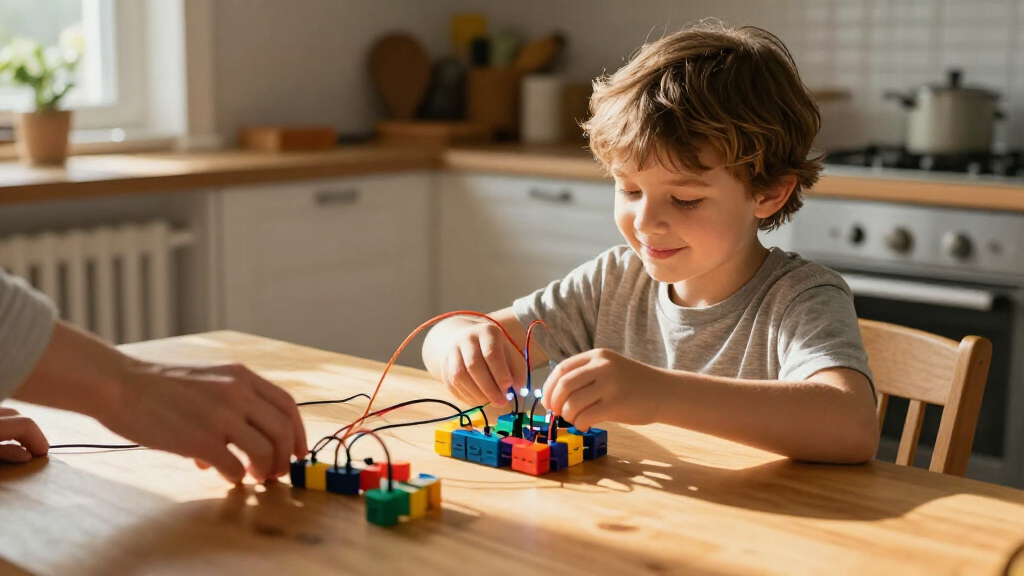
I compared these 11 educational coding kits by the learning experience they offer: whether children can create and change code, how directly coding affects a robot or project, and whether the activities can grow beyond a single first build. I also weighed age fit, setup demands, device requirements, build complexity, and the amount of adult support likely to be needed. A kit that makes cause and effect easy to grasp has an advantage for beginners; a kit with more construction or programming depth can rank higher for families seeking longer-term challenges.
The order reflects the balance between coding value, usability, and flexibility, not a claim that one style suits every child. The mBot STEM kit leads as a well-rounded option, while role-specific picks such as Botley and LEGO Boost serve different priorities. Kits centered more on building, guided experiments, or remote-control play rank lower for coding depth, though they may be a better match for children drawn to those activities. Before choosing, check the current package contents, app or device compatibility, and the manufacturer’s age guidance.
Factors to Consider When Choosing Educational Coding Kits For Kids
To choose among coding kits, start with the kind of learning your child will actually enjoy repeating. A robot that responds to simple commands can be a gentler start than a complex construction project, while an experienced builder may lose interest in a kit with only preset activities. These practical questions can help narrow the options beyond age labels and feature lists.
Match the Coding Style to Your Child
Coding kits can teach through physical command cards, screen-based blocks, app-guided challenges, or a mix of approaches. Screen-free formats reduce device friction and make instructions visible in the room, but they may offer less room to explore advanced concepts. App-based coding can make editing and testing easier, though it adds setup and screen time. Ask whether your child likes following a sequence, experimenting with a digital interface, or building something first and programming it afterward. The best fit is usually the format that makes them want to try a second project, not the one with the longest feature list.
Treat Age Ranges as a Starting Point
Age guidance can help screen out kits with unsuitable parts or reading demands, but it cannot capture a child’s patience, fine-motor skills, or prior coding exposure. A younger child who enjoys assembling models may handle a more involved build, while an older beginner may prefer a simple robot with quick results. Check whether a kit expects independent reading, app navigation, or adult-led construction. One common mistake is buying for a child’s future ability rather than the skills and interests they have now. If possible, choose a kit with a gentle first activity and optional harder challenges so it can grow with them.
Check Device and App Dependencies Before Buying
A kit’s digital requirements can shape how often it gets used. Confirm which phones, tablets, or computers are supported, whether the app is required for core activities, and whether setup needs an account or internet access. A screen-free kit may suit households limiting device use, while a tablet-based kit can be convenient if the family already has a compatible device. Do not assume that a device listed in an older product description still supports the current software. Checking compatibility before purchase can prevent a promising gift from turning into a troubleshooting project.
Decide Whether Building Is Part of the Goal
Some kits put most of the learning into assembling a robot; others let children begin coding with little construction. Building can reinforce spatial reasoning and make the finished machine feel personal, but it also increases the time and help needed before the first coding activity. For a child who wants immediate cause-and-effect play, a ready-to-use robot may be a better starting point. For a young maker who enjoys following diagrams and revising a design, the construction process can be a central benefit. Think about whether the child enjoys the build itself, rather than treating assembly as an automatic bonus.
Look for Room to Progress, Not Just Many Activities
A large number of included challenges does not always mean a kit teaches more. Look for a clear progression from basic commands toward sequencing, loops, conditions, or debugging, depending on the child’s age and the kit’s design. Open-ended projects can support longer use, but they may require a child to invent their own goals or get help from an adult. Guided lessons provide structure and quick wins, though a child may eventually want more freedom. When comparing kits, ask what the next step is after the first successful activity and whether that step feels reachable.
Choose the Right Kind of Adult Support
Some kits are designed for children to explore independently; others work best as a shared activity with an adult helping with assembly, reading, or device setup. That difference matters if the kit is meant for a classroom, a family project, or solo play after school. A complex build can be rewarding when an adult has time to help, but frustrating if the child is expected to complete it alone. Conversely, a highly guided kit may feel limiting to a child who wants to invent without step-by-step prompts. Match the expected support to your household’s schedule, not just to the child’s age.
Frequently Asked Questions
Which coding kit is a good first choice for a child who has never coded?
For a child new to coding, prioritize clear commands and quick feedback over advanced features. Botley is a screen-free option that can make the relationship between an instruction and a robot’s action easy to see. A child comfortable with tablets may prefer an app-led kit such as Osmo or Ozobot Evo, depending on the available device and activity style. If the child also enjoys building, a robot kit can introduce coding alongside construction, but it may take longer to reach the first programming task. Choose the format your child is most likely to try without pressure.
Do educational coding kits for kids need a tablet or computer?
No, not every kit depends on a screen, but some rely on a compatible phone, tablet, or computer for coding or instructions. Screen-free kits can be a better fit for families who want physical activities or do not have a suitable device available. App-based kits may make it easier to edit programs and follow guided challenges, but compatibility can vary by operating system and device generation. Check the manufacturer’s current requirements before buying, rather than relying on the product name or an old listing. Also consider whether you are comfortable with the app being part of regular play.
Should I choose a robot that is ready to use or a kit children build themselves?
A ready-to-use robot can get a beginner to coding more quickly because less time is spent on assembly. A build-it-yourself kit can add mechanical and design learning, especially for children who enjoy following instructions and customizing models. The tradeoff is that construction may require patience or adult help before the coding begins. If your child often abandons projects when setup takes too long, start with a simpler entry point. If building is already a favorite activity, the extra assembly can be part of the appeal rather than a barrier.
How can I tell whether a coding kit will remain useful as my child learns more?
Look beyond the number of included projects and check whether the kit supports harder concepts or open-ended experimentation. A useful progression might move from simple sequences into loops, conditions, or debugging, though the right level depends on the child’s age and experience. Kits with flexible coding tools can offer more room to explore, but they may ask the child to invent projects without much guidance. Guided activities can build confidence at first, yet may feel repetitive if there is no next step. Choose a kit whose challenge level matches both the child’s current skills and their willingness to explore independently.
Can one coding kit work for siblings with different ages or experience levels?
It can, if the kit offers activities that can be adjusted or shared without making the younger child feel left behind. A younger sibling might handle basic commands while an older one changes the sequence, builds a more complex model, or helps troubleshoot. Kits with a single narrow difficulty level can be harder to share, even when the age ranges overlap. Consider whether both children enjoy the same style of play and whether an adult can support the harder tasks. For a large age or skill gap, two different entry points may keep the activity enjoyable for both.
Conclusion
For the best overall balance, I recommend the Makeblock mBot STEM Coding Robot Kit for families seeking both hands-on building and coding. For a beginner who benefits from screen-free play, Botley is the clearest starting choice; for a child who wants an open-ended building experience, LEGO Boost is the stronger creative pick, provided a compatible device is available. For value-minded buyers, compare the simpler guided kits against your child’s interest in coding depth and construction before paying for features they may not use. For premium, longer-term maker ambitions, favor a kit with flexible programming and room for more involved projects, such as the mBot Arduino kit or LEGO Boost, while checking device and setup needs. For a child drawn to a particular style—app-based exploration, mechanical assembly, or themed building—choose the option that centers that interest, because the best kit is the one they will keep returning to.
Halloween Picks
halloween
As an affiliate, we earn on qualifying purchases.