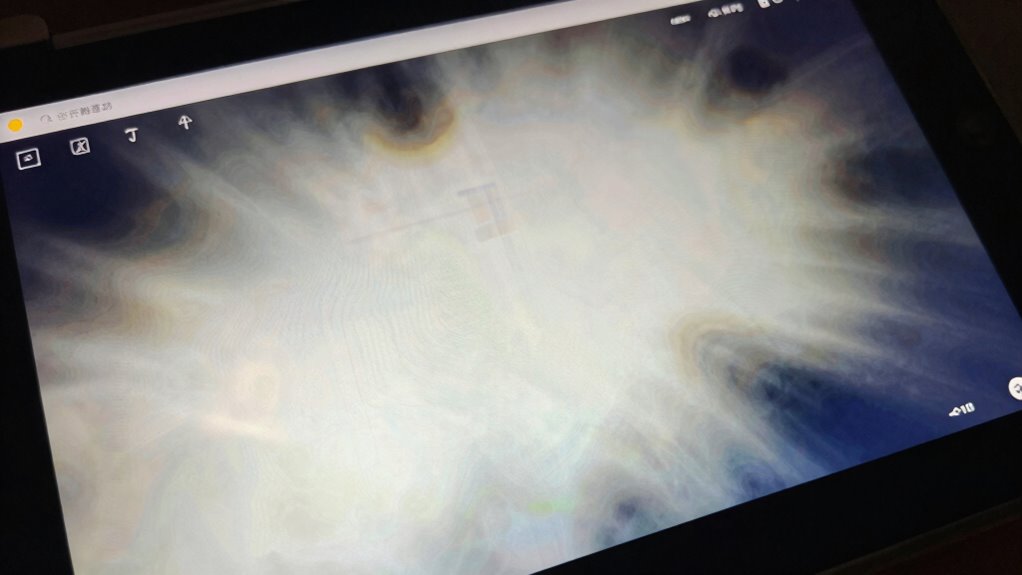
OLED burn-in is a common myth; what you’re actually experiencing is usually temporary image retention, caused by static images or bright areas staying on the screen too long. This isn’t permanent damage but a flicker of pixel wear or pixel shifting that fades over time. Proper usage, like avoiding static content, helps prevent lasting problems. If you want to understand the true nature of OLED effects and how to protect your screen, continue exploring these insights.
Key Takeaways
- OLED burn-in is a permanent discoloration caused by uneven pixel wear, not temporary image retention or ghost images.
- Image retention appears as faint, temporary ghost images that fade over time, unlike burn-in, which is permanent.
- Static images displayed for prolonged periods increase the risk of burn-in due to uneven pixel aging.
- Modern OLEDs include features like pixel shifting and screen savers to prevent burn-in.
- Proper usage, such as avoiding static content and enabling display protection features, prolongs OLED screen lifespan.

Have you ever noticed faint ghost images lingering on your OLED screen after viewing certain content? That’s a common experience with OLED displays and often leads people to wonder if their screen is damaged or if burn-in has occurred. While it might look like a permanent flaw, these faint images are usually related to the pixel lifespan and image retention. Understanding these terms helps clarify what’s really happening and how to prevent or reduce these effects.
Pixel lifespan refers to how long each individual pixel remains vibrant and functional before it starts to degrade. Over time, constant display of static images or bright areas on certain parts of your screen causes those pixels to age faster. This uneven wear can lead to persistent images or ghosting, where remnants of previous content seem to stay even after you’ve switched to something new. Image retention, on the other hand, is a temporary phenomenon where pixels hold onto a “memory” of a static image, creating a faint afterimage. Unlike true burn-in, image retention usually fades away with time and doesn’t cause lasting damage if you give your screen a break.
Your viewing habits play a critically important role in how quickly these issues develop. If you frequently watch content with static logos, menus, or other fixed elements, you increase the risk of image retention and uneven pixel aging. The good news is that modern OLEDs are designed with various techniques to mitigate these effects, such as pixel shifting, screen savers, and automatic brightness adjustments. These features help distribute pixel usage more evenly, extending the pixel lifespan and reducing the chances of permanent burn-in. Additionally, display technology improvements have introduced features like pixel refresh cycles that further help in maintaining your screen’s health.
However, it’s important to distinguish between temporary image retention and actual burn-in. Burn-in is a more serious, permanent problem caused by prolonged, uneven pixel wear. It appears as a visible ghostly shadow or discoloration that doesn’t fade over time. To avoid this, you should avoid leaving static images on your screen for extended periods and use screen savers when your device is idle. Regularly changing content, lowering brightness levels, and enabling any built-in preventative measures can considerably extend your OLED’s lifespan.
In essence, what you’re experiencing as ghost images or faint impressions isn’t necessarily burn-in but often linked to the natural aging process of pixels and temporary image retention. By understanding the difference, you can take proactive steps to protect your display. With proper usage and care, your OLED screen can deliver stunning visuals for many years without suffering permanent damage. Remember, keeping your device’s software updated and following recommended usage practices will help maximize pixel lifespan and keep those ghost images at bay.
Frequently Asked Questions
Can OLED Burn-In Happen on All OLED Devices?
Yes, OLED burn-in can happen on all OLED devices, but screen longevity and device variability play significant roles. Some devices are more resistant due to better panel quality and image processing technology. You might notice burn-in more on older or lower-quality OLED screens, especially if you display static images for extended periods. To minimize risk, vary your content and use built-in screen protections.
How Long Does It Take for Burn-In to Appear?
Sure, burn-in can appear surprisingly quickly, or take ages—it’s all about screen longevity and pixel degradation. Ironically, the more you use high-contrast images or static elements, the faster it might happen, sometimes within just a few hundred hours. However, with normal use and proper care, pixels degrade slowly, and burn-in may never show up. So, enjoy your OLED, but don’t forget to give those pixels a break.
Is There Any Way to Reverse OLED Burn-In?
You can’t fully reverse OLED burn-in, but you can reduce its appearance through techniques like screen refreshes or pixel shifting, which help improve image retention and screen uniformity. Using built-in tools or third-party apps designed to minimize image retention can make the burn-in less noticeable. Regularly changing content and avoiding static images also help prevent further damage, though some residual effects might still remain.
Do OLED Screens Burn-In More Than LCDS?
You’ll find that OLED screens do burn-in more than LCDs because of their pixel fatigue and screen longevity. The organic materials in OLEDs degrade faster with static images, leading to burn-in. LCDs, with their backlights and liquid crystals, resist pixel fatigue better, making them less prone to permanent image retention. So, if you prioritize longevity and less risk of burn-in, LCDs might be the smarter choice for you.
Are Newer OLED Models Less Prone to Burn-In?
Yes, newer OLED models are less prone to burn-in thanks to improved panel longevity and advancements in screen technology. Manufacturers have introduced features like pixel shifting and auto-dimming, which help reduce the risk of image retention over time. These updates allow you to enjoy vibrant displays without worrying about permanent burn-in, making modern OLEDs more durable and reliable for everyday use.
Conclusion
Think of OLED burn-in like a garden that, if neglected, develops stubborn weeds. While it’s not inevitable, understanding how to care for your screen helps prevent those persistent marks. By adjusting your viewing habits and utilizing built-in protections, you’re nurturing a healthy display that blooms beautifully over time. Remember, with a little attention, you can keep your OLED vibrant and fresh, avoiding the weeds that threaten to mar its true colors.