
Before selling or recycling your old tech, make sure you back up your data first and perform a factory reset to wipe all personal information. Sign out of accounts, remove external storage, and verify the device boots to the setup screen afterward. Check compatibility, physical condition, and cleanliness. Confirm data destruction meets security standards. By covering these steps, you’ll protect your privacy and maximize your device’s value—plus, there’s more important advice to take into account if you want a smooth process.

Prime made for students and young adults
- Fast, free delivery for dorm and study essentials
- Prime Video and Amazon Music included
- Member-only deals
Key Takeaways
- Ensure all personal data is securely backed up and thoroughly erased from the device.
- Verify device compatibility, support for updates, and physical condition before resale or recycling.
- Clean the device physically, removing dirt, fingerprints, and inspecting for damages.
- Follow specific data destruction procedures to meet security standards and regulatory requirements.
- Confirm the device boots to the setup screen post-reset and prepare documentation if necessary.
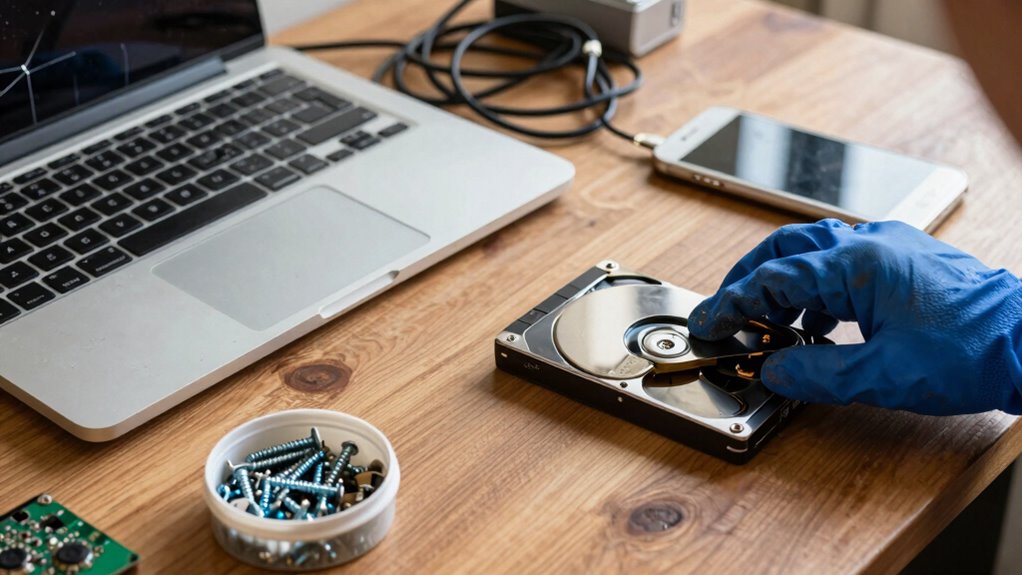
Beyond compatibility and battery health, it’s also vital to back up your data and perform a factory reset. This step ensures your personal information is wiped clean, preventing identity theft or data leaks. Double-check that all your accounts are signed out, and remove any microSD cards or external storage. Once your device is reset, verify that it boots up to the setup screen, confirming all your data has been removed. If you’re recycling, follow the specific instructions for data removal provided by your recycling program to guarantee your information stays protected. Additionally, checking the device compatibility can help you determine whether the device can support the latest updates or is suitable for the next user. It’s also helpful to consult the device’s user manual or official website for any manufacturing specifications related to data wiping procedures. Properly cleaning the device, wiping fingerprints, and removing dust can also improve its appearance and appeal. For an optimal resale or recycling process, consider inspecting the physical condition and addressing any issues before proceeding. Additionally, understanding the security protocols associated with the device can provide further assurance that your data has been thoroughly protected. Being aware of industry standards for data destruction can also guide you in verifying that your information has been securely erased. When all these checks are complete, you’ll be better prepared to sell or recycle your tech confidently, knowing you’ve protected your data, maximized your device’s value, and confirmed compatibility for its next user.
data erasure software for smartphones
As an affiliate, we earn on qualifying purchases.
As an affiliate, we earn on qualifying purchases.
Frequently Asked Questions
How Do I Securely Erase All My Personal Data?
To securely erase your personal data, start by backing up important files. Then, use data recovery tools to guarantee no recoverable data remains. Enable data encryption on your device before wiping it, as this adds an extra layer of security. Finally, perform a factory reset or use specialized software to overwrite the storage. This process ensures your data can’t be retrieved through recovery methods, protecting your privacy.
What Should I Do if My Device Has Water Damage?
Think of your device as a delicate ship caught in a storm. First, do a water damage assessment—check for corrosion, strange odors, or sluggish performance. Don’t turn it on; instead, seek device repair options like professional cleaning or drying. If the damage is severe, consider recycling responsibly. Acting quickly can save your device or make sure it’s properly disposed of, protecting your data and the environment.
Can I Recycle Broken or Non-Functional Electronics?
Yes, you can recycle broken or non-functional electronics. First, check device compatibility with recycling programs, as some accept certain types of devices or components. Then, explore recycling program options in your area—many electronics retailers and manufacturers offer mail-in or drop-off services. Even if your device doesn’t work, recycling guarantees safe disposal of hazardous materials and helps recover valuable resources, making it an environmentally responsible choice.
How Do I Determine the Value of My Old Tech?
Imagine you’re a tech treasure hunter—your old gadgets hold hidden value. To determine that value, consider current market demand and pricing strategies. Check online marketplaces, trade-in programs, and auction sites to see what similar devices fetch. Factors like device condition, age, and specs influence pricing. Keep in mind, the more popular your tech, the higher its worth. Stay informed and compare offers to maximize your return.
Are There Legal Restrictions on Recycling Certain Devices?
Yes, there are legal restrictions on recycling certain devices. You need to guarantee legal compliance by following local recycling regulations, which often prohibit disposing of electronics in regular trash due to hazardous materials. Check if your area has specific rules for e-waste disposal, and look for certified recycling programs. This way, you protect the environment and avoid potential legal issues, making sure your recycling efforts are responsible and compliant.
As an affiliate, we earn on qualifying purchases.
Conclusion
Remember, before parting ways with your old tech, a little careful checking can make all the difference. It’s about more than just clearing space — it’s about safeguarding your memories and ensuring they find a new home, or a respectful farewell. When you handle your devices thoughtfully, you’re not just recycling or selling; you’re passing on a story and respecting the journey. Sometimes, the quiet act of preparation speaks volumes beyond what’s visible.
As an affiliate, we earn on qualifying purchases.
screen cleaning kit for electronics
As an affiliate, we earn on qualifying purchases.
As an affiliate, we earn on qualifying purchases.
Halloween Picks
halloween
As an affiliate, we earn on qualifying purchases.