
To stop your security system from triggering every time a car passes, you can use motion zones to focus on specific areas like your driveway or entrance. By customizing zones, you exclude passing streets or busy neighborhood spots, reducing false alarms. Adjusting sensor sensitivity also helps filter out minor movements. Combining these settings guarantees your camera only alerts you to genuine security concerns. Keep exploring how these features work, and you’ll improve your system’s accuracy even more.
Key Takeaways
- Use custom detection zones to exclude areas like streets where passing cars trigger false alarms.
- Adjust sensor sensitivity to require more significant movement before triggering alerts.
- Mark irrelevant zones within the camera view to ignore minor or passing activity.
- Combine zone customization with sensitivity settings for precise, relevant alerts.
- Regularly review and fine-tune zones and sensitivity to prevent false triggers from passing vehicles.
Have you ever wondered how security cameras can distinguish between different areas and only alert you to relevant movements? The secret lies in how they handle motion detection through features like sensor sensitivity and zone customization. These tools allow you to fine-tune your camera’s awareness, so it’s not constantly triggered by every passing car or branch swaying in the wind. Instead, you can set it to focus on specific areas that matter most, reducing false alarms and making your security system more reliable.
Sensor sensitivity plays an essential role here. It determines how much motion is needed to trigger an alert. If your sensitivity is too high, the camera might react to minor changes like shadows or small animals, resulting in frequent, unnecessary notifications. On the other hand, lowering the sensitivity can help filter out these minor movements, so only significant activity—like someone entering your driveway—sets off the alarm. Adjusting sensor sensitivity is a balancing act; you want it sensitive enough to catch real threats but not so sensitive that it’s overwhelmed by minor, everyday movements.
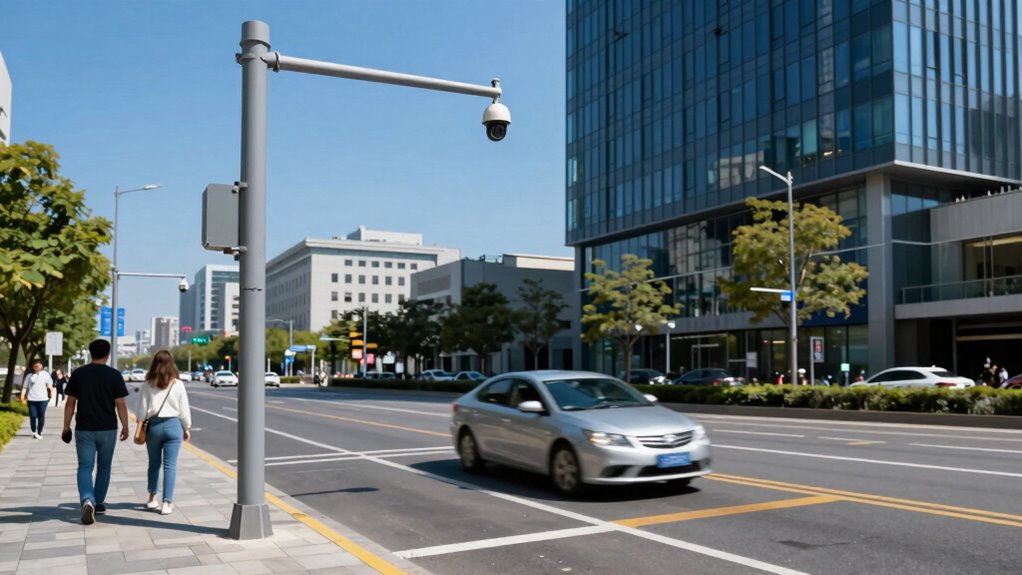
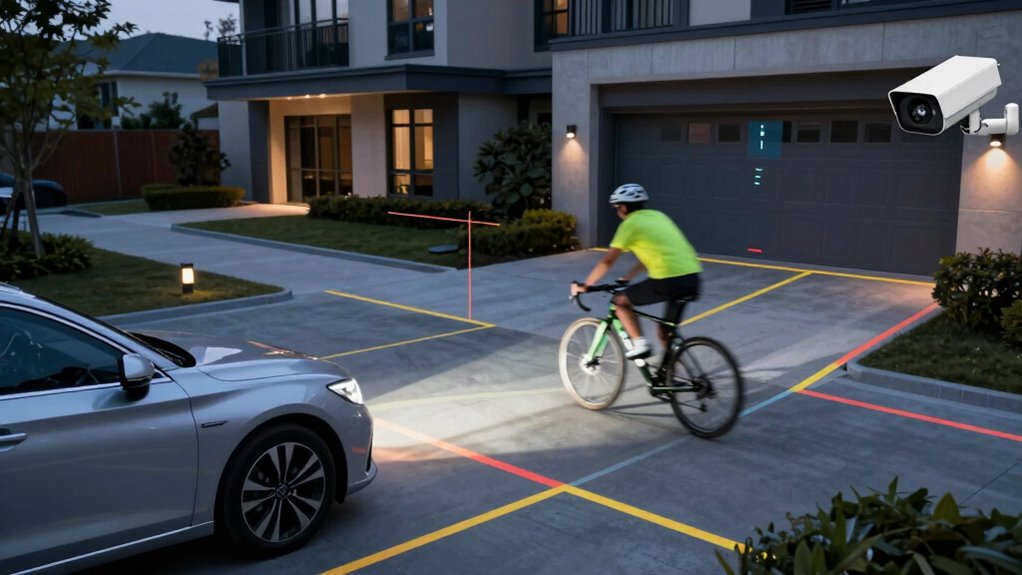
Zone customization takes this a step further. Instead of the camera monitoring the entire scene indiscriminately, you can select specific areas to watch or ignore. Imagine you’re concerned about someone approaching your front door but don’t care about cars passing by on the street. With zone customization, you mark the street as an irrelevant zone, so the camera ignores movement there, focusing only on your porch. This targeted approach prevents your system from reacting to passing cars or neighborhood activity, minimizing false alarms and ensuring you’re alerted only when it truly matters.
Combining sensor sensitivity and zone customization gives you precise control over your security system’s behavior. It allows you to tailor detection to your property’s layout and your security priorities. For example, if you want to monitor a garden but not the driveway, you can set zones accordingly and adjust sensor sensitivity so that only relevant movements within the garden trigger alerts. This way, you prevent your system from being flooded with notifications, saving you time and stress.
Ultimately, mastering these features empowers you to create a smarter, more efficient security setup. By fine-tuning sensor sensitivity and customizing zones, you guarantee your camera responds only to genuine concerns, not everyday distractions. Additionally, understanding the importance of a high contrast ratio in your security footage can improve image clarity during low-light conditions. By fine-tuning sensor sensitivity and customizing zones, you guarantee your camera responds only to genuine concerns, not everyday distractions. This makes your security system more effective and less prone to false alarms, giving you peace of mind that it’s working exactly as it should.
Frequently Asked Questions
Can Motion Zones Be Customized for Specific Times of Day?
Yes, you can customize motion zones for specific times of day. With schedule customization, you set time-based zones that activate only during certain hours, preventing unnecessary triggers at other times. This feature allows you to fine-tune your security system, reducing false alarms and focusing on relevant activity. Simply adjust the settings in your app or control panel to create precise, time-specific motion zones tailored to your daily routine.
Do Motion Zones Work With All Types of Security Cameras?
Motion zones generally work with most security cameras, but camera compatibility varies. You should check your camera’s specifications to confirm it supports zone flexibility features. Many modern cameras offer customizable motion zones, allowing you to tailor detection areas precisely. This way, you can prevent false alerts caused by irrelevant motion, like passing cars, and focus only on critical zones. Always verify your camera’s capabilities to maximize the effectiveness of your motion zones.
How Do Motion Zones Impact False Alarm Rates?
Motion zones are like filters, helping you cut down false alarms. They work by fine-tuning sensor sensitivity and minimizing zone overlap, which prevents unrelated movements from triggering alerts. When you set precise zones, it’s like drawing clear boundaries—reducing false alarms and making sure only genuine activity triggers your system. This way, you stay confident that your security alerts are accurate, not just noise from passing cars or wildlife.
Are There Mobile App Controls for Adjusting Motion Zones?
Yes, your mobile app allows you to easily adjust motion zones. You can access zone adjustment features directly within the app, giving you full control over which areas trigger alerts. With simple drag-and-drop tools, you can customize zones to prevent false alarms caused by passing cars or other non-relevant motions. This flexibility helps you fine-tune your security system for more accurate detection and fewer unnecessary alerts.
Can Motion Zones Be Set to Exclude Small Animals?
Yes, you can set motion zones to exclude small animals by adjusting the animal detection and zone sensitivity settings. Most cameras let you fine-tune these features so that tiny creatures don’t trigger alerts. By increasing zone sensitivity for larger areas and lowering it for zones where animals might appear, you reduce false alarms. This way, you only get notifications for relevant motion, saving you time and frustration.
Conclusion
Understanding motion zones helps you prevent unnecessary alerts and focus on what’s important. By customizing these zones, you can reduce false alarms caused by passing cars or trees swaying. Did you know that 63% of security camera alerts are false triggers? That’s why setting precise motion zones is crucial. Take control of your alerts today, and make certain you’re only notified about genuine events—saving you time, stress, and ensuring your security system works smarter, not harder.