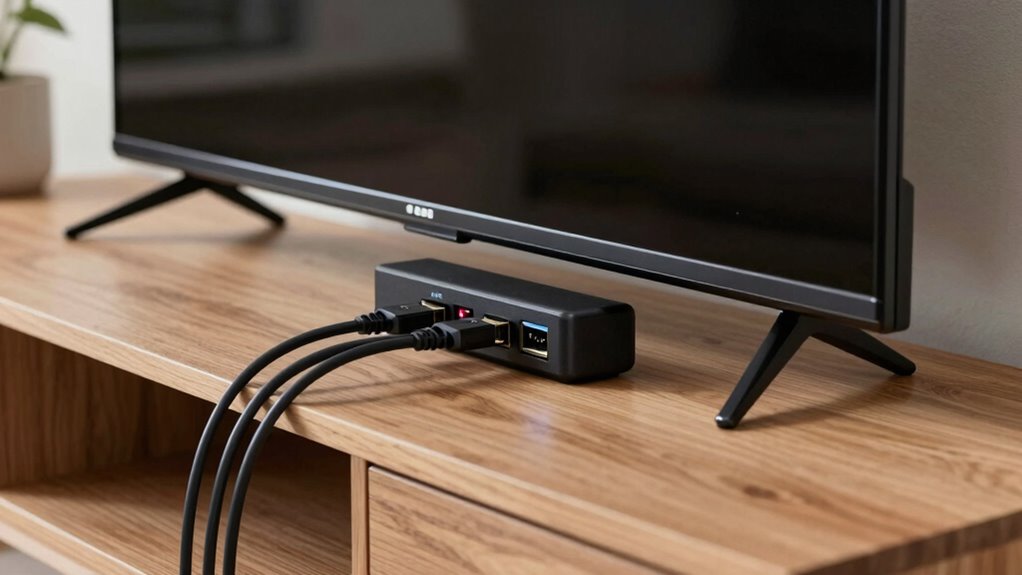

If you want the best sound quality from your TV to external speakers, you should use eARC instead of ARC. eARC supports high-bitrate, immersive audio formats like Dolby Atmos and DTS:X, delivering richer and clearer sound. It also offers better synchronization and less latency. While ARC works for basic audio needs, eARC future-proofs your setup and guarantees peak performance. Keep going to discover how to choose the right port for your system and get the most out of your home theater.

Prime made for students and young adults
- Fast, free delivery for dorm and study essentials
- Prime Video and Amazon Music included
- Member-only deals
Key Takeaways
- eARC supports high-bitrate, uncompressed audio formats like Dolby TrueHD and DTS-HD, offering superior sound quality over ARC.
- ARC is limited to compressed audio formats such as Dolby Digital, resulting in lower audio fidelity.
- eARC provides better synchronization and reduced latency between audio and video signals compared to ARC.
- Using eARC ensures compatibility with the latest audio technologies and future devices, making it more future-proof.
- For optimal audio performance and immersive experiences, eARC is the recommended port to use over ARC.
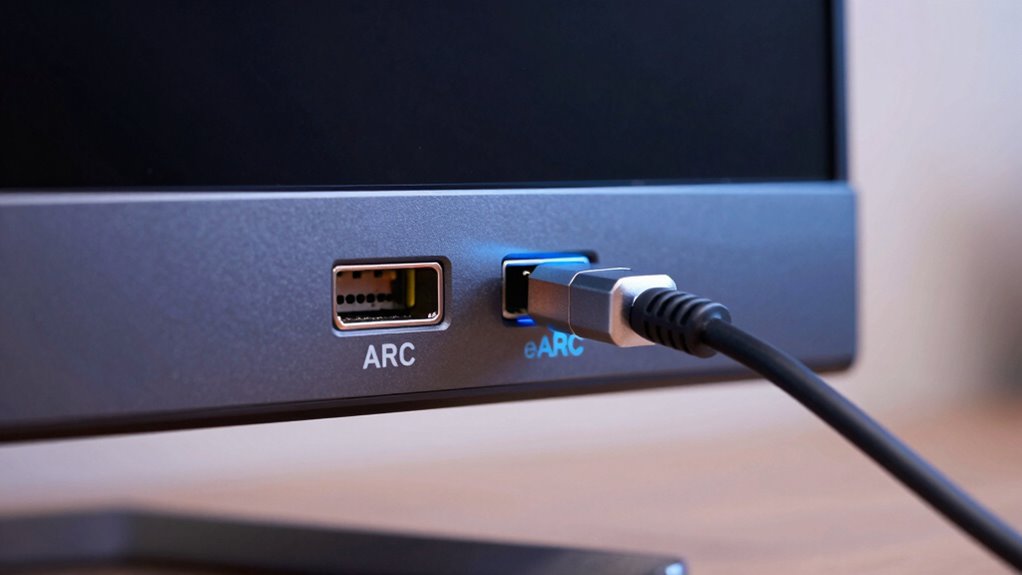
Have you ever wondered what sets eARC apart from ARC when it comes to audio and video connections? If you’re upgrading your home theater or setting up a new TV system, understanding the differences can considerably improve your experience. eARC, or Enhanced Audio Return Channel, is the latest evolution of the ARC (Audio Return Channel) technology. While both ports allow your TV to send audio signals to external devices like soundbars or AV receivers, eARC offers notable advantages, especially in terms of audio quality and device compatibility.
One of the key benefits of eARC is its support for high-bitrate audio formats, such as Dolby TrueHD, DTS-HD Master Audio, and even object-based formats like Dolby Atmos and DTS:X. This means you get richer, more immersive sound without needing multiple cables or complex setups. In contrast, ARC is limited to compressed audio formats like Dolby Digital or PCM, which can compromise sound fidelity. If you’re an audiophile or someone who values crystal-clear sound, eARC is the better choice because it preserves the integrity of high-resolution audio streams.
eARC supports high-bitrate, immersive audio formats for superior sound quality.
Another important aspect is audio calibration, which ensures your sound system provides the optimal possible audio experience. With eARC, calibration becomes more straightforward because the technology can handle more advanced audio signals inherently. This means you spend less time tweaking settings and more time enjoying your content. Additionally, eARC’s enhanced bandwidth allows for better synchronization between audio and video, reducing latency issues that can sometimes occur with ARC. This precise synchronization makes your movies, games, and streaming content more immersive and enjoyable. Furthermore, the quality of audio transmission is improved with eARC, ensuring your setup delivers professional-grade sound.
Streaming device compatibility is another factor worth considering. Modern streaming devices and smart TVs increasingly support eARC, making it easier to connect high-end sound systems without sacrificing quality. When you choose a device with eARC, you’re future-proofing your setup, ensuring compatibility with new audio formats and streaming standards as they emerge. This compatibility simplifies your setup process and minimizes issues like audio dropouts or degraded sound quality.
As an affiliate, we earn on qualifying purchases.
Frequently Asked Questions
Can I Connect Multiple Devices to a Single eARC or ARC Port?
You can’t connect multiple devices directly to a single eARC or ARC port because of port limitations, but you can use a HDMI switch or splitter to manage device switching. This setup allows you to select which device’s audio and video signal goes to your TV, making it easier to control multiple sources without unplugging. Just guarantee your switch supports HDMI ARC or eARC for seamless audio and video connections.
Does eARC Support Higher Audio Formats Than ARC?
Yes, eARC supports higher audio formats than ARC. With eARC, your device can manage advanced audio formats like Dolby Atmos and DTS:X, providing richer sound quality. This means better device compatibility and more immersive audio experiences. If you want to enjoy the latest high-quality sound formats, using an eARC port is the way to go. It guarantees your setup is future-proof and compatible with the newest audio technologies.
Will Using eARC or ARC Improve My Tv’s Sound Quality?
Think of your TV’s audio port as a bridge to richer sound. Using eARC or ARC enhances your device connectivity, which can improve your audio quality, especially with high-definition formats. eARC, in particular, acts like a highway for advanced sound signals, delivering clearer, more immersive audio. So, switching to eARC or ARC can make your TV’s sound feel more vibrant and detailed, elevating your overall viewing experience.
Are eARC and ARC Compatible With All Modern TVS?
You can’t assume eARC and ARC are compatible with all modern TVs, as device compatibility varies. Check your TV’s specifications to see if it supports these features. Firmware updates can sometimes add or improve eARC and ARC support, so keep your TV’s software current. If your TV isn’t compatible, you might need an external audio device or upgrade your TV to enjoy the benefits of eARC or ARC.
Is There a Difference in Latency Between eARC and ARC?
Ever notice audio delay when watching your favorite show? You’ll find that eARC generally offers lower latency compared to ARC, helping reduce synchronization issues. This means your sound aligns better with the picture, providing a more immersive experience. While both ports handle audio, eARC is designed for higher bandwidth, resulting in less audio delay and smoother playback. So, if minimal latency matters, using eARC is definitely the smarter choice.
As an affiliate, we earn on qualifying purchases.
Conclusion
Choosing between eARC and ARC is like selecting the right bridge for your sound journey. ARC is a sturdy, reliable path that gets you across, but eARC is the grand archway soaring higher, revealing richer audio treasures. By opting for eARC, you’re opening a gateway to immersive soundscapes, transforming your TV into a portal of cinematic magic. Trust the symbol of the arch to elevate your listening experience, guiding you into a world where every sound tells a story.
As an affiliate, we earn on qualifying purchases.
As an affiliate, we earn on qualifying purchases.
Fall Picks
fall essentials
As an affiliate, we earn on qualifying purchases.