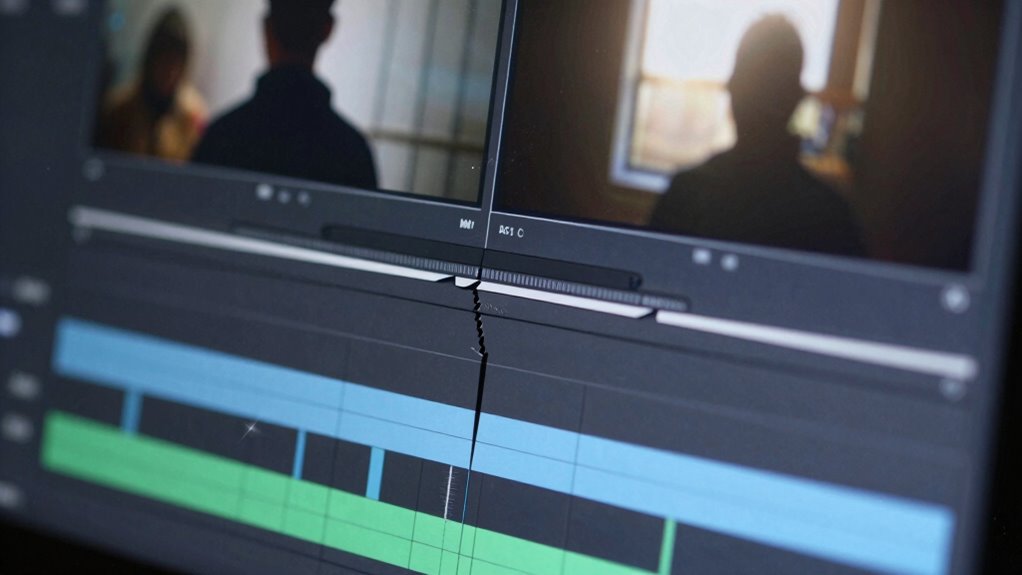

To tell if a video clip was cut to change its meaning, look for visual signs like mismatched backgrounds, inconsistent lighting, or sudden changes in facial expressions. Listen for audio discrepancies such as mismatched speech or background sounds that don’t align across segments. Watch for jump cuts or awkward shifts that interrupt the natural flow. Using these clues, you can spot manipulation and uncover what’s really going on—if you keep exploring, you’ll uncover even more ways to spot edits.
Key Takeaways
- Look for abrupt transitions, jump cuts, or pauses that disrupt the natural flow of the video.
- Examine inconsistencies in lighting, shadows, or backgrounds that may indicate splicing.
- Check for mismatched audio, such as lip movements not aligning with speech or background sound discrepancies.
- Use specialized deepfake or video analysis tools to detect digital artifacts or irregularities.
- Observe facial expressions and skin tones for sudden changes that could suggest manipulation.
Ever wondered if a video clip has been edited or cut? It’s a question many people ask, especially when the content seems suspicious or out of context. Detecting whether a video has been manipulated isn’t always obvious, but there are some clues you can look for. With the rise of advanced video editing software, it’s easier than ever for someone to alter footage to change its meaning. That’s why understanding deepfake detection techniques is vital if you want to verify the authenticity of a clip.
First, pay close attention to the visual details. In a video that’s been cut or edited, you might notice inconsistent lighting, shadows, or reflections. These subtle cues often reveal where edits have taken place. For example, if a person’s face suddenly changes expression or their skin tone shifts abruptly, it could indicate manipulation. Similarly, mismatched backgrounds or objects that seem out of place can be signs of splicing. Sometimes, the changeover between cuts isn’t seamless, leading to jump cuts or awkward pauses that betray the editing process. Recognizing these signs requires visual analysis and careful observation. Additionally, understanding video editing techniques can help you spot where modifications might have been made.
Inconsistent lighting, shadows, or reflections can reveal signs of video editing or splicing.
Next, consider the audio. Audio inconsistencies are common in manipulated videos. If the voice sounds different or there’s a noticeable lag between the speaker’s mouth movements and the words, it might be a sign of editing. Background sounds might also be inconsistent, especially if a segment was inserted or removed. Advanced video editing software can help creators sync audio more accurately, but these discrepancies can still stand out to attentive viewers.
To go a step further, you can use specialized tools that assist with deepfake detection. These tools analyze the video frame by frame, searching for digital artifacts or irregularities that suggest tampering. They look for inconsistencies in facial features, blinking patterns, or movement that are difficult for even skilled editors to replicate perfectly. While these tools aren’t foolproof, they provide valuable insights and can help confirm suspicions about a video being cut or altered to change its original meaning. Additionally, examining digital artifacts can reveal subtle signs of manipulation that might otherwise go unnoticed. Being aware of the video editing process can also help you identify where specific cuts or modifications might have been made.

Forensic Chemistry of Hair Analysis Experiment Kit – Explore How Forensic Scientists Use Hair to Help Solve Crimes – Science at Home Series – Innovating Science
This fun and educational kit introduces learners to forensic chemistry and the techniques used to analyze hair and…
As an affiliate, we earn on qualifying purchases.
As an affiliate, we earn on qualifying purchases.
Frequently Asked Questions
Can Audio Cues Reveal if a Video Was Edited?
Yes, audio cues can reveal if a video was edited. You should listen for audio discrepancies like abrupt changes in tone, background noise, or mismatched sound levels that don’t align with the visual flow. Editing artifacts, such as unnatural pauses or inconsistencies in speech, also indicate possible cuts. These audio cues help you spot signs of editing, making it easier to determine if a video has been manipulated to alter its meaning.
Do Visual Inconsistencies Always Indicate Editing?
Visual inconsistencies don’t always indicate editing because skilled editors use techniques to maintain visual continuity. Sometimes, lighting, angles, or background details can seem off without being edited. However, if inconsistencies are obvious and disrupt the flow, they often point to editing. You should look for subtle clues like mismatched shadows or jump cuts, but remember, expert editing can hide many signs, making it tricky to detect without close inspection.
How Can Background Noise Help Detect Cuts?
Background noise and audio cues can reveal edits in a video clip. If you notice abrupt changes in background noise, like a sudden silence or a different ambient sound, it’s likely a cut. Pay attention to inconsistencies in audio continuity, such as mismatched background sounds or abrupt shifts in volume. These audio cues often indicate where a clip has been spliced, helping you spot edits that might alter the intended message.
Are There Software Tools to Identify Video Edits?
Yes, there are software tools to identify video edits. You can use deepfake detection programs that analyze inconsistencies in facial movements or lighting. Metadata analysis tools examine embedded data for signs of tampering or irregularities. These tools help you spot edits that might change a video’s meaning, providing a more reliable way to verify authenticity rather than just relying on visual cues alone.
Can Knowing the Context Help Spot Manipulated Clips?
Like a detective in a noir film, you can spot manipulated clips by using context clues. Knowing the background helps you understand if a scene makes sense or feels out of place. Your viewer skepticism becomes a powerful tool, helping you notice inconsistencies or sudden shifts in tone. By paying attention to the context, you can better determine if a video has been altered to change its true meaning.

Deepfake and Image Forgery Detection: Cybersecurity, Multimedia Forensics, Image Manipulation (De Gruyter STEM)
As an affiliate, we earn on qualifying purchases.
As an affiliate, we earn on qualifying purchases.
Conclusion
Just remember, the true story behind a video is like a hidden gem beneath a layered mosaic. When you spot abrupt shifts or inconsistent cues, you’re peering behind the curtain of illusion. Every cut is a brushstroke on a canvas—sometimes revealing, sometimes concealing. Trust your instincts and observe carefully; the truth often whispers between the fragments. By recognizing these signs, you become a detective uncovering the real picture, piece by piece.
![VideoPad Video Editor - Create Professional Videos with Transitions and Effects [Download]](https://m.media-amazon.com/images/I/91zAUcPqOhL._SL500_.png)
VideoPad Video Editor – Create Professional Videos with Transitions and Effects [Download]
Apply effects and transitions, adjust video speed and more
As an affiliate, we earn on qualifying purchases.
As an affiliate, we earn on qualifying purchases.

Contour Design ShuttlePRO v2 – Multimedia Controller with Jog Wheel & 15 Custom Programmable Buttons | Ideal for Video, Audio & Photo Editing | Mac & PC Compatible
✅ PRECISION CONTROL: Edit with confidence using the spring-loaded jog wheel and shuttle dial. Perfect for frame-by-frame video…
As an affiliate, we earn on qualifying purchases.
As an affiliate, we earn on qualifying purchases.