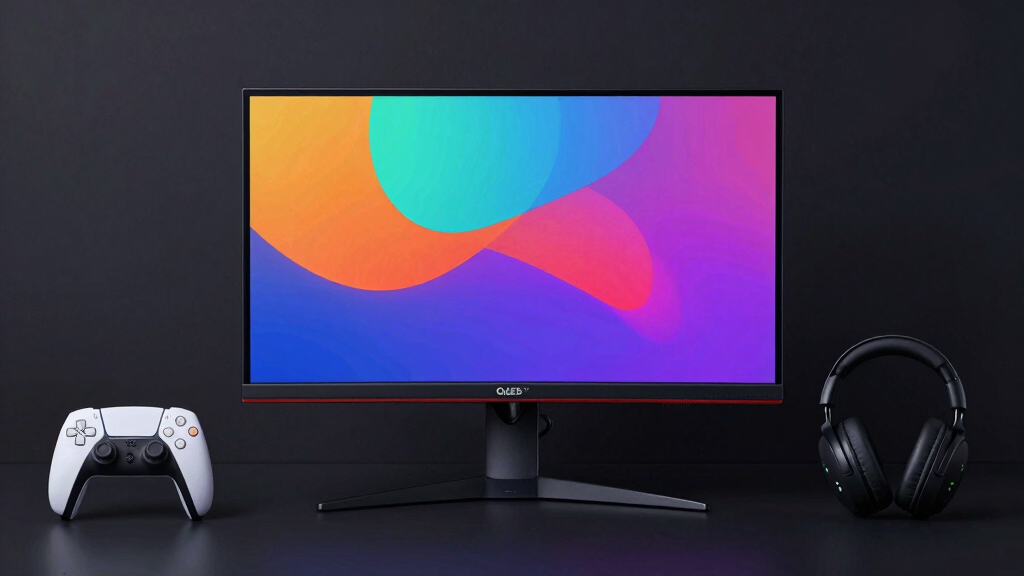

Choosing the best OLED gaming monitor for PS5 involves balancing stunning visuals with high responsiveness. The LG Ultragear 39GX900A stands out for its ultra-wide, immersive experience, while the MSI MPG 321URX offers excellent 4K clarity and vibrant colors. Buyers often face tradeoffs between refresh rates, resolution, and price—higher refresh rates improve gameplay smoothness, but may come with a cost. This guide breaks down the top options, helping you find the best fit for your PS5 gaming setup. Continue reading for a detailed comparison tailored to your gaming needs.
Key Takeaways
- High refresh rates (240Hz) are less common in OLED monitors but significantly improve fast-paced gameplay for PS5 users.
- 4K resolution delivers sharper images but often comes at a higher price and may require more powerful hardware or specific features like HDMI 2.1.
- G-SYNC and FreeSync compatibility help reduce screen tearing, which is crucial for smooth gaming on PS5’s HDMI output.
- Size and curvature vary widely, affecting immersion and desk setup—larger curved screens enhance cinematic experience but may be unwieldy in smaller spaces.
- Price points vary greatly; premium OLEDs offer better color and response times, but budget options can still deliver impressive performance for casual gamers.


More Details on Our Top Picks
LG Ultragear 39GX900A-B 39” OLED Curved WQHD Gaming Monitor
This monitor stands out for its expansive 39-inch curved display, providing an immersive experience that surpasses smaller options like the ASUS XG27AQDMG. The ultra-fast 240Hz refresh rate combined with a 0.03ms response time ensures smooth, responsive gameplay, ideal for fast-paced titles. Its vibrant OLED panel delivers deep blacks and vivid colors, making it a top choice for cinematic gaming. However, the large size and premium price mean it’s best suited for dedicated gaming spaces and gamers willing to invest. The OLED technology also raises concerns about burn-in over prolonged use, especially if static images are common. Compared with the 32-inch MSI MPG, this offers a more engaging visual experience but at a bigger footprint and higher cost.
Pros:- Massive 39-inch curved display enhances immersion
- Ultra-fast 240Hz refresh rate and 0.03ms response time for competitive gaming
- Vivid OLED with deep blacks and high contrast
Cons:- Premium price may be prohibitive for some
- OLED panels are susceptible to burn-in with static images
- Large size may not fit in smaller setups
Best for: Gamers who prioritize an immersive, large-screen experience and have space for a 39-inch setup
Not ideal for: Players with limited desk space or those seeking a more budget-friendly, smaller monitor
- Display Size:39 inches
- Resolution:WQHD (3440×1440)
- Refresh Rate:240Hz
- Response Time:0.03ms
- Panel Type:OLED
- HDR:DisplayHDR True Black 400
Bottom line: This monitor is perfect for gamers seeking an expansive, immersive experience and are ready to invest in a premium display.
MSI MPG 321URX QD-OLED 32-Inch 4K UHD Gaming Monitor
Compared to the ASUS PG32UCDM, this 32-inch monitor offers a stunning 4K resolution with vibrant color accuracy and high contrast thanks to QD-OLED technology. Its 240Hz refresh rate and ultra-low 0.03ms response time make it excellent for fast-paced gaming, especially at 4K where detail matters most. The inclusion of USB Type-C and multiple ports adds to its versatility, making it suitable for both gaming and creative work. However, its high price and relatively limited brightness for very bright environments are tradeoffs to consider. The large weight and size demand a spacious desk setup. This pick is well-suited for gamers who want premium visuals without sacrificing performance, but it’s less ideal for those with smaller spaces or budget constraints.
Pros:- Vivid 4K UHD display with excellent color fidelity
- High 240Hz refresh rate and 0.03ms response time for smooth gameplay
- Versatile connectivity including USB Type-C and HDMI 2.1
Cons:- High price point may be prohibitive
- Brightness limited for very bright environments
- Heavy and large, requiring ample space
Best for: Gamers seeking a high-performance, 4K OLED monitor with strong connectivity options
Not ideal for: Users with small desks or those prioritizing maximum brightness for bright rooms
- Screen Size:32 inches
- Resolution:3840 x 2160 (4K UHD)
- Display Technology:QD-OLED
- Refresh Rate:240Hz
- Response Time:0.03ms
- HDR:VESA DisplayHDR 400
Bottom line: This monitor delivers exceptional 4K visuals and performance for gamers who value resolution and connectivity but need space to accommodate its size.
ASUS ROG Swift 32” 4K OLED Gaming Monitor (PG32UCDM)
This 32-inch model stands out for its combination of high-end HDR, 99% DCI-P3 coverage, and G-SYNC compatibility, making it ideal for both gaming and content creation. Its effective heat management reduces burn-in risk, a common concern with OLEDs, unlike the MSI MPG. The 240Hz refresh rate and 0.03ms response time ensure smooth performance, comparable to other premium options. However, the peak brightness may vary due to calibration, and its high cost limits accessibility. The inclusion of advanced cooling and a graphene film are thoughtful features for longevity. Compared to the ASUS XG27AQDMG, it offers broader creative controls and better heat handling but at a higher price point. This monitor suits gamers who want top-tier visuals with durability features.
Pros:- High refresh rate and fast response time for smooth gaming
- Excellent HDR and wide color coverage for creative tasks
- Effective heat management reduces burn-in risks
Cons:- Peak brightness may vary, affecting HDR performance
- Premium price limits accessibility
- Potential burn-in risks if not properly managed
Best for: Enthusiasts who combine competitive gaming with creative work and value longevity
Not ideal for: Casual gamers or those on a strict budget, due to its premium price
- Size:32 inches
- Resolution:3840 x 2160 (4K)
- Display Technology:QD-OLED
- Refresh Rate:240Hz
- Response Time:0.03ms
- HDR:VESA DisplayHDR 400
Bottom line: This monitor offers a compelling mix of performance, durability, and color accuracy for gamers who also pursue creative work and want longevity.
ASUS ROG Strix 27” QHD OLED Gaming Monitor (XG27AQDMG) – 240Hz, 0.03ms, G-SYNC Compatible
Compared with larger 4K options like the MSI MPG or ASUS PG32UCDM, this 27-inch QHD OLED provides a sharper, more detailed image at 1440p, making it an excellent choice for gamers who prefer high fps at a more manageable size. Its 240Hz refresh rate and 0.03ms response time offer exceptional responsiveness, especially with G-SYNC compatibility. The inclusion of burn-in prevention features and effective cooling enhances longevity, addressing common OLED concerns. The main tradeoff is its resolution limitation—1440p isn’t as sharp as 4K but still offers excellent clarity for gaming. This monitor suits players who value performance and compactness, but those seeking 4K resolution should consider larger models.
Pros:- Vivid OLED display with excellent contrast and color
- High 240Hz refresh rate and 0.03ms response time for responsiveness
- Effective burn-in prevention and cooling features
Cons:- Limited to 1440p resolution, less sharp than 4K
- Higher price point relative to standard QHD monitors
- Smaller size may not suit those wanting a larger display
Best for: Gamers who prefer a smaller, highly responsive OLED monitor with excellent cooling and longevity features
Not ideal for: Users seeking 4K resolution or larger screens for immersive cinematic gaming
- Display Size:26.5 inches
- Resolution:2560 x 1440 (QHD)
- Display Technology:OLED
- Refresh Rate:240Hz
- Response Time:0.03ms
- G-SYNC Compatible:Yes
Bottom line: This monitor excels for fast-paced, competitive gaming in a compact form with added longevity features, but sacrifices some resolution clarity.
Samsung 27” Odyssey OLED G5 (G50SF) QHD Gaming Monitor, 180Hz, 0.03ms GtG, G-Sync & FreeSync
Compared to the ASUS XG27AQDMG, the Samsung Odyssey G5 offers a slightly lower 180Hz refresh rate but compensates with HDR10 and glare-free technology, enhancing visual depth in bright environments. Its QD-OLED panel delivers vibrant, accurate colors, and the support for both G-Sync and FreeSync ensures tear-free gameplay across different systems. However, its 180Hz refresh rate is a step down from the 240Hz options, which could matter for highly competitive players. The potential burn-in risk remains, but Samsung’s OLED safeguards help mitigate this. Overall, this monitor balances excellent color and brightness with versatile adaptive sync features, making it suitable for gamers who want strong visuals without needing the absolute highest refresh rates.
Pros:- Vivid, accurate QD-OLED colors with HDR10 support
- Supports both G-Sync and FreeSync for smooth gameplay
- Glare-free technology for better visibility in bright rooms
Cons:- Lower 180Hz refresh rate compared to 240Hz rivals
- OLED burn-in risk if not properly managed
- Premium price may be high for some users
Best for: Gamers wanting vibrant visuals with adaptive sync, in a 27-inch size suitable for most desks
Not ideal for: Players seeking the highest refresh rate for competitive eSports or ultra-fast response times
- Screen Size:27 inches
- Resolution:QHD (2560×1440)
- Refresh Rate:180Hz
- Response Time:0.03ms
- Technology:QD-OLED
- HDR:HDR10
Bottom line: This monitor provides excellent color and adaptive sync features in a compact size, ideal for immersive gaming with bright room compatibility, but not for high-refresh-rate enthusiasts.
ASUS ROG Swift 27” (26.5” viewable) QHD OLED Gaming Monitor (PG27AQDM-R) – 240Hz, 0.03ms, G-SYNC Compatible, 99% DCI-P3, Monitor Arm Included
This ASUS ROG Swift stands out for its exceptional combination of a 240Hz refresh rate and an ultra-fast 0.03ms response time, making it perfect for competitive gaming on the PS5. Its 99% DCI-P3 coverage delivers stunning, vivid colors that rival the LG 27GX704A-B, but with the added benefit of a higher refresh rate and a dedicated monitor arm for flexible setup. However, the premium price and limited HDMI ports mean it’s less suited for gamers on a tighter budget or those with extensive AV equipment. Compared to the Samsung Odyssey G93SC, it offers a more desktop-friendly size with better ergonomics, but at a higher cost and with a risk of burn-in if not used carefully.
Pros:- Exceptional 240Hz refresh rate for ultra-smooth gameplay
- Ultra-fast 0.03ms response time minimizes motion blur
- High 99% DCI-P3 color accuracy enhances visual fidelity
- Includes a monitor arm for flexible setup
Cons:- Premium price may be a barrier for some users
- OLED burn-in risk with prolonged static images
- Limited to 2 HDMI ports, restricting multiple device connections
Best for: Gamers seeking a high-refresh-rate, professional-grade OLED monitor with excellent color accuracy and flexible positioning.
Not ideal for: Casual gamers or those with budget constraints, as the price might be prohibitive and limited HDMI ports could be restrictive.
- Screen Size:26.5 Inches
- Display Type:OLED
- Resolution:2560 x 1440 (QHD)
- Refresh Rate:240 Hz
- Response Time:0.03 ms
- Color Gamut:99% DCI-P3
- Brightness:1000 nits
- Viewing Angle:178 Degrees
- Contrast Ratio:1,500,000:1
Bottom line: This monitor is ideal for competitive gamers who prioritize speed, color, and setup flexibility, willing to invest in top-tier OLED tech.
LG 27GX704A-B 27-inch Ultragear QHD OLED Gaming Monitor 240Hz, 0.03ms, G-Sync Compatible, FreeSync Premium Pro
The LG UltraGear OLED offers a stunning QHD display with a 240Hz refresh rate and 0.03ms response, making it an excellent choice for PS5 gamers who want vivid visuals and deep blacks. Its HDR TrueBlack 400 and 98.5% DCI-P3 coverage deliver striking contrast and color richness, comparable to ASUS’s high-performance model but with slightly lower peak brightness. The fully adjustable stand and multiple certifications for eye comfort support long gaming sessions. Still, the relatively small 27-inch size and glossy finish could cause reflections in bright rooms, making it less ideal for casual or multi-purpose use. Compared to the Samsung Odyssey G93SC’s ultrawide format, the LG’s size is more manageable but offers less immersion.
Pros:- Vivid OLED display with excellent contrast
- Fast 240Hz refresh rate and 0.03ms response time
- Supports G-Sync and FreeSync for tear-free gaming
- Fully adjustable stand for ergonomic comfort
Cons:- Limited to 27 inches, which may feel small for some
- Glossy finish can cause reflections in bright settings
- Higher price point for premium OLED technology
Best for: Serious gamers who value vibrant visuals, deep blacks, and ergonomic flexibility within a 27-inch form factor.
Not ideal for: Players seeking an ultrawide experience or those in bright environments prone to reflections, as glossy screens and size might be limiting.
- Display Size:27 inches
- Resolution:QHD (2650×1440)
- Refresh Rate:240Hz
- Response Time:0.03ms (GtG)
- HDR:VESA DisplayHDR True Black 400
- Color Coverage:98.5% DCI-P3
- Brightness:275 nits
- Connectivity:HDMI 2.1 x2, DisplayPort 1.4, USB 3.2
Bottom line: This monitor is perfect for gamers wanting superb contrast and color in a manageable size with smooth performance, provided ambient lighting is controlled.
Samsung 49-Inch Odyssey G93SC Series Curved QD-OLED Gaming Monitor, 240Hz, 0.03ms, DQHD, G-Sync Compatible, FreeSync Premium Pro, Adjustable Stand
The Samsung Odyssey G93SC’s 49-inch curved QD-OLED display redefines immersion, delivering vibrant colors, deep blacks, and a high contrast ratio. Its 240Hz refresh rate and 0.03ms response time ensure responsive gameplay, rivaling smaller, high-end models like ASUS and LG but with the added benefit of an ultrawide format that enhances the PS5 experience. The multiple input options, including HDMI 2.1 and DisplayPort, support next-gen consoles seamlessly. Its large size and premium price mean it’s best suited to gamers with ample space and a desire for a panoramic view. In comparison, the smaller ASUS and LG models offer more desktop flexibility but less immersion, making this an ideal choice for those prioritizing expansive visuals.
Pros:- Extremely immersive 49-inch curved display
- Vibrant colors with deep blacks thanks to QD-OLED
- High 240Hz refresh rate and 0.03ms response time
- Multiple inputs including HDMI 2.1 and DisplayPort for compatibility
Cons:- High price and large footprint limit accessibility
- Requires a spacious setup and sturdy mounting
- Limited information on additional features like built-in speakers
Best for: Gamers with spacious setups seeking an immersive, ultrawide experience with vibrant visuals and fast responsiveness.
Not ideal for: Players with limited space or those who prefer a traditional monitor size, as the 49-inch form factor demands a large, dedicated area.
- Size:49 inches
- Display Technology:QD-OLED
- Resolution:DQHD
- Refresh Rate:240Hz
- Response Time:0.03ms (GTG)
- HDR:DisplayHDR True Black 400
- Contrast Ratio:High
- Inputs:HDMI 2.1, DisplayPort, USB Hub
Bottom line: This monitor excels for gamers wanting an expansive, panoramic display that maximizes immersion at a premium cost and space requirement.
KOORUI 32 Inch 4K OLED Gaming Monitor, UHD 3840×2160, 240Hz, 0.03ms, HDR True Black 400, 99% DCI-P3, AdaptiveSync, USB Type-C, Adjustable
The KOORUI 32-inch OLED offers a compelling blend of 4K resolution and high refresh rates, making it an excellent choice for PS5 gamers who want crisp visuals and responsive gameplay. Its 99% DCI-P3 color coverage and HDR True Black 400 ensure vivid, detailed images that rival larger, more expensive monitors. The inclusion of USB Type-C and multiple ergonomic adjustments makes it flexible for both gaming and productivity. Compared to the ASUS and LG models, its 4K resolution provides sharper detail, but with a slightly smaller size and heavier weight, it may be less portable or easy to reposition. Overall, this monitor balances high-end visuals with versatile connectivity and ergonomics, suitable for users who want both gaming and professional use.
Pros:- 4K UHD resolution delivers sharp, detailed visuals
- Fast 240Hz refresh rate and 0.03ms response time for smooth gameplay
- Versatile connectivity including USB Type-C
- Multiple ergonomic adjustments for comfort
Cons:- Heavy weight and larger size may hinder repositioning
- Premium price might be prohibitive for some
- Limited to a 32-inch display for immersive experience
Best for: Power users who want a high-resolution OLED with flexible setup options and strong color performance for gaming and creative work.
Not ideal for: Gamers seeking a larger, more immersive ultrawide experience or those on a strict budget, since it commands a premium price.
- Screen Size:32 Inches
- Resolution:UHD 3840×2160
- Refresh Rate:240Hz
- Response Time:0.03ms
- HDR:True Black 400
- Color Gamut:99% DCI-P3
- Brightness:280 cd/m²
- Connectivity:HDMI, DisplayPort, USB-C
Bottom line: This monitor is a strong choice for users who want a high-resolution OLED with flexible connectivity and excellent color for both gaming and productivity.

How We Picked
The monitors in this roundup were selected based on their compatibility with PS5, including support for HDMI 2.1, high refresh rates, and low latency. We prioritized models with OLED technology for superior contrast and color accuracy, which are essential for visually rich gaming experiences. Performance factors such as response time, refresh rate, and G-SYNC/FreeSync support were critical, along with build quality and additional features like adjustable stands or connectivity options. Our ranking reflects a balance of performance, value, and usability, aiming to guide both serious gamers and casual fans alike.Factors to Consider When Choosing Best Oled Gaming Monitor For Ps5
When choosing the best OLED gaming monitor for PS5, several factors should influence your decision. Understanding these elements can help avoid common pitfalls like overspending on features you don’t need or compromising on essential performance traits. The right monitor can elevate your gaming experience—whether you prioritize visual fidelity, responsiveness, or value. Keep these considerations in mind to make an informed purchase that matches your gaming style and setup.Resolution and Refresh Rate
For PS5 gaming, resolution and refresh rate are key. 4K resolution paired with 120Hz or higher refresh rates offers crisp visuals and smooth gameplay, but these models tend to be pricier. Many OLED monitors now support HDMI 2.1, enabling 4K at 120Hz, which is ideal for PS5’s capabilities. Avoid monitors with lower refresh rates if you want fluid gameplay, especially in fast-paced titles. Balancing resolution and refresh rate based on your gaming preferences and budget is vital for a satisfying experience.
HDR and Color Accuracy
High dynamic range (HDR) dramatically enhances visual richness, making games appear more lifelike. OLED’s perfect blacks and vibrant colors amplify this effect, but not all OLEDs support the same HDR standards. Look for monitors with HDR10 or Dolby Vision support, along with wide color gamuts like DCI-P3. This is especially beneficial for visually demanding titles or when you want to enjoy cinematic sequences on your PS5. Be aware that higher HDR certifications often come with a price premium.
Connectivity and Compatibility
Since PS5 relies on HDMI 2.1 for optimal performance, ensure the monitor supports this standard to access full 4K at 120Hz. Additionally, check for features like multiple HDMI ports, USB-C, and adjustable stands to improve usability. Some monitors also include features like G-SYNC or FreeSync, which can further smooth gameplay if your PC supports them, but they are less critical for console gaming. Compatibility considerations prevent bottlenecks and future-proof your investment.
Size, Design, and Ergonomics
The physical size and curvature of your monitor influence immersion and comfort. Larger screens (32 inches and above) provide more cinematic visuals but occupy more space and may require a dedicated setup. Curved screens enhance depth perception, which can be immersive for gaming, but might not suit smaller desks. Adjustable stands and VESA compatibility allow better ergonomics, reducing fatigue during extended gaming sessions. Keep your space and viewing distance in mind when choosing size and curvature.
Price and Value
OLED gaming monitors span a wide price range, often reflecting features like higher refresh rates, larger size, and advanced HDR support. While premium models deliver exceptional performance, they might be overkill for casual gaming. Conversely, budget options can provide excellent visuals but may lack the responsiveness or durability of higher-end models. Deciding how much you’re willing to invest depends on your gaming frequency, expectations, and setup. A balanced approach often delivers the best overall value.
Frequently Asked Questions
Is HDMI 2.1 necessary for PS5 gaming?
Yes, HDMI 2.1 is essential to unlock 4K resolution at 120Hz, which is the maximum supported by PS5 for smooth, high-quality gameplay. Monitors lacking HDMI 2.1 may be limited to lower refresh rates at 4K or require compromises like reduced resolution or refresh rate. Investing in HDMI 2.1-compatible monitors ensures you get the most out of your console’s capabilities without sacrificing visual fidelity or responsiveness.
Do I really need an OLED monitor for PS5?
While not mandatory, OLED monitors significantly enhance visual quality with perfect blacks, vibrant colors, and high contrast—making them ideal for cinematic and visually detailed games. LCDs can be more affordable but often struggle with contrast and uniformity. If you prioritize picture quality and immersive visuals, an OLED monitor offers noticeable improvements. However, consider your budget and gaming habits, as OLEDs tend to be pricier than high-quality LCDs.
What is the ideal size for a PS5 gaming monitor?
The optimal size depends on your space and viewing distance, but generally, 27 to 32 inches strikes a good balance between immersion and practicality. Larger screens, like 32 inches, create a more cinematic experience but require a larger desk and more room. Smaller monitors may fit better in compact setups but can reduce immersion. Consider how close you’ll sit to the screen and your overall gaming setup before choosing size.
Should I prioritize refresh rate or resolution?
For PS5 gaming, both matter, but if you have to choose, a higher refresh rate (120Hz or above) offers smoother gameplay, especially in fast-paced titles. Resolution enhances visual detail but is less impactful if your monitor’s refresh rate is low. Since PS5 supports 4K at 120Hz via HDMI 2.1, selecting a monitor that balances both—such as 4K at 120Hz—is ideal for the best experience. Prioritize based on your gaming style and the types of games you play most often.
Are curved monitors better for gaming?
Curved monitors can improve immersion by wrapping the image around your field of view, making gaming more engaging. They are especially effective on larger screens where the curve helps maintain viewing comfort and image uniformity. However, curved screens may not be suitable for all desk setups and can sometimes cause distortion or glare depending on lighting. Your personal preference and space constraints should guide whether a curved monitor is right for you.
Conclusion
For casual gamers or those new to high-end displays, a budget-friendly OLED with solid performance like the KOORUI 32 Inch 4K OLED Gaming Monitor can deliver great visuals without breaking the bank. Serious enthusiasts who want the best overall experience should consider the MSI MPG 321URX QD-OLED, which combines 4K clarity, high refresh rates, and advanced features. If you prioritize premium quality and cutting-edge tech, the ASUS ROG Swift 32” 4K OLED stands out as a top choice. In smaller spaces, the ASUS ROG Strix 27” QHD OLED offers a compact, high-performance option. Finally, for those on a budget but still seeking excellent OLED performance, the LG Ultragear 39GX900A provides immersive, curved visuals perfect for cinematic gaming experiences.