Choosing the best ultrawide monitor depends on your specific needs, whether gaming, professional work, or general use. The Samsung Odyssey G9 stands out as the best overall for its striking 49-inch curved display and high refresh rate, ideal for immersive experiences. The ASUS ROG Strix 34” QD-OLED offers top-tier color accuracy for creative professionals, while the Samsung Viewfinity S65UA delivers excellent versatility and ergonomic features for everyday productivity. Buyers often face tradeoffs between screen size, refresh rate, color fidelity, and price. Continue reading for a detailed breakdown of each option to find the best fit for your needs.
Key Takeaways
- The highest refresh rates are primarily found in gaming-focused models, but they may sacrifice color accuracy and professional features.
- Curved screens dominate, with most options emphasizing immersive viewing for gaming and multitasking.
- USB-C and HDMI versatility vary; models with USB-C are better for modern laptops and multi-device setups.
- Premium models often include advanced HDR and color accuracy, but come at a higher price point.
- Size and aspect ratio remain consistent, with 34-inch and 49-inch being the most common for ultrawide setups.




More Details on Our Top Picks
The Samsung Odyssey G9 stands out as the best overall choice due to its expansive 49-inch curved display that envelops the user, making it ideal for immersive gaming and serious multitasking. Its 144Hz refresh rate and 1ms response time promise smooth, responsive gameplay, surpassing many competitors like the ViewFinity S50GC, which offers slightly lower specs but at a more affordable price. The HDR 600 support adds rich contrast and vibrant colors, elevating both entertainment and creative work. However, its large size demands significant desk space and a powerful GPU to fully capitalize on its high refresh rate, which could be a hurdle for some users. This monitor is perfect for gamers and power users who prioritize screen real estate and top-tier performance but are ready to invest in a premium setup.
Pros:- Immersive ultra-wide curved display for panoramic viewing
- High 144Hz refresh rate and 1ms response time for smooth gameplay
- Supports DisplayHDR 600 for enhanced contrast and color richness
- Multi-tasking features like split screen and Picture-in-Picture
Cons:- Large size requires substantial desk space
- High price point for premium features
- Needs a powerful GPU to leverage high refresh rate fully
Best for: High-end gamers and professionals needing expansive multitasking and immersive visuals
Not ideal for: Users with limited desk space or entry-level systems that can’t support high refresh rates
- Size:49 inches
- Resolution:DQHD
- Refresh Rate:144Hz
- Screen Aspect Ratio:32:9
- DisplayHDR:600
- Adaptive Sync:AMD FreeSync Premium Pro
- Response Time:1ms
Bottom line: This monitor is best suited for enthusiasts who want an expansive, immersive experience with top-tier gaming performance.
Samsung Viewfinity S65UA Series 34-Inch Ultrawide QHD Curved Monitor, 100Hz, USB-C, HDR10, Height Adjustable, Eye Care, Black
The Samsung S65UA Series is tailored for users seeking a versatile, high-quality ultrawide experience without the extreme size of a 49-inch model. Its 34-inch curved display with a 21:9 aspect ratio offers ample room for multitasking, comparable to the ViewFinity S50GC but at a slightly lower price point. The HDR10 support and billion-color display provide vivid visuals, while the USB-C with 90W charging minimizes cable clutter—ideal for professionals and creatives. The 100Hz refresh rate makes it less suited for competitive gaming, unlike the ASUS ROG Strix XG34WCDG, which pushes higher refresh rates for gaming performance. This monitor hits a sweet spot for users valuing color accuracy, flexibility, and a balanced size for both work and leisure.
Pros:- Immersive 34-inch curved display for multitasking and media consumption
- Vivid colors with HDR10 support
- USB-C port with 90W charging reduces cable clutter
- Height adjustable stand for ergonomic comfort
Cons:- Limited to 100Hz, not ideal for high-end gaming
- Higher price compared to standard monitors of similar size
- May require a sizable desk space for optimal placement
Best for: Creative professionals and multitaskers who want a vibrant, flexible display for work and entertainment
Not ideal for: Competitive gamers needing ultra-high refresh rates for fast-paced action
- Size:34 inches
- Aspect Ratio:21:9
- Resolution:Ultra WQHD (3440×1440)
- Refresh Rate:100Hz
- Curvature:1000R
- HDR:HDR10
- Connectivity:USB Type-C (90W)
Bottom line: This monitor suits users who want a colorful, flexible display for productivity and casual entertainment without the need for ultra-high refresh rates.
Samsung 34″ ViewFinity S50GC Series Ultra-WQHD Monitor, 100Hz, HDR10, AMD FreeSync, Black
The Samsung ViewFinity S50GC makes this list as a dedicated content creation and multitasking tool, with a 34-inch Ultra WQHD display and a borderless design that maximizes workspace. Its 100Hz refresh rate and AMD FreeSync offer smooth visuals, but it’s more focused on color accuracy and vibrant detail, thanks to HDR10 and billion-color support—features that outperform the S65UA in terms of visual fidelity. It supports PIP and PBP modes, ideal for professionals juggling multiple applications or sources. While it’s not suited for competitive gaming due to its 100Hz limit, the S50GC excels in delivering rich, accurate visuals for editing, design, and multimedia. Its higher price reflects its advanced features tailored to specific workflows.
Pros:- Wide 21:9 aspect ratio enhances multitasking and immersive editing
- Vivid colors with HDR10 and billion-color support
- Borderless design maximizes workspace
- Supports PIP and PBP for multiple inputs
Cons:- Higher price point for professional-grade features
- Limited to 100Hz, not suitable for competitive gaming
- Requires ample desk space for optimal setup
Best for: Creative professionals and multitaskers who prioritize color precision and workspace efficiency
Not ideal for: Gamers requiring ultra-high refresh rates for fast-paced, competitive play
- Size:34 inches
- Resolution:Ultra-WQHD (3440×1440)
- Refresh Rate:100Hz
- Response Time:5ms
- HDR:HDR10
- Color Support:Over 1 billion colors
- Inputs:2 x HDMI 2.2, 1 x DisplayPort 1.2
Bottom line: This monitor is an excellent choice for content creators needing accurate visuals and multitasking capabilities in a sleek design.
ASUS ROG Strix 34” Ultrawide QD-OLED HDR Gaming Monitor (XG34WCDG) – 3440×1440, 175Hz, 0.03ms, G-SYNC Compatible
The ASUS ROG Strix XG34WCDG pushes the boundaries of gaming monitors with its QD-OLED technology, delivering unparalleled contrast and vibrant colors in a 34-inch ultrawide format. Its 175Hz refresh rate and 0.03ms response time outperform many alternatives like the S65UA and S50GC, making it ideal for fast-paced gaming and creative tasks that demand precise color accuracy. The OLED Care Pro technology mitigates burn-in risks, a common concern with OLED screens, making this a durable premium option. Its wide viewing angles and HDR support further enhance visual immersion. The price is high, reflecting its advanced tech, and its size might be excessive for smaller desks, but for gamers and creatives seeking top-tier image quality, this is a compelling choice.
Pros:- Vivid OLED display with incredible contrast and color accuracy
- High 175Hz refresh rate and 0.03ms response time for ultra-smooth gaming
- OLED Care Pro technology reduces burn-in risk
- Wide 178-degree viewing angles and HDR support
Cons:- Premium price point
- Potential for burn-in if not properly managed
- Large size may not suit all desks
Best for: Gaming enthusiasts and creative professionals needing stunning visuals and ultra-fast response times
Not ideal for: Budget-conscious buyers or those with limited desk space who don’t need OLED benefits
- Display Size:34 inches
- Resolution:3440 x 1440
- Refresh Rate:175Hz
- Response Time:0.03ms
- Display Technology:QD-OLED
- Contrast Ratio:1,500,000:1
- HDR Support:DisplayHDR 400 True Black
Bottom line: This monitor is ideal for gamers and creators who demand exceptional visual quality and fast performance at a premium cost.
Sceptre 34-Inch Curved Ultrawide WQHD Monitor (3440 × 1440), 165Hz, 1ms, DisplayPort x2, 99% sRGB, Built-in Speakers, Machine Black
The Sceptre 34-inch WQHD offers a well-rounded ultrawide experience for those seeking high performance without the high price. Its 165Hz refresh rate and 1ms response time make it competitive with pricier models like the ViewFinity S50GC and ASUS XG34WCDG, especially for gaming and fast-paced media. Its 99% sRGB coverage ensures accurate colors for casual content creation, while the built-in speakers add convenience. The curved 1500R screen provides immersive viewing, though the VA panel may not deliver the same color vibrancy or viewing angles as OLED or IPS panels. This monitor’s affordability and decent feature set make it a strong choice for gamers on a budget or users needing a versatile, large display with minimal compromises.
Pros:- Fast 165Hz refresh rate and 1ms response time for smooth gaming
- Large 34-inch curved display enhances immersion
- Good color accuracy with 99% sRGB coverage
- Dual DisplayPort inputs for versatile connectivity
Cons:- VA panel may have limited viewing angles and color vibrancy
- Build quality and features are more basic compared to premium models
- Lack of advanced HDR support like HDR10 or DisplayHDR 600
Best for: Budget-conscious gamers and productivity users needing a large, fast ultrawide
Not ideal for: Color-critical professionals or users requiring the best picture quality for editing
- Size:34 inches
- Resolution:3440 x 1440
- Refresh Rate:165Hz
- Response Time:1ms
- Panel Type:VA
- Brightness:280 cd/m²
- Connectivity:2 x HDMI, 2 x DisplayPort
Bottom line: This monitor is a smart pick for gamers and multitaskers seeking a sizable ultrawide with high refresh rates at an accessible price.
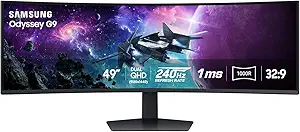
This monitor stands out for its massive 49-inch curved display with a dual QHD resolution and 1000R curvature, offering an unparalleled immersive experience for gaming and multitasking. Compared to the Samsung G93SC with QD-OLED, the Odyssey G9’s size and high refresh rate make it ideal for fast-paced gaming, but it demands a large desk space and comes with a premium price. The 240Hz refresh rate and 1ms response time ensure ultra-smooth gameplay, while HDR1000 and high contrast deliver vivid visuals. The adjustable stand helps tailor comfort during extended sessions, but the monitor’s size and complex features might be overwhelming for casual users. BestFor: Hardcore gamers who want a giant, high-performance display. NotIdealFor: Users with limited desk space or those seeking a more budget-friendly ultrawide. Pros: Immersive 49-inch curved display, ultra-high refresh rate and fast response, vivid HDR visuals, ergonomic stand. Cons: Large footprint requires significant space, premium cost, complex setup.
Verdict: The Odyssey G9 is perfect for gamers craving an expansive and fast ultrawide experience, provided space and budget allow.- Screen Size:49 inches
- Resolution:Dual QHD (5120 x 1440)
- Curvature:1000R
- Refresh Rate:240Hz
- Response Time:1ms(GtG)
- Brightness:1000 nits
Samsung 49-Inch Odyssey G93SC Series Curved Gaming Monitor, QD-OLED, 240Hz, 0.03ms, DQHD, G-Sync Compatible, FreeSync Premium Pro, Adjustable Stand
The G93SC’s QD-OLED technology delivers stunningly vibrant colors and deep blacks, making it a top choice for gamers who prioritize image quality over size. While it shares the 49-inch width with the G9, the G93SC’s ultra-thin profile and 1800R curvature create a more immersive yet less overwhelming experience. Its 240Hz refresh rate and 0.03ms response time match the G9’s speed, but the OLED panel’s visual richness sets it apart for cinematic and gaming visuals. However, the premium price and potential burn-in risk mean this isn’t suited for static content or budget-conscious buyers. BestFor: Enthusiasts seeking the best color fidelity and contrast for gaming and media. NotIdealFor: Casual users or those with limited desk space due to its large size and premium cost. Pros: Vivid colors and deep blacks, ultra-wide curved design, fast 0.03ms response, multiple high-end inputs. Cons: High price point, potential OLED burn-in, large size may not fit all desks.
Verdict: The G93SC is ideal for gamers and media lovers wanting premium visuals, provided they are prepared for its cost and size.- Screen Size:49 inches
- Display Technology:QD-OLED
- Resolution:DQHD
- Refresh Rate:240Hz
- Response Time:0.03ms
- Curvature:1800R
Samsung 49″ Odyssey OLED G9 (G91SD) Dual QHD Curved Gaming Monitor, 144Hz, 0.03ms, G-Sync Compatible, AMD FreeSync Premium Pro, Ergonomic Stand
This 49-inch monitor emphasizes vibrant visuals with its dual QHD OLED panel and 95% DCI-P3 coverage. Its 144Hz refresh rate and 0.03ms response time support smooth, fast-paced gaming, while the G-Sync and FreeSync compatibility reduce tearing. The ergonomic stand offers tilt and height adjustments, making it comfortable for long sessions. Compared to the G93SC, it sacrifices some peak refresh rate but compensates with a more color-accurate display and a lower risk of burn-in due to its design. The 144Hz may be less appealing for competitive gamers, but it suits creative workflows and immersive gaming equally well. The high price and large size could be barriers for some users. BestFor: Gamers and creative professionals valuing vibrant, accurate visuals. NotIdealFor: Fast-paced esports players who need higher refresh rates. Pros: Vibrant, color-rich OLED display, ergonomic stand, low response time, reduced tearing with adaptive sync. Cons: Pricey, potential burn-in with static images, 144Hz less ideal for competitive gaming.
Verdict: This OLED monitor excels in delivering immersive, color-accurate visuals for serious gamers and creators, provided price and size are manageable.- Screen Size:49 inches
- Display Technology:QD-OLED
- Resolution:DQHD
- Refresh Rate:144Hz
- Response Time:0.03ms
- Curvature:1500R
Alienware 34 Curved Gaming Monitor – AW3425DWM – 34-inch WQHD 180Hz 1ms Display, 1500R, AMD FreeSync Premium, VESA AdaptiveSync
While smaller than the 49-inch options, the 34-inch Alienware AW3425DWM offers a WQHD resolution and 180Hz refresh rate that appeals to gamers seeking a balance between ultrawide immersion and desk space. Its 1500R curvature enhances peripheral vision without overwhelming the setup. The monitor’s 1ms response time and support for AMD FreeSync Premium and VESA AdaptiveSync reduce tearing and input lag, making it highly responsive. Compared to the larger G9, it fits better into tighter spaces and is more affordable, but it doesn’t match the sheer size or resolution of the 49-inch models. This makes it ideal for users who want an immersive experience without the size and cost of a giant ultrawide. BestFor: Enthusiast gamers who prefer a manageable size with excellent performance. NotIdealFor: Users needing large-scale multitasking or ultra-high resolution. Pros: Compact ultrawide size, high refresh rate, fast response, excellent color and contrast. Cons: Smaller screen than 49-inch models, less immersive for some, limited to gaming rather than professional work.
Verdict: The Alienware AW3425DWM offers a compelling balance of performance and size for gamers who want immersive ultrawide gameplay without the footprint of larger models.- Size:34 inches
- Resolution:WQHD (3440×1440)
- Refresh Rate:180Hz
- Response Time:1ms
- Curve Radius:1500R
- Color Coverage:DCI-P3 95%
Samsung 49″ Business Curved Ultrawide Dual QHD Computer Monitor LS49C954UANXZA (2024)
This 49-inch curved monitor stands out for its expansive dual QHD resolution and 120Hz refresh rate, making it ideal for multitasking and detailed workflows. Its immersive 1000R curvature and ergonomic stand support long hours of use comfortably. Compared with the smaller 34-inch options, this model offers a significant boost in screen real estate, especially for professionals who need multiple windows open simultaneously. However, its large size demands ample desk space and the limited brightness adjustment in bright environments can be a drawback. The versatile connectivity—including USB-C with 90W charging—helps reduce cable clutter and supports a wide range of devices. Its HDR support and built-in speakers add to a rich multimedia experience, though the 120Hz isn’t available in Picture-by-Picture mode, which may limit some multi-source workflows.
Pros:- Immersive 49-inch curved display enhances multitasking
- Versatile connectivity supports multiple devices and charging
- High 120Hz refresh rate with HDR for smooth, vibrant visuals
- Ergonomic stand with height adjustment for long-term comfort
Cons:- Requires significant desk space due to large size
- Brightness adjustment limited when ambient light exceeds 200 lux
Best for: Enterprise users or creative professionals who need extensive multitasking space and ergonomic flexibility.
Not ideal for: Small office setups or casual users with limited desk space, due to its size and setup requirements.
- Display Size:49 inches
- Curvature:1000R
- Resolution:Dual QHD (5120×1440)
- Refresh Rate:120Hz
- HDR:VESA DisplayHDR 400
- Connectivity:DisplayPort, HDMI x2, USB-C (90W), USB
Bottom line: This monitor is best suited for professionals who prioritize expansive workspace and flexible connectivity over compactness.
Samsung 34-Inch ViewFinity S50GC Series Ultrawide QHD Monitor, 100Hz, HDR10, AMD FreeSync, Eye Care, Black
The Samsung S50GC offers a 34-inch Ultra-WQHD display with a 21:9 aspect ratio, perfect for immersive multitasking and detailed visual work. Its vibrant color support with HDR10 and over 1 billion colors makes it a strong choice for creative professionals. Unlike the larger 49-inch models, this monitor fits more comfortably on smaller desks while still providing ample screen space. The inclusion of AMD FreeSync and a 100Hz refresh rate ensures smooth visuals during casual gaming or video editing. However, the connectivity options are not fully detailed, and high price might deter budget-conscious buyers. The monitor’s eye care features reduce strain during long sessions, but it lacks built-in speakers, which could be a drawback for multimedia use.
Pros:- Wide 34-inch Ultra-WQHD display enhances multitasking
- Vibrant colors with HDR10 support for professional work
- Eye care features reduce eye strain during long use
- Smooth visuals with 100Hz and AMD FreeSync
Cons:- Connectivity options are not fully specified
- Price may be high for budget buyers
- Performance varies depending on PC environment
Best for: Creative professionals and multitaskers needing accurate colors and a manageable size for smaller spaces.
Not ideal for: Gamers seeking higher refresh rates or users desiring built-in speakers for multimedia consumption.
- Screen Size:34 inches
- Resolution:Ultra-WQHD (3440×1440)
- Refresh Rate:100Hz
- HDR:HDR10
- Color Support:Over 1 billion colors
- Contrast Ratio:3000:1
Bottom line: This monitor suits professionals and serious multitaskers who prioritize color accuracy and manageable size over ultra-high refresh rates.
LG 34WR55QK-B 34-inch UltraWide WQHD Curved Computer Monitor
The LG 34WR55QK-B combines a 34-inch curved WQHD display with HDR10 support and 99% sRGB coverage, making it a versatile choice for both work and entertainment. Its high resolution and wide color gamut deliver vivid visuals, while the flexible connectivity options—including USB Type-C with power delivery—support a streamlined setup. The ergonomic stand with height and tilt adjustment helps maintain comfort during extended sessions. Compared with the Samsung S50GC, this model offers more ergonomic tuning options, though it is limited to a 100Hz refresh rate, which may not satisfy gamers or high-refresh-rate enthusiasts. The lack of built-in speakers could be a downside for multimedia users, and its size might be too large for smaller desks.
Pros:- Wide 34-inch curved display enhances multitasking
- High resolution with HDR10 for vivid visuals
- USB Type-C with power delivery simplifies cable management
- Adjustable stand for ergonomic comfort
Cons:- Limited to 100Hz refresh rate
- No built-in speakers
- May be too large for small desks
Best for: Productivity-focused users and multimedia consumers who need flexible connectivity and ergonomic comfort.
Not ideal for: High-end gamers or those seeking built-in speakers for audio without external peripherals.
- Screen Size:34 inches
- Resolution:3440 x 1440 (WQHD)
- Refresh Rate:100Hz
- HDR:HDR10
- Color Gamut:99% sRGB
- Ports:HDMI x2, DisplayPort, USB Type-C (up to 65W), USB x2
Bottom line: This monitor is well-suited for users requiring a large, flexible workspace with good color and ergonomic features, but not for high-refresh-rate gaming.

How We Picked
This lineup was curated based on a combination of performance, build quality, usability, and value. I prioritized monitors that balance image quality, refresh rate, and ergonomic features, since these are critical for different use cases. Cost was also a factor, with an emphasis on models that deliver quality at various price points. The ranking reflects how well each monitor fits typical buyer needs—whether for gaming, professional work, or general use—along with their feature sets and user reviews. This approach ensures the list covers a broad spectrum while highlighting standout performers in each category.Factors to Consider When Choosing Best Ultrawide Monitor
When selecting the best ultrawide monitor, consider several key factors that influence your overall experience. Screen size and curvature affect immersion and desk space, while resolution determines clarity and detail. Refresh rate and response time are crucial for gaming, but less so for casual use. Connectivity options like USB-C can streamline your setup, especially with modern laptops. Additionally, color accuracy and HDR support matter for creative work, but may add to the cost. Understanding these factors helps you prioritize features that align with your specific workflows and budget.Screen Size and Curvature
Size and curvature are fundamental to how immersive and comfortable your viewing experience will be. Larger screens, such as 49-inch models, excel for multitasking and gaming, but require more desk space and may be overwhelming in smaller rooms. Curved screens enhance immersion by matching the natural shape of your field of view, reducing eye strain during long sessions. Consider your desk size and how much space you’re willing to dedicate, and choose a curvature that balances comfort with practicality.
Resolution and Image Quality
Higher resolutions like QHD (3440×1440) or DQHD (5120×1440) provide sharper images, which is especially beneficial for professional editing or detailed work. For gaming, resolution impacts visual fidelity but should be paired with a high refresh rate for smooth gameplay. HDR support can improve contrast and color depth, but not all HDR implementations are equal. Be mindful that a higher resolution often demands more from your graphics card, so balance resolution with GPU capability.
Refresh Rate and Response Time
These specs are vital for gaming enthusiasts. Refresh rates of 144Hz or higher, with response times of 1-3ms, deliver smoother motion and reduce blurring during fast-paced action. For non-gaming tasks, these specs are less critical, but they can still improve overall fluidity. Remember that higher refresh rates often come with a premium price, and not all systems can output high frame rates at ultrawide resolutions without powerful graphics hardware.
Connectivity and Compatibility
Modern monitors benefit from USB-C, which can handle video, data, and charging through a single cable, simplifying desktop setups. HDMI and DisplayPort are still common and essential for compatibility with various devices. Check that your computer or laptop supports the monitor’s input options to avoid connection issues. Also, consider if the monitor has built-in speakers or other features you might need for your workspace.
Color Accuracy and HDR
Creative professionals should prioritize color accuracy, with options like AdobeRGB or DCI-P3 coverage, and look for factory calibration. HDR support enhances contrast and color vibrancy for media consumption or editing, but the effectiveness varies widely between models. Keep in mind that high-quality HDR can significantly increase the price, so evaluate your actual needs versus the advertised specs.
Frequently Asked Questions
Is a 34-inch ultrawide monitor enough for professional photo editing?
Yes, a 34-inch ultrawide monitor can be ideal for photo editing if it offers high resolution and excellent color accuracy. Look for models with at least QHD resolution and support for wide color gamuts like DCI-P3. Factory calibration and hardware calibration options can further improve accuracy. Be aware that some ultra-wide monitors prioritize gaming features, so choose one that balances both color and performance for your creative needs.
Can I use an ultrawide monitor for multitasking and productivity?
Absolutely. Ultrawide monitors excel at multitasking because they provide ample horizontal space to display multiple windows side-by-side. This setup reduces the need for multiple monitors and improves workflow efficiency. Look for models with good ergonomic adjustments, multiple input options, and a resolution that balances clarity with performance to maximize your productivity.
Are curved ultrawide monitors better for gaming than flat ones?
Curved ultrawide monitors tend to offer a more immersive gaming experience by matching the natural curve of your eye movement. They minimize distortion at the edges and can reduce eye strain during extended play. However, the choice depends on personal preference and desk space. Some gamers prefer flat screens for their simplicity and compatibility with multi-monitor setups.
What should I prioritize if I mainly watch movies and stream content?
For media consumption, prioritize models with high contrast ratios, good HDR support, and wide color gamuts for vibrant visuals. Screen size and curvature can also enhance immersion. Ensure the monitor has decent speakers or plan for external audio if sound quality matters. At the same time, consider whether a high refresh rate or gaming features are necessary, as they are less relevant for watching videos.
Is a higher refresh rate worth it on an ultrawide monitor?
Higher refresh rates, such as 144Hz or above, are most beneficial for gaming, where they provide smoother motion and reduce motion blur. For general productivity or media use, 60Hz or 100Hz may suffice and can be more budget-friendly. If you do both gaming and work, opting for a higher refresh rate can provide a better overall experience, but it often comes with a higher cost and more demanding hardware requirements.
Conclusion
For most users, the Samsung Odyssey G9 remains the best overall choice thanks to its immersive size, high refresh rate, and versatile features. Creative professionals or those prioritizing color accuracy should consider the ASUS ROG Strix QD-OLED for its superior image quality. Budget-conscious buyers will find the Samsung Viewfinity S65UA offers excellent value with robust features. Beginners or casual users might prefer a more affordable, straightforward model like the LG 34WR55QK-B. Ultimately, your ideal ultrawide monitor depends on your specific workflow and how much you’re willing to invest for features that matter most to you.