
Smart home hubs tend to offer more reliable connections because they use dedicated protocols like Zigbee or Z-Wave, which are less prone to interference and network congestion. These protocols create a stable, low-latency link that isn’t affected by your Wi-Fi performance or other devices. Wi-Fi devices may seem easier to set up, but their dependability depends on your home network’s stability. To discover more about choosing the right setup, keep exploring the details below.
Key Takeaways
- Hubs use dedicated protocols like Zigbee or Z-Wave, offering more stable and interference-resistant connections.
- Wi-Fi devices depend on your home’s network stability, which can cause lag or disconnections during network issues.
- Hubs centralize device control, reducing network congestion and potential interference compared to Wi-Fi-only setups.
- Wi-Fi devices are easier to set up without additional hardware but may face compatibility and security challenges.
- Overall, hubs tend to be more reliable for consistent operation, while Wi-Fi offers convenience but may be less stable.
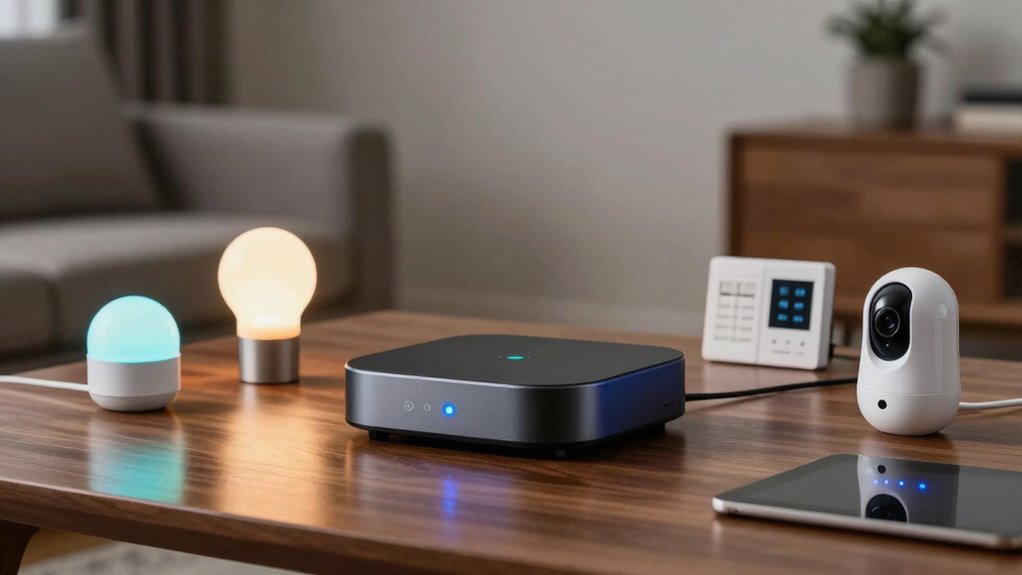
When building a smart home, you’ll often choose between using a central hub or connecting devices directly via Wi-Fi. Each approach has its advantages and drawbacks, especially when it comes to reliability and security. If you opt for a hub, you’re creating a centralized system that manages all your smart devices through a single interface. This setup can simplify control and reduce network congestion, but it also introduces certain security concerns. Because all your devices connect through one point, a vulnerability in the hub could potentially expose your entire system to hacking or unauthorized access. Ensuring the hub has robust security features becomes *essential* to protect your privacy and data.
On the other hand, connecting devices directly via Wi-Fi offers flexibility and ease of setup. You don’t need to purchase an additional hub, and each device communicates straight to your Wi-Fi network. However, this method isn’t without issues. Compatibility problems are common because not all Wi-Fi devices work seamlessly together, especially if they’re from different brands or use different protocols. This can lead to frustration when devices don’t respond as expected or require complicated configurations. Additionally, relying solely on Wi-Fi can strain your network, especially if you have many devices transmitting data simultaneously, which might cause lag or connectivity issues.
Reliability also differs between these two options. A central hub can provide a more stable connection since it manages devices on a dedicated protocol like Zigbee or Z-Wave, which are designed for home automation and are less prone to interference. These protocols often operate on lower frequencies than Wi-Fi, reducing congestion and improving responsiveness. These dedicated protocols are often more reliable in environments with many wireless signals. Conversely, Wi-Fi devices depend on your home network’s stability. If your Wi-Fi drops or becomes congested, your smart devices may lose connection or fail to respond promptly. This makes Wi-Fi devices less reliable in environments with heavy network usage or weak signals.
Ultimately, your decision hinges on balancing convenience, compatibility, and security. A hub can offer a more unified and potentially more secure setup, but it demands careful selection and maintenance. Wi-Fi devices are easier to set up initially and don’t require extra hardware, yet they can face compatibility issues and network reliability concerns. Recognizing these factors helps you choose the right solution for a reliable, secure smart home tailored to your needs.

Aeotec Smart Home Hub, Works as a SmartThings Hub, Z-Wave, Zigbee, Matter Gateway, Compatible with Alexa, Google Assistant, WiFi
- Device Compatibility: Supports Z-Wave, Zigbee, Matter, WiFi
- Smart Home Control: Connects and manages compatible smart devices
- Automation Creation: Builds custom routines and automations
As an affiliate, we earn on qualifying purchases.
As an affiliate, we earn on qualifying purchases.
Frequently Asked Questions
Can Both Options Support Smart Security Cameras Effectively?
Yes, both options can support smart security cameras effectively. With a smart home hub, you get seamless video streaming and voice control, making it easy to monitor your cameras and manage alerts. Wi-Fi devices also handle video streaming well, allowing you to access footage remotely and use voice control through compatible assistants. Your choice depends on your preference for integration, but both setups can keep your security system reliable and user-friendly.
How Do Power Outages Affect Each System’s Reliability?
Power outages can disrupt both systems, but your reliability depends on backup options. If you have a battery backup, smart home hubs might stay operational longer, maintaining power stability. Wi-Fi devices often rely on your internet connection, which might go down without backup power. To guarantee continuous security, consider investing in battery backups for your hub and router, so your system remains functional even during outages.
Are There Compatibility Issues With Third-Party Smart Devices?
You might face compatibility issues with third-party smart devices, especially if they don’t support standard protocols like Zigbee or Z-Wave. Smart home hubs often handle device integration better, making it easier to connect various brands seamlessly. Wi-Fi devices may require additional setup or custom configurations, which can sometimes lead to compatibility challenges. To guarantee smooth operation, check device compatibility beforehand and choose systems that prioritize third-party device integration.
Which Option Offers Better Scalability for Future Upgrades?
A smart home hub generally offers better scalability for future upgrades because it simplifies network complexity and device integration. For example, if you start with a hub, adding new smart devices later is smoother since most hubs support multiple protocols. With Wi-Fi devices, expanding can lead to network clutter and compatibility issues, making future upgrades more challenging. So, hubs provide a more flexible, scalable foundation for your smart home.
Do Smart Home Hubs Require Professional Installation?
Smart home hubs generally don’t require professional installation; you can usually handle user setup yourself. Most hubs are designed for easy installation, with step-by-step instructions and user-friendly apps. However, if your setup involves complex wiring or integrating multiple systems, professional installation might be beneficial. For typical home automation, though, you can confidently set up the hub on your own, saving time and money.
Aeotec Smart Home Hub, Works as a SmartThings Hub, Z-Wave, Zigbee, Matter Gateway, Compatible with Alexa, Google Assistant, WiFi
- Device Compatibility: Supports Z-Wave, Zigbee, Matter, WiFi
- Smart Home Control: Connects and manages compatible smart devices
- Automation Creation: Builds custom routines and automations
As an affiliate, we earn on qualifying purchases.
As an affiliate, we earn on qualifying purchases.
Conclusion
Ultimately, whether you choose a smart home hub or Wi-Fi devices, it’s about finding what feels right for your home. Sometimes, a hub just clicks, bringing everything together seamlessly, while other times, Wi-Fi devices surprise you with their simplicity. It’s funny how the smallest choice can make your daily routine feel a little more effortless, a little more connected. In the end, it’s the little moments of convenience that remind you why you started this journey.

Linkind Matter Smart Plug, Work with Apple Home, Alexa, Siri, Google Home
- Easy Setup with Matter: Control via Apple, Alexa, Google, and more
- Offline Device Communication: Operate devices locally without internet
- Remote Control Access: Manage devices remotely from anywhere
As an affiliate, we earn on qualifying purchases.
As an affiliate, we earn on qualifying purchases.

WiFi Wireless Alarm System for Home Security – 24/7 Protection Smart Home Devices 4.3" Touch Screen, GSM/4G+WiFi, App Instant Alerts, No Monthly Fee, Alexa Compatible for Villa, Kids Safety (24 pcs)
- Dual WiFi and 4G Connectivity: Stable, reliable transmission without fees
- 4.3-Inch Touch Screen: Easy-to-use interface with real-time alerts
- Voice-Enabled Security System: Compatible with Alexa and Google Assistant
As an affiliate, we earn on qualifying purchases.
As an affiliate, we earn on qualifying purchases.