When searching for a smart lock, the main questions are often about security, ease of use, and compatibility. The Yale Assure Lock 2 stands out as the best overall, offering robust features and reliable performance. For those prioritizing quick access, the eufy Security Smart Lock C220 with fingerprint entry is a top pick. Meanwhile, the ULTRALOQ Bolt SE offers versatile connectivity with Matter support for smart home integration. Buyers must weigh ease of installation against advanced features like biometric access or Wi-Fi connectivity. Continue reading for a detailed breakdown of each option and what makes them unique.

Prime made for students and young adults
- Fast, free delivery for dorm and study essentials
- Prime Video and Amazon Music included
- Member-only deals
Key Takeaways
- Top smart locks combine Wi-Fi or Bluetooth for seamless app control and smart home integration.
- Biometric features like fingerprint scanners are increasingly reliable but can add to the cost.
- Design and finish vary greatly; matte black and satin nickel are popular for modern aesthetics.
- Price points reflect feature sets—more expensive models often include keyless entry, Wi-Fi, and biometric access.
- Compatibility with smart home platforms like Apple HomeKit, Alexa, or Google Assistant is a key consideration.
| Yale Assure Lock 2 WiFi Smart Lock Deadbolt with Keypad, Keyless Entry, Black Suede |  | Best Overall | Brand: Yale | Model: Assure Lock 2 | Color: Black Suede | VIEW ON AMAZON | See Our Full Breakdown |
| Yale Code Keypad Deadbolt – Keyless Front Door Entry, Black Suede |  | Best for Beginners | Brand: Yale | Product Type: Keypad Deadbolt | Color: Black Suede | VIEW ON AMAZON | See Our Full Breakdown |
| eufy Security Smart Lock C220 with Fingerprint Keyless Entry |  | Best for Biometric Convenience | Brand: eufy Security | Model: T8506 | Unlock Methods: Fingerprint, App, Keypad, Physical Key, Apple Watch, Alexa/Google | VIEW ON AMAZON | See Our Full Breakdown |
| Schlage Encode Smart WiFi Deadbolt Lock with Century Trim, Satin Nickel |  | Best for Connectivity and Security | Finish: Satin Nickel | Connectivity: Built-in Wi-Fi | Compatible Apps: Schlage Home | VIEW ON AMAZON | See Our Full Breakdown |
| Schlage Encode Smart WiFi Deadbolt Lock with Camelot Trim, Satin Nickel |  | Best for High Capacity and Notifications | Finish: Satin Nickel | Trim: Camelot | Connectivity: Built-in Wi-Fi | VIEW ON AMAZON | See Our Full Breakdown |
| Tapo Smart Wi-Fi Deadbolt Door Lock, Keyless Tactile Buttons, DL100 |  | Best Overall for Versatile Smart Home Integration | Dimensions (Outdoor): 5.88 x 2.65 x 2.2 inches | Dimensions (Indoor): 10.51 x 2.84 x 1.81 inches | Battery Life: Up to 200 days in Wi-Fi mode, 300 days in Bluetooth mode | VIEW ON AMAZON | See Our Full Breakdown |
| TEEHO TE001 Keyless Entry Keypad Deadbolt, Matte Black |  | Best for DIY Installers and Long Battery Life | Material: Aluminum alloy | Weather Resistance: IP54 | Auto-Lock: 10-99 seconds or one-touch | VIEW ON AMAZON | See Our Full Breakdown |
| Schlage Encode Smart WiFi Deadbolt Lock with Century Trim, Matte Black |  | Best for Highest Security and Remote Management | Finish: Matte Black | Connectivity: Built-in WiFi | Access Codes: Up to 100 | VIEW ON AMAZON | See Our Full Breakdown |
| Philips 4200 Series WiFi Keypad Deadbolt with Handle, Fingerprint Keyless Entry Door Lock |  | Best for Fast Fingerprint Access and App Control | Connectivity: WiFi (no hub) | Unlock Speed: 0.3 seconds | Battery Life: Up to 6 months | VIEW ON AMAZON | See Our Full Breakdown |
| Yamiry YR01 Smart Door Handle Lock with Fingerprint Keypad |  | Best for Multi-Method Access and Rental Management | Unlock Methods: Fingerprint, Bluetooth app, passcode, key fob, mechanical key, Alexa voice | Installation Time: ~10 minutes | Handle Type: Reversible | VIEW ON AMAZON | See Our Full Breakdown |
| Aqara UWB Smart Lock U400, Apple Home Key, Fingerprint Deadbolt, Black |  | Best for Seamless Hands-Free and Multi-Ecosystem Integration | Unlocking Technology: UWB with Apple Home Key, fingerprint, passcode, NFC, physical key | Connectivity: Thread over Matter, Apple Home hub required | Battery Life: Up to 6 months | VIEW ON AMAZON | See Our Full Breakdown |
| Veise VE017 Fingerprint Smart Door Lock with App Control, Matte Black |  | Best for Full Remote Control and Advanced AI Fingerprint Recognition | Unlocking Methods: Fingerprint, app, key, code, code sharing | Connectivity: Wi-Fi, optional gateway | Battery Life: Approximately 12 months | VIEW ON AMAZON | See Our Full Breakdown |
| Philips Wi-Fi Smart Deadbolt Lock with Keyless Entry |  | Best for No-Hub Wi-Fi Convenience and Multi-Method Access | Connectivity: Wi-Fi 2.4GHz | Unlock Methods: App, passcode, fingerprint, physical key, voice | Passcode Capacity: Up to 100 | VIEW ON AMAZON | See Our Full Breakdown |
| eufy Security Video Smart Lock FamiLock S3 Max with Palm Vein Recognition |  | eufy Security Video Smart | Unlocking Method: Palm vein recognition | Camera Resolution: 2K HD | Night Vision: Yes | VIEW ON AMAZON | See Our Full Breakdown |
| ULTRALOQ Bolt SE Wi-Fi Smart Deadbolt with Matter over Thread |  | ULTRALOQ Bolt SE Wi-Fi | Connectivity: Matter over Thread, 2.4 GHz Wi-Fi | Battery Life: Up to 18 months | Entry Methods: Fingerprint, passcode, app, mechanical key | VIEW ON AMAZON | See Our Full Breakdown |
| smart lock | Connectivity | Battery Life |
|---|---|---|
| Yale Assure Lock 2 WiFi Smart | Wi-Fi (2.4 or 5 GHz), no hub required | — |
| Yale Code Keypad Deadbolt | Non-connected | — |
| eufy Security Smart Lock C220 | — | Approximately 8 months |
| Schlage Encode Smart WiFi Dead | Built-in Wi-Fi | — |
| Schlage Encode Smart WiFi Dead | Built-in Wi-Fi | — |
| Tapo Smart Wi-Fi Deadbolt Door | Wi-Fi, Bluetooth, Alexa, Google Home, Samsung SmartThings | Up to 200 days in Wi-Fi mode, 300 days in Bluetooth mode |
| TEEHO TE001 Keyless Entry Keyp | — | Up to 365 days |
| Schlage Encode Smart WiFi Dead | Built-in WiFi | Up to 6 months |
| Philips 4200 Series WiFi Keypa | WiFi (no hub) | Up to 6 months |
| Yamiry YR01 Smart Door Handle | — | — |
| Aqara UWB Smart Lock U400 | Thread over Matter, Apple Home hub required | Up to 6 months |
| Veise VE017 Fingerprint Smart | Wi-Fi, optional gateway | Approximately 12 months |
| Philips Wi-Fi Smart Deadbolt L | Wi-Fi 2.4GHz | — |
| eufy Security Video Smart Lock | Matter, Apple Home, Google Home, Alexa | — |
| ULTRALOQ Bolt SE Wi-Fi Smart D | Matter over Thread, 2.4 GHz Wi-Fi | Up to 18 months |
More Details on Our Top Picks
Yale Assure Lock 2 WiFi Smart Lock Deadbolt with Keypad, Keyless Entry, Black Suede
The Yale Assure Lock 2 stands out for its direct Wi-Fi connection, eliminating the need for a hub—a major convenience over models like the Schlage Encode that require additional hardware. Its full remote control via the Yale Access app, along with unlimited access codes and scheduled expirations, makes it ideal for active households or small businesses. The Auto-Unlock and DoorSense features support hands-free entry, a feature that surpasses simpler keypad locks like the Yale Code Deadbolt. However, its reliance on Wi-Fi and the Yale app limits usability outside North America, and it’s dependent on battery power, which requires monitoring. Compared to the Schlage Encode, it offers more flexible access management but at the cost of some app limitations and a slightly higher price. This lock fits well for those seeking a versatile, high-grade smart lock with broad control options.
Pros:- Direct Wi-Fi connection without a hub or bridge
- Unlimited customizable access codes with scheduling
- Auto-Unlock and DoorSense auto-lock for convenience
- Commercial-grade Grade 2 BHMA certification
Cons:- Limited to US and Canada for app functionality
- Dependent on battery power with no wired backup
Best for: Homeowners who want a reliable, full-featured Wi-Fi smart lock with remote access and scheduling capabilities
Not ideal for: Renters or users outside North America who cannot use the Yale Access app or prefer wired power options
- Brand:Yale
- Model:Assure Lock 2
- Color:Black Suede
- Lock Type:Deadbolt with keypad
- Connectivity:Wi-Fi (2.4 or 5 GHz), no hub required
- App:Yale Access (US & Canada only)
- Certification:Grade 2 BHMA
- Operating Temperature:-22°F to 140°F
Our verdict“This lock is perfect for tech-savvy homeowners seeking a feature-rich, remote-controlled smart deadbolt with flexible access management.”
Yale Code Keypad Deadbolt – Keyless Front Door Entry, Black Suede
The Yale Code Keypad Deadbolt offers straightforward keyless entry without the need for an app, making it an attractive choice for those new to smart locks. Its simple design supports up to 20 user codes, with easy setup directly on the lock, unlike more complex models like the Schlage Encode that rely on Wi-Fi and apps. The auto-lock feature and adjustable sound settings enhance usability without overcomplicating the experience. However, being a non-connected lock, it lacks remote access or integration with smart home systems, which might disappoint users seeking more automation. Compared to the Yale Assure Lock 2, it doesn’t offer remote control but provides reliable, simple access management for those who prefer a purely mechanical approach with digital convenience. This model suits users who want basic, secure keyless entry without added tech features.
Pros:- Key-free entry with up to 20 programmable codes
- Easy setup directly on the lock, no app required
- Sleek, low-profile design that fits various doors
- Trusted Yale security at an affordable price
Cons:- No remote access or smart home integration
- Requires batteries for keypad operation
Best for: First-time smart lock buyers or users who prefer simple, keypad-based security without the need for Wi-Fi or app management
Not ideal for: People wanting remote access, app control, or integration with smart home systems
- Brand:Yale
- Product Type:Keypad Deadbolt
- Color:Black Suede
- Connectivity:Non-connected
- Max Entry Codes:20
- Features:Auto-Lock, adjustable sound
Our verdict“This lock is ideal for those seeking a simple, reliable keypad lock with no fuss or connectivity features.”
eufy Security Smart Lock C220 with Fingerprint Keyless Entry
The eufy Security Smart Lock C220 stands out with its rapid fingerprint unlocking, which claims to open in under a second—ideal for busy households. Its six unlocking methods, including app control, keypad, physical key, Apple Watch, and voice assistants, offer versatile access options. Compared with the Yale Assure Lock 2, the C220’s biometric speed and drill-free installation make it more appealing for users prioritizing quick, contactless entry. Nonetheless, the fingerprint recognition system requires some calibration over time, and actual battery life can vary based on usage patterns. Its built-in Wi-Fi allows remote control without a hub, similar to Yale’s Wi-Fi models, but its BHMA Grade 3 certification indicates slightly lower security standards. This lock suits tech-savvy users who want fast biometric access combined with multiple unlocking options.
Pros:- Faster than most fingerprint locks, unlocking in under 1 second
- Six unlocking methods, including app, keypad, and voice control
- Quick drill-free installation, fitting most standard deadbolts
- Long 8-month battery life on 8 AA batteries
Cons:- Fingerprint accuracy may need calibration over time
- Battery life varies with usage and may require replacement sooner
Best for: Families or individuals who value fast biometric access and flexible unlocking methods in a smart lock
Not ideal for: Users looking for the highest security grade or those who prefer wired power options
- Brand:eufy Security
- Model:T8506
- Unlock Methods:Fingerprint, App, Keypad, Physical Key, Apple Watch, Alexa/Google
- Battery Life:Approximately 8 months
- Certification:BHMA Grade 3
- Waterproof Rating:IP53
Our verdict“This lock is best for those who prioritize speed and convenience through biometric and multi-modal access options.”
Schlage Encode Smart WiFi Deadbolt Lock with Century Trim, Satin Nickel
The Schlage Encode with Century Trim delivers robust security coupled with built-in Wi-Fi, making it a strong contender for users who want remote control without extra hardware. Its support for up to 100 access codes and compatibility with Alexa and Google Home provide extensive access management and voice control, surpassing the Yale Code Deadbolt’s capabilities. The encrypted connection and built-in alarm enhance security, while straightforward installation appeals to DIY enthusiasts. Although dependent on Wi-Fi and requiring app management, its ability to monitor and control remotely makes it suitable for busy households or small businesses. Compared to the Yale Assure Lock 2, the Schlage Encode offers more extensive remote features but with a slightly bulkier design. This lock fits those wanting a secure, Wi-Fi-enabled lock with broad access options.
Pros:- Built-in Wi-Fi for remote control without hub
- Supports up to 100 access codes and voice commands
- Quick installation with basic tools
- High security with encrypted connection and built-in alarm
Cons:- Wi-Fi dependency means connectivity issues can affect functionality
- Batteries last around 6 months, requiring periodic replacement
Best for: Homeowners needing a secure, Wi-Fi-connected deadbolt with extensive access codes and remote management
Not ideal for: Renters or users with unreliable Wi-Fi connections who prefer manual locks
- Finish:Satin Nickel
- Connectivity:Built-in Wi-Fi
- Compatible Apps:Schlage Home
- Voice Assistants:Alexa, Google
- Max Access Codes:100
- Battery:4 AA batteries
Our verdict“This lock is ideal for users seeking high security and extensive remote access features in a Wi-Fi-enabled deadbolt.”
Schlage Encode Smart WiFi Deadbolt Lock with Camelot Trim, Satin Nickel
The Schlage Encode with Camelot Trim combines the same reliable Wi-Fi connectivity as the Century Trim version but emphasizes higher capacity and customizable notifications. Supporting up to 100 access codes and offering auto-lock, fingerprint-resistant touchscreen, and built-in alarms, it caters to users who want comprehensive management and security. Its straightforward screwdriver-only installation makes it suitable for DIYers. While it shares the dependency on Wi-Fi like the Century Trim, it excels in environments where multiple users and notifications are priorities. Compared with the Yale Assure Lock 2, it offers a more traditional aesthetic with extensive capacity and alert features, though it still requires a stable Wi-Fi connection. This lock suits households or small business owners needing high access capacity and real-time alerts.
Pros:- Built-in Wi-Fi for remote control and monitoring
- Supports up to 100 access codes and customizable notifications
- Easy installation with just a screwdriver
- Fingerprint-resistant touchscreen and built-in alarms
Cons:- Wi-Fi dependency can lead to connectivity issues
- Battery replacement roughly every six months
Best for: Families or small business owners requiring extensive user management and customizable notifications
Not ideal for: People who prefer no Wi-Fi reliance or minimal notifications
- Finish:Satin Nickel
- Trim:Camelot
- Connectivity:Built-in Wi-Fi
- Voice Assistants:Alexa, Google
- Access Codes:Up to 100
- Battery:4 AA batteries
Our verdict“This lock is suited for those needing high user capacity, real-time alerts, and reliable remote management in a Wi-Fi-enabled deadbolt.”
Tapo Smart Wi-Fi Deadbolt Door Lock, Keyless Tactile Buttons, DL100
The Tapo DL100 stands out for its seamless integration with popular voice assistants like Alexa, Google Home, and Samsung SmartThings, making it ideal for users who want a versatile, remotely manageable lock. Compared with the Schlage Encode, it offers more unlocking options—keypad, Bluetooth, and Wi-Fi—giving users multiple access methods, but it comes with the tradeoff of only being BHMA Grade 3, which is less robust than Schlage’s high-security standards. Its weatherproof design and activity logs enhance security and convenience, yet frequent battery replacements every few months could become a hassle for some. This pick is perfect for those seeking a flexible, app-controlled lock that integrates well with existing smart home setups, but less suited for users prioritizing maximum physical security or long-term battery life.
Pros:- Multiple unlocking methods including keypad, Bluetooth, and Wi-Fi
- Easy to manage access for family and guests via app
- Weatherproof with IP54 rating and smart home compatibility
Cons:- Requires batteries replacement every few months
- Installation may involve some technical setup
- Limited to BHMA Grade 3 security level
Best for: Homeowners who want a weatherproof, Wi-Fi-enabled lock with multiple unlocking options and smart home integration.
Not ideal for: Users needing the highest security grade or minimal maintenance, as the lock is only BHMA Grade 3 and requires regular battery changes.
- Dimensions (Outdoor):5.88 x 2.65 x 2.2 inches
- Dimensions (Indoor):10.51 x 2.84 x 1.81 inches
- Battery Life:Up to 200 days in Wi-Fi mode, 300 days in Bluetooth mode
- Batteries:4xAA included
- Weatherproof Rating:IP54
- Connectivity:Wi-Fi, Bluetooth, Alexa, Google Home, Samsung SmartThings
Our verdict“This lock suits tech-savvy homeowners seeking flexible, remote access with smart home features, but not those requiring maximum physical security.”
TEEHO TE001 Keyless Entry Keypad Deadbolt, Matte Black
The TEEHO TE001 is a straightforward, durable keypad deadbolt designed for easy DIY installation, making it ideal for homeowners who prefer a manual, keyless lock with minimal tech fuss. Unlike the Philips 4200 Series, which offers fingerprint access and Wi-Fi connectivity, the TE001 focuses on traditional keypad entry with support for 20 user codes and one-time guest codes, emphasizing security and simplicity. Its aluminum alloy body and IP54 weather resistance ensure durability in outdoor conditions, while its impressive battery life of up to 365 days reduces maintenance concerns. However, it requires batteries (not included), and it only fits 2-1/8″ door holes, limiting compatibility for some. This lock is best for those who want a reliable, long-lasting keypad lock that’s quick to install, but not for users seeking smartphone control or advanced features.
Pros:- Supports 20 user codes plus guest PINs
- Long battery life of up to 1 year with low-battery indicator
- Easy DIY installation with just a screwdriver
Cons:- Batteries are not included
- Limited door compatibility (only fits 2-1/8″ holes)
- Requires reset before first use to detect door orientation
Best for: Homeowners seeking a robust, weather-resistant keypad lock with long battery life and easy installation.
Not ideal for: Those wanting remote access or smart home integration, as this model lacks Wi-Fi or app control features.
- Material:Aluminum alloy
- Weather Resistance:IP54
- Auto-Lock:10-99 seconds or one-touch
- Battery Life:Up to 365 days
- Included Components:2 backup keys, latch, strike plate
Our verdict“This lock is ideal for users who prioritize durability, long battery life, and simple keypad access without smart features.”
Schlage Encode Smart WiFi Deadbolt Lock with Century Trim, Matte Black
The Schlage Encode is a strong contender for those needing high security combined with straightforward remote management, thanks to its built-in WiFi that requires no hub. Compared with the Yale Assure Lock 2, it offers higher BHMA security ratings and supports up to 100 access codes, making it suitable for larger households or rental properties. Its fingerprint-resistant touchscreen and built-in alarm add layers of security, while the simple installation process appeals to DIYers. The main tradeoff is its reliance on batteries, which last about six months, requiring periodic replacement. For property managers or security-conscious homeowners, this lock offers a compelling mix of durability, remote control, and high security, but less ideal for those who prefer wired or hub-based smart locks.
Pros:- Built-in WiFi for remote locking and monitoring
- Supports up to 100 access codes
- High BHMA security, durability, and finish ratings
Cons:- Battery replacement required approximately every 6 months
- Voice control needs compatible devices and setup
- Requires careful placement for WiFi connectivity
Best for: Property managers and security-focused homeowners who want high security with remote access without extra hubs.
Not ideal for: Users seeking a lock with extensive smart home ecosystem integration beyond WiFi, or those on tight budgets for installation or maintenance.
- Finish:Matte Black
- Connectivity:Built-in WiFi
- Access Codes:Up to 100
- Door Thickness:1-3/8 to 1-3/4 inches
- Battery Life:Up to 6 months
Our verdict“This lock makes sense for users prioritizing security, remote management, and ease of installation, but not those wanting extended smart home compatibility or wired solutions.”
Philips 4200 Series WiFi Keypad Deadbolt with Handle, Fingerprint Keyless Entry Door Lock
The Philips 4200 Series provides rapid fingerprint unlocking—just 0.3 seconds—making it ideal for busy households or users who value quick, touchless access. Unlike the Yale Assure or Schlage Encode, which focus more on remote management and larger access code support, Philips emphasizes fast biometric entry combined with versatile PIN options, including one-time and recurring codes. It connects directly to WiFi without a hub, simplifying setup, but requires a WiFi range within 33 feet of the router, which could limit placement flexibility. Its installation is straightforward, and the battery life extends up to six months, yet recharging or lithium batteries are incompatible. This lock best suits those seeking rapid biometric entry with remote control, but less so for users wanting extensive smart home ecosystem integration.
Pros:- Fast 0.3-second fingerprint unlock
- Direct WiFi connection without hub
- Supports multiple PIN types and auto-lock
Cons:- Limited WiFi range (33 ft/10 m)
- Batteries not included; recharge incompatible
- Requires stable WiFi for reliable operation
Best for: Busy households or property managers wanting quick biometric access combined with app management, without hub dependency.
Not ideal for: Homeowners with large smart home setups requiring extensive device compatibility or those in WiFi-challenged areas.
- Connectivity:WiFi (no hub)
- Unlock Speed:0.3 seconds
- Battery Life:Up to 6 months
- Door Compatibility:1-3/8″ to 1-3/4″ thick
- Auto-Lock:Yes, configurable
Our verdict“This lock is perfect for users prioritizing quick biometric access and simple app control, but not for those needing extensive smart home integration or longer WiFi range.”
Yamiry YR01 Smart Door Handle Lock with Fingerprint Keypad
The Yamiry YR01 excels in versatility, offering six unlocking methods—fingerprint, Bluetooth app, passcode, key fob, mechanical key, and Alexa voice—making it ideal for landlords, Airbnb hosts, or property managers needing flexible access options. Compared with the Philips 4200 Series, it provides more unlocking methods and centralized management through the app, though it relies on a WiFi gateway (sold separately) for remote app control and Alexa voice. Its quick, drill-free installation and reversible handle make it accessible for most users, but the need for a WiFi gateway and its design for standard American wooden doors limit its compatibility. Overall, this lock offers a comprehensive access toolkit for rental and multi-tenant situations but isn’t the best choice for those seeking a purely smart, hub-free system.
Pros:- Six unlocking methods including fingerprint and app control
- Quick, drill-free installation in about 10 minutes
- Reversible handle for both left and right-handed doors
Cons:- WiFi gateway for remote and Alexa voice control sold separately
- Designed mainly for standard American wooden doors
- May require additional accessories for full remote functionality
Best for: Property managers and rental hosts needing multiple access options and easy installation.
Not ideal for: Homeowners seeking a simple, hub-free smart lock or those with non-standard door types.
- Unlock Methods:Fingerprint, Bluetooth app, passcode, key fob, mechanical key, Alexa voice
- Installation Time:~10 minutes
- Handle Type:Reversible
- Compatibility:Most American wooden doors
- Warranty:See manufacturer
Our verdict“This lock suits rental properties and multi-tenant setups needing multiple access methods and easy installation, but requires extra components for full remote control.”
Aqara UWB Smart Lock U400, Apple Home Key, Fingerprint Deadbolt, Black
This lock excels in offering true hands-free unlocking through UWB technology, making it ideal for those who prioritize convenience and security. Compared with the Philips Wi-Fi Smart Deadbolt, the U400’s UWB detection provides faster, more intuitive access without physical contact, especially useful during bad weather or when your hands are full. Its compatibility with Apple Home Key and Matter over Thread broadens its ecosystem reach, but this advanced tech requires compatible Apple devices and hubs, which might limit its use for some users. The rechargeable battery lasts up to six months, and the IP65 rating ensures outdoor durability. The rekeyable design adds to its long-term value. However, UWB setup and ecosystem integration can be complex for non-Apple users, and the need for a Thread-enabled hub may increase initial costs.
Pros:- True hands-free UWB unlocking for maximum convenience
- Supports Apple Home Key and Matter over Thread for multi-ecosystem connectivity
- Rechargeable battery with 6-month lifespan and outdoor certification
Cons:- Requires Apple devices and compatible hubs for full functionality
- Setup and ecosystem integration can be complex for some users
Best for: Homeowners who want a cutting-edge, contactless unlock experience with strong Apple ecosystem integration.
Not ideal for: Users without Apple devices or those seeking a simple, plug-and-play lock without advanced tech requirements.
- Unlocking Technology:UWB with Apple Home Key, fingerprint, passcode, NFC, physical key
- Connectivity:Thread over Matter, Apple Home hub required
- Battery Life:Up to 6 months
- IP Rating:IP65
- Power:Rechargeable lithium battery
- Compatibility:Apple Watch Series 6+, iPhone 11+, Thread-enabled hubs
Our verdict“This lock suits tech-savvy Apple users seeking a sleek, contactless entry with future-proof connectivity.”
Veise VE017 Fingerprint Smart Door Lock with App Control, Matte Black
This lock stands out for its comprehensive remote user management via the KK Home App, making it ideal for multi-tenant or family setups. Unlike the Philips Wi-Fi Deadbolt, which relies solely on Wi-Fi and manual codes, the VE017’s AI-powered fingerprint system quickly learns and refines recognition, ensuring high accuracy over time. Its ability to remotely grant, revoke, or monitor access adds a layer of control that many locks lack. The lock also features multiple unlocking options, including app, fingerprint, and mechanical key, providing flexibility. However, the reliance on a separate gateway for remote app control might complicate setup, and the 12-month battery life, while decent, requires regular monitoring. Its IP55 rating is suitable for outdoor use, but not for harsh environments.
Pros:- Advanced, self-learning AI fingerprint system for high accuracy
- Full remote control via app with user permissions and activity logs
- Multiple unlocking methods including app, fingerprint, and mechanical key
Cons:- Requires a separate gateway for remote app access
- Battery life of about 12 months may need regular monitoring
Best for: Property managers and families needing remote control with smart user management and biometric security.
Not ideal for: Users seeking a simple, inexpensive lock without app control or biometric features.
- Unlocking Methods:Fingerprint, app, key, code, code sharing
- Connectivity:Wi-Fi, optional gateway
- Battery Life:Approximately 12 months
- Security Features:AES128 encryption, activity logs
- Material:All-metal, scratch-resistant
- Waterproof Rating:IP55
Our verdict“This lock is ideal for those who need flexible, remote management and high-security fingerprint recognition.”
Philips Wi-Fi Smart Deadbolt Lock with Keyless Entry
The Philips Wi-Fi Smart Deadbolt offers versatile entry options, including fingerprint, passcode, physical key, and voice control, making it highly flexible. Its built-in Wi-Fi allows direct remote control from the app, without the need for an additional hub, a feature that sets it apart from locks like the ULTRALOQ Bolt SE, which requires a hub for full remote access. The capacity for up to 100 custom passcodes is a significant advantage for managing multiple users or guests. Its straightforward DIY installation appeals to homeowners, but the batteries are not included, and only 2.4 GHz Wi-Fi limits compatibility with some networks. The lack of a door sensor could be a drawback for those wanting complete monitoring.
Pros:- Multiple unlock options, including fingerprint and passcodes
- Built-in Wi-Fi enables remote control without additional hubs
- Supports up to 100 custom passcodes and scheduled guest access
Cons:- Batteries not included, limited to AA alkaline
- Only supports 2.4 GHz Wi-Fi networks
Best for: Homeowners seeking a reliable, easy-to-install lock with extensive user management and direct Wi-Fi control.
Not ideal for: People with complex smart home setups requiring Zigbee or Z-Wave compatibility, or those wanting a hub-based system.
- Connectivity:Wi-Fi 2.4GHz
- Unlock Methods:App, passcode, fingerprint, physical key, voice
- Passcode Capacity:Up to 100
- Auto-Lock Timer:10-180 seconds
- Battery Type:AA alkaline
- Compatibility:Standard doors 1-3/8″ to 2
Our verdict“This lock is perfect for users wanting a straightforward, Wi-Fi-enabled keyless lock with extensive access options and easy DIY installation.”
eufy Security Video Smart Lock FamiLock S3 Max with Palm Vein Recognition
The eufy FamiLock S3 Max combines biometric palm vein unlocking with a built-in 2K HD camera, making it stand out for households that value high-security biometric entry along with visual verification. Compared with the ULTRALOQ Bolt SE, which relies on fingerprint and app control, the S3 Max’s palm vein technology offers a quick, contactless, and highly secure alternative that’s difficult to spoof. Its integrated camera and rear video screen provide real-time visitor monitoring, ideal for elderly family members or children. However, it requires the HomeBase 3 for full smart home compatibility, and its biometric data is stored locally, which might concern privacy-conscious users. The camera streams are not supported through Matter, limiting integration options.
Pros:- Fast palm vein unlocking in 0.6 seconds with high security
- Built-in 2K HD camera with night vision and wide-angle view
- Rear video screen for easy visitor monitoring
Cons:- Camera streams are not supported via Matter
- Requires HomeBase 3 for full smart home integration
Best for: Families prioritizing biometric security and integrated video surveillance for their home access.
Not ideal for: Users seeking a purely app-controlled lock or those who prefer cloud-based biometric storage for convenience.
- Unlocking Method:Palm vein recognition
- Camera Resolution:2K HD
- Night Vision:Yes
- Connectivity:Matter, Apple Home, Google Home, Alexa
- Power:Rechargeable battery + 4 AAA batteries (emergency)
- Compatibility:HomeBase 3 required
Our verdict“This lock is tailored for security-focused households that want biometric access combined with real-time video monitoring.”
ULTRALOQ Bolt SE Wi-Fi Smart Deadbolt with Matter over Thread
The ULTRALOQ Bolt SE offers a broad range of entry options, including fingerprint, passcodes, app control, and mechanical keys, making it versatile for various users. Its standout feature is its impressive 18-month battery life, which surpasses many competitors like the Philips Wi-Fi Deadbolt. The inclusion of Matter over Thread support, with a compatible hub, ensures future-proof connectivity and reliable smart home integration. Its IP65 rating confirms suitability for outdoor installation, resisting weather and dust. However, the need for a Thread Border Router for full remote features might complicate setup, and the lock’s reliance on 2.4 GHz Wi-Fi could limit compatibility with some networks. It’s also more expensive than basic models.
Pros:- Up to 18 months of battery life for low maintenance
- Supports multiple entry methods including biometric and app control
- Weather-resistant (IP65) suitable for outdoor use
Cons:- Requires a Thread Border Router for full remote capabilities
- Limited to 2.4 GHz Wi-Fi networks
Best for: Homeowners wanting a durable, weatherproof lock with long battery life and future-ready smart home compatibility.
Not ideal for: Users without a compatible Thread hub or those who prefer simple Wi-Fi locks without extra setup complexity.
- Connectivity:Matter over Thread, 2.4 GHz Wi-Fi
- Battery Life:Up to 18 months
- Entry Methods:Fingerprint, passcode, app, mechanical key
- Weather Resistance:IP65
- Material:Zinc alloy
- Certification:ANSI/BHMA
Our verdict“This lock is best suited for users who prioritize durability, long battery life, and future-proof connectivity for outdoor settings.”
How We Picked
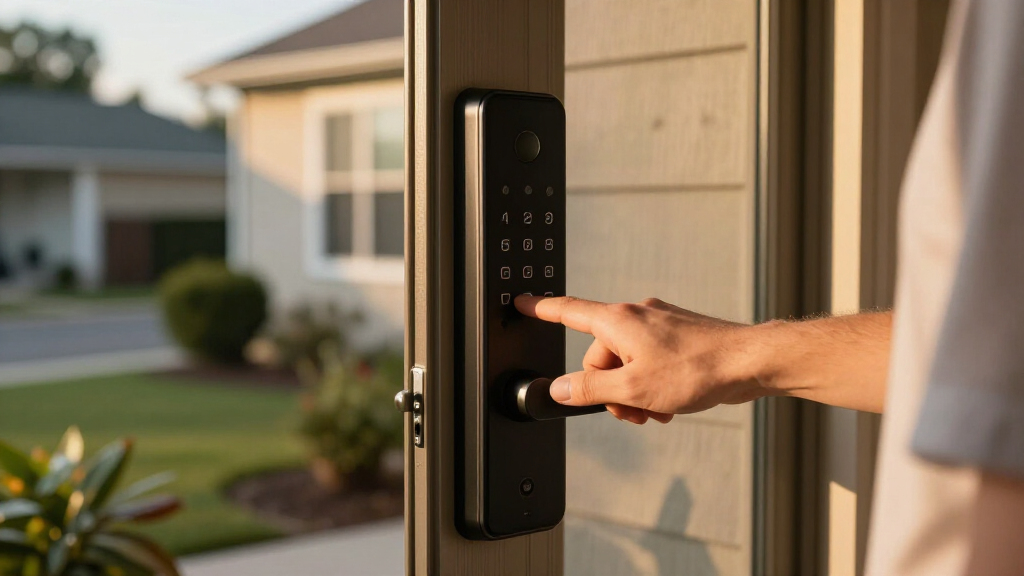
The products in this roundup were selected based on a combination of performance, usability, build quality, and connectivity options. We prioritized locks that offer reliable security features, straightforward installation, and app integration. Cost was considered in relation to feature sets to identify true value, while compatibility with popular smart home platforms was a key criterion. To ensure a balanced perspective, we included options across different price ranges and user needs, from simple keypads to advanced biometric locks. The ranking reflects a mix of consumer feedback, feature breadth, and overall versatility.| smart lock | Battery Life |
|---|---|
| Yale Assure Lock 2 WiFi Smart | — |
| Yale Code Keypad Deadbolt | — |
| eufy Security Smart Lock C220 | Approximately 8 months |
| Schlage Encode Smart WiFi Dead | — |
| Schlage Encode Smart WiFi Dead | — |
| Tapo Smart Wi-Fi Deadbolt Door | Up to 200 days in Wi-Fi mode, 300 days in Bluetooth mode |
| TEEHO TE001 Keyless Entry Keyp | Up to 365 days |
| Schlage Encode Smart WiFi Dead | Up to 6 months |
| Philips 4200 Series WiFi Keypa | Up to 6 months |
| Yamiry YR01 Smart Door Handle | — |
| Aqara UWB Smart Lock U400 | Up to 6 months |
| Veise VE017 Fingerprint Smart | Approximately 12 months |
| Philips Wi-Fi Smart Deadbolt L | — |
| eufy Security Video Smart Lock | — |
| ULTRALOQ Bolt SE Wi-Fi Smart D | Up to 18 months |
Factors to Consider When Choosing Smart Lock
Choosing the right smart lock involves more than just features; it requires considering how the lock integrates with your home and meets your security needs. Here are key factors to keep in mind before purchasing.Connectivity and Compatibility
Smart locks can connect via Wi-Fi, Bluetooth, Z-Wave, or Zigbee, affecting how they integrate with your smart home ecosystem. Ensuring compatibility with platforms like Apple HomeKit, Alexa, or Google Assistant can streamline control and automation. Consider whether you want remote access, which generally requires Wi-Fi connectivity, or if local control via Bluetooth suffices. Be cautious of locks that require proprietary hubs or apps, as these can limit flexibility and increase costs.
Security Features and Reliability
Beyond basic locking mechanisms, look for features like biometric access, keypad durability, and tamper alerts. Biometric locks offer quick access but can sometimes fail if sensors are dirty or damaged. Mechanical backups, like keyholes, are essential for emergencies. Evaluate the lock’s construction—materials like zinc or brass tend to be more durable. Reading user reviews about real-world reliability can reveal potential issues that specs alone don’t show.
Installation and Compatibility
Many smart locks are designed for standard deadbolt sizes, but some may require additional adapters or modifications. DIY installation is common, but complexity varies; some models are straightforward, while others may need professional help. Check if the lock fits your existing door setup and whether it can be retrofitted without replacing the entire hardware. Compatibility with different door thicknesses and backsets can prevent surprises during installation.
Design and Aesthetics
The look of your smart lock influences your home’s curb appeal. Many brands offer finishes like matte black, satin nickel, or polished brass. Consider the style of your door and whether the lock’s design complements it. Also, think about visibility—some locks are more discreet, while others are prominent features. Aesthetic preferences can impact satisfaction long-term, so choose a style that aligns with your overall home design.
Cost and Value
Prices for smart locks range from budget-friendly models to high-end options with biometric and Wi-Fi features. Cheaper models often lack remote access or advanced security, so assess whether the added features justify the cost. Investing in a more expensive lock can provide peace of mind with better security and smart home integration, but it may be overkill for casual use. Balance your budget against your specific needs for convenience and security.
Frequently Asked Questions
Can I install a smart lock myself, or do I need a professional?
Most smart locks are designed for DIY installation and come with detailed instructions. If you are comfortable with basic tools, you can typically replace your existing deadbolt with minimal effort. However, some models with complex features or unusual door setups might require professional help to ensure proper installation and security. Always check the manufacturer’s guidelines and compatibility with your door before proceeding.
Will a smart lock work if my Wi-Fi goes out?
Many smart locks with Wi-Fi connectivity can still be operated locally via Bluetooth even if your internet is down. However, remote control and app-based features usually require an active internet connection. To prevent inconvenience, consider locks with Bluetooth backup or keypad access, especially if you rely on remote features for daily use or guest access.
Are biometric smart locks reliable enough for everyday use?
Biometric locks like fingerprint scanners have improved significantly, offering quick and contactless access. Nonetheless, environmental factors such as dirt, moisture, or skin conditions can affect sensor accuracy. It’s wise to choose models with high-quality sensors and fallback options like keypads or mechanical keys. Regular maintenance and sensor cleaning can also improve reliability over time.
How secure are smart locks against hacking or physical tampering?
Modern smart locks incorporate encryption and security protocols to prevent hacking, but no device is completely immune. Look for models with strong encryption, firmware updates, and tamper alerts. Physical security also depends on the lock’s build quality and installation. Combining a smart lock with other security measures, like security cameras or alarm systems, enhances overall protection.
Is it worth paying extra for a lock with smart home integration?
Investing in a lock with smart home compatibility can provide added convenience, like automating locks based on your location or integrating with security routines. While these features increase the initial cost, they often improve daily usability and home security. If you already use a smart home platform, choosing a compatible lock makes managing your home’s security more seamless and centralized.
Conclusion
For those seeking an all-around reliable choice, the Yale Assure Lock 2 offers a balanced mix of security, features, and ease of use. Budget-conscious buyers will appreciate the Tapo DL100 for its affordability and straightforward keypad control. If premium features like biometric access are your priority, the eufy Security Video Smart Lock S3 Max provides advanced biometric options and smart home integration. Beginners or those replacing existing locks should focus on models with simple installation, like the Yale, while homeowners with smart home systems benefit from locks with broad platform compatibility. Ultimately, your choice depends on your specific security needs, budget, and smart home setup.
Fall Picks
fall essentials
As an affiliate, we earn on qualifying purchases.