To create a clean home theater wiring setup, combine wireless solutions like HDMI transmitters and speakers to reduce cables, with effective power management using surge protectors and dedicated circuits. Organize cables with clips, sleeves, or conduits, and plan your layout to minimize slack and run wires neatly along walls or furniture. Discover how integrating these strategies makes your space look tidy and functions smoothly—continue for more tips to perfect your setup.

Prime made for students and young adults
- Fast, free delivery for dorm and study essentials
- Prime Video and Amazon Music included
- Member-only deals
Key Takeaways
- Plan device placement and cable routes to minimize excess wiring and maintain an organized layout.
- Use cable management tools like ties, sleeves, and raceways to conceal and secure cables.
- Incorporate wireless technology solutions to reduce visible wires and enhance flexibility.
- Safeguard equipment with surge protectors and dedicated circuits for reliable performance.
- Label cables and pre-install wiring pathways for easy troubleshooting and future upgrades.
Setting up a home theater requires careful wiring to guarantee peak performance and a clean look. To achieve this, you should explore wireless alternatives whenever possible. Wireless technology can substantially reduce the clutter caused by tangled cables and make installation more flexible. For example, wireless HDMI transmitters allow you to connect your streaming devices, gaming consoles, and projectors without running long cables across the room. Similarly, wireless speakers and soundbars can be positioned conveniently without the need for extensive wiring. This not only enhances the aesthetics of your space but also minimizes the risk of tripping hazards and accidental disconnections.
Wireless tech reduces cable clutter and enhances flexibility in your home theater setup.
However, even with wireless options, some wiring remains necessary, especially for power supply and high-bandwidth connections. That’s where power management comes into play. Proper power management ensures your home theater operates smoothly without interruptions or damage caused by power surges or outages. Invest in a quality surge protector or a power conditioner to safeguard your equipment and maintain consistent performance. Using surge protectors with enough outlets allows you to centralize power sources, reducing cable clutter and making it easier to turn everything on or off simultaneously. Consider installing a dedicated circuit if you have high-powered devices, as this prevents overloads and voltage fluctuations that could harm your gear.
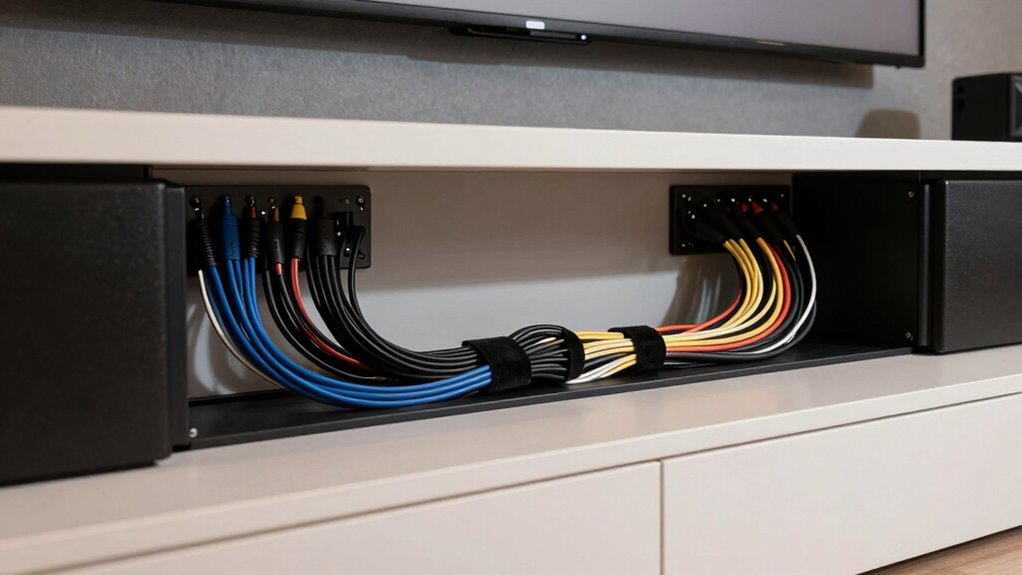
Cable organization tools are crucial in maintaining a clean setup. Use cable ties, sleeves, or clips to bundle cables neatly along walls or behind furniture. Labeling each cable helps you identify connections quickly when troubleshooting or upgrading components. If you’re concerned about visual clutter, consider running cables through conduit or behind drywall for an even cleaner appearance. For the cables that must run across open spaces, cable covers or raceways can conceal wires effectively while protecting them from damage. Additionally, utilizing wireless solutions where feasible can further streamline your setup and reduce the need for extensive wiring.
Lastly, plan your wiring layout carefully before starting the installation. Map out where each device will go and identify the shortest, most direct routes for cables. This reduces excess slack, prevents tangling, and ensures your system looks tidy. Remember, the goal is a setup that maximizes performance without sacrificing visual appeal. Combining wireless solutions with robust power management strategies results in a home theater that’s both sleek and dependable. With thoughtful wiring and organization, you’ll enjoy seamless entertainment with minimal hassle and a polished look.
As an affiliate, we earn on qualifying purchases.
Frequently Asked Questions
How Do I Hide Wires for a Seamless Look?
To hide wires for a seamless look, you should use concealed cables inside walls or raceways. Install in-wall conduit or cable covers that match your wall color to keep the wiring aesthetic and unobtrusive. You can also run cables behind baseboards or furniture for a cleaner appearance. This approach guarantees your home theater setup remains sleek, with only visible equipment, enhancing the overall aesthetic wiring of your space.
What Materials Are Best for Durable Wiring?
Like the enduring craftsmanship of Da Vinci, choosing the right materials guarantees your wiring stands the test of time. Opt for high-quality cable types such as oxygen-free copper or reinforced coaxial, which offer superior wiring durability. These materials resist wear, corrosion, and signal degradation, providing a reliable, long-lasting setup. Investing in durable wiring not only maintains your home theater’s sleek look but also guarantees ideal performance for years to come.
How Can I Upgrade My Home Theater Wiring Later?
You can upgrade your home theater wiring later by exploring wireless alternatives to eliminate clutter and improve flexibility. Consider upgrading to newer, higher-quality cables for better performance, and plan for future expansion by installing additional outlets or conduit. This way, you’ll make upgrades easier down the line, ensuring your setup remains sleek and adaptable. Regularly check for the latest wireless tech options to keep your system current and streamlined.
Are Wireless Options Reliable for Home Theater Audio?
Wireless audio can be reliable if you choose high-quality systems with strong signal reliability. Although some worry about interference, modern wireless options use advanced encryption and multiple channels to minimize this issue. You’ll enjoy seamless sound without messy cables, making setup cleaner and more flexible. Just guarantee your equipment supports reliable wireless audio technology, and you’ll experience consistent, high-quality sound for your home theater.
How to Troubleshoot Common Wiring Issues?
To troubleshoot common wiring issues, start by checking your cable connectors to make sure they’re secure and undamaged. If you experience power problems, verify your power management setup to prevent outages or surges that could impact your system. Also, inspect all connections for loose or frayed wires. Replacing faulty connectors and adjusting power management settings often resolves most wiring issues, restoring your home theater’s peak performance.
cable management kit for home theater
As an affiliate, we earn on qualifying purchases.
As an affiliate, we earn on qualifying purchases.
Conclusion
By paying attention to your home theater wiring, you’re creating a foundation that quietly enhances your viewing experience. A tidy setup not only looks better but also keeps things running smoothly, letting you focus on what truly matters—enjoying your favorite movies and shows. With a little care and planning, your entertainment space can feel effortlessly seamless, inviting you to relax and immerse yourself in every moment. After all, a well-organized system speaks volumes without saying a word.
surge protector with multiple outlets
As an affiliate, we earn on qualifying purchases.
As an affiliate, we earn on qualifying purchases.
As an affiliate, we earn on qualifying purchases.
Halloween Picks
halloween
As an affiliate, we earn on qualifying purchases.