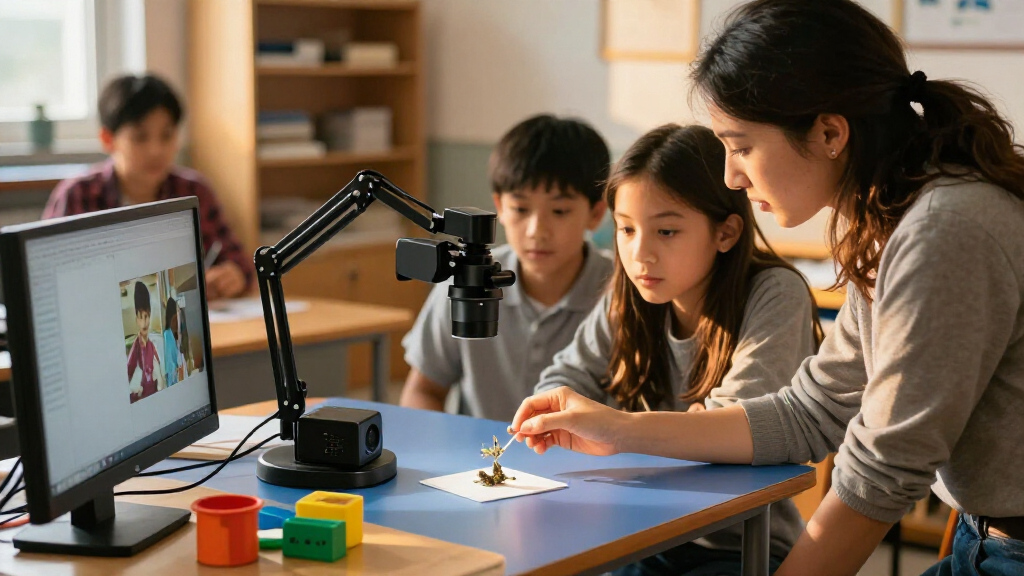
For most teachers, I’d start with the IPEVO VZ-R: its 8MP camera and HDMI/USB connections give it more classroom flexibility than a basic USB-only model. The INSWAN INS-2 stands out for teachers who want 4K detail, while the Epson DC-07 is a simpler portable option for straightforward lessons. The main tradeoffs are image resolution versus setup simplicity, and extra connection options versus a compact, low-fuss design. I compare all 15 digital document cameras for teachers by classroom fit, controls, connectivity, and practical flexibility. Read on for the full breakdown and a recommendation for different teaching setups.

Prime made for students and young adults
- Fast, free delivery for dorm and study essentials
- Prime Video and Amazon Music included
- Member-only deals
Complete the kit


Key Takeaways
- Connection options separate the most adaptable picks. The IPEVO VZ-R offers HDMI and USB, while the VZ-X adds wireless operation; simpler USB models suit classrooms built around a computer.
- More pixels are useful only when lessons need fine detail. The INSWAN INS-2’s 13MP 4K capture is aimed at close inspection, while 8MP models offer a strong middle ground for everyday worksheets and demonstrations.
- Portability and classroom reach are different needs. The Epson DC-07 is positioned as a portable 1080p model; A3 capture and adjustable arms on options such as the THUSTAR and ZSEEWCAM address larger materials or framing.
- Built-in microphones and lights reduce accessory clutter. Several USB models include both, but teachers should still check whether the camera’s lighting and audio arrangement suits their room and teaching distance.
- There is no single best connection for every classroom. USB-only models can keep lessons simple, while HDMI and wireless options make more sense when teachers need direct display connections or fewer cable constraints.
| 8MP USB Document Camera with Dual Microphones and Adjustable LED Light |  | Best for Flexible Positioning | Resolution: 8 MP; up to 2448p | Frame rate: 30 fps | Maximum coverage: A3 size; listed dimensions 16.5 × 116 in | VIEW LATEST PRICE | See Our Full Breakdown |
| USB Document Camera and Manual Focus Webcam with Microphone |  | Best for Manual Focus Control | Image sensor: CMOS | Still resolution: 2 MP | Video resolution: Up to 1080p | VIEW LATEST PRICE | See Our Full Breakdown |
| PAKOTOO USB Document Camera and Webcam |  | Best for Classroom Image Adjustments | Still image resolution: 5 MP | Video resolution: 1080p | Frame rate: Up to 30 fps | VIEW LATEST PRICE | See Our Full Breakdown |
| Epson DC-07 Portable Document Camera, 1080p, White |  | Best for Epson Projector Classrooms | Video resolution: 1080p | Still resolution: 2 MP | Frame rate: 15 fps | VIEW LATEST PRICE | See Our Full Breakdown |
| PAKOTOO 8MP USB Document Camera with Dual Microphones and Adjustable LED Light |  | Best for A3 Coverage and Exposure Control | Resolution: 8 MP; 2448P | Connection: USB 2.0 | Maximum coverage: 16.5 × 11.6 in; A3 | VIEW LATEST PRICE | See Our Full Breakdown |
| IPEVO VZ-R 8MP HDMI/USB Document Camera, Green |  | Best for Direct-to-Display Teaching | Camera resolution: 8 MP | Maximum USB capture resolution: 3264 × 2448 | Maximum HDMI capture resolution: 1920 × 1080 | VIEW LATEST PRICE | See Our Full Breakdown |
| ELMO OX-1 Visual Presenter Document Camera, 1080p USB, 8MP, White |  | Best for Portable Classroom Setups | Sensor: 1/3.2-inch CMOS, 8 megapixels | Maximum resolution: 3264 × 2448 | Video capture: 1080p at up to 15 fps; 720p at up to 30 fps | VIEW LATEST PRICE | See Our Full Breakdown |
| INSWAN INS-2 UHD 4K 13MP Document Camera |  | Best for High-Detail Demonstrations | Sensor: 13MP Sony | Video resolution: 4K UHD (3840 × 2160) at 30 fps | Maximum capture size: A3 | VIEW LATEST PRICE | See Our Full Breakdown |
| THUSTAR 8MP Document Camera and Webcam with Dual Microphones, Adjustable LED Lights, and A3 Capture |  | Best for Flexible Lighting and Audio | Resolution: 8 MP | Listed video capture: 4K as listed; up to 2448P output | Frame rate: 30 fps | VIEW LATEST PRICE | See Our Full Breakdown |
| IPEVO VZ-X Wireless 8MP Document Camera |  | Best for Wireless Classroom Mobility | Resolution: 8 MP | Capture resolution: 1920 × 1080 via Wi-Fi and HDMI; 3264 × 2448 via USB | Connectivity: Wi-Fi, HDMI, USB | VIEW LATEST PRICE | See Our Full Breakdown |
| Gawervan 1080p USB Document Camera and Webcam with Built-In Microphone |  | Best for Portable Teaching | Video resolution: 1080p | Frame rate: 30 fps | Still resolution: 12 MP | VIEW LATEST PRICE | See Our Full Breakdown |
| 8MP USB Document Camera with Autofocus, LED Light, and Microphone |  | Best for Straightforward Classroom Setup | Resolution: Up to 2448p | Sensor: 8MP CMOS, 1/3-inch | Frame rate: Up to 30 FPS | VIEW LATEST PRICE | See Our Full Breakdown |
| IPEVO V4K 8MP Ultra High Definition USB Document Camera |  | Best for Detailed Still Images | Camera resolution: 8 MP | Maximum image resolution: 3264 × 2448 pixels | Frame rate: Up to 30 fps at Full HD; up to 15 fps at 3264 × 2448 | VIEW LATEST PRICE | See Our Full Breakdown |
| INSWAN INS-1 Classic 8MP USB Document Camera and Webcam |  | Best for Built-In Teaching Tools | Camera resolution: 8 MP | Maximum still image resolution: 3264 × 2448 pixels | Video resolution and frame rate: Up to 2448p at 30 fps | VIEW LATEST PRICE | See Our Full Breakdown |
| ZSEEWCAM 5MP USB Document Camera with Microphone, LED Light, and Adjustable Arm |  | Best for a Wide Teaching Area | Sensor resolution: 5 MP | Maximum image resolution: 2592 × 1944 pixels at 15 fps | Video resolution: 1080p at 30 fps | VIEW LATEST PRICE | See Our Full Breakdown |
| digital document cameras for teacher | Focus | Connectivity | Frame rate |
|---|---|---|---|
| 8MP USB Document Camera with D | One-touch autofocus; macro capture as close as 3.94 in | USB-C | 30 fps |
| USB Document Camera and Manual | Manual | — | Up to 30 fps |
| PAKOTOO USB Document Camera an | Autofocus; macro focus range 10 cm | — | Up to 30 fps |
| Epson DC-07 Portable Document | — | USB; connects to computers or Epson projectors | 15 fps |
| PAKOTOO 8MP USB Document Camer | Autofocus | — | — |
| IPEVO VZ-R 8MP HDMI/USB Docume | Autofocus | HDMI and USB | — |
| ELMO OX-1 Visual Presenter Doc | — | USB | — |
| INSWAN INS-2 UHD 4K 13MP Docum | Dual-mode autofocus | — | — |
| THUSTAR 8MP Document Camera an | One-touch autofocus | USB 2.0 | 30 fps |
| IPEVO VZ-X Wireless 8MP Docume | — | Wi-Fi, HDMI, USB | — |
| Gawervan 1080p USB Document Ca | Manual | USB-C | 30 fps |
| 8MP USB Document Camera with A | Autofocus with one-touch AF button | USB | Up to 30 FPS |
| IPEVO V4K 8MP Ultra High Defin | — | USB | Up to 30 fps at Full HD; up to 15 fps at 3264 × 2448 |
| INSWAN INS-1 Classic 8MP USB D | Autofocus with macro mode; minimum macro distance 3.9 inches | — | — |
| ZSEEWCAM 5MP USB Document Came | Manual; macro focus from 10 cm | USB 2.0; compatible with USB 3.0 | — |
More Details on Our Top Picks
8MP USB Document Camera with Dual Microphones and Adjustable LED Light
This foldable model suits teachers who want a camera they can reposition for worksheets, book pages, and small classroom objects. Its one-touch autofocus, three brightness settings, and manual image reversal give more adjustment options than the simpler Epson DC-07, while dual microphones are designed to reduce background noise during remote lessons. USB-C support across Windows, macOS, and Chrome OS also makes it a flexible fit for mixed-device classrooms.
The tradeoff is less certainty about its image claims: the listed capture resolution is up to 2448p, not 4K, and the stated coverage dimensions appear inconsistent with the A3 description. Teachers who need confirmed coverage measurements or faster video should compare it with the PAKOTOO 8MP KB700, which lists an A3 area and 10-level exposure adjustment. This is a capable adjustable option, but its specifications leave questions.
Pros:- Foldable multi-joint design supports compact storage and flexible camera placement.
- One-touch autofocus and three brightness levels help adapt to different materials and room lighting.
- Dual noise-reducing microphones support spoken explanations during lessons.
- USB-C compatibility covers Windows, macOS, and Chrome OS.
Cons:- The listed coverage dimensions conflict with the A3-size description.
- The stated maximum resolution is 2448p, not 4K.
- No frame rate above 30 fps is listed.
Best for: Teachers using USB-C computers who want a foldable camera with adjustable lighting and microphones for live or recorded demonstrations.
Not ideal for: Teachers who need clearly documented A3 coverage or a verified 4K image specification.
- Resolution:8 MP; up to 2448p
- Frame rate:30 fps
- Maximum coverage:A3 size; listed dimensions 16.5 × 116 in
- Focus:One-touch autofocus; macro capture as close as 3.94 in
- Lighting:Three adjustable brightness levels
- Microphones:Built-in dual noise-reducing microphones
- Connectivity:USB-C
- Compatible systems:Windows 7/8/10/11, macOS 10.11 or higher, Chrome OS 38.00 or higher
Our verdict“Choose this foldable USB-C model for flexible classroom positioning and built-in audio, but skip it if precise coverage specifications are a priority.”
USB Document Camera and Manual Focus Webcam with Microphone
Teachers who prefer to set focus themselves may find this model more predictable than autofocus options such as the PAKOTOO USB Document Camera and Webcam. Its 20.4-inch arm rotates up to 360 degrees, giving room to frame a page, a science object, or the teacher on a video call. The built-in noise-reducing microphone adds a useful audio option without requiring a separate device, and the foldable construction is easier to stow between lessons.
That control comes with limits. Focus is manual, so a teacher must adjust it when changing distance or subject; the PAKOTOO’s autofocus is a better fit for quick changes during a live demonstration. This model records at up to 1080p and 30 fps, but requires a computer and does not support phones or tablets. It makes most sense in a classroom already organized around a laptop or desktop.
Pros:- 20.4-inch arm and 360-degree rotation allow flexible framing.
- Manual focus gives the teacher direct control over image sharpness.
- Foldable design is convenient for storage and transport.
- Built-in noise-reducing microphone supports lesson audio.
Cons:- Manual focus requires adjustment when the subject or camera distance changes.
- Requires a computer and does not support phones or tablets.
- Video capture is limited to 1080p.
Best for: Teachers who present from a Windows PC, Mac, or Chromebook and want a long rotating arm with hands-on focus control.
Not ideal for: Teachers relying on an iPad, phone, or other portable device, or those who want autofocus during fast-paced lessons.
- Image sensor:CMOS
- Still resolution:2 MP
- Video resolution:Up to 1080p
- Frame rate:Up to 30 fps
- Focus:Manual
- Arm:20.4 inches; rotates up to 360 degrees
- Microphone:Built-in noise-reducing silicon microphone
- Connectivity and compatibility:USB and USB-C; Windows PCs, Macs, and Chromebooks
Our verdict“Pick this model if you want a rotating arm and manual focus for a computer-based classroom, but choose an autofocus option for quicker subject changes.”
PAKOTOO USB Document Camera and Webcam
The PAKOTOO gives teachers a useful set of image controls without stepping up to a more elaborate presentation system. Its 5 MP sensor, autofocus, five-level exposure adjustment, and three-level LED fill light help adapt a worksheet or object to the room and camera angle. It also covers A3-size documents and supports macro focus down to 10 cm, giving it more stated detail than the 2 MP Epson DC-07 still-image specification.
Its main drawback is setup: the computer must be set to “USB Camera”, so it is not a friction-free plug-and-play choice. Video tops out at 1080p, while the 8 MP PAKOTOO KB700 lists higher resolution and more exposure steps. For teachers who value practical lighting and exposure controls over maximum resolution, this model is a balanced classroom pick; those seeking sharper listed capture should compare the KB700 instead.
Pros:- A3 coverage accommodates larger worksheets and teaching materials.
- Autofocus and macro capability support both full-page and close-up demonstrations.
- Five-level exposure control and three-level LED lighting help tune the image.
- USB-C compatibility includes Windows, Mac, and Chromebook systems.
Cons:- Requires selecting “USB Camera” in the computer’s system settings.
- Video capture is limited to 1080p.
- Macro focus is listed from 10 cm, which may not suit very close-up demonstrations.
Best for: Teachers who regularly show A3 worksheets or small objects and want hands-on exposure and lighting adjustments.
Not ideal for: Teachers who need a high-resolution video feed or expect the camera to appear automatically without selecting it in system settings.
- Still image resolution:5 MP
- Video resolution:1080p
- Frame rate:Up to 30 fps
- Maximum document size:A3
- Focus:Autofocus; macro focus range 10 cm
- Lighting:Three-level LED fill light
- Exposure control:Five-level manual adjustment
- Connectivity and compatible systems:USB-C; Windows, Mac, Chromebook
Our verdict“Choose this PAKOTOO for adjustable classroom lighting and exposure across A3 materials, but look elsewhere if higher-resolution video is your priority.”
Epson DC-07 Portable Document Camera, 1080p, White
The Epson DC-07 is the clearest fit here for a teacher who presents through an Epson projector and wants straightforward controls rather than a long list of image adjustments. It connects by USB to a computer or compatible Epson projector, and its Freeze button can hold a page on screen while the teacher moves to the next example. One-touch autofocus and up to 8x digital zoom cover routine document and object demonstrations.
Compared with the foldable PAKOTOO models, the DC-07 is less focused on portable positioning and fine-tuning classroom lighting. Its 2 MP still resolution and 15 fps frame rate are also modest beside options that list 30 fps, making motion less fluid. The included carrying case helps with transport, but its listed older operating-system support may matter in newer school setups. I’d choose it for an Epson-centered presentation system, not for the strongest image specs.
Pros:- USB connection supports use with computers or Epson projectors.
- Freeze button can hold an image while the teacher explains or changes materials.
- One-touch autofocus and up to 8x digital zoom support document and object viewing.
- Built-in microphone and included soft carrying case add classroom and transport utility.
Cons:- 15 fps is lower than the 30 fps listed for several other cameras in this roundup.
- 2 MP still resolution is modest compared with the 5 MP and 8 MP alternatives.
- Listed operating-system support covers older Windows and Mac versions.
Best for: Teachers with an Epson projector or computer-based setup who want a dedicated document camera with a freeze control and carrying case.
Not ideal for: Teachers who need smoother motion, higher still-image detail, or listed compatibility with current operating systems.
- Video resolution:1080p
- Still resolution:2 MP
- Frame rate:15 fps
- Zoom:Up to 8x digital
- Autofocus:One-touch
- Connectivity:USB; connects to computers or Epson projectors
- Microphone:Built-in
- Weight and dimensions:2.2 lbs; 10.2 × 2.9 × 15.7 in
- Supported operating systems:Windows 7, 8, 10, Vista; Mac OS X 10.7–10.11
Our verdict“Choose the DC-07 for an Epson projector classroom that values simple freeze-and-focus controls, but skip it if smoother video or newer listed system support matters most.”
PAKOTOO 8MP USB Document Camera with Dual Microphones and Adjustable LED Light
For teachers who frequently show full-size worksheets, the KB700 pairs a stated A3 coverage area with autofocus, three LED brightness levels, and 10 exposure settings. Its up/down and left/right image reversal controls can correct orientation for different demonstrations, while the foldable multi-joint stand makes it easier to reposition or store than a fixed camera. Compared with the other PAKOTOO in this batch, it lists 8 MP resolution and twice as many exposure levels, though that model also specifies a macro focus range and USB-C connection.
The setup is less convenient than a plug-and-play camera: teachers must select USB Camera in system settings. It also lacks zoom and HDMI, and does not support iPads. The listed 2448P resolution is useful context, but it is not a stated 4K specification. This is a practical choice for computer-based lessons where broad page coverage and image tuning matter more than standalone connections.
Pros:- Listed A3 coverage suits larger classroom documents and objects.
- Autofocus, three LED brightness levels, and 10 exposure settings offer useful image control.
- Image reversal controls adjust both vertical and horizontal orientation.
- Foldable multi-joint stand supports flexible positioning and storage.
Cons:- Requires selecting USB Camera in the computer’s system settings.
- No zoom or HDMI connection is listed.
- Not compatible with iPad.
Best for: Teachers who present A3 worksheets or 2D and 3D materials from a Windows PC, Mac, or Chromebook and want several exposure settings.
Not ideal for: Teachers who use an iPad, need HDMI or zoom, or want automatic device detection without changing system settings.
- Resolution:8 MP; 2448P
- Connection:USB 2.0
- Maximum coverage:16.5 × 11.6 in; A3
- Lighting:LED with three brightness levels
- Exposure adjustment:10 levels
- Focus:Autofocus
- Image reversal:Up/down and left/right
- Compatibility:Windows PCs, Macs, Chromebooks; Windows 7 minimum
- Weight and dimensions:0.8 kg; 3.5 × 4.3 × 17.3 in
Our verdict“Pick the KB700 for A3 teaching materials and detailed exposure adjustment on a computer, but skip it if you need HDMI, zoom, or tablet support.”
IPEVO VZ-R 8MP HDMI/USB Document Camera, Green
The IPEVO VZ-R is a strong fit for classrooms where the camera needs to feed a projector or monitor without relying on a computer. Its HDMI and USB connections support that flexibility: HDMI sends up to 1080p directly to a display, while USB captures at up to 3264 × 2448 and can serve computer-based lessons. Compared with the IPEVO VZ-X, it gives up wireless operation and battery power, but adds a simpler wired setup for teachers who keep the camera at one teaching station. The adjustable stand, swiveling head, LED light, and onboard image controls help with books, worksheets, and small objects. The tradeoff is practical: the HDMI cable and wall adapter are not included, and this is not a portable wireless choice.
Pros:- HDMI output connects directly to a display, while USB supports computer use.
- USB capture reaches 3264 × 2448 for detailed worksheets and student work.
- Multi-jointed stand and swiveling head support varied document and object angles.
- Built-in LED and camera controls help adjust visibility during a lesson.
Cons:- HDMI cable and wall power adapter are not included.
- No wireless connection or battery-powered operation.
- Not water resistant.
Best for: Teachers who present under a document camera on a classroom projector or monitor and want both direct HDMI and computer-based USB use.
Not ideal for: Teachers who need a cable-free setup, frequent room-to-room portability, or all required connection accessories in the box.
- Camera resolution:8 MP
- Maximum USB capture resolution:3264 × 2448
- Maximum HDMI capture resolution:1920 × 1080
- Connectivity:HDMI and USB
- Focus:Autofocus
- Maximum capture area:10.6 × 18.9 inches (16:9); 13.5 × 18.1 inches (4:3)
- Compatible devices:Mac, Windows PC, Chromebook
- Accessories not included:HDMI cable and wall power adapter
Our verdict“Choose the VZ-R if direct HDMI classroom display is a priority and a wired setup suits your teaching station.”
ELMO OX-1 Visual Presenter Document Camera, 1080p USB, 8MP, White
The ELMO OX-1 puts portability ahead of connection options: it folds to just 0.9 inches thick and weighs 1.4 pounds, making it easier to carry between classrooms than the more display-oriented IPEVO VZ-R. Its A3 imaging area accommodates large pages, while one-push autofocus and an LED simplify showing materials during a lesson. A built-in microphone also supports remote instruction without requiring a separate audio device. The main limitation is motion: 1080p video runs at up to 15 fps, with 30 fps available at 720p, so it is less suited to fluid demonstrations than the 30 fps options in this group. The 8x zoom is software-based, and the compatible ELMO writing board is sold separately.
Pros:- Folds compactly and weighs 1.4 pounds for easier transport and storage.
- A3 imaging area accommodates large teaching materials.
- Built-in microphone and LED support video lessons and document visibility.
- One-push autofocus reduces the need for manual adjustments during class.
Cons:- 1080p capture is limited to 15 fps; 30 fps is available only at 720p.
- 8x zoom is digital software zoom rather than optical zoom.
- The compatible ELMO MX-1 Writing Board is sold separately.
Best for: Teachers who carry a camera between classrooms and mainly display books, worksheets, and hands-on materials over USB.
Not ideal for: Teachers who need smooth 1080p video for fast-moving demonstrations or want HDMI and wireless display connections.
- Sensor:1/3.2-inch CMOS, 8 megapixels
- Maximum resolution:3264 × 2448
- Video capture:1080p at up to 15 fps; 720p at up to 30 fps
- Imaging area:14.7 × 11.1 inches (A3)
- Zoom:8x digital via software
- Connectivity:USB
- Microphone:Built-in
- Weight:1.4 pounds
- Folded dimensions:11.4 × 3.2 × 0.9 inches
Our verdict“Pick the OX-1 if you need a lightweight, foldable USB camera and can accept lower frame rates at 1080p.”
INSWAN INS-2 UHD 4K 13MP Document Camera
For teachers whose lessons depend on fine detail—artwork, diagrams, small print, or close-up demonstrations—the INSWAN INS-2 offers the strongest stated image capture in this group: 4K UHD at 30 fps from a 13MP Sony sensor. Its A3 coverage also handles large pages and two-page spreads, while dual-mode autofocus and a close focus distance of 3.9 inches support both broad layouts and smaller objects. Compared with the ELMO OX-1, it pairs higher-resolution video with a faster listed frame rate, but it is less clearly focused on compact portability. The included Documate software adds annotation, recording, whiteboard, and OCR tools that can support interactive lessons. Check device connections before choosing it: iPad support requires USB-C, and the camera is not water resistant.
Pros:- 13MP Sony sensor captures 4K UHD video at 30 fps.
- A3 capture area suits large documents and two-page spreads.
- Dual-mode autofocus and 3.9-inch macro focus support varied teaching materials.
- Documate includes annotation, recording, whiteboard, and OCR tools.
Cons:- iPad compatibility requires a USB-C port.
- The product is not water resistant.
- High-resolution capture may be more than needed for teachers who only show standard worksheets.
Best for: Teachers presenting detailed artwork, science materials, small print, or large A3 documents who want high-resolution video and built-in presentation tools.
Not ideal for: Teachers who prioritize a slim, highly portable unit or need iPad connectivity without a USB-C port.
- Sensor:13MP Sony
- Video resolution:4K UHD (3840 × 2160) at 30 fps
- Maximum capture size:A3
- Focus:Dual-mode autofocus
- Macro focus distance:3.9 inches (10 cm)
- Microphone:Built-in
- File formats:JPEG, MP4
- Compatible devices:Windows, Mac, iPad with USB-C, Chromebook
- Included accessories:USB-A cable, anti-glare sheet, microscope adapter
Our verdict“Choose the INS-2 when image detail and presentation software matter more than keeping the setup as simple and portable as possible.”
THUSTAR 8MP Document Camera and Webcam with Dual Microphones, Adjustable LED Lights, and A3 Capture
The THUSTAR 8MP is aimed at teachers who need to manage lighting and voice pickup as well as show materials. Its three-level ring light and brightness controls offer a direct way to adapt to dim rooms or reflective pages, while dual built-in microphones with noise reduction support spoken demonstrations. A3 coverage and a multi-joint arm give it useful range for books and three-dimensional objects. Compared with the INSWAN INS-2, it has a more explicitly adjustable ring light and dual microphones, but its resolution details are less consistent: the listing describes 4K and up to 2448P output. That ambiguity makes it harder to judge image quality against the INS-2’s clearly specified 4K at 30 fps. USB 2.0 is the only listed connection, so it will not suit teachers seeking direct HDMI or wireless display.
Pros:- Three-level ring light and brightness controls help adapt to different room and page conditions.
- Dual built-in microphones include noise reduction for spoken demonstrations.
- A3 capture area and multi-joint arm accommodate large pages and three-dimensional materials.
- Foldable design supports storage and transport.
Cons:- The listed capture resolution varies between 4K and up to 2448P.
- USB 2.0 is the only listed connection.
- The product listing does not specify a compatible tablet connection.
Best for: Teachers running USB-based lessons who need adjustable illumination, built-in voice pickup, and room to show A3 materials or objects.
Not ideal for: Teachers who need a clearly specified 4K workflow, direct HDMI output, or wireless connection to a classroom display.
- Resolution:8 MP
- Listed video capture:4K as listed; up to 2448P output
- Frame rate:30 fps
- Maximum capture area:A3
- Connectivity:USB 2.0
- Focus:One-touch autofocus
- Lighting:14 ring light LEDs; 3 brightness levels
- Microphones:Built-in dual microphones
- Compatible operating systems:Windows, macOS, Chrome OS
Our verdict“Pick the THUSTAR if adjustable light and built-in dual microphones matter more than a clearly documented high-resolution output or multiple connection types.”
IPEVO VZ-X Wireless 8MP Document Camera
The IPEVO VZ-X is the clearest choice here for teachers who move around the room or want fewer cables at the teaching station. It can connect by Wi-Fi, HDMI, or USB, with wireless operation rated for up to 9–12 hours and a range of up to 33 feet. That flexibility sets it apart from the wired IPEVO VZ-R, which also offers HDMI and USB but lacks wireless operation. The VZ-X supports 1080p over Wi-Fi and HDMI, while USB provides higher-resolution capture up to 3264 × 2448. The tradeoff is manual focus: teachers may need to adjust it when switching between a worksheet and a nearby object, unlike the autofocus VZ-R. Its 3× optical zoom and adjustable stand add useful framing options, but the camera is not water resistant.
Pros:- Wi-Fi, HDMI, and USB provide several ways to connect to teaching equipment.
- Wireless operation offers up to 9–12 hours of battery life and up to 33 feet of range.
- USB capture reaches 3264 × 2448, beyond its 1080p Wi-Fi and HDMI output.
- Three-times optical zoom and a multi-jointed stand help frame documents and objects.
Cons:- Manual focus requires teacher adjustment when changing subject distance.
- Wi-Fi and HDMI output are limited to 1920 × 1080.
- Not water resistant.
Best for: Teachers who present from different spots in the classroom or need wireless connection to compatible computers, mobile devices, Apple TV, or displays.
Not ideal for: Teachers who want autofocus for quick changes between materials or need higher-than-1080p output over Wi-Fi or HDMI.
- Resolution:8 MP
- Capture resolution:1920 × 1080 via Wi-Fi and HDMI; 3264 × 2448 via USB
- Connectivity:Wi-Fi, HDMI, USB
- Wireless range:Up to 33 feet
- Battery life:9–12 hours
- Focus type:Manual
- Optical zoom:3×
- Maximum viewing area:11.14 × 19.72 inches (16:9); 14.29 × 19.01 inches (4:3)
- Compatible devices:Windows, Mac, Chromebook, iOS, Android, Apple TV
Our verdict“Choose the VZ-X if wireless classroom movement and multiple connection options are worth more to you than autofocus.”
Gawervan 1080p USB Document Camera and Webcam with Built-In Microphone
The foldable design and 360° rotating lens make the Gawervan a flexible pick for teachers who move between classrooms or switch often from overhead demonstrations to webcam calls. It records at 1080p and 30 fps, a practical level for showing worksheets and classroom objects, while its dual microphones handle voice capture without a separate mic. Compared with the ZSEEWCAM L503, it offers a higher stated video resolution and USB-C connectivity; the ZSEEWCAM, however, has a larger listed shooting area and supports close macro focus. The Gawervan’s manual focus can help dial in fine detail, but it also means pausing to adjust when the subject changes. Its compactness suits mobile setups better than a teacher who wants hands-off autofocus.
Pros:- Folds for compact transport and storage.
- 360° lens rotation supports varied document and webcam angles.
- Dual built-in microphones provide integrated voice capture.
- USB-C connection and compatibility with Windows, Mac, and Chromebook support flexible computer setups.
Cons:- Manual focus requires user adjustment as subjects or distances change.
- 1080p capture offers less detail than the higher-resolution IPEVO V4K and INSWAN INS-1.
- Not water resistant.
Best for: Teachers who carry a document camera between rooms and want one compact USB-C device for lessons and video calls.
Not ideal for: Teachers who frequently switch between documents and objects and want autofocus, or who need a water-resistant classroom device.
- Video resolution:1080p
- Frame rate:30 fps
- Still resolution:12 MP
- Focus:Manual
- Lens rotation:360°
- Microphones:Dual built-in
- Connectivity:USB-C
- Compatible systems:Windows, Mac, Chromebook
Our verdict“Choose the Gawervan if portability and a rotating camera matter more than autofocus or higher-resolution capture.”
8MP USB Document Camera with Autofocus, LED Light, and Microphone
This model is a good fit for teachers who want autofocus and adjustable lighting without a complicated camera workflow. Its one-touch AF button helps bring a new page or object into focus during a lesson, while the three-level LED can brighten materials when classroom lighting is uneven. The foldable, multi-joint stand supports overhead and angled views across an A3/A4 working area. Compared with the IPEVO V4K, it offers a more direct lighting control and one-touch autofocus, while the IPEVO lists a higher maximum still-image resolution. The key limitation is the connection: this is a computer-dependent USB camera, with no direct HDMI or wireless option. Teachers who need to connect straight to a display without a computer should look elsewhere.
Pros:- One-touch autofocus reduces interruptions when changing materials.
- Three brightness levels help illuminate documents and objects.
- Foldable multi-joint stand supports overhead, angled, and webcam positioning.
- Works with Windows, macOS, ChromeOS, and Linux applications.
Cons:- Requires a computer and compatible software to operate.
- No direct HDMI or wireless connection is available.
- At 2 pounds, it is less suited to frequent carrying than lighter foldable options such as the Gawervan.
Best for: Teachers using a classroom computer who want quick autofocus, adjustable built-in lighting, and flexible overhead positioning.
Not ideal for: Teachers who need a direct HDMI or wireless connection to a projector or display, or who teach without a compatible computer and software.
- Resolution:Up to 2448p
- Sensor:8MP CMOS, 1/3-inch
- Frame rate:Up to 30 FPS
- Working area:A3/A4
- Focus:Autofocus with one-touch AF button
- Lighting:Built-in LED with 3 brightness levels
- Connectivity:USB
- Compatible systems:Windows, macOS, ChromeOS, Linux
Our verdict“Pick this camera for computer-based lessons where autofocus and adjustable light matter more than standalone or wireless connectivity.”
IPEVO V4K 8MP Ultra High Definition USB Document Camera
The IPEVO V4K suits teachers who need sharp still captures for small print, diagrams, or close-up classroom demonstrations. Its 8MP Sony CMOS sensor can produce images up to 3264 × 2448, and the multi-jointed stand makes it easier to frame materials without shifting the whole unit. Compared with the 8MP USB Document Camera with Autofocus, the V4K offers a higher maximum image resolution and a sensor designed to support color reproduction and noise reduction in dim conditions; the other camera counters with built-in LED brightness controls. A meaningful tradeoff is that the V4K drops to 15 fps at its maximum resolution, so that setting is less suited to fluid live motion. It also depends on compatible UVC software, rather than operating as a standalone display camera.
Pros:- Captures still images up to 3264 × 2448 pixels.
- Sony CMOS sensor supports noise reduction and color reproduction in dim environments.
- Fast focusing helps when changing between teaching materials.
- Multi-jointed stand allows flexible positioning.
Cons:- Frame rate falls to 15 fps at the maximum 3264 × 2448 resolution.
- Requires compatible software that recognizes its UVC video source.
- USB-only connectivity does not provide a direct HDMI or wireless display option.
Best for: Teachers who capture detailed worksheet, textbook, or specimen images and already use compatible UVC presentation software.
Not ideal for: Teachers who need smooth motion while streaming at maximum resolution, built-in adjustable lighting, or direct display connectivity.
- Camera resolution:8 MP
- Maximum image resolution:3264 × 2448 pixels
- Frame rate:Up to 30 fps at Full HD; up to 15 fps at 3264 × 2448
- Maximum shooting area:13.46 × 10.04 inches
- Image sensor:Sony CMOS
- Connectivity:USB
- Compatible devices:Mac, PC, Chromebook
- Video and image formats:MP4 video; JPEG images
Our verdict“Choose the V4K if detailed still images matter more than high frame rates at maximum resolution or built-in lighting.”
INSWAN INS-1 Classic 8MP USB Document Camera and Webcam
The INS-1 is the strongest fit here for teachers who want more than a camera feed: its bundled Documate software adds annotation, zoom, recording, and image-adjustment tools that can support active lesson demonstrations. The autofocus with macro mode helps move from a full page to small details, and the adjustable LED plus anti-glare sheet can improve readability under mixed classroom lighting. Compared with the IPEVO V4K, the INS-1 pairs high-resolution still capture with software tools and built-in lighting; the V4K may suit buyers who prioritize its Sony sensor and a larger maximum still-image specification. The INS-1 uses USB-A, so iPad use is limited to models with USB-C as described, and compatibility depends on supported operating-system versions. It is less convenient if your teaching setup changes between devices.
Pros:- Autofocus and macro mode support both full-page and close-up demonstrations.
- Built-in LED has seven brightness settings and includes an anti-glare sheet.
- Bundled Documate software offers annotation, zoom, recording, and image adjustment.
- Captures still images up to 3264 × 2448 pixels and streams at up to 30 fps.
Cons:- USB-A connection can limit use with newer devices that lack a compatible port.
- iPad compatibility is specified for devices with USB-C, and operating-system versions must be supported.
- Not water resistant.
Best for: Teachers who want autofocus, close-up capability, built-in illumination, and annotation or recording tools for computer-led lessons.
Not ideal for: Teachers whose devices lack USB-A or the stated compatible operating systems, or who need wireless or HDMI connection.
- Camera resolution:8 MP
- Maximum still image resolution:3264 × 2448 pixels
- Video resolution and frame rate:Up to 2448p at 30 fps
- Focus:Autofocus with macro mode; minimum macro distance 3.9 inches
- Lighting:Built-in LED with 7-segment brightness control
- Viewing size:14.72 × 11 inches
- Connection:USB-A
- Compatible devices:Windows PC, Mac, iPad with USB-C, Chromebook
Our verdict“Choose the INS-1 if its software tools, autofocus, and built-in lighting match your computer-based teaching workflow.”
ZSEEWCAM 5MP USB Document Camera with Microphone, LED Light, and Adjustable Arm
The ZSEEWCAM’s main advantage is its 16.9 × 16.53-inch shooting area, which gives teachers room to show larger worksheets, books, or objects without constant reframing. Its folding adjustable arm, supplemental LED, microphone, and anti-glare sheet cover the basics for computer-based lessons, while manual macro focus can bring subjects as close as 10 cm. Compared with the Gawervan 1080p USB Document Camera, the ZSEEWCAM offers a wider listed capture area and close-focus capability, but the Gawervan has a higher stated video resolution and dual microphones. The ZSEEWCAM’s 5MP sensor supports higher-resolution stills at 15 fps, while live video is limited to 1080p at 30 fps. Manual focus takes attention, and the cable may be damaged if the arm is rotated excessively.
Pros:- Large 16.9 × 16.53-inch maximum shooting area suits oversized materials.
- Captures 1080p video at 30 fps and still images up to 2592 × 1944 pixels.
- Manual macro focus supports close-ups from 10 cm.
- Includes a supplemental LED, built-in microphone, and anti-glare sheet.
Cons:- Manual focus requires user adjustment when changing subjects or distances.
- Maximum live video resolution is 1080p, below the higher-resolution capture offered by some alternatives.
- Excessive arm rotation may damage the USB cable.
Best for: Teachers who need to show large pages or classroom objects on a computer and are comfortable adjusting focus manually.
Not ideal for: Teachers who want autofocus, higher-resolution live video, or an arm that can be rotated freely without cable-care concerns.
- Sensor resolution:5 MP
- Maximum image resolution:2592 × 1944 pixels at 15 fps
- Video resolution:1080p at 30 fps
- Maximum shooting area:16.9 × 16.53 inches
- Focus:Manual; macro focus from 10 cm
- Connectivity:USB 2.0; compatible with USB 3.0
- Lighting and accessories:Supplemental LED; anti-glare sheet
- Compatible devices:PC, Chromebook
Our verdict“Pick the ZSEEWCAM if a broad capture area matters more to your lessons than autofocus or higher-resolution live video.”
How We Picked
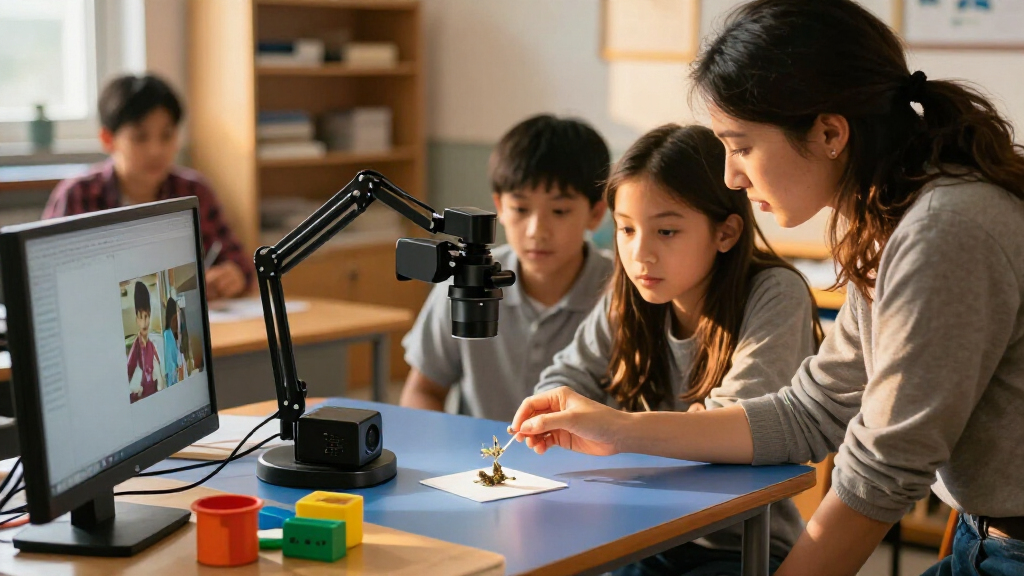
I ranked these cameras around the tasks teachers repeat: showing worksheets, books, small objects, and written demonstrations clearly to a class or remote learners. I weighed resolution alongside focus behavior, lighting, microphone inclusion, capture area, arm adjustability, portability, and the kinds of connections each product provides. A higher megapixel count did not automatically move a camera up the list; classroom usefulness depends on whether the extra detail supports the lesson and whether the setup is practical.
The ranking favors flexibility for varied teaching setups, then distinguishes models that make a deliberate tradeoff for portability, high-resolution capture, or simpler USB operation. Products with HDMI or wireless connectivity have an advantage for rooms where a computer connection is inconvenient, while USB-focused models can be a better match for teachers who want a direct computer workflow. Where model names suggest similar hardware, I treat them as separate options without assuming unlisted performance differences.
Factors to Consider When Choosing Digital Document Cameras For Teachers
Before choosing a camera, I’d start with the lesson and the display path rather than the largest resolution number. A document camera is part of a classroom setup: the arm must frame the material, the connection must reach the screen, and controls should be manageable while teaching. These factors can help prevent paying for capabilities that your room or lessons will not use.
Match Resolution to What Students Need to See
Resolution matters most when lessons involve small print, fine diagrams, or close-up work such as art and science samples. For ordinary worksheets and books, an 8MP camera may already provide the detail a classroom needs, so a 13MP or 4K label should not decide the purchase on its own. Check the full video output and software path too, since the displayed image depends on more than the sensor. A common mistake is paying for high-resolution capture when the classroom display cannot show that extra detail. If your lessons move between broad page views and tiny features, favor a camera with useful focus and framing controls alongside resolution.
Choose Connections for Your Actual Display Setup
USB cameras typically connect through a computer, which can fit naturally into lessons already run from a laptop. HDMI can provide a direct route to a classroom display, reducing reliance on computer software for presenting a live image. Wireless operation can cut cable constraints, but it adds another connection method to set up and manage. Before buying, trace the route from camera to student display and check which ports or wireless systems your room supports. A frequent mismatch is choosing a camera for its connection list without confirming that the classroom computer, projector, or display can accept it.
Prioritize Arm Reach, Stability, and Capture Area
The camera arm affects whether you can show a full page, a three-dimensional object, or a small area without awkward repositioning. A larger capture area can help with oversized worksheets and classroom materials, while a compact footprint may matter more on a crowded desk. Adjustable arms can expand framing choices, but a camera still needs to hold a useful position while you teach. Think about where the base will sit and whether you need to move the camera between rooms. Do not assume that a larger advertised capture format automatically gives the best view of small objects; the working distance and framing range matter too.
Treat Lighting and Focus as Teaching Tools
Built-in LED lighting can help show materials when classroom light is uneven, but it does not replace sensible room lighting or good positioning. Autofocus can save time as you switch between a page and an object, while manual focus may suit a teacher who wants more control over a fixed setup. These differences become more apparent during live instruction, when stopping to adjust an image interrupts the lesson. If you often point to details or move materials under the camera, give focus behavior and accessible controls more weight than a long feature list. Check that lighting can be aimed or adjusted in a way that avoids glare on glossy pages.
Decide Whether Built-In Audio Is Enough
A built-in microphone can simplify a video-call setup or recorded lesson by reducing the number of separate devices on the desk. It may be convenient for a teacher seated near the camera, but microphone placement and classroom noise can affect how clearly students hear speech. Dual microphones are a feature to compare, not proof that a camera will replace a dedicated classroom audio system. If the camera will mainly show materials while a teacher speaks from across the room, plan for a separate microphone or existing audio equipment. This avoids choosing a document camera for audio features that do not match the way lessons are delivered.
Pay for Portability or Extra Flexibility Only When Needed
A portable model can make sense for teachers who move among rooms or store equipment between lessons. HDMI, wireless operation, or a high-resolution sensor can add useful flexibility when the classroom workflow calls for it, but each feature can bring more setup decisions. For a fixed desk and a laptop-centered lesson, a straightforward USB camera may be easier to use day after day. Consider how often you will use each added capability rather than treating every extra as an upgrade. A sensible choice is the camera that fits the routine you actually have, with enough flexibility for the lessons you expect to teach.
Frequently Asked Questions
Should I choose HDMI, USB, or wireless for a classroom document camera?
Choose based on the route your image needs to take to reach students. USB suits classrooms where the teacher already presents through a computer, while HDMI can be useful for a direct connection to a compatible display. Wireless operation can help when cables restrict camera placement, though it introduces another connection step to manage. Check the ports and presentation setup in the room where the camera will be used most. If several teachers will share it, a connection method familiar to everyone may matter more than having every option.
Is a 4K document camera worth choosing over an 8MP model?
It can be worthwhile when lessons regularly depend on showing fine print, detailed diagrams, or small features that students need to inspect. For common pages and classroom demonstrations, an 8MP model may provide enough visible detail, so the higher resolution may not change the teaching experience. The camera’s focus, lighting, framing, and display path also affect what students see. Confirm that the classroom display and computer workflow can handle the image you want to present. If those pieces are a poor match, a higher-resolution sensor alone may not deliver a clearer lesson.
Can a document camera replace a webcam for remote teaching?
Some models are described as both document cameras and webcams, and built-in microphones on several options can help with a simple remote setup. A document camera is particularly useful for showing paper materials, writing, or objects from above. It may not provide the same framing or face-to-camera experience as a dedicated webcam, so the best choice depends on what students need to see. Consider whether the camera’s connection works with your teaching software and whether its position can show both you and your materials as needed. Teachers who rely on clear speech from a distance may still want a separate microphone.
Do teachers need autofocus, or is manual focus sufficient?
Autofocus can be handy when a lesson moves between a full page and smaller objects, since it can reduce pauses for adjustment. Manual focus may be enough for a fixed overhead setup where the camera stays pointed at materials at a steady distance. The right choice depends on how often you change what is under the camera and how much control you want over the image. Do not judge focus in isolation: lighting, camera height, and material placement affect clarity too. For an active demonstration, ease of refocusing can be more useful than a higher resolution specification.
What should I check before buying a document camera for a shared classroom?
Start with compatibility: check the classroom computer, projector or display, available ports, and any software teachers need to use. Then consider portability, how easily different users can position the arm, and whether the camera’s controls are clear to someone unfamiliar with it. A shared camera may benefit from flexible connections, but a complicated setup can slow lessons when several teachers use the room. Check the capture area against the worksheets and objects used in that classroom. If the camera will move between rooms, plan for storage and cable management as well.
Conclusion
For a versatile classroom setup, I’d choose the IPEVO VZ-R as the best overall pick because HDMI and USB give teachers more ways to connect than a USB-only design. For high-detail lessons, the INSWAN INS-2 is my best premium-style choice in this lineup, while the portable Epson DC-07 is a strong fit for teachers who want a straightforward camera to move between rooms. The best value depends on your setup: a basic USB model with the features you will use can make more sense than paying for wireless or higher-resolution capture. For beginners, I’d favor a simple USB connection and built-in lighting or audio over extra modes that add setup steps. If you need wireless flexibility, look at the IPEVO VZ-X; for larger materials, compare the THUSTAR and ZSEEWCAM capture-area and arm needs against your desk space. Match the camera to your display, lesson materials, and daily routine, and the shortlist becomes much easier to choose from.