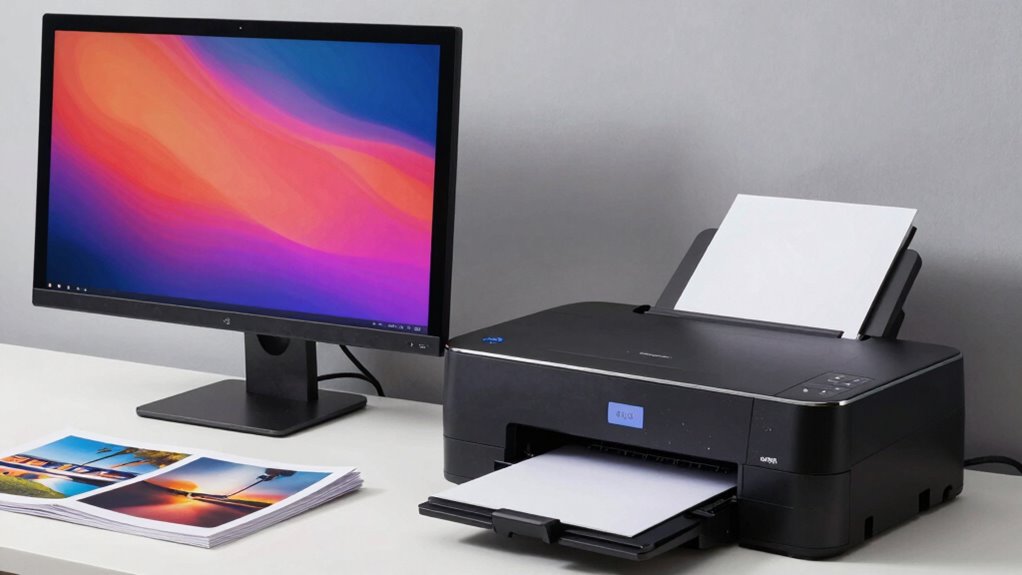

For the best results, you need to calibrate your monitor and guarantee your software supports the right color profiles. When your monitor displays accurate colors, and your software manages color profiles effectively, your digital images match prints more precisely. This teamwork reduces surprises and guarantees your photos look just as you expect in print. Keep exploring, and you’ll discover how syncing these elements creates consistently beautiful, professional-quality photos every time.

Prime made for students and young adults
- Fast, free delivery for dorm and study essentials
- Prime Video and Amazon Music included
- Member-only deals
Key Takeaways
- Calibrated monitors ensure accurate color representation, matching what the photo printer reproduces for true-to-life prints.
- Consistent color profiles across devices prevent discrepancies, ensuring seamless color reproduction from screen to print.
- Proper calibration reduces guesswork, enabling precise adjustments before printing for optimal photo quality.
- Compatibility between calibration software and printers guarantees reliable color management workflows.
- An integrated calibration approach minimizes waste and enhances overall print accuracy and visual consistency.

When it comes to producing true-to-life photographs, using a high-quality photo printer alongside a properly calibrated monitor makes all the difference. Your monitor displays images with a level of detail and color precision that sets the foundation for accurate printing. If your monitor isn’t calibrated correctly, you might see vibrant colors on screen that don’t match the final print, leading to disappointment. Ensuring your monitor’s color accuracy is essential so that what you see is what you get. Proper calibration involves adjusting brightness, contrast, and color profiles, which helps maintain consistency across your workflow. When you’re working with a calibrated monitor, you minimize guesswork, making it easier to fine-tune your images before printing. Color management software compatibility plays a vital role in achieving seamless integration between your monitor and printer. Many photo editing applications support color management profiles, allowing you to embed specific color spaces that match your printer’s capabilities. This compatibility ensures that the colors you see on screen are accurately translated into the print process. Without compatible software, even a perfectly calibrated monitor and printer might produce mismatched results because the software can’t effectively communicate color information. Choosing programs that support ICC profiles and color management workflows helps you maintain color fidelity from screen to print, saving you time and reducing waste. Think about the importance of consistent color profiles across your devices. When your monitor’s calibration aligns with your editing software’s color settings, and your printer’s color engine is calibrated accordingly, you create a smooth pipeline for color reproduction. This harmony guarantees that your prints reflect the vibrancy, tone, and detail you intended. If your software isn’t compatible or your monitor isn’t calibrated, you risk producing prints that are dull, oversaturated, or off-color. Striking the right balance between calibration and software compatibility gives you confidence that your final prints will match your creative vision. Ultimately, the success of your photographic output hinges on this teamwork. When your high-quality photo printer works with a calibrated monitor and compatible software, you’re creating a reliable, predictable workflow. This integrated approach minimizes surprises and maximizes the quality of your final product. Recognizing the synergy between monitor calibration and printer compatibility ensures your photographs look their best in both digital and printed forms. Additionally, understanding the importance of consistent color profiles across devices further enhances this harmony. Maintaining proper calibration across all devices is crucial for achieving accurate color reproduction in your prints.
Popular right now

Vitamix 5200 Professional-Grade Blender, 64 oz. Container, Black

Vitamix Propel Series 510 Professional-Grade Blender, 3 Programs, Black

Bose QuietComfort True Wireless Earbuds with Active Noise Cancellation, Black
As an affiliate, we earn on qualifying purchases.
Frequently Asked Questions
What Are the Best Brands for Photo Printers and Calibration Tools?
You should consider brands like Epson and Canon for photo printers, as they excel in photo paper handling and ink compatibility, ensuring vibrant, long-lasting prints. For calibration tools, look into X-Rite and Datacolor, which offer precise calibration devices compatible with various monitors. These brands help you achieve color accuracy, making your prints match what you see on-screen, leading to better overall photo quality and consistency.
How Often Should I Calibrate My Monitor for Optimal Photo Printing?
You should calibrate your monitor at least once a month for ideal photo printing. Regular calibration ensures your color profiles are accurate and your screen brightness is consistent, which is crucial for true-to-life prints. If you notice color shifts or your images look different on screen than on print, recalibrate sooner. Consistent calibration helps maintain color accuracy, giving you confidence that your printed photos match what you see on your monitor.
Can Monitor Calibration Improve Print Color Accuracy Significantly?
Yes, monitor calibration can greatly improve print color accuracy. Proper calibration guarantees your display’s colors are true to life, supporting effective color management. By maintaining calibration consistency, you reduce discrepancies between what you see on your screen and the final print. This alignment helps you make better editing decisions, resulting in prints that closely match your digital preview, ultimately elevating your photo printing quality.
What Are Common Mistakes When Pairing Printers With Calibrated Monitors?
A common mistake is neglecting to check printer compatibility with your calibrated monitor, which can lead to poor color consistency. You might assume all printers will match your calibration, but different models have unique color profiles. Also, forgetting to update printer drivers or improper color management settings can cause discrepancies. Always verify printer compatibility, use accurate ICC profiles, and guarantee your monitor calibration aligns with your printer for the best color consistency.
Do Calibration Settings Vary for Different Types of Photo Paper?
Yes, calibration settings do vary for different types of photo paper because paper textures and ink compatibility affect color accuracy. You need to adjust your printer’s color profiles based on the specific paper you’re using, as textured papers may require different settings than glossy or matte finishes. This guarantees your colors remain true, and your prints look consistent across various paper types, giving you professional results every time.
Conclusion
You might find it surprising, but your best results often come when your photo printer and monitor are perfectly calibrated together. It’s like they’re quietly cooperating behind the scenes, aligning their colors in a subtle dance that guarantees your prints mirror what you see on screen. Sometimes, it’s these small, coincidental harmonies—like calibration and timing—that make all the difference in producing truly stunning, consistent photos. After all, perfection often depends on these quiet, shared moments of precision.