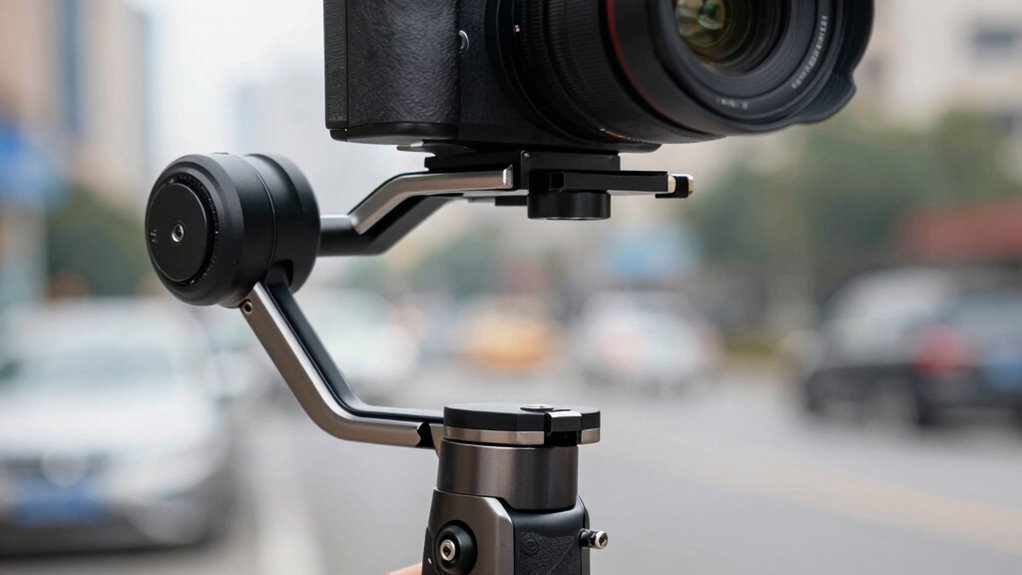

Balancing your camera on a gimbal can seem tricky, but it’s essential for smooth footage. Start by mounting your camera correctly and adjusting the axes to center the weight evenly. Use the gimbal’s controls or app to fine-tune the balance, ensuring the camera stays steady when you lift or tilt it. Proper calibration also improves responsiveness. If you keep exploring, you’ll discover simple tips to master your gimbal without losing your mind.
Key Takeaways
- Properly balance the camera on the gimbal before powering it on to prevent motor strain and wobbling.
- Follow the manufacturer’s balancing steps for each axis to ensure smooth, stable footage.
- Adjust camera position and weight distribution for optimal balance, avoiding excessive side-to-side or front-back shifts.
- Use the gimbal’s app or onboard controls to fine-tune motor sensitivity after balancing.
- Regularly test and re-balance the camera to maintain stability during different shooting conditions.
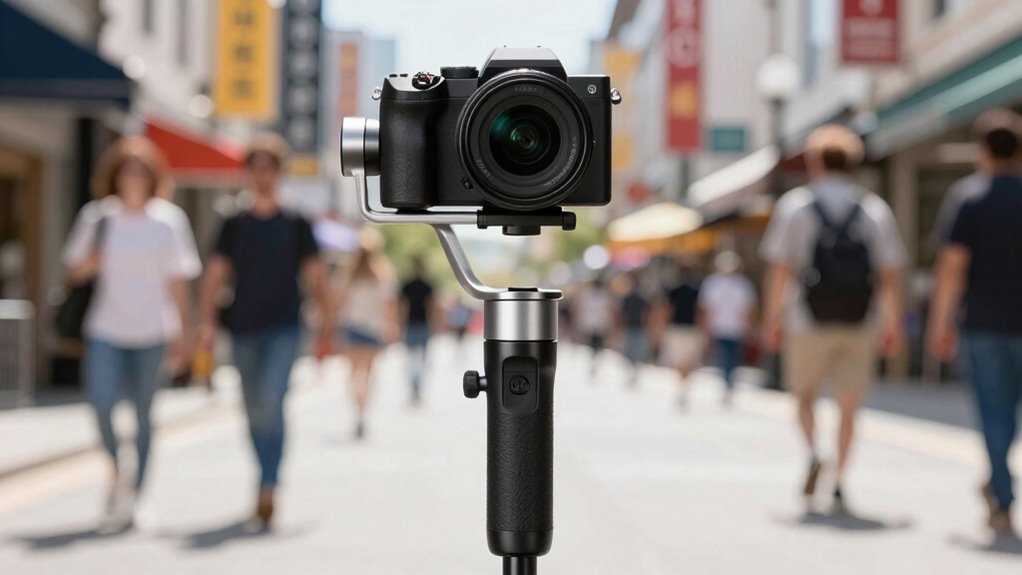
A gimbal is a device that stabilizes your camera or smartphone, ensuring smooth, steady footage even when you’re moving. To get the best performance from your gimbal, proper setup is vital, especially when it comes to camera calibration and adjusting motor sensitivity. Camera calibration involves aligning your camera or smartphone with the gimbal’s axes so that the stabilization system can work effectively. If your camera isn’t calibrated correctly, you might notice wobbling or uneven footage, defeating the purpose of using a gimbal. Most gimbals come with a calibration process, often guided by an app or on-device controls; taking the time to do this correctly guarantees your camera’s orientation aligns perfectly with the gimbal’s motors, providing stable footage even during complex shots. Additionally, understanding connected equipment can help you optimize your gimbal’s performance when integrating with other devices. Motor sensitivity is another key aspect to contemplate. Think of it as the gimbal’s responsiveness to your movements. If the motor sensitivity is set too high, the gimbal might overreact to small jitters, causing jittery footage or oscillations. Conversely, if it’s too low, the gimbal might not respond quickly enough to your movements, resulting in lag or a sluggish feel. Adjusting motor sensitivity helps balance responsiveness with stability, giving you smooth footage without sacrificing control. Many gimbals allow you to tweak this setting via an app or onboard controls, so experiment with different levels until you find the sweet spot for your shooting style. When setting up your gimbal, start by performing a thorough camera calibration. Follow the manufacturer’s instructions carefully, ensuring your camera is mounted correctly and the gimbal is on a level surface. Once calibrated, test the gimbal’s responsiveness by gently moving it in different directions. If you notice any wobble or lag, tweak the motor sensitivity settings accordingly. Remember, optimal calibration and motor sensitivity aren’t one-time tasks; they might need adjustments depending on your camera’s weight, the environment, or your shooting style. Regularly recalibrating and fine-tuning these settings guarantees your footage stays smooth and professional-looking. In essence, mastering camera calibration and motor sensitivity will elevate your gimbal experience. You’ll enjoy steadier shots, less post-production stabilization, and more confidence in your ability to capture smooth footage, whether you’re vlogging, filmmaking, or just recording your adventures. Take your time with these setup steps; they’re key to unlocking your gimbal’s full potential and making your footage look as polished as possible.

FeiyuTech SCORP Mini 3 Pro Camera Gimbal Kit w/AI Tracking 4.0, Detachable Touchscreen Handle, 4.4lb Payload, Gimbal Stabilizer for Mirrorless Cameras, Smartphone, Action Cam (Bag+Light+Pole Included)
Everything You Need In SCORP Mini 3 Pro Kit – Included the must-have accessories: a 10.8" Extension Rod…
As an affiliate, we earn on qualifying purchases.
As an affiliate, we earn on qualifying purchases.
Frequently Asked Questions
How Do I Calibrate My Gimbal for Different Camera Setups?
To calibrate your gimbal for different camera setups, start by adjusting the camera alignment according to your gimbal’s instructions. Follow the calibration procedures, which usually involve balancing the camera in all axes and then running the calibration process on the gimbal’s app or controls. Make sure each axis is perfectly balanced before proceeding, as this guarantees smooth operation and prevents motor strain during shoots.
What Are Common Troubleshooting Tips for Gimbal Motor Errors?
Think of your gimbal like a finely tuned orchestra—if one instrument’s off, everything’s out of sync. When facing motor errors, start with a motor reset to clear any glitches. Also, verify your firmware update is current, as outdated software can cause issues. These simple steps often solve common troubleshooting problems, restoring smooth operation. Stay proactive, and your gimbal will perform like a symphony every time.
How Does Weight Distribution Affect Gimbal Stability?
Your gimbal’s stability depends heavily on proper weight distribution. Use balance techniques to make certain the camera’s weight is evenly spread across the gimbal’s axes. Proper weight placement minimizes strain on motors, reduces vibrations, and improves overall stability. When you position the camera correctly, the gimbal can compensate more easily, resulting in smoother footage. Always double-check your balance before shooting to prevent motor errors and achieve professional results.
What Accessories Can Improve Gimbal Performance?
To improve your gimbal performance, consider adding lens filters to reduce glare and protect your lens, which enhances image quality. Grip accessories like rubberized handles or wrist straps give you better control and reduce fatigue during long shoots. These accessories help stabilize your camera, making your shots smoother and more professional. Investing in quality lens filters and comfortable grip accessories guarantees your gimbal operates at its best, delivering stunning footage every time.
How Long Does the Battery Typically Last During Extended Shoots?
During extended shoots, your gimbal’s battery life typically lasts between 4 to 12 hours, depending on the model and usage. To maximize power management, turn off unnecessary features and use the lowest power settings. Keep a spare battery handy, and consider external power sources for longer shoots. Regularly monitor your battery levels to avoid unexpected shutdowns, ensuring smooth footage throughout your filming session.

DJI Osmo Mobile 7 Gimbal Stabilizer for iPhone, Android, Built-in Tripod, Portable Stabilizer for iPhone, Selfie Stick, 3-Axis Phone Gimbal, ActiveTrack 7.0, One-Tap Edit, 10hrs Use, Phone Charging
Experience Seamless Stability – Osmo Mobile 7's robust 3-axis gimbal stabilization ensures lossless stability, making it a vital…
As an affiliate, we earn on qualifying purchases.
As an affiliate, we earn on qualifying purchases.
Conclusion
Mastering gimbal balancing may seem like a delicate dance, but with patience, you’ll find your rhythm. When you approach it with gentle persistence, what once felt like a challenge becomes second nature. Remember, even the finest balance requires a touch of finesse—think of it as fine-tuning your craft rather than fixing a flaw. Soon enough, you’ll glide smoothly through your shots, turning technical nuances into graceful artistry that elevates your filmmaking to new heights.

Gimbal Bearing Alignment and Install Kit, Heavy Duty Engine Alignment Tools Set Fits for Mercruiser Alpha 1 Bravo Volvo OMC MR Cobra
【Wide Application】The align and install gimbal bearing and seal kit works well on align the gimbal bearing for…
As an affiliate, we earn on qualifying purchases.
As an affiliate, we earn on qualifying purchases.

Gimbal Brushless Motor 2208 90KV 3mm Shaft Fit for 100-200g Gopro3 RC Quadcopter – Low KV, Low Noise, Low Power Consumption
𝐂𝐨𝐦𝐩𝐚𝐭𝐢𝐛𝐥𝐞 𝐰𝐢𝐭𝐡 𝐆𝐨𝐏𝐫𝐨𝟑 𝐑𝐂 𝐐𝐮𝐚𝐝𝐜𝐨𝐩𝐭𝐞𝐫 – designed for smooth gimbal stabilization.
As an affiliate, we earn on qualifying purchases.
As an affiliate, we earn on qualifying purchases.