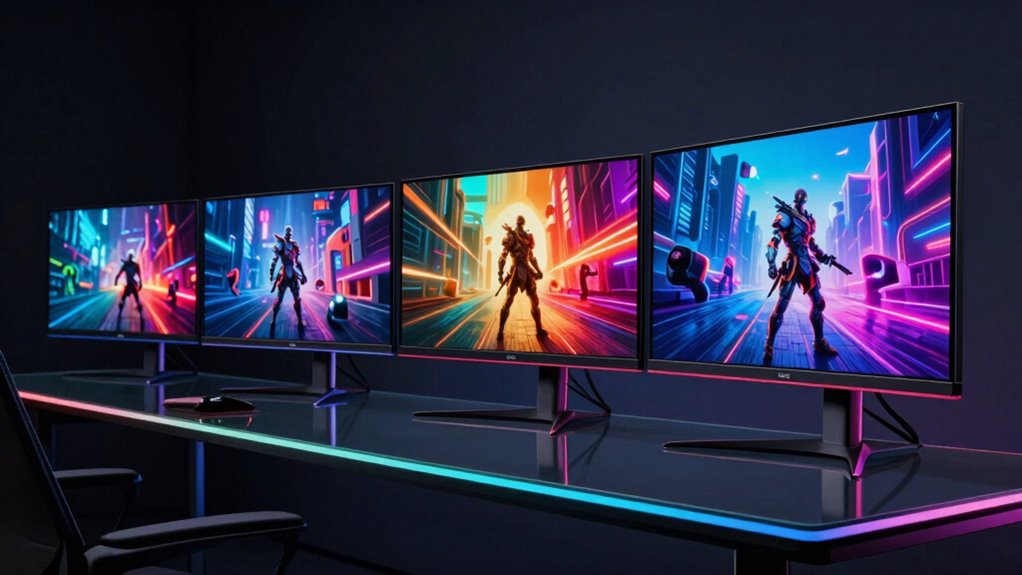

If you’re seeking an OLED gaming monitor, you’re aiming for vibrant colors, deep blacks, and smooth performance. The LG 39GX90SA-W 39-inch Ultragear stands out for its massive size and immersive experience, while the ASUS ROG Strix XG27AQDMGR offers a great balance of speed and picture quality for competitive gamers. The main tradeoffs in this category often involve balancing price against refresh rate, size, and feature set. Higher-end models deliver stunning visuals but come with a premium price tag. Continue reading for a detailed breakdown of the best OLED gaming monitors in 2026, tailored to different needs and budgets.

Prime made for students and young adults
- Fast, free delivery for dorm and study essentials
- Prime Video and Amazon Music included
- Member-only deals
Key Takeaways
- High refresh rates of 240Hz or more are common in premium OLED gaming monitors, providing smoother gameplay.
- Size varies from compact 27-inch models to massive 49-inch screens, affecting immersion and desk space.
- HDR performance and black level accuracy are key advantages of OLED, but implementation quality varies.
- Price differences are significant; budget options often compromise on extras like G-SYNC support or larger size.
- Design and adjustability features like curved screens and height adjustment are important for comfort and optimal viewing angles.
| INNOCN 27-Inch QD-OLED Gaming Monitor with 2K QHD, 280Hz, HDR400, HDMI, DisplayPort, Adjustable Stand |  | Best Overall for High-Performance Gaming and Versatility | Size: 27 inches | Resolution: 2560 x 1440 (QHD) | Refresh Rate: 280Hz | VIEW ON AMAZON | See Our Full Breakdown |
| LG 39GX90SA-W 39-inch Ultragear WQHD OLED Curved Gaming Monitor |  | Best for Immersive Ultra-Wide Gaming | Size: 39 inches | Resolution: 3440 x 1440 WQHD | Refresh Rate: 240Hz | VIEW ON AMAZON | See Our Full Breakdown |
| ASUS ROG Strix 27” OLED Gaming Monitor (XG27AQDMGR) |  | Best for Professional-Level HDR and Color Accuracy | Size: 27 inches | Resolution: 2560 x 1440 (QHD) | Refresh Rate: 240Hz | VIEW ON AMAZON | See Our Full Breakdown |
| ASUS ROG Strix 26.5” 1440P QD-OLED Gaming Monitor (XG27ACDNG) |  | Best for Fast-Paced Competitive Gaming with Burn-In Prevention | Screen Size: 26.5 inches | Resolution: 2560 x 1440 pixels | Refresh Rate: 360Hz | VIEW ON AMAZON | See Our Full Breakdown |
| ASUS ROG Strix 27″ 1440P Gaming Monitor (XG27AQWMG) |  | Best for Brightness and Longer OLED Lifespan | Size: 27 inches | Resolution: 2560 x 1440 (QHD) | Refresh Rate: 280Hz | VIEW ON AMAZON | See Our Full Breakdown |
| Samsung 27” Odyssey OLED G5 (G50SF) Series QHD Gaming Monitor |  | Best Overall for Balanced Performance and Price | Size: 27 inches | Resolution: QHD | Refresh Rate: 180Hz | VIEW ON AMAZON | See Our Full Breakdown |
| LG 27GX704A-B 27-inch Ultragear QHD OLED Gaming Monitor |  | Best for Vivid Colors and Deep Contrast | Size: 27 inches | Resolution: 2650×1440 (QHD) | Refresh Rate: 240Hz | VIEW ON AMAZON | See Our Full Breakdown |
| Samsung 49″ Odyssey G93SC Series QD-OLED Curved Gaming Monitor |  | Best for Immersive Ultrawide Experience | Size: 49 inches | Display Technology: QD-OLED | Resolution: DQHD | VIEW ON AMAZON | See Our Full Breakdown |
| LG 34GX900A-B 34-Inch Ultragear WQHD OLED Curved Gaming Monitor |  | Best for Ultrawide Immersion and Versatility | Size: 34 inches | Resolution: WQHD | Refresh Rate: 240Hz | VIEW ON AMAZON | See Our Full Breakdown |
| Alienware 34 240Hz QD-OLED Curved Gaming Monitor – AW3425DW |  | Best for Premium Ultrawide Performance | Size: 34.2 inches | Resolution: WQHD (3440 x 1440) | Refresh Rate: 240Hz | VIEW ON AMAZON | See Our Full Breakdown |
| AOC 27-Inch QHD Gaming Monitor with QD-OLED, 240Hz, G-SYNC Compatible, HDR, USB 3.2, HDMI 2.1, Height Adjustable Stand |  | Best Overall for High-Performance Gaming and Versatility | Size: 27 inches | Resolution: 2560×1440 (QHD) | Refresh Rate: 240Hz | VIEW ON AMAZON | See Our Full Breakdown |
| Samsung 27″ Odyssey OLED G6 (G61SH) QD-OLED Gaming Monitor, QHD, 240Hz, 0.03ms, HDR10, Height-adjustable Stand |  | Best for Premium Visual Quality with Burn-In Safeguards | Display Size: 27 inches | Resolution: QHD (1440P) | Refresh Rate: 240Hz | VIEW ON AMAZON | See Our Full Breakdown |
| LG 27-inch UltraGear OLED Gaming Monitor QHD 1440p 240Hz with HDR and G-SYNC |  | Best for Balance of Performance and Visual Quality | Size: 27 inches | Resolution: QHD 1440p | Refresh Rate: 240Hz | VIEW ON AMAZON | See Our Full Breakdown |
| oled gaming monitor | Resolution | Refresh Rate | Response Time | Size |
|---|---|---|---|---|
| INNOCN 27-Inch QD-OLED Gaming | 2560 x 1440 (QHD) | 280Hz | 0.03ms | 27 inches |
| LG 39GX90SA-W 39-inch Ultragea | 3440 x 1440 WQHD | 240Hz | 0.03ms | 39 inches |
| ASUS ROG Strix 27” OLED Gaming | 2560 x 1440 (QHD) | 240Hz | 0.03ms | 27 inches |
| ASUS ROG Strix 26.5” 1440P QD- | 2560 x 1440 pixels | 360Hz | 0.03ms | — |
| ASUS ROG Strix 27" 1440P Gamin | 2560 x 1440 (QHD) | 280Hz | 0.03ms | 27 inches |
| Samsung 27” Odyssey OLED G5 | QHD | 180Hz | 0.03ms (GtG) | 27 inches |
| LG 27GX704A-B 27-inch Ultragea | 2650×1440 (QHD) | 240Hz | 0.03ms | 27 inches |
| Samsung 49" Odyssey G93SC Seri | DQHD | 240Hz | 0.03ms | 49 inches |
| LG 34GX900A-B 34-Inch Ultragea | WQHD | 240Hz | 0.03ms | 34 inches |
| Alienware 34 240Hz QD-OLED Cur | WQHD (3440 x 1440) | 240Hz | 0.03ms | 34.2 inches |
| AOC 27-Inch QHD Gaming Monitor | 2560×1440 (QHD) | 240Hz | 0.03ms | 27 inches |
| Samsung 27" Odyssey OLED G6 | QHD (1440P) | 240Hz | 0.03ms | — |
| LG 27-inch UltraGear OLED Gami | QHD 1440p | 240Hz | 0.03ms (GtG) | 27 inches |
More Details on Our Top Picks
INNOCN 27-Inch QD-OLED Gaming Monitor with 2K QHD, 280Hz, HDR400, HDMI, DisplayPort, Adjustable Stand
This INNOCN 27-inch QD-OLED monitor stands out for its combination of vibrant colors, deep blacks, and an exceptionally high refresh rate of 280Hz, making it ideal for fast-paced gaming. Compared with the LG 39GX90SA-W, it offers a more manageable size while still delivering stunning visuals, but at a likely higher price and fewer built-in streaming features. Its fully adjustable stand enhances comfort during long gaming sessions, and the 0.03ms response time ensures minimal motion blur. However, the premium cost may be a barrier, and there’s limited info on onboard audio or USB ports, which could be inconvenient for some users.
Pros:- Vivid colors and deep blacks thanks to QD-OLED technology
- High 280Hz refresh rate for ultra-smooth gameplay
- Fully adjustable stand for personalized comfort
- Supports next-gen consoles and gaming PCs
Cons:- Potentially high price due to advanced features
- Limited details on built-in speaker quality
Best for: Gamers who want top-tier performance in a versatile size with adjustable ergonomics.
Not ideal for: Budget-conscious buyers or those seeking integrated speakers and extensive connectivity options.
- Size:27 inches
- Resolution:2560 x 1440 (QHD)
- Refresh Rate:280Hz
- Response Time:0.03ms
- HDR:HDR400
- Connectivity:HDMI 2.1, DisplayPort
- Stand Features:Height, tilt, pivot adjustable
Our verdict“This monitor is best suited for serious gamers wanting a flexible, high-performance display without overextending on size or features.”
LG 39GX90SA-W 39-inch Ultragear WQHD OLED Curved Gaming Monitor
The LG 39GX90SA-W offers an expansive 39-inch curved display with a 3440 x 1440 resolution, making it ideal for gamers who crave immersion. Its 800R curvature enhances peripheral engagement, but the large size might not suit all setups, especially smaller desks. The 240Hz refresh rate and 0.03ms response time ensure smooth, tear-free gaming with G-SYNC and FreeSync support, rivaling smaller monitors like the ASUS ROG Strix 27” OLED. The built-in webOS smart platform adds streaming options, but OLED panels require careful maintenance to prevent burn-in over time. Its high brightness and deep blacks elevate visual fidelity, though the premium price can be a deterrent.
Pros:- Ultra-fast 240Hz refresh rate and 0.03ms response time for smooth gameplay
- Vivid visuals with deep blacks and high color accuracy
- Supports G-SYNC and FreeSync Premium for tear-free gaming
- Built-in webOS for streaming and cloud gaming
Cons:- High price point may be a barrier
- Large size may not fit in all gaming spaces
- OLED panels require careful burn-in management
Best for: Gamers seeking an immersive, large-format display with integrated streaming and adaptive sync support.
Not ideal for: Desk setups with limited space or users worried about OLED burn-in and higher costs.
- Size:39 inches
- Resolution:3440 x 1440 WQHD
- Refresh Rate:240Hz
- Response Time:0.03ms
- Curvature:800R
- Peak Brightness:1300 nits
- Contrast Ratio:1.5M:1
Our verdict“This monitor is perfect for immersive, large-format gaming setups where visual quality and adaptive sync are priorities.”
ASUS ROG Strix 27” OLED Gaming Monitor (XG27AQDMGR)
The ASUS ROG Strix XG27AQDMGR combines a 27-inch QHD OLED panel with 240Hz refresh rate and 0.03ms response time, aiming at gamers who prioritize visual fidelity. Its 99% DCI-P3 coverage and 10-bit color depth deliver stunning HDR performance, rivaling larger OLEDs like the LG 39GX90SA-W but in a more compact size. Advanced OLED care features like OLED Care Pro help mitigate burn-in risks, yet the technology’s susceptibility to burn-in remains a concern if not properly managed. Its premium price reflects high-end specs, making it less suitable for casual gamers on a budget.
Pros:- High refresh rate and rapid response time ideal for gaming
- Excellent HDR and wide color gamut with 99% DCI-P3
- OLED Care features to reduce burn-in risk
- Stunning visual quality for immersive gaming experiences
Cons:- Premium price might be prohibitive
- OLED technology still requires careful burn-in management
Best for: Enthusiasts who want professional-grade HDR and color accuracy in a smaller, desktop-friendly format.
Not ideal for: Casual gamers or those with limited budgets, given the high price and burn-in considerations.
- Size:27 inches
- Resolution:2560 x 1440 (QHD)
- Refresh Rate:240Hz
- Response Time:0.03ms
- Color Gamut:99% DCI-P3
- HDR:VESA DisplayHDR 400 True Black
Our verdict“This monitor suits serious gamers seeking professional-grade visuals in a compact size, provided they manage OLED risks carefully.”
ASUS ROG Strix 26.5” 1440P QD-OLED Gaming Monitor (XG27ACDNG)
The ASUS ROG Strix XG27ACDNG offers a remarkable 360Hz refresh rate on a 26.5-inch QD-OLED panel, making it a prime choice for competitive gamers. Its 0.03ms response time ensures quick reactions, while features like a built-in heatsink and OLED Care+ help combat burn-in—a common concern with OLEDs. The high brightness of 3426 lumens and 135% color volume push visual vibrancy to new levels, rivaling larger OLEDs like the LG 39GX90SA-W. Despite these strengths, the monitor’s weight and premium cost may limit portability and affordability, and OLED burn-in remains a risk if not carefully managed.
Pros:- Exceptional 360Hz refresh rate for competitive gaming
- Fast 0.03ms response time enhances reaction speed
- High brightness and wide color volume for vivid visuals
- Built-in OLED Care+ to reduce burn-in risk
Cons:- OLED burn-in risk persists despite care features
- Heavy and less portable at 16.4 pounds
- High price may deter casual buyers
Best for: Pro gamers who demand ultra-high refresh rates and quick response times with added burn-in safeguards.
Not ideal for: Casual users or those with limited budgets, given the high price and potential weight issues.
- Screen Size:26.5 inches
- Resolution:2560 x 1440 pixels
- Refresh Rate:360Hz
- Response Time:0.03ms
- Display Type:OLED
- Brightness:3426 lumens
- Color Gamut:135%
Our verdict“This monitor is ideal for professional or competitive gamers prioritizing ultra-high refresh rates and advanced burn-in prevention measures.”
ASUS ROG Strix 27″ 1440P Gaming Monitor (XG27AQWMG)
The ASUS ROG Strix XG27AQWMG combines a 27-inch QHD resolution with Tandem OLED technology, offering a 280Hz refresh rate and 0.03ms response time. Its key selling point is the tandem design, which provides higher brightness levels and potentially longer OLED lifespan compared to standard panels, making it a solid choice for gamers seeking vivid visuals without the burn-in worries of traditional OLEDs. With HDR support and a wide DCI-P3 coverage, it provides impressive image quality, but OLED panels still require careful management to avoid burn-in over time. Its higher price might be a concern for more casual users.
Pros:- High refresh rate and fast response time for smooth gameplay
- Enhanced brightness and lifespan with Tandem OLED tech
- Excellent HDR and color accuracy
- Good balance of performance and durability
Cons:- OLED panels can still be susceptible to burn-in if misused
- Premium price point
Best for: Gamers who want excellent brightness and extended OLED panel longevity without sacrificing fast refresh rates.
Not ideal for: Those on a tight budget or concerned about OLED burn-in risks despite the tandem technology.
- Size:27 inches
- Resolution:2560 x 1440 (QHD)
- Refresh Rate:280Hz
- Response Time:0.03ms
- Panel Technology:Tandem OLED
- HDR:DisplayHDR 500 True Black
- Color Gamut:99.5% DCI-P3
Our verdict“This monitor suits gamers looking for a bright, long-lasting OLED experience with high refresh rates and advanced technology.”
Samsung 27” Odyssey OLED G5 (G50SF) Series QHD Gaming Monitor
The Samsung 27” Odyssey OLED G5 stands out for offering a compelling mix of vibrant visuals and quick response times, making it a versatile choice for gamers seeking quality without the highest premium. Its QHD resolution paired with a 180Hz refresh rate and 0.03ms response time ensures smooth gameplay, comparable to the LG 27GX704A-B but at a slightly lower price point. However, the potential risk of burn-in with OLED technology and limited stand adjustments are notable tradeoffs. This monitor is ideal for gamers who want excellent image quality and fast performance but are cautious of OLED-related concerns and prefer a more straightforward setup.
Pros:- Vivid QHD display with high color accuracy
- Fast 180Hz refresh rate and 0.03ms response time
- G-Sync and FreeSync compatibility for smooth gameplay
- Glare-free technology reduces reflections
Cons:- Potential risk of burn-in with OLED panels
- Premium price compared to non-OLED options
- Limited stand adjustability
Best for: Gamers who prioritize vibrant visuals, fast response, and a balanced price point without requiring extensive ergonomic adjustments.
Not ideal for: Users concerned about OLED burn-in or those needing highly adjustable stands for long gaming sessions.
- Size:27 inches
- Resolution:QHD
- Refresh Rate:180Hz
- Response Time:0.03ms (GtG)
- Technology:QD-OLED
- HDR:HDR10
Our verdict“This monitor suits gamers seeking a reliable, high-quality OLED experience with balanced features and price.”
LG 27GX704A-B 27-inch Ultragear QHD OLED Gaming Monitor
The LG 27GX704A-B offers an exceptional OLED panel with 98.5% DCI-P3 coverage, making it ideal for gamers who want stunning visuals and deep blacks. Its 240Hz refresh rate and 0.03ms response time surpass many counterparts like the Samsung G5, delivering ultra-smooth gameplay. The support for NVIDIA G-SYNC and AMD FreeSync Premium Pro ensures tear-free performance, while the extensive connectivity and ergonomic stand enhance usability. The main tradeoff is the high price typical of OLED monitors, and its glossy finish may cause reflections in bright environments, similar to the G5 but more pronounced. This monitor best suits serious gamers who demand top-tier image quality and fast performance, willing to invest in premium visuals.
Pros:- High contrast with deep blacks and vibrant colors
- 240Hz refresh rate and 0.03ms response time
- Supports NVIDIA G-SYNC and AMD FreeSync Premium Pro
- Extensive connectivity options including HDMI 2.1 and DisplayPort
Cons:- Premium price can be prohibitive
- Glossy finish may cause reflections in bright rooms
- Potential for image retention if not managed properly
Best for: Enthusiasts who prioritize color accuracy, contrast, and fast gaming performance in a premium OLED package.
Not ideal for: Budget-conscious gamers or those with bright, glare-prone setups that might be affected by the glossy finish.
- Size:27 inches
- Resolution:2650×1440 (QHD)
- Refresh Rate:240Hz
- Response Time:0.03ms
- Display Type:OLED
- HDR:VESA DisplayHDR True Black 400
Our verdict“This monitor makes the most sense for gamers seeking premium visuals and high frame rates despite its cost and reflection issues.”
Samsung 49″ Odyssey G93SC Series QD-OLED Curved Gaming Monitor
The Samsung 49” Odyssey G93SC delivers a truly immersive ultrawide gaming setup with a 1800R curved QD-OLED display, ideal for gamers who want wide, vivid visuals. Its 240Hz refresh rate and 0.03ms response time ensure smooth, tear-free gameplay, comparable to smaller OLEDs but on a much larger scale. The high contrast and vibrant colors are perfect for AAA titles and cinematic experiences, although its size demands significant desk space. The premium price and limited ergonomic detail may be drawbacks for some. This monitor is best for high-end setups where immersion and visual fidelity take precedence over space considerations.
Pros:- Vivid colors and deep blacks with QD-OLED
- Ultra-fast 0.03ms response and 240Hz refresh rate
- Large, immersive 49-inch curved display
- Multiple input options including HDMI 2.1 and DisplayPort
Cons:- High price point for large OLED screens
- Requires substantial desk space
- Limited ergonomic adjustments
Best for: Gamers seeking an expansive, immersive ultrawide display with top-tier OLED performance.
Not ideal for: Users with limited desk space or those who prefer traditional, smaller monitors with more ergonomic adjustments.
- Size:49 inches
- Display Technology:QD-OLED
- Resolution:DQHD
- Refresh Rate:240Hz
- Response Time:0.03ms
- Curvature:1800R
Our verdict“Ideal for gamers seeking an expansive, visually stunning ultrawide experience with premium OLED technology.”
LG 34GX900A-B 34-Inch Ultragear WQHD OLED Curved Gaming Monitor
The LG 34GX900A-B combines a 34-inch ultrawide curved design with OLED clarity, making it a versatile choice for gamers who want immersive visuals and expansive workspace. Its 240Hz refresh rate and 0.03ms response time deliver silky-smooth gameplay, while the high contrast and 98.5% DCI-P3 color coverage bring visuals to life. Support for adaptive sync technologies and adjustable ergonomic features add to its appeal. The main tradeoffs are the high cost typical of OLEDs and the potential for burn-in if not used carefully, especially on longer sessions. This monitor fits gamers who want a balance of wide field of view, high performance, and vibrant colors.
Pros:- Ultra-fast 240Hz and 0.03ms response for smooth gameplay
- Vivid OLED visuals with deep blacks
- Supports adaptive sync like FreeSync and G-SYNC
- Versatile connectivity including HDMI 2.1 and USB-C
Cons:- Premium price may be prohibitive
- Curved design might not suit all setups
- OLED burn-in risk with prolonged static images
Best for: Gamers who want an ultrawide, high-performance OLED monitor with flexible ergonomic features.
Not ideal for: Budget-conscious users or those concerned about OLED burn-in and who prefer simpler, smaller screens.
- Size:34 inches
- Resolution:WQHD
- Refresh Rate:240Hz
- Response Time:0.03ms
- Panel Type:OLED
- Curvature:800R
Our verdict“This monitor is ideal for gamers seeking a large, immersive OLED experience with excellent performance and wide view, accepting its higher price and burn-in risks.”
Alienware 34 240Hz QD-OLED Curved Gaming Monitor – AW3425DW
The Alienware AW3425DW offers a 34-inch ultrawide QD-OLED panel with a 1800R curvature, combining immersive visuals with high-end gaming tech. Its 240Hz refresh rate and 0.03ms response time ensure fluid gameplay, comparable to LG’s 34GX900A-B but with Alienware’s distinctive design and build quality. Its DCI-P3 coverage and HDR support elevate the visual experience, making it suitable for both gaming and multimedia. The main considerations are its premium cost and potential burn-in if static images are left on screen for extended periods, similar to other OLEDs. This monitor is best for gamers who want an ultrawide OLED with a focus on high performance and aesthetic appeal, willing to invest accordingly.
Pros:- Vivid colors with a large, immersive ultrawide display
- High refresh rate and response time for smooth gaming
- Supports multiple adaptive sync technologies
- Premium build and aesthetic design
Cons:- High price point
- Large size requires ample desk space
- OLED burn-in potential with static images
Best for: High-end gamers seeking immersive ultrawide visuals with premium build quality and top-tier OLED performance.
Not ideal for: Cost-sensitive buyers or those with limited space who prefer smaller or non-curved monitors.
- Size:34.2 inches
- Resolution:WQHD (3440 x 1440)
- Refresh Rate:240Hz
- Response Time:0.03ms
- Curvature:1800R
- HDR:DisplayHDR TrueBlack 400
Our verdict“Perfect for enthusiasts wanting an ultrawide OLED with elite specs and design, accepting its premium price and burn-in considerations.”
AOC 27-Inch QHD Gaming Monitor with QD-OLED, 240Hz, G-SYNC Compatible, HDR, USB 3.2, HDMI 2.1, Height Adjustable Stand
This AOC 27-Inch QHD Gaming Monitor stands out for its combination of vivid colors, true blacks, and an ultra-fast 240Hz refresh rate, making it ideal for competitive gamers. Compared to the LG UltraGear OLED, it offers comparable response times but adds more ergonomic adjustments, which can improve long gaming sessions. However, the premium price reflects its advanced panel technology and features, and the OLED panel’s susceptibility to burn-in remains a concern for heavy users. Its 2560×1440 resolution strikes a good balance between visual fidelity and performance, especially for gamers who want immersive visuals without sacrificing frame rates. The monitor’s connectivity options—HDMI 2.1, DisplayPort 1.4, USB 3.2—add flexibility for different setups. Overall, this monitor is best suited for competitive players who value speed, color accuracy, and adjustable ergonomics, but those worried about longevity may want to consider alternatives.
Pros:- Vivid colors with true blacks and high contrast
- Ultra-fast 0.03ms response time for smooth gameplay
- Ergonomic stand with multiple adjustments
Cons:- Premium price may be prohibitive for some users
- OLED panels can be susceptible to burn-in with prolonged static images
Best for: High-end gamers seeking a versatile, fast-paced display with adjustable ergonomics and vivid visuals
Not ideal for: Users concerned about potential burn-in over time or those on a strict budget, as the premium price can be a barrier
- Size:27 inches
- Resolution:2560×1440 (QHD)
- Refresh Rate:240Hz
- Response Time:0.03ms
- Panel Technology:QD-OLED
- HDR:True Black HDR
Our verdict“This monitor is an excellent choice for gamers who want top-tier performance and adjustable comfort, accepting the risks and costs associated with OLED technology.”
Samsung 27″ Odyssey OLED G6 (G61SH) QD-OLED Gaming Monitor, QHD, 240Hz, 0.03ms, HDR10, Height-adjustable Stand
The Samsung Odyssey OLED G6 offers impressive color range, with wide color gamut support and HDR10, making it ideal for gamers who want stunning visuals and deep blacks. Compared to the LG UltraGear OLED, it incorporates advanced safeguards like OLED-specific burn-in prevention, aiming to extend panel life. Its 240Hz refresh rate and 0.03ms response time ensure smooth, tear-free gameplay, especially when paired with its ergonomic, height-adjustable stand. However, the premium price and inherent OLED risks mean it might not be suitable for users with static UI elements or those on a tighter budget. The G6’s added protection features make it more appealing for long-term high-performance use, but the limited focus on gaming and high-end visual applications might restrict its appeal for casual users. Overall, it’s a top pick for those prioritizing vivid visuals and longevity in a premium OLED monitor.
Pros:- Vivid colors with wide color gamut and HDR10 support
- Advanced OLED safeguards to reduce burn-in risk
- Ergonomic stand with height, tilt, swivel, and pivot adjustments
Cons:- Premium price may be out of reach for budget-conscious users
- Limited to gaming and high-end visual applications, less versatile for general use
- OLED technology still carries inherent burn-in risk if not carefully managed
Best for: Enthusiast gamers who desire vivid, accurate colors with added burn-in safeguards for long-term use
Not ideal for: Casual gamers or users concerned about OLED burn-in risks without proper management, due to its higher price and specialized technology
- Display Size:27 inches
- Resolution:QHD (1440P)
- Refresh Rate:240Hz
- Response Time:0.03ms
- HDR:HDR10
- Additional Features:OLED Safeguard, Glare-Free Technology
Our verdict“This monitor excels for users seeking vibrant visuals and long-term durability, provided they are comfortable with its premium cost and specific use-case focus.”
LG 27-inch UltraGear OLED Gaming Monitor QHD 1440p 240Hz with HDR and G-SYNC
The LG UltraGear OLED delivers a balanced mix of high refresh rate, rapid response time, and excellent contrast, making it suitable for gamers who want a reliable, high-performance display. Compared with the AOC and Samsung G6, it offers a slightly lower price point while maintaining nearly the same response time and refresh rate, but with a focus on color accuracy and HDR with DisplayHDR True Black 400. Its support for both NVIDIA G-SYNC and AMD FreeSync ensures tear-free gameplay across platforms. The 98.5% DCI-P3 coverage provides vibrant visuals for immersive gaming. The main tradeoff is its 1440p resolution, which is less sharp than 4K options but still offers excellent performance. Burn-in risk remains, but LG’s anti-glare coating and technology aim to mitigate this. Overall, it’s an appealing choice for gamers seeking a well-rounded OLED, especially if price and longevity are concerns.
Pros:- Fast 240Hz refresh rate with 0.03ms response time
- Supports both G-SYNC and FreeSync Premium Pro for tear-free gaming
- High contrast ratio with wide color coverage
Cons:- Limited to 1440p resolution, not 4K
- Potential burn-in risk with prolonged static images
- Premium cost still a consideration for budget-conscious buyers
Best for: Gamers who prioritize a high-quality balance of speed, color, and affordability in a 27-inch OLED
Not ideal for: Professional content creators or users requiring 4K resolution, as this monitor is optimized for gaming rather than high-resolution productivity
- Size:27 inches
- Resolution:QHD 1440p
- Refresh Rate:240Hz
- Response Time:0.03ms (GtG)
- HDR:DisplayHDR True Black 400
- Connectivity:HDMI 2.1, DisplayPort 1.4
Our verdict“This LG UltraGear OLED offers a well-rounded gaming experience with superb contrast and adaptive sync support, ideal for those balancing performance and value.”

How We Picked
In selecting these OLED gaming monitors, I prioritized models that balance performance, build quality, and value. Key criteria included refresh rate (at least 144Hz for fluid gaming), response time, HDR capabilities, and overall image quality. I also considered size options, ergonomic features, and connectivity, ensuring each monitor serves a specific gaming niche. The ranking reflects a combination of visual fidelity, speed, and practical features, with a focus on models that push OLED technology forward in gaming contexts. Devices with notable drawbacks or limited availability were ranked lower, ensuring each pick offers a meaningful advantage for its target user.Factors to Consider When Choosing Oled Gaming Monitor
Choosing an OLED gaming monitor involves several factors that impact your gaming experience. Beyond just resolution and size, understanding how features like refresh rate, HDR, and connectivity affect gameplay can prevent costly mistakes. This guide covers essential considerations to help you find a monitor that matches your gaming style and setup, while also highlighting common pitfalls like overpaying for unnecessary extras or compromising on core specs.Refresh Rate and Response Time
For smooth, tear-free gameplay, prioritizing a high refresh rate—ideally 144Hz or higher—is essential. OLED monitors with 240Hz are increasingly common and provide significant advantages in fast-paced games. Response time is equally important; lower response times reduce motion blur, which is critical for competitive gaming. Be cautious of models that advertise high refresh rates but have slow response times, as this can negate the benefits of the higher refresh rate.
Size and Curvature
Size impacts immersion and desk space. Larger screens like 34 inches or more create a more enveloping experience, especially with curved designs that match natural viewing angles. However, bigger monitors require more desk space and may be less suitable for smaller setups. Curved screens can improve immersion but might distort image edges on wider displays. Consider your gaming environment and how close you sit to the monitor when choosing size and curve options.
HDR Performance
OLED’s deep blacks and vibrant colors shine brightest with good HDR support. Look for monitors with HDR10 or Dolby Vision certification, and check their brightness levels—higher nits mean better HDR impact. Not all OLEDs deliver the same quality HDR; some may have limited peak brightness or uneven backlight, reducing the effect. Balance HDR capabilities with other features to avoid overpaying for HDR that doesn’t significantly enhance your gaming.
Connectivity and Ergonomics
Multiple HDMI 2.1 ports and DisplayPort are important for connecting gaming consoles and PCs without hassle. USB-C can add convenience for peripherals and charging. Ergonomic features like height adjustment, tilt, and swivel improve comfort during long gaming sessions. Overlooking these details might lead to discomfort or the need for additional accessories, diminishing the overall value of your monitor investment.
Price and Future-Proofing
OLED gaming monitors come with a broad price range. Higher prices often include faster refresh rates, larger sizes, and better HDR performance. However, not every gamer needs the most advanced features; mid-range models can still deliver excellent visuals and smooth gameplay at a lower cost. Consider your gaming habits and future plans—spending more now might extend the lifespan of your monitor, but budget options can be perfectly adequate for casual or less demanding use.
Frequently Asked Questions
Is an OLED monitor worth it for casual gaming?
For casual gaming, OLED monitors offer stunning visuals and deep blacks that can enhance your experience, but the premium price may not be justified if you don’t prioritize high-end features. Many budget-friendly LCD options still provide good color and response times for casual play. If you value picture quality over speed or size, an OLED can be a worthwhile upgrade, but for most casual gamers, a more affordable LCD monitor might suffice.
How important is refresh rate for OLED gaming monitors?
Refresh rate directly impacts how smooth your gameplay appears, especially in fast-paced games. OLED monitors with 240Hz refresh rates can offer a significant advantage for competitive gaming, reducing motion blur and input lag. However, higher refresh rates often come with a higher price and may require powerful hardware to fully utilize. If you play mostly slower-paced titles, a 144Hz model might be enough, saving money without sacrificing much visual quality.
Can OLED monitors handle long gaming sessions without burn-in?
Modern OLED monitors have improved significantly in mitigating burn-in risks, especially with features like pixel shifting and screen savers. While prolonged static images can still pose a risk, most current models are designed with gaming in mind and incorporate protective technologies. To minimize burn-in, it’s wise to avoid leaving static interfaces or HUD elements on the screen for extended periods, particularly in very high-contrast scenes.
Are larger OLED monitors better for gaming?
Large OLED screens create a more immersive experience, making them ideal for single-player adventures and cinematic gaming. However, bigger monitors also demand more desk space and can be overwhelming if your sitting distance isn’t adjusted accordingly. They may also come with a higher cost and potentially increased latency. Smaller or mid-sized OLED monitors can be more practical while still offering excellent picture quality for most gamers.
Should I prioritize HDR or refresh rate in an OLED gaming monitor?
Both HDR and refresh rate significantly enhance gaming, but their importance depends on your priorities. If you love visually stunning titles or games with strong visual effects, a high-quality HDR display will provide richer colors and deeper blacks. Conversely, if you play fast-paced competitive games, a higher refresh rate and lower response time should take precedence. Ideally, choose a monitor that balances both, but weigh your gaming style to decide which feature is more critical.
Conclusion
The best overall OLED gaming monitor depends on your priorities. If you seek the ultimate visual fidelity and immersive size, the LG 39GX90SA-W makes a compelling choice. For gamers who want a balanced mix of speed and picture quality without breaking the bank, the ASUS ROG Strix XG27AQDMGR offers excellent value. Premium users aiming for cutting-edge tech and larger displays should consider options like the Samsung Odyssey G93SC. Beginners or casual players may find mid-range models sufficient, while dedicated esports enthusiasts should prioritize high refresh rates and low response times. This variety ensures there’s an OLED gaming monitor tailored to every type of gamer in 2026.
As an affiliate, we earn on qualifying purchases.Halloween Picks
halloween