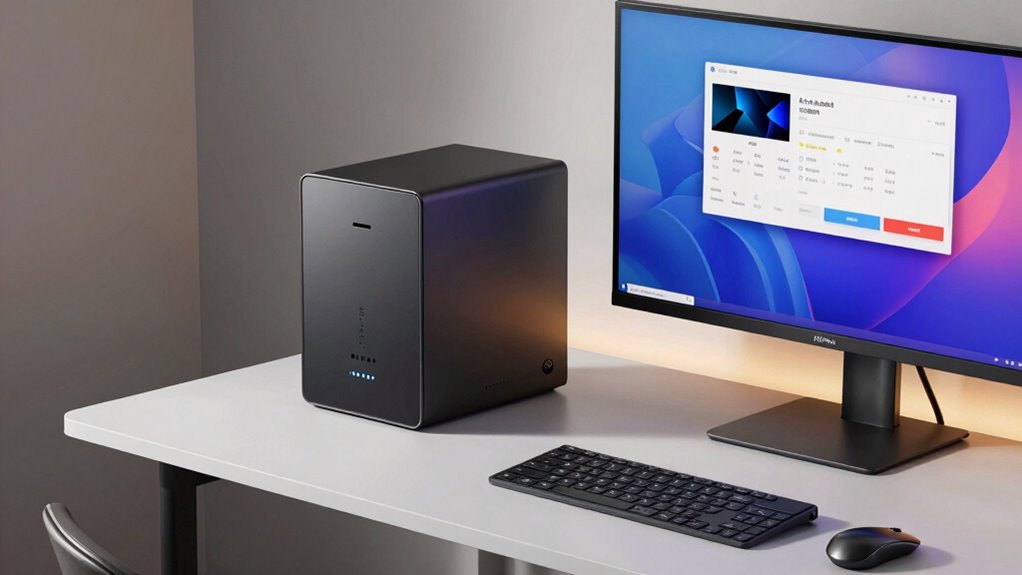

Finding the right mini PC for a home office involves balancing compact size with power and versatility. The ACEMAGIC K1 Mini PC stands out as the overall best choice, offering a solid mix of performance and features. For those prioritizing long-term multitasking, the VZMORE iX9 Max provides impressive RAM and storage. Meanwhile, budget-conscious users should consider options like the Bmax Mini PC B1 Plus for affordability without sacrificing essential functionality. Each of these options reflects different priorities, with tradeoffs in performance, expandability, and price. Keep reading to see how these models compare and find the best fit for your home office setup.

Prime made for students and young adults
- Fast, free delivery for dorm and study essentials
- Prime Video and Amazon Music included
- Member-only deals
Key Takeaways
- High performance mini PCs like the VZMORE iX9 Max and GEEKOM IT11 excel in multitasking and demanding applications, justifying higher prices.
- Compact designs are available across all tiers, but models with triple 4K display support tend to come with a higher cost.
- Upgradeability varies significantly—some models support M.2 SSD expansion, while others are more fixed, impacting long-term flexibility.
- Budget options like the Bmax B1 Plus offer reliable basic functionality but may lack the power for intensive tasks.
- Build quality and thermal management differ, with premium picks often providing better cooling solutions for sustained performance.
| ACEMAGIC K1 Mini PC, Windows 11 Pro, AMD Ryzen 5 7330U, 16GB RAM, 256GB SSD, 28W |  | Best Overall Mini PC for Home Office | Processor: AMD Ryzen 7330U (4 cores/8 threads, up to 4.3GHz) | RAM: 16GB LPDDR4 3200MT/s (non-expandable) | Storage: 256GB M.2 SSD (expandable up to 2TB) | VIEW ON AMAZON | See Our Full Breakdown |
| C4 SE Mini PC – Ryzen 5 3500U, 8GB DDR4 RAM, 256GB SSD, Triple Display Desktop Computer |  | Best Value for Basic Home Office Tasks | Processor: AMD Ryzen 5 3500U (4-core, 8-thread) | RAM: 8GB DDR4 (upgradeable to 32GB) | Storage: 256GB SSD (additional M.2 slot available) | VIEW ON AMAZON | See Our Full Breakdown |
| VZMORE iX9 Max Mini PC, Intel Core Ultra 9 185H, 24GB RAM, 1TB SSD |  | Best High-Performance Mini PC for Heavy Use and AI Workloads | Processor: Intel Core Ultra 9 185H (16 cores, 22 threads) | RAM: 24GB | Storage: 1TB SSD | VIEW ON AMAZON | See Our Full Breakdown |
| KAMRUI Pinova P2 Mini PC, AMD Ryzen 7330U, 16GB RAM, 256GB SSD, Triple 4K Display Support |  | Best Compact and Versatile Mini PC for Home and Business | Processor: AMD Ryzen 7330U (Zen 3, 4 Cores / 8 Threads, up to 4.3GHz) | RAM: 16GB LPDDR4X | Storage: 256GB M.2 SSD, expandable up to 4TB | VIEW ON AMAZON | See Our Full Breakdown |
| HP EliteDesk 800 G2 Desktop Mini Business PC, Intel Quad-Core i5-6500T up to 3.1G, 16GB DDR4, 240GB SSD, VGA, DP, Win 11 Pro (Renewed) |  | Most Traditional Mini Desktop for Business-Level Reliability | Processor: Intel Core i5-6500T (Quad-core, up to 3.1GHz) | RAM: 16GB DDR4 | Storage: 240GB SSD | VIEW ON AMAZON | See Our Full Breakdown |
| KAMRUI AK1PLUS Mini PC, Intel N5030 up to 3.1GHz, 12GB RAM, 256GB SSD, Dual 4K HDMI |  | Best Overall for Business and Versatile Home Office Use | Processor: Intel N5030 (4 cores, up to 3.1GHz) | RAM: 12GB LPDDR4 | Storage: 256GB M.2 SSD, expandable to 4TB | VIEW ON AMAZON | See Our Full Breakdown |
| Bmax Mini PC B1 Plus, Intel Celeron J3355, 6GB RAM, 128GB eMMC, Dual 4K HDMI, Support M.2 SSD Expansion, Windows 11 Home |  | Best for Beginners and Basic Home Office Tasks | Processor: Intel Celeron J3355 (up to 2.5GHz) | RAM: 6GB LPDDR3 | Storage: 128GB eMMC, supports M.2 SSD up to 2TB | VIEW ON AMAZON | See Our Full Breakdown |
| GEEKOM A5 Mini PC, AMD Ryzen 5 7430U, 16GB Upgradable RAM, 1TB SSD |  | Best for Power Users Needing High Expandability and Durability | Processor: AMD Ryzen 5 7430U (15W TDP) | RAM: 16GB DDR4, upgradable to 64GB | Storage: 1TB PCIe NVMe SSD, upgradable to 4TB | VIEW ON AMAZON | See Our Full Breakdown |
| GMKtec G3S Mini PC, Intel N95 up to 3.4GHz, 8GB RAM, 256GB M.2 SSD |  | Best for Light Office Tasks and Media Streaming | Processor: Intel N95, up to 3.4GHz | RAM: 8GB DDR4 | Storage: 256GB M.2 SSD | VIEW ON AMAZON | See Our Full Breakdown |
| Mini PC, Intel Pentium N3700 (4C/4T,6W Low TDP), 8GB RAM 128GB SSD(Support 2TB Storage Expansion), 4K Dual Display,2× HDMI,6×USB, 1000M RJ45, 2.4G/5G WiFi & BT4.2, Mini Desktop for Home & Homelab |  | Best Budget Mini PC for Basic Home Office Tasks | Processor: Intel Pentium N3700 (4C/4T, up to 2.4GHz) | RAM: 8GB DDR3 | Storage: 128GB SSD (supports 2TB expansion) | VIEW ON AMAZON | See Our Full Breakdown |
| ANPCOWER M6 Mini Desktop Computer, 16GB RAM, 1TB SSD, Windows 11 Pro, Triple 4K Display Support |  | Best Value for Power and Multi-Display Capability | Processor: PA-8900, up to 3GHz, 4 cores | RAM: 16GB DDR4 | Storage: 1TB SSD | VIEW ON AMAZON | See Our Full Breakdown |
| AX9 Max Mini PC, V-Cooling( Vapor Chamber), Ryzen AI 9 HX 470 |  | Best High-Performance Mini PC with Advanced Cooling and AI Capabilities | Processor: AMD Ryzen AI 9 HX 470 (12 cores, up to 5.2GHz) | RAM: 32GB DDR5-5600 | Storage: 1TB SSD (expandable to 5TB) | VIEW ON AMAZON | See Our Full Breakdown |
| GEEKOM Mini PC IT11, Intel i7-11390H, 16GB DDR4 RAM, 512GB M.2 SSD, Windows 11 Pro |  | Premium Mini PC for Heavy-duty Work and Multi-Display Setups | Processor: Intel Core i7-11390H (4C/8T, up to 5.0GHz) | RAM: 16GB DDR4 | Storage: 512GB M.2 PCIe SSD | VIEW ON AMAZON | See Our Full Breakdown |
| mini pc for home office | Processor | RAM | Storage | Display Support |
|---|---|---|---|---|
| ACEMAGIC K1 Mini PC | AMD Ryzen 7330U (4 cores/8 threads, up to 4.3GHz) | 16GB LPDDR4 3200MT/s (non-expandable) | 256GB M.2 SSD (expandable up to 2TB) | Triple 4K displays |
| C4 SE Mini PC | AMD Ryzen 5 3500U (4-core, 8-thread) | 8GB DDR4 (upgradeable to 32GB) | 256GB SSD (additional M.2 slot available) | Up to 3 displays |
| VZMORE iX9 Max Mini PC | Intel Core Ultra 9 185H (16 cores, 22 threads) | 24GB | 1TB SSD | Up to 4 displays |
| KAMRUI Pinova P2 Mini PC | AMD Ryzen 7330U (Zen 3, 4 Cores / 8 Threads, up to 4.3GHz) | 16GB LPDDR4X | 256GB M.2 SSD, expandable up to 4TB | — |
| HP EliteDesk 800 G2 Desktop Mi | Intel Core i5-6500T (Quad-core, up to 3.1GHz) | 16GB DDR4 | 240GB SSD | — |
| KAMRUI AK1PLUS Mini PC | Intel N5030 (4 cores, up to 3.1GHz) | 12GB LPDDR4 | 256GB M.2 SSD, expandable to 4TB | Dual 4K@60Hz via 2x HDMI |
| Bmax Mini PC B1 Plus | Intel Celeron J3355 (up to 2.5GHz) | 6GB LPDDR3 | 128GB eMMC, supports M.2 SSD up to 2TB | Dual HDMI, 4K @60Hz |
| GEEKOM A5 Mini PC | AMD Ryzen 5 7430U (15W TDP) | 16GB DDR4, upgradable to 64GB | 1TB PCIe NVMe SSD, upgradable to 4TB | Up to 4x 4K via HDMI and USB-C, 8K via USB-C |
| GMKtec G3S Mini PC | Intel N95, up to 3.4GHz | 8GB DDR4 | 256GB M.2 SSD | Dual 4K@60Hz via HDMI |
| Mini PC | Intel Pentium N3700 (4C/4T, up to 2.4GHz) | 8GB DDR3 | 128GB SSD (supports 2TB expansion) | Dual 4K@30Hz HDMI |
| ANPCOWER M6 Mini Desktop Compu | PA-8900, up to 3GHz, 4 cores | 16GB DDR4 | 1TB SSD | Triple 4K@60Hz via HDMI + Type-C |
| AX9 Max Mini PC | AMD Ryzen AI 9 HX 470 (12 cores, up to 5.2GHz) | 32GB DDR5-5600 | 1TB SSD (expandable to 5TB) | Quad 8K via HDMI 2.1 and USB4 |
| GEEKOM Mini PC IT11 | Intel Core i7-11390H (4C/8T, up to 5.0GHz) | 16GB DDR4 | 512GB M.2 PCIe SSD | Up to 4 displays, 8K@30Hz |
More Details on Our Top Picks
ACEMAGIC K1 Mini PC, Windows 11 Pro, AMD Ryzen 5 7330U, 16GB RAM, 256GB SSD, 28W
The ACEMAGIC K1 stands out for its balance of performance and compactness, making it an excellent choice for those seeking a versatile mini PC. Its AMD Ryzen 7330U processor delivers strong multitasking capabilities, outperforming many entry-level options like the Bmax B1 Plus, especially in productivity tasks. The triple 4K display support and quiet cooling system enhance its usability for multitasking and extended work sessions. However, the fixed 16GB RAM limits future upgradeability, and the base 256GB storage may be tight for users with larger files, compared to the more expandable storage options of the VZMORE iX9 Max. Compared to more premium options, the ACEMAGIC K1 offers a compelling all-around package that balances performance and size, though it isn’t meant for power users requiring high-end graphics or extensive storage.
Pros:- Compact design with VESA mount support and built-in power supply
- Strong performance for productivity and light multitasking
- Supports triple 4K displays for enhanced multitasking
Cons:- Non-expandable RAM limits future upgrades
- Base storage of 256GB may be insufficient for some users
- WiFi 5 and Bluetooth 4.2 are outdated compared to newer standards
Best for: Home office users who need a compact, reliable PC with strong multitasking and display flexibility
Not ideal for: Power users or gamers who require high-end graphics or extensive storage capacity
- Processor:AMD Ryzen 7330U (4 cores/8 threads, up to 4.3GHz)
- RAM:16GB LPDDR4 3200MT/s (non-expandable)
- Storage:256GB M.2 SSD (expandable up to 2TB)
- Graphics:AMD Radeon Graphics (1400MHz, 5 cores)
- Power Consumption:28W
- Display Support:Triple 4K displays
- Dimensions:5.04 x 5.04 x 1.61 inches
- Connectivity:Gigabit Ethernet, 6x USB 3.2 Type-A, USB-C (10Gbps + DP 1.4), HDMI 2.0, DP 1.4, 3.5mm audio, WiFi 5, Bluetooth 4.2
Our verdict“This mini PC is best suited for home office users who prioritize space-saving design without sacrificing performance.”
C4 SE Mini PC – Ryzen 5 3500U, 8GB DDR4 RAM, 256GB SSD, Triple Display Desktop Computer
The C4 SE offers a practical package for everyday home office work, especially for those on a budget or needing straightforward multitasking. Its AMD Ryzen 5 3500U processor, while older than the Ryzen 7330U, still handles web browsing, document editing, and light multitasking adequately, but it may lag behind the ACEMAGIC K1 in demanding workflows. Its upgradeability—up to 32GB RAM and an additional M.2 SSD—adds a layer of future-proofing that the ACEMAGIC lacks. The triple display support and dual Ethernet make it versatile for multitasking and network-heavy tasks. However, its older CPU and WiFi 5 limit performance in demanding or future-proof scenarios, and the 8GB base RAM might be limiting for heavier multitasking compared to the other models.
Pros:- Affordable, with upgrade options for RAM and storage
- Supports up to 3 displays for multitasking
- Dual Gigabit Ethernet and WiFi 5 for flexible connectivity
Cons:- Older Ryzen 5 3500U CPU may struggle with demanding apps
- Base 8GB RAM might be limiting for intensive multitasking
- WiFi 5 is outdated compared to Wi-Fi 6 and 7
Best for: Entry-level home office users needing a budget-friendly, upgradeable mini PC for daily productivity
Not ideal for: Power users or those requiring high graphics performance or very large storage capacity
- Processor:AMD Ryzen 5 3500U (4-core, 8-thread)
- RAM:8GB DDR4 (upgradeable to 32GB)
- Storage:256GB SSD (additional M.2 slot available)
- Display Support:Up to 3 displays
- Network:Dual Gigabit Ethernet, WiFi 5
- Dimensions:Not specified
Our verdict“This mini PC delivers solid basic performance for home offices on a budget with room to grow for future needs.”
VZMORE iX9 Max Mini PC, Intel Core Ultra 9 185H, 24GB RAM, 1TB SSD
The VZMORE iX9 Max is designed for demanding tasks, blending high-end CPU power with extensive connectivity and expansion options. Its Intel Core Ultra 9 185H processor, with 16 cores and 22 threads, vastly outperforms the other options in multi-threaded workloads, making it ideal for intensive multitasking, AI, and content creation. The 24GB RAM and 1TB SSD provide ample headroom for large files and applications, surpassing the memory and storage of the other models. Its dual 2.5G Ethernet, Wi-Fi 7, and multiple USB ports make it perfect for professional environments. Nonetheless, its higher power consumption and likely higher price point mean it’s overkill for basic home office needs, and its non-standard RAM configuration limits easy upgrades.
Pros:- Exceptional multi-core performance with Intel Core Ultra 9 185H
- Supports up to 4 displays with multiple high-speed ports
- Advanced cooling system and extensive connectivity
Cons:- High power consumption and likely higher cost
- Non-standard 24GB RAM, possibly soldered or non-upgradable
- Integrated graphics only suitable for light gaming
Best for: Power users, developers, or AI-focused professionals requiring maximum processing power and expandability
Not ideal for: Casual users or those with limited space who don’t need such high performance
- Processor:Intel Core Ultra 9 185H (16 cores, 22 threads)
- RAM:24GB
- Storage:1TB SSD
- Graphics:Intel Arc integrated
- Cooling:Vapor chamber
- Display Support:Up to 4 displays
- Connectivity:2x USB4 Type-C, 6x USB-A, dual 2.5Gb Ethernet, Wi-Fi 7
Our verdict“This mini PC is best for professionals who need maximum CPU performance and expandability in a compact form.”
KAMRUI Pinova P2 Mini PC, AMD Ryzen 7330U, 16GB RAM, 256GB SSD, Triple 4K Display Support
The KAMRUI Pinova P2 combines a compact footprint with impressive display support and upgrade options, making it a strong contender for versatile home office setups. Its AMD Ryzen 7330U processor delivers solid multitasking at a power-efficient 15W TDP, comparable to the ACEMAGIC K1, but with added flexibility thanks to dual M.2 slots supporting up to 4TB of storage. The triple 4K@60Hz output enables immersive multi-monitor configurations, ideal for productivity-focused users. Its VESA mount and quiet cooling make it unobtrusive in small spaces. However, its integrated graphics are not suited for gaming or heavy graphical workloads, and the base 256GB storage could require expansion for larger files. Compared to the ACEMAGIC K1, the P2 offers more storage flexibility and a slightly smaller size.
Pros:- Small, portable design with VESA mount included
- Triple 4K display support for multitasking
- Dual M.2 slots supporting up to 4TB storage
Cons:- Integrated graphics limited to non-gaming tasks
- Base storage of 256GB may need expansion for large files
- Limited to 15W power, which could affect performance under heavy load
Best for: Home office users needing a compact, multi-monitor setup with expandability in storage
Not ideal for: Gamers or users requiring high-end graphics performance or large base storage
- Processor:AMD Ryzen 7330U (Zen 3, 4 Cores / 8 Threads, up to 4.3GHz)
- RAM:16GB LPDDR4X
- Storage:256GB M.2 SSD, expandable up to 4TB
- Display Output:Triple 4K@60Hz (HDMI 2.0, DP 1.4, USB-C with DP Alt Mode)
- Connectivity:Gigabit LAN, Wi-Fi, Bluetooth
- Dimensions:5.05 x 5.05 x 1.73 inches
Our verdict“This mini PC is ideal for users seeking a space-efficient, multi-monitor capable device with flexible storage options.”
HP EliteDesk 800 G2 Desktop Mini Business PC, Intel Quad-Core i5-6500T up to 3.1G, 16GB DDR4, 240GB SSD, VGA, DP, Win 11 Pro (Renewed)
The HP EliteDesk 800 G2 offers a proven, durable platform for professional home offices, with a familiar desktop form factor and reliability. Its Intel Core i5-6500T processor, though older, provides sufficient performance for standard office tasks, and the 16GB RAM supports smooth multitasking. Its dual monitor outputs (VGA and DisplayPort) may limit modern connectivity options compared to newer models but still cover typical needs. The 240GB SSD ensures quick boot and load times, though it may require external storage for larger files. As a refurbished product, it offers cost savings but might lack the latest connectivity features such as Wi-Fi 6 or USB-C, making it less future-proof. This PC is best suited to users who prefer a tried-and-true platform with minimal fuss.
Pros:- Proven durability and reliability from a trusted brand
- Dual monitor output options (VGA and DP)
- Cost-effective as a refurbished unit
Cons:- Older processor and limited connectivity options
- Small SSD may necessitate external storage
- Lacks modern features like Wi-Fi 6 or USB-C
Best for: Professionals who need a reliable, straightforward mini desktop with proven durability and office-focused features
Not ideal for: Power users or those requiring modern connectivity and high-performance graphics
- Processor:Intel Core i5-6500T (Quad-core, up to 3.1GHz)
- RAM:16GB DDR4
- Storage:240GB SSD
- Graphics:VGA, DisplayPort
- Operating System:Windows 11 Pro
- Form Factor:Mini Desktop
Our verdict“This desktop is suited for users seeking a reliable, basic mini PC with minimal upgrade needs and proven performance.”
KAMRUI AK1PLUS Mini PC, Intel N5030 up to 3.1GHz, 12GB RAM, 256GB SSD, Dual 4K HDMI
The KAMRUI AK1PLUS stands out for its combination of expandability and dual 4K display support, making it ideal for multitasking in home offices or small business environments. Compared with the GEEKOM A5, it offers less raw power but is more energy-efficient and easier to place on a cluttered desk thanks to its compact size. Its 12GB RAM and expandable storage up to 4TB ensure future-proofing for typical office workloads, though its entry-level processor isn’t suited for demanding tasks like heavy video editing or gaming. The inclusion of business features such as Wake-on-LAN and TPM 2.0 adds security and remote management capabilities. However, it ships with Windows 10 Pro instead of Windows 11, which might be a drawback for those wanting the latest OS. Overall, this mini PC is well-suited for users needing reliable, expandable, multi-monitor setup in a small footprint, with moderate multitasking needs.
Pros:- Dual 4K@60Hz display support for multitasking
- Highly expandable storage up to 4TB
- Quiet, energy-efficient operation (28W)
- Business features like Wake-on-LAN and TPM 2.0
Cons:- Entry-level processor limits demanding task performance
- Ships with Windows 10 Pro rather than Windows 11
- Base storage of only 256GB may require expansion
Best for: Small business owners, remote workers, or educators needing dual 4K displays and expandability in a compact form.
Not ideal for: Power users requiring high-end graphics, gaming, or intensive creative tasks, as the processor is not designed for demanding workloads.
- Processor:Intel N5030 (4 cores, up to 3.1GHz)
- RAM:12GB LPDDR4
- Storage:256GB M.2 SSD, expandable to 4TB
- Graphics:Intel UHD Graphics
- Display Support:Dual 4K@60Hz via 2x HDMI
- Power Consumption:28 watts
Our verdict“This mini PC is a solid choice for those who prioritize expandability and dual 4K support in a compact, business-ready package.”
Bmax Mini PC B1 Plus, Intel Celeron J3355, 6GB RAM, 128GB eMMC, Dual 4K HDMI, Support M.2 SSD Expansion, Windows 11 Home
The Bmax Mini PC B1 Plus makes a compelling case for budget-conscious users seeking straightforward home or light office tasks, especially with its support for dual 4K displays. Compared to the GMKtec G3S with its more powerful Ryzen processor, the B1 Plus offers less performance but benefits from a smaller size and pre-installed Windows 11 Home, easing setup for newcomers. Its 6GB RAM and 128GB eMMC storage are sufficient for browsing, document editing, and streaming, but may fall short for heavy multitasking or large media libraries. The M.2 SSD support up to 2TB allows for future storage expansion without replacing existing drives. Its small footprint and quiet operation make it ideal for minimal desk setups, though upgrade options are limited by the small size. Overall, this option suits users new to mini PCs or those with light, everyday computing needs.
Pros:- Compact size and space-saving design
- Supports dual 4K@60Hz displays
- Pre-installed with Windows 11 Home for ease of use
- Supports M.2 SSD expansion up to 2TB
Cons:- Limited to 6GB RAM, restricting multitasking
- 128GB eMMC storage may require expansion for large files
- Performance not suitable for demanding workloads
Best for: Home users and beginners seeking an affordable, easy-to-use mini PC for web, office, and media streaming with dual 4K support.
Not ideal for: Power users or professionals needing high multitasking capacity or extensive storage for large files, given its limited RAM and base storage.
- Processor:Intel Celeron J3355 (up to 2.5GHz)
- RAM:6GB LPDDR3
- Storage:128GB eMMC, supports M.2 SSD up to 2TB
- Graphics:Intel HD Graphics 500
- Display Support:Dual HDMI, 4K @60Hz
- Power Consumption:15 watts
Our verdict“This mini PC offers a straightforward, budget-friendly solution for basic home office tasks and media use, with easy expandability for storage.”
GEEKOM A5 Mini PC, AMD Ryzen 5 7430U, 16GB Upgradable RAM, 1TB SSD
The GEEKOM A5 excels in performance and expandability, making it ideal for demanding home office setups or light creative workloads. With its AMD Ryzen 5 7430U and Radeon Vega 7 graphics, it surpasses most budget mini PCs like the GMKtec G3S in processing power, while supporting up to 64GB RAM and 10TB total storage. Its durable metal frame and robust cooling system support 24/7 operation, suitable for users who run multiple applications or small server tasks. The support for up to four 4K displays and 8K output via USB-C enhances productivity for creative professionals or multi-screen users. However, its integrated Vega 7 graphics limit gaming performance compared to dedicated GPUs, and DDR4 RAM, while fast, isn’t as integrated as soldered options. This mini PC makes the most sense for tech-savvy users who need real power and expandability in a compact form factor.
Pros:- Supports up to 64GB RAM for heavy multitasking
- Supports up to four 4K displays and 8K output via USB-C
- Durable metal construction with effective thermal management
- 3-year warranty exceeds typical coverage
Cons:- Uses DDR4 RAM instead of soldered LPDDR4, less integrated
- Integrated Vega 7 graphics limit gaming and GPU-heavy workloads
- Higher cost compared to entry-level mini PCs
Best for: Tech-savvy professionals or small business owners who require high performance, extensive memory, and multi-monitor support.
Not ideal for: Casual users or those seeking a budget-friendly, simple machine for basic tasks, due to its higher price point and complexity.
- Processor:AMD Ryzen 5 7430U (15W TDP)
- RAM:16GB DDR4, upgradable to 64GB
- Storage:1TB PCIe NVMe SSD, upgradable to 4TB
- Graphics:AMD Radeon Vega 7
- Display Support:Up to 4x 4K via HDMI and USB-C, 8K via USB-C
- Power Consumption:15W
Our verdict“This mini PC is ideal for power users who need high expandability, multiple display support, and durability in a compact form.”
GMKtec G3S Mini PC, Intel N95 up to 3.4GHz, 8GB RAM, 256GB M.2 SSD
The GMKtec G3S balances performance and compactness, making it a suitable choice for users who mostly perform light tasks like browsing, streaming, and document editing. Its 12th Gen Intel N95 processor and 8GB DDR4 RAM provide enough power for everyday office work, but fall short for intensive multitasking or creative projects, especially when compared to the GEEKOM A5 with Ryzen 5 7430U. The support for dual 4K@60Hz displays enhances productivity, while its 256GB SSD offers quick boot times and decent storage for typical media libraries. The mini form factor saves space, but the limited RAM and processor are not intended for demanding workloads. For casual users or those with modest multitasking needs, it’s a reliable, space-efficient choice.
Pros:- Supports dual 4K@60Hz displays
- Compact, space-saving design
- Supports M.2 SSD expansion
- Good connectivity with WiFi 5 and Bluetooth 5.0
Cons:- Limited to 8GB RAM, restricting heavy multitasking
- Processor not suited for demanding workloads
- Base storage of 256GB may require expansion
Best for: Home users or professionals who mainly do web browsing, media streaming, and light productivity with dual 4K support.
Not ideal for: Power users or creative professionals requiring heavy multitasking, gaming, or large media libraries, due to processor and RAM limitations.
- Processor:Intel N95, up to 3.4GHz
- RAM:8GB DDR4
- Storage:256GB M.2 SSD
- Graphics:Intel UHD Graphics
- Display Support:Dual 4K@60Hz via HDMI
- Power Consumption:6 watts
Our verdict“This mini PC offers a balanced, space-efficient solution for light office and media tasks, with room to expand for moderate needs.”
Mini PC, Intel Pentium N3700 (4C/4T,6W Low TDP), 8GB RAM 128GB SSD(Support 2TB Storage Expansion), 4K Dual Display,2× HDMI,6×USB, 1000M RJ45, 2.4G/5G WiFi & BT4.2, Mini Desktop for Home & Homelab
This mini PC stands out for its impressive balance of low power consumption and decent multitasking capability, thanks to the quad-core Intel Pentium N3700 and 8GB RAM. Compared with higher-end options like the GEEKOM Mini PC IT11, it sacrifices raw processing power but offers a more affordable entry point for simple tasks. Its dual 4K display support and extensive port selection make it suitable for home offices with multiple monitors or media needs. The tradeoff is that its processor is limited to light workloads, making it unsuitable for intensive tasks like video editing or heavy multitasking. The near-silent operation and VESA mounting support keep a clean setup, ideal for space-conscious users. Overall, it makes the most sense for users who need a reliable, energy-efficient machine for web browsing, document editing, and media playback without high-performance demands.
Pros:- Low power consumption (6W TDP) reduces energy costs
- Supports dual 4K displays for multitasking
- Compact, VESA-mountable design for clean setups
- Rich port selection including HDMI, USB, Ethernet
Cons:- Limited CPU performance makes it unsuitable for intensive workloads
- Integrated graphics are not capable of gaming or heavy editing
- Limited RAM and storage out of the box for future upgrades
Best for: Home users seeking an affordable, energy-efficient PC for everyday tasks and media streaming
Not ideal for: Power users or those running demanding software like CAD, video editing, or virtualization
- Processor:Intel Pentium N3700 (4C/4T, up to 2.4GHz)
- RAM:8GB DDR3
- Storage:128GB SSD (supports 2TB expansion)
- Display Support:Dual 4K@30Hz HDMI
- Ports:2× HDMI, 6× USB, Gigabit LAN, Bluetooth 4.2
- Size:11.2×11.2×3.7cm
- Power Consumption:6W TDP
- Wireless:2.4G/5G WiFi
Our verdict“This mini PC is ideal for budget-conscious users who need reliable basic computing in a space-saving form factor.”
ANPCOWER M6 Mini Desktop Computer, 16GB RAM, 1TB SSD, Windows 11 Pro, Triple 4K Display Support
The ANPCOWER M6 makes a compelling case for users who need a more powerful mini PC with extensive multitasking abilities, thanks to 16GB RAM and a 1TB SSD. Unlike the Mini PC with Pentium N3700, it supports heavier workloads like multitasking, light editing, and digital signage with ease. Its support for three 4K@60Hz displays and full port selection, including dual HDMI and Type-C, offers a versatile workspace. The main tradeoff is its lower performance processor, which limits gaming or high-end creative work. Its quiet, fan-cooled design suits continuous use, and mounting behind a monitor keeps your desk tidy. This pick is excellent for home offices that require multitasking, media display, and reliable day-to-day performance without the need for a discrete GPU.
Pros:- 16GB RAM for smoother multitasking
- Supports triple 4K@60Hz displays
- Quiet operation with fan cooling
- Supports mounting for space-saving setups
Cons:- Processor limits high-performance tasks
- Integrated graphics not suitable for gaming or heavy editing
- Conflicting processor details cause some uncertainty
Best for: Home office users who need multitasking with multiple high-resolution displays
Not ideal for: Heavy content creation or gaming enthusiasts requiring high-end graphics
- Processor:PA-8900, up to 3GHz, 4 cores
- RAM:16GB DDR4
- Storage:1TB SSD
- Display Support:Triple 4K@60Hz via HDMI + Type-C
- Ports:4× USB, HDMI, Type-C, Ethernet
- Cooling:Fan-cooled
- Power Consumption:15W
- Wireless:WiFi 5, Bluetooth
Our verdict“This mini PC delivers excellent multitasking and display support for users prioritizing productivity over raw power.”
AX9 Max Mini PC, V-Cooling( Vapor Chamber), Ryzen AI 9 HX 470
The AX9 Max is tailored for demanding tasks like content creation, AI workloads, and multitasking, powered by AMD Ryzen AI 9 HX 470 with 12 cores and up to 5.2GHz. Its innovative V-Cooling vapor chamber offers superior thermal management, outperforming traditional dual heat pipes, and supports sustained high performance with three operating modes including a 65W performance setting. It excels beyond the GEEKOM Mini PC IT11 in raw processing power, AI performance, and multi-display capabilities, supporting up to four 8K outputs via HDMI and USB4. The inclusion of 32GB DDR5 RAM and expandable storage enhances its future-proofing. The tradeoff is its higher price and complexity, making it better suited for power users. This machine is ideal for professionals who require high-end multitasking, AI processing, and content creation within a compact form factor.
Pros:- Exceptional thermal management with V-Cooling vapor chamber
- Up to 65W performance mode for sustained heavy workloads
- Supports up to four 8K displays
- High-end Ryzen AI 9 CPU with 12 cores and 5.2GHz boost
Cons:- Higher cost limits accessibility for casual users
- Complex cooling system adds potential maintenance points
- Overkill for simple tasks like browsing or document editing
Best for: Professionals needing AI processing, content creation, and heavy multitasking in a compact setup
Not ideal for: Casual users or those on a tight budget looking for basic office tasks
- Processor:AMD Ryzen AI 9 HX 470 (12 cores, up to 5.2GHz)
- RAM:32GB DDR5-5600
- Storage:1TB SSD (expandable to 5TB)
- Display Support:Quad 8K via HDMI 2.1 and USB4
- Cooling:Vapor Chamber V-Cooling
- Power Mode:Selectable 45W/54W/65W modes
- Connectivity:Wi-Fi 6, Bluetooth 5.4, dual 2.5GbE
Our verdict“This mini PC is best suited for users who need top-tier processing, AI performance, and multi-display capability in a space-conscious package.”
GEEKOM Mini PC IT11, Intel i7-11390H, 16GB DDR4 RAM, 512GB M.2 SSD, Windows 11 Pro
The GEEKOM Mini PC IT11 offers a significant upgrade in processing power with an 11th Gen Intel Core i7-11390H, making it a strong choice for demanding home office tasks, creative work, and multitasking. Its support for up to four displays at 8K resolution ensures high productivity and multimedia versatility, outperforming the ANPCOWER M6 in raw CPU capability. The 16GB DDR4 RAM and 512GB SSD provide a solid foundation for professional use, with expansion options for future growth. The machine’s efficient cooling system and 3-year warranty add to its reliability for continuous, long-term use. The main limitation is its older CPU generation, which lacks some features of newer chips, and it does not include a discrete GPU, restricting graphics-intensive work. For users who need a reliable, upgradeable mini PC with robust multi-display support, this model is highly suitable.
Pros:- Supports up to four 8K displays for maximum productivity
- Powerful 11th Gen Intel i7 CPU for demanding tasks
- Expandable RAM up to 64GB and storage to 2TB
- Reliable cooling system with a 3-year warranty
Cons:- Older CPU architecture may lag behind newer models
- Lacks discrete GPU for graphics-intensive applications
- Higher price point for a mini PC with this configuration
Best for: Home professionals requiring high-performance multitasking and multiple high-resolution displays
Not ideal for: Casual users or gamers needing discrete GPU power for 3D rendering or gaming
- Processor:Intel Core i7-11390H (4C/8T, up to 5.0GHz)
- RAM:16GB DDR4
- Storage:512GB M.2 PCIe SSD
- Display Support:Up to 4 displays, 8K@30Hz
- Ports:2× USB 4.0, HDMI 2.0, Mini DisplayPort
- Wireless:Wi-Fi 6, Bluetooth 5.2
- Power Consumption:90W
- Warranty:3 years
Our verdict“This mini PC balances high-end processing and multi-display support for professionals needing dependable performance in a compact form.”

How We Picked
Our evaluation focused on key factors crucial for a home office mini PC: performance capacity, usability for everyday tasks, build quality, expandability, value for money, and versatility. We compared processors, RAM, storage options, and connectivity features to identify models that balance power and convenience. Priority was given to devices that can handle common office workloads while maintaining a small footprint and ease of setup. The ranking reflects a combination of raw specifications, user experience considerations, and long-term flexibility, ensuring that each pick serves a specific user need effectively.| mini pc for home office | Graphics |
|---|---|
| ACEMAGIC K1 Mini PC | AMD Radeon Graphics (1400MHz, 5 cores) |
| C4 SE Mini PC | — |
| VZMORE iX9 Max Mini PC | Intel Arc integrated |
| KAMRUI Pinova P2 Mini PC | — |
| HP EliteDesk 800 G2 Desktop Mi | VGA, DisplayPort |
| KAMRUI AK1PLUS Mini PC | Intel UHD Graphics |
| Bmax Mini PC B1 Plus | Intel HD Graphics 500 |
| GEEKOM A5 Mini PC | AMD Radeon Vega 7 |
| GMKtec G3S Mini PC | Intel UHD Graphics |
| Mini PC | — |
| ANPCOWER M6 Mini Desktop Compu | — |
| AX9 Max Mini PC | — |
| GEEKOM Mini PC IT11 | — |
Factors to Consider When Choosing Mini Pc For Home Office
Choosing the right mini PC for your home office requires understanding your specific needs and how different features impact usability. Factors such as processor power influence multitasking and future-proofing, while expandability determines how well the device can grow with your demands. Size and connectivity are also vital, especially if desk space is limited or multiple monitors are desired. Additionally, consider the noise levels and thermal management to ensure a comfortable working environment. Finally, assessing your budget and balancing features accordingly will help you avoid overspending on unnecessary specs or settling for underpowered models.Performance and Processor Power
The processor is the heart of any mini PC, especially for a home office where multitasking, document editing, and video calls are common. A more powerful CPU, like the Ryzen 7 or Intel Core i7 options, can handle demanding applications with ease, but often at a higher cost and power consumption. For lighter tasks, an entry-level processor such as Intel Celeron or Pentium may suffice, though it could limit multitasking and future software updates. Match your processor choice to your typical workload to avoid overpaying or underperforming.
Expandability and Storage Options
Many mini PCs come with limited internal upgrade paths, so it’s important to check for support of M.2 SSDs or additional RAM slots. If you plan to store large files or run multiple applications simultaneously, models with expandable storage and RAM will serve better long-term. Conversely, some budget models have fixed configurations, making them suitable only for basic tasks. Think about your future needs and whether you’re comfortable with initial limitations or prefer a device that can grow with you.
Size, Design, and Connectivity
Size matters when fitting a mini PC into a cluttered or space-constrained home office. Compact units with triple display support are ideal for multitaskers, but they may come with higher price tags. Connectivity options like multiple HDMI or DisplayPort outputs, USB ports, and Wi-Fi support are essential for a seamless setup. Consider your monitor setup, peripheral needs, and whether you want wired or wireless connections to ensure your workspace remains organized and functional.
Thermal Management and Noise Levels
Mini PCs often struggle with heat dissipation due to their small size, which can lead to noise from cooling fans or thermal throttling. Devices with better cooling solutions tend to operate more quietly and sustain performance longer during extended use. If you work in a quiet environment or record audio, noise level becomes a significant factor. Be mindful of reviews mentioning thermal issues or loud fans when selecting your model, especially for prolonged daily use.
Budget and Value Considerations
While it’s tempting to opt for the most powerful or feature-rich model, balancing your budget with required capabilities is key. Premium models offer superior build quality, expandability, and performance but come at a higher cost. Budget options can provide good performance for basic tasks but may lack future-proofing. Clearly define your use case first—if you need a device for simple tasks, a budget model can suffice; for intensive multitasking, investing in a higher-end option provides better value over time.
Frequently Asked Questions
Can a mini PC handle multiple monitors for home office work?
Yes, many mini PCs support dual or even triple monitor setups, especially models equipped with multiple HDMI or DisplayPort outputs. It’s important to verify the specific model’s display support before purchasing, as some are limited to a single output or require adapters. The ability to connect multiple screens can significantly enhance productivity, allowing you to manage multiple applications or documents side-by-side. However, keep in mind that higher-resolution display support might require a more powerful GPU or integrated graphics with enough bandwidth.
Is it worth paying extra for a mini PC with upgradeability?
Investing in a mini PC with upgrade options, such as additional RAM slots or M.2 SSD support, can extend its useful lifespan and adapt to evolving needs. While these models may cost more upfront, they offer flexibility for future expansion, which can be more cost-effective than replacing the device later. If you anticipate increasing storage or multitasking demands, prioritizing upgradeability makes sense. However, if your tasks are straightforward, a fixed, budget-friendly model might be sufficient.
How important is thermal management in choosing a mini PC?
Thermal management is critical because poor cooling can lead to noisy operation or thermal throttling, which reduces performance during intense tasks. Mini PCs with better cooling solutions tend to run quieter and more reliably over time, especially if used for long periods. When selecting a device, look for reviews mentioning thermal performance or fan noise. Devices with vapor chamber cooling or larger heatsinks typically manage heat better, making them more suitable for continuous use in a home office environment.
What should I look for in a mini PC if I plan to run demanding software?
For demanding software, prioritize models with high-performance processors like Intel Core i7 or Ryzen 7, ample RAM (16GB or more), and fast SSD storage. Graphics capabilities are also relevant if your work involves design, video editing, or 3D modeling. Expandability options such as additional RAM slots or larger SSDs are a bonus for future upgrades. Avoid budget options with low-end CPUs or limited RAM, as they may struggle to keep up with intensive workloads, impacting productivity and workflow.
Are mini PCs suitable for gaming or creative work in a home office?
While some mini PCs are capable of handling light gaming or creative tasks, most are optimized for office productivity rather than high-end gaming or graphics-intensive work. Devices with dedicated GPUs or higher-end integrated graphics can manage casual gaming and creative applications better. However, their small size often limits thermal performance and power supply capacity, which can restrict gaming or rendering tasks. For serious gaming or professional creative work, consider a mini PC with a dedicated GPU or a larger compact desktop designed for those purposes.
Conclusion
The best choice depends on your specific needs: the ACEMAGIC K1 Mini PC stands out as the overall best for most home office setups, thanks to its balanced performance and features. For budget-conscious users, the Bmax B1 Plus offers reliable basic functionality. The VZMORE iX9 Max is ideal for demanding multitaskers who need more RAM and storage. If you value upgradeability and future-proofing, investing in a higher-end model like the GEEKOM IT11 makes sense. Ultimately, consider your workload, space, and budget to choose the mini PC that best fits your home office environment.Halloween Picks
halloween
As an affiliate, we earn on qualifying purchases.