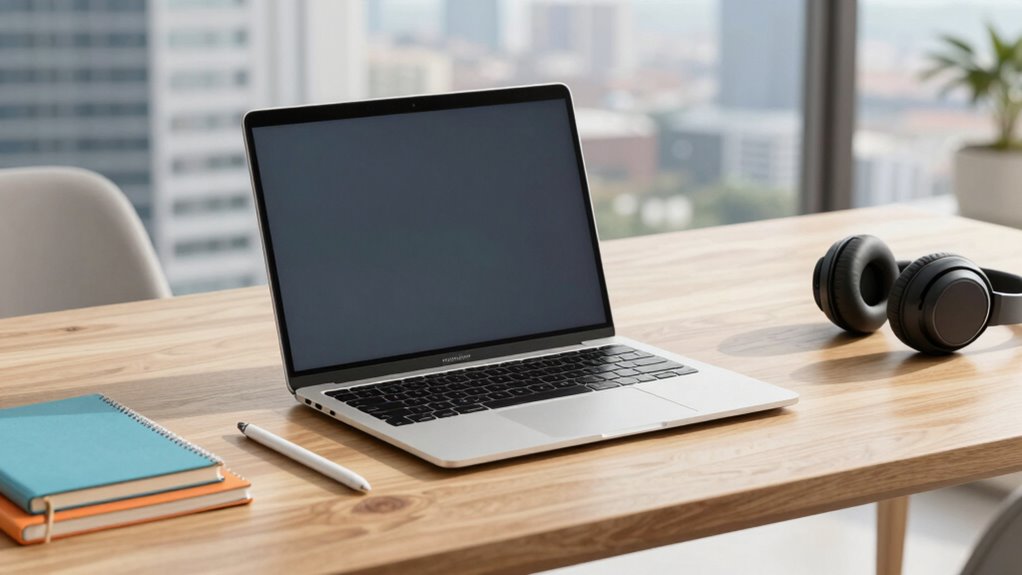
If you’re searching for a MacBook Air suited for both students and creators, you’re balancing portability, power, and price. The Apple 2023 MacBook Air with M2 stands out as the best overall choice with its sleek design and strong performance. For those prioritizing cutting-edge power, the Apple 2026 MacBook Air with M5 Chip offers impressive speed, especially for demanding creative tasks. Meanwhile, the Apple MacBook Air with M1 Chip remains a compelling budget-friendly option for students just starting out. The main tradeoffs involve deciding between latest features, performance levels, and budget constraints. Continue reading for a detailed breakdown to help you find the perfect fit.

Prime made for students and young adults
- Fast, free delivery for dorm and study essentials
- Prime Video and Amazon Music included
- Member-only deals
Key Takeaways
- The latest M5 chip models deliver the best performance for creative workloads, but come at a higher price.
- 16GB RAM is becoming standard even in mid-range models, offering smoother multitasking for creators.
- Size matters: 13-inch models balance portability with power, while 15-inch options add screen real estate for creative work.
- Renewed models provide significant savings without sacrificing performance, ideal for budget-conscious students.
- Display quality, such as Liquid Retina, is a key feature for creators needing color accuracy and sharp visuals.


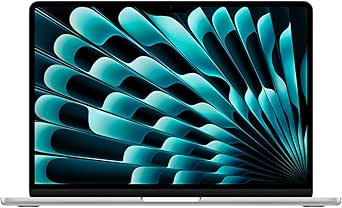

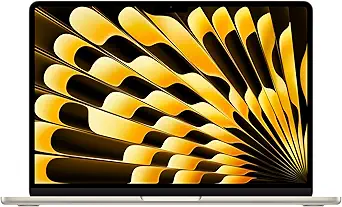


| macbook air for students and creator | Display | Processor | Storage | Battery Life |
|---|---|---|---|---|
| Apple 2023 MacBook Air Laptop | 15.3-inch Liquid Retina | Apple M2 chip with 8-core CPU and 10-core GPU | 256GB SSD | Up to 18 hours |
| Apple 2024 MacBook Air with M3 | 13.6-inch Liquid Retina | Apple M3 | 256GB SSD | Up to 18 hours |
| Apple MacBook Air with M1 Chip | 13.3-inch Retina | Apple M1 | 256GB SSD | Up to 18 hours |
| Apple MacBook Air 2026 with M5 | 13 inches, 3024×1964 pixels | M5 Chip with 10-core CPU and 8-core GPU | 512GB SSD | — |
| Apple MacBook Air with M1 Chip | 13.3-inch Retina | Apple M1 | 256GB SSD | Up to 18 hours |
| 13-inch MacBook Air | 13.6-inch Liquid Retina | M5 | 512GB SSD | Up to 18 hours |
| Apple 13.6" MacBook Air with M | 13.6 inches, 1920 x 1080 | Apple M3 8-Core CPU | 512GB SSD | — |
| Apple 2026 MacBook Air 13-inch | 13.6-inch Liquid Retina | M5 | 512GB SSD | Up to 18 hours |
| Apple 13-inch MacBook Air with | 13.6-inch Liquid Retina | Apple M5 10-core | 512GB SSD | Up to 18 hours |
| Apple 2024 MacBook Air 13-inch | 13.6-inch Liquid Retina | M3 with 8-core CPU, 10-core GPU | 512GB SSD | Up to 18 hours |
| Apple 2026 MacBook Air 15-inch | 15.3-inch Liquid Retina | M5 chip | 512GB SSD | Up to 18 hours |
| Apple MacBook Air 13-inch Lapt | 13.6-inch Liquid Retina | M5 chip | 1TB SSD | Up to 18 hours |
More Details on Our Top Picks
Apple 2023 MacBook Air Laptop with M2 Chip, 15.3-inch Liquid Retina Display, 16GB RAM, 256GB SSD, FaceTime HD Camera, Touch ID, Midnight
This 2023 MacBook Air stands out for its expansive 15.3-inch Liquid Retina display, making it ideal for creators who need high-resolution visuals, unlike the smaller 13-inch models which are more portable but less immersive. Its M2 chip offers robust performance that surpasses the M1 version, but the 256GB SSD may feel limiting for creators working with large files. The fanless design ensures silent operation, perfect for quiet study or editing sessions. Compared with the M3-powered 13-inch model, the M2’s performance is slightly less future-proof, yet it offers a larger, more vibrant display. This model suits students and creators who value screen real estate and long battery life but are okay with storage constraints and a higher price.
Pros:- Large, vibrant Liquid Retina display for editing and viewing
- Powerful M2 chip with high performance for multitasking
- Up to 18 hours of battery life for all-day use
- Silent, fanless operation
Cons:- Limited to 256GB SSD storage, which may be restrictive for creators
- No dedicated GPU option for heavy graphic tasks
- Higher price compared to smaller, less powerful models
Best for: Students and creators who prioritize a large, vibrant display and long battery life for multimedia work.
Not ideal for: Those who need extensive local storage or a more affordable price point, as 256GB limits large project storage.
- Display:15.3-inch Liquid Retina
- Processor:Apple M2 chip with 8-core CPU and 10-core GPU
- Memory:16GB unified memory
- Storage:256GB SSD
- Battery Life:Up to 18 hours
- Weight:3.3 pounds
Our verdict“This is ideal for students and creators needing a large display and strong performance, with the tradeoff of storage capacity and price.”
Apple 2024 MacBook Air with M3 Chip, 13-inch, 16GB RAM, 256GB SSD – Midnight (Renewed)
This renewed 2024 MacBook Air with M3 chip offers impressive speed in a compact 13.6-inch form factor, making it perfect for students on the go. Its M3 chip provides a noticeable performance boost over the M1 models, especially for multitasking and creative workflows, but it’s still limited by only two Thunderbolt ports, unlike the newer M2 models with more connectivity options. The high-quality Liquid Retina display enhances visual work, yet the 256GB storage may be tight for large media projects. Compared to the M5-powered models, the M3 is less powerful but more portable and efficient. This pick makes the most sense for students who need speed and portability without the bulk of larger screens, but not for those needing extensive storage or multiple ports.
Pros:- Fast M3 chip with efficient performance
- Lightweight and highly portable design
- High-quality Liquid Retina display
- Up to 18 hours of battery life
Cons:- Limited ports restrict expandability
- 256GB SSD may limit storage for large projects
- Renewed product may have less warranty coverage
Best for: Students who need a fast, portable machine for multitasking and media consumption.
Not ideal for: Creators working with large files or needing multiple external connections, as port options are limited.
- Display:13.6-inch Liquid Retina
- Processor:Apple M3
- RAM:16GB
- Storage:256GB SSD
- Battery Life:Up to 18 hours
- Weight:1.24 kg
Our verdict“This is well-suited for students prioritizing speed and portability, but not for creators needing extensive storage or multiple connections.”
Apple MacBook Air with M1 Chip (13-inch, 8GB RAM, 256GB SSD) – Silver (Renewed)
This renewed MacBook Air with M1 chip remains a solid choice for students seeking a balance of performance and affordability, especially compared to the newer models like the M2 or M3. Its 13.3-inch Retina display provides vibrant visuals, suitable for casual creative work or media consumption. The 8-core CPU and GPU deliver impressive speed for everyday tasks, but the 8GB RAM may limit multitasking for more demanding creators. Its long battery life of up to 18 hours makes it ideal for all-day use, yet the 256GB SSD could be restrictive for storing large media files. Compared to the M3 or M5 options, it’s less future-proof but offers excellent value for those on a tighter budget or just starting out.
Pros:- Excellent performance with M1 chip
- Long battery life of up to 18 hours
- Vibrant Retina display
- More affordable than newer models
Cons:- Limited to 8GB RAM, not upgradeable
- Only 256GB SSD storage may be restrictive
- No dedicated GPU for heavy graphic tasks
Best for: Students and casual creators who need reliable performance without the premium price tag.
Not ideal for: Power users or creators working with large files and high-intensity applications, as RAM and storage are limited.
- Display:13.3-inch Retina
- Processor:Apple M1
- Memory:8GB DDR3 SDRAM
- Storage:256GB SSD
- Battery Life:Up to 18 hours
- Weight:3.8 pounds
Our verdict“This MacBook Air offers great value for students and casual users, but may fall short for demanding creative workflows.”
Apple MacBook Air 2026 with M5 Chip, 13-inch, 16GB RAM, 512GB SSD, Sky Blue (Renewed)
While still a hypothetical 2026 model, this MacBook Air with M5 chip offers top-tier processing power, surpassing both the M2 and M3 options, especially for intensive creative tasks. Its 13-inch display with a resolution of 3024×1964 ensures sharp visuals, and the 16GB RAM supports multitasking with ease. The 512GB SSD provides ample storage for media-heavy projects, unlike the smaller capacities of other models in this roundup. Compared to the M1 and M3 models, the M5’s advanced architecture promises enhanced efficiency and speed, but the limited storage might be a drawback for some. This version suits future-proofing enthusiasts and power users who need a lightweight yet highly capable machine, but it’s overkill for basic tasks.
Pros:- Next-generation M5 chip with high core count
- Bright, high-resolution display
- 16GB RAM for multitasking
- 512GB SSD for ample storage
Cons:- Limited storage for very large media projects
- No dedicated graphics card
- Potentially higher cost for a renewed product
Best for: Advanced students and creators demanding high performance and large storage capacity in a portable package.
Not ideal for: Casual users or students on a tight budget, as the premium features and higher price might not be justified.
- Display:13 inches, 3024×1964 pixels
- Processor:M5 Chip with 10-core CPU and 8-core GPU
- Memory:16GB LPDDR4X
- Storage:512GB SSD
- Operating System:macOS Tahoe
- Weight:2.15 kg
Our verdict“This model is best for users needing cutting-edge performance and storage, with some tradeoffs in cost and storage capacity.”
Apple MacBook Air with M1 Chip (13.3 inch, 16GB RAM, 256GB SSD) – Space Gray (Renewed)
This renewed MacBook Air with M1 chip combines high RAM capacity with solid performance, making it a compelling choice for multitasking and demanding creative tasks. Its 13.3-inch Retina display delivers crisp visuals, akin to the newer models, but the 16GB RAM provides a distinct advantage over the 8GB options, especially for users juggling multiple applications. The 256GB SSD remains a limiting factor for storage-heavy projects, yet the device’s long battery life and fast connectivity make it suitable for students and creators who need reliability and power in a portable form. Compared with the M3 and M5 models, it’s less powerful but offers a significant boost in RAM for those needing heavy multitasking.
Pros:- Powerful M1 chip with excellent performance
- High 16GB RAM for multitasking
- Vibrant Retina display
- Long-lasting battery and fast connectivity
Cons:- Limited to 256GB SSD, restricting storage
- No dedicated GPU for graphics-intensive tasks
- Higher price for a renewed device compared to basic models
Best for: Students and creators who prioritize high RAM and performance in a compact, affordable package.
Not ideal for: Those working with very large files or requiring extensive local storage, as 256GB may be insufficient.
- Display:13.3-inch Retina
- Processor:Apple M1
- RAM:16GB
- Storage:256GB SSD
- Battery Life:Up to 18 hours
- Weight:3.8 pounds
Our verdict“This is a well-rounded option for students and creators needing high RAM and reliable performance in a compact form.”
13-inch MacBook Air (M5) with 32GB Memory and 512GB SSD – Silver
This MacBook Air stands out for its powerful M5 chip and generous 32GB of RAM, making it an ideal choice for creators handling demanding multitasking or large files. Its Liquid Retina display offers stunning color accuracy, surpassing the visual capabilities of the M3-based models, while the impressive 18-hour battery life supports all-day productivity. Compared with the M3 models, this option sacrifices portability slightly due to its premium hardware but delivers unmatched performance for professional workflows. The limited to two external displays and absence of a dedicated GPU are tradeoffs that may restrict high-end creative tasks. This pick makes the most sense for advanced creators or students running multiple demanding applications who prioritize performance over portability.Pros:- Excellent performance with the M5 chip and 32GB RAM for multitasking
- Vivid Liquid Retina display with rich color support
- Outstanding battery life up to 18 hours
- Seamless ecosystem integration for productivity
Cons:- Higher price point may be prohibitive for some students
- Limited to two external displays restricts multi-monitor setups
Best for: Creative professionals and power users who need extensive memory and long battery endurance.
Not ideal for: Students or casual users who prefer lighter, more affordable options with simpler connectivity.
- Processor:M5
- Memory:32GB
- Storage:512GB SSD
- Display:13.6-inch Liquid Retina
- Battery Life:Up to 18 hours
- Ports:Two Thunderbolt 4, MagSafe, headphone jack
Our verdict“This is best suited for creators or students with intensive multitasking needs who prioritize power and longevity over portability.”
Apple 13.6″ MacBook Air with M3 Chip, 8-Core CPU, 10-Core GPU, 8GB RAM, 512GB SSD – Starlight
This MacBook Air features the powerful M3 chip with integrated GPU, delivering fast performance for most tasks and light creative work. Its ultra-lightweight design and long battery life of up to 18 hours make it perfect for students on the go or casual creators who value portability. The Liquid Retina display supports a billion colors, making it visually appealing, but its 8GB RAM may limit heavy multitasking when compared to models with more memory, like the 24GB variant. The limited ports and absence of a dedicated GPU mean users needing multiple peripherals or high-end graphics may need adapters or look elsewhere. This model suits students or hobbyists who prioritize lightweight design and affordability with decent performance.Pros:- Compact, lightweight design at just 2.7 pounds
- Excellent battery life up to 18 hours
- Vivid Liquid Retina display supporting a billion colors
- Fast M3 performance for daily tasks
Cons:- Limited to 8GB RAM, which may hinder heavy multitasking
- Only two ports, requiring adapters for multiple connections
- No dedicated GPU limits high-end creative workflows
Best for: Students, casual creators, or users prioritizing portability and everyday tasks.
Not ideal for: Power users or professionals running intensive multitasking or high-end creative software who need more RAM and GPU power.
- Processor:Apple M3 8-Core CPU
- Graphics:10-Core GPU
- RAM:8GB
- Storage:512GB SSD
- Display:13.6 inches, 1920 x 1080
- Weight:2.7 pounds
Our verdict“Ideal for students and casual users seeking a portable, stylish machine with solid everyday performance.”
Apple 2026 MacBook Air 13-inch Laptop with M5 Chip, 16GB RAM, 512GB SSD, Liquid Retina Display, 12MP Camera, Touch ID, Wi-Fi 7, Silver
This MacBook Air combines the latest M5 chip with 16GB of RAM, offering a significant boost in multitasking and creative workflows compared to older models. Its Liquid Retina display and 18-hour battery life make it suitable for both work and entertainment, while the high-quality camera and Touch ID add convenience and security. It’s a solid choice for students and creators who want future-proof hardware, but the premium price and only two Thunderbolt ports may be limiting factors for budget-conscious users or those needing extensive connectivity. Compared to the M3-based models, this version provides a clear advantage in multitasking and processing power, though at a higher cost.Pros:- High-performance M5 chip with 16GB RAM for multitasking
- Vivid Liquid Retina display with rich colors
- Long battery life of up to 18 hours
- Enhanced security with Touch ID
Cons:- Higher price point compared to M3 models
- Limited to two Thunderbolt ports, requiring adapters for peripherals
- No dedicated GPU for high-end graphics tasks
Best for: Students and creators seeking a high-performance, future-ready device for demanding multitasking and creative tasks.
Not ideal for: Budget-conscious users or those requiring multiple external displays and extensive ports.
- Processor:M5
- Memory:16GB
- Storage:512GB SSD
- Display:13.6-inch Liquid Retina
- Battery Life:Up to 18 hours
- Ports:Two Thunderbolt 4, MagSafe, headphone jack
Our verdict“Best suited for users who prioritize future-proof performance and creative flexibility over budget constraints.”
Apple 13-inch MacBook Air with M5 Chip, 24GB RAM, 512GB SSD, Midnight
This MacBook Air offers the most robust RAM at 24GB, making it ideal for intensive multitasking, creative workflows, and large file handling. Its M5 chip with a 10-core CPU and GPU ensures swift performance across demanding applications, outperforming the 8GB models significantly. The Liquid Retina display delivers vibrant visuals, and the 18-hour battery life supports all-day productivity. However, the premium price and only two Thunderbolt ports may limit accessibility and expandability for some users. Compared with the 16GB models, this configuration is better suited for heavy-duty tasks, though it may be overkill for casual users.Pros:- Exceptional performance with 10-core CPU and GPU
- Massive 24GB RAM supports heavy multitasking
- Bright, colorful Liquid Retina display
- Long battery life up to 18 hours
Cons:- High price for most users
- Limited to two Thunderbolt ports, requiring adapters
- No dedicated GPU for advanced graphics tasks
Best for: Power users, students in intensive programs, or creators managing large projects and multitasking heavily.
Not ideal for: Budget buyers or users who need multiple ports or dedicated GPU for high-end graphics work.
- Processor:Apple M5 10-core
- Graphics:10-core GPU
- Memory:24GB
- Storage:512GB SSD
- Display:13.6-inch Liquid Retina
- Battery Life:Up to 18 hours
Our verdict“This is the best option for those who need maximum multitasking capacity and high-end performance, despite the premium cost.”
Apple 2024 MacBook Air 13-inch Laptop with M3 Chip, 16GB RAM, 512GB SSD, Liquid Retina Display, Starlight
This MacBook Air offers a solid balance between performance and affordability with the M3 chip and 16GB RAM, making it capable of handling daily tasks and creative work efficiently. Its Liquid Retina display is bright and colorful, supporting a billion hues, while the all-day battery life ensures continuous productivity. Compared with higher-tier models like the M5 variants, it provides a more accessible price point, though it sacrifices some multitasking power and external display options. The limited port selection and absence of a dedicated GPU mean it’s best for users with moderate creative needs or those who rely on cloud-based workflows. It’s a smart choice for students wanting a capable, portable device without paying a premium.Pros:- Strong performance with the latest M3 chip
- Bright, vivid Liquid Retina display
- Long-lasting battery up to 18 hours
- Lightweight and easy to carry
Cons:- Limited port options with only two Thunderbolt ports
- No dedicated GPU for high-end graphics tasks
- May not handle heavy multitasking as well as higher RAM configurations
Best for: Students and casual creators seeking a well-rounded, portable device at a more accessible price point.
Not ideal for: Power users or professionals needing extensive external display support or high-end graphics processing.
- Processor:M3 with 8-core CPU, 10-core GPU
- Memory:16GB
- Storage:512GB SSD
- Display:13.6-inch Liquid Retina
- Battery Life:Up to 18 hours
- Weight:Lightweight and under half an inch thick
Our verdict“This model provides a reliable balance for students and casual creators prioritizing portability and performance at a reasonable price.”
Apple 2026 MacBook Air 15-inch Laptop with M5 Chip, 16GB RAM, 512GB SSD, Liquid Retina Display, Wi-Fi 7, Midnight
This 15-inch MacBook Air stands out for its expansive Liquid Retina display, making it ideal for creative tasks like photo editing, video editing, or multitasking across multiple windows. Compared to the 13-inch M5 model, the larger screen offers a more immersive experience, which is crucial for detailed work. The M5 chip with AI capabilities delivers significant performance gains, but the premium price and limited external display options may deter budget-conscious students who don’t need such power. Its 18-hour battery life and advanced connectivity with Wi-Fi 7 make it a strong choice for on-the-go use, yet the absence of a dedicated GPU limits high-end rendering or gaming performance. This pick makes the most sense for students who prioritize a large, vibrant screen and long-lasting battery for creative projects or media consumption, but not for those on a tight budget or needing multiple external displays.
Pros:- Large, vibrant Liquid Retina display for detailed visuals
- Up to 18 hours of battery life supports all-day work
- Powerful M5 chip with AI capabilities enhances productivity
- Excellent connectivity options including Wi-Fi 7
Cons:- Premium price point may be prohibitive for some students
- Limited to two external displays, restricting multi-monitor setups
- No dedicated GPU limits high-end creative rendering
Best for: Creative students and professionals who need a large, high-quality display and long battery life for multimedia work and multitasking.
Not ideal for: Budget-conscious students or users requiring multiple external displays, since the premium price and display limitations may be restrictive.
- Display:15.3-inch Liquid Retina
- Processor:M5 chip
- Memory:16GB Unified Memory
- Storage:512GB SSD
- Battery Life:Up to 18 hours
- Connectivity:Wi-Fi 7, Bluetooth 6, Thunderbolt 4, MagSafe, headphone jack
Our verdict“This model is best suited for creative students who need a large, vibrant display and extended battery life, but may be too costly for budget-focused users.”
Apple MacBook Air 13-inch Laptop with M5 Chip, 13.6-inch Liquid Retina Display, 32GB RAM, 1TB SSD, Midnight
This 13.6-inch MacBook Air offers a compelling balance of performance and portability, with 32GB of RAM and a 1TB SSD, making it ideal for students and creators handling large files or multitasking heavily. Compared to the 15-inch model with the M5 chip, this smaller version emphasizes portability without sacrificing power, thanks to its high RAM and generous storage. The vivid Liquid Retina display enhances visual clarity, though its compact size might be less suitable for detailed creative work that benefits from a larger screen. Its long battery life of up to 18 hours and seamless Apple ecosystem integration support mobile productivity, yet the limited port options may hinder users needing multiple accessories or external devices. This pick is best for users who prioritize high storage, extensive RAM, and lightweight design over screen size, but it may fall short for those needing a larger workspace for complex creative tasks.
Pros:- Vivid 13.6-inch Liquid Retina display for sharp visuals
- Extremely long battery life of up to 18 hours supports all-day use
- Massive 32GB RAM for heavy multitasking and demanding apps
- Large 1TB SSD for storing extensive creative files
Cons:- Limited port options can restrict peripheral connectivity
- High storage and RAM increase overall cost
- Smaller display may be less suitable for detailed creative work
Best for: Power users and students who need a portable, high-performance machine with massive RAM and storage for demanding multitasking or large project files.
Not ideal for: Users requiring multiple external displays or a larger screen for detailed creative work, as the 13.6-inch size limits workspace size.
- Display:13.6-inch Liquid Retina
- Processor:M5 chip
- Memory:32GB Unified Memory
- Storage:1TB SSD
- Battery Life:Up to 18 hours
- Connectivity:Wi-Fi 7, Bluetooth 6, Two Thunderbolt 4, MagSafe, headphone jack
Our verdict“This machine is ideal for power users and students who prioritize portability, extensive RAM, and storage for demanding tasks, but it’s less suited for those needing a larger screen for detailed work.”

How We Picked
We evaluated each MacBook Air based on performance, display quality, portability, battery life, and value. Priority was given to models with the latest processors, sufficient RAM, and SSD capacity to handle creative tasks like photo editing, video editing, and multitasking. We also considered build quality, user reviews, and price points to identify options suitable for students and creators. The ranking reflects a balance between cutting-edge features and affordability, ensuring buyers get the best bang for their buck while meeting creative and educational needs.Factors to Consider When Choosing Macbook Air For Students And Creators
Choosing the right MacBook Air for students and creators involves weighing several factors. Performance is critical for creators working with demanding software, but students need enough power for everyday tasks without overspending. Display quality impacts visual work, while portability affects daily commuting. RAM and storage are also key, especially for multitasking and media files. Understanding these tradeoffs can help you select a model that aligns with your specific needs and budget.Performance and Processor Power
For creators handling tasks like video editing or graphic design, a newer M3 or M5 chip can significantly reduce rendering times and improve workflow. Students, on the other hand, may find an M1 or M2 chip sufficient for coursework, browsing, and light creative work. Investing in the latest processor offers future-proofing but often at a higher cost. Consider your workload and whether you need the extra power now or can settle for slightly older, more affordable options.
Display Quality and Size
The display impacts your editing precision and overall user experience. Liquid Retina screens provide richer colors and sharper images, which are valuable for creators. The 15-inch models offer more space for multitasking and detailed work but are less portable. Smaller 13-inch options are lighter and easier to carry, making them ideal for students on the go. Balance your need for screen real estate with portability when choosing size.
Memory and Storage
16GB RAM is increasingly common even in mid-range models, supporting smooth multitasking with multiple apps open—crucial for creators. Storage capacity varies from 256GB to 1TB; creative workflows often demand larger SSDs for media files. Students with lighter use may prioritize cost savings with smaller storage, but creators working with large files will benefit from higher capacities. Think about your current and future storage needs to avoid bottlenecks.
Build Quality and Portability
Apple’s MacBook Air is known for its slim, lightweight design, making it perfect for students and creators on the move. However, larger models or those with higher specs may add weight and bulk. Consider how often you’ll carry your device and the durability needed for your environment. A sturdy build and easy portability can enhance your daily experience, especially if you commute often or work in different locations.
Price and Value Considerations
While the latest models bring advanced features, they often come at a premium. Renewed or earlier-generation models can offer substantial savings, sometimes with only minor compromises. For students or creators on a budget, finding a balance between performance and cost is key. Prioritize the features that matter most—whether it’s processing power, display, or portability—and avoid paying extra for bells and whistles that won’t impact your workflow.
Frequently Asked Questions
Is it worth buying a renewed MacBook Air for students and creators?
Buying a renewed MacBook Air can be a smart way to access recent models with advanced features at a lower price. Apple’s certified renewed devices undergo rigorous testing and come with warranties, making them a reliable choice for students and creators alike. They often include hardware similar to new units, so you get performance and build quality without the premium. This option is especially appealing if you need a higher-spec model but have budget constraints.
Should I prioritize the latest M5 chip or save money with an older processor?
The M5 chip offers noticeable improvements in speed, power efficiency, and future-proofing, which benefit creators running intensive applications. However, for students or light users, an M1 or M2 chip still provides excellent performance for everyday tasks and moderate creative work. If your workload demands heavy multitasking or professional editing, investing in the latest chip makes sense. Otherwise, opting for an older processor can save money without significantly impacting basic use.
How important is display quality for creative work?
Display quality is vital for creators who need accurate colors and sharp visuals, making Liquid Retina screens highly desirable. A high-resolution display allows for precise edits and reduces eye strain during long sessions. For students mostly using the device for note-taking, browsing, or light media, a standard Retina display may suffice. Balancing display quality with your budget is crucial—don’t underestimate the value of a good screen for creative productivity.
Is 16GB RAM necessary for students, or is 8GB enough?
For students primarily using their MacBook Air for coursework, web browsing, and basic apps, 8GB RAM can be sufficient. However, if you plan to run multiple creative applications, multitask heavily, or keep many tabs open, 16GB RAM provides a smoother experience and greater longevity. Creators working with large files or editing software will benefit from the extra memory, as it minimizes lag and improves workflow efficiency.
What storage capacity should I choose for creative projects?
Creative work often involves large media files, making higher SSD capacities advantageous. A 512GB SSD is a practical baseline for most creators, offering enough space for projects and apps, with room to grow. If you handle very large files regularly, opting for 1TB or more prevents constant management of external drives. Balance your current storage needs with future growth to avoid performance bottlenecks or the need for external storage solutions.
Conclusion
For buyers who prioritize overall performance and longevity, the Apple 2026 MacBook Air with M5 Chip stands out as the best overall. Students seeking great value without sacrificing too much power can lean toward earlier-generation or renewed models like the M1 options. Creators needing precise, vibrant displays and top-tier performance should consider the latest M3 or M5 models. Beginners or casual users may prefer more affordable, refurbished choices that still deliver reliable performance. Ultimately, matching your specific needs—whether for intensive creative work, portability, or budget—will guide you to the ideal MacBook Air.