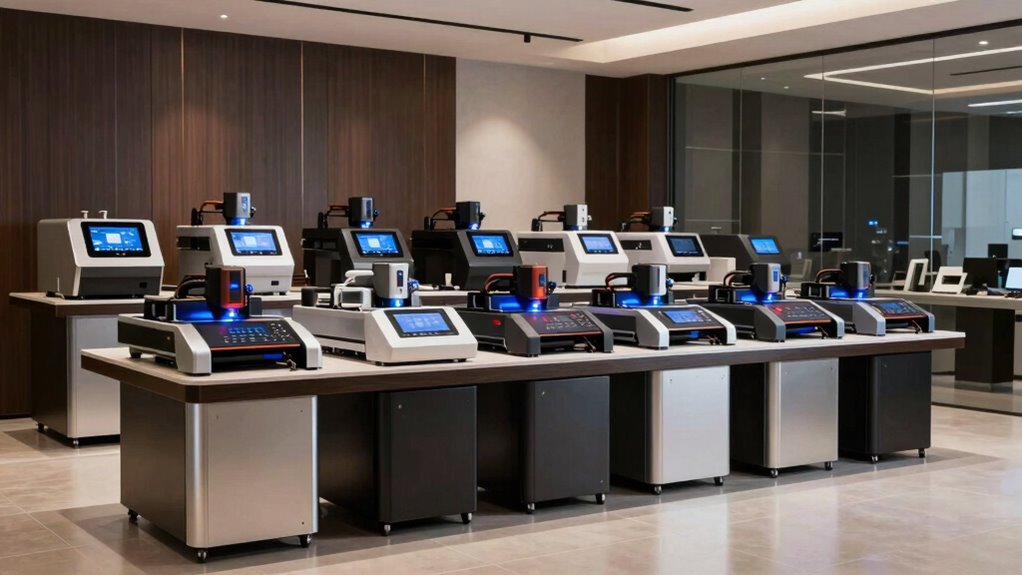
If you’re searching for the ideal laser engraver, you’re likely balancing power, precision, and ease of use. The ORTUR Laser Master 2 S2 LU2-10A stands out as the best overall choice, offering high power and versatility for various materials. For those focusing on craft projects, the LaserPecker LP1 Plus provides a compact, beginner-friendly option. Meanwhile, the xTool S1 offers a powerful cut-and-engrave combo for professionals. The main tradeoffs in this category include balancing high wattage with safety features, and affordability with expandability. Keep reading for a detailed breakdown of these options to find the best fit for your needs.

Prime made for students and young adults
- Fast, free delivery for dorm and study essentials
- Prime Video and Amazon Music included
- Member-only deals
Key Takeaways
- High power laser engravers tend to deliver faster results but often come with higher safety concerns and costs.
- Enclosed models improve safety and reduce dust or debris, making them better suited for beginners and home use.
- Multi-function laser engravers with cutting and engraving capabilities are more versatile but typically come at a premium price.
- Compact and portable models excel for hobbyists and small-scale projects, but may lack the power needed for larger tasks.
- Features like dual cameras, built-in cameras, and app control significantly enhance ease of use and precision.
| ORTUR Laser Master 2 S2 LU2-10A Laser Engraver 10000mW High Power Laser Cutter for Metal and Wood |  | Best Overall Power and Large Engraving Area | Laser Power: 10,000mW | Engraving Area: 390 x 410 mm | Laser Class: Class 4 | VIEW ON AMAZON | See Our Full Breakdown |
| BlazeX M3 10W Laser Engraver Machine with Enclosure and Accessories |  | Best for Precise Multi-Material Hobbyists | Laser Power: 10W | Accuracy: 0.01mm | Materials Compatibility: Wood, metal, glass, leather | VIEW ON AMAZON | See Our Full Breakdown |
| xTool F1 Ultra 20W Fiber & Diode Dual Laser Engraver |  | Best for Professional Metal and High-Speed Batch Production | Laser Power: 20W fiber and diode | Working Area: 220mm x 220mm, expandable to 220mm x 500mm | Material Compatibility: Metals, wood, acrylic, leather, glass | VIEW ON AMAZON | See Our Full Breakdown |
| Twotrees TTS-55 Pro Laser Engraver 5500mW |  | Best for High-Power Small Business and Hobby Use | Laser Power: 5500mW | Working Area: 300x300mm | Material Compatibility: Wood, leather, acrylic, stainless steel | VIEW ON AMAZON | See Our Full Breakdown |
| Twotrees TTS-10 Pro Laser Engraver, 10000mW High Power |  | Best for Deep Engraving and Deep Cutting in Small Areas | Laser Power: 10,000mW | Work Area: 300x300mm | Main Board: 32-bit dual-core MCU | VIEW ON AMAZON | See Our Full Breakdown |
| xTool M2 10W Laser Engraver with Dual Cameras, Enclosed Safe Design for DIY Crafts |  | Best Overall for Home Crafters | Laser Power: 10W | Safety Class: Class 1 | Built-in Cameras: Dual cameras for real-time preview | VIEW ON AMAZON | See Our Full Breakdown |
| xTool F2 5W IR & 15W Diode Dual Laser Engraver with Built-in 50MP Camera |  | Best for Precision and Speed in Small-Scale Production | Laser Power: 15W diode, 5W IR | Camera: 50MP built-in | Speed: Up to 6000mm/s | VIEW ON AMAZON | See Our Full Breakdown |
| xTool S1 40W Laser Cutter and Engraver with Rotary Bundle |  | Best for Large-Scale Projects and Thick Materials | Laser Power: 40W | Bed Size: 23.93″ x 15.16″ | Speed: 600mm/s | VIEW ON AMAZON | See Our Full Breakdown |
| ATOMSTACK 20W Laser Engraver A20 PRO V2 |  | Best for Precision Engraving and Small Business Use | Laser Power: 20,000mW (20W) | Engraving Speed: up to 400mm/s | Engraving Accuracy: 0.01mm | VIEW ON AMAZON | See Our Full Breakdown |
| xTool F2 Ultra UV Laser Engraver, 5W UV Laser 3D Inner Fine Glass Engraving |  | Best for 3D Inside Glass and Crystal Engraving | Laser Power: 5W | Spot Size: <10μm | Max Speed: 15,000 mm/s | VIEW ON AMAZON | See Our Full Breakdown |
| LaserPecker LP1 Plus Mini Laser Engraver for Beginners |  | Best for Entry-Level Portability and Ease of Use | Power Source: Compatible with power banks | Material Support: Wood, leather, acrylic, paper | Engraving Speed: Quick setup, start in under 2 minutes | VIEW ON AMAZON | See Our Full Breakdown |
| Longer Ray5 10W/60W Laser Engraver with 3.5″ Touch Screen, CNC Cutter for Wood, Metal, Acrylic, Glass |  | Best for Large-Scale and Versatile Projects | Laser Power: 10W/60W | Laser Spot Size: 0.06mm | Max Speed: 10,000mm/min | VIEW ON AMAZON | See Our Full Breakdown |
| ELIDOR 6000mW Laser Engraver and Cutter Machine |  | Best for High-Precision, Hobbyist-Level Engraving | Laser Power: 6W (6000mW) | Engraving Accuracy: 0.01 mm | Laser Spot Size: 0.04 × 0.14 mm | VIEW ON AMAZON | See Our Full Breakdown |
| Artilume Laser Engraver 7000mW with App Control |  | Best for Smartphone-Controlled Precision in Small Projects | Laser Power: 7W | Engraving Accuracy: 0.01mm | Working Area: 200x150mm | VIEW ON AMAZON | See Our Full Breakdown |
| ACMER S1 Laser Engraver Machine, 2500mW Laser Cutter for Wood and Acrylic |  | Best for Budget-Friendly, Precise Hobbyist Use | Laser Power: 2500mW | Wavelength: 455±5nm | Focal Length: 2mm | VIEW ON AMAZON | See Our Full Breakdown |
| laser engraver | Laser Power | Material Compatibility |
|---|---|---|
| ORTUR Laser Master 2 S2 LU2-10 | 10,000mW | — |
| BlazeX M3 10W Laser Engraver M | 10W | — |
| xTool F1 Ultra 20W Fiber & Dio | 20W fiber and diode | Metals, wood, acrylic, leather, glass |
| Twotrees TTS-55 Pro Laser Engr | 5500mW | Wood, leather, acrylic, stainless steel |
| Twotrees TTS-10 Pro Laser Engr | 10,000mW | — |
| xTool M2 10W Laser Engraver wi | 10W | Wood, leather, felt, fabric, paper |
| xTool F2 5W IR & 15W Diode Dua | 15W diode, 5W IR | 300+ materials including metals |
| xTool S1 40W Laser Cutter and | 40W | — |
| ATOMSTACK 20W Laser Engraver A | 20,000mW (20W) | Wood, metal, acrylic, leather |
| xTool F2 Ultra UV Laser Engrav | 5W | Glass, crystal, acrylic, ceramics |
| LaserPecker LP1 Plus Mini Lase | — | — |
| Longer Ray5 10W/60W Laser Engr | 10W/60W | — |
| ELIDOR 6000mW Laser Engraver a | 6W (6000mW) | — |
| Artilume Laser Engraver 7000mW | 7W | Wood, leather, dark acrylic, coated metal |
| ACMER S1 Laser Engraver Machin | 2500mW | Wood, bamboo, leather, plastic, PCB, ceramics, aluminum oxide |
More Details on Our Top Picks
ORTUR Laser Master 2 S2 LU2-10A Laser Engraver 10000mW High Power Laser Cutter for Metal and Wood
This model stands out for its exceptional 10W laser power and expansive 390x410mm engraving area, making it ideal for users who need to cut thicker materials like acrylic and wood. Compared with the Twotrees TTS-10 Pro, it offers more power and a larger working footprint, though at the expense of potentially more intense UV light exposure requiring strict safety precautions. Its modular design simplifies assembly, and safety features such as tilt detection add peace of mind for dedicated hobbyists or small business owners. However, the laser module’s high intensity demands proper eye protection, and some users may find the setup instructions lacking detail.
Pros:- Powerful 10W laser capable of thick material cutting
- Large 390x410mm engraving area for bigger projects
- Easy modular assembly with safety features
Cons:- High laser intensity requires strict eye protection measures
- Limited detailed technical documentation for setup
Best for: Advanced hobbyists and small businesses needing high power and large working area for versatile projects.
Not ideal for: Beginners or casual users who prefer compact, easy-to-use devices with minimal setup and safety concerns.
- Laser Power:10,000mW
- Engraving Area:390 x 410 mm
- Laser Class:Class 4
- Dimensions:22.44 x 21.65 x 6.9 inches
- Item Weight:9.03 pounds
- Compatible Software:LaserGRBL, LightBurn
Our verdict“This laser engraver is best suited for experienced users seeking high power and a large workspace, accepting safety and setup complexities.”
BlazeX M3 10W Laser Engraver Machine with Enclosure and Accessories
The BlazeX M3 excels in delivering precise engraving and cutting on over 300 materials, thanks to its 10W laser and 0.01mm accuracy. Unlike the ORTUR, which emphasizes power and size, this machine prioritizes detailed results and versatility, making it ideal for hobbyists working on small batches or intricate designs. Its included safety enclosure and comprehensive starter kit further simplify operation for newcomers. However, the need for some technical setup and its limited capacity for large projects may make it less suitable for those with bigger production needs. Its relatively high price might also deter casual users.
Pros:- High-precision engraving with 0.01mm accuracy
- Versatile material compatibility including metal and glass
- Safe operation with Class 1 safety rating and comprehensive starter kit
Cons:- Requires some technical setup that could challenge beginners
- Limited capacity for large projects or high-volume production
Best for: Hobbyists and small-scale creators looking for high-precision results across diverse materials.
Not ideal for: People needing large, high-power cutting capacity or those with limited technical experience in laser setup.
- Laser Power:10W
- Accuracy:0.01mm
- Materials Compatibility:Wood, metal, glass, leather
- Safety Rating:Class 1
- Included Accessories:Protective enclosure, tools, 13 materials
Our verdict“This engraver makes the most sense for hobbyists demanding detailed work on multiple materials, accepting a smaller work area and setup complexity.”
xTool F1 Ultra 20W Fiber & Diode Dual Laser Engraver
The xTool F1 Ultra distinguishes itself through its dual 20W fiber and diode lasers, supporting engraving on metals like stainless steel and gold with deep, high-speed results. Compared to the BlazeX M3, which is more beginner-friendly, the F1 Ultra caters to professionals needing rapid, large-scale output. Its 16MP smart camera and expandable working area facilitate complex, high-volume projects, making it suitable for in-store or industrial applications. That said, the Class 4 laser and high power demand rigorous safety measures, and its weight and size can be restrictive for smaller workshops. Auto conveyor options, sold separately, add flexibility but also complexity and cost.
Pros:- Supports engraving on a wide range of metals and materials
- High-speed operation up to 10,000mm/s for large runs
- Large, expandable working area with advanced safety features
Cons:- Requires careful handling due to Class 4 laser safety risks
- Heavy and sizable, less suited for small workshops
Best for: Professional engravers and businesses requiring fast, precise metal engraving and batch processing.
Not ideal for: Entry-level hobbyists or those with limited space or experience handling high-power laser systems.
- Laser Power:20W fiber and diode
- Working Area:220mm x 220mm, expandable to 220mm x 500mm
- Material Compatibility:Metals, wood, acrylic, leather, glass
- Speed:Up to 10,000mm/s
- Safety Features:Enclosed cover, smoke extraction, fire alarm
Our verdict“This laser is ideal for professional use where speed, precision, and metal engraving capabilities justify the complexity and safety requirements.”
Twotrees TTS-55 Pro Laser Engraver 5500mW
The Twotrees TTS-55 Pro offers a 5500mW laser capable of cutting and engraving on a variety of materials like wood, leather, and stainless steel. Unlike the TTS-10 Pro, which is more entry-level, this model provides increased power for deeper cuts and faster processing. Its large 300x300mm working area supports medium-sized projects, and features like wireless control via Wi-Fi or app make it convenient for hobbyists and small biz owners. However, its power output demands strict safety practices, and surface treatment is often necessary for bare steel. The assembly may challenge beginners, and its size, while manageable, isn’t as compact as smaller engravers.
Pros:- High 5500mW laser for fast, deep engraving and cutting
- Generous 300x300mm working area for medium projects
- Wireless control options for flexible operation
Cons:- Requires safety precautions due to high laser power
- Limited suitability for uncoated steel without surface prep
Best for: Hobbyists and small-scale artisans needing high power for versatile projects and deeper cuts.
Not ideal for: Beginners or users with limited technical skills seeking a plug-and-play device with minimal setup.
- Laser Power:5500mW
- Working Area:300x300mm
- Material Compatibility:Wood, leather, acrylic, stainless steel
- Cutting Thickness:5mm plywood, 3mm acrylic
- Connectivity:Wi-Fi, TF card, online control
Our verdict“This high-power engraver offers great value for users wanting fast, deep cuts but requires careful handling and setup knowledge.”
Twotrees TTS-10 Pro Laser Engraver, 10000mW High Power
The Twotrees TTS-10 Pro matches the high power of the ORTUR with 10W output, making it suitable for deep engraving on wood, acrylic, and coated metals within its 300x300mm work area. Its sturdy aluminum frame and upgraded mainboard support precise, reliable operation, and it supports offline engraving via TF card, offering flexibility. Compared to the ORTUR, which emphasizes safety features like tilt detection, the TTS-10 Pro focuses more on power and durability, though safety precautions remain essential due to the high laser power. Its size and assembly requirements mean it’s better suited to users comfortable with technical setup and handling.
Pros:- Powerful 10W laser for deep, fast engraving
- Stable aluminum alloy frame for durability
- Supports offline engraving with TF card
Cons:- Requires safety precautions due to high laser power
- Assembly and setup can be complex for novices
Best for: Small business owners and advanced hobbyists seeking deep cuts and engraving in a manageable size.
Not ideal for: Beginners or casual users who prefer simple, ready-to-run devices with minimal setup and safety concerns.
- Laser Power:10,000mW
- Work Area:300x300mm
- Main Board:32-bit dual-core MCU
- Frame Material:Aluminum alloy
- Certifications:CE, FCC, ROHS, FDA, UL62368
Our verdict“This laser offers strong performance for deep engraving and cutting, ideal for experienced users with safety and setup skills.”
xTool M2 10W Laser Engraver with Dual Cameras, Enclosed Safe Design for DIY Crafts
The xTool M2 excels in versatility and safety, making it a standout choice for hobbyists and DIY enthusiasts. Its dual cameras enable precise workspace preview, which is a significant upgrade over models like the LaserPecker LP1 Plus, especially for intricate placement. The fully enclosed design enhances safety, a feature less emphasized in open-frame models. However, the 10W laser power limits its ability to engrave metals or thicker materials without upgrades, and the separate purchase of color modules adds cost. Compared to more powerful units like the xTool S1, the M2 sacrifices cutting thickness for safer, user-friendly operation. This pick is ideal for those prioritizing safety and material versatility at home, but not for users needing high-power metal engraving or large-scale production.
Pros:- Dual cameras enable precise material placement and preview
- Fully enclosed design maximizes safety for home use
- Supports a wide range of materials including wood, leather, and fabric
- User-friendly interface with customizable templates
Cons:- Limited to 10W laser power, restricting metal engraving and thick materials
- Color printing and metal engraving features sold separately, adding extra cost
Best for: Home-based hobbyists and DIY crafters seeking a safe, versatile, and easy-to-use laser engraver
Not ideal for: Professionals or small businesses requiring high-power metal cutting and large-scale production
- Laser Power:10W
- Safety Class:Class 1
- Built-in Cameras:Dual cameras for real-time preview
- Material Compatibility:Wood, leather, felt, fabric, paper
- Enclosure:Fully enclosed for safety
- Additional Modules:Color module and RA3 Lite Rotary sold separately
Our verdict“This laser engraver is perfect for safe, versatile crafting at home but isn’t suited for high-power industrial applications.”
xTool F2 5W IR & 15W Diode Dual Laser Engraver with Built-in 50MP Camera
The xTool F2 offers a compelling mix of dual lasers and high-resolution imaging, making it suitable for detailed work on over 300 materials. Its 15W diode laser combined with a 5W IR laser allows for engraving on metals and intricate surfaces, surpassing basic models like the LaserPecker LP1 Plus in material versatility. The 50MP built-in camera ensures precise alignment, crucial for complex projects. Its ultra-fast speed of up to 6000mm/s enhances efficiency, especially for small batch runs. Nonetheless, the Class 4 laser demands strict safety measures, and the lack of detailed software specifications can be a concern for new users. Compared to larger commercial units, the F2’s compact size and speed make it ideal for professionals needing quick turnaround, but not for heavy-duty industrial engraving.
Pros:- Dual laser system enables engraving on a broad array of materials including metal
- High-resolution 50MP camera for precise alignment and complex designs
- Fast engraving speeds enhance productivity
- Compact, portable design suitable for small workshops
Cons:- Class 4 laser requires careful handling and safety precautions
- Limited info on software support and detailed technical specs
Best for: Small business owners and advanced hobbyists needing high precision and quick turnaround on diverse materials
Not ideal for: Beginners or users with limited safety experience, due to Class 4 laser risks
- Laser Power:15W diode, 5W IR
- Camera:50MP built-in
- Speed:Up to 6000mm/s
- Material Compatibility:300+ materials including metals
- Weight:4.6 kg
- Safety Class:Class 4
Our verdict“This laser system is ideal for professionals needing high accuracy and speed but demands strict safety practices.”
xTool S1 40W Laser Cutter and Engraver with Rotary Bundle
The xTool S1 stands out for its powerful 40W laser and large 23.93″ x 15.16″ bed, making it the top choice for extensive projects and thick materials like hardwood and metal. Its advanced safety features and user-friendly software set it apart from smaller, less capable models like the LaserPecker LP1 Plus. The auto-focus and pin-point positioning ensure precision, even on complex shapes. The sizable bed and high power come with increased weight and cost, which could be limiting for hobbyists with limited space or budget. While the S1 can handle demanding tasks, the complexity of setup and operation may challenge beginners. It’s best suited for small workshops or professional settings needing large, detailed engravings and cuts.
Pros:- High-powered 40W laser cuts thick, durable materials with precision
- Spacious bed supports large projects and multiple items
- Advanced safety features protect users during operation
- Intuitive software with AI design assistance
Cons:- High cost and large footprint may deter hobbyists
- Setup and operation could be complex for beginners
Best for: Small businesses or serious hobbyists working on large, detailed, and thick-material projects
Not ideal for: Casual users or those with limited space and budget, due to its size and price
- Laser Power:40W
- Bed Size:23.93″ x 15.16″
- Speed:600mm/s
- Safety Features:Enclosed design, flame sensors, emergency stop
- Frame Material:Aerospace-grade aluminum
- Technology:Pin-point positioning, auto-passthrough, auto-focus
Our verdict“This unit is perfect for professionals or dedicated hobbyists requiring large-scale, high-power engraving and cutting capabilities.”
ATOMSTACK 20W Laser Engraver A20 PRO V2
The ATOMSTACK A20 PRO V2 balances high precision with user-friendly assembly, making it suitable for small business owners and serious hobbyists. Its 20W laser, combined with dot compression technology, delivers detailed engravings on wood, metal, and acrylic, outperforming lower-powered units like the LaserPecker LP1 Plus in accuracy. The 0.01mm engraving precision and 10,000-hour lifespan support professional-quality results. While safety features like protective glasses and enclosures are included, users must handle laser class 4 with care. Its moderate power and straightforward setup make it less ideal for large-scale industrial use but perfect for personalized gifts or small production runs. The learning curve and safety considerations are the main tradeoffs.
Pros:- High-precision engraving with advanced dot compression technology
- Fast processing speeds save time on projects
- Easy to assemble with durable aluminum frame
- Comprehensive safety features included
Cons:- Requires strict safety precautions due to laser class 4
- Limited to engraving and cutting, not suitable for other fabrication types
Best for: Small-scale artisans and small business owners focusing on detailed, high-quality engraving
Not ideal for: Users seeking high-power metal cutting or large-volume production
- Laser Power:20,000mW (20W)
- Engraving Speed:up to 400mm/s
- Engraving Accuracy:0.01mm
- Material Compatibility:Wood, metal, acrylic, leather
- Lifespan:up to 10,000 hours
- Safety Class:Class 4
Our verdict“Ideal for small businesses or serious hobbyists prioritizing precision and safety over raw power.”
xTool F2 Ultra UV Laser Engraver, 5W UV Laser 3D Inner Fine Glass Engraving
The xTool F2 Ultra UV specializes in delicate 3D engraving inside glass and crystal, making it a unique addition for professional and luxury applications. Its ultra-fine <10μm spot size and dual 48MP cameras deliver highly detailed and precise results, surpassing general-purpose engravers like the LaserPecker LP1 Plus in specialized glass work. The high speed of 15,000mm/s supports efficient batch processing, while the fully enclosed design maintains safety. However, the 5W UV laser limits the scope to fine, internal engraving rather than surface cuts or thick materials. The Class 4 laser demands strict safety measures, and the product’s price may be prohibitive for small-scale hobbyists. This model is best suited for professional engravings inside fragile materials, not for everyday projects.
Pros:- Micron-level accuracy with no dark edges or surface damage
- Supports fragile and transparent materials like glass and crystal
- Fast operation suitable for batch production
- Auto-focus and advanced software for precise 3D inside engravings
Cons:- Limited to internal engraving, not for surface or thick materials
- Potentially high cost and safety complexity due to Class 4 laser
Best for: Luxury brands, jewelers, or professional engravers specializing in inside-glass or crystal decoration
Not ideal for: Casual hobbyists or users seeking surface engraving on a broad range of materials
- Laser Power:5W
- Spot Size:<10μm
- Max Speed:15,000 mm/s
- Material Compatibility:Glass, crystal, acrylic, ceramics
- Enclosure:Fully enclosed
- Camera:Dual 48MP for auto-focus and alignment
- Laser Output:5000mW
- Safety Class:Class 4
Our verdict“This laser is a specialized tool for high-end, inside-glass engraving applications, best for professionals needing precision inside fragile materials.”
LaserPecker LP1 Plus Mini Laser Engraver for Beginners
The LaserPecker LP1 Plus stands out for its compact, lightweight design, making it an ideal choice for those needing a portable engraver for small projects. Compared to larger models like the Longer Ray5, it sacrifices a big engraving area but excels in quick setup and ease of transport. Its support for non-metal materials like wood, leather, and acrylic aligns well with hobbyists and crafters, though it cannot handle metals or dense materials. The adjustable stand and magnetic base add versatility, but users must be cautious with distance settings to achieve optimal results. This model’s simplicity makes it perfect for beginners but limits its use for more demanding or metal engraving tasks.
Pros:- Portable and lightweight for easy travel
- Quick setup from unboxing to first engraving
- Supports a variety of non-metal materials
- Adjustable stand for multi-angle engraving
Cons:- Cannot engrave on metal surfaces
- Requires careful distance setting for best results
- Limited to non-metal materials
Best for: Beginners or hobbyists seeking a portable, easy-to-use engraver for small, non-metal projects
Not ideal for: Professionals or users needing to engrave on metals or large items, as the device is limited to non-metal materials and small sizes
- Power Source:Compatible with power banks
- Material Support:Wood, leather, acrylic, paper
- Engraving Speed:Quick setup, start in under 2 minutes
- Stand:Adjustable for 360° engraving
- Base:Magnetic for securing small items
Our verdict“This engraver makes the most sense for beginners wanting a portable device for craft projects on non-metal surfaces.”
Longer Ray5 10W/60W Laser Engraver with 3.5″ Touch Screen, CNC Cutter for Wood, Metal, Acrylic, Glass
The Longer Ray5 is designed for users needing both high power and broad control options. With a 10W or 60W laser and a spacious 400x400mm working area, it outperforms the ELIDOR 6000mW in size and speed, making it suitable for more ambitious projects. Its dual-beam technology ensures high precision, and multiple control options—including WiFi and app—offer flexibility for advanced users. However, its setup process can be complex for beginners, and safety precautions are essential due to the high-powered laser. Compared with smaller, simpler models, it demands more technical knowledge but provides the capability for larger, more detailed engravings on various materials, including metal and glass.
Pros:- Large engraving area suitable for big projects
- High engraving speed and precision with dual-beam tech
- Multiple control options including wireless connectivity
- Supports a wide range of materials
Cons:- Setup can be complex for newcomers
- Requires strict safety handling due to powerful laser
- Limited detailed specs on software compatibility
Best for: Experienced hobbyists or small business owners wanting to produce large, detailed engravings and cuts
Not ideal for: Beginners or casual users, as the complex setup and safety requirements may be overwhelming
- Laser Power:10W/60W
- Laser Spot Size:0.06mm
- Max Speed:10,000mm/min
- Engraving Area:400x400mm
- Material Thickness:Up to 20mm for wood, 30mm for acrylic
- Connectivity:USB, TF card, WiFi, App
Our verdict“This model caters to experienced users seeking a large, versatile laser engraver with high speed and precision at the expense of ease of use.”
ELIDOR 6000mW Laser Engraver and Cutter Machine
The ELIDOR 6000mW offers impressive precision with a 0.04 × 0.14 mm laser spot and speeds up to 10,000 mm/min, making it a strong choice for detailed work on small-scale projects. Compared with the ACMER S1, it supports more advanced file formats and software compatibility, which benefits hobbyists and small business owners. While its compact size and lightweight design enhance portability, the small 300x300mm working area limits larger projects. Its laser power is suitable for detailed engraving but might fall short for cutting thicker or denser materials, requiring multiple passes. It balances precision and usability but isn’t designed for industrial-scale tasks.
Pros:- High-precision engraving with detailed results
- Compatible with multiple software and formats
- Lightweight and portable for easy transport
- Supports various materials
Cons:- Limited to small working area
- Requires some familiarity with software setup
- Laser power may be insufficient for industrial tasks
Best for: Hobbyists or small entrepreneurs needing precise, detailed engravings on small items
Not ideal for: Users with large-scale projects or requiring heavy-duty cutting, due to limited working area and power
- Laser Power:6W (6000mW)
- Engraving Accuracy:0.01 mm
- Laser Spot Size:0.04 × 0.14 mm
- Working Area:300 × 300 mm
- Weight:2.13 kg (4.7 lbs)
- Compatibility:LaserGRBL, LightBurn, Windows, macOS, Linux
Our verdict“This engraver suits hobbyists and small-scale users prioritizing precision over size or heavy-duty cutting.”
Artilume Laser Engraver 7000mW with App Control
The Artilume Laser Engraver combines a powerful 7W diode laser with the convenience of app control, making it appealing for craft enthusiasts. Its 0.01mm accuracy and 200x150mm working area suit small detailed projects and light cutting, though the limited size can be restrictive. Compared to the ACMER S1, it offers more user-friendly operation via smartphone, ideal for users who want quick setup without complex software. Its support for various materials, including coated metals and dark acrylic, broadens creative possibilities. Nonetheless, the small working area means it’s best for personalized items rather than larger pieces, and additional marking spray is needed for metals, adding extra steps.
Pros:- High-power laser with precise engraving
- App control for easy operation from smartphone
- Compact size ideal for small projects
- Supports diverse materials including coated metal
Cons:- Limited working area for bigger projects
- Requires additional spray for metal marking
- Multiple passes may be necessary for thicker materials
Best for: Craft hobbyists and small project creators seeking easy app control and high accuracy
Not ideal for: Those needing larger workspaces or industrial-grade cutting, due to size and power limits
- Laser Power:7W
- Engraving Accuracy:0.01mm
- Working Area:200x150mm
- Max Speed:10,000mm/min
- Material Compatibility:Wood, leather, dark acrylic, coated metal
Our verdict“This device is perfect for craft enthusiasts seeking high accuracy and smartphone convenience on small-scale projects.”
ACMER S1 Laser Engraver Machine, 2500mW Laser Cutter for Wood and Acrylic
The ACMER S1 offers a compelling balance of affordability and precision with its 2500mW diode laser and 0.01mm repeatable positioning accuracy. Unlike the ELIDOR 6000mW, it has a smaller working area of 130x130mm, which limits larger projects but makes it ideal for small, detailed work. Its compatibility with multiple popular software platforms ensures straightforward setup for hobbyists and professionals alike. The device’s compact size and user-friendly design make it accessible for beginners, but handling the laser safely and accurately requires some familiarity with laser software and safety protocols. Overall, it’s a versatile option for those focusing on small, intricate projects rather than heavy-duty cutting.
Pros:- High-precision engraving at 0.01mm
- Easy to set up and use with multiple software options
- Portable and lightweight for home use
- Supports a variety of file formats
Cons:- Limited to small projects due to 130x130mm area
- Laser power may be insufficient for thick or dense materials
- Requires careful handling and safety precautions
Best for: Hobbyists and small business owners needing precise engraving within a limited workspace
Not ideal for: Users requiring large-scale projects or heavy-duty cutting, due to small working area and lower power
- Laser Power:2500mW
- Wavelength:455±5nm
- Focal Length:2mm
- Engraving Speed:10,000mm/min
- Working Area:130x130mm
- Material Compatibility:Wood, bamboo, leather, plastic, PCB, ceramics, aluminum oxide
Our verdict“This engraver is well-suited for hobbyists focusing on detailed, small items with a tight budget and workspace constraints.”

How We Picked
Our selection process focused on evaluating each laser engraver’s performance, safety, usability, build quality, and value. We considered wattage, engraving speed, compatibility with various materials, and ease of setup. Safety features such as enclosures and automatic shutoff were prioritized, along with versatility and expandability for different user needs. The ranking reflects a balance between power, user experience, and price, ensuring options suit both hobbyists and professionals. We aimed to highlight models that provide real value and standout features without overwhelming the buyer with unnecessary complexity.Factors to Consider When Choosing Laser Engraver
Choosing the right laser engraver involves considering multiple factors that impact your workflow, safety, and project outcomes. Beyond raw power, you should evaluate usability, safety features, material compatibility, and future expandability. Making an informed decision requires understanding how these factors align with your specific needs—whether you’re a hobbyist, small business owner, or professional engraver. This guide will walk through key considerations to help you avoid common pitfalls and select a machine that matches your skill level and project scope.Power and Performance
The laser’s wattage directly influences engraving speed and the ability to cut through thicker materials. Higher wattage models, like those with 20W or more, can handle dense materials such as metal and hardwoods with ease, but they often come at a higher cost and increased safety considerations. Lower wattage engravers are typically safer and more affordable, making them ideal for delicate crafts or light engraving tasks. Consider your typical projects and choose a power level that balances speed, detail, and safety.
Safety Features and Enclosure
Safety should be a primary concern, especially if you plan to use the engraver at home or in a shared space. Enclosed models reduce exposure to laser radiation and contain fumes or debris, making them safer for untrained users. Look for features like automatic shutoff, interlocked lids, and proper ventilation options. Skipping safety features can lead to accidental exposure or damage, so investing in a model with solid safety measures is worthwhile for peace of mind.
Ease of Use and Software Compatibility
User-friendly interfaces, clear controls, and compatible software platforms can dramatically reduce setup time and frustration. Many newer models come with dedicated apps or touchscreen controls, making it easier to operate without extensive technical skills. Compatibility with common design software like CorelDRAW, Adobe Illustrator, or SVG files ensures flexibility. Avoid overly complex machines if you’re a beginner, but don’t compromise on essential features for ease of use if you plan to expand your skills.
Material Compatibility and Versatility
Your choice should align with the materials you intend to work with—wood, acrylic, glass, metal, or leather. Some engravers excel at engraving on delicate materials but struggle with thicker or metal surfaces. Dual laser systems or models with adjustable power settings provide greater versatility. Ensure the machine supports the materials you want to work with most often, to avoid frustration or limited project scope.
Future Proofing and Expandability
Consider whether the engraver can grow with your skills and project demands. Features like interchangeable lenses, upgradeable components, or additional modules (such as rotary attachments for cylindrical objects) extend the machine’s lifespan. Investing in a more capable model today might save money in the long run, especially if you plan to expand your projects or professional use. However, these features often come with higher initial costs, so evaluate if they match your current and future needs.
Frequently Asked Questions
Can I engrave metal with a laser engraver?
Yes, but it depends on the laser’s power and type. Diode and fiber lasers with higher wattages (around 20W or more) are better suited for engraving metals, especially with specialized settings and coatings. Some models, like fiber lasers, are specifically designed for metal engraving, providing cleaner and more precise results. Keep in mind that engraving on metal may require additional accessories or surface treatments to achieve optimal results.
Is it safe to use a laser engraver at home?
Safety depends heavily on the model and how it’s used. Enclosed machines with safety interlocks and proper ventilation are safer for home environments, reducing exposure to laser radiation and fumes. Always follow manufacturer guidelines, wear protective eyewear if necessary, and operate the machine in a well-ventilated area. For beginners, choosing a model with built-in safety features can significantly reduce risks associated with laser engraving at home.
What’s the difference between diode and fiber laser engravers?
Diode lasers are generally less powerful but more affordable and compact, making them suitable for light engraving and crafts. Fiber lasers, on the other hand, offer higher power levels and better quality for metal engraving, along with faster processing speeds. The choice depends on your intended projects—diode lasers work well for soft materials, while fiber lasers excel at industrial-grade metal marking. Consider your project scope and budget when choosing between these types.
How important is software compatibility when choosing a laser engraver?
Software compatibility is vital because it determines how easily you can design and send files to your engraver. A machine that supports popular design programs or standard file formats (like SVG, DXF, or AI) offers greater flexibility. Intuitive control software can also reduce the learning curve, letting you focus on creating rather than troubleshooting. Avoid models with proprietary or limited software options if you want the most flexibility in your projects.
Should I prioritize power or safety features?
While higher power lasers can accomplish more in less time, safety features are equally important to prevent accidents and health hazards. A balance is ideal; look for a machine with sufficient power for your projects that also includes safety measures like enclosures, automatic shutoffs, and ventilation. If safety features are lacking, the risk of exposure or injury increases, so it’s wise to compromise slightly on power if it means gaining better safety measures.
Conclusion
For most hobbyists and small-scale projects, the LaserPecker LP1 Plus offers a compact, user-friendly experience at an affordable price. The ORTUR Laser Master 2 S2 LU2-10A stands out as the best overall for its combination of power, versatility, and safety features suitable for both beginners and advanced users. Professionals seeking top-tier precision and expandability should consider the xTool S1 for its high wattage and cutting capabilities. Budget-conscious buyers will find solid options in models like the ACMER S1, while those wanting a machine for specialized projects, such as metal engraving, should look at fiber laser options. Ultimately, your choice hinges on your project scope, safety needs, and budget—match these factors carefully to find your perfect laser engraver in 2026.
As an affiliate, we earn on qualifying purchases.Fall Picks
fall essentials