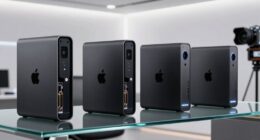
For most buyers, I’d start with the Samsung T7 Shield 2TB: its rugged design and up-to-1,050 MB/s performance suit everyday work and travel. The Crucial X9 is a straightforward alternative, while the SanDisk Extreme PRO targets people with compatible USB 3.2 Gen 2×2 ports who need higher potential transfer speeds. The main tradeoffs are ruggedness, real-world speed, host-device compatibility, and how much you want to spend on features you may not use. A faster SSD can still run at a lower speed when connected to a slower port, and similar product names can hide meaningful differences. Read on for the full comparison and guidance on choosing the right 2TB drive for your setup.

Prime made for students and young adults
- Fast, free delivery for dorm and study essentials
- Prime Video and Amazon Music included
- Member-only deals
Key Takeaways
- The Samsung T7 Shield is the strongest all-round fit for buyers who want a balance of portable speed and added protection, rather than the highest advertised speed.
- USB 3.2 Gen 2×2 separates the speed-focused options: the KingSpec Z5 and SanDisk Extreme PRO advertise up to 2,100 MB/s and 2,000 MB/s, respectively, but that advantage depends on having a compatible host port.
- The Crucial X9 and standard SanDisk Portable favor simpler everyday storage, while their advertised speeds and protection features sit below more performance- or ruggedness-focused picks.
- Several SanDisk listings appear closely related or potentially overlapping; compare exact model details, interface, speed claims, and protection ratings before choosing between them.
- Ruggedness and speed are separate buying priorities: IP65-rated SanDisk Extreme options and the T7 Shield emphasize protection, while speed-focused models may make more sense for large, frequent transfers.
| Samsung T7 Portable SSD, 2TB, Titan Gray, USB 3.2 Gen 2 |  | Best Overall | Storage capacity: 2 TB | USB standard: USB 3.2 Gen 2 | Read speed: Up to 1,050 MB/s | VIEW ON AMAZON | See Our Full Breakdown |
| Crucial X9 2TB Portable SSD, up to 1050 MB/s, USB-C |  | Best for Everyday Durability | Storage capacity: 2 TB | Read speed: Up to 1,050 MB/s | Data transfer rate: 10 Gbit/s | VIEW ON AMAZON | See Our Full Breakdown |
| KingSpec Z5 2TB External SSD – 2100MB/s, Portable Solid State Drive with RGB Light, Zinc Alloy Case, USB 3.2 Gen2x2 |  | Best for Gen 2×2 Speed and Style | Storage capacity: 2 TB | Transfer speed: Up to 2,100 MB/s | Interface: USB 3.2 Gen 2×2 | VIEW ON AMAZON | See Our Full Breakdown |
| SanDisk 2TB Portable SSD, Up to 800MB/s Read Speed |  | Best for Simple, Secure Carry | Storage capacity: 2 TB | Read speed: Up to 800 MB/s | Connectivity: USB 3.2 Gen 2 | VIEW ON AMAZON | See Our Full Breakdown |
| Samsung T7 Shield Portable SSD 2TB, USB 3.2 Gen 2, Up to 1,050 MB/s |  | Best Rugged Pick | Capacity: 2 TB | Interface: USB 3.2 Gen 2, backward compatible with USB 2.0/3.0 | Read speed: Up to 1,050 MB/s | VIEW ON AMAZON | See Our Full Breakdown |
| SanDisk 2TB Extreme Portable SSD – USB-C, USB 3.2 Gen 2, IP65 Water & Dust Resistance, 1050MB/s |  | Best for Rugged Everyday Carry | Capacity: 2TB | Max read speed: Up to 1050MB/s | Max write speed: Up to 1000MB/s | VIEW ON AMAZON | See Our Full Breakdown |
| SanDisk Extreme Portable 2TB SSD, USB-C, Up to 1050MB/s |  | Best for Secure Portable Storage | Storage capacity: 2TB | Read speed: Up to 1050MB/s | Write speed: Up to 1000MB/s | VIEW ON AMAZON | See Our Full Breakdown |
| Crucial X10 2TB Portable SSD |  | Best for Faster File Transfers | Capacity: 2TB | Read speed: Up to 2100MB/s | Connectivity: USB 3.2, USB-C, USB-A | VIEW ON AMAZON | See Our Full Breakdown |
| SanDisk 2TB Extreme Portable SSD |  | Best for Broad USB Compatibility | Storage capacity: 2TB | Read speed: Up to 1050MB/s | Write speed: Up to 1000MB/s | VIEW ON AMAZON | See Our Full Breakdown |
| SanDisk 2TB Extreme PRO Portable SSD – Up to 2000MB/s – USB-C, USB 3.2 Gen 2×2, IP65 Water and Dust Resistance | 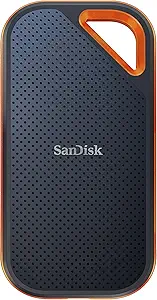 | Best Premium-Speed Pick | Capacity: 2TB | Max read speed: Up to 2000MB/s | Max write speed: Up to 2000MB/s | VIEW ON AMAZON | See Our Full Breakdown |
| external ssd 2tb | Read speed | Drop protection | Water and dust resistance | Storage capacity |
|---|---|---|---|---|
| Samsung T7 Portable SSD | Up to 1,050 MB/s | Up to 6 feet | — | 2 TB |
| Crucial X9 2TB Portable SSD | Up to 1,050 MB/s | — | IP55 | 2 TB |
| KingSpec Z5 2TB External SSD | — | — | — | 2 TB |
| SanDisk 2TB Portable SSD | Up to 800 MB/s | Up to 2 meters | — | 2 TB |
| Samsung T7 Shield Portable SSD | Up to 1,050 MB/s | Up to 9.8 ft (3 m) | IP65 | — |
| SanDisk 2TB Extreme Portable S | — | Up to 3 meters | IP65 | — |
| SanDisk Extreme Portable 2TB S | Up to 1050MB/s | Up to 3 meters | IP65 | 2TB |
| Crucial X10 2TB Portable SSD | Up to 2100MB/s | — | IP65 | — |
| SanDisk 2TB Extreme Portable S | Up to 1050MB/s | Up to 3 meters | IP65 | 2TB |
| SanDisk 2TB Extreme PRO Portab | — | Up to 3 meters | IP65 | — |
More Details on Our Top Picks
Samsung T7 Portable SSD, 2TB, Titan Gray, USB 3.2 Gen 2
The Samsung T7 is my balanced pick for everyday 2TB portable storage: its USB 3.2 Gen 2 connection supports up to 1,050 MB/s reads and 1,000 MB/s writes, so large project files and game libraries can move quickly when the host device supports those speeds. The aluminum body and stated six-foot drop protection add reassurance for a drive that travels, while the included USB-C-to-C and USB-C-to-A cables make it easier to connect across newer and older ports. Compared with the Crucial X9, the T7 lacks a stated water-and-dust rating, but it adds specified hardware encryption and similarly strong transfer speeds. Its main limitation is host dependence: slower ports or unsupported UASP can reduce performance, and device compatibility can vary.
Pros:- Up to 1,050 MB/s read and 1,000 MB/s write speeds over a compatible connection
- Aluminum unibody with drop protection up to six feet
- 256-bit AES hardware encryption
- Includes USB-C-to-C and USB-C-to-A cables
Cons:- Maximum speeds depend on a compatible USB 3.2 Gen 2 host and UASP support
- No stated water- or dust-resistance rating
- Compatibility can vary by device and operating system
Best for: Laptop, camera, and console owners who want a fast, broadly compatible 2TB drive with both USB-C and USB-A cables included.
Not ideal for: People who regularly work outdoors in wet or dusty conditions; the Crucial X9 and Samsung T7 Shield provide stated environmental resistance.
- Storage capacity:2 TB
- USB standard:USB 3.2 Gen 2
- Read speed:Up to 1,050 MB/s
- Write speed:Up to 1,000 MB/s
- Encryption:256-bit AES hardware encryption
- Construction:Aluminum unibody
- Drop protection:Up to 6 feet
- Included cables:USB Type-C-to-C and Type-C-to-A
Our verdict“Choose the Samsung T7 for a quick, versatile 2TB drive with useful cable and encryption provisions, but pick the T7 Shield if environmental protection matters more.”
Crucial X9 2TB Portable SSD, up to 1050 MB/s, USB-C
The Crucial X9 pairs 2TB capacity and reads up to 1,050 MB/s with protection that suits a drive carried between home, work, and travel: it has an IP55 water-and-dust rating and drop protection up to 7.5 feet. That makes it a more weather-ready choice than the standard Samsung T7, whose listed protection covers drops but not water or dust. The X9 supports a broad set of computers, mobile devices, and consoles, although actual performance depends on the connected device and port. Its polycarbonate enclosure keeps the design practical, but the listed data does not specify write speed or hardware encryption, unlike the Samsung T7. Bonus software also requires purchase and registration, so I would treat it as a transfer-and-backup drive rather than buying it for bundled extras.
Pros:- Up to 1,050 MB/s read speed for moving large files
- IP55 water and dust resistance
- Drop protection up to 7.5 feet
- Compatibility listed for computers, tablets, phones, and major consoles
Cons:- Write speed is not specified in the supplied product data
- Bonus software requires purchase and registration
- Polycarbonate enclosure rather than the aluminum body listed for the Samsung T7
Best for: People who carry a 2TB SSD in a bag and want stated water, dust, and drop protection for commuting or travel.
Not ideal for: Buyers who need a published write-speed figure or specified hardware encryption; the Samsung T7 lists both.
- Storage capacity:2 TB
- Read speed:Up to 1,050 MB/s
- Data transfer rate:10 Gbit/s
- Connectivity:USB-C, USB-A
- Water and dust resistance:IP55
- Drop resistance:Up to 7.5 ft (2 m)
- Enclosure material:Polycarbonate
- Compatibility:Windows, Mac, iPad Pro, Chromebook, Android, Linux, PS4, PS5, Xbox
Our verdict“Pick the Crucial X9 if everyday water, dust, and drop protection matter more than documented write performance or listed hardware encryption.”
KingSpec Z5 2TB External SSD – 2100MB/s, Portable Solid State Drive with RGB Light, Zinc Alloy Case, USB 3.2 Gen2x2
The KingSpec Z5 is the speed-focused outlier here: its stated transfer rate reaches 2,100 MB/s, outpacing the 1,050 MB/s ceiling of the Samsung T7 and Crucial X9 when paired with a USB 3.2 Gen 2×2 port. That can appeal to users moving large media files who already have compatible hardware. The zinc-alloy case is described as helping with durability and heat dissipation, while RGB lighting gives the drive a more conspicuous look than the understated SanDisk Portable SSD. Those strengths come with a compatibility catch: the supplied data says MacBook and iMac transfers are limited to 10Gbps, and the drive is not compatible with Apple iPhone. No water- or dust-resistance rating is listed, so its performance and styling do not make it the safest choice for rough outdoor use.
Pros:- Advertised transfer speed up to 2,100 MB/s with compatible hardware
- USB 3.2 Gen 2×2 interface
- Zinc-alloy case designed to aid heat dissipation
- Three-year warranty
Cons:- Maximum speed requires a USB 3.2 Gen 2×2 port
- Listed MacBook and iMac performance is limited to 10Gbps
- Not compatible with Apple iPhone, and no water- or dust-resistance rating is specified
Best for: PC users with USB 3.2 Gen 2×2 ports who move large files and want RGB lighting on a portable 2TB SSD.
Not ideal for: iPhone owners, Mac users seeking the full advertised speed, or outdoor users who need a stated water-and-dust rating.
- Storage capacity:2 TB
- Transfer speed:Up to 2,100 MB/s
- Interface:USB 3.2 Gen 2×2
- Case:Zinc alloy
- Design:RGB lighting
- Compatibility:Android phones, laptops, TVs, PCs, PlayStation
- Warranty:3 years
Our verdict“Choose the KingSpec Z5 only if your setup supports Gen 2×2 and its higher speed and RGB design matter more than broad Apple compatibility or stated weather protection.”
SanDisk 2TB Portable SSD, Up to 800MB/s Read Speed
The SanDisk 2TB Portable SSD makes a straightforward case for buyers who value easy carry over peak throughput. Its read speed is listed at up to 800 MB/s, below the 1,050 MB/s figures of the Samsung T7 and Crucial X9, so it is less suited to users who routinely shift very large files and want the fastest transfers in this group. In return, it offers drop protection up to two meters and a rubber hook for attaching it to a bag or belt loop—useful details for people who keep storage close at hand. The supplied cable is USB-C to USB-A, and compatibility is listed for laptops and tablets. Write speeds are lower than read speeds, with no exact write figure provided, so this is a less balanced choice for frequent two-way transfers.
Pros:- 2TB portable solid-state storage
- Read speeds up to 800 MB/s
- Drop protection up to two meters
- Rubber hook and included USB-C-to-USB-A cable
Cons:- Read speed is lower than the Samsung T7 and Crucial X9
- Write speeds are lower than read speeds, with no exact figure listed
- Supplied compatibility information names laptops and tablets, not a wider range of devices
Best for: Laptop and tablet users who want 2TB of portable storage with a hook for securing it to a bag or belt loop.
Not ideal for: Video editors or other users who often transfer large files both ways and want the higher listed speeds of the Samsung T7 or Crucial X9.
- Storage capacity:2 TB
- Read speed:Up to 800 MB/s
- Connectivity:USB 3.2 Gen 2
- Compatible devices:Laptops, tablets
- Drop protection:Up to 2 meters
- Weight:1.44 ounces
- Included cable:USB-C to USB-A
Our verdict“Choose this SanDisk if a securing hook and stated drop protection matter more than the higher transfer speeds offered by the T7 and X9.”
Samsung T7 Shield Portable SSD 2TB, USB 3.2 Gen 2, Up to 1,050 MB/s
The Samsung T7 Shield keeps the quick transfers of the standard T7—up to 1,050 MB/s read and 1,000 MB/s write—while adding IP65 water and dust resistance and drop protection up to 9.8 feet. That makes it a better fit than the aluminum Samsung T7 for people working on location or carrying a drive through less controlled conditions. It also lists hardware encryption and compatibility with PCs, Macs, Android devices, gaming consoles, and iPhone 15/16. Compared with the Crucial X9, the Shield offers a higher stated drop limit and a specified write speed, though the X9 also has IP-rated protection and may suit buyers who do not need the same performance details. The supplied data does not explicitly confirm an included cable, and full speeds depend on a suitable USB 3.2 Gen 2 connection.
Pros:- Up to 1,050 MB/s read and 1,000 MB/s write speeds
- IP65 water and dust resistance
- Drop protection up to 9.8 feet
- Hardware encryption and broad listed device compatibility, including iPhone 15/16
Cons:- Maximum performance depends on USB 3.2 Gen 2 and UASP support
- Included cable is not explicitly specified in the supplied data
- The KingSpec Z5 advertises a higher peak speed with compatible Gen 2×2 hardware
Best for: Photographers, video creators, and mobile workers who need fast 2TB storage with defined water, dust, and drop protection.
Not ideal for: Buyers who prioritize a confirmed included cable or need the higher advertised transfer ceiling of a compatible Gen 2×2 drive such as the KingSpec Z5.
- Capacity:2 TB
- Interface:USB 3.2 Gen 2, backward compatible with USB 2.0/3.0
- Read speed:Up to 1,050 MB/s
- Write speed:Up to 1,000 MB/s
- Water and dust resistance:IP65
- Drop protection:Up to 9.8 ft (3 m)
- Encryption:Hardware encryption
- Compatibility:PC, Mac, Android, gaming consoles, iPhone 15/16
Our verdict“Choose the T7 Shield when rugged protection and fast, specified read/write performance matter more than a confirmed in-box cable or Gen 2×2 peak speed.”
SanDisk 2TB Extreme Portable SSD – USB-C, USB 3.2 Gen 2, IP65 Water & Dust Resistance, 1050MB/s
The SanDisk 2TB Extreme Portable SSD is a strong match for people carrying files between work, travel, and outdoor locations. Its IP65 water and dust resistance and protection against drops up to 3 meters give it an advantage over less rugged options such as the Crucial X9, while its 1050MB/s read speed suits large photo libraries and regular project transfers. Hardware encryption adds a privacy layer for sensitive files. Compared with the faster SanDisk Extreme PRO, this model gives up peak transfer speed but should make more sense for common USB 3.2 Gen 2 setups. Actual speed depends on the host device, and this model may lack newer features. Its 2TB capacity is ample for portable work, but not a substitute for a larger archive drive.
Pros:- Up to 1050MB/s read and 1000MB/s write speeds over USB 3.2 Gen 2
- IP65 water and dust resistance
- Drop protection up to 3 meters
- 256-bit AES hardware encryption
Cons:- Performance depends on the connected host device
- Slower stated read speed than the SanDisk Extreme PRO and Crucial X10
- Limited to 2TB in this configuration
Best for: Photographers, commuters, and field workers who want 2TB of fast storage with weather and drop protection.
Not ideal for: People moving very large files on a compatible high-bandwidth system who want the higher stated speed of the SanDisk Extreme PRO.
- Capacity:2TB
- Max read speed:Up to 1050MB/s
- Max write speed:Up to 1000MB/s
- Connectivity:USB-C, USB 3.2 Gen 2
- Water and dust resistance:IP65
- Drop protection:Up to 3 meters
- Encryption:256-bit AES hardware encryption
Our verdict“Choose this SanDisk if you want a rugged 2TB everyday drive and do not need the higher peak speed of the Extreme PRO.”
SanDisk Extreme Portable 2TB SSD, USB-C, Up to 1050MB/s
This SanDisk Extreme Portable 2TB SSD combines familiar USB 3.2 Gen 2 performance with protection aimed at daily carry: IP65 resistance, drop protection up to 3 meters, a carabiner loop, and 256-bit AES hardware encryption. That combination makes it more suited to travel and field use than a basic portable SSD such as the Samsung T7. Its stated speeds match the other standard SanDisk Extreme entries here, so the case for choosing this listing is its specific blend of portability and security, not a speed advantage. The carabiner loop can help attach it to a bag, though it does not make the drive immune to damage. Mac users should note that password protection requires a software download, and actual transfer speeds vary with the host device.
Pros:- Up to 1050MB/s read and 1000MB/s write speeds
- IP65 water and dust resistance with up to 3-meter drop protection
- Carabiner loop supports convenient bag carry
- 256-bit AES hardware encryption
Cons:- Mac password protection requires a software download
- Actual speeds vary with the host device and other factors
- Does not offer the higher stated read speeds of the Crucial X10 or SanDisk Extreme PRO
Best for: Traveling professionals and students who carry sensitive files and want a rugged drive they can attach to a bag.
Not ideal for: Mac users who want password protection without installing software, or creators seeking faster transfers than USB 3.2 Gen 2 provides.
- Storage capacity:2TB
- Read speed:Up to 1050MB/s
- Write speed:Up to 1000MB/s
- Interface:USB 3.2 Gen 2
- Connector:USB-C
- Water and dust resistance:IP65
- Drop protection:Up to 3 meters
- Encryption:256-bit AES hardware encryption
- Color:Black
Our verdict“Pick this version if secure, rugged carry matters more than exceeding standard USB 3.2 Gen 2 speeds.”
Crucial X10 2TB Portable SSD
The Crucial X10 2TB is the speed-focused choice among the standard portable drives in this group, with stated read speeds up to 2100MB/s. That is double the listed maximum for the SanDisk Extreme Portable models, which may shorten large transfers when the connected device and port can take advantage of its performance. It also offers USB-C and USB-A connectivity, helping it fit a wider mix of computers and devices. For routine backups, the SanDisk Extreme models’ 1050MB/s ratings may be sufficient, so the X10’s higher ceiling matters most to people who frequently move large media or game files. Its IP65 protection and 9.8-foot drop resistance support portable use, though the supplied details do not list encryption, and optimal performance calls for a suitable USB port.
Pros:- Up to 2100MB/s read speed, above the listed 1050MB/s SanDisk Extreme models
- USB-C and USB-A connectivity
- IP65 water and dust resistance
- Drop resistance up to 9.8 feet
Cons:- Maximum speed depends on a compatible host and port
- Encryption is not listed in the supplied product specifications
- No maximum write speed is provided in the supplied product data
Best for: Video creators, gamers, and students who regularly transfer large files and have compatible USB hardware.
Not ideal for: Buyers who mainly need basic backups, want listed hardware encryption, or use devices without a suitable USB-C or USB-A port.
- Capacity:2TB
- Read speed:Up to 2100MB/s
- Connectivity:USB 3.2, USB-C, USB-A
- Water and dust resistance:IP65
- Drop resistance:Up to 9.8 feet
Our verdict“Choose the Crucial X10 if your workflow benefits from its higher stated read speed and your devices can support it.”
SanDisk 2TB Extreme Portable SSD
This SanDisk Extreme listing stands out for its stated support across USB 3.2 Gen 2, USB 3.0, and USB 2.0, making it a practical fit for households or teams connecting the drive to a mix of older and newer systems. It retains the familiar 1050MB/s read and 1000MB/s write ratings, IP65 protection, 3-meter drop protection, and hardware encryption found across the standard Extreme options. Compared with the Crucial X10, it has a lower stated read ceiling, but its broad compatibility and included encryption give it a clearer role for general-purpose file storage. Older USB connections will limit transfer speeds, so the compatibility range is not a performance boost. At 1.76 ounces, it is also easy to carry, though the listing does not provide a separate write-performance advantage over its SanDisk siblings.
Pros:- Compatibility listed for USB 3.2 Gen 2, USB 3.0, and USB 2.0
- Up to 1050MB/s read and 1000MB/s write speeds
- IP65 resistance and drop protection up to 3 meters
- 256-bit AES hardware encryption and 1.76-ounce weight
Cons:- Older USB ports can limit transfer speeds
- Lower stated read speed than the Crucial X10 and SanDisk Extreme PRO
- Performance varies with the connected host and other factors
Best for: Households and small teams moving files between newer USB-C systems and older USB 3.0 or USB 2.0 devices.
Not ideal for: Users who need the highest transfer ceiling for large creative projects or expect USB 2.0 connections to deliver modern SSD speeds.
- Storage capacity:2TB
- Read speed:Up to 1050MB/s
- Write speed:Up to 1000MB/s
- Interface compatibility:USB 3.2 Gen 2, USB 3.0, USB 2.0
- Drop protection:Up to 3 meters
- Water and dust resistance:IP65
- Encryption:256-bit AES hardware encryption
- Item weight:1.76 ounces
- Form factor:Portable, 2.5 inches
Our verdict“Choose this model for a rugged, encrypted 2TB drive that needs to connect to a range of USB generations.”
SanDisk 2TB Extreme PRO Portable SSD – Up to 2000MB/s – USB-C, USB 3.2 Gen 2×2, IP65 Water and Dust Resistance
The SanDisk Extreme PRO 2TB is the performance-led choice, with stated read and write speeds up to 2000MB/s and a USB 3.2 Gen 2×2 interface. That gives it a higher speed ceiling than the standard SanDisk Extreme models and makes it better suited to frequent, large-file work—provided the host computer supports Gen 2×2. On a slower connection, the extra capacity for speed may go unused, while the Crucial X10 lists a 2100MB/s read speed and broader USB-C/USB-A connectivity. The PRO adds a durable aluminum chassis, IP65 resistance, 3-meter drop protection, and 256-bit AES hardware encryption. File management uses the SanDisk Memory Zone app, so buyers who prefer software-free setup may prefer a simpler drive.
Pros:- Up to 2000MB/s read and write speeds
- USB-C with USB 3.2 Gen 2×2 interface
- Aluminum chassis with IP65 water and dust resistance
- Up to 3-meter drop protection and 256-bit AES hardware encryption
Cons:- Peak speed depends on a compatible Gen 2×2 host
- File management features require the SanDisk Memory Zone app
- Crucial X10 lists a slightly higher maximum read speed
Best for: Video professionals and other heavy-file users with a USB 3.2 Gen 2×2 host who want rugged 2TB storage.
Not ideal for: People whose computers lack USB 3.2 Gen 2×2 or who mainly make smaller transfers that do not benefit from its higher speed ceiling.
- Capacity:2TB
- Max read speed:Up to 2000MB/s
- Max write speed:Up to 2000MB/s
- Interface:USB-C, USB 3.2 Gen 2×2
- Water and dust resistance:IP65
- Drop protection:Up to 3 meters
- Encryption:256-bit AES hardware encryption
- Chassis:Aluminum
Our verdict“Choose the Extreme PRO for demanding transfers if your computer supports Gen 2×2; otherwise, a standard SanDisk Extreme may be a better fit.”

How We Picked
I compared each listed 2TB drive around the factors that change the buying decision: advertised transfer speed, connection standard, ruggedness information, and how well the model fits routine backups, travel, or demanding file transfers. I gave more weight to useful balance than to the biggest speed figure, since a drive’s advertised performance depends on the computer or device it connects to. I also looked for clear distinctions between entry-level portable storage, rugged models, and faster USB 3.2 Gen 2×2 options.
The ranking favors drives with a clear use case and a practical combination of speed, protection, and ease of matching to a host device. The T7 Shield leads as a balanced choice; the Crucial X9 and standard SanDisk Portable suit less demanding use, while premium-speed picks rank higher for buyers who can benefit from their faster interface. Several SanDisk entries have similar names and overlapping stated features, so I treat them cautiously and recommend checking the exact model number and specifications before purchase.
| external ssd 2tb | Read speed | Drop protection | Water and dust resistance |
|---|---|---|---|
| Samsung T7 Portable SSD | Up to 1,050 MB/s | Up to 6 feet | — |
| Crucial X9 2TB Portable SSD | Up to 1,050 MB/s | — | IP55 |
| KingSpec Z5 2TB External SSD | — | — | — |
| SanDisk 2TB Portable SSD | Up to 800 MB/s | Up to 2 meters | — |
| Samsung T7 Shield Portable SSD | Up to 1,050 MB/s | Up to 9.8 ft (3 m) | IP65 |
| SanDisk 2TB Extreme Portable S | — | Up to 3 meters | IP65 |
| SanDisk Extreme Portable 2TB S | Up to 1050MB/s | Up to 3 meters | IP65 |
| Crucial X10 2TB Portable SSD | Up to 2100MB/s | — | IP65 |
| SanDisk 2TB Extreme Portable S | Up to 1050MB/s | Up to 3 meters | IP65 |
| SanDisk 2TB Extreme PRO Portab | — | Up to 3 meters | IP65 |
Factors to Consider When Choosing External Ssd 2tb
Choosing a 2TB external SSD is less about finding the biggest number on the box and more about matching the drive to your device, workload, and surroundings. I’d settle the connection and protection questions before paying extra for speed or rugged construction.
Match the SSD Speed to Your Device
Advertised transfer rates describe a best-case connection, not a guarantee for every computer. USB 3.2 Gen 2×2 drives such as the KingSpec Z5 and SanDisk Extreme PRO need a compatible port to reach their higher stated speeds. A drive connected through a slower port will still work, but transfers may take longer than its headline figure suggests. Check the exact USB capabilities of your laptop, desktop, dock, or console before paying more for a faster interface. If your devices top out at USB 3.2 Gen 2, a model rated around 1,050 MB/s may be a more sensible match. Also check cable and adapter requirements, since those can affect both compatibility and convenience.
Choose Capacity for Your Actual Workload
A 2TB drive can hold a sizable working library, but the space needed varies sharply between documents, photos, and high-resolution video. Leave room for future projects and avoid treating the advertised capacity as space that will all be available for files; formatting and system use reduce usable capacity. If the SSD will store your only copy of important work, capacity is not a substitute for a separate backup. Buyers with a growing media archive may be better served by using the portable SSD for active projects and a separate, larger storage device for older files. This split can also reduce how often the SSD has to travel. Think about the size of your largest regular transfers, not just the total library you have today.
Decide How Much Protection You Need
Rugged construction and stated ingress protection matter most when a drive will travel in a bag, work outdoors, or sit near dust and splashes. The T7 Shield and IP65-rated SanDisk Extreme models are more clearly positioned for that use than basic portable drives. A protection rating describes specific test conditions; it does not make a drive indestructible or safe from every accident. Even a rugged SSD can be damaged by drops, crushing, or a damaged cable, so a padded case and a second copy of important files still help. For a drive that stays on a desk, paying extra for ruggedness may bring little practical benefit. Choose protection based on the places the drive will actually go.
Separate Peak Transfers from Everyday Use
High sequential speeds are most useful when moving large files repeatedly, such as video footage or project folders. Smaller file transfers, software behavior, and the speed of the source drive can all limit the benefit in ordinary use. A faster interface may also generate more heat during sustained activity, while advertised peak rates do not promise the same speed throughout a long transfer. For routine document storage and occasional photo backups, ease of connection and dependable handling may matter more than a premium speed claim. Consider how often you move large batches and how long those transfers usually run. That helps distinguish a genuine workflow upgrade from a specification you are unlikely to notice.
Check Exact Model Names and Included Accessories
Product families often use similar names across different generations, interfaces, and protection levels. That is especially relevant here because several SanDisk listings overlap in their descriptions, so the listing title alone may not identify the precise version. Compare the model number, stated interface, speed rating, and protection details before ordering. Confirm that the package includes a cable suited to your device, or account for an appropriate cable or adapter. A USB-C connector does not by itself mean that two drives support the same transfer speed. Careful specification checking can prevent paying for a feature your chosen version does not have.
Frequently Asked Questions
Will a 2,000 MB/s or 2,100 MB/s SSD be faster with my laptop?
Only if your laptop’s USB port supports the drive’s required interface, including USB 3.2 Gen 2×2 for the higher advertised rates in this lineup. With a slower USB port, the drive will generally operate at a lower connection speed. Check your laptop’s technical specifications rather than relying on the connector shape: USB-C describes the connector, not the transfer rate. If your computer does not support Gen 2×2, a drive rated near 1,050 MB/s may deliver a more appropriate balance. The source drive and file sizes can also affect transfer times.
Is an IP65 rating enough to take an SSD outdoors?
IP65-rated options in this roundup are designed to resist dust and water jets under specified test conditions, which can help during travel or outdoor work. That rating does not cover every hazard, including crushing, all drop impacts, or prolonged exposure to water. Check the manufacturer’s exact usage limits, and keep the drive protected when it is not connected. A padded case can reduce everyday knocks, while a second copy protects files if the drive is lost or damaged. For indoor desk use, a rugged rating may not be worth prioritizing.
Should I choose a rugged 1,050 MB/s model or a faster 2,000 MB/s model?
Choose based on where and how you work. If the SSD travels often or may face dust and splashes, a model such as the Samsung T7 Shield or an IP65-rated SanDisk Extreme may be the more useful fit. If you regularly move large files and have a USB 3.2 Gen 2×2 port, the faster-rated SanDisk Extreme PRO or KingSpec Z5 may cut transfer time. Buyers without compatible ports may see little benefit from the higher speed class. Advertised maximum speed is only one part of the decision; protection, compatibility, and sustained workload matter too.
Can I use one 2TB SSD for both Mac and Windows computers?
Usually, yes, but the drive’s file system affects how easily both systems can read and write files. A drive formatted for one operating system may require reformatting or extra software for full write access on another, and reformatting erases existing data. If you share files between Mac and Windows, check the file system requirements for both devices before setup. Keep a separate copy of any files you need to preserve before changing formats. Also confirm that both computers support the drive’s connection standard.
Are the similar SanDisk Extreme listings different products or duplicate listings?
The supplied product names include several overlapping SanDisk Extreme descriptions, and those names alone do not establish whether each listing is a distinct model. Compare the exact model number, interface generation, advertised speed, IP rating, and included cable on the listing and manufacturer information. Do not assume a listing with a shorter title has the same specifications as an explicitly described IP65 or Extreme PRO model. If the details remain unclear, choose a listing with complete, consistent specifications. This check is particularly useful when comparing drives from the same product family.
Conclusion
For most people, I recommend the Samsung T7 Shield as the best overall: it combines a useful everyday speed class with a more protective design. The Crucial X9 is my value-oriented pick for straightforward portable storage, while the SanDisk Extreme PRO is the best premium choice for buyers with a compatible USB 3.2 Gen 2×2 port and frequent large transfers. Beginners who want a simple drive for backups can start with the Crucial X9 or standard SanDisk Portable and avoid paying for speed they may not use. For travel and outdoor work, favor the T7 Shield or an IP65-rated SanDisk Extreme; for headline speed, compare the Extreme PRO and KingSpec Z5 against your device’s port. Check exact model details before choosing among the similarly named SanDisk listings.
Halloween Picks
halloween
As an affiliate, we earn on qualifying purchases.