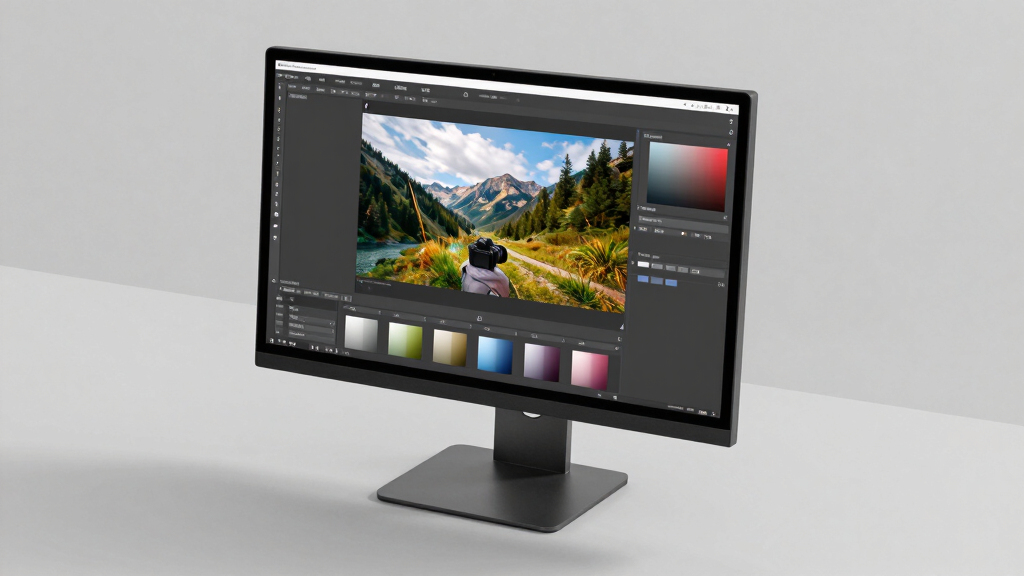

Finding the best 4k monitor for photo editing involves balancing color accuracy, resolution, and affordability. The Dell 27 Monitor S2725QS stands out for its crisp IPS display and high refresh rate, ideal for detailed editing and smooth workflows. For those seeking larger screens, the LG 32U700B-B offers a spacious 32-inch workspace with impressive 4k clarity. However, tradeoffs often include price, calibration needs, and whether a monitor’s features match your specific editing style. Continue reading for a detailed breakdown of the top options to help you make an informed choice.

Prime made for students and young adults
- Fast, free delivery for dorm and study essentials
- Prime Video and Amazon Music included
- Member-only deals
Key Takeaways
- The top monitors balance color accuracy with resolution, but premium options tend to offer better factory calibration and wider color gamuts.
- Size varies from 27-inch to 32-inch, with larger screens providing more workspace but often at a higher cost and lower pixel density.
- Connectivity features like USB-C and HDR support are common in higher-end models, aiding professional workflows.
- Many monitors include features like flicker-safe modes and blue light filters, which can reduce eye strain during long editing sessions.
- Price ranges are broad; investing more typically yields better calibration and color precision, but budget options can suffice for casual editing.
| Dell 27 Monitor S2725QS 4K UHD IPS, 120Hz, FreeSync Premium |  | Best Overall for Versatile Creative Use | Display Size: 27 inches | Resolution: 3840 x 2160 (4K UHD) | Panel Type: IPS | VIEW LATEST PRICE | See Our Full Breakdown |
| LG 27US500-W 27-Inch 4K UHD IPS Monitor with HDR10, Borderless Design, Reader Mode, Flicker Safe, HDMI & DisplayPort – White |  | Best for Entry-Level Photo Editing & General Use | Screen Size: 27 inches | Resolution: 3840 x 2160 (4K UHD) | Display Technology: IPS | VIEW LATEST PRICE | See Our Full Breakdown |
| LG 32U700B-B 32-inch 4K UHD UltraFine Monitor |  | Best for Large Workspace and Multi-Tasking | Display Size: 32 inches | Resolution: 3840 x 2160 (4K UHD) | HDR: Yes | VIEW LATEST PRICE | See Our Full Breakdown |
| BenQ PD2706U 27-Inch 4K UHD IPS Monitor with USB-C, HDR400, KVM, and Factory Calibration |  | Best for Professional Color Accuracy & Connectivity | Display Size: 27 inches | Resolution: 3840 x 2160 (4K UHD) | Color Coverage: 99% sRGB, 95% P3 | VIEW LATEST PRICE | See Our Full Breakdown |
| ASUS ProArt PA279CV 27 Inch 4K UHD USB-C Professional Monitor |  | Best for Long-Term Professional Reliability | Display Size: 27 inches | Resolution: 3840 x 2160 (4K UHD) | Color Gamut: 100% sRGB, 100% Rec. 709 | VIEW LATEST PRICE | See Our Full Breakdown |
| LG 27UP850K-W 27-inch 4K UHD IPS Monitor |  | Best Overall for Versatile Creative Work | Display Size: 27 inches | Resolution: 3840 x 2160 (4K UHD) | Color Gamut: 95% DCI-P3 | VIEW LATEST PRICE | See Our Full Breakdown |
| LG 27UP650K-W 27-inch 4K UHD IPS Computer Monitor with HDR and Adjustable Stand |  | Best Value for Vivid 4K and Ergonomics | Display Size: 27 inches | Resolution: 3840 x 2160 (4K UHD) | HDR: DisplayHDR 400 | VIEW LATEST PRICE | See Our Full Breakdown |
| CUNPU 27-inch 4K IPS Ultra-Slim Bezel Monitor for Photo and Video Editing |  | Best for Multitasking and Content Creation | Size: 27 inches | Resolution: 4K (3840×2160) | Color Coverage: 100% DCI-P3 | VIEW LATEST PRICE | See Our Full Breakdown |
| ASUS ProArt PA279CRV 27-Inch 4K UHD HDR Professional Monitor for Mac |  | Best for Professional Color Accuracy | Display Size: 27 inches | Resolution: 3840 x 2160 (4K UHD) | Color Coverage: 99% DCI-P3, 99% Adobe RGB | VIEW LATEST PRICE | See Our Full Breakdown |
| 4k monitor for photo editing | Resolution | Display Size | Color Gamut | Connectivity |
|---|---|---|---|---|
| Dell 27 Monitor S2725QS 4K UHD | 3840 x 2160 (4K UHD) | 27 inches | 99% sRGB | — |
| LG 27US500-W 27-Inch 4K UHD IP | 3840 x 2160 (4K UHD) | — | — | — |
| LG 32U700B-B 32-inch 4K UHD Ul | 3840 x 2160 (4K UHD) | 32 inches | up to 99% sRGB | HDMI, DisplayPort |
| BenQ PD2706U 27-Inch 4K UHD IP | 3840 x 2160 (4K UHD) | 27 inches | — | USB-C with 90W, HDMI, DisplayPort |
| ASUS ProArt PA279CV 27 Inch 4K | 3840 x 2160 (4K UHD) | 27 inches | 100% sRGB, 100% Rec. 709 | USB-C with 65W, HDMI, DisplayPort |
| LG 27UP850K-W 27-inch 4K UHD I | 3840 x 2160 (4K UHD) | 27 inches | 95% DCI-P3 | USB Type-C, DisplayPort, HDMI (x2), USB 3.0 (x2), Headphone jack |
| LG 27UP650K-W 27-inch 4K UHD I | 3840 x 2160 (4K UHD) | 27 inches | 95% DCI-P3 | — |
| CUNPU 27-inch 4K IPS Ultra-Sli | 4K (3840×2160) | — | — | — |
| ASUS ProArt PA279CRV 27-Inch 4 | 3840 x 2160 (4K UHD) | 27 inches | — | USB-C (96W), DisplayPort, HDMI, USB hub |
More Details on Our Top Picks
Dell 27 Monitor S2725QS 4K UHD IPS, 120Hz, FreeSync Premium
The Dell S2725QS stands out for its combination of vibrant 4K visuals, high refresh rate, and eye comfort features, making it ideal for detailed photo editing combined with occasional multimedia work. Compared with the LG 27US500-W, this Dell offers a smoother experience thanks to its 120Hz refresh rate, which benefits those who also do light video editing or multimedia tasks. However, its lack of USB-C limits connectivity options for modern laptops, and it doesn’t include built-in speakers, which some users might find inconvenient. The display’s accuracy and color reproduction are excellent for photo editing, but the limited port selection could be a drawback for those with multiple devices. Overall, this monitor balances performance and visual quality for creative professionals who need a versatile screen that can handle both editing and entertainment.
Pros:- Vivid 4K visuals with 99% sRGB coverage
- Smooth 120Hz refresh rate and FreeSync Premium support
- Enhanced eye comfort with blue light reduction
- Sleek ultra-thin bezel design
Cons:- Limited to DisplayPort and HDMI connections (no USB-C)
- No built-in speakers
Best for: Photographers and designers who want a high-performance, visually accurate display with smooth performance for multimedia use.
Not ideal for: Users seeking extensive USB-C connectivity or integrated speakers, or those who prioritize ultra-thin form factors over versatility.
- Display Size:27 inches
- Resolution:3840 x 2160 (4K UHD)
- Panel Type:IPS
- Refresh Rate:120Hz
- Response Time:0.03ms
- Color Gamut:99% sRGB
Our verdict“This monitor is a solid choice for creative professionals who value color accuracy and smooth visuals in a versatile, stylish package.”
LG 27US500-W 27-Inch 4K UHD IPS Monitor with HDR10, Borderless Design, Reader Mode, Flicker Safe, HDMI & DisplayPort – White
The LG 27US500-W offers a crisp 4K IPS panel with wide viewing angles and HDR10 support, making it a reliable choice for entry-level photo editing. Its borderless design maximizes workspace, and the adjustable stand ensures ergonomic comfort during prolonged editing sessions. Compared with the BenQ PD2706U, it provides a more affordable option with decent color reproduction but lacks the factory calibration and broader color gamut that professionals might need. The 60Hz refresh rate and 5ms response time are suitable for photo editing but fall short for fast-paced tasks or gaming. Its power consumption and limited connectivity options may be less appealing for power users. This monitor suits those starting out or working on casual editing projects where budget and simplicity are priorities.
Pros:- High-resolution 4K UHD display with HDR10 support
- Wide viewing angles and borderless design
- Adjustable ergonomic stand
- Good value for casual photo editing
Cons:- Limited to 60Hz refresh rate, not ideal for fast editing workflows
- Response time of 5ms may cause slight motion blur
Best for: Beginner photographers or hobbyists seeking a color-accurate display at an affordable price.
Not ideal for: Professionals requiring precise color calibration or higher refresh rates for multimedia workflows and fast editing.
- Screen Size:27 inches
- Resolution:3840 x 2160 (4K UHD)
- Display Technology:IPS
- Contrast Ratio:1000:1
- Refresh Rate:60Hz
- Response Time:5ms
Our verdict“This monitor offers a solid entry point for casual photo editors who prioritize affordability and decent visual quality.”
LG 32U700B-B 32-inch 4K UHD UltraFine Monitor
The LG 32U700B-B caters to those who need a larger screen for multitasking and detailed editing, with its expansive 32-inch 4K UHD display. Its virtually borderless design maximizes screen real estate, making it ideal for complex workflows. Unlike the smaller LG 27US500-W, this model offers a bigger workspace, but the 60Hz refresh rate and lack of advanced calibration features mean it’s less suited for high-precision color work. Its HDR support enhances visual vibrancy, yet it doesn’t include internal speakers, and the connectivity options are fairly standard. This monitor makes sense for professionals juggling multiple applications or large-format editing but may fall short for those who need top-tier color accuracy without calibration tools.
Pros:- Large 32-inch 4K UHD display for multitasking
- Virtually borderless design maximizes workspace
- Adjustable height and tilt for ergonomic comfort
- HDR support adds vibrancy
Cons:- Limited to 60Hz refresh rate, not ideal for gaming or fast editing
- No built-in speakers or advanced calibration
Best for: Content creators and multitaskers who prefer a larger display for detailed editing and workflow efficiency.
Not ideal for: High-end colorists requiring professional calibration or gamers seeking high refresh rates.
- Display Size:32 inches
- Resolution:3840 x 2160 (4K UHD)
- HDR:Yes
- Connectivity:HDMI, DisplayPort
- Adjustments:Height and tilt
- Color Gamut:up to 99% sRGB
Our verdict“This monitor suits professionals needing ample screen space for complex editing tasks but doesn’t prioritize color calibration accuracy.”
BenQ PD2706U 27-Inch 4K UHD IPS Monitor with USB-C, HDR400, KVM, and Factory Calibration
The BenQ PD2706U is tailored for creative professionals who demand precise color reproduction, thanks to its factory calibration with 99% sRGB and 95% P3 coverage. Its USB-C port delivers 90W power, simplifying cable management, and the inclusion of a KVM switch enhances productivity across multiple devices. Compared with the ASUS ProArt PA279CV, it offers similar calibration standards but with a slightly larger screen size and more versatile connectivity. The 60Hz refresh rate is adequate for photo editing but unsuitable for fast-paced tasks. Its high price reflects its professional-grade features, making it less attractive for casual users. This monitor is ideal for those who prioritize accuracy and seamless device integration in a professional setting.
Pros:- Excellent color accuracy with factory calibration
- 99% sRGB and 95% P3 coverage
- USB-C with 90W Power Delivery for single-cable setup
- Includes KVM switch for multi-device control
Cons:- Limited to 60Hz refresh rate, not suited for fast editing or gaming
- Premium price may be prohibitive for casual users
Best for: Professional photographers and designers needing top-tier color precision and flexible connectivity.
Not ideal for: Casual hobbyists or gamers who require higher refresh rates or lower price points.
- Display Size:27 inches
- Resolution:3840 x 2160 (4K UHD)
- Color Coverage:99% sRGB, 95% P3
- Calibration:Factory calibrated, Delta E < 2
- Connectivity:USB-C with 90W, HDMI, DisplayPort
- HDR:DisplayHDR 400
Our verdict“This monitor offers professional-grade color fidelity and connectivity, perfect for serious content creators and studio work.”
ASUS ProArt PA279CV 27 Inch 4K UHD USB-C Professional Monitor
The ASUS ProArt PA279CV is designed for professionals who need consistent, accurate color reproduction, boasting factory calibration with a Delta E < 2 and 100% sRGB plus Rec. 709 coverage. Its USB-C port with 65W Power Delivery simplifies setup for laptop users, and the inclusion of a 5-year warranty emphasizes its durability for long-term use. Compared with the BenQ PD2706U, it offers similar calibration standards but with a slightly smaller screen size, which might influence workspace comfort. While its 60Hz refresh rate is standard for professional editing, it isn’t optimized for fast-paced media tasks. The monitor’s reliable performance and extended warranty make it best suited for professional environments where consistency is key.
Pros:- Excellent factory calibration with Delta E < 2
- Wide 100% sRGB and Rec. 709 color coverage
- USB-C with 65W Power Delivery for simple connectivity
- 5-year warranty for professional peace of mind
Cons:- Display size listed as 23.8 inches in specs, which may cause confusion
- Limited to 60Hz refresh rate, not suitable for high-speed editing or gaming
Best for: Content creators and professionals seeking a dependable, calibrated display for long-term use.
Not ideal for: Gamers or those needing high refresh rates for fast editing workflows or multimedia gaming.
- Display Size:27 inches
- Resolution:3840 x 2160 (4K UHD)
- Color Gamut:100% sRGB, 100% Rec. 709
- Calibration:Factory calibrated, Delta E < 2
- Connectivity:USB-C with 65W, HDMI, DisplayPort
- Warranty:5 years
Our verdict“This monitor provides reliable, calibrated visuals making it ideal for professionals committed to color accuracy and durability.”
LG 27UP850K-W 27-inch 4K UHD IPS Monitor
The LG 27UP850K-W stands out for offering a well-rounded balance of vibrant visuals, flexible connectivity, and ergonomic features. Its 95% DCI-P3 color gamut and HDR 400 support make it suitable for detailed photo editing, rivaling the color accuracy of the ASUS ProArt PA279CRV but at a more accessible price point. The inclusion of USB-C with 90W power delivery simplifies workspace setup, and the adjustable stand enhances comfort during long editing sessions. However, its premium features come with a higher cost, and the built-in speakers, while convenient, aren’t ideal for critical audio work. Compared to the CUNPU, it offers more versatile connectivity and smart multitasking tools but lacks the ultra-slim bezel aesthetic. This monitor is best for creative professionals who need a reliable all-rounder with good connectivity and display quality.
Pros:- Vibrant 4K UHD display with HDR 400 support for accurate color work
- Multiple connectivity options including USB-C with 90W power delivery
- Ergonomic stand with adjustable height, tilt, and pivot
- Smart multitasking features via the Switch app
Cons:- Higher price compared to simpler models like the LG 27UP650K-W
- Built-in speakers may not satisfy audio professionals
Best for: Creative professionals seeking a versatile, feature-rich monitor for photo editing, streaming, and light gaming
Not ideal for: High-end gamers or audiophiles who require ultra-fast response times or superior sound quality
- Display Size:27 inches
- Resolution:3840 x 2160 (4K UHD)
- Color Gamut:95% DCI-P3
- HDR:VESA DisplayHDR 400
- Connectivity:USB Type-C, DisplayPort, HDMI (x2), USB 3.0 (x2), Headphone jack
- Stand Adjustments:Height, tilt, pivot
Our verdict“This monitor suits creative users demanding a balance of color accuracy, connectivity, and ergonomic comfort without the premium price of high-end pro models.”
LG 27UP650K-W 27-inch 4K UHD IPS Computer Monitor with HDR and Adjustable Stand
The LG 27UP650K-W offers a compelling mix of vivid 4K visuals and ergonomic flexibility at a more affordable price than the LG 27UP850K-W. Its 95% DCI-P3 color coverage and HDR 400 support deliver excellent color accuracy and contrast for photo editing, though it doesn’t include the USB-C with Power Delivery found on higher-end models. The adjustable stand with tilt, height, and pivot ensures comfortable editing sessions, while the 60Hz refresh rate is adequate for most creative workflows but falls short for fast-paced gaming. Lacking built-in speakers, it’s less suited for casual multimedia use. Compared to the CUNPU, it sacrifices some multitasking features but gains a more accessible price point and good overall performance. This pick makes the most sense for photographers and designers who want quality visuals without breaking the bank.
Pros:- Vivid 4K UHD display with HDR 400 for accurate image reproduction
- Flexible stand with tilt, height, and pivot adjustments
- Multiple connectivity options including HDMI and DisplayPort
- Cost-effective choice for quality image editing
Cons:- Limited response time for fast-paced gaming
- No built-in speakers included
Best for: Budget-conscious photographers and designers needing accurate color and ergonomic adjustment
Not ideal for: High-end gamers or professionals requiring higher refresh rates and advanced multitasking features
- Display Size:27 inches
- Resolution:3840 x 2160 (4K UHD)
- HDR:DisplayHDR 400
- Color Gamut:95% DCI-P3
- Panel Type:IPS
- Stand Adjustments:Tilt, height, pivot
Our verdict“Ideal for professionals seeking a high-quality, adjustable display at a budget-friendly price point for photo editing and casual multimedia use.”
CUNPU 27-inch 4K IPS Ultra-Slim Bezel Monitor for Photo and Video Editing
The CUNPU 27-inch 4K IPS monitor emphasizes a sleek design and wide color coverage, making it ideal for multitasking and content creation. Its 100% DCI-P3 support and 70Hz refresh rate provide rich, vibrant images, though the slightly lower refresh rate may limit fast-paced gaming performance compared to other options like the LG 27UP850K-W. The ultra-slim bezels and wide viewing angles facilitate shared work, while Picture-by-Picture and Picture-in-Picture modes enhance multitasking capabilities. The price isn’t specified, but it’s positioned as a professional-grade choice. Unlike the ASUS ProArt, it offers a more modern aesthetic but lacks factory calibration, which might be a concern for precision workflows. This monitor is best for creative professionals who prioritize display aesthetics and multitasking features over ultra-high refresh rates.
Pros:- Vivid 4K image quality with 100% DCI-P3 coverage
- Ultra-slim bezel design for modern aesthetics and multi-monitor setups
- Supports PBP and PiP for enhanced multitasking
- Wide viewing angles for shared editing or review
Cons:- Limited to 70Hz, which may restrict gaming performance
- No factory calibration for color accuracy
Best for: Content creators and multitaskers needing vibrant visuals and sleek design for professional workflows
Not ideal for: High-speed gamers or users needing ultra-fast response times for gaming or real-time video editing
- Size:27 inches
- Resolution:4K (3840×2160)
- Color Coverage:100% DCI-P3
- Refresh Rate:70Hz
- Viewing Angle:178°
- Ports:DisplayPort 1.4, HDMI 2.0, Headphone jack
Our verdict“Best suited for creative professionals valuing sleek design and multitasking flexibility over high refresh rates.”
ASUS ProArt PA279CRV 27-Inch 4K UHD HDR Professional Monitor for Mac
The ASUS ProArt PA279CRV is tailored for professionals demanding the highest color fidelity, with 99% DCI-P3 and Adobe RGB coverage, alongside factory calibration with Delta E < 2. for precise editing. Its comprehensive connectivity, including USB-C with 96W Power Delivery, makes it ideal for Mac users and those with extended multi-monitor setups thanks to daisy-chain support. The 4K resolution and adjustable ergonomic stand ensure detailed, comfortable editing sessions, but the premium price may deter casual users. Compared to the LG 27UP850K-W, it offers superior color accuracy and calibration but lacks the smart multitasking features. This model is best for photographers, videographers, or designers who need near-professional-grade color precision and reliable performance.
Pros:- High-resolution 4K display with factory calibration for color accuracy
- Extensive color coverage with 99% DCI-P3 and Adobe RGB
- Versatile connectivity including USB-C with 96W Power Delivery
- Daisy-chain support and ergonomic adjustments
Cons:- High price may be prohibitive for casual users
- Limited to professional workflows, not ideal for general use
Best for: Creative professionals requiring calibrated color accuracy for high-end photo and video editing
Not ideal for: Casual users or gamers who prioritize response times and gaming features over color fidelity
- Display Size:27 inches
- Resolution:3840 x 2160 (4K UHD)
- Color Coverage:99% DCI-P3, 99% Adobe RGB
- Color Accuracy:Delta E < 2
- Connectivity:USB-C (96W), DisplayPort, HDMI, USB hub
- Stand Adjustments:Height, tilt, swivel, pivot
Our verdict“This monitor offers exceptional color precision for professionals needing accurate, calibrated displays for creative workflows.”

How We Picked
The monitors included in this roundup were selected based on a combination of performance, build quality, color accuracy, and value. We prioritized products with factory calibration or calibration potential, wide color gamuts, and high resolution for precise editing. Additional factors like connectivity options, ergonomic adjustments, and user reviews played a role in ranking. This approach ensures that each monitor serves a specific editing need, from beginner to professional, and offers a clear tradeoff between features and price.| 4k monitor for photo editing | Connectivity |
|---|---|
| Dell 27 Monitor S2725QS 4K UHD | — |
| LG 27US500-W 27-Inch 4K UHD IP | — |
| LG 32U700B-B 32-inch 4K UHD Ul | HDMI, DisplayPort |
| BenQ PD2706U 27-Inch 4K UHD IP | USB-C with 90W, HDMI, DisplayPort |
| ASUS ProArt PA279CV 27 Inch 4K | USB-C with 65W, HDMI, DisplayPort |
| LG 27UP850K-W 27-inch 4K UHD I | USB Type-C, DisplayPort, HDMI (x2), USB 3.0 (x2), Headphone jack |
| LG 27UP650K-W 27-inch 4K UHD I | — |
| CUNPU 27-inch 4K IPS Ultra-Sli | — |
| ASUS ProArt PA279CRV 27-Inch 4 | USB-C (96W), DisplayPort, HDMI, USB hub |
Factors to Consider When Choosing Best 4k Monitor For Photo Editing
Choosing the best 4k monitor for photo editing requires understanding key factors that impact your workflow and image quality. Beyond specs, it’s important to consider how a monitor performs in real-world editing scenarios and whether its features align with your needs. Focusing on calibration, color accuracy, and ergonomic flexibility will help you avoid common pitfalls and maximize your investment.Color Accuracy and Calibration
Photo editing demands monitors with precise color reproduction. Look for models that come factory calibrated or support hardware calibration tools. Wide color gamuts, like AdobeRGB or DCI-P3, ensure your edits look consistent across devices and in print. Remember, a monitor with excellent specs isn’t useful if it isn’t properly calibrated, so factor in calibration options when choosing.
Size and Resolution Balance
The size of your monitor impacts your workspace and comfort. Larger screens, such as 32 inches, provide more room for detailed editing, but may come with a tradeoff in pixel density if resolution isn’t high enough. A 27-inch 4k display strikes a good balance for many, offering ample workspace without sacrificing sharpness. Consider your desk space and how much detail you need to see clearly.
Connectivity and Compatibility
Ensure the monitor offers versatile connectivity options like USB-C, HDMI, and DisplayPort. USB-C can simplify your setup by providing power, data, and video over a single cable, which is especially useful for laptops. Compatibility with your existing hardware and future-proofing features like HDR support can significantly streamline your workflow and prevent future upgrades.
Ergonomics and Build Quality
Long editing sessions require a monitor that’s adjustable and comfortable. Look for height, tilt, swivel, and pivot adjustments to find your optimal viewing angle. Good build quality and sturdy stands contribute to longevity and reduce fatigue. Poor ergonomics can lead to discomfort and impact your editing accuracy over time.
Budget and Value
While premium monitors offer superior calibration and wider color gamuts, budget models can still meet basic editing needs. Identify what features are essential for your workflow and avoid paying extra for bells and whistles you won’t use. Investing in a well-calibrated monitor can be worthwhile, but balancing price against performance ensures you get the best value for your money.
Frequently Asked Questions
Is a 4k monitor necessary for professional photo editing?
While a 4k monitor isn’t strictly necessary, it provides sharper detail and more workspace, which can enhance precision and workflow efficiency. For professional editing, the extra pixel density allows for more accurate retouching and finer adjustments. However, a high-quality 1440p monitor with good color accuracy can suffice for many, especially if budget is a concern.
How important is factory calibration in a photo editing monitor?
Factory calibration ensures that the monitor displays colors accurately right out of the box, saving you time and effort in manual calibration. For critical photo editing, a calibrated display helps maintain color consistency across projects and devices. If you’re investing in a monitor for professional work, factory calibration or easy calibration options are highly recommended.
Can I use a gaming monitor for photo editing?
Some gaming monitors offer high refresh rates and fast response times, but they often lack the color accuracy and wide gamuts necessary for photo editing. If you choose a gaming monitor, ensure it supports accurate color profiles and calibration. For most professionals, dedicated photo editing monitors will provide more reliable color fidelity.
What is the best monitor size for photo editing?
Most photo editors find 27 inches to be a sweet spot for clarity and workspace, especially with 4k resolution. Larger monitors, like 32 inches, offer even more room but can be overwhelming if your workspace is limited. Smaller sizes might not provide enough detail for precise editing. Your choice should balance your workspace, viewing distance, and workflow needs.
Should I prioritize HDR support in a photo editing monitor?
HDR support can improve your ability to see details in high-contrast areas, which is beneficial for certain editing tasks. However, HDR isn’t always essential unless you work with HDR content or high dynamic range images. Focus more on color accuracy and calibration first; HDR can be a bonus if your workflow demands it.
Conclusion
The best overall choice for most users is the BenQ PD2706U because it combines excellent factory calibration, versatile connectivity, and a professional-grade color gamut at a reasonable price. For those seeking the best value, the LG 27UP850K-W offers strong performance with useful ergonomic features. The ASUS ProArt PA279CV stands out for professionals needing precise color accuracy and calibration options. Beginners or casual editors may find the LG 27US500-W sufficient for their needs, while creative professionals working with HDR content should consider monitors with HDR support to maximize their workflow. Ultimately, your choice depends on your specific editing demands and budget.
As an affiliate, we earn on qualifying purchases.Fall Picks
fall essentials